Install MySQL client to solve!
Install the following dependent packages in order
================================
yum install mysql-devel
yum install gcc
yum install python3-devel
pip3 install mysqlclient
================================
the two methods found before
install MySQL connector Python
or pymysql.install_ as_ Mysqldb ()
doesn’t work for me. If I use it, there will be other errors
Nginx upload error 413 request entity too large
By default, when using nginx reverse proxy to upload more than 2MB files, an error 413 request entity too large will be reported. To solve this problem, it is very simple to modify the configuration of client_ max_ body_ The size value is enough
Modify nginx.conf
| 1 2 | #cat /usr/local/nginx-1.7.0/conf/nginx.conf | grep client_ max_ body_ size client_ max_ body_ size 10M; |
If you need to upload a larger file, the client_ max_ body_ The size can be changed to a larger value. Here it is changed to 10MB
Restart nginx
| 1 | # /usr/local/nginx-1.7.0/sbin/nginx -s reload |
ApplicationContextException: Unable to start ServletWebServerApplicationContext due to missing…..
ApplicationContextException: Unable to start ServletWebServerApplicationContext due to missing ServletWebServerFactory bean.
When I started the web project of springboot, I suddenly reported an error. At first, I suspected that I had forgotten to add the web dependency, but I found that it was not;
		<dependency>
            <groupId>org.springframework.boot</groupId>
            <artifactId>spring-boot-starter-web</artifactId>
            <version>2.3.8.RELEASE</version>
        </dependency>
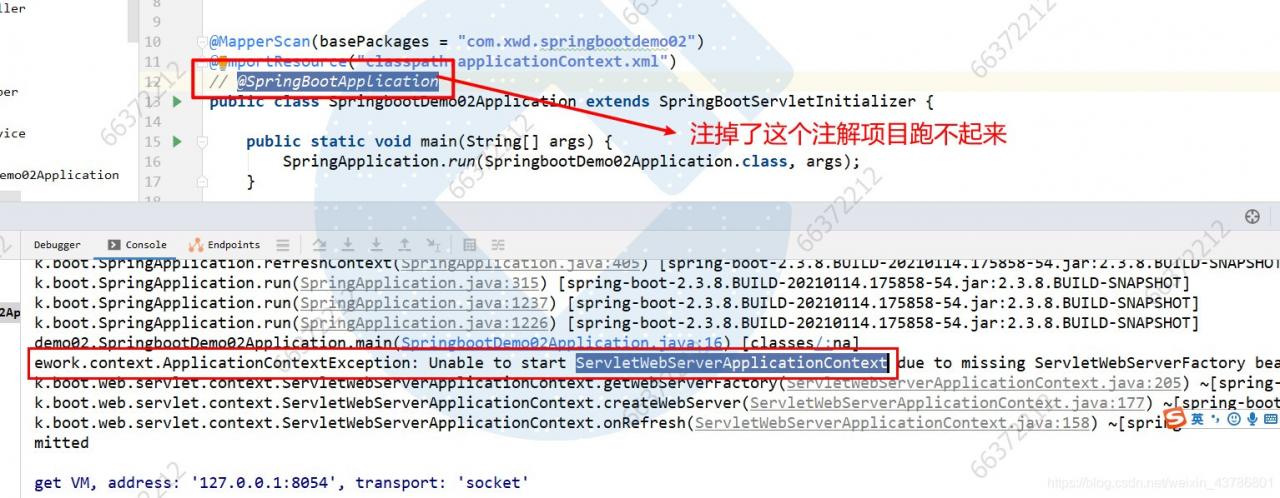
Later, after checking for a long time, I found that I made a small mistake. It turned out that I accidentally dropped the @ springbootapplication annotation. I hope you don’t make the same mistake. When starting a web project without the @ springbootapplication annotation, the spring container can’t create the class servletwebservercapplicationcontext, And springboot project also can’t get up, bug solved, thanks for watching.
Unexpected token appears in JS
For this problem, it must be that the corresponding symbol is missing in that place. For example, only half of the place will report this error;
In addition, it is likely that the returned result is not in JSON format
To solve the problem of C # calling excel interface error, prompt: the COM object of Microsoft. Office. Interop. Excel. Applicationclass is forcibly converted to the interface type “Microsoft. Offi”
Solve the problem of C # calling excel interface error, prompt: the COM object of microsoft.office.interop.excel.applicationclass is forcibly converted to the interface type of microsoft.office.interop.excel_ Application”。 This operation failed because the IID is “{000208d5-0000-0000-c000-000000000046}”
For more information about calling just in time (JIT) debugging instead of this dialog,
see the end of this message.
**************Exception text ^ ^ ^ ^ ^ ^ ^ ^ ^ ^ ^ ^ ^ ^ ^ ^ ^ ^ ^ ^ ^ ^ ^ ^ ^ ^ ^ ^ ^ ^ ^ ^ ^ ^ ^ ^ ^ ^ ^ ^ ^ ^ ^ ^ ^ ^ ^ ^ ^ ^ ^ ^ ^_ Application”。 This operation failed because the queryinterface call to the COM component of the interface with IID “{000208d5-0000-0000-c000-000000000046}” failed with the following error: the library is not registered( Exception from HResult: 0x8002801d (type_ E_ LIBNOTREGISTERED))。
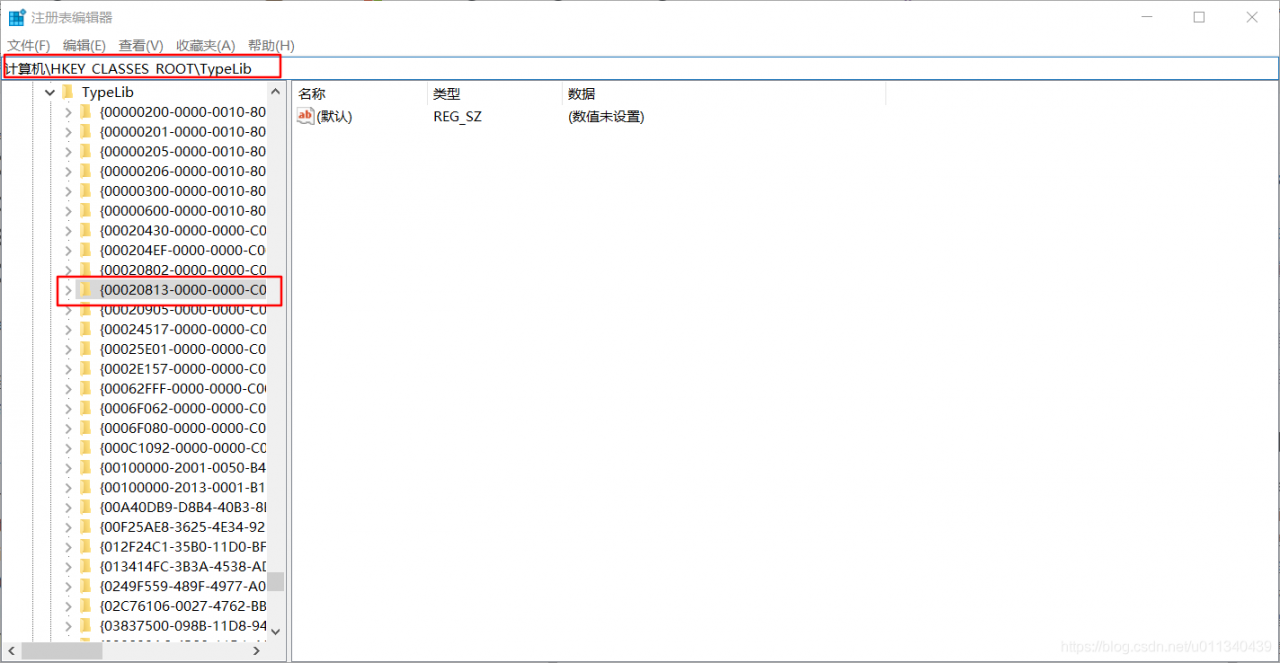
1. Run the “regedit” command to open the registry
2. In the registry address bar, enter:
Computer/HKEY_ CLASSES_ Root/typelib {00020813-0000-0000-c000-000000000046}
locate to the {00020813-0000-0000-c000-000000000046} folder
3. Delete the 1.9 folder under {00020813-0000-0000-c000-000000000046} (the author’s computer is office 2013, 1.8 and 1.9 folder coexist at the same time, delete the higher version)
4. Start the program again, OK
Springboot project start swagger prompt error err_ CONNECTION_ Refused solution
Project scenario:
(this is a common problem for novices!) Springboot project starts debugging in idea. When swagger is used to test the API on browser, the server stops after starting the project, and prompts localhost on browser to reject our connection request. At the same time, it prompts err_ CONNECTION_ REFUSED
Problem Description:
prompt: the problems encountered in project debugging are caused by the wrong startup and operation of your own choice:
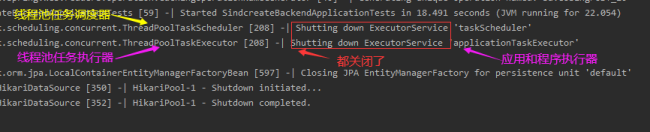
1. Running results after starting the project in idea:
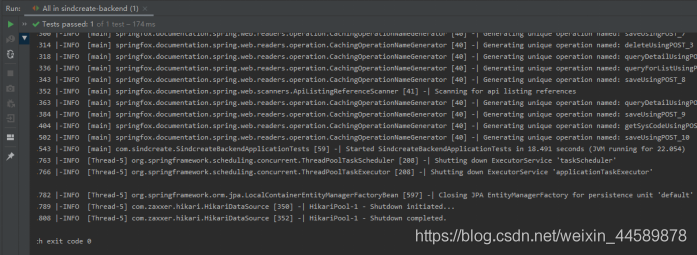
Automatically shut down the thread and shut down JPA. The key is that after I run it directly, I automatically shut down all the threads, and no error was reported. The browser was not opened. I did some debugging in the early stage, and I don’t know how to do it. I used eclipse and idea to do a lot of things before school,!!! Here is my power debugging option.
2. Browser display results
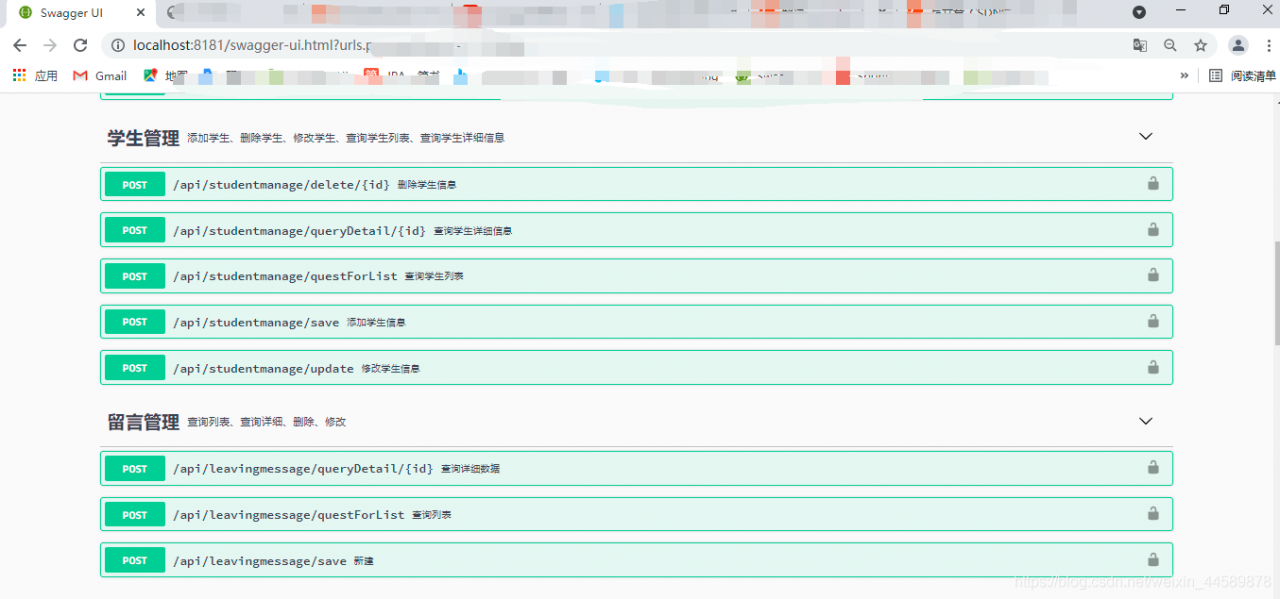
this is the end of my search for [thread – 5]. I can’t successfully start to access the browser’s address http://localhost : 8181/swagger-ui.html, the browser error is as follows:
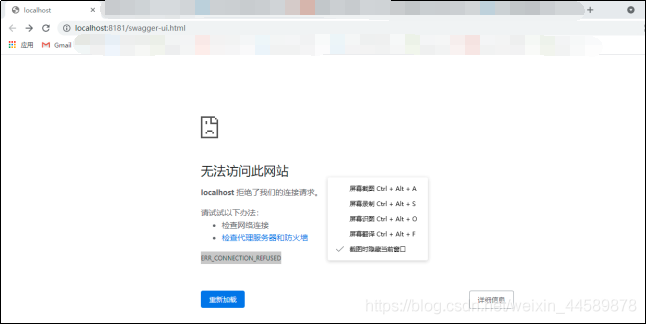
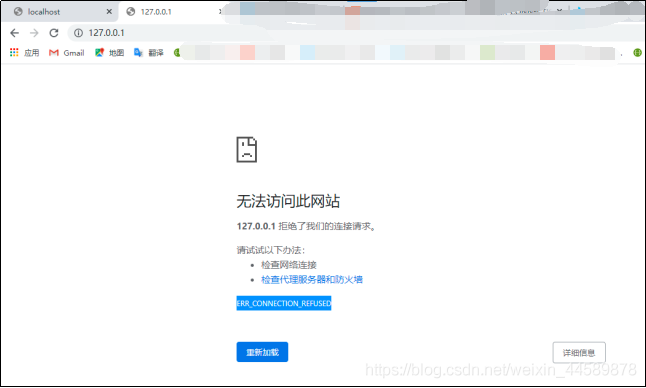
Cause analysis:
I read this blog: https://blog.csdn.net/zj15527620802/article/details/84889346
The problem is very simple, that is, the selection of debugging options is wrong. I’m too careless to run
Solution:
To run the project, just choose the one at the end of application
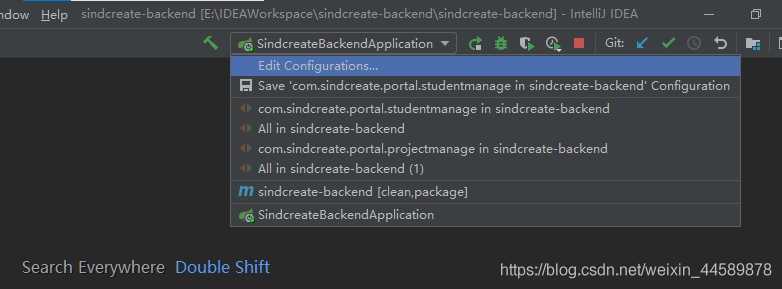
after successful execution
In windows, “cmake” is not an internal or external command, nor a runnable program or batch file.
1、 Problem description.
An error is reported when cmake is performed under Windows: ‘cmake’ is not an internal or external command, nor is it a runnable program or batch file.
2、 Problem analysis.
Lack of tool cmake.
3、 Solutions.
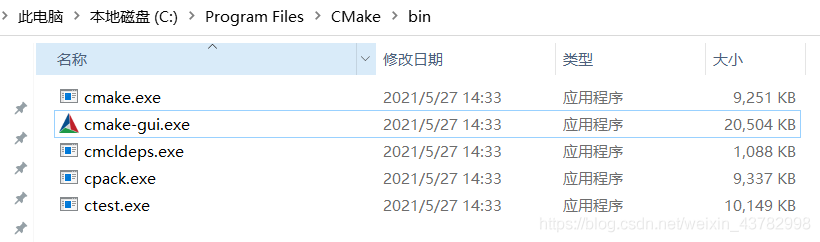
Install cmake. website: https://cmake.org/download/
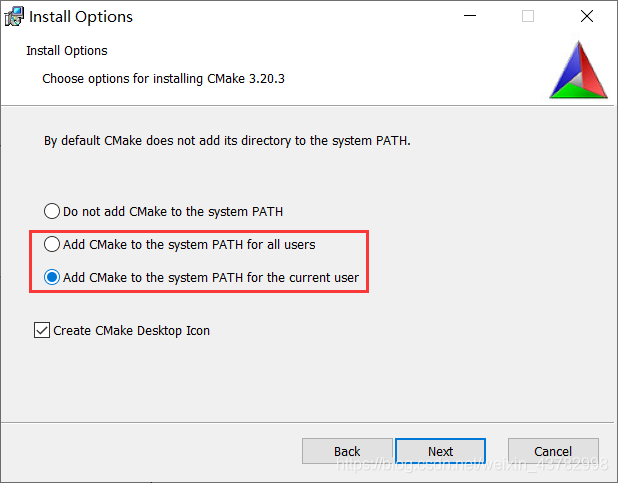
When installing cmake, choose to add environment variables.
It is invalid to submit the content directly after pasting it on the mobile terminal of Vue HTML5 editor
Modify the source code vue-html5-editor.js
Directory:
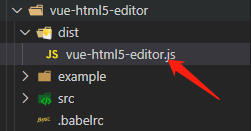
open this file, search for contenteditable, add id = “container”
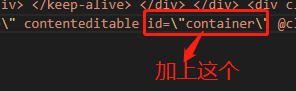
and then search for Keyup
comment code
 // content.addEventListener('keyup', function () {
 //     this$1.$emit('change', content.innerHTML);
 //     this$1.saveCurrentRange();
 // }, false);
Add code
const handleListenChange = (mutationsList, observer) => {
 this$1.$emit('change', content.innerHTML);
 this$1.saveCurrentRange();
}
const mutationObserver = new MutationObserver(handleListenChange)
const element = document.querySelector('#container')
const options = {
 attributes: true,
 childList: true,
 subtree: true,
 characterData: true
}
It’s like this on the whole
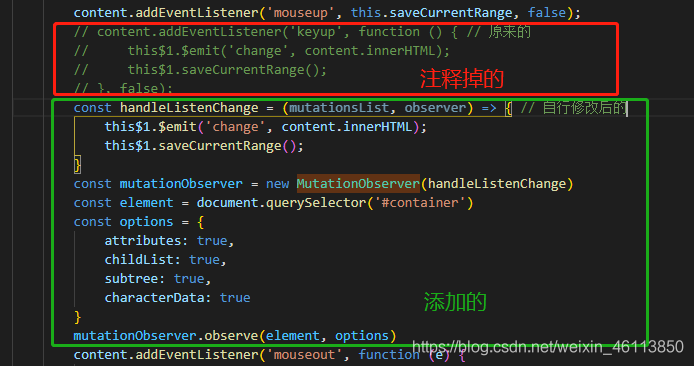
I’ve looked at others and modified it myself. This question is more detailed than that of the blogger. Link to attach. If you have any other questions, take a look
CSDN of Dashen
Error c3861: “strcasecmp”: identifier not found
1、 Problem description.
The C/C + + program compiles normally in Linux, and an error is reported in Windows: error c3861: “strcasecmp”: Identifier not found.
2、 Problem analysis.
There is no library function related to strcasecmp in windows.
3、 Solutions.
Declare the library function of strcasecmp under windows.
#ifdef _WIN32
	//#define strcasecmp _stricmp
	//#define strncasecmp _strnicmp
#endif
#ifdef _MSC_VER
	#define strcasecmp _stricmp
	#define strncasecmp _strnicmp
#endif
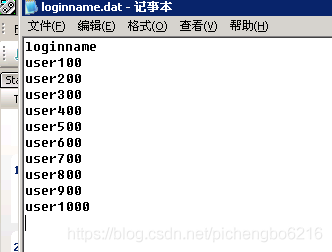
LoadRunner error_ Error: missing newline in path + text
Finally, enter the parameter text data and change it to another line;
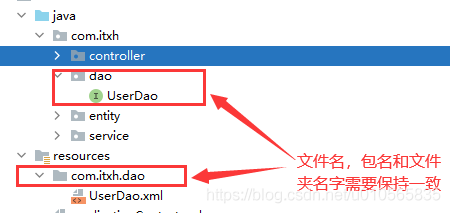
org.apache.ibatis.binding.BindingException: Invalid bound statement (not found): com.xxx.dao.UserDao
If you are a maven project and the userdao. XML is in the Dao package, you need to pay attention
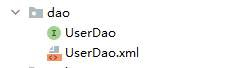
Solution: it should be placed in the resources directory
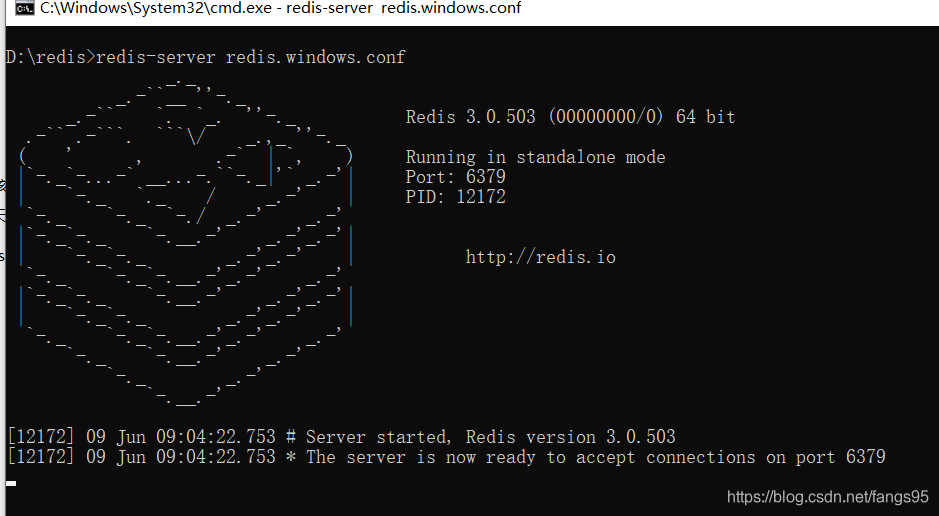
Redis cannot load windows.conf
Contents of articles
Redis can’t load windows.conf solution
Redis cannot load windows.conf
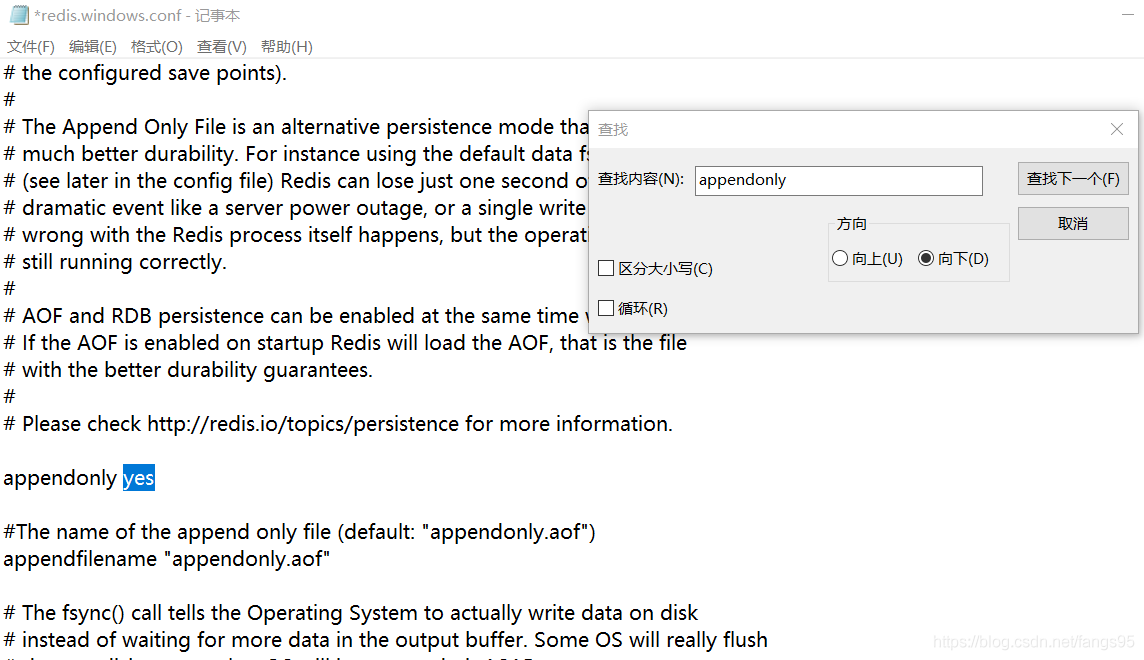
Redis modifies AOF persistence operation
modifies configuration file
appendonly no — & gt; Appendonly Yes (open AOF)
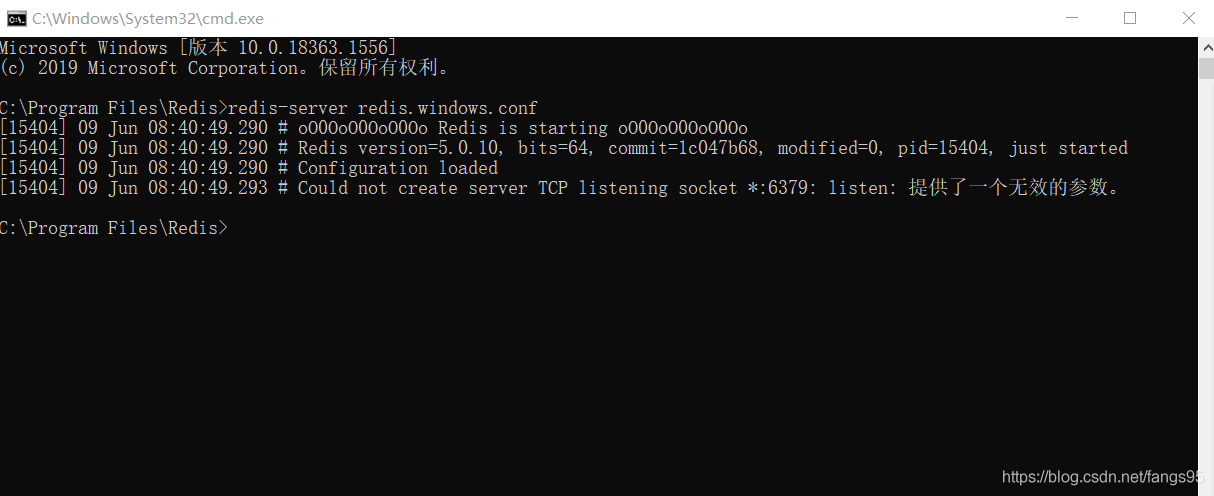
then there was an error when starting the service to load the configuration file
[8056] 09 Jun 08:32:29.054 ᦇ could not create server TCP listening socket *: 6379: Listening: an invalid parameter was provided
resolvent
Moving redis to a directory other than disk C solves the problem