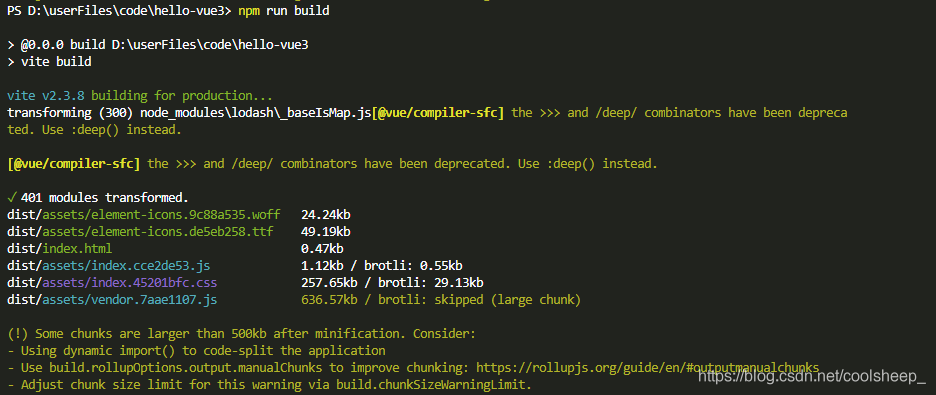
[Solved] Some chunks are bigger warning on vite packaging

Solution:

import { defineConfig } from 'vite'
import vue from '@vitejs/plugin-vue'

export default defineConfig({
	plugins: [vue()],
	build: {
		rollupOptions: {
			output: {
				//Solve Warning: Some chunks are larger
				manualChunks(id) {
					if (id.includes('node_modules')) {
						return id.toString().split('node_modules/')[1].split('/')[0].toString();
					}
				}
			}
		}
	}
})

The problem that the El icons icon cannot be displayed in vue3 + element plus + vite

The problem that the El icons icon cannot be displayed in vue3 + element plus + vite

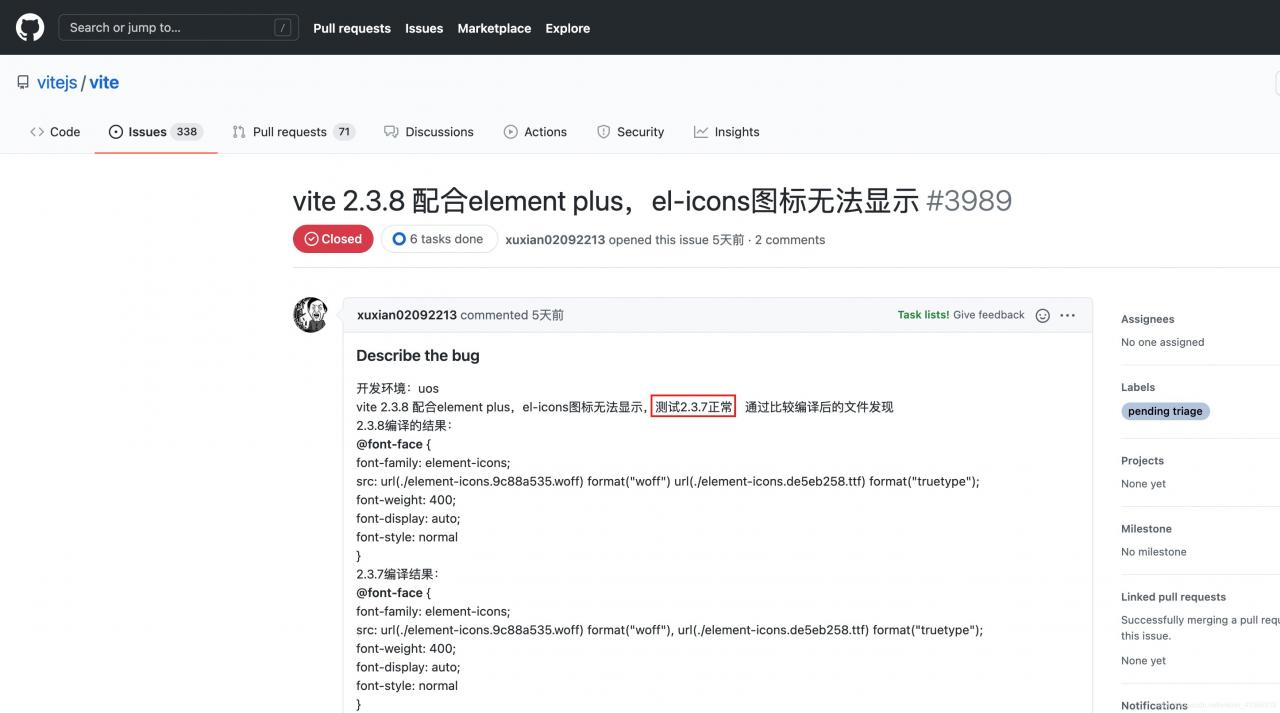
Recently, I used the new vue3 + element plus to do front-end project exercises. Using the latest vite, I found that the icons of element can’t be displayed. According to the usage in the official documents, other components can be displayed normally, but the icons can’t be displayed. I asked several front-end leaders of the company that they hadn’t used these new things, Baidu couldn’t find a solution after a long time, so it had no choice but to go to GitHub of vite and finally found that

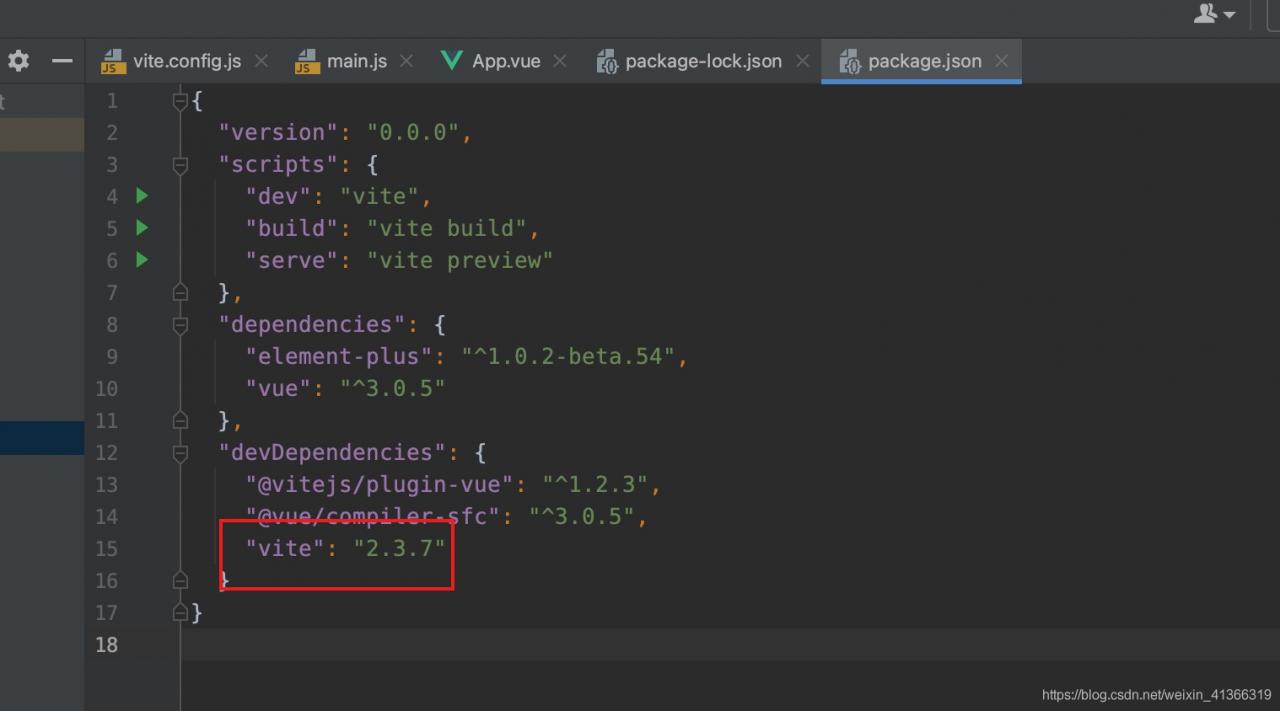
it was the version problem of vite, so switching vite version can display icons normally

After several years of Java, I found the answer in GitHub for the first time, which was the front end… It can only be said that the pits of java have been trampled by the predecessors

module ‘win32com.gen_py.00020813-0000-0000-C000-000000000046x0x1x9‘ has no attribute ‘CLSIDToClassMa

Using win32com encountered the following bug

Traceback (most recent call last):
  File "<stdin>", line 1, in <module>
  File "C:\Program Files (x86)\Python37-32\lib\site-packages\win32com\client\gencache.py", line 534, in EnsureDispatch
    mod = EnsureModule(tla[0], tla[1], tla[3], tla[4], bForDemand=bForDemand)
  File "C:\Program Files (x86)\Python37-32\lib\site-packages\win32com\client\gencache.py", line 391, in EnsureModule
    module = GetModuleForTypelib(typelibCLSID, lcid, major, minor)
  File "C:\Program Files (x86)\Python37-32\lib\site-packages\win32com\client\gencache.py", line 266, in GetModuleForTypelib
    AddModuleToCache(typelibCLSID, lcid, major, minor)
  File "C:\Program Files (x86)\Python37-32\lib\site-packages\win32com\client\gencache.py", line 552, in AddModuleToCache
    dict = mod.CLSIDToClassMap
AttributeError: module 'win32com.gen_py.00020813-0000-0000-C000-000000000046x0x1x9' has no attribute 'CLSIDToClassMap'

The solution is:
delete the following folder, and the program can run normally

C:\Users\<my username>\AppData\Local\Temp\gen_py

‘coroutine‘ object is not iterable [How to Solve]

ValueError: [TypeError("'coroutine' object is not iterable"), TypeError('vars() argument must have __dict__ attribute')]

In fastapi, uvloop uses asynchronous function
to use asynchronism. ‘coroutine’ object is not Iterable error
originally found that asynchronous code was called in synchronous function.

Please add async, await to the external function

Method of getting app. Config. Globalproperties. X directly from vue3

Suppose we define a global method in main. JS

//main.js

 app.config.globalProperties.$hello = name => {
      console.log('hello ' + name)
 }

Call this method in other pages.

//other.js

import { getCurrentInstance } from "vue";
const { appContext } = getCurrentInstance();

const callHello = ()=>{
 appContext.config.globalProperties.$hello('jay');
}

callHello()
//'hello jay'

Error: permission denied (public key, GSSAPI keyex, GSSAPI with MIC, password)

1、 Background

Due to the need of work, I installed and deployed a Jenkins, and configured a job for a project. Among them, you need to SSH from Jenkins machine to other remote machines to solve the problem of wrong report!!!

Permission denied (publickey,gssapi-keyex,gssapi-with-mic,password)

2、 Solutions

Baidu online meal, basically are wrong answers. In fact, it is because there is no configuration of password free login, so let the operation and maintenance colleagues help to do the password free login between servers, the result is still not good!!! Finally, after the guidance of my colleagues, I found that my Jenkins was started with jboss5, so my password free permission should also be jboss5 permission, but the actual operation and maintenance colleagues helped to do root permission, so the above error was not solved.

Reconfiguring jboss5’s password free login is OK

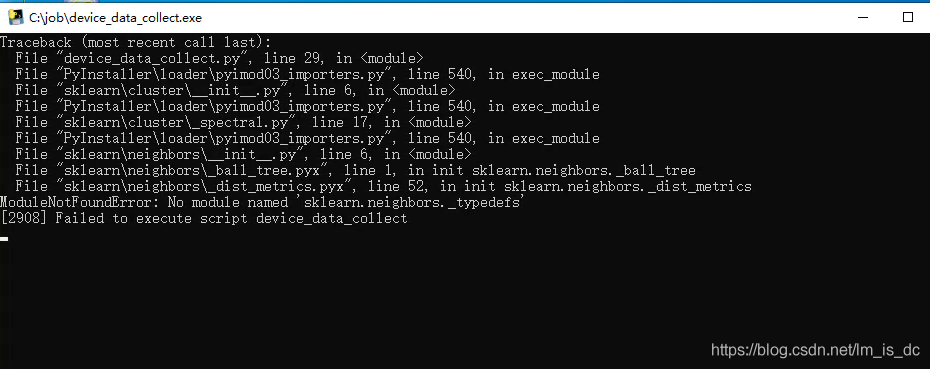
No module named sklearn.neighbors_ typedefs

An error occurred during the execution of the EXE file generated by pyinstall package

no module named sklearn.neighbors_typedefs

Solution

Delete the original dist, build file and spec file, and add:

python pyinstaller.py -F -c xxx.py --hidden-import sklearn.neighbors.typedefs

For example:

python pyinstaller.py -F device_data_collect.py -p src --hidden-import sklearn.neighbors.typedefs

Postscript

[postscript] in order to enable everyone to learn programming easily, I created a public official account, which includes programming for quick learning, and some dry cargo to improve your programming level. There are also some programming projects suitable for some courses design.

You can also add my wechat [1257309054] to bring you into the group and let us exchange and study together

Focus on me, we grow together~~

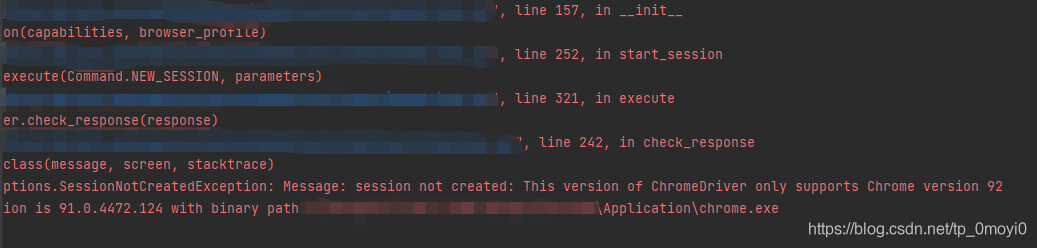
This version of chromedriver only supports chrome version 92 crawler simulates the problem of Google plug-in version when the browser clicks and reports an error

When the crawler simulates the browser’s click, an error is reported in the version of the Google plug-in. In this case, the driver of the Google browser stored locally is incorrect and needs to be updated. The specific solutions are as follows:

resolvent:

Open the following website and download the corresponding version of chromedriver. If you can’t find the exact version number, just find 91

http://chromedriver.storage.googleapis.com/index.html

Be sure to download the driver according to your browser version
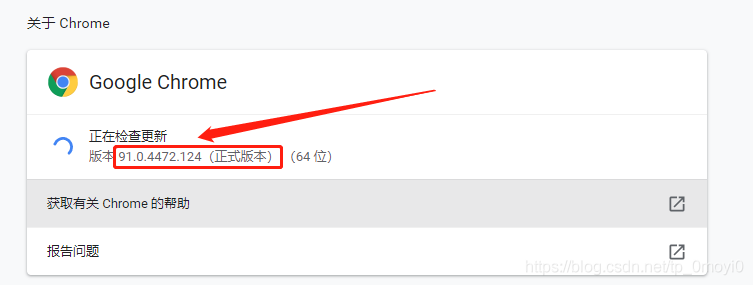
My version number is 91.0.4472.124, so I should download the driver corresponding to this version number. The website of download driver is the one above     http://chromedriver.storage.googleapis.com/index.html

After clicking in, the interface is as follows
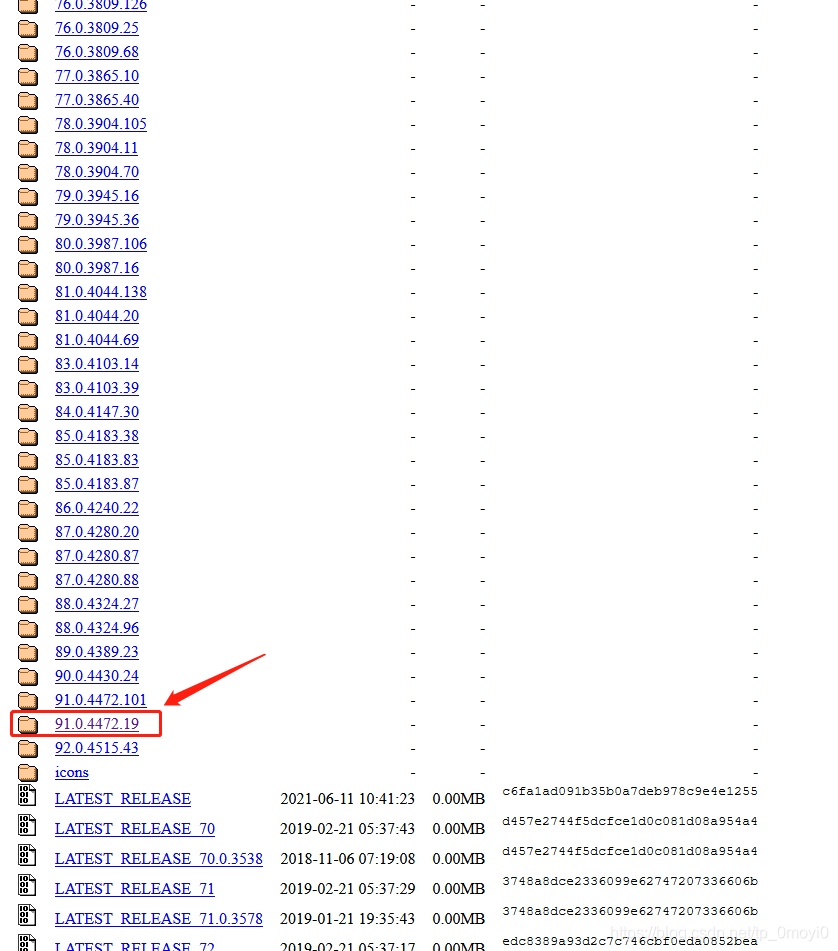
Then find the corresponding version file, download it, unzip it, and copy and paste it into the

In the program error report, you need to delete or cover the previous version in the path where you installed Google before
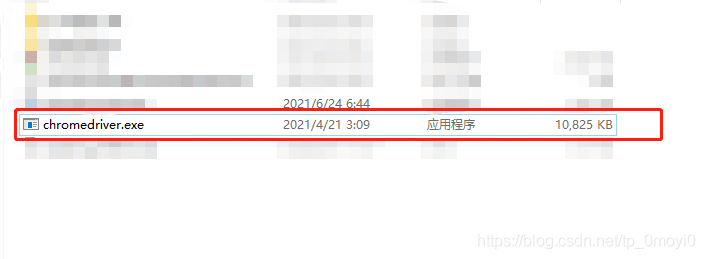
Leave this new version of the driver. In addition to that, I need to make a copy to the IDE environment where you are running. I use the code written in Python language here, so I need to make a copy of the driver file to the local installation path of Python
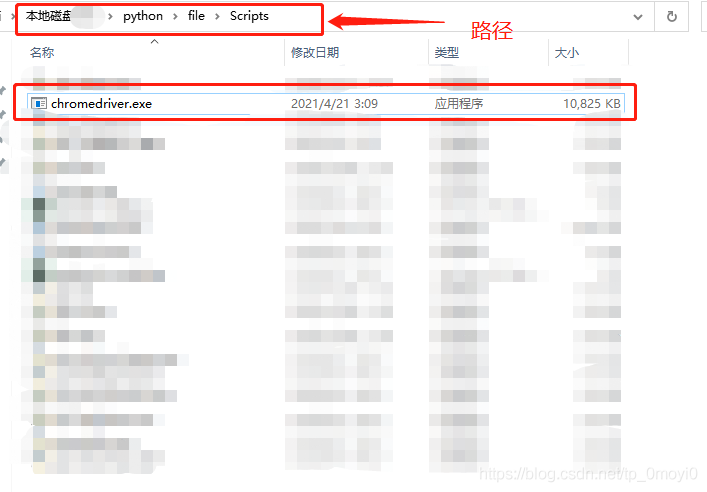
At last, it ran successfully