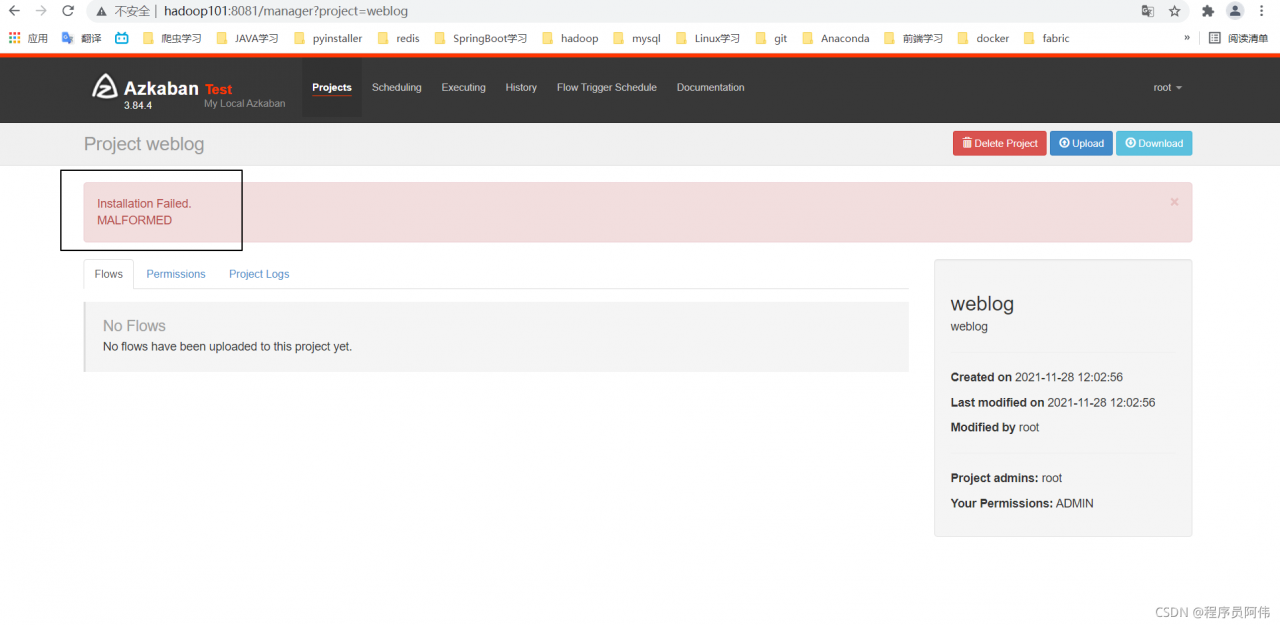
sbin/start-dfs.sh Start ErrorError: Cannot find configuration directory: /etc/hadoop
JAVA_HME is not set and could not be found
export JAVA_HOME=/usr/jdk1.8.0_221
export HADOOP_CONF_DIR=/usr/hadoop-2.7.1/etc/hadoop/
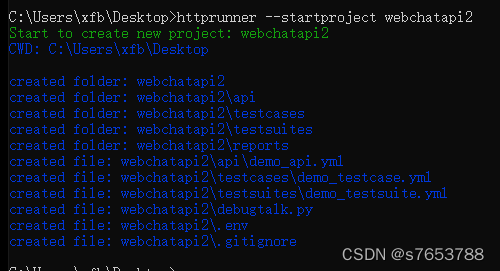
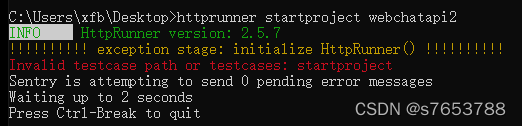
sbin/start-dfs.sh Start ErrorRun the path from CD desktop to the desktop in CMD, run httprunner startproject webchat, and then report an error

The reason is that the version number httprunner – V is 2.5. You can’t use this command instead
httprunner --startproject webchatapi2
Result success

Nacos client connection operation 9848 grpc connection error of Nacos 2.0
After Nacos Server 2.0
Nacos version 2.0 adds a new gRPC communication method compared to 1.X, so 2 additional ports are needed. The new ports are automatically generated by performing a certain offset from the configured master port (server.port).
Port Offset from the master port Description
9848 1000 Client gRPC request server port for clients to initiate connections and requests to the server
9849 1001 Server-side gRPC request server port, used for synchronization between services, etc.
After Nacos client 2.0 is connected through grpc, you cannot use Nacos server version below 2.0
serverInfo.getServerPort() + rpcPortOffset() Port offset 1000
Perform serverCheck operation
Report an error.
java.util.concurrent.ExecutionException: com.alibaba.nacos.shaded.io.grpc.StatusRuntimeException: UNAVAILABLE: io exception
Error: RpcClient currentConnection is null
Caused by: ErrCode:-401, ErrMsg:Client not connected,current status:STARTING
Solution: use a lower version of Nacos client
Tensorflow GPU reports an error of self_ traceback = tf_ stack.extract_ stack()
Reason 1: the video memory is full
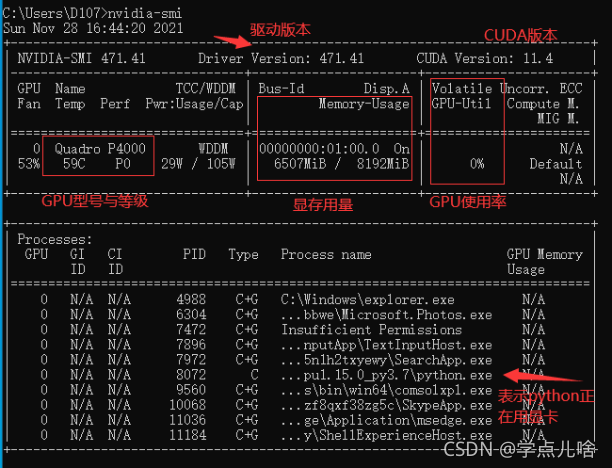
At this time, you can view the GPU running status by entering the command NVIDIA SMI in CMD,
most likely because of the batch entered_ Size or the number of hidden layers is too large, and the display memory is full and the data cannot be loaded completely. At this time, the GPU will not start working (similar to memory and CPU), and the utilization rate is 0%
Solution to reason 1:
1. turn down bath_Size and number of hidden layers, reduce the picture resolution, close other software that consumes video memory, and other methods that can reduce the occupation of video memory, and then try again. If the video memory has only two G’s, it’s better to run with CPU
2.
1. Use with code
os.environ['CUDA_VISIBLE_DEVICES'] = '/gpu:0'
config = tf.compat.v1.ConfigProto(allow_soft_placement=True)
config.gpu_options.per_process_gpu_memory_fraction = 0.7
tf.compat.v1.keras.backend.set_session(tf.compat.v1.Session(config=config))
Reason 2. There are duplicate codes and the calling programs overlap
I found this when saving and loading the model. The assignment and operation of variables are repeatedly written during saving and loading, and an error self is reported during loading_traceback = tf_stack.extract_Stack()
There are many reasons for the tensorflow error self_traceback = tf_stack.extract_stack()
the error codes are as follows:
import tensorflow as tf
a = tf.Variable(5., tf.float32)
b = tf.Variable(6., tf.float32)
num = 10
model_save_path = './model/'
model_name = 'model'
saver = tf.train.Saver()
with tf.Session() as sess:
init_op = tf.compat.v1.global_variables_initializer()
sess.run(init_op)
for step in np.arange(num):
c = sess.run(tf.add(a, b))
saver.save(sess, os.path.join(model_save_path, model_name), global_step=step)
print("Parameters saved successfully!")
a = tf.Variable(5., tf.float32)
b = tf.Variable(6., tf.float32) # Note the repetition here
num = 10
model_save_path = './model/'
model_name = 'model'
saver = tf.train.Saver() # Note the repetition here
with tf.Session() as sess:
init_op = tf.compat.v1.global_variables_initializer()
sess.run(init_op)
ckpt = tf.train.get_checkpoint_state(model_save_path)
if ckpt and ckpt.model_checkpoint_path:
saver.restore(sess, ckpt.model_checkpoint_path)
print("load success")
Running the code will report an error: self_traceback = tf_stack.extract_stack()
Reason 2 solution
when Saver = TF.Train.Saver() in parameter loading is commented out or commented out
a = tf.Variable(5., tf.float32)
b = tf.Variable(6., tf.float32) # Note the repetition here
The model will no longer report errors. I don’t know the specific reason.
Such as the title; It’s strange that Lombok normally generates getter/setter methods, but an error is reported when starting the project
configure idea
Solution:
File – Settings – build, execution, deployment compiler annotation processors (this package was imported from the previous project) – default – check enable annotation processing
Just start it again
Pycharm reported an error attributeerror: ‘Htmlparser’
Python 3.9 error “ attributeerror: 'Htmlparser' object has no attribute 'unescape' ” exception resolution.
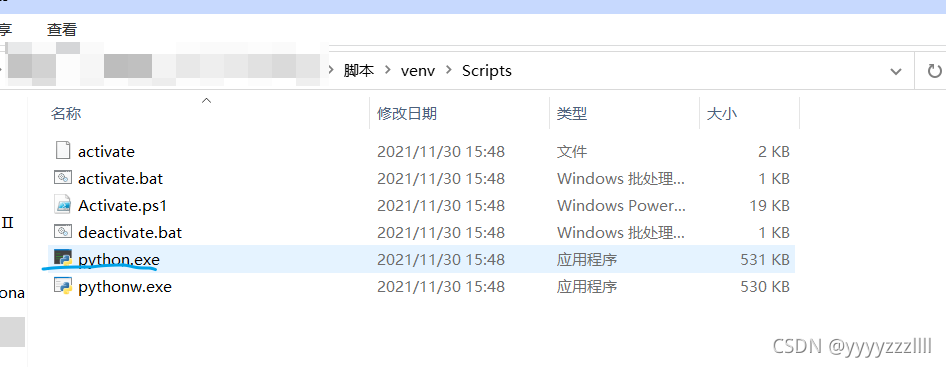
It is usually an environmental problem. When creating a project, the environment of the corresponding project will be automatically created
As shown in the figure below, python.exe of a project environment is automatically generated

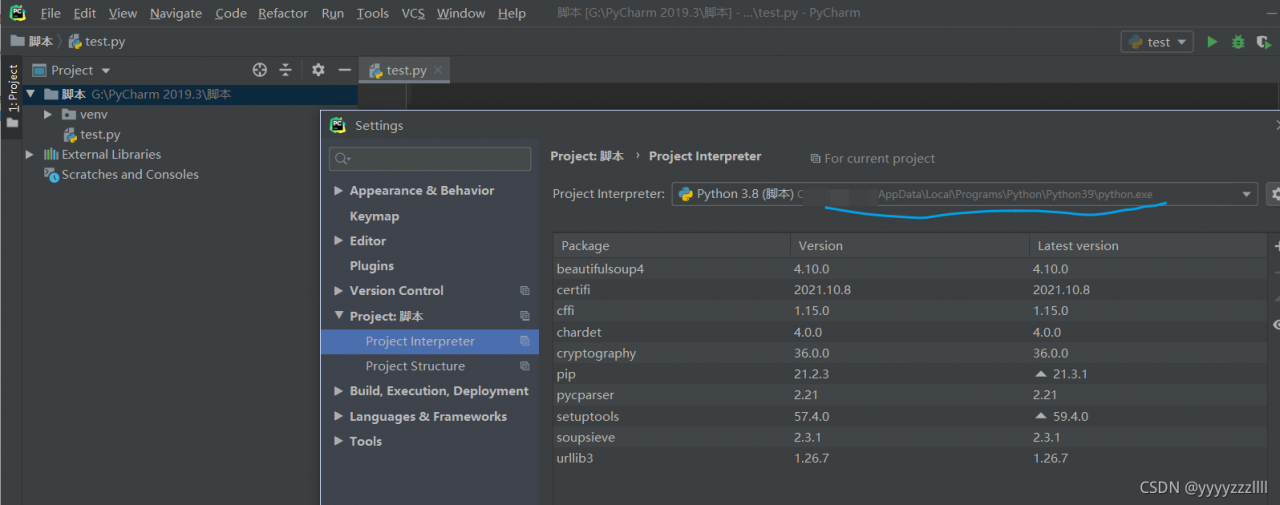
In the settings, modify the address of your corresponding Python environment to solve the problem

But you can use it before. I don’t know if it’s a python 3.9 problem
When accessing Oracle with SYSDBA, the following information is prompted:
[oracle@localhost ~]$ sqlplus/as sysdba
SQL*Plus: Release 19.0.0.0.0 - Production on Thu Dec 2 20:21:40 2021
Version 19.3.0.0.0
Copyright (c) 1982, 2019, Oracle. All rights reserved.
Connected to an idle instance.
SQL> select * from dual;
select * from dual
*
ERROR at line 1:
ORA-01034: ORACLE not available
Process ID: 0
Session ID: 0 Serial number: 0
solve:
First, make sure to start listening:
[oracle@localhost ~]$ lsnrctl start
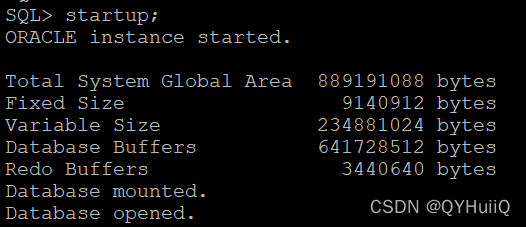
Then start instance:
SQL> startup;
This is the open status when you view the database instance again:
SQL> select status from v$instance;
STATUS
------------------------
OPEN
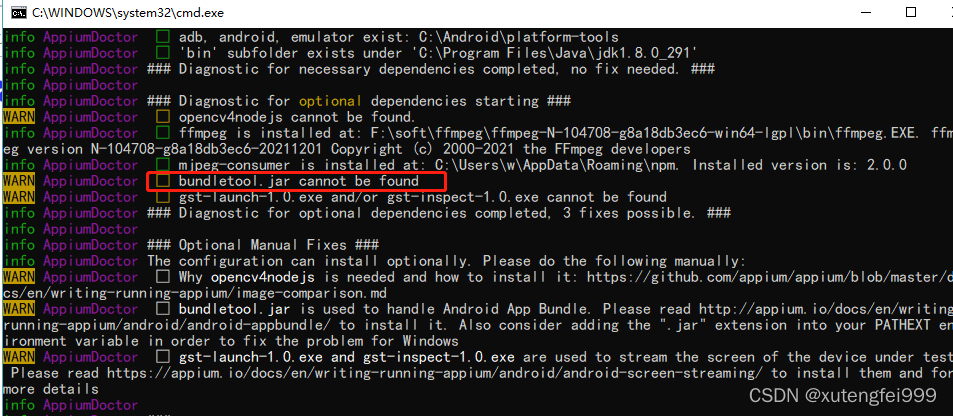
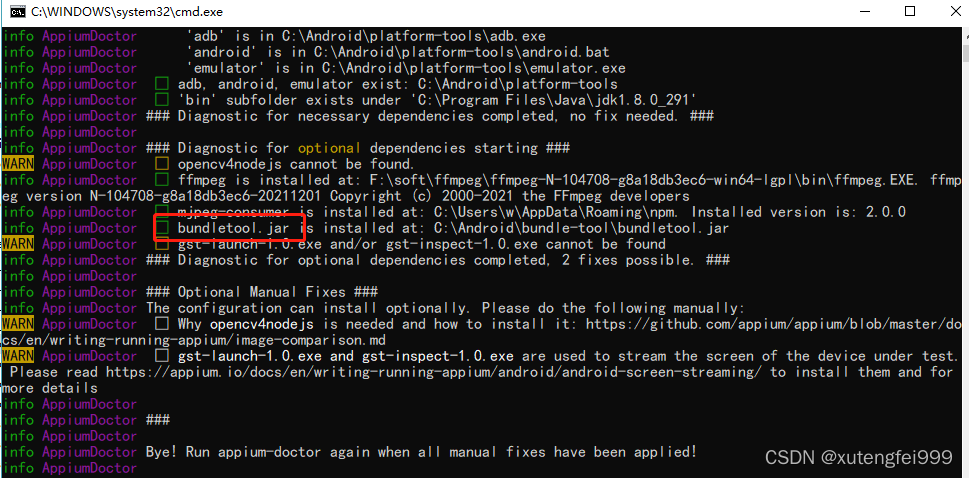
Problem: first solve the problem of bundletool.jar

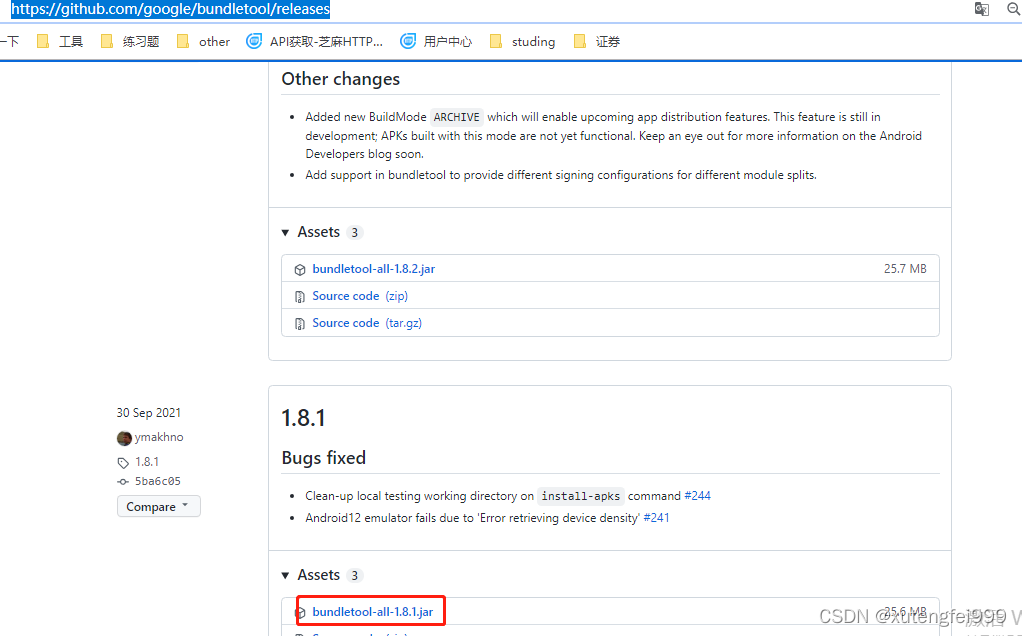
1. Download package
https://github.com/google/bundletool/releases

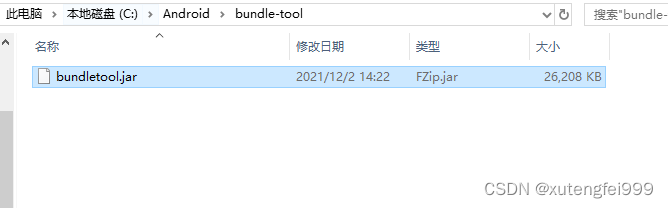
Create a new bundle tool directory in the Android directory, copy the downloaded package to this directory, and change the jar package name, as shown in the figure below

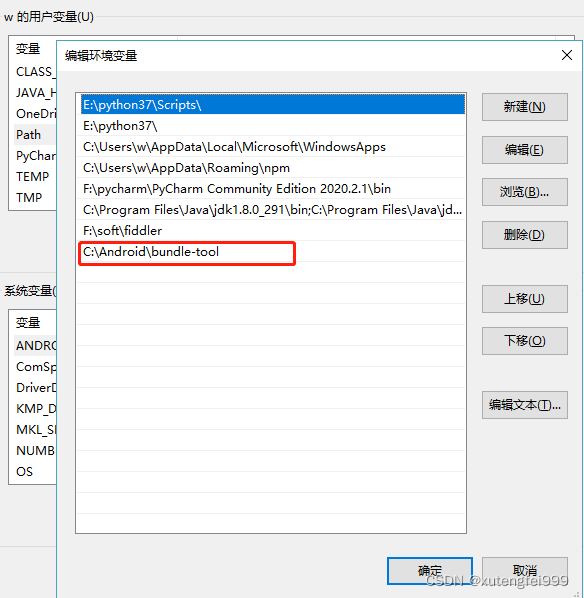
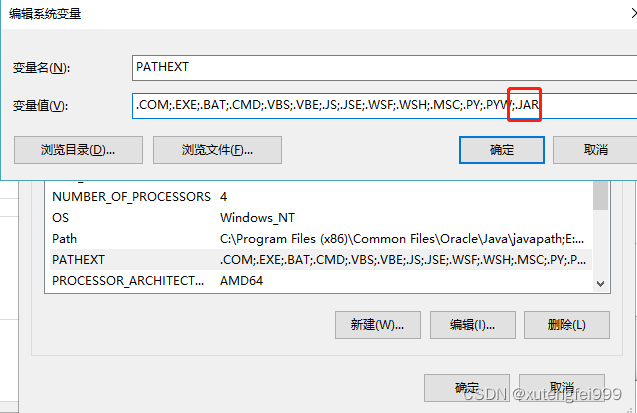
Add the jar package path under the user variable path

In the system variable, Add the contents shown in the figure to the path variable

Re execute appium doctor in a new CMD window

catalog:
1. Problem Description: 2. Error reporting reason: 3. Solution:
1. Problem Description:
Under Windows system, an error occurs when running shell script with git bash:
bc: command not found
2. Error reporting reason:
Git is missing the BC module, and git cannot directly install the BC module
3. Solution:
By downloading msys2, download the BC package in msys2 and copy it to git
specific steps:
(1) install msys2 and download the address https://www.msys2.org/
(2) After installation, open the msys2 shell and install BC with the following command
pacman -S bc
(3) Go to the msys64 \ usr \ bin folder under the msys2 installation directory and find bc.exe
(4) copy the bc.exe file to the GIT \ usr \ bin folder under the GIT installation directory
re run the shell script in Git bash, and there will be no BC: command not found error.
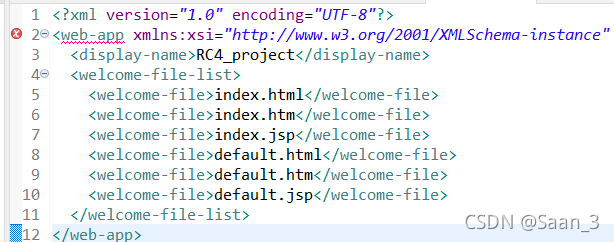
Today, I plan to deploy the web file for JSP. When I open the web.xml file, I start to report errors, as shown in the following figure < Web app underline error

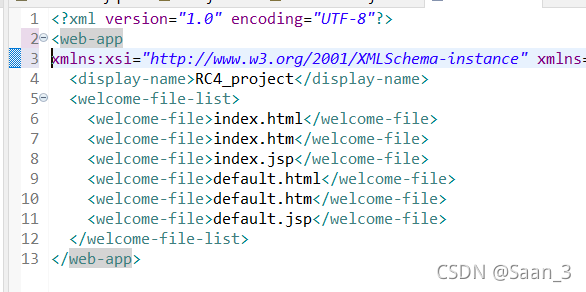
later, a new line is added in front of xmlns, that is, a new line character is added, and no error is reported

Problem reporting error

reason
All sh script files in the project are not transcoded
Solution:
Right-click in the blank space of the computer (make sure Git is installed) to open git bash here, and then CD to the specified path. Enter the following command
find ./ -name "*.sh" | xargs dos2unix
Question 1 recurrence
System: Ubuntu 18.04 docker version: 20.10.7
when I start a container, run the following command:
docker run -itd \
--runtime=nvidia --gpus=all \
-e NVIDIA_DRIVER_CAPABILITIES=compute,utility,video,graphics \
image_name
report errors:
docker: Error response from daemon: Unknown runtime specified nvidia.
See 'docker run --help'.
Solution 1
This is because the user did not join the docker group and added his own user to the docker user group.
sudo usermod -a -G docker $USER
Question 2 recurrence
docker: Error response from daemon: Unknown runtime specified nvidia.
See 'docker run --help'.
Solution 2
NVIDIA docker2 needs to be installed
sudo apt-get install -y nvidia-docker2
Restart docker
sudo systemctl daemon-reload
sudo systemctl restart docker