An error occurs when creating a virtual environment:
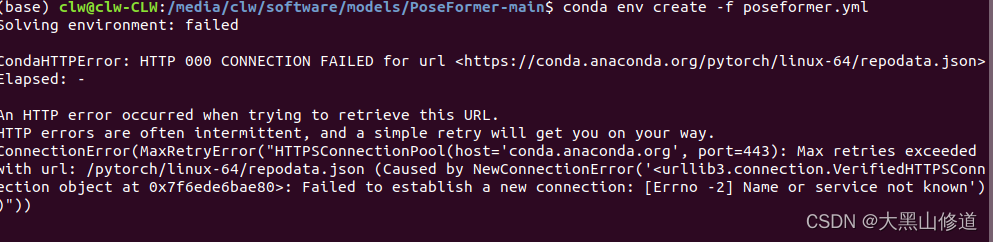
Solution:
modify the source path settings
vim ~/.condarc
Modify https to http
An error occurs when creating a virtual environment:
Solution:
modify the source path settings
vim ~/.condarc
Modify https to http
example: print(timeit.timeit(cal_pi(100_0000),number=10000))
Because cal_PI function have parameters:
Modify to: print(timeit.timeit(lambda: cal_pi(100_0000),number=10000))
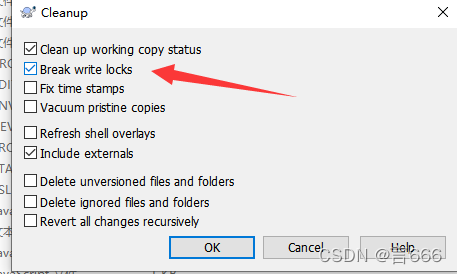
Right Capacity clean up
*
1. Error reporting:
[THYMELEAF][http-nio-8080-exec-3] Exception processing template "table/dynamic_table": Error resolving template [common], template might not exist or might not be accessible by any of the configured Template Resolvers (template: "table/dynamic_table" - line 17, col 10)
2. Occurrence
An error is reported when thymeleaf introduces a public page
3. Reasons for error reporting
Original code:
<div th:replace="common :: #leftmenu"></div>
Error report caused by not adding a path
After modification:
<div th:replace="table/common :: #leftmenu"></div>
windows system:
original_keras_version = f.attrs[‘keras_version’].decode(‘utf8’)
1. error:
load_weights_from_hdf5_group
    original_keras_version = f.attrs['keras_version'].decode('utf8')

AttributeError: 'str' object has no attribute 'decode'
2. Cause analysis
When installing tensorflow, the default installed h5py is 3.1.0, and an error is reported because the TF you installed does not support an excessively high version of h5py

3. Solutions
1. Uninstall h5py3 Version 1.0, installing h5py2.0 Version 10.0.2. Restart the compiler
pip install h5py==2.10.0
QT calls the API of ffmpeg, and the error is as follows:
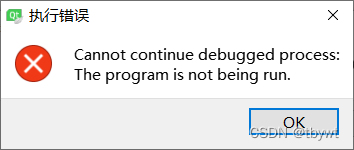
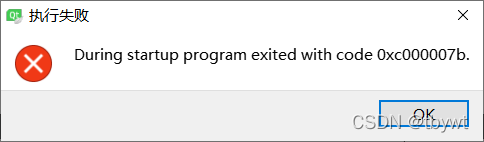
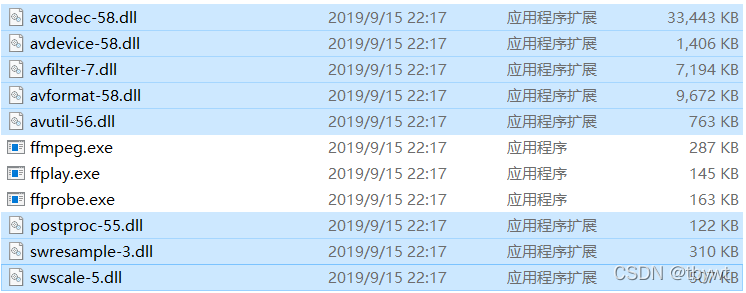
These two errors are caused by the lack of dynamic libraries in the running directory,
Dynamic library:
Program running Directory:
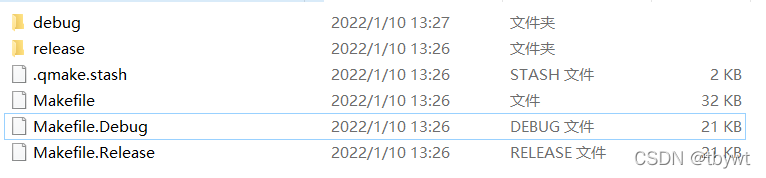
Directly copy all DLLs to the running directory.
QT calls ffmpeg API with the following configuration:
1. This document 
Put in the project directory
2. Import and store files and header files
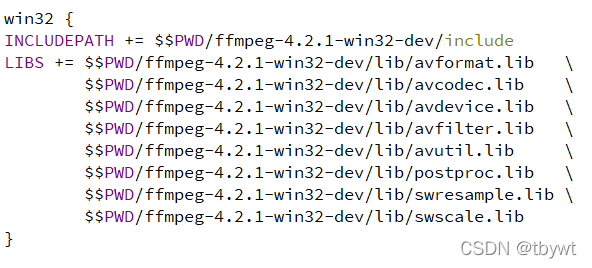
3. Add corresponding header file
4. Copy a dynamic library in the running directory
Unable to open some built-in pages, including the home page
error: Unable to resolve resource walkThrough://vscode_getting_started_page
solution: File – preferences – settings
search “editorassociations”
delete all the contents.
When I installed VMware Workstation and found that Ubantu can not start with an error:
VMware Workstation Unrecoverable error: (vcpu-0) vcpu-0:VERIFY vmcore/vmm/main/cpui
Solution:
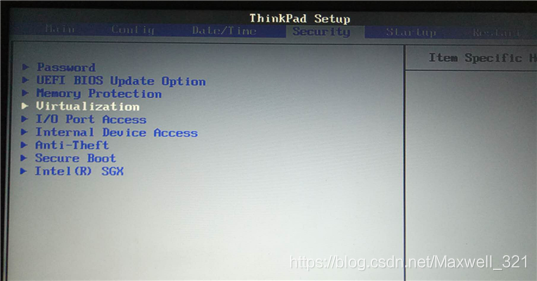
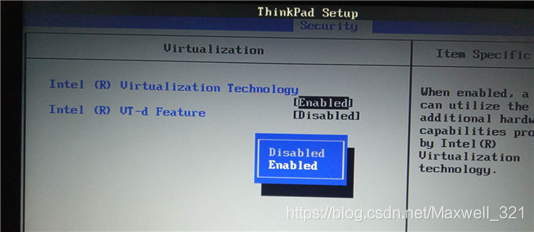
Find Intel virtual technology in the bos, set it to enabled, save and reboot, and the virtual machine opens normally.
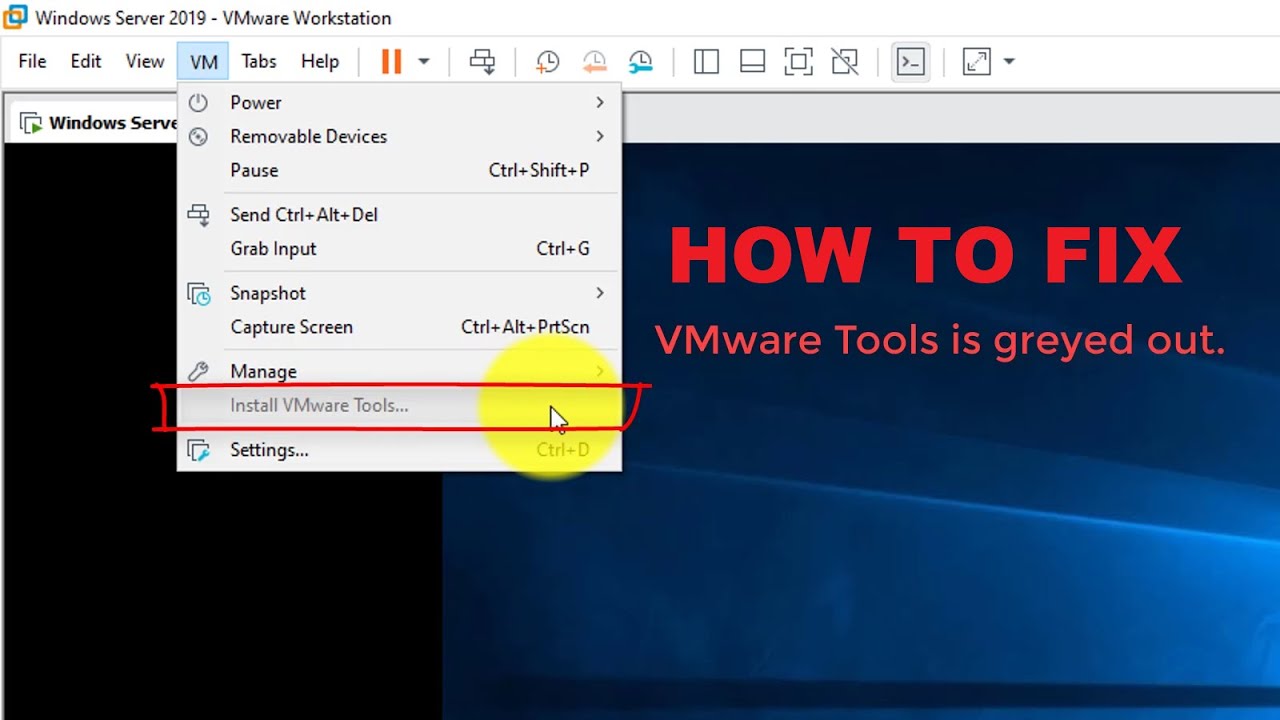
The “Install VMware Tools” in VMware Workstation is grayed out and cannot be clicked to install.
Although VMware Tools is grayed out, there is a linux.iso in the VMware download package, which is what we need, as follows.
1. Mount the image file
Open VMware, click Virtual Machine>>Settings>>CD/DVD, then select “Use ISO image file” in the “Connection” on the right, then select the linux.iso file in the VMware directory, select it. After that, click OK.
2. Connect the CD-ROM file
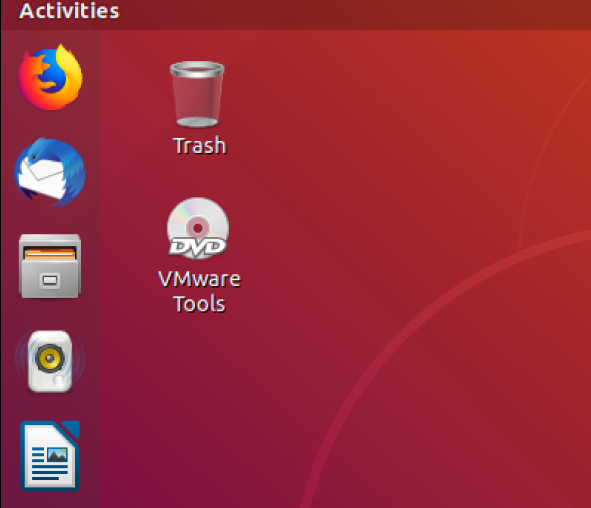
After completing the previous step, open the virtual machine, there is a “CD/DVD” icon in the bottom right corner of the virtual machine, click on it and select “Connect”, you will see a CD file on the desktop after successful connection. The screenshot is as follows.
3. Decompress and install
Open the CD file, there is a file named VMwareTools…. .tar.gz, move this archive to the directory where you want to extract it (e.g. /home/Documents/VMTools), then click on the archive, right-click and select “extract here” to extract it to the current directory.
Open a terminal, go to the unpacked folder, then go to the vmware-tools-distrib directory and type sudo . /vmware-install.pl and enter, followed by yes and enter again.
4. Restart the virtual machine
After doing the above, you will need to reboot the virtual machine. Here you can test if the installation is successful by copying a file locally and pasting it in the virtual machine, if it is successful then VMware Tools is successfully installed.
Environment:
Python3.6.5
Issues:
When I was using Django, there is an error appear:
‘dict’ object has no attribute ‘has_key’
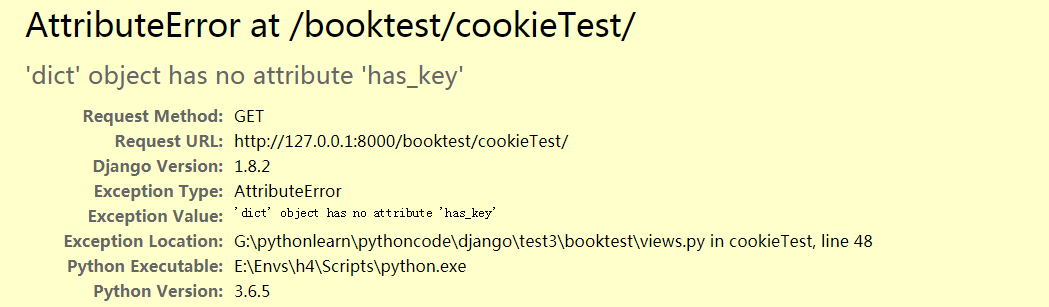
Here is my code:
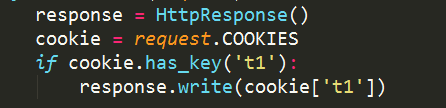
Reason:
There has_key() method has been deleted since python3.
Solution:
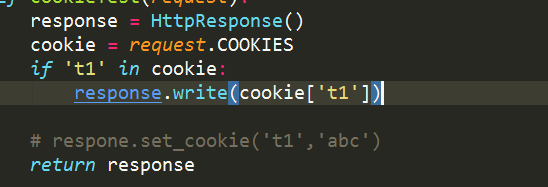
Modify:
if dict.has_key(key1):
to
if key1 in adict:
as following:
Done!
0. Error Codes:
//insert
template <class DataType>
void SeqList<DataType> :: Insert(int i, DataType x)
{
	if (i >= MaxSize)  throw "up";
	if (i < 1 || i > length + 1)  throw "The postions is not right";
	for (int j = length; j >= i; j--)
		data[j] = data[j - 1];             //Note that the jth element exists at the j-1 subscript of the array
	data[i - 1] = x;
	length++;
}


//main function
int main(){
	int r[5]={1, 2, 3, 4, 5};
	SeqList<int> L(r, 5);
	cout<<"The data after performing the insert operation is:"<<endl;
	L.PrintList( );              //output all elements
	try{
//		L.Insert(2,10);
		L.Insert(10,30);
	}catch(char *e){
		cout<<e<<endl;
	}
	cout<<"The data after performing the insert operation is:"<<endl;
	L.PrintList( );              //output all elements
In fact, the code is still relatively easy, it is an insertion problem in an array, in an inserted array in the wrong position, it will report an exception to handle. But in this program the exception is not caught, but the program will stop for a long time in the middle and show terminate called after throwing an instance of ‘char const*’, the reason for this situation is that the exception does not match up in the catch, the C++ destructor throws The exception will automatically call terminate() to terminate the program. Then how to solve this situation?
1. Problem-solving
In fact, it is very simple to solve the problem, just add const in front of char *e in catch, here char *e is turned into a string constant pointer.
int main(){
	int r[5]={1, 2, 3, 4, 5};
	SeqList<int> L(r, 5);
	cout<<"The data before performing the insert operation is:"<<endl;
	L.PrintList( ); //output all elements
	try{
// L.Insert(2,10);
// The reason for the problem is that the exception type does not match and c++ starts its own exception handling
// Solution: just add const in front of char to make the caught exception variable a constant
		L.Insert(10,30); // the second parameter 30 will cause an exception to be thrown (i > length + 1)
	}catch(const char *e){
		cout<<e<<endl;
	}
	cout<<"After performing the insert operation the data is:"<<endl;
	L.PrintList( ); //output all elements

}