
Solution:
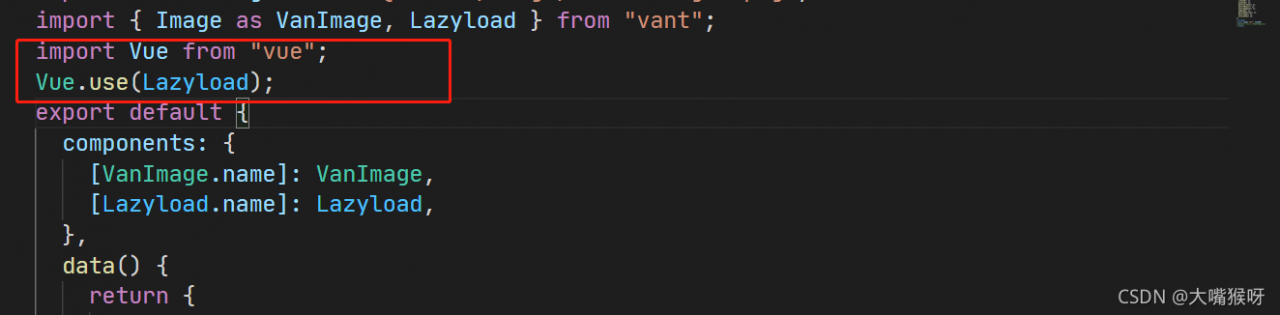
import Vue from "vue";
Vue.use(Lazyload);
Done!

Solution:
import Vue from "vue";
Vue.use(Lazyload);
Done!
Today, when I started the project, I couldn’t get up. I always reported an error. After translation research, I came to the solution
When executing Vue project NPM run dev FileManager webpack plugin error typeerror: cannot read property 'isfile' of undefined
D:\abinwork\fmis_web\node_modules\filemanager-webpack-plugin\lib\index.js:271
        if (isGlob) archive.glob(command.source, globOptions);else if (sStats.isFile()) archive.file(command.source, {
        name: path$1.basename(command.source) });else if (sStats.isDirectory()) archive.glob('**/*', {
                                                                              ^

TypeError: Cannot read property 'isFile' of undefined
    at D:\abinwork\fmis_web\node_modules\filemanager-webpack-plugin\lib\index.js:271:79
    at D:\abinwork\fmis_web\node_modules\graceful-fs\polyfills.js:282:31
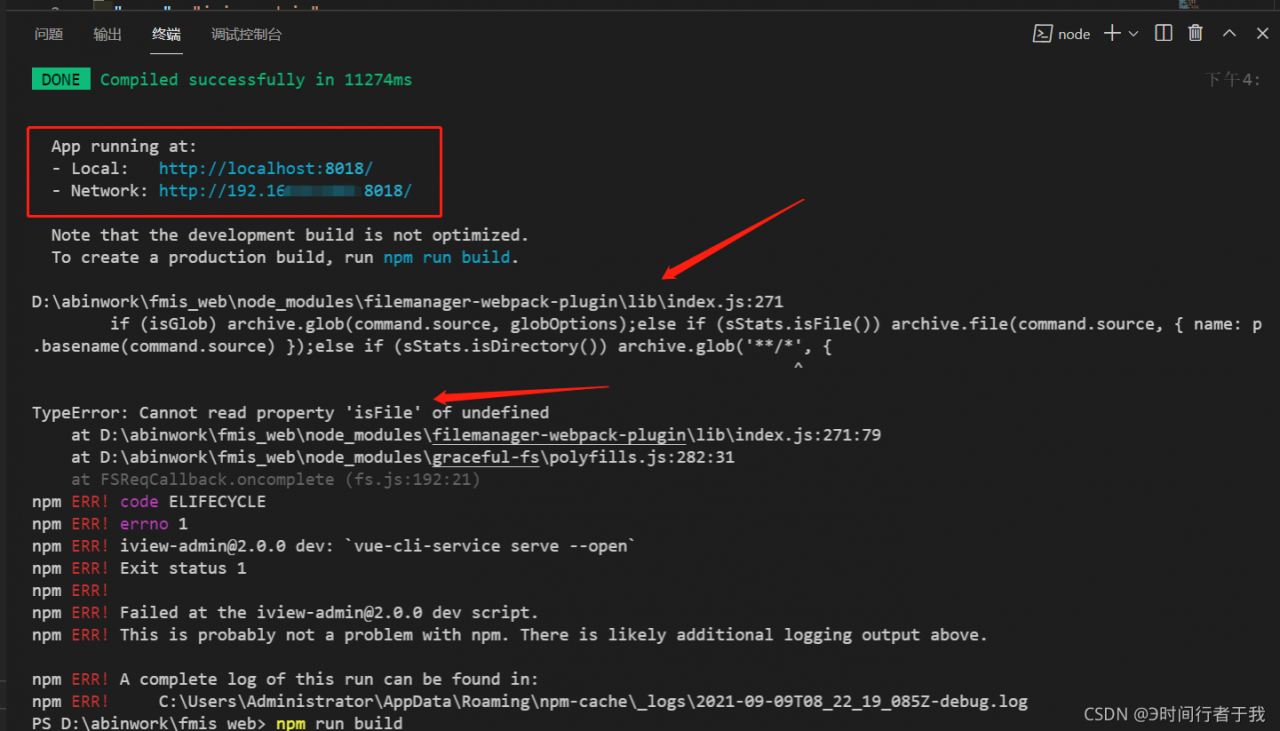
The reason for the error is very simple, because the project we just pulled down does not have a dist directory, and then FileManager webpack plugin find a dist directory and find that it does not exist, and then strike and quit, resulting in an error;
There are two solutions
First, you can repackage it;
npm run build
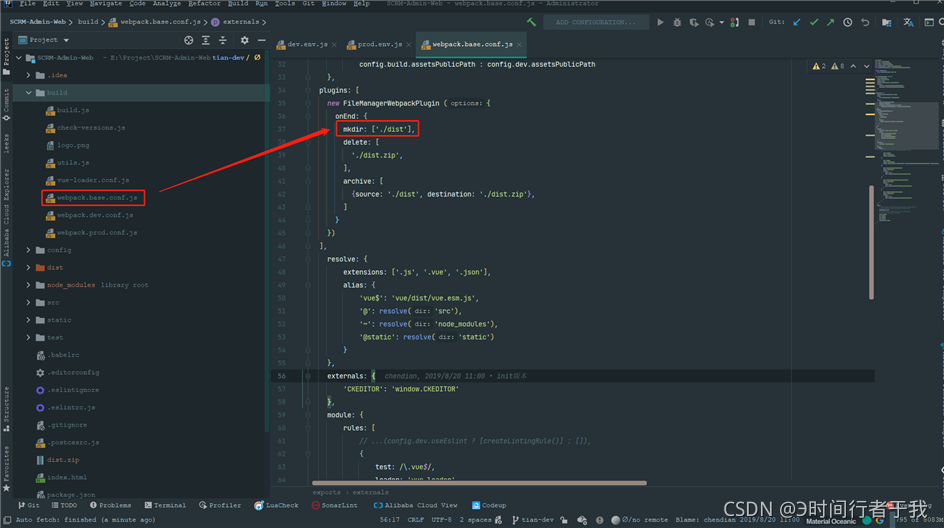
Second, modify the configuration and automatically create the dist directory when running
Note: look at the first step first. If you can run the NPM run build and then the NPM run dev project, you don’t have to perform the second step
plugins: [
    new FileManagerWebpackPlugin ({
      onEnd: {
        mkdir: [‘./dist‘],
        delete: [
          ‘./dist.zip‘,
        ],
        archive: [
          {source: ‘./dist‘, destination: ‘./dist.zip‘},
        ]
      }
    })
  ],
If the data IDs are different, and there are multiple identical name values or multiple identical Title values, an error will be reported
just do it
    <a-auto-complete
      v-model="ruleForm.companyId"
        placeholder="Please Input"
        optionLabelProp="label"
        @select="onSelect"
        @change="onChangeStore"
      >
        <template slot="dataSource">
          <a-select-option
            v-for="item in dataSource"
            :key="item.id"
            :value="item.id + ''"
            :label="item.name"
          >
            {{ item.name }}
          </a-select-option>
        </template>
    </a-auto-complete>
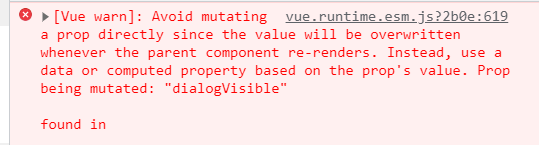
Error: Avoid mutating a prop directly since the value will be overwritten whenever the parent component re-renders. Instead, use a data or computed property based on the prop’s value. Prop being mutated: “dialogVisible”
Solution:
:visible.sync="dialogVisible"
Replace with:
:visible="dialogVisible"
Error content
Vue error: the template root requires exactly one element
See the following figure for details:
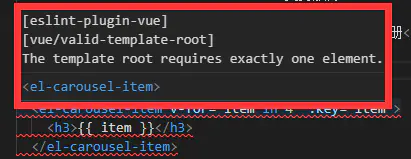
error information in vscode

error information in node
Error reason
Vue only allows one root node in the template.
Solution
Add a <div> tag to <template>, after that all the components will be added to <div> to solve the problem.At home on weekends, I want to install Vue on the local computer, but I always report the error of ‘gyp’. All kinds of Baidu attempts always fail until I see an explanation: installing @ Vue/cli reports the error npmerr gyp err
(intrusion and deletion)
Sort out:
1. First delete three Vue related files in the local folder directory C:// user/xxx/appdata/roaming/NPM
2. Switch the NPM image source of Taobao back to the initial image source of NPM:
https://registry.npmjs.org/
npm config set registry https://registry.npmjs.org/
Then run NPM install - G @ Vue/cli and wait.
Error content

Uncaught TypeError: Cannot read property 'bottom' of null
    at a (chunk-vendors.js:319)
    at chunk-vendors.js:319
    at Array.forEach (<anonymous>)
    at IntersectionObserver.s.<computed>.IntersectionObserver.root (chunk-vendors.js:319)
Cause
the listening element cannot be found
PS: it seems that it only appears from the H5 platform
Solution
in the hide and unload life cycle of the page, cancel listening to elements
onHide:function(){
	this.observer.disconnect();
},
onUnload: function(){
	this.observer.disconnect();
},
Judge whether the element exists during listening, and clear the last listening
Vue.prototype.$lazyImg = function(fn){
	this.observer.disconnect();//The previous ones must be cleared. Otherwise, elements that have been loaded will still be listened to, or if the listened to elements disappear, an error will be reported
	uni.createSelectorQuery().in(this).selectAll('.lazy').boundingClientRect(data => {
		if(data.length > 0){//If there is no lazy element on the page, it will report an error directly, which is really fucking outrageous!
			this.observer.observe('.lazy', (res) => {
				if(res.intersectionRatio > 0){//sometimes, intersectionRatio is undefined
					fn(res.dataset)
				}
			})
		}
	}).exec();
}
Elementui reports an error. Cannot read property ‘setcheckedkeys’ of undefined“
Click the tree node and execute the following code. An error will be reported because the DOM element is not loaded
  handleRowClick(row) {
    this.$refs.tree.setCheckedKeys(ids);
  },
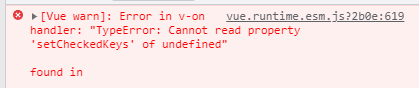
Correct writing:
  handleRowClick(row) {
    this.$nextTick(() => {
      this.$refs.tree.setCheckedKeys(ids);
    })
  },
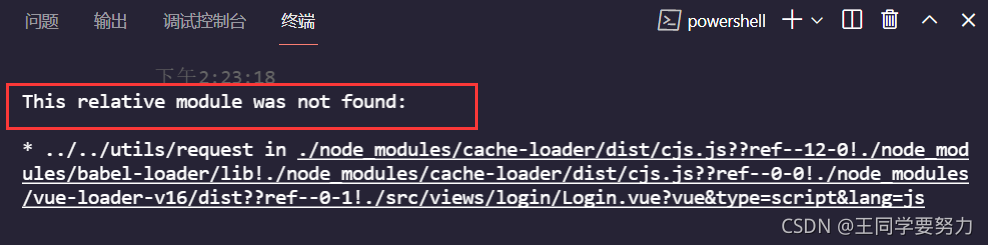
Vue project error: this relative module was not found
The questions are as follows
Solution:
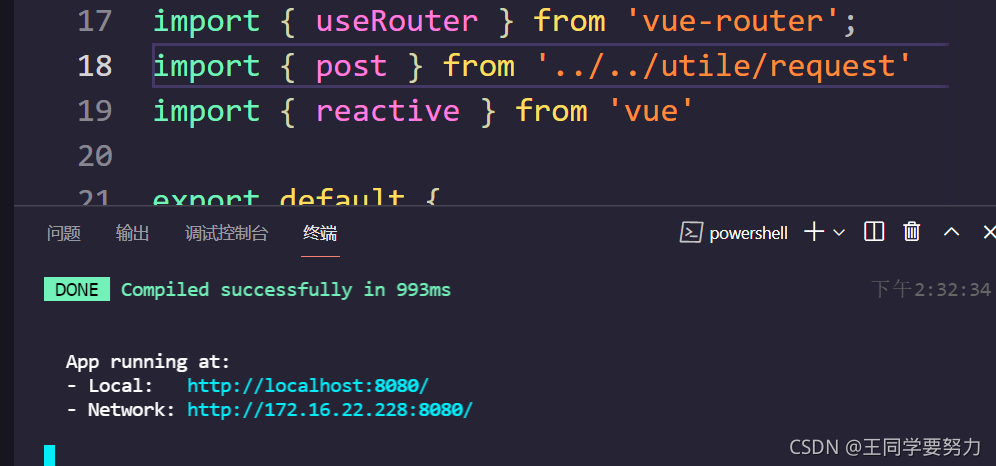
If this error occurs, check your own path. I have solved the problem
“. /”: represents the current directory.
“.. /” represents the upper level directory.
“.. /. /” represents the upper level directory.
And so on
I have solved it successfully
Syntax Error: TypeError: this.getOptions is not a function
Scenario:
Error reporting when running Vue project
Error message:
Syntax Error: TypeError: this.getOptions is not a function

 @ ./node_modules/vue-style-loader??ref--8-oneOf-1-0!./node_modules/css-loader/dist/cjs.js??ref--8-oneOf-1-1!./node_modules/vue-loader/lib/loaders/stylePostLoader.js!./node_modules/postcss-loader/src??ref--8-oneOf-1-2!./node_modules/sass-loader/dist/cjs.js??ref--8-oneOf-1-3!./node_modules/cache-loader/dist/cjs.js??ref--0-0!./node_modules/vue-loader/lib??vue-loader-options!./src/pages/article/article.vue?vue&type=style&index=0&id=53e7acee&lang=scss&scoped=true& 4:14-480 15:3-20:5 16:22-488
 @ ./src/pages/article/article.vue?vue&type=style&index=0&id=53e7acee&lang=scss&scoped=true&
 @ ./src/pages/article/article.vue
 @ ./src/router/config.js
 @ ./src/router/index.js
 @ ./src/main.js
 @ multi (webpack)-dev-server/client?http://192.168.3.101:8080&sockPath=/sockjs-node (webpack)/hot/dev-server.js babel-polyfill whatwg-fetch ./src/main.js
reason:
The probability is that the installed version of SCSS loader is too high
Solution:
uninstall the original too high version and install the lower version
npm uninstall --save sass-loader // uninstall
npm i -D [email protected] // install
npm uninstall --save node-sass //uninstall
npm i [email protected] // install
When doing the project, I encountered some picture display problems
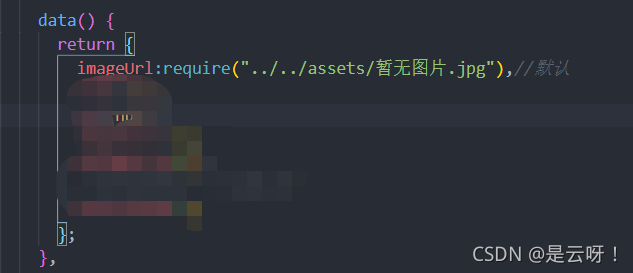
1. The assets file under SRC of the local image cannot be loaded
Solution: use require
2. Network picture, visit 403
Solution: add the tag
< meta name="referrer" content="no-referrer" />
 in the index.html file
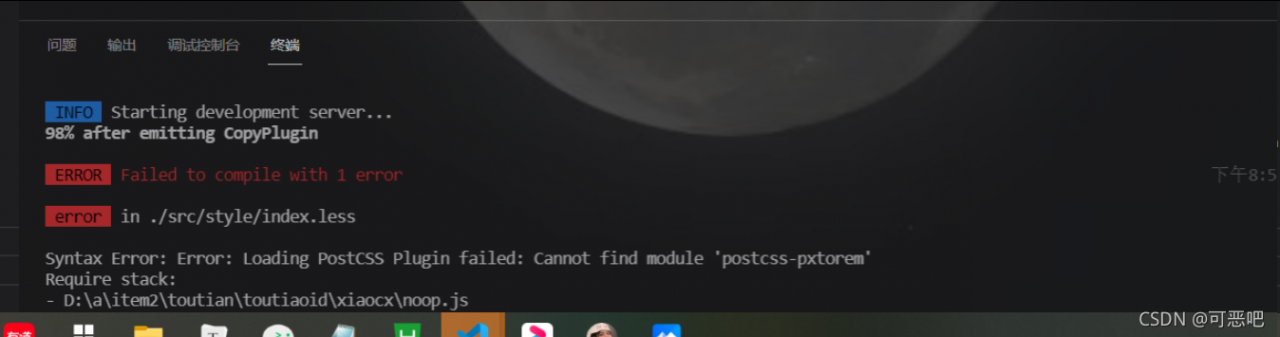
**Syntax Error: Error: Loading PostCSS Plugin failed: Cannot find module ‘postcss-pxtorem’** Error
Done!
 Method:
npm i [email protected]
