Category Archives: JavaScript

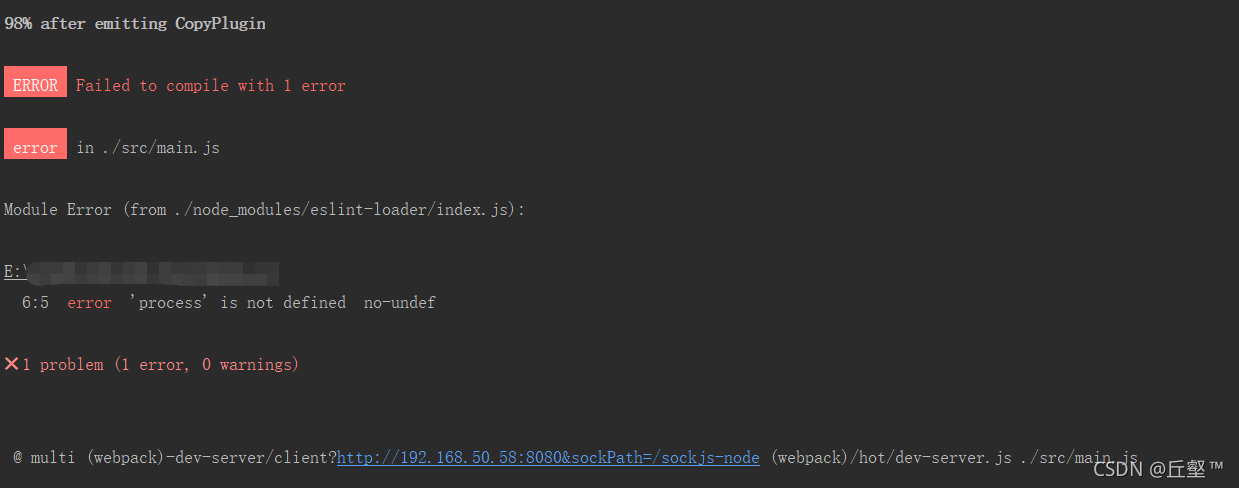
Front end initialization Vue element admin error [How to Solve]

Problem Description:
the project is downloaded according to Vue element admin. To initialize the project, run the following code:

npm install

The result reported an error:

after nearly a day of trouble, we finally found a solution:

1. Run the prompt code first:

// input commands
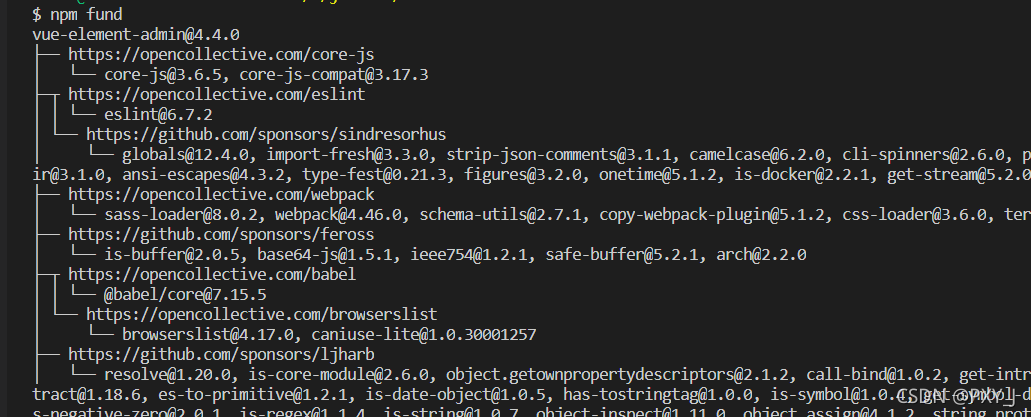
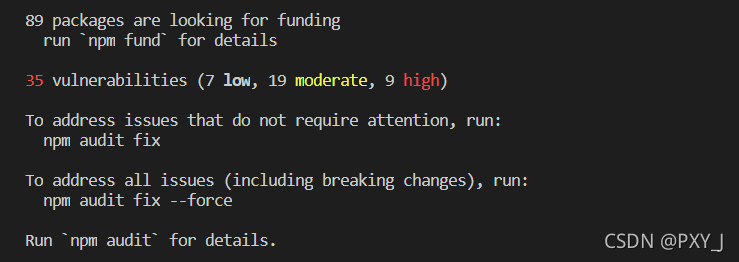
npm fund

Then the following dependent reward donation prompt appears

2. Then enter:

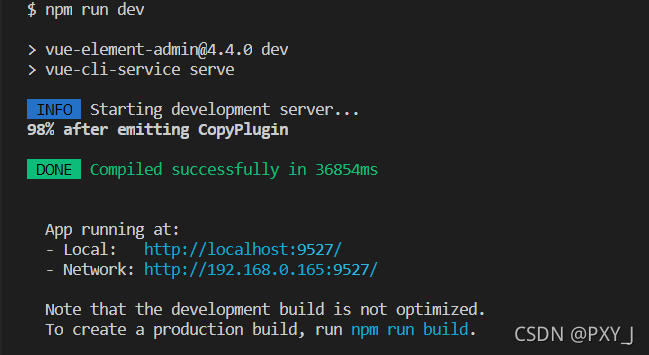
npm run dev

Then it finally succeeded

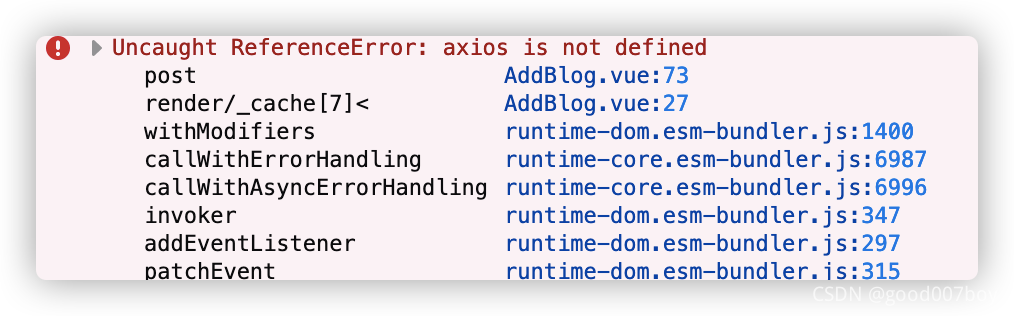
How to Solve “Vue is not defined” Error

Background there is a problem in the introduction of Axios
code

import Vue from 'vue'
import App from './App.vue'
import router from './router'
import store from './store'
import axios from 'axios'


import ElementUI from 'element-ui';
import 'element-ui/lib/theme-chalk/index.css';
import './reset.css'

Vue.config.productionTip = false
Vue.use(ElementUI);
axios.default.baseURL = 'https://www.fastmock.site/mock/ad1bc58516abb5f0f452402035be2443/houtai'
Vue.prototype.$http = axios

This is because the order of the two lines of code is wrong
change to

import Vue from 'vue'
import App from './App.vue'
import router from './router'
import store from './store'
import axios from 'axios'
import ElementUI from 'element-ui';
import 'element-ui/lib/theme-chalk/index.css';
import './reset.css'
axios.default.baseURL = 'https://www.fastmock.site/mock/ad1bc58516abb5f0f452402035be2443/houtai'
Vue.prototype.$http = axios
Vue.config.productionTip = false
Vue.use(ElementUI);

How to Solve NPM installation -g @view/client Error

Installation problem: NPM install – G @ Vue/cli   Long string error reporting

npm ERR! code 1
npm ERR! path C:\Users\A\AppData\Roaming\npm\node_modules\@vue\cli\node_modules\bufferutil
npm ERR! command failed
npm ERR! command C:\WINDOWS\system32\cmd.exe /d /s /c node-gyp rebuild
npm ERR! gyp info it worked if it ends with ok
npm ERR! gyp info using [email protected]
npm ERR! gyp info using [email protected] | win32 | x64
npm ERR! gyp info find Python using Python version 2.7.10 found at "C:\Python27\python.exe"
npm ERR! gyp ERR! find VS
npm ERR! gyp ERR! find VS msvs_version not set from command line or npm config
npm ERR! gyp ERR! find VS VCINSTALLDIR not set, not running in VS Command Prompt
npm ERR! gyp ERR! find VS could not use PowerShell to find Visual Studio 2017 or newer, try re-running with '--loglevel silly' for more details
npm ERR! gyp ERR! find VS looking for Visual Studio 2015
npm ERR! gyp ERR! find VS - not found
npm ERR! gyp ERR! find VS not looking for VS2013 as it is only supported up to Node.js 8
npm ERR! gyp ERR! find VS
npm ERR! gyp ERR! find VS **************************************************************
npm ERR! gyp ERR! find VS You need to install the latest version of Visual Studio
npm ERR! gyp ERR! find VS including the "Desktop development with C++" workload.
npm ERR! gyp ERR! find VS For more information consult the documentation at:
npm ERR! gyp ERR! find VS https://github.com/nodejs/node-gyp#on-windows
npm ERR! gyp ERR! find VS **************************************************************
npm ERR! gyp ERR! find VS
npm ERR! gyp ERR! configure error
npm ERR! gyp ERR! stack Error: Could not find any Visual Studio installation to use
npm ERR! gyp ERR! stack     at VisualStudioFinder.fail (C:\Program Files\nodejs\node_modules\npm\node_modules\node-gyp\lib\find-visualstudio.js:121:47)
npm ERR! gyp ERR! stack     at C:\Program Files\nodejs\node_modules\npm\node_modules\node-gyp\lib\find-visualstudio.js:74:16
npm ERR! gyp ERR! stack     at VisualStudioFinder.findVisualStudio2013 (C:\Program Files\nodejs\node_modules\npm\node_modules\node-gyp\lib\find-visualstudio.js:351:14)
npm ERR! gyp ERR! stack     at C:\Program Files\nodejs\node_modules\npm\node_modules\node-gyp\lib\find-visualstudio.js:70:14
npm ERR! gyp ERR! stack     at C:\Program Files\nodejs\node_modules\npm\node_modules\node-gyp\lib\find-visualstudio.js:372:16
npm ERR! gyp ERR! stack     at C:\Program Files\nodejs\node_modules\npm\node_modules\node-gyp\lib\util.js:54:7
npm ERR! gyp ERR! stack     at C:\Program Files\nodejs\node_modules\npm\node_modules\node-gyp\lib\util.js:33:16
npm ERR! gyp ERR! stack     at ChildProcess.exithandler (node:child_process:404:5)
npm ERR! gyp ERR! stack     at ChildProcess.emit (node:events:394:28)
npm ERR! gyp ERR! stack     at maybeClose (node:internal/child_process:1064:16)
npm ERR! gyp ERR! System Windows_NT 10.0.19042
npm ERR! gyp ERR! command "C:\\Program Files\\nodejs\\node.exe" "C:\\Program Files\\nodejs\\node_modules\\npm\\node_modules\\node-gyp\\bin\\node-gyp.js" "rebuild"
npm ERR! gyp ERR! cwd C:\Users\A\AppData\Roaming\npm\node_modules\@vue\cli\node_modules\bufferutil
npm ERR! gyp ERR! node -v v16.7.0
npm ERR! gyp ERR! node-gyp -v v7.1.2
npm ERR! gyp ERR! not ok

npm ERR! A complete log of this run can be found in:
npm ERR!     C:\Users\A\AppData\Local\npm-cache\_logs\2021-09-16T09_15_40_144Z-debug.log

the error reporting information found is almost the same, but it is different from mine!

Solution:

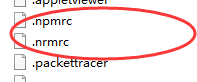
1. Find the path of user folder

2. Delete the. Npmrc and. Nrmrc files under the path

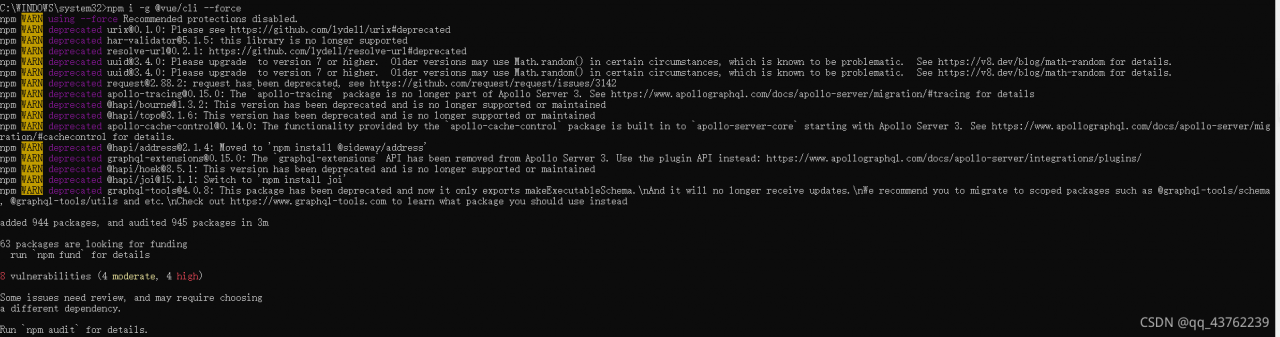
  3. Re execute NPM I – G @ Vue/cli — force

–Force force to cover the previous scaffold

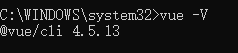
  4. Execute Vue – V to check the version

So far, the problem has been solved.

[Solved] Error in mounted hook: “Error: please transfer a valid prop

I’m writing today_ This error is encountered during the item loop, and it is recorded; I probably wrote this to test a page

then the form loop will be used,
at the beginning, it is in form_ It was written directly in item. Finally, when I reset the form, I found that I couldn’t reset it. Then I added a layer of form item to El input. I also inquired about the relevant errors on the Internet and found that they were generally: prop = “‘item. ‘+ index +’. Index2 ‘” and so on, but my problem was not solved. The error was still reported, and the form still couldn’t be reset
consider it slowly at this time. In fact, it is an array loop. Then we will get the accurate value to eliminate this error

<el-form-item
        v-for="(order_award, index) in form.award_config.order_award
          .order_award_list"
        label-width="10"
        style="margin-bottom: 0"
        prop="order_award"
        :key="index"
      >
        <div>
          <el-row :gutter="12" type="flex">
            <el-col :span="4" v-if="!(form.award_config.award_type == 1)">
              <el-form-item label-width="0" :prop="'award_config.order_award.order_award_list['+index+'].order_count'">
                <el-card shadow="never" class="reward_content_card">
                <span
                  class="input_unit"
                  style="margin-right: 5px; font-size: 14px"
                  >Done</span
                ><br />
                <span class="input_unit"></span>
                <el-input
                  class="reward_content_padding reward_content_input"
                  v-model="order_award.order_count"
                >
                </el-input>
                <div class="input_unit"></div>
              </el-card>
              </el-form-item>
            </el-col>
          </el-row>
       </el-form-item>

Mainly this code

:prop="'award_config.order_award.order_award_list['+index+'].order_count'"

Take the detailed value location to solve the error.
Node Error: Error: Multipart: Boundary not found [How to Solve]

The front end uses httpclient in the angular library to upload files and set

headers: { ‘Content-Type’: ‘multipart/form-data’ }

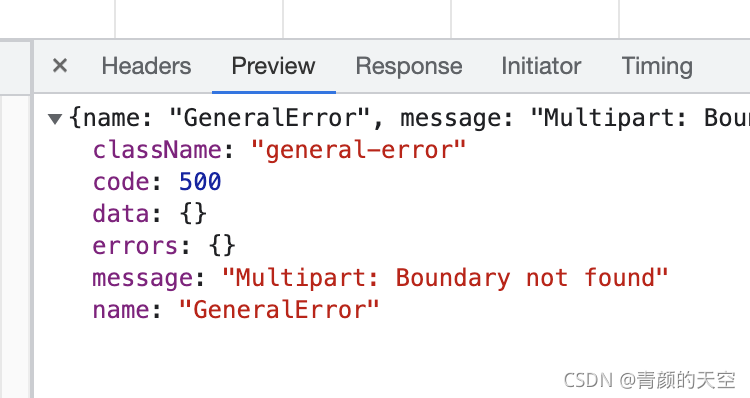
When the backend uses featurejs to receive, an error is reported

error: multipart: boundary not found
error reason: multipart does not find the boundary

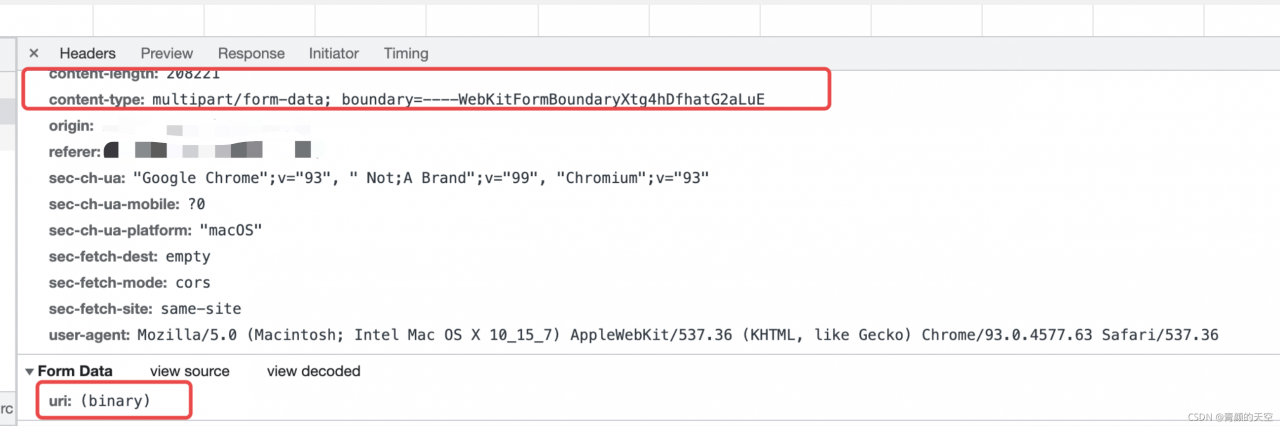
The uploaded file is a form in multipart/form data format of post request

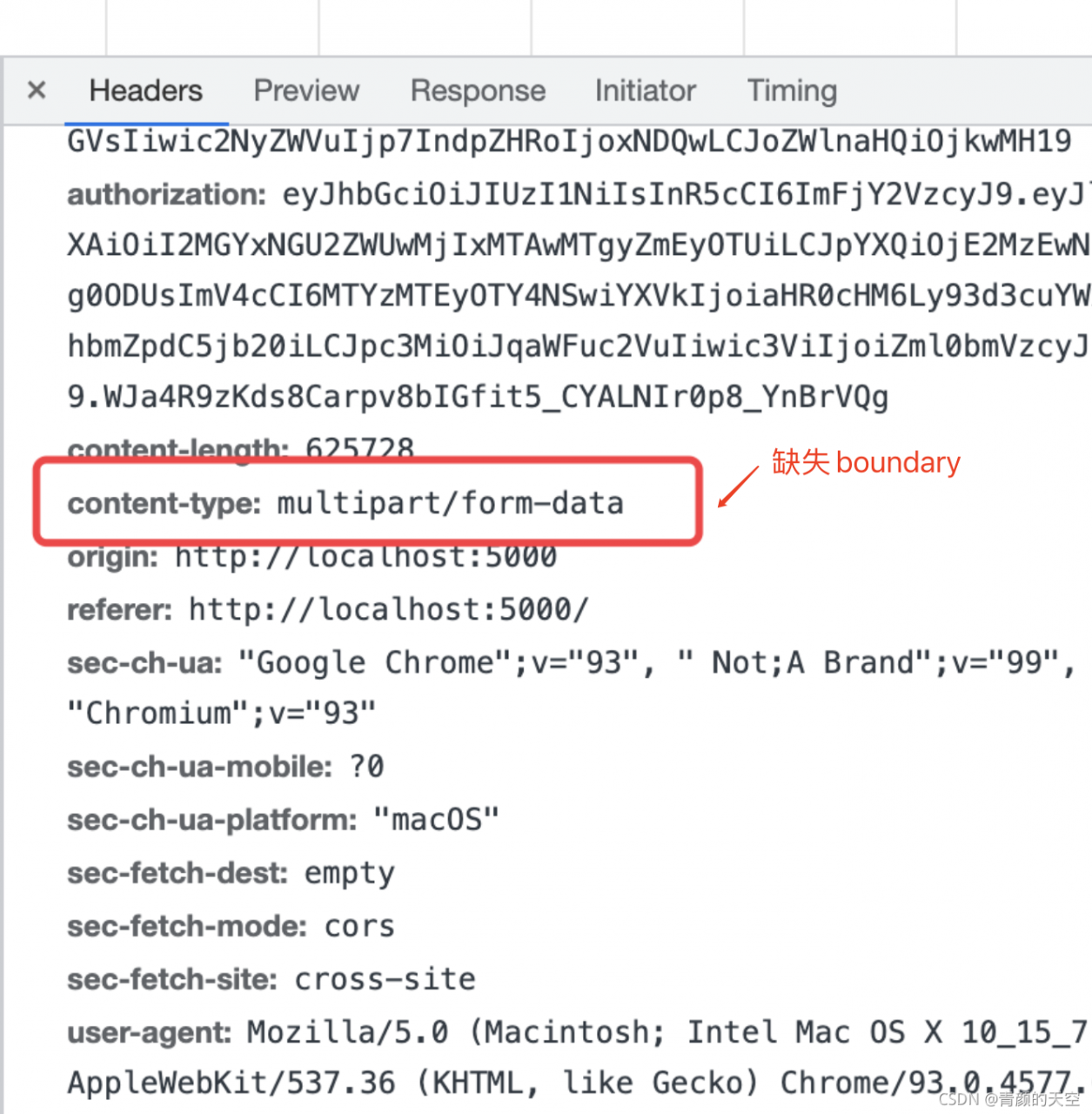
content-type: multipart/form-data is not followed by the boundary

To sum up, the request header was set many times, overwriting the original form enctype = “multipart/form data”

Conclusion: it is not necessary to set content type: Music/form data repeatedly, otherwise the original may be overwritten and unexpected errors may be caused.


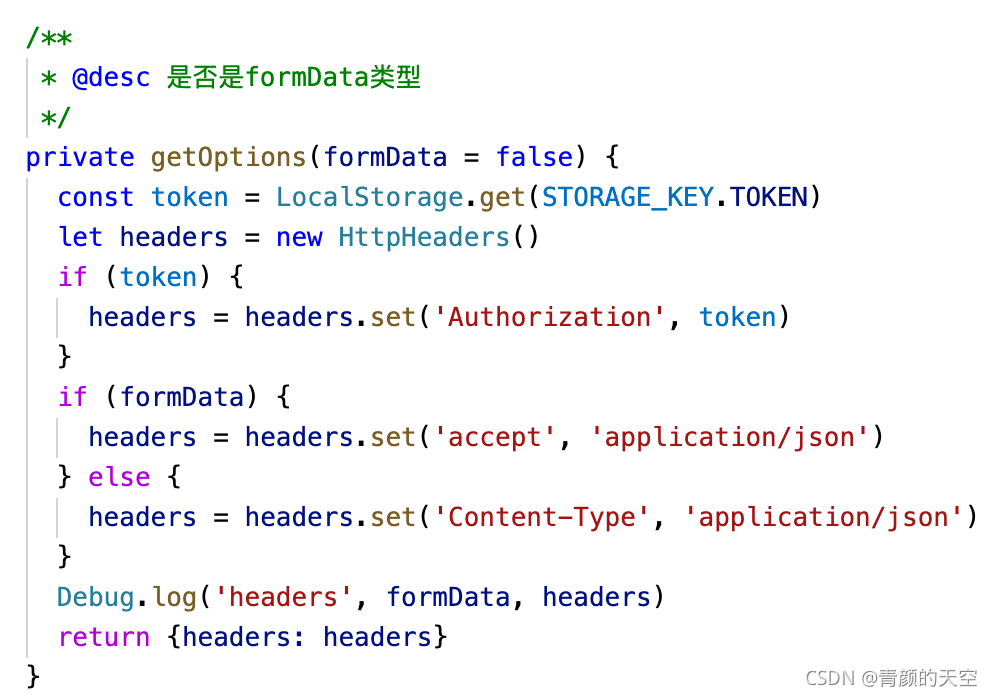
Correct way to get headers:

When uploading formdata type data, you do not need to manually set content typebrowser performance:

it’s done!

[Solved] Uncaught SyntaxError: Cannot use import statement outside a module

1. Error description

Uncaught SyntaxError: Cannot use import statement outside a module

2. Error reason

  Defines a JavaScript file, declares several variables, and uses modularity to export the variables

Let name = “Zhang Hua”
let age = 23
let sex = “female”

Export {name, age, sex}
then, import directly in the page file; Open the browser to access the page, and an error appears on the console

3. Solution

  Need to add the attribute type="module" to the script tag

[Solved] Vue Error: Module build failed Error Node Sass version 6.0.1 is incompatible with ^4.0.0.

Vue error module build failed: error: node sass version 6.0.1 is incompatible with ^ 4.0.0. Solution

Error message:

 ERROR  Failed to compile with 1 errors                                                                                                                                      下午6:51:57
 
 error  in ./src/views/Login.vue
 
Module build failed: Error: Node Sass version 6.0.1 is incompatible with ^4.0.0.
    at getSassImplementation (D:\IDEA\IDEA Projects\Vue\hello-vue\node_modules\[email protected]@sass-loader\dist\utils.js:77:13)
    at Object.loader (D:\IDEA\IDEA Projects\Vue\hello-vue\node_modules\[email protected]@sass-loader\dist\index.js:34:59)
 
 @ ./node_modules/vue-style-loader!./node_modules/css-loader?{"sourceMap":true}!./node_modules/vue-loader/lib/style-compiler?{"vue":true,"id":"data-v-26084dc2","scoped":true,"hasInline
Config":false}!./node_modules/[email protected]@sass-loader/dist/cjs.js?{"sourceMap":true}!./node_modules/vue-loader/lib/selector.js?type=styles&index=0!./src/views/Login.vue 4:14-389
 13:3-17:5 14:22-397
 @ ./src/views/Login.vue
 @ ./src/router/index.js
 @ ./src/main.js
 @ multi (webpack)-dev-server/client?http://localhost:8080 webpack/hot/dev-server ./src/main.js

Solution:

Find the problem: module build failed: error: node sass version 6.0.1 is incompatible with ^ 4.0.0

This problem is caused by the high version of SASS, so just change the version to the corresponding version according to the prompt. Here, change to version 4.0.0.

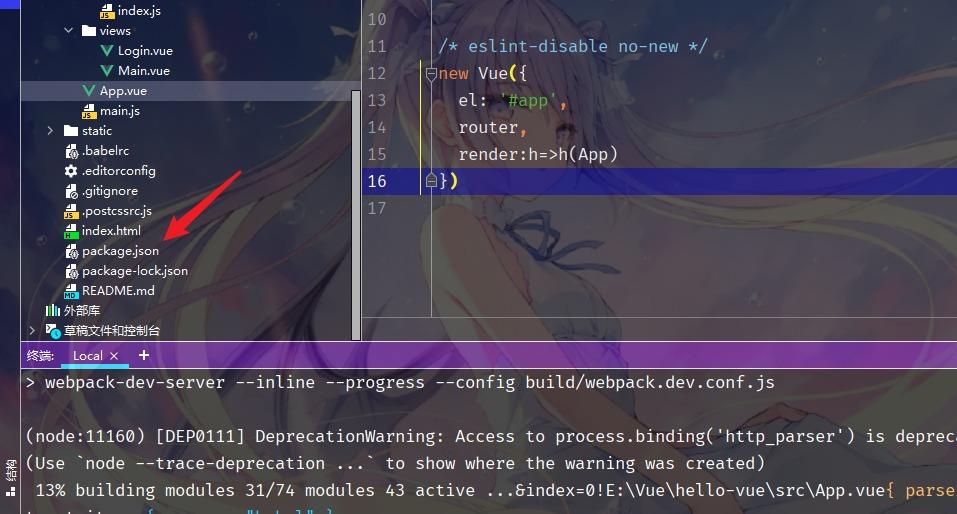
Step 1: find the package.json file in the IDE:

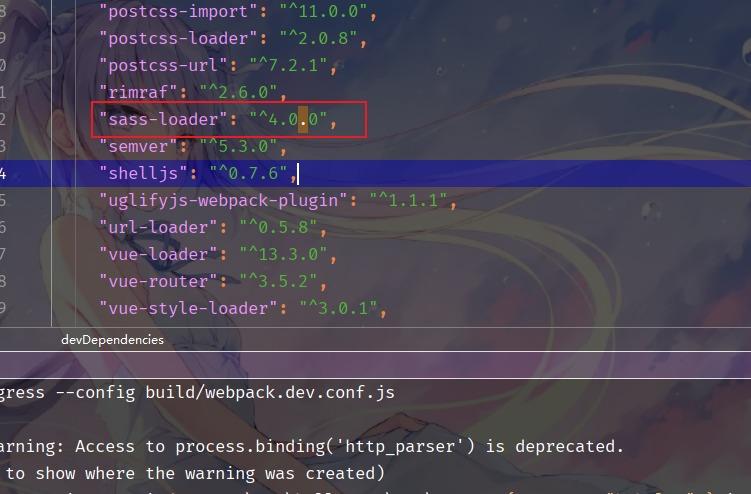
Step 2: find sass loader and change its version to 4.0.0

Finally, execute

cnpm install

Finally, execute

cnpm install

npm run dev