Category Archives: JavaScript

[Solved] npm run start Error: Exit status 3221225477

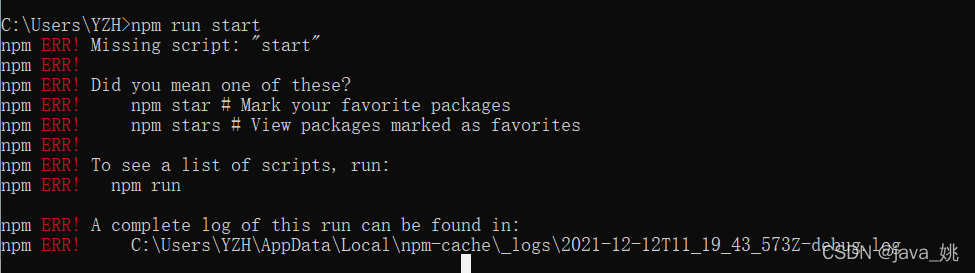
NPM run start reports an error exit status 3221225477

Error content resolution

Error content

#
# Fatal error in , line 0
# Check failed: U_SUCCESS(status).      
#
#
#
#FailureMessage Object: 00000088678FDB80npm ERR! code ELIFECYCLE
npm ERR! errno 3221225477
npm ERR! [email protected] start: `vue-cli-service serve`
npm ERR! Exit status 3221225477
npm ERR!
npm ERR! Failed at the [email protected] start script.
npm ERR! This is probably not a problem with npm. There is likely additional logging output above.

npm ERR! A complete log of this run can be found in:
npm ERR!     C:\Users\a\AppData\Roaming\npm-cache\_logs\2021-12-13T09_16_55_301Z-debug.log        
/c/Users/a/AppData/Roaming/nvm/nodejs/npm: line 34:  1042 Segmentation fault      "$NODE_EXE" "$NPM_CLI_JS" "$@"

Solution:

The problem can be solved by switching the appropriate node version

[Solved] react-router-dom Error: index.js:1 Warning: Functions are not valid as a React child.

index. js:1 Warning: Functions are not valid as a React child. This may happen if you return a Component instead of < Component /> from render. Or maybe you meant to call this function rather than return it.

reason:

1. When you return a component, you mistakenly write it as component instead of <Component/>

2. Maybe you want to call this function instead of return it.

For example:

① When calling a method, forget to add the following parentheses.

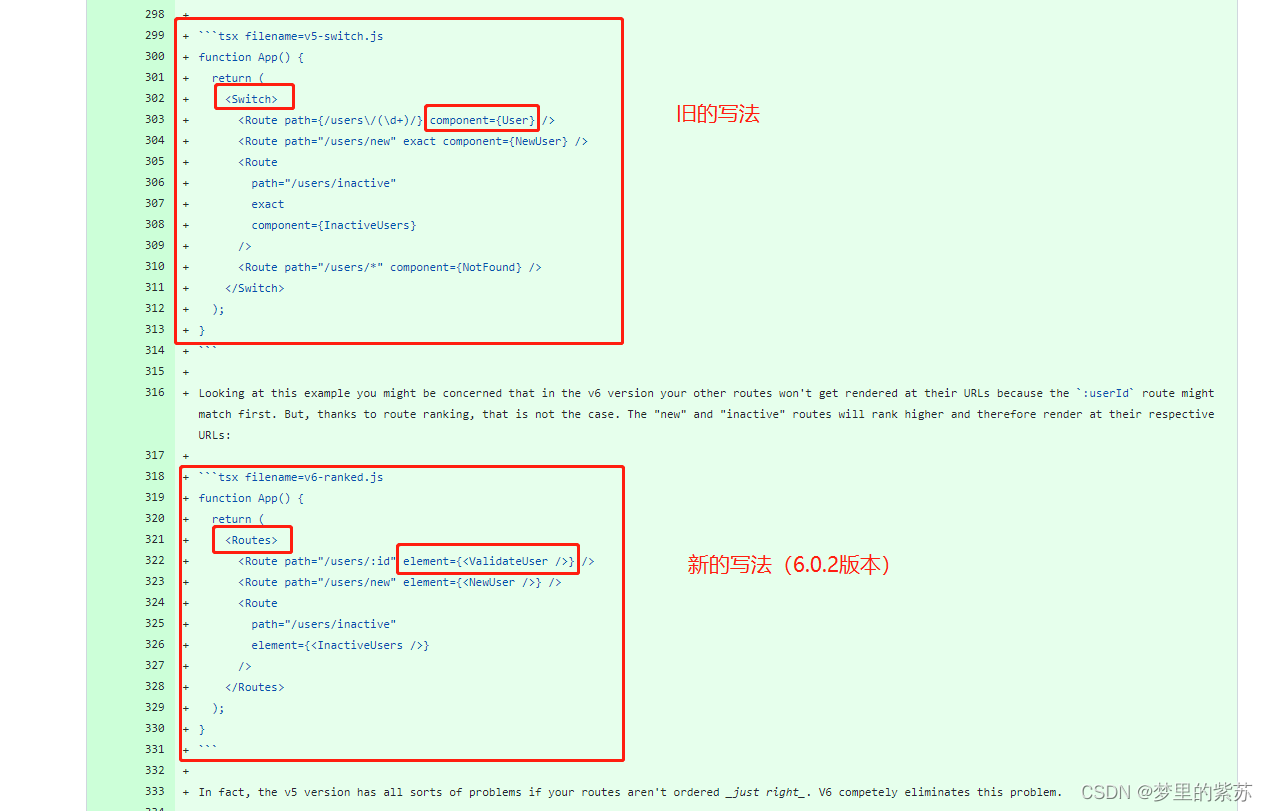
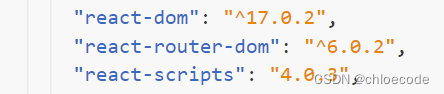
② When using react-router version 6.0.2 (released in 20211110), the writing method has been changed when registering the route.

vue3 import Error: has no default export [How to Solve]

In the vue3 project, the TS write error component does not export by default because vetur-v0 35.0 does not support vue3. You need to download Vue language features (vol) – v0 twenty-nine point eight

<template>
     <MyHeader></MyHeader>
</template>
<script setup lang="ts">
import MyHeader from "../components/MyHeader.vue";
</script>

[Solved] proxy Configure Error: Error occured while trying to proxy to:

The project uses the create react app scaffold to build
before configuring the local proxy, the following

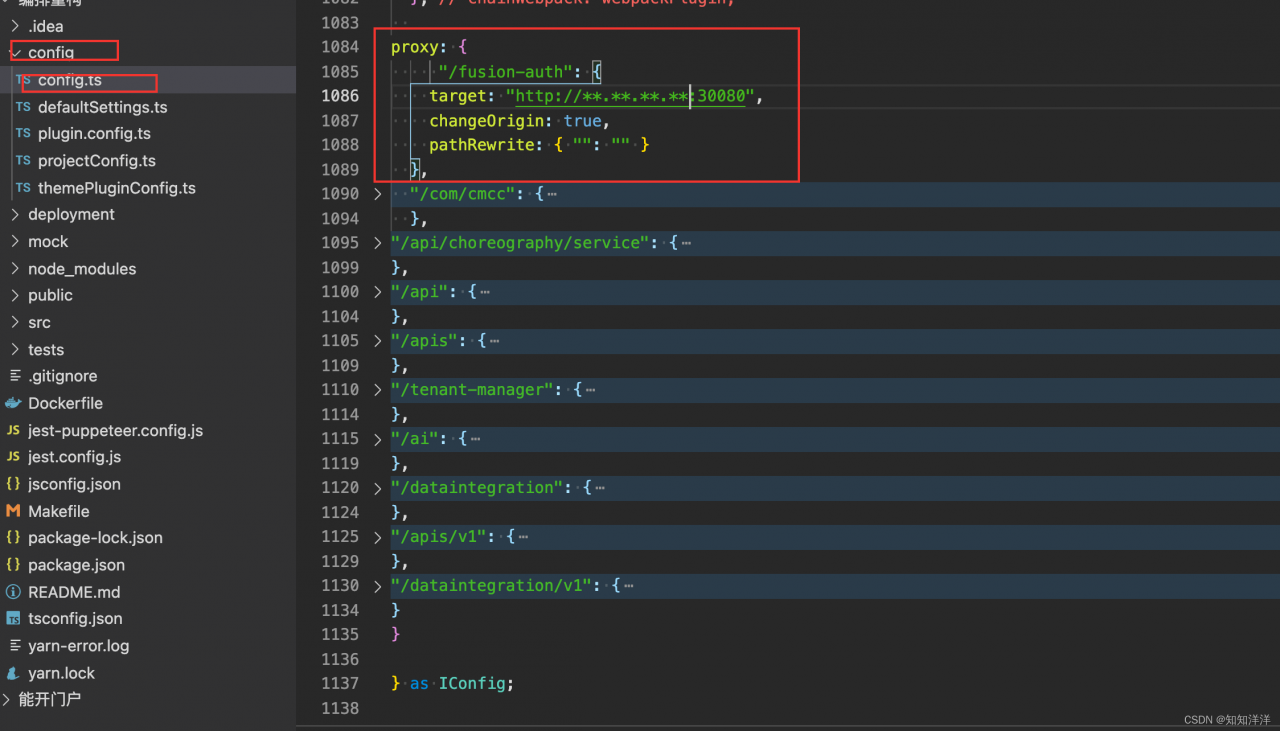
the following projects need to proxy HTTPS, configure the proxy to report an error of 500, and respond to error occurred while trying to proxy to:
find and reconfigure, and add changeorigin: true

proxy: {
    '/cas': {
      target: 'https://**.**.**.**:30090',
      secure: false,
      changeOrigin: true,
      pathRewrite: { "": "" }
    },
  },```

[Solved] Vue-cli3 running or packaging error: JS memory overflow

Error Messages: FATAL ERROR: CALL_AND_RETRY_LAST Allocation failed – JavaScript heap out of memory
Solution:
Step 1.
Install the npm packages increase-memory-limit and cross-env
npm install increase-memory-limit cross-env -g
Step 2.
Add to package.json.
“fix-memory-limit”: “cross-env LIMIT=4096 increase-memory-limit”

"scripts": {
	"serve": "vue-cli-service serve",
	"build": "vue-cli-service build",
	"fix-memory-limit": "cross-env LIMIT=10000 increase-memory-limit"
},

Step 3:

Execute fix memory limit:

npm run fix-memory-limit

Step 4:

Error message: node — Max old space size = 4096 is not an internal or external command

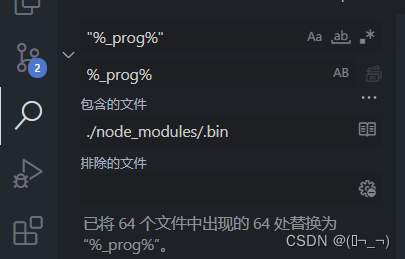
Solution: on node_modules/.Modify “% _prog%” under bin to%_prog%

After the replacement, restart NPM run serve to execute successfully. If the error is still reported and the memory overflows, you can try to increase the 4096

Nuxt integrate with qiankun as the main application Error: SKIP_BECAUSE_BROKEN

Almost all online tutorials are directly connected to micro applications in the home page, which is in the default of layout Vue is labeled with container, and other reference official websites are OK. However, if the sub route is embedded as a page, the first page can be loaded successfully. When you go back and enter the sub route, you will report an error that the micro page cannot be mounted

Target container with #subapp-viewport not existed while sub-vue mounting!

After searching the Internet for a long time, I found this sentence on the official website:

How to load micro applications on a routing page of the main application

It must be ensured that the routing page of the main application is also loaded when the micro application is loaded.

There is a problem with the sub routing of nuxt. Qiankun listens to the change of URL to load micro applications, and nuxt is the same, and the page generated by nuxt is slower than that of Qiankun. Therefore, when Qiankun loads the micro page, the container tag is not generated.

Many methods have been tried to solve the problem in an elegant way, but they can’t. finally, the same solution that nuxt also reports an error when there is no change in the jump route address is adopted. A bridging page is added between the jump page and the target page. The layout of the bridging page is the same as that of the target page, so that the label of the container is loaded. Because the bridging page and the target are the same layout, The container tag is not lost.

The code is as follows:

<template>
  <div>
  </div>
</template>
<script>
/**
 * qiankun bridge, qiankun listen to url changes to load the sub-application, but nuxt is also, can qiankun in advance, will lead to the layout in the container tag has not been loaded, the micro application can not be injected.
 * Use this bridge to load the layout, and container tags in advance.
 */
export default {
  name:'Bridge',
  layout:'subapp',
  created(){
    this.$router.replace(this.$route.query.to)
  }
}
</script>

The jump event of the jump page (home page) is changed to:

 goto(item){
      this.$router.push('/subapp/bridge?to='+this.appid)
    }

Appid is the name of the micro application.

[Solved] Vue console error: navigationduplicated: avoided redundant navigation to current location

Its tip is to avoid redundant navigation to the current location. Simply put, the same route is triggered repeatedly.

The solution is as follows:
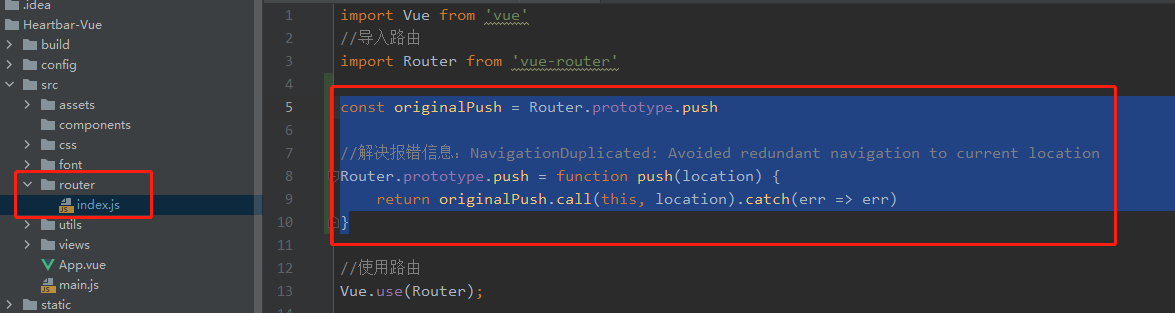
in the router folder, click index Add these lines of code to the JS file:

const originalPush = Router.prototype.push

//Error Messages: NavigationDuplicated: Avoided redundant navigation to current location
Router.prototype.push = function push(location) {
	return originalPush.call(this, location).catch(err => err)
}

The detailed location is as follows:

However, he uses vuerouter instead of router. I don’t know if it’s the Vue router version.

[Solved] node.js Upload Files Error: Multipart: boundary not found multer

Today, when the front-end uses Vue to transfer files with formdata, the background node reports an error

Multipart: Boundary not found multer

It is found in the front console that the file file transmitted by the interface is null {}, because it is set when Axios requests

the Header of Content-Type is multipart/form-data

It is found that there is no boundary parameter later, except multipart/form data

multipart/form-data;boundary :****************

There should also be a series of boundary parameters. First of all, do not splice the contents behind the boundary, otherwise you need to reconfigure all the content parameters yourself.
later, it is found that it is the reason for the request method, and you need to use ajax to make the request.
the solution is as follows

// upload the files
export function reqUploadImg(file, user_id) {
  return axios({
    url: '/uploadImg',
    method: 'POST',
    Headers: {
      "content-type": "multipart/form-data",
    },
    data: file,
    params: { user_id }
  })
}

This problem can be solved. It will automatically splice a string later, or “content type”: “multipart/form-data” in “multipart/form-data” will also be spliced automatically if it is set to fasle, but after personal experiments, it is found that the types have changed into JSON format, which is automatically generated by Axios source code

[Solved] node-xlsx Write excel Error: TypeError: n.indexOf is not a function

Use node xlsx to write the assembled data into excel and always report errors. The error information is as follows:

(node:6357) UnhandledPromiseRejectionWarning: TypeError: n.indexOf is not a function
    at /Users/mac/project/reptile/invoice/node_modules/xlsx/xlsx.js:15693:8
    at Array.forEach (<anonymous>)
    at check_ws_name (/Users/mac/project/reptile/invoice/node_modules/xlsx/xlsx.js:15692:11)
    at /Users/mac/project/reptile/invoice/node_modules/xlsx/xlsx.js:15701:3
    at Array.forEach (<anonymous>)
    at check_wb_names (/Users/mac/project/reptile/invoice/node_modules/xlsx/xlsx.js:15700:4)
    at check_wb (/Users/mac/project/reptile/invoice/node_modules/xlsx/xlsx.js:15713:2)
    at Object.writeSync [as write] (/Users/mac/project/reptile/invoice/node_modules/xlsx/xlsx.js:21998:2)
    at Object.build (/Users/mac/project/reptile/invoice/node_modules/node-xlsx/lib/index.js:77:33)
    at writeXlsx (/Users/mac/project/reptile/invoice/index.js:269:21)
(Use `node --trace-warnings ...` to show where the warning was created)
(node:6357) UnhandledPromiseRejectionWarning: Unhandled promise rejection. This error originated either by throwing inside of an async function without a catch block, or by rejecting a promise which was not handled with .catch(). To terminate the node process on unhandled promise rejection, use the CLI flag `--unhandled-rejections=strict` (see https://nodejs.org/api/cli.html#cli_unhandled_rejections_mode). (rejection id: 2)
(node:6357) [DEP0018] DeprecationWarning: Unhandled promise rejections are deprecated. In the future, promise rejections that are not handled will terminate the Node.js process with a non-zero exit code.

There is no useful information in the prompt. You can only use node xlsx to read the normal excel table into JSON, and then compare the normal Josn with the JSON assembled by yourself however, the goose did not find any difference
after careful comparison, the problem is finally found. The reason is that the table name of each table in Excel can only be the string,

let obj = {
    name: more.tatalAmount, // The name obtained here is Number, which must be converted to String with toString()
    data: [
      [
        "111111111"
      ],

[Solved] Input error: this. Getoptions is not a function

Reproduction steps:

1. The project was created using Vue cli

2. Install less4 x, less-loader10.X development dependency

3. After using lang = “less” in the single file Vue component, the compilation error is found, syntax error: typeerror: this getOptions is not a function

Reason: the version of less loader is too high. Uninstall and reinstall

// uninstall less
npm uninstall less-loader
npm uninstall less

// re-install less3.5.0、less-loader7.3.0
npm i -D [email protected]

[Solved] react-router-dom Error: <NavLink>activeClassName

Requirement: click the corresponding button to highlight

Error code:

Demo is the style class name corresponding to the highlight

<NavLink activeClassName="demo" className="list-group-item" to="/about">About</NavLink>
<NavLink activeClassName="demo" className="list-group-item" to="/home">Home</NavLink>

Error message:

It is said that react does not recognize the activeclassname attribute of the small hump writing method. It is recommended to change it to lowercase. After changing it to lowercase activeclassname, no error will be reported, but the style does not take effect.

Later, I found out that my react router DOM version is the latest version: 6.0 2:

In the new version, the active classname attribute is no longer used to highlight naclink. Instead, it is implemented directly in the classname as a callback function.

Change to the following code:

<NavLink className={({isActive}) => 'list-group-item' + (isActive ?' demo' : '')} to="/about">About</NavLink> 
<NavLink className={({isActive}) => 'list-group-item' + (isActive ?' demo' : '')} to="/home">Home</NavLink>

Note: a space should be added before “demo”. Otherwise, when clicking the button to trigger the active state, it will return to “list group itemdemo” (string splicing, if no space is added, the front and rear class names will be connected together), resulting in the ineffective CSS style.