Category Archives: JAVA

Android Studio Error: Error:moudle not specified [How to Solve]

Android studio solves error: mouse not specified

When using Android studio for builder apks, if you find that you can’t degub,

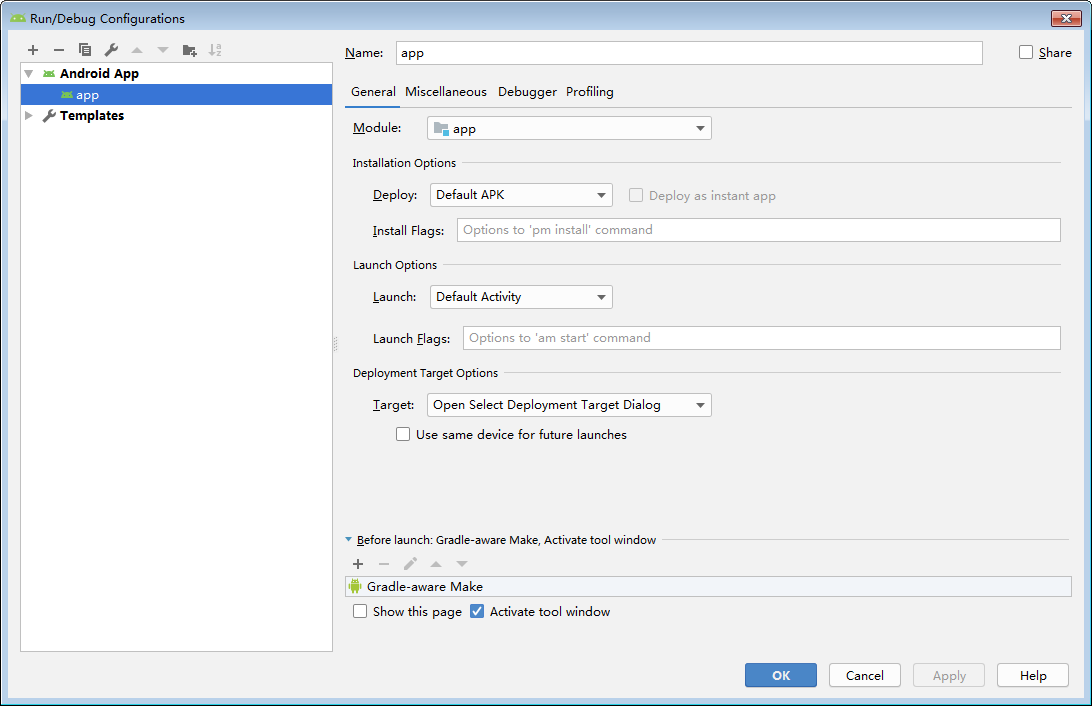
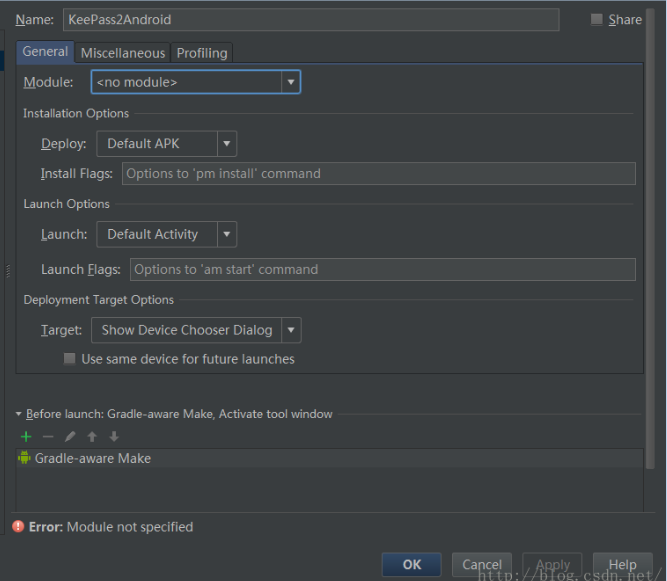
No module can be specified during configuration, as shown in (borrow a figure)

The reason for the problem is that the grade files are not synchronized effectively.

1. First ensure grade Synchronization is complete.

2. Perform manual synchronization

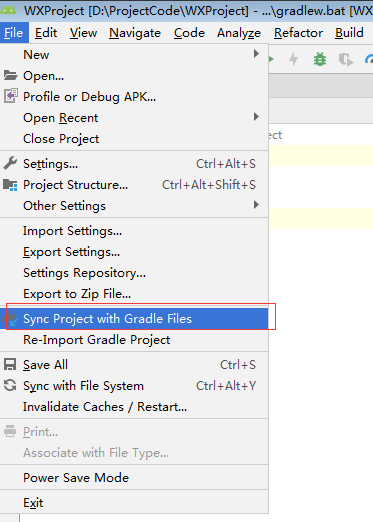
Old as version   Click Tools – > Android—> Sync Project With Gradle Files

The new version (I am the new version) is shown in the figure:

Generally, you can debug, and the module has been configured

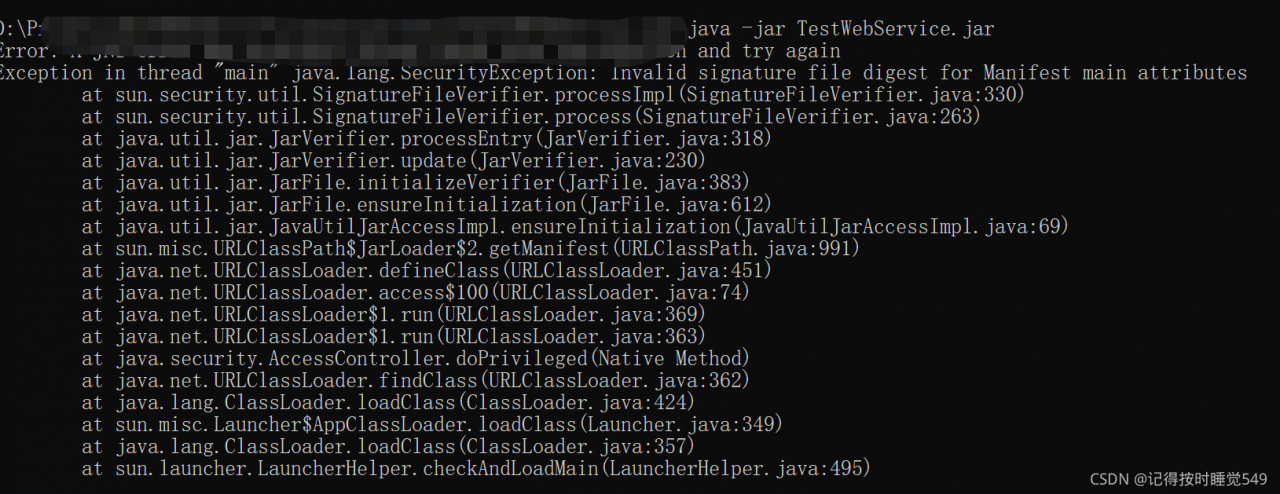
[Solved] Error: A JNI error has occurred, please check your installation and try again

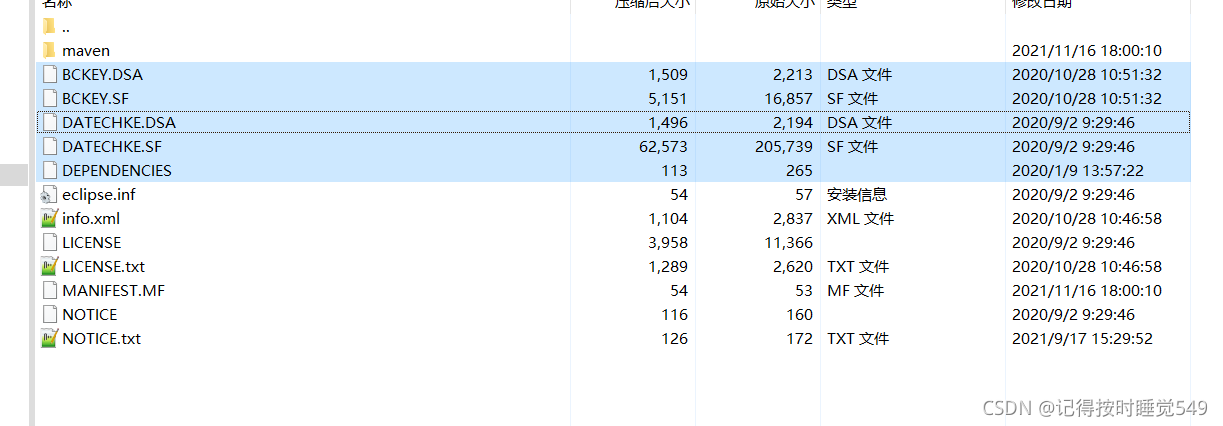
This problem probably occurs because the JDK versions are inconsistent, and the jar package will have signature files, which does not affect the logic of the program, but will cause the test demo to fail. Therefore, you need to delete the signature related files in the jar package

error condition

It is the .DSA under meta-inf\   And files with .SF suffix can be deleted

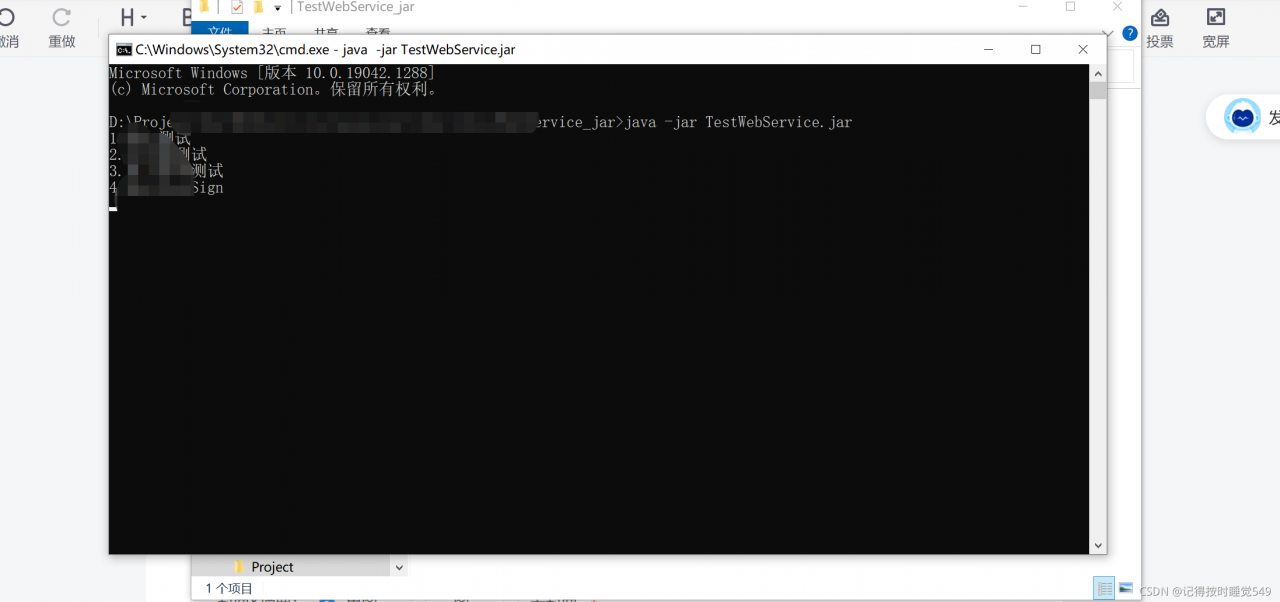
Done!

[Solved] IDEA Error: java Compilation failed internal java compiler error

Java: compilation failed: internal java compiler error

Write an article to record the painful experience of finding an idea error for half an hour

java: Compilation failed: internal java compiler error

The solution is as follows:

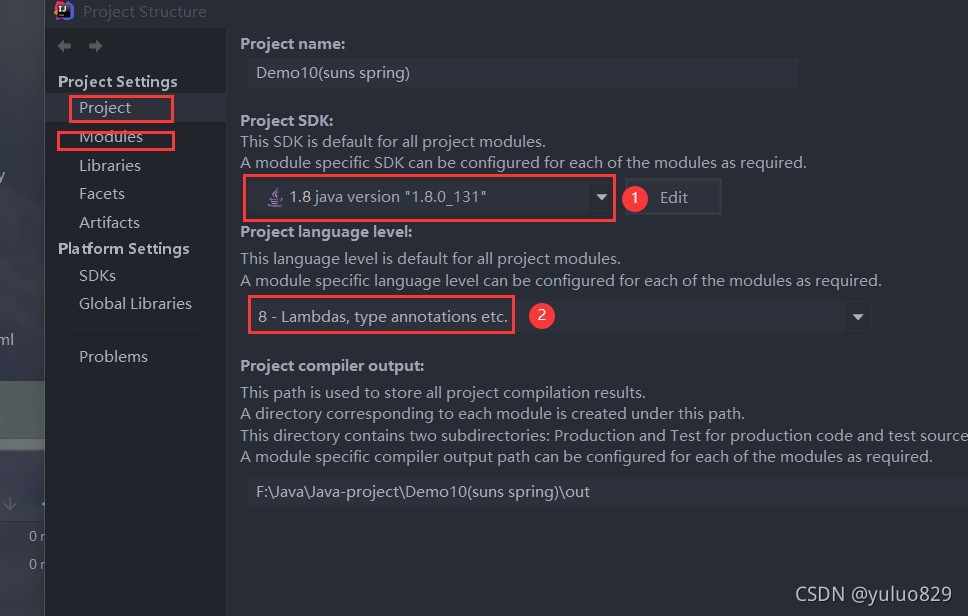
①: check item configuration

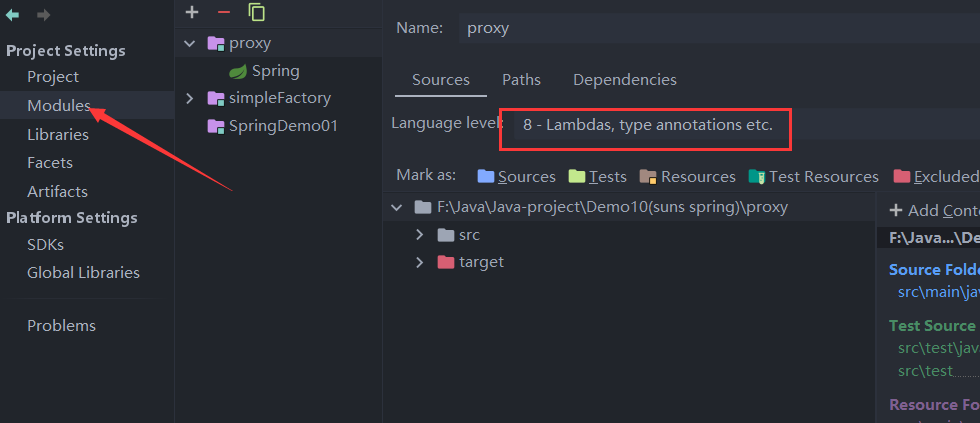
②: module configuration

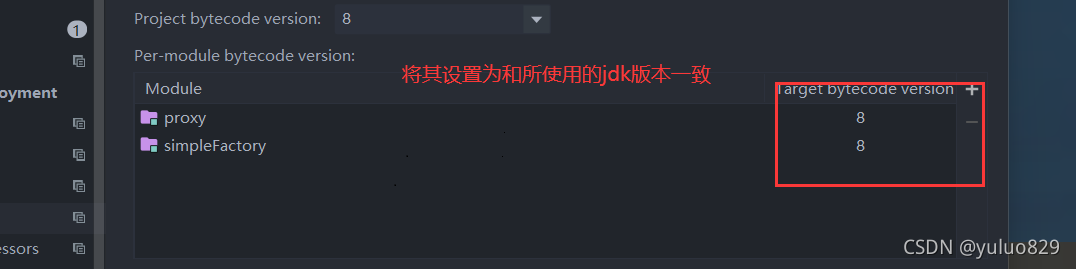
③: The most important step. This setting solves the problem

Next step. This setting solves the problem

[Solved] IDEA Start Porject Error: java: Compilation failed: internal java compiler error

When the project starts, the following problems are encountered:

java: Compilation failed: internal java compiler error

The problem is: compilation failure: internal java compiler error

The reason for this problem may be that the JDK version of the project is inconsistent.

The solution is as follows:

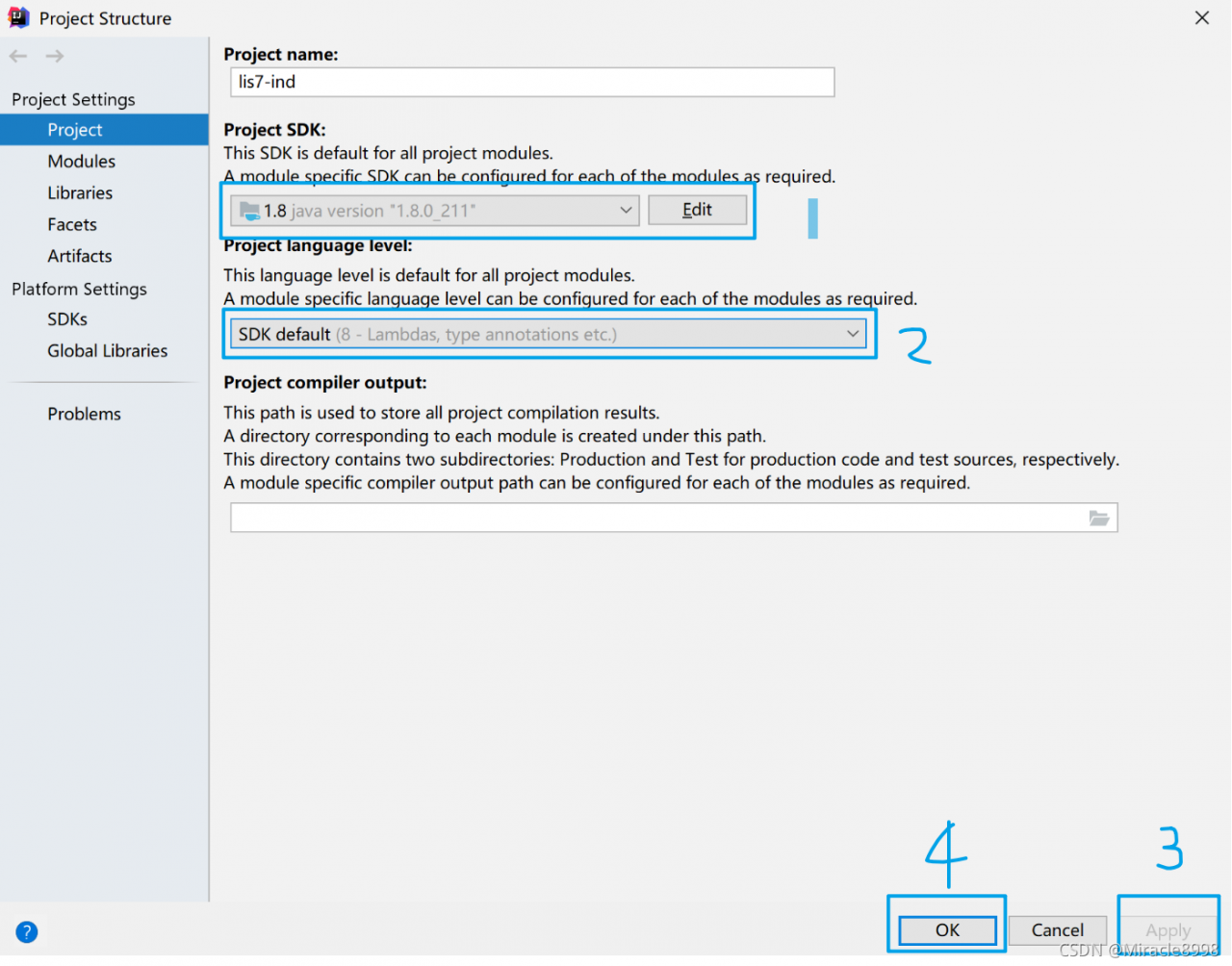
1. Check the JDK (Ctrl + Alt + Shift + s) of the project to ensure that it is the JDK version used by the machine. Here, take JDK1.8 as an example.

File ==》Project Structure ==》Project Settings ==》Project

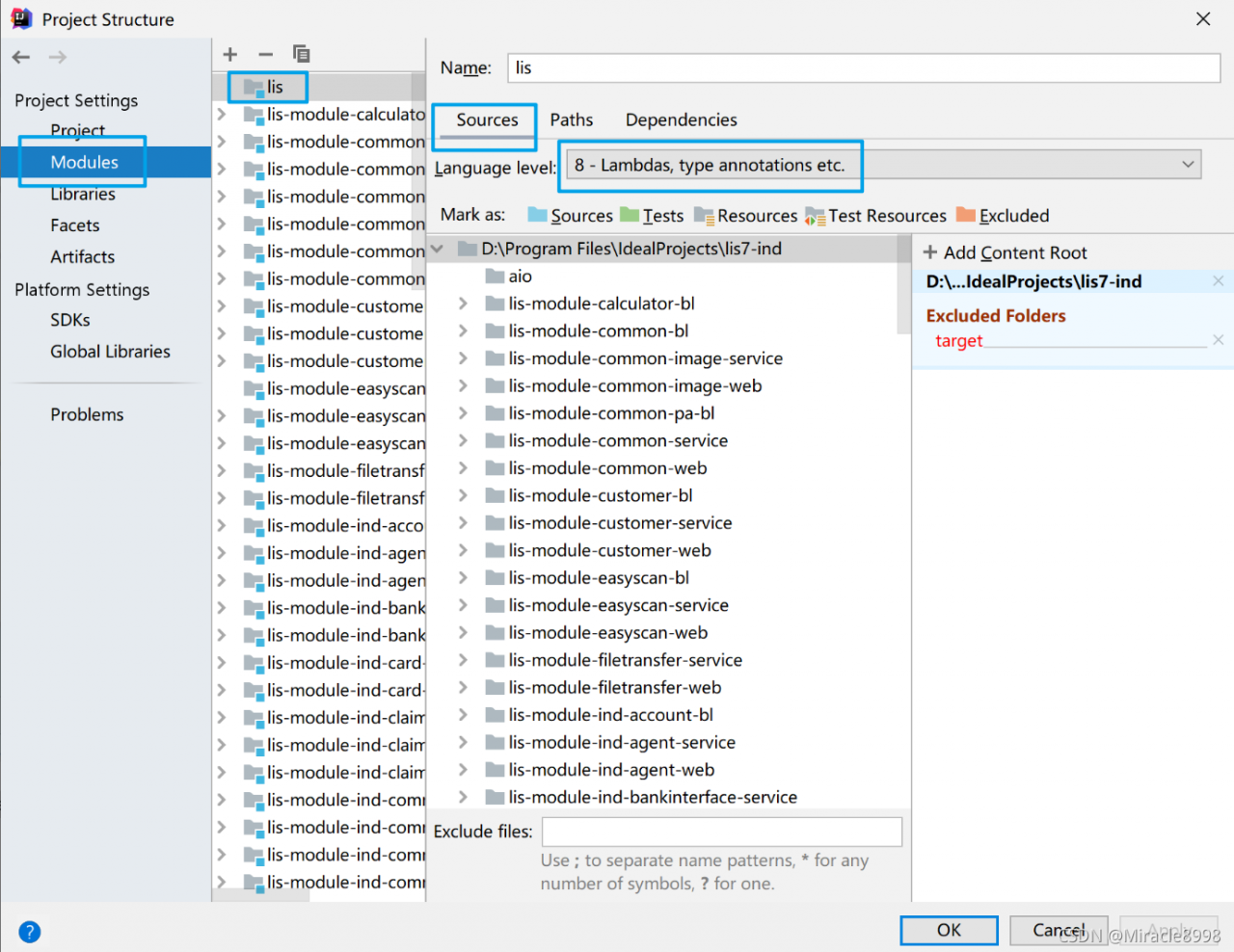
2.   Check that the JDK of the project (Ctrl + Alt + Shift + s) is consistent with the JDK of the project.

File = = “project structure = =” project settings = = “modules = = (project name to be modified) = =” sources = = ”

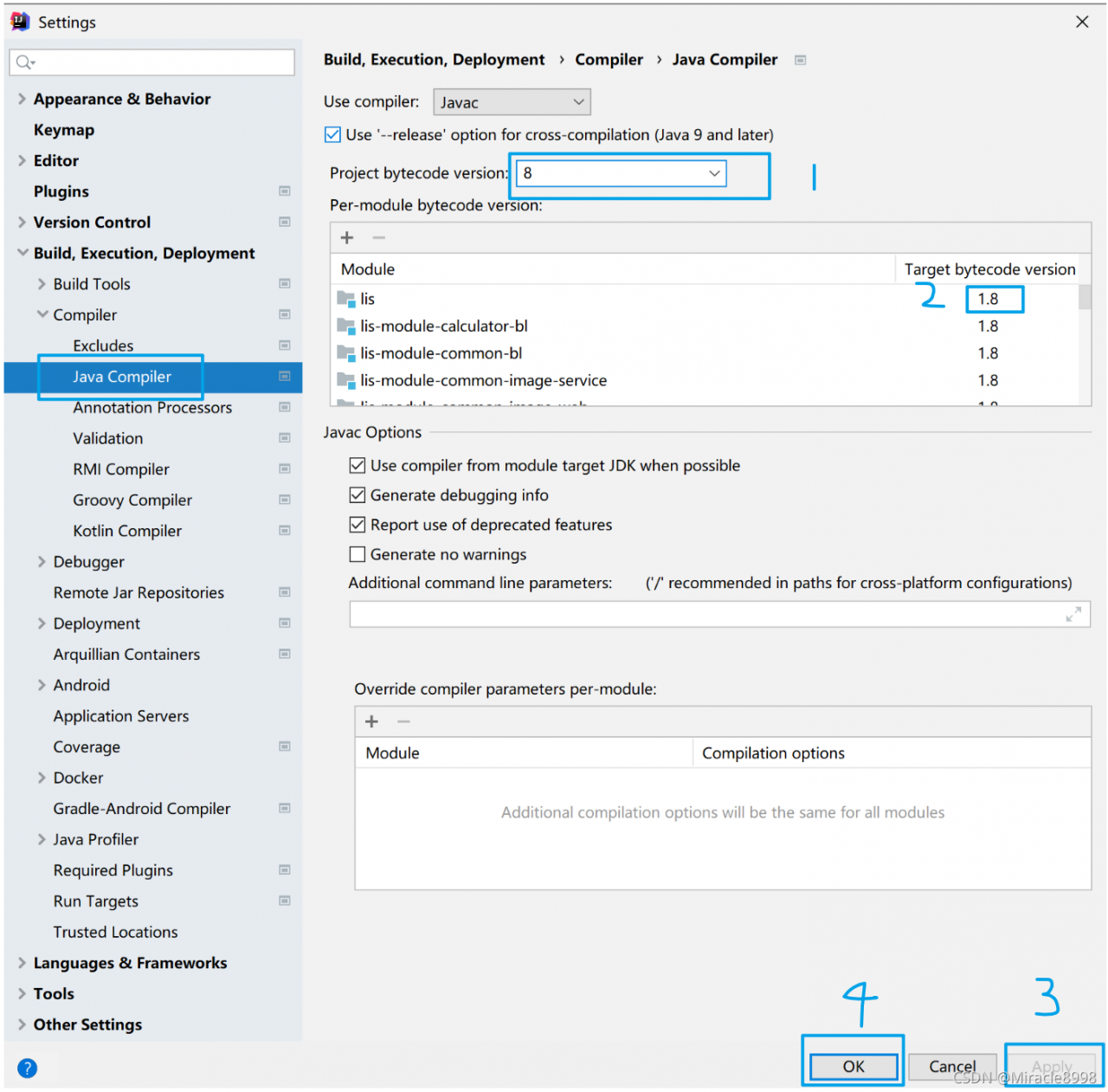
3. Check the Java configuration in idea to make the version consistent with the previous two.

File ==》Setting ==》Build,Execution,Deployment ==》Compiler ==》Java Compiler

After completing the above three steps, restart the project, there will be no problems at the beginning, and the project is started successfully.

I/O error while reading input message; nested exception is java.io.IOException: Stream closed

SpringMVC control layer receives multiple front-end parameters
Report an error I/O error while reading input message; nested exception is java.io.IOException: Stream closed
[Controller]

	@PostMapping("/list")
    public Result<List<ReviseInfo>> list(@RequestBody ReviseInfo reviseInfo, @RequestBody ReviseRequest reviseRequest){
        return reviseAdaptor.list(reviseInfo, reviseRequest);
    }

ReviseInfo

@Data
public class ReviseInfo {
    /** Primary key Id */
     @MongoId
     private String id;
     /** Manuscript Id */
     private String subjectId;
     /** Version Id */
     private String versionId;
     /** Suspected error */
     private String fragOri;
     /** Suggested adjustment */
     private String fragFixed;
     /** 1-Unprocessed 2-Ignored 3-Corrected (3 not stored in the library)*/
    private Integer type;
}

ReviseRequest)

@Data
public class ReviseRequest {
	/** Error correction content list */
     private List<ReviseContent> data;
}

Transmission parameter

{
// Current manuscript ID
     "subjectId": "5f4b7a6cc04e43398921421aef8b77a2",
     // Error correction content list
     "data": [
         {
             "content": "Ningxia's good time record plans to investigate"
        }
    ]
}

Error I/O error while reading input message; Needed exception is java.io.ioexception: stream closed
solution
1. Create a new data transmission object, such as revisedto, and merge the required parameters into a dto
[revisedto]

@Data
public class ReviseDTO {
	/** Manuscript Id */
     private String subjectId;
/** Error correction content list */
    private List<ReviseContent> data;
}

[Controller]

	@PostMapping("/list")
    public Result<List<ReviseInfo>> list(@RequestBody ReviseDTO reviseDTO){
        return reviseAdaptor.list(reviseDTO);
    }

2. Use map < String, Object> Receive multiple parameters
[controller]

	@PostMapping("/list")
    public Result<List<ReviseInfo>> list(@RequestBody Map<String, Object> params){
        return reviseAdaptor.list(params);
    }

[Adaptor/serviceImpl]

import org.apache.commons.collections4.MapUtils;

	String subjectId = MapUtils.getString(params, "subjectId");
	List<ReviseContent> data = (List<ReviseInfo>)MapUtils.getObject(params, "data");
	// List<ReviseInfo> data = (List<ReviseInfo>)params.get("data");
(error) READONLY You can‘t write against a read only replica.

Because the master-slave replication cluster was configured before, the configuration was changed disorderly

There are two solutions:

1. Open the configuration file corresponding to the redis service, and change the value of the attribute slave read-only to no, so that it can be written.

2. Open the client mode through the redis cli command, and enter the slave of no one command

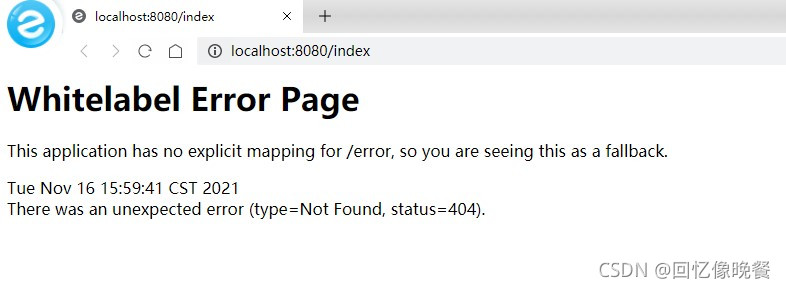
[Solved] Springboot loads static page Error: whitelabel error page

Loading the local static page card has been in this place for a long time. I tried all kinds of methods. Finally, I found the one suitable for me. Finally, I loaded it. Record it. If you encounter this situation, you can try it.

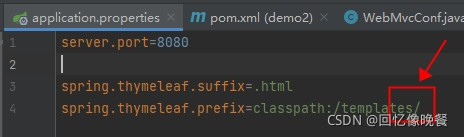
1. Add in the following place/

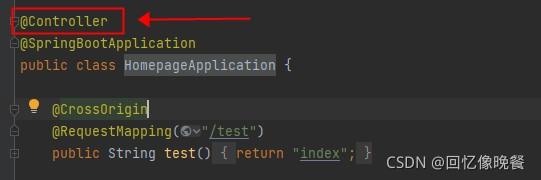
2. This place uses @controller

If you have this problem, you can try it. If you can’t change another method, it’s mainly the problem of configuration. Small places may lead to failure

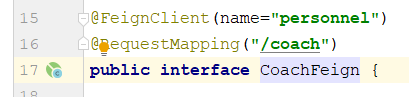
Feign call Error: duplicate name [How to Solve]


Description:
The bean ‘personnel.FeignClientSpecification’, defined in null, could not be registered. A bean with that name has already been defined in null and overriding is disabled.
Action:
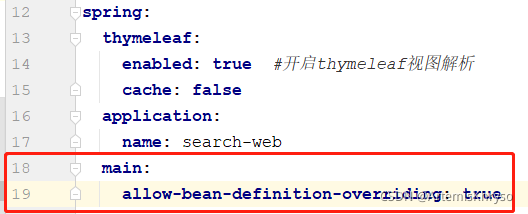
Consider renaming one of the beans or enabling overriding by setting spring.main.allow-bean-definition-overriding=true

Solution 1:
Applicati.yml configuration file is added to allow duplicate names

Solution 2:
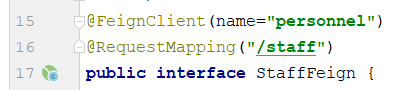
Write together the contents of different feign interfaces called by the same microservice


Write the contents of the two interfaces together

[Solved] Mybatis Error: Cause: org.apache.ibatis.builder.BuilderException: Error creating document instance.


Complete error reporting:

org.apache.ibatis.exceptions.PersistenceException: 
Error building SqlSession.
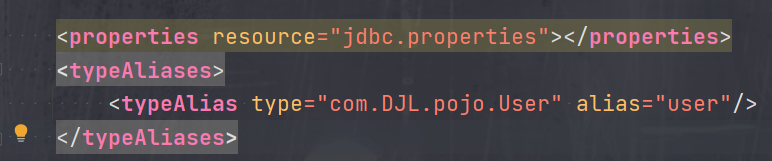
Cause: org.apache.ibatis.builder.BuilderException: Error creating document instance.  Cause: org.xml.sax.SAXParseException; lineNumber: 58; columnNumber: 17; 元素类型为 "configuration" 的内容必须匹配 "(properties?,settings?,typeAliases?,typeHandlers?,objectFactory?,objectWrapperFactory?,reflectorFactory?,plugins?,environments?,databaseIdProvider?,mappers?)"。

Solution:

When the above error occurs, it is obvious that the exception occurs when parsing the XML configuration file,
from org.xml.sax.saxparseexception; lineNumber: 30; columnNumber: 17; Content with element type “configuration” must match: (properties?, settings?, typealiases?, typehandlers?, objectfactory?, objectwrapperfactory?, plugins?, environments?, databaseidprovider?, mappers?) “。 It is obvious that the configuration files of mybatis are in order and the number is limited Indicates that there can be no but at most one, but in your own configuration:

Incrrect order:

Correct order:

[Solved] Mybatis integrates PageHelper and uses sqlserver paging error

The environment uses mybatis plus, the paging plug-in: PageHelper 5.2.0, and the database uses sqlserver2012 or above

In fact, the paging plug-in is ultimately handled by the mybatis interceptor, so it is equivalent to the mybatis environment.

Using paging

 PageHelper.startPage(1,10); // Pagination
  orderMapper.list(); // Follow the execution

Then an error will be reported

SQL: SELECT  id,product_name,xxxx,xxxxx  FROM product_xxxx  OFFSET ?ROWS FETCH NEXT ?ROWS ONLY
### Cause: com.microsoft.sqlserver.jdbc.SQLServerException: “@P0”There is a grammatical error nearby.
; uncategorized SQLException; SQL state [S0001]; error code [102]; There is a syntax error near "@P0". ; nested exception is com.microsoft.sqlserver.jdbc.SQLServerException: There is a syntax error near "@P0".

Finally, after checking, it is found that the paging syntax offset and fetch used by PageHelper are sqlserver’s support for sorting.

Therefore, if you want to use this plug-in to page, you need to add sorting.

PageHelper.startPage(1,10,"xxxx sorted table field name, not attribute name");
orderMapper.list(); // Follow the execution

Or use the default sort field

PageHelper.startPage(1,10,"CURRENT_TIMESTAMP");
orderMapper.list(); //Follow up