Category Archives: How to Fix

ERROR 1819 (HY000): Your password does not satisfy the current policy requirements

This is the temporary password used during MySQL initialization. When modifying the user-defined password, it does not comply with the password policy because the user-defined password is relatively simple.

mysql> update  user set authentication_string=password('root') where user='root'
    -> ;
ERROR 1819 (HY000): Your password does not satisfy the current policy requirements

terms of settlement:

1. View the initial password policy of MySQL and
enter the statement “show variables like ‘validate”_ password%’; ” View,
as follows:

mysql> SHOW VARIABLES LIKE 'validate_password%'; 
+--------------------------------------+--------+
| Variable_name                        | Value  |
+--------------------------------------+--------+
| validate_password_check_user_name    | OFF    |
| validate_password_dictionary_file    |        |
| validate_password_length             | 8      |
| validate_password_mixed_case_count   | 1      |
| validate_password_number_count       | 1      |
| validate_password_policy             | MEDIUM |
| validate_password_special_char_count | 1      |
+--------------------------------------+--------+
7 rows in set (0.13 sec)

2. First, you need to set the authentication strength level of the password and set validate_ password_ If the global parameter of policy is low,
enter the setting statement “set global validate”_ password_ policy=LOW; ” Set values as follows:

mysql> set global validate_password_policy=LOW;
Query OK, 0 rows affected (0.03 sec)

3. The current password length is 8. If you don’t mind, you don’t need to modify it. Generally speaking, set it to a 4-digit password and set validate_ password_ The global parameter of length is 4,

Enter the set value statement “set global validate”_ password_ length=4; ” Set the value,

mysql> set global validate_password_length=4;
Query OK, 0 rows affected (0.03 sec)

4. Now you can set a simple password for MySQL, as long as it meets the length of six digits,
enter the modification statement “update user set authentication”_ string=password(‘root’) where user=‘root’; ” You can see that the password policy has been modified successfully!!!

mysql> update  user set authentication_string=password('root') where user='root';
Query OK, 1 row affected, 1 warning (0.03 sec)
Rows matched: 1  Changed: 1  Warnings: 1
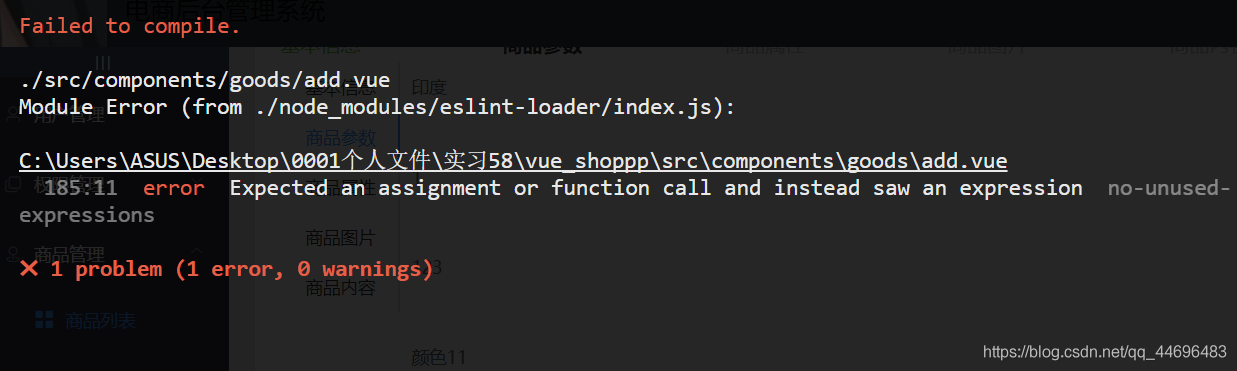
error Expected an assignment or function call and instead saw an expression

error Expected an assignment or function call and instead saw an expression

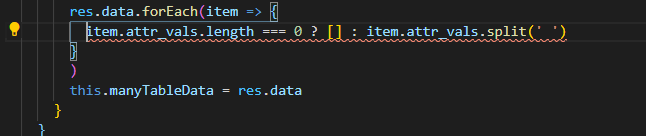
Why does recursion always report errors and cannot run?


Now there are two ways to deal with it

1. Add a return before the expression

res.data.forEach(item =>
          item.attr_vals.length === 0 ?[] : item.attr_vals.split(' ')
        )

2. Remove curly braces  

 res.data.forEach(item => {
          returnitem.attr_vals.length === 0 ?[] : item.attr_vals.split(' ')
            }
        )


Syntax error on token “}“, delete this token

Syntax error on token “}”, delete this token

There is no problem with the code in eclipse, but this error is reported. Solution:

There is no problem with the code in eclipse, but this error is reported

resolvent:

    after deleting the ‘}’ reported error, type a ‘}’ again, and then click save. Git will not compare the changes in this method

AR# 57595 – Vivado Synthesis – ERROR: [Synth 8-4169] error in use clause: package ‘xxx‘ not found in

AR# 57595
Vivado Synthesis – ERROR: [Synth 8-4169] error in use clause: package ‘xxx’ not found in library ‘yyy’
Description
I am encountering the following error when running Synthesis in Vivado. How can I resolve it?
ERROR: [Synth 8-4169] error in use clause: package ‘xxx’ not found in library ‘yyy’
Solution
This error occurs because the package file ‘xxx’ is not compiled into library ‘yyy’.
This can happen when the package file is not added into project sources at all or is compiled into a different library, for example xil_defaultlib.
To resolve this error, make sure that the package file is added into design sources and set its Library name to ‘yyy’.
Right click on file ‘xxx’ in the “Sources” window -> Select “Set Library…” -> Change the Library name to ‘yyy’

Solution to parse error at “IID” reported by QT

1. Environment

deepin v20.2.3
Qt5.14.2

2. Error log

Parse error at "IID"

3. Solutions

A lot of people on the Internet say that the supplementary constructor code is invalid after trying. Finally, it was found that the installation Qt5 private header file was missing, which was compiled after installation.

sudo apt install qtbase5-private-dev

4. Reference

Try to build QT
Qt5 plug-in file for Linux system

error: goland –build constraints exclude all Go files

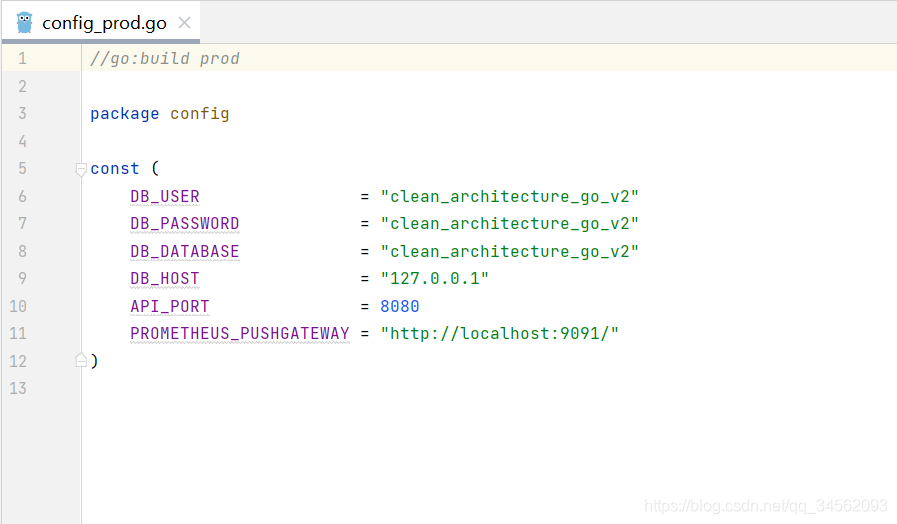
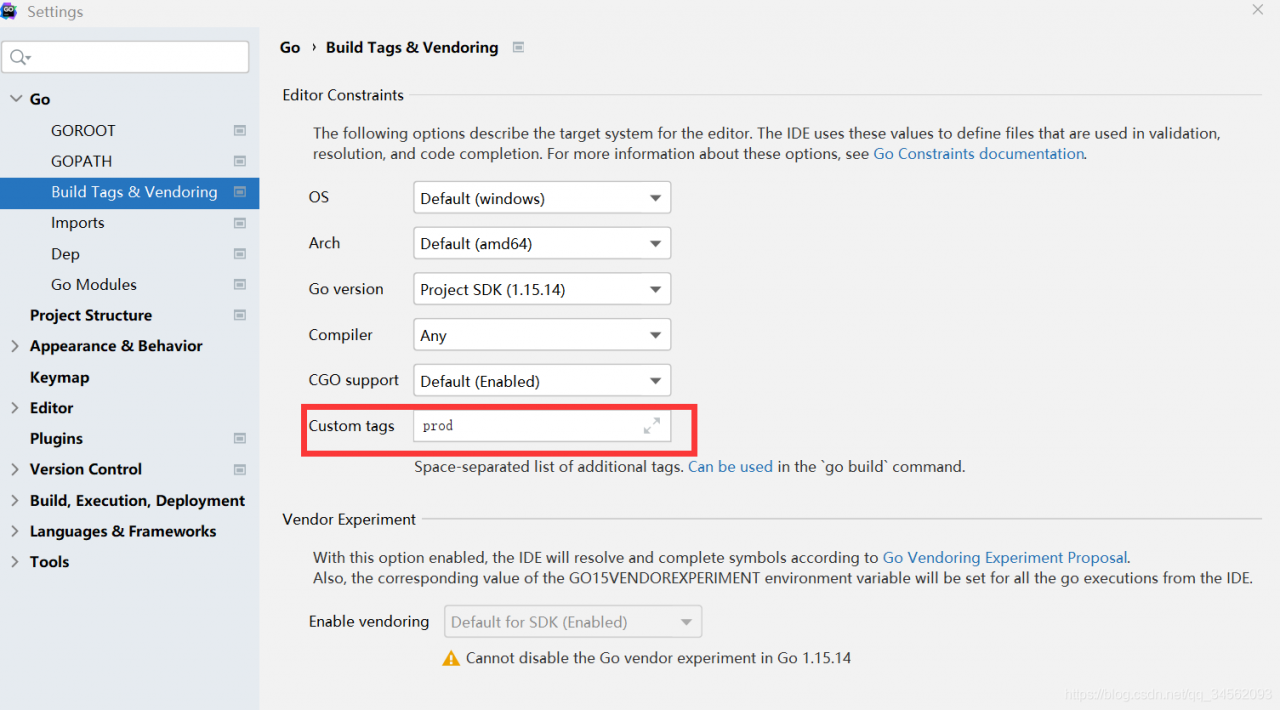
First,// + build will gradually replace// go: build. Both annotations can be used in go version 1.16-1.18 as the transition period. See official website https://www.jetbrains.com/help/go/configuring-build-constraints-and-vendoring.html

However,// + build cannot be used in versions below 1.16. If it is used, an error will be reported: Golan — build constraints exclude all go files.

1.16 the following versions should use// go: build

And make the following settings


dpkg: error: dpkg frontend is locked by another process

Question

Today, the following problems occur when using dpkg – I *. DEB:

root@zabbix-server:~# dpkg -i zabbix-release_4.0-3+bionic_all.deb
dpkg: error: dpkg frontend is locked by another process

reason

This is because the package manager did not close properly

solve

1. Find out the process of saving the lock file

lsof /var/lib/dpkg/lock-frontend
sudo kill -9 PID

2. Remove the lock and reconfigure the dpkg

sudo rm /var/lib/dpkg/lock-frontend
sudo dpkg --configure -a

3. Then don’t report mistakes

register ASP.NET An error has occurred: 0x8007b799

A common problem in IIS 7.5 in Windows 7. If you want to re register IIS after installing vs, the following problems will occur

win7 permission control is really disgusting, so sometimes permission problems occur when running commands in the CMD window:

C:/Windows/Microsoft.NET/Framework/v4.0.30319> aspnet_ regiis  - i  

An   error has occurred:0x8007b799  

You   must have administrative rights on   this   machine   in   order to run   this   tool.

Solution: run cmd.exe as an administrator, enter CMD in the search, find cmd.exe, and run it as an administrator.

Error: Rule can only have one resource source (provided resource and test + include + exclude)

Error: Rule can only have one resource source (provided resource and test + include + exclude) in
 "exclude": [
    null
  ],
  "use": [
    {
      "loader": "/Users/juanpablo/front-treatments/node_modules/cache-loader/dist/cjs.js",
      "options": {
        "cacheDirectory": "/Users/juanpablo/front-treatments/node_modules/.cache/babel-loader",
        "cacheIdentifier": "81fef5a6"
      },
      "ident": "clonedRuleSet-38[0].rules[0].use[0]"
    },
    {
      "loader": "/Users/juanpablo/front-treatments/node_modules/babel-loader/lib/index.js",
      "options": "undefined",
      "ident": "undefined"
    }
  ]
} ````
A complete log of this run can be found in:
0 info it worked if it ends with ok
1 verbose cli [
1 verbose cli   '/Users/juanpablo/.nvm/versions/node/v12.19.0/bin/node',
1 verbose cli   '/Users/juanpablo/.nvm/versions/node/v12.19.0/bin/npm',
1 verbose cli   'run',
1 verbose cli   'serve'
1 verbose cli ]
2 info using [email protected]
3 info using [email protected]
4 verbose run-script [ 'preserve', 'serve', 'postserve' ]
5 info lifecycle [email protected]~preserve: [email protected]
6 info lifecycle [email protected]~serve: [email protected]
7 verbose lifecycle [email protected]~serve: unsafe-perm in lifecycle true
8 verbose lifecycle [email protected]~serve: PATH: /Users/juanpablo/.nvm/versions/node/v12.19.0/lib/node_modules/npm/node_modules/npm-lifecycle/node-gyp-bin:/Users/juanpablo/front-treatments/node_modules/.bin:/Users/juanpablo/.nvm/versions/node/v12.19.0/bin:/usr/local/bin:/usr/bin:/bin:/usr/sbin:/sbin:/Users/juanpablo/.rvm/bin
9 verbose lifecycle [email protected]~serve: CWD: /Users/juanpablo/front-treatments
10 silly lifecycle [email protected]~serve: Args: [ '-c', 'vue-cli-service serve' ]
11 silly lifecycle [email protected]~serve: Returned: code: 1  signal: null
12 info lifecycle [email protected]~serve: Failed to exec serve script
13 verbose stack Error: [email protected] serve: `vue-cli-service serve`
13 verbose stack Exit status 1
13 verbose stack     at EventEmitter.<anonymous> (/Users/juanpablo/.nvm/versions/node/v12.19.0/lib/node_modules/npm/node_modules/npm-lifecycle/index.js:332:16)
13 verbose stack     at EventEmitter.emit (events.js:314:20)
13 verbose stack     at ChildProcess.<anonymous> (/Users/juanpablo/.nvm/versions/node/v12.19.0/lib/node_modules/npm/node_modules/npm-lifecycle/lib/spawn.js:55:14)
13 verbose stack     at ChildProcess.emit (events.js:314:20)
13 verbose stack     at maybeClose (internal/child_process.js:1021:16)
13 verbose stack     at Process.ChildProcess._handle.onexit (internal/child_process.js:286:5)
14 verbose pkgid [email protected]
15 verbose cwd /Users/juanpablo/front-treatments
16 verbose Darwin 19.6.0
17 verbose argv "/Users/juanpablo/.nvm/versions/node/v12.19.0/bin/node" "/Users/juanpablo/.nvm/versions/node/v12.19.0/bin/npm" "run" "serve"
18 verbose node v12.19.0
19 verbose npm  v6.14.8
20 error code ELIFECYCLE
21 error errno 1
22 error [email protected] serve: `vue-cli-service serve`
22 error Exit status 1
23 error Failed at the [email protected] serve script.
23 error This is probably not a problem with npm. There is likely additional logging output above.
24 verbose exit [ 1, true ]

Solution:
delete the webpack and reinstall the previous version
npm uninstall webpack
npm install webpack@^4.0.0 –save-dev

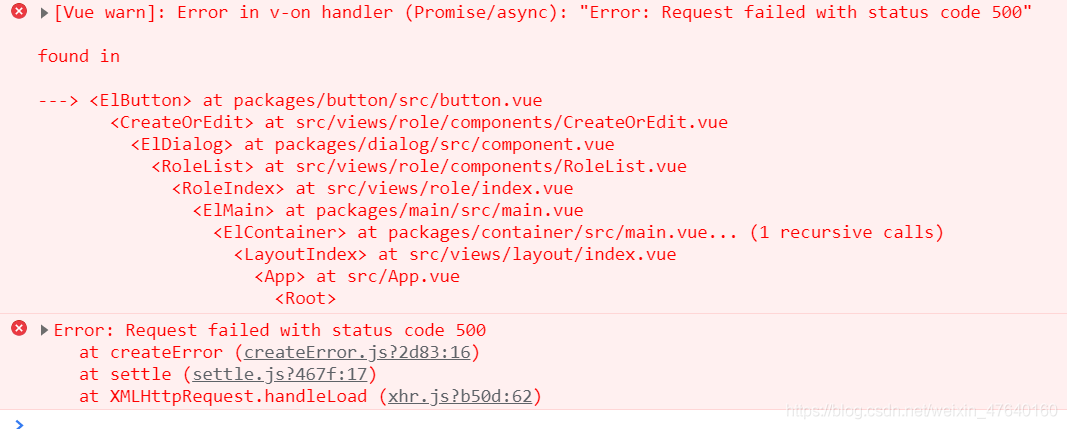
Error in v-on handler (Promise/async): “Error: Request failed with status code 500“

Error in v-on handler (promise/async): “error: request failed with status code 500”
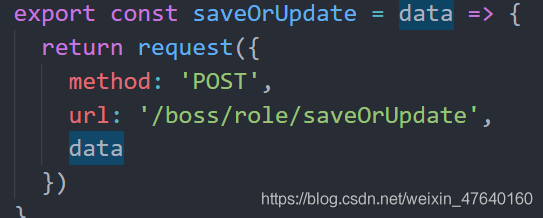
click OK to add data. The post request
reports an error:

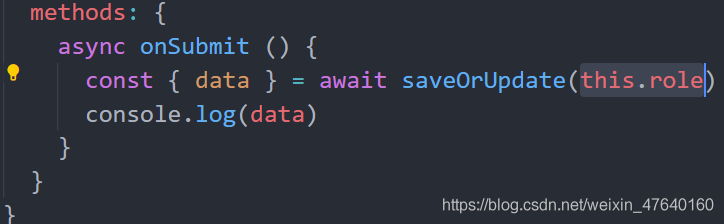
It is found that the post request needs to pass parameters. The parameter of the object format is passed. If this parameter is added in the figure below, the request is successful