note : LocalDateTime is
1. LocalDateTime converted to custom time format string
public static String getDateTimeAsString(LocalDateTime localDateTime, String format) {
    DateTimeFormatter formatter = DateTimeFormatter.ofPattern(format);
    return localDateTime.format(formatter);
}
2. Convert long type timestamp to LocalDateTime
public static LocalDateTime getDateTimeOfTimestamp(long timestamp) {
    Instant instant = Instant.ofEpochMilli(timestamp);
    ZoneId zone = ZoneId.systemDefault();
    return LocalDateTime.ofInstant(instant, zone);
}
3. LocalDateTime to long type timestamp
public static long getTimestampOfDateTime(LocalDateTime localDateTime) {
    ZoneId zone = ZoneId.systemDefault();
    Instant instant = localDateTime.atZone(zone).toInstant();
    return instant.toEpochMilli();
}
4. LocalDateTime
converts a time string to a custom time format
public static LocalDateTime parseStringToDateTime(String time, String format) {
    DateTimeFormatter df = DateTimeFormatter.ofPattern(format);
    return LocalDateTime.parse(time, df);
}
Importerror: the perfect solution of no module named CV2!!! (not too good)
: on January 21, 2018, at 10:13 PM, I excitedly uploaded my CSDN blog from the Ubuntu system and sent an congratulatory message. I congratulated myself on solving the problem of ImportError: No module named cv2. It is like a phone call from another world (Ubuntu world) to the real world (Windows world).
it started a long time ago at 4:30 PM, when I was just a kid, a naive kid, getting ready to run a fast r-cnn demo on my Ubuntu system. Of course, the purpose is to test my caffe environment. This demo is the training model on Github, I won’t go into details, you can refer to this blogger’s tutorial, which is simple and clear. I won’t say.
my setup environment is
ubuntu14.04
caffe
opencv 3.0.0 – beta
anaconda2
but when you run the last step
./demo.py --cpu suddenly appeared an error, the initial error can not find easydict module (
ImportError: No module named easydict
sudo pip install easydicteasydict installation, but still prompt can not find, actually this sentence after running if successful installation should be in your/usr/local/lib/python2.7 dist – packages folder has a easydict folder, but this time when wrong, because you try to run again./demo. Py – CPU, still can appear the error, That’s because easydict should be on your home/anaconda2/lib/python2.7/site – under the packages folder, why, that’s because the configuration of the environment on with me, because my python with the anaconda and not the python, so be it.
ImportError: No module named cv2
and then the main thing, which is that cv2 can’t be found, and I’m going to just say the solution here, just to give you a sense of perspective, is that when I come across this problem, I go from being a kid, a naive kid, to being a car brother.
step 1:
install python – opencv
sudo apt-get install python-opencvSee if it’s resolved. If it’s not resolved, look at step 2.
step 2:
find cv2. So copying files to your/usr/local/lib/python2.7 site – packages folder (in the case of no use you anaconda), how to find your cv2. So, I offer a very convenient method (must use this method, or you not seek) :
find/-name "cv2.so"and then on the terminal CD to home, type python, python version number and so on, and then
>>>import cv2If there is no error, the problem is solved.
in the absence of anaconda, by this point it should have been completely resolved, and if you haven’t resolved it yet, look at step 3:
step 3:
see the third step that USES the anaconda, find cv2 through the second step. So, reproduction cv2. So to home/anaconda2/lib/python2.7/site – packages folder, and then the second step, input the python, then input the import cv2. Just fine.
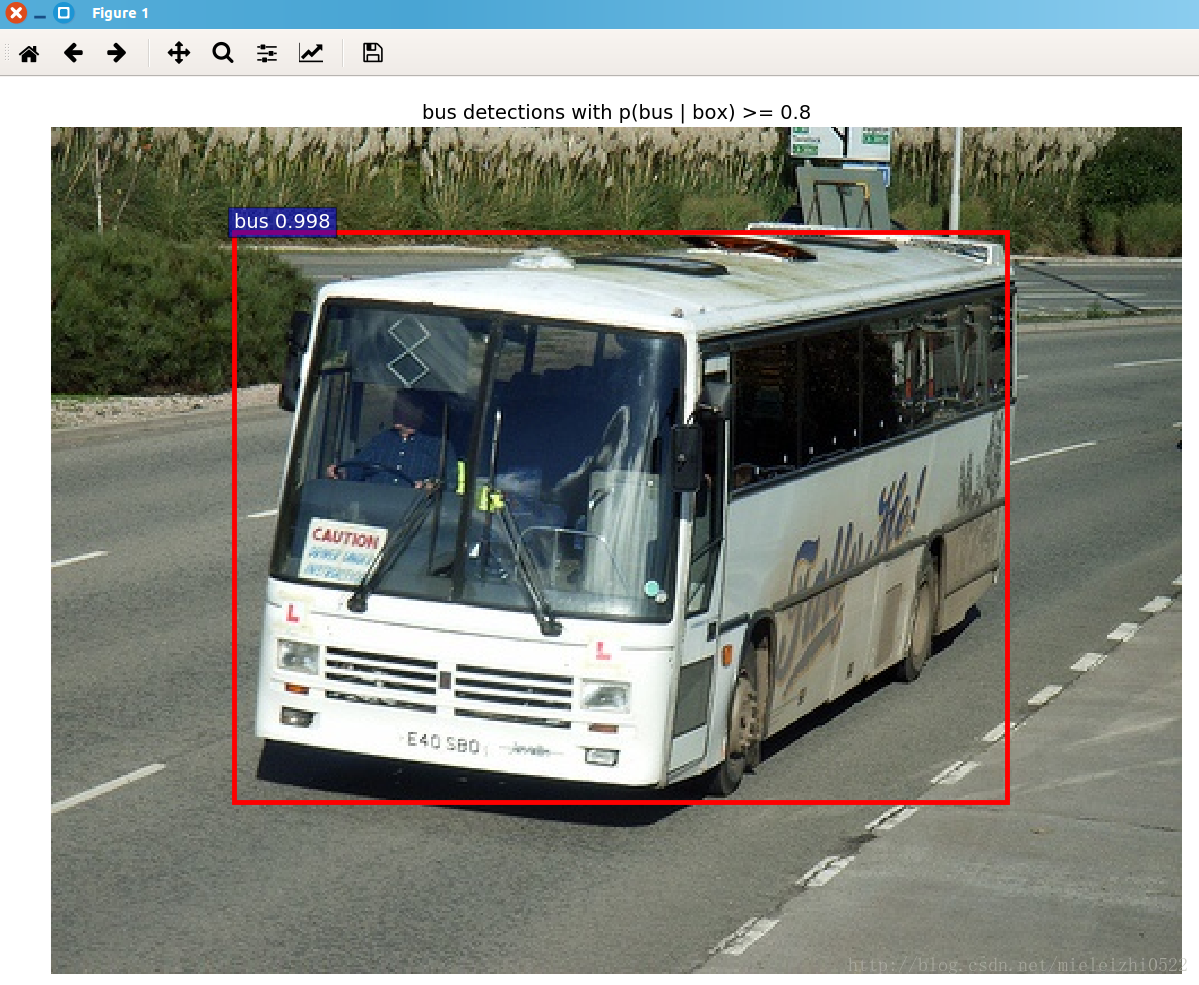
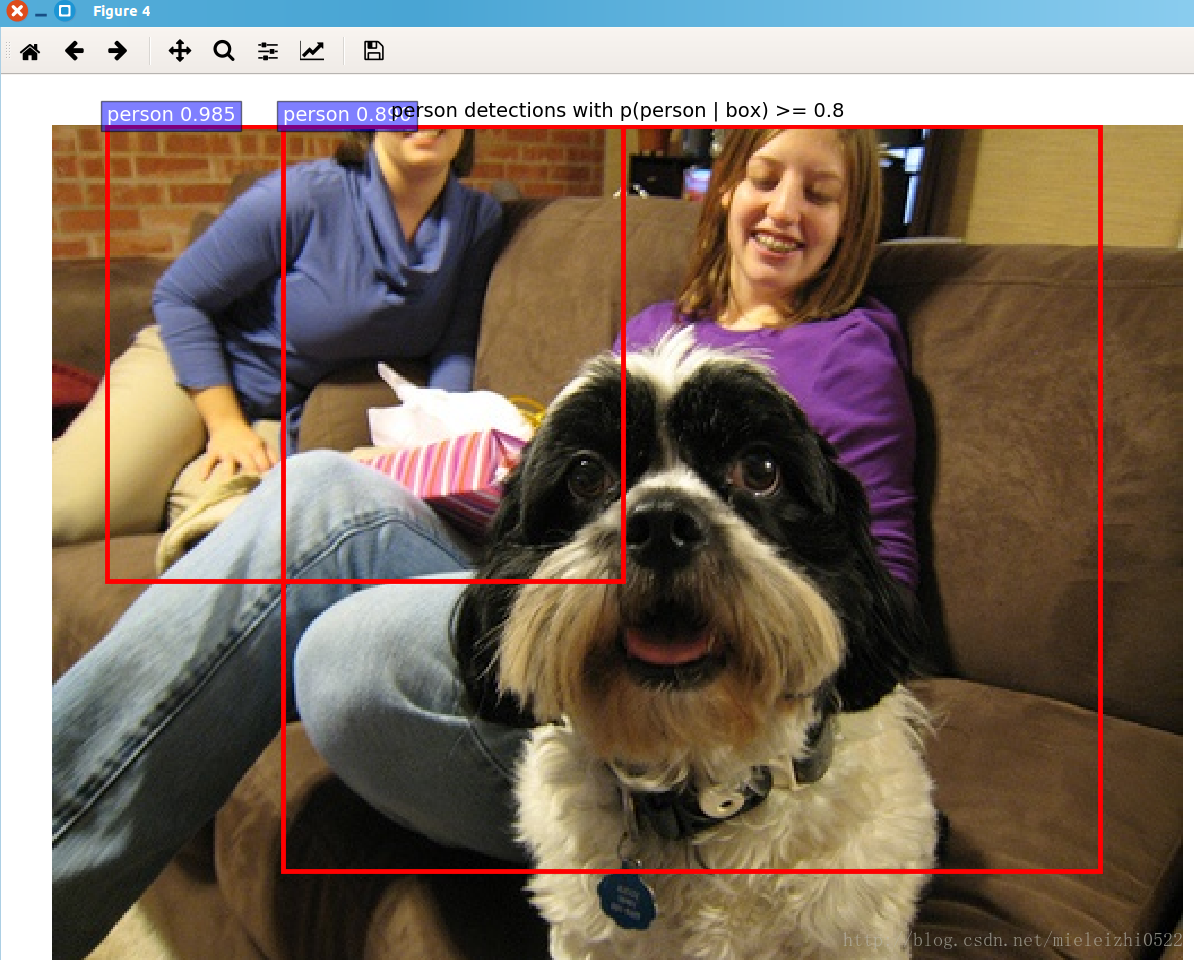
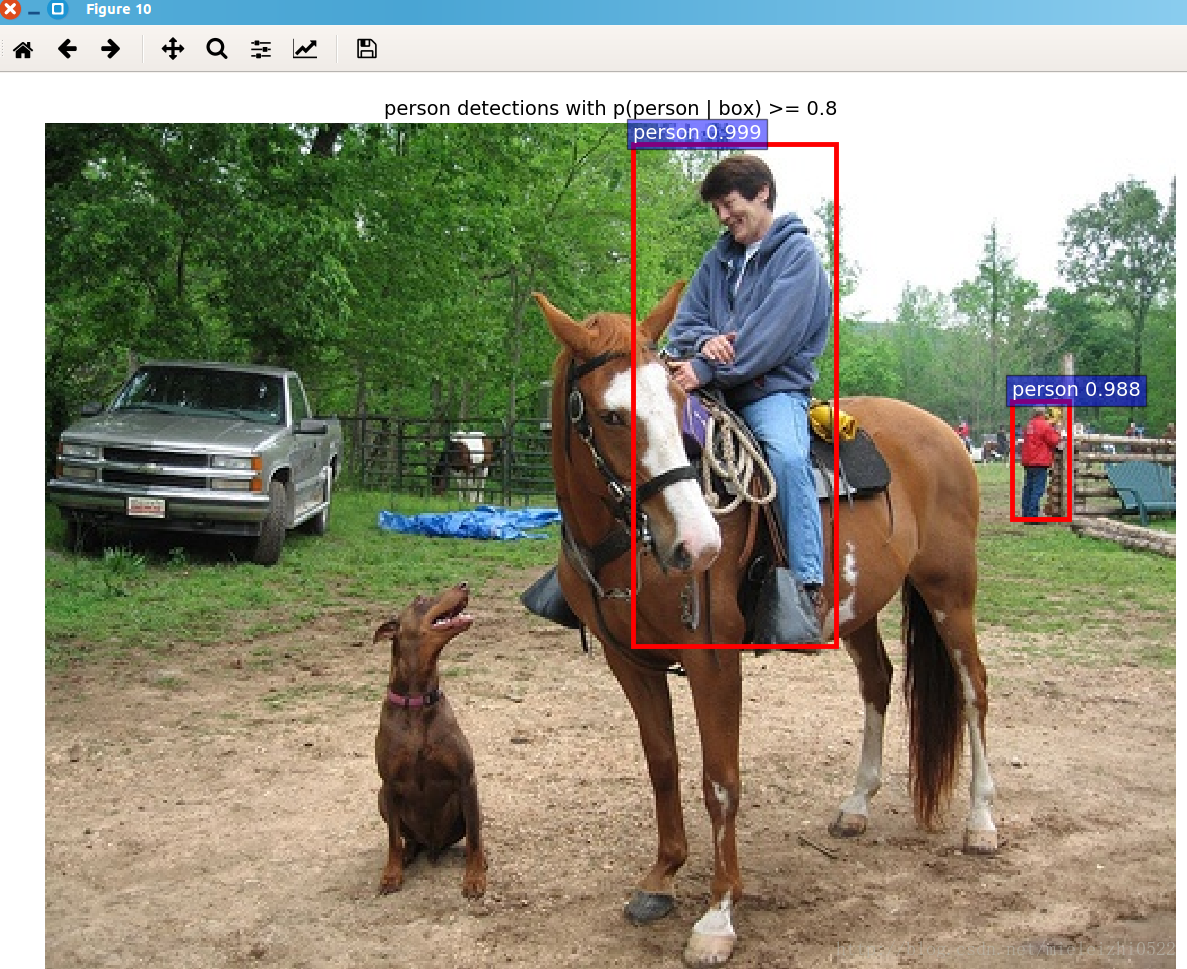
thank you! My show is over! Please enjoy the picture:
[Linux] solve the error of decompressing JDK on Linux gzip: stdin: not in gzip format
recently bought a server on ali to play, need to install JDK, encountered some problems in the process of decompression, is a Google hundred degree, finally solved. The problem makes me a little helpless…
enter # tar-xvf jdk-8u131-linux 64. Tar. gz, and when executing the command, the Error was pronounced as follows:
gzip: stdin: not in gzip format
tar: Child returned status 1
tar: Error is not recoverable: now

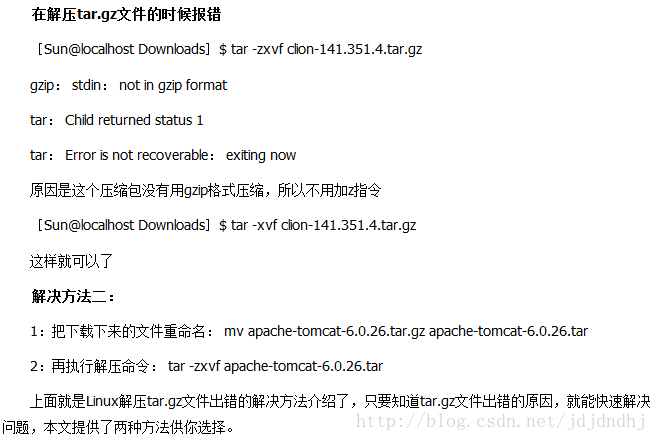

if neither of the above methods works, keep reading
Cannot assign requested address error resolution
found that a cannot assign requested address error occurred during recent pressure testing of the TCP service and looked up
on the network
for the following reasons:
client side frequently establishes the connection, but the port release is slow, resulting in no available port when establishing the new connection.
you can see many TIME_WAIT state connections
through netstat
netstat -ae | grep TIME_WAIT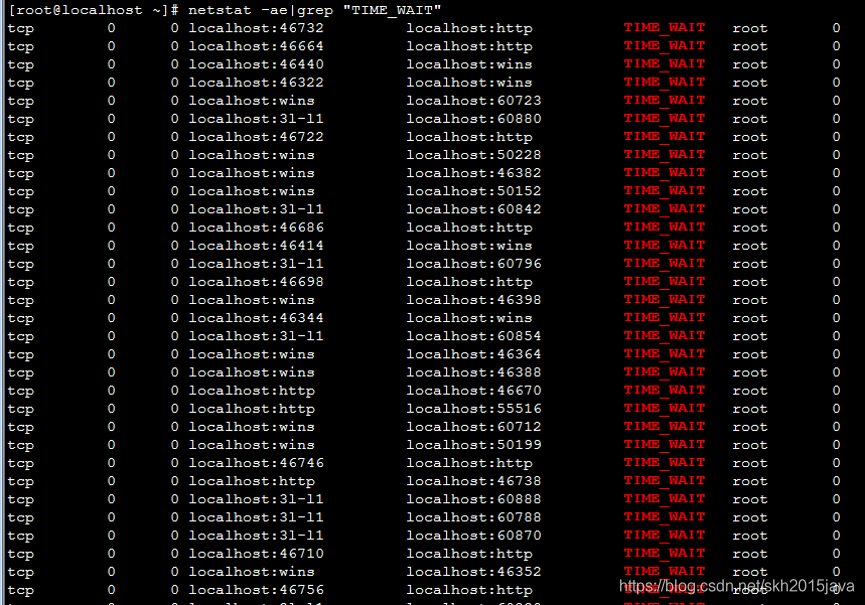
server in the presence of a large number of short connections, Linux TCP stacks typically generate a large number of TIME_WAIT state sockets, sometimes surprisingly large. This increase takes up the system kernel, which is not infinite.
solution:
by modifying the following system parameters to solve (/ etc/sysctl. Conf) :
sysctl -w net.ipv4.tcp_fin_timeout=30  #修改系統默认的TIMEOUT时间,默认为60s
sysctl -w net.ipv4.tcp_timestamps=1    #修改tcp/ip协议配置, 通过配置/proc/sys/net/ipv4/tcp_tw_resue, 默认为0,修改为1,释放TIME_WAIT端口给新连接使用
sysctl -w net.ipv4.tcp_tw_recycle=1     #修改tcp/ip协议配置,快速回收socket资源,默认为0,修改为1:
sysctl -w net.ipv4.tcp_tw_reuse = 1     #允许端口重用
thanks:
https://blog.csdn.net/fzhqcjc/article/details/84924724
The difference of. Pt,. PTH,. Pkl and the way to save the model
we often see pytorch model files with the suffixes.pt,.pth,.pkl. Is there any format difference between these model files?It’s not really a difference in format, it’s just a difference in suffix (that’s all), some people prefer the.pt suffix to the.pth or.pkl suffix when using the torch. Save () function to save model files. There is no difference in the model files saved with the same torch.save () statement.
in pytorch’s official documentation/code, useful. Pt, useful. PTH. The general practice is to use.pth, but there seems to be more.pt in the official documentation, and officials don’t care much about using one.
save:
torch. Save (model.state_dict(), mymodel.pth)# only saves model weight parameters, not model structure
call:
model = My_model(*args, **kwargs) # My_model
model.load_state_dict(torch. Load (mymodel. PTH))#
model.eval()
)
save:
torch. Save (model, mymodel.pth)# save the entire model state
call:
model=torch. Load (mymodel.pth)# there is no need to reconstruct the model structure, just load
model.eval()
Split screen display method in IntelliJ idea
I just found the split view function in IDEA today. When I searched online, I found a lot of puzzling things. In fact, I right-clicked the file I wanted to display in a split screen. The Split Virtically/Split Horizontally can.
is great for code references.
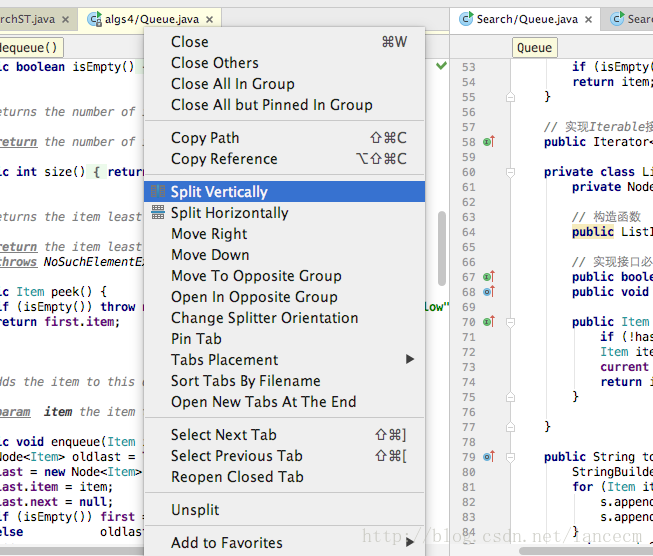
Linux shell gets the file name under the folder
article author: Tyan
blog: noahsnail.com | CSDN | short book
sometimes need to get all the file names under a folder, can be implemented with the program, but open the IDE, compile and run too troublesome, in Linux server usually can not open the IDE, at this time can be implemented with a few lines of simple shell command, the result can be saved in a file.
Shell script is as follows:
#!/bin/bash
# get all filename in specified path

path=$1
files=$(ls $path)
for filename in $files
do
   echo $filename >> filename.txt
doneLinux edit save file command
1, vi and vim two working modes
command mode: the default mode after opening a file is
edit mode: open the file keyboard input “I” into the insert edit mode, a mode of operation to add, delete and change.
2, the keyboard input “I” into the edit mode, you can write the file
how do I save the file after I write it?
1) press “esc” to exit edit mode, switch to command mode, and then enter the following command to
these operations must be done in command mode.
2) save and exit file: “:wq”
3) if you only want to save the file: “:w”
4) discard all file modifications: “:q!”
Golang gets the list of files under the folder
golang document it is easier to find a method is filepath. Walk, this method has a problem of the current directory is automatically recursive traversal subdirectory, in fact, we usually just want to get a directory file list below, does not need so much information, at the same time this method is much more complicated to write code, we have no need to do so.
if you simply want to get a list of files and folders under a directory, there are two easy ways to do
USES ioutil’s ReadDir method
package main

import (
    "fmt"
    "io/ioutil"
)

func main() {
    files, _ := ioutil.ReadDir("./")
    for _, f := range files {
            fmt.Println(f.Name())
    }
}
using filepath Glob method
package main

import (
    "fmt"
    "path/filepath"
)

func main() {
    files, _ := filepath.Glob("*")
    fmt.Println(files) // contains a list of all files in the current directory
}[unity] Android package error java.lang.ClassNotFoundException Did not find class com.unity3d . player.MainActivity
Unity version from 2019.2.8 to 2019.3.14, then pack android package, smoothly out of the package, but run flash back.
the logcat, error Java lang. RuntimeException: Unable to instantiate the activity ComponentInfo {the package name/com. Unity3d. Player. The MainActivity} : Java. Lang. ClassNotFoundException: Didn ‘t find the class “com. Unity3d. Player. MainActivity” on the path: DexPathList [[zip file “/ data/app/author/base package name – 1. The apk”], nativeLibraryDirectories = [/ data/app/lib// the author package name – 1 arm,/vendor/lib,/system/lib]]
the at android. The app. ActivityThread. PerformLaunchActivity ActivityThread. Java: (2238)
to find the reasons for half a day, many of them said android studio setting of instant run option to cancel. But my apk is straight out of unity
Reason

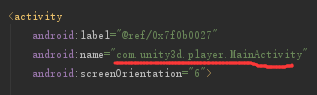
prefix the package name with the name of the startup item in the androidmanifest.xml.
I wrote a plug-in with the same package name as the Unity project, where MainActivity is defined (inherited from Unity playeractivity).

is able to get out of the package and run smoothly in 2019.2.8, using the Analyze APK of Android Studio, it was found that it has automatically added the content before MainActivity according to the package name set in Unity3D.
>
>
>
>
Installation and use of graphviz under mac
1. Install
Graphviz http://www.graphviz.org/
MAC users recommend to install directly with homebrew, the official version is older
1. Install homebrew
open the terminal to copy and paste the following command:
ruby -e "$(curl -fsSL https://raw.githubusercontent.com/Homebrew/install/master/install)"After homebrew is installed, run brew install Graphviz to
Brew: command not found= bash: brew: command not found
terminal input sudo vim.bash_profile ,
input I to enter the input mode,
add export PATH="/usr/local/bin:$PATH",
press esc to exit the input mode,
enter :wq to exit and save
finally enter source.bash_profile to make the configuration take effect.
(note that : and Spaces are also entered, bash_profile may be saved with a warning, :w! force can be saved, more vim command reference http://www.cnblogs.com/usergaojie/p/4583796.html)
2. Use
for a random example:
1. Use the text editor (sublime in this case) to type the following:
digraph pic {
  Hello -> World
}
3. Open the terminal and switch to the directory where the dot file is located, enter dot pic.dot-t png-o pic.png
4. You can see that a pic.png file

has been generated under the dot file directory
>
>
>
>
>
>
>
>
>
>
>
>
https://blog.zengrong.net/post/2294.html
https://zhuanlan.zhihu.com/p/22820399
Can’t multiply sequence by non int of type ‘float’
example:
num1=input(‘input the first num: ‘)
num2=input(‘input the second num: ‘)
num3=num1*num2
print(num3)
input the first num: enter the integer on the keyboard and enter
input the second num: once again, the keyboard input integer, press enter
start error: can’t multiply sequence by non-int of type ‘float’
reason: the input () function inputs a string format, so the integer you type on the keyboard isn’t actually a positive integer, it’s a string. So num3=num*num will report an error when executing the statement. Because num1 and num2 are strings, they cannot be multiplied.
solution: num1 and num2 cast into integer
specific solution
1. Change the third line of the code to: num3=int(num1)*int(num2)
2. Change the first and second lines to: num1=int(‘input the first num: ‘)
num2 = int (input (‘ input the first num: ‘))
recommends the first solution