Category Archives: How to Fix

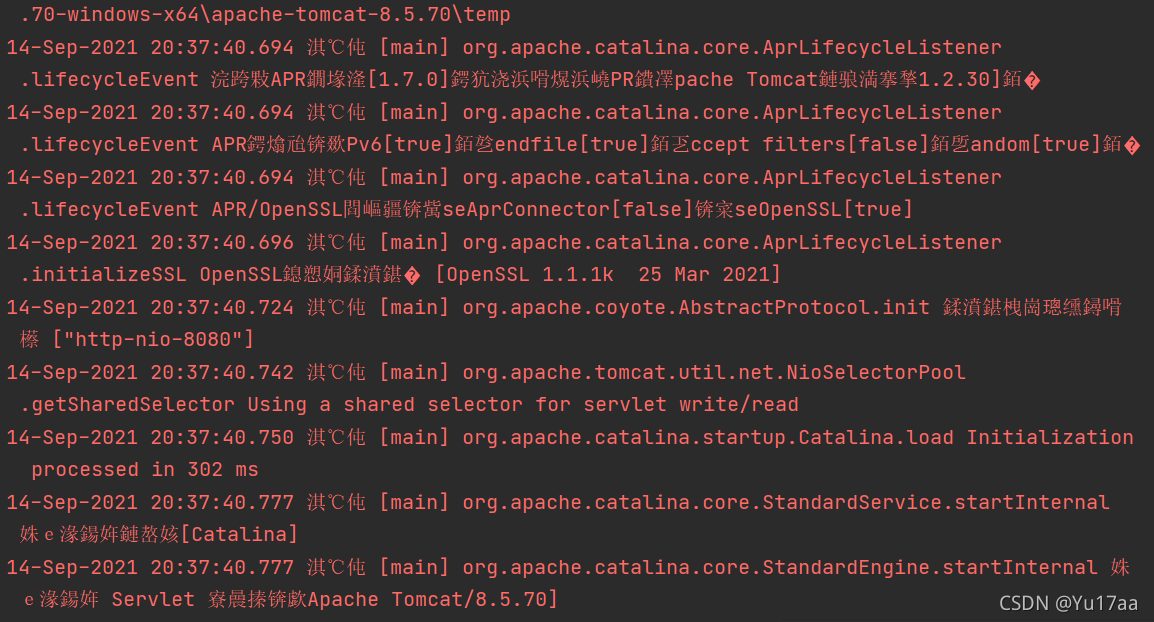
Idea starts Tomcat console with garbled code but no error

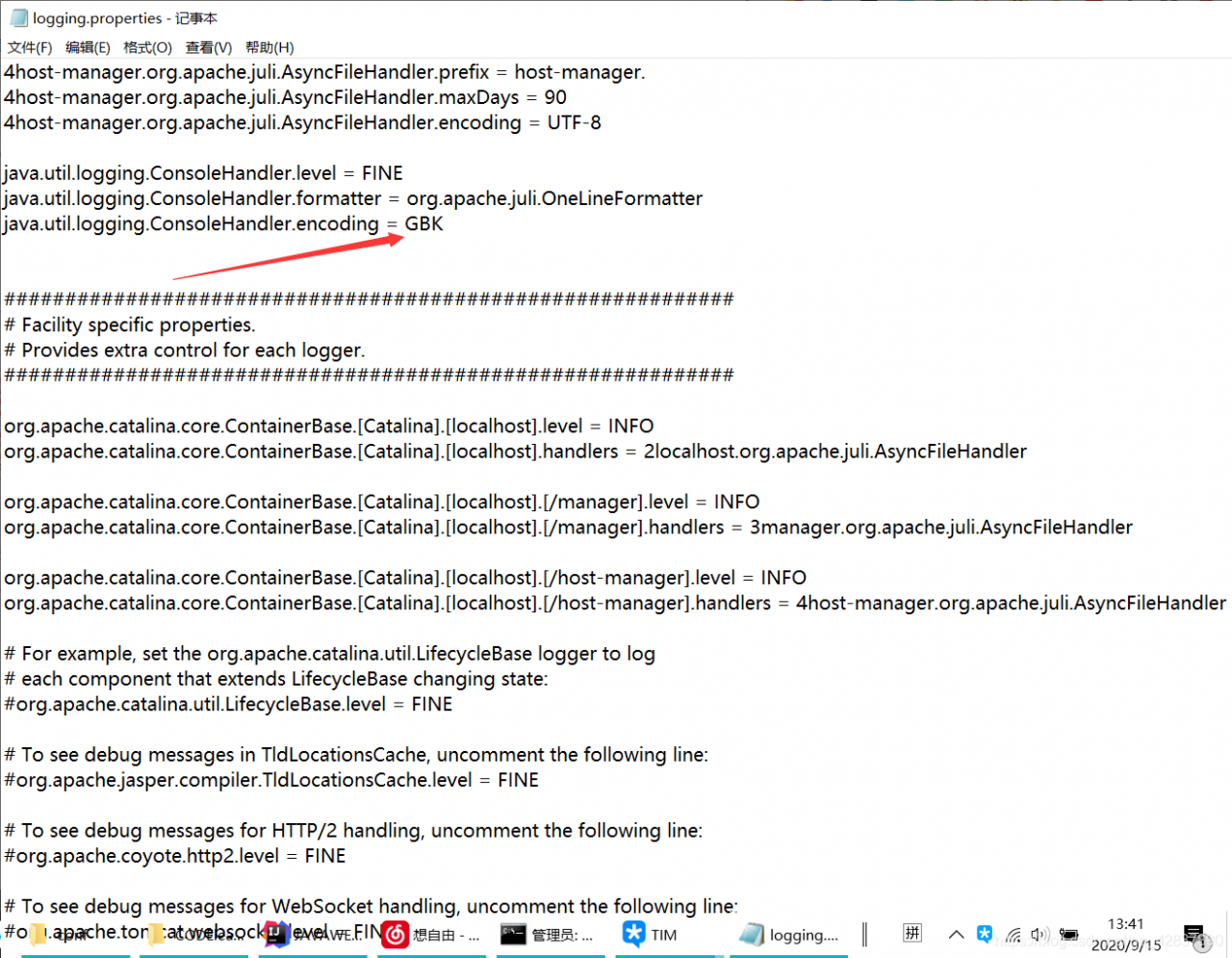
Problem display

resolvent

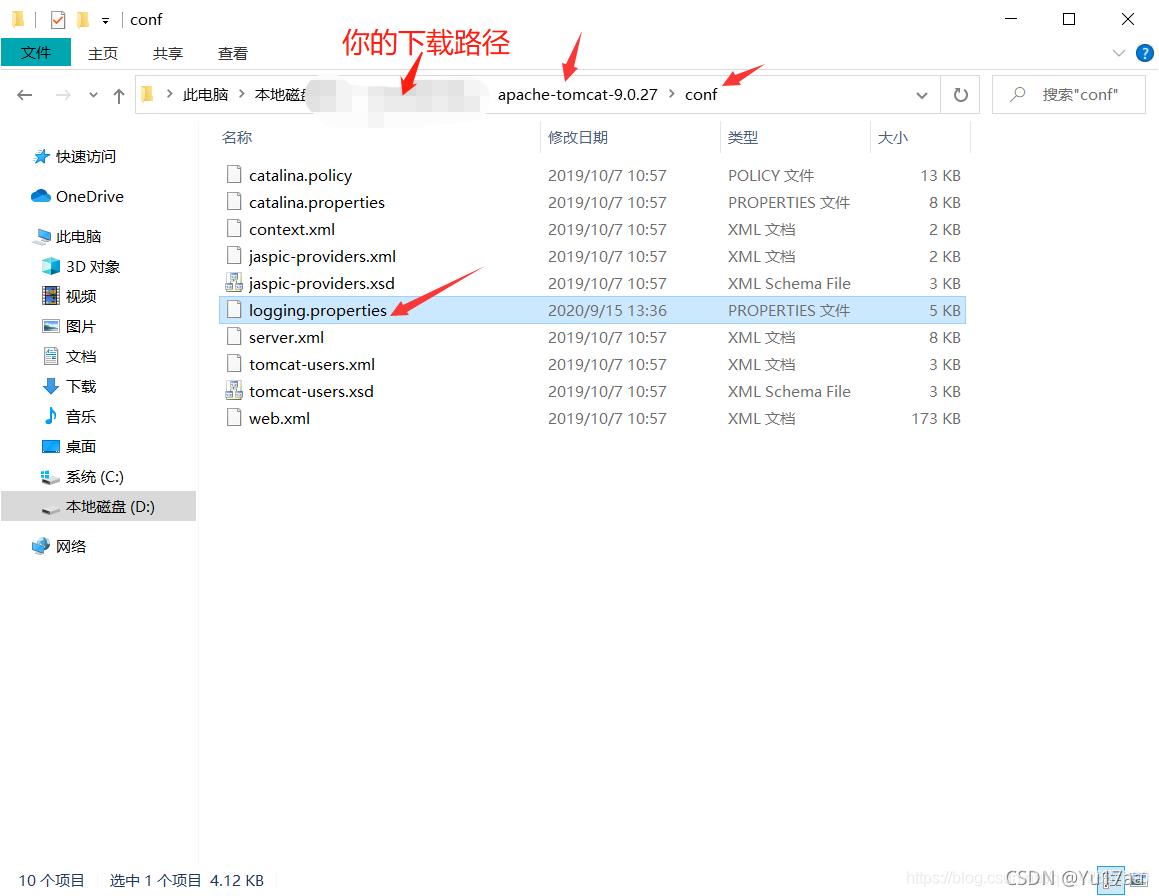
1. Find the Tomcat installation directory  

  2. Open the logging.properties file from the conf folder
find the line java.util.logging.consolehandler.encoding = UTF-8 and change it to java.util.logging.consolehandler.encoding = GBK
that is, change the console code from UTF-8 to GBK

  Successful solution, give a praise

Android studio reports an error when building AAR for unity

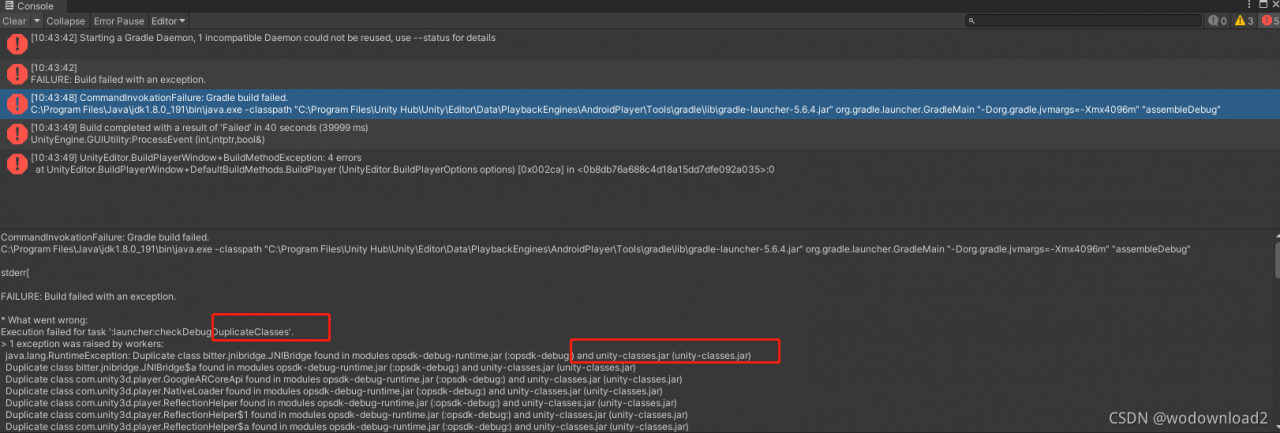
CommandInvokationFailure: Gradle build failed. 
C:\Program Files\Java\jdk1.8.0_191\bin\java.exe -classpath "C:\Program Files\Unity Hub\Unity\Editor\Data\PlaybackEngines\AndroidPlayer\Tools\gradle\lib\gradle-launcher-5.6.4.jar" org.gradle.launcher.GradleMain "-Dorg.gradle.jvmargs=-Xmx4096m" "assembleDebug"

stderr[

FAILURE: Build failed with an exception.

* What went wrong:
Execution failed for task ':launcher:checkDebugDuplicateClasses'.
> 1 exception was raised by workers:
  java.lang.RuntimeException: Duplicate class bitter.jnibridge.JNIBridge found in modules opsdk-debug-runtime.jar (:opsdk-debug:) and unity-classes.jar (unity-classes.jar)
  Duplicate class bitter.jnibridge.JNIBridge$a found in modules opsdk-debug-runtime.jar (:opsdk-debug:) and unity-classes.jar (unity-classes.jar)
  Duplicate class com.unity3d.player.GoogleARCoreApi found in modules opsdk-debug-runtime.jar (:opsdk-debug:) and unity-classes.jar (unity-classes.jar)

The SSM framework adds the mybatis paging plug-in to start the error report

1、 Error

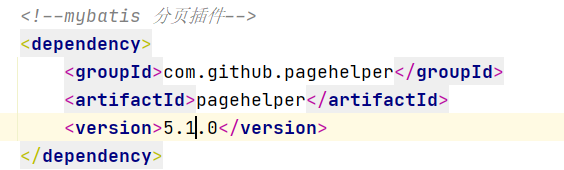
pom.xml

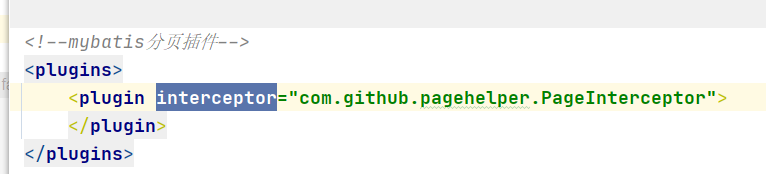
Mybatis configuration

start the server: an error is reported

2. The cause of the error
1. There is no problem with various configurations
2. It is considered that jar packages conflict. Changing various jar packages has no effect
3. Finally, type
* * manually and start it successfully

3、 Analyze the possibility of errors

1. The idea is used for a long time and the cache is too large
3. There may be problems with character encoding such as spaces when copying

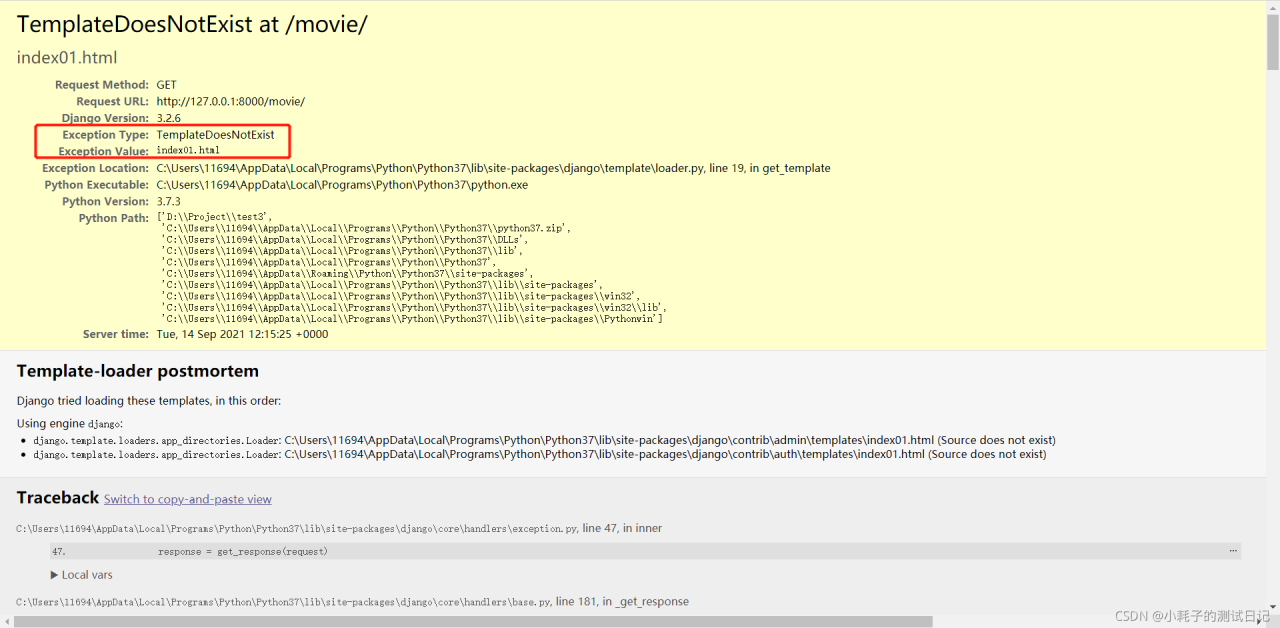
Django framework uses error reporting exception type: templatedoesnotexist

1、 Error: templatedoesnotexist

Exception Type: TemplateDoesNotExist


2、 Problem analysis and solution

Problem analysis: the accessed HTML file was not found

reason:

Django directly regards the template path as an absolute path, and the HTML file cannot be found.

After viewing the project setting file, you can see the setting method of template, including an option of “dirs”,
 

Solution:

'DIRS': [os.path.join(BASE_DIR), 'templates'],

An error occurs when cartopy library uses the coastlines() command

Reinstall the system, resulting in the need to reconfigure python. Python version 3.7.9 and cartopy version 0.19.0.post1 are used

Example code:

import numpy as np
import cartopy.crs as ccrs
import matplotlib.pyplot as plt
import matplotlib.ticker as mticker
from cartopy.mpl.ticker import LongitudeFormatter,LatitudeFormatter
dlon,dlat=60,30
xticks=np.arange(0,360.1,dlon)
yticks=np.arange(-90,90.1,dlat)
fig=plt.figure(figsize=(6,5))
ax=fig.add_subplot(1,1,1,projection=ccrs.PlateCarree(central_longitude=120))
ax.coastlines()
gl=ax.gridlines(crs=ccrs.PlateCarree(),draw_labels=False,linewidth=1,linestyle=":",color="k",alpha=0.8)
gl.xlocator=mticker.FixedLocator(xticks)
gl.ylocator=mticker.FixedLocator(yticks)
ax.set_xticks(xticks,crs=ccrs.PlateCarree())
ax.set_yticks(yticks,crs=ccrs.PlateCarree())
ax.xaxis.set_major_formatter(LongitudeFormatter(zero_direction_label=True))
ax.yaxis.set_major_formatter(LatitudeFormatter())
plt.show()

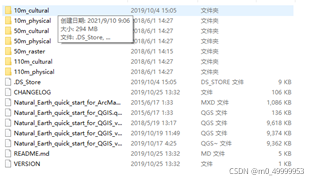
The first time you use this command, you need to download the corresponding coalistline file, but there is a problem with the website in the program and you can’t download it. You need to download the file yourself on the earthnatural official website.


Place the file in C: \ users \ XXXX \. Local \ share \ cartopy \ shapefiles \ natural_ Under the earth \ physical path, if the program still reports an error when running, you need to delete the path (. Local \ share \ cartopy \ shapefiles \ natural_earth \ physical) and run it again. After generating the path of the same path, copy the downloaded physical into physical, run it again, and no error will be reported. Code reference Python meteorological drawing tutorial (VII) — cartopy


Datasource bean injection failed, with startup error

springboot2.X+sharding-jdbc 3.0+mybatis 2.1.0

When PageHelper 1.3.0 was introduced, the project could not start

***************************
APPLICATION FAILED TO START
***************************

Description:

The bean 'dataSource', defined in class path resource [io/shardingsphere/shardingjdbc/spring/boot/SpringBootConfiguration.class], could not be registered. A bean with that name has already been defined in class path resource [org/springframework/boot/autoconfigure/jdbc/DataSourceConfiguration$Hikari.class] and overriding is disabled.

Action:

Consider renaming one of the beans or enabling overriding by setting spring.main.allow-bean-definition-overriding=true

Solution:
1.
automatically configure the priority problem. Add the org.apache.shardingsphere package path in @ componetscan to improve the scanning priority and solve the problem
@ componentscan (value = {“io. Shardingsphere. *” and “your other package names”})

2. Automatic injection of data source is prohibited

@SpringBootApplication(exclude={DataSourceAutoConfiguration.class})

Manual injection
https://www.cnblogs.com/inbeijing/p/14419108.html

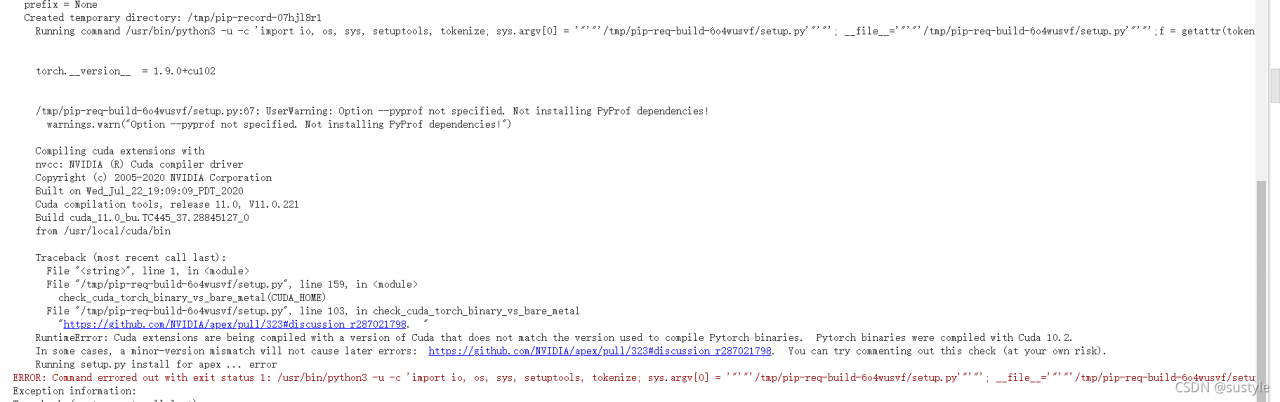
Error in training yolox: error in importing apex

This error is reported because you did not successfully install apex. Note ~: it is not PIP install apex

ERROR: Command errored out with exit status 1: /usr/bin/python3 -u -c 'import io, os, sys, setuptools, tokenize; sys.argv[0] = '"'"'/tmp/pip-req-build-6o4wusvf/setup.py'"'"'; __file__='"'"'/tmp/pip-req-build-6o4wusvf/setup.py'"'"';f = getattr(tokenize, '"'"'open'"'"', open)(__file__) if os.path.exists(__file__) else io.StringIO('"'"'from setuptools import setup; setup()'"'"');code = f.read().replace('"'"'\r\n'"'"', '"'"'\n'"'"');f.close();exec(compile(code, __file__, '"'"'exec'"'"'))' --cpp_ext --cuda_ext install --record /tmp/pip-record-07hjl8r1/install-record.txt --single-version-externally-managed --compile --install-headers /usr/local/include/python3.7/apex Check the logs for full command output.
Exception information:
Traceback (most recent call last):

  Processing method: Step 1: use this command to check the CUDA version supported by your machine:

nvcc --version

Step 2: use the following command to view the version of CUDA you currently have installed.

pip list

Note: when installing apex, you must ensure that the two versions are consistent. That is, if the version supported by the machine is 11.0, you can install CUDA of the corresponding torch version.

First use the following command to uninstall the original torch of your machine

!pip uninstall -y torch torchvision torchaudio

Then use the following command to install. For example, the machine here supports CUDA version 11.0

!pip install torch==1.7.1+cu110 torchvision==0.8.2+cu110 torchaudio==0.7.2 -f https://download.pytorch.org/whl/torch_stable.html

Next, install apex:

!git clone https://github.com/NVIDIA/apex
%cd apex
!pip install -v --disable-pip-version-check --no-cache-dir --global-option="--cpp_ext" --global-option="--cuda_ext" ./

The above work is completed.

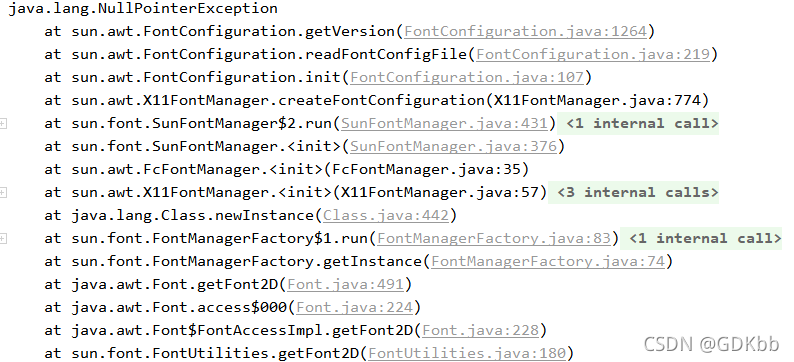
Easyexcel Llinux reports an error, but the local error is correct

terms of settlement:

    on the command line, enter
    Yum install fontconfig to add a sentence in the dockerfile (just add it in the line before entrypoint)
    Run APK add -- update font-adobe-100dpi TTF dejavu fontconfig restart or rebuild

    Reason:
    the openjdk used in the docker container is different from the local JDK, so the null pointer error of the font will be reported. If the font is useful, you can try it

After Vue is packaged, a blank page appears, an error is reported in the resource request, and there is no error handling scheme

1、 A blank page appears and an error is reported

        Scheme I:

                 1: The path of JS and CSS resources is incorrect

                 Solution: add assetspublicpath in config/index.js: ‘/’   Change to assetspublicpath: ‘. /’  

                 2: Error in background image in CSS

                 Solution: add a line of code in build/utils.js   publicPath:’../../’  

        Scheme 2: some people may create Vue basic projects through hbuilder. There are no files in scheme 1 in the directory. Then you can try the scheme at this time. It’s easy to use on my side. I’m not sure everyone is effective.

                Solution: create the vue.config.js file in the project root directory
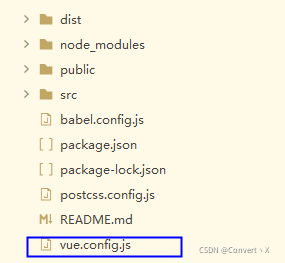
 

  The contents of the document are as follows:

module.exports = {
    publicPath : './'
}

2、 Blank page, no resource error

        At this time, the problem may be caused by the routing mode
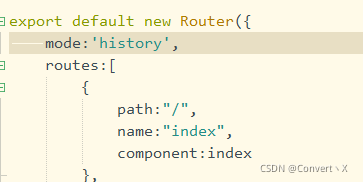
  history :

The new pushstate () and replacestate () methods in HTML5 history interface are utilized. (specific browser support is required) these two methods are applied to the browser’s history stack. On the basis of the existing back, forward and go, they provide the function of modifying the history. Only when they perform modification, although the current URL is changed, the browser will not immediately send a request to the back end.

Solution:

The default route of Vue is hash mode. You can modify it to hash. Or directly comment out mode: ‘history’,

Conclusion: the above is the relevant information I know. If any boss knows other questions, you can leave a message and learn together.
 

Vscode development Vue project eslint check error

When using vscode to develop Vue projects and eslint to check rules, V-for reports an error: expected ‘v-bind: key’ directives to use the viruses which are defined by the ‘V-for’ directive.
solution: define the index in the variable defined in V-for
example:

<div v-for="titile in titles" :key="title.index">{{ name }}</div>

An error occurs when es logstash is installed and running

Error message:

Expected one of [ \\t\\r\\n], \”#\”, \”input\”, \”filter\”, \”output\” at line 1, column 1 (byte 1)

Logstash run command:./logstash – f config MySQL/

SQL configuration file:/home/ES/logstash/bin/config MySQL/mysql-1.conf

SQL statement file:/home/ES/logstash/bin/config MySQL/tk.sql

JDBC configuration uses the configuration: statement_ filepath => “/home/es/logstash/bin/config-mysql/tk.sql”

terms of settlement:

        Put tk.sql in another file, for example:/home/ES/logstash/config/tk.sql

        As long as it is not in the same directory as the SQL configuration file, it is OK

Java connection zookeeper high availability hive error

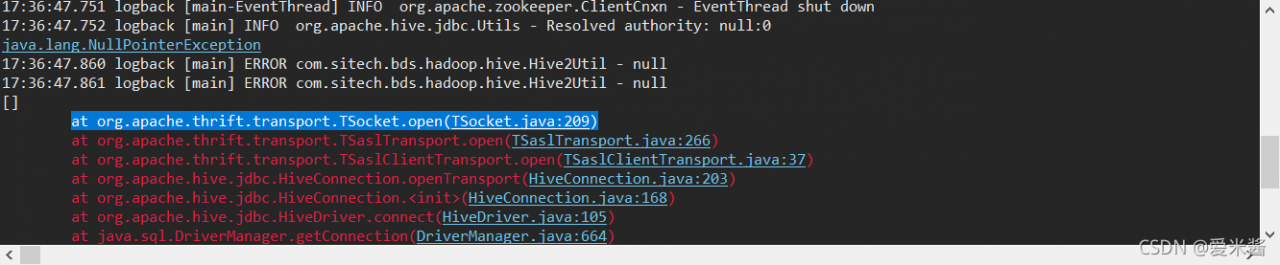
Today, when using java to connect zookeeper high availability hive, errors are reported:

java.lang.NullPointerException

at org.apache.thrift.transport.TSocket.open(TSocket.java:209)


My current Hadoop and hive versions are as follows:

< hadoop.version> 2.6.0-cdh5.5.2
< hive.version> 1.1.0-cdh5.16.2

At this time, I use the old connection string to connect without error:

“jdbc:hive2://marshal:10000”;

However, if a new connection string is used to connect, an error is reported:

“jdbc:hive2://marshal:2181,marshal01:2181/;serviceDiscoveryMode=zooKeeper;zooKeeperNamespace=hiveserver2_zk”;

  After some experiments, the final solution is to make the hive version a little higher than the Hadoop version

< hadoop.version> 2.6.0-cdh5.5.2
< hive.version> 1.1.0-cdh5.6.0

There will be no error at this time