Category Archives: How to Fix

LaTeX Error: Can be used only in preamble

LaTeX Error: Can be used only in preamble
translation: Xovee
translation time: June 11, 2020
LaTeX Error: Can be used only in preamble
This error occurs if you introduce a package or class in the body of the text, rather than in the preamble. Before the command \begin{document}, everything is called a prologue. In the prologue, you define the type of document, the language of the document, and many basic Settings. For example, the preface to a general document looks something like this:

\documentclass[12pt, letterpaper]{article}
\usepackage[utf8]{inputenc}
\usepackage{amsmath}

\title{First document}
\author{Hubert Farnsworth \thanks{funded by the ShareLaTeX team}}
\date{February 2014}

If you introduce the package in the body (after \begin{document}) instead of in the preface, you will get this error:
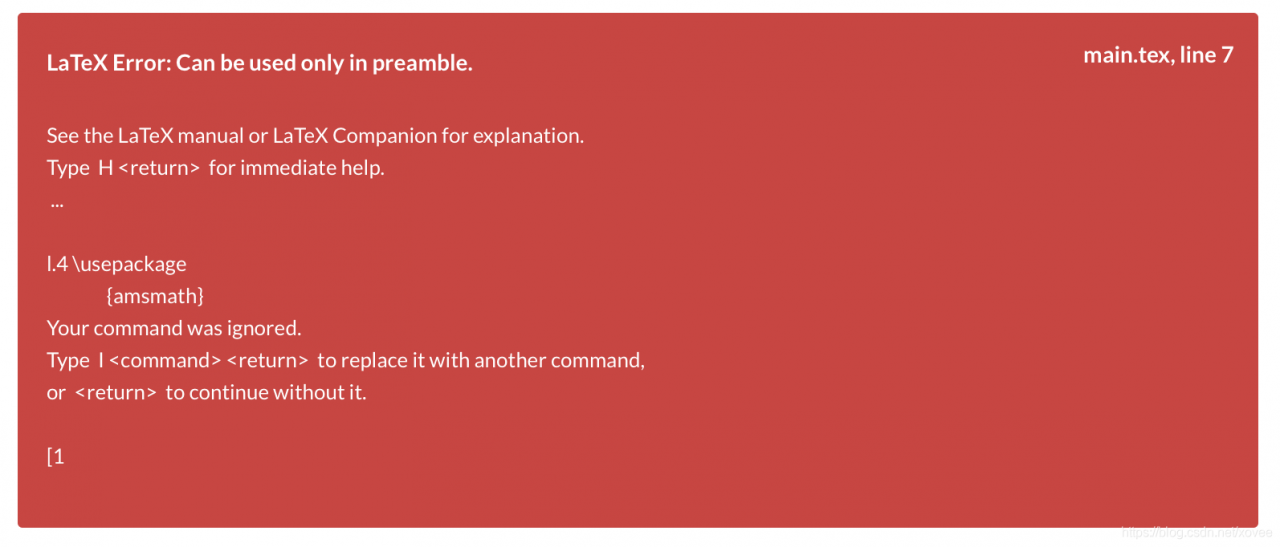
To resolve this error, you must ensure that all packages introduce the command \usepackage{… }, and \ documentClass []{… }, before the \begin{document} command. If you want to learn more about LaTeX document structure, please refer to this document.

(Solved) pytorch error: RuntimeError: cuDNN error: CUDNN_STATUS_EXECUTION_FAILED (install cuda)

RuntimeError: cuDNN error: CUDNN_STATUS_EXECUTION_FAILED
Reason: Pytorch and CUDA versions are not right
(It is also possible that there is not enough memory space, you can change the virtual space size)
Uninstall Pytorch: Conda Uninstall Pytorch, and if you install CUDA, it will automatically override the CUDA version.
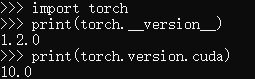
Open CMD and type from the command line

import torch
print(torch.__version__)
print(torch.version.cuda) 


Similar errors occur if the cudA version is not installed with the torch version.

Here’s how to install CUDA:
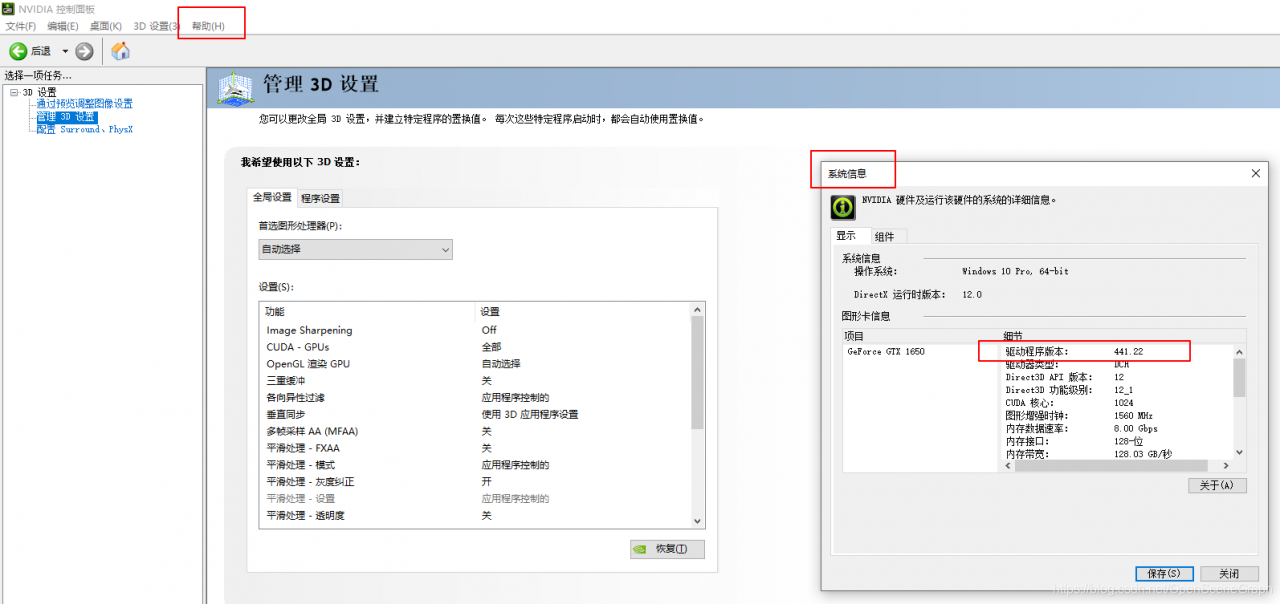
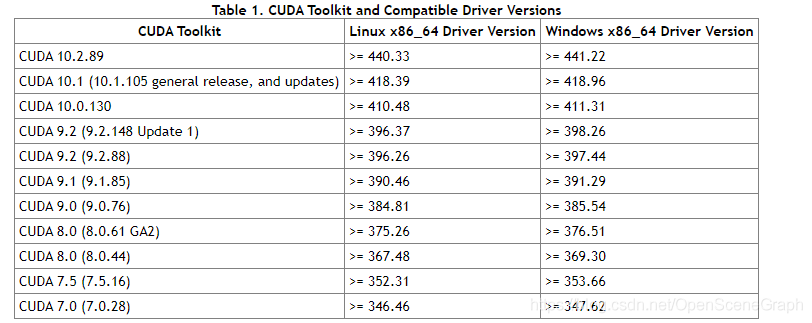
1. Open the NVIDIA control panel to view the CUDA version supported by the current video card driver:


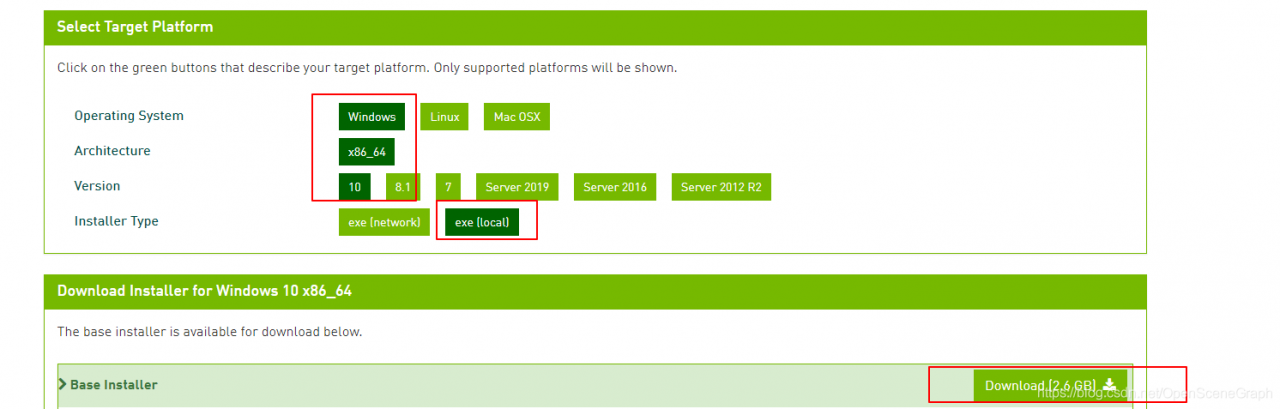
2. Download CUDA address
https://developer.nvidia.com/cuda-toolkit-archive
Or offline installation package download required in https://mirrors.tuna.tsinghua.edu.cn/anaconda/cloud/pytorch/linux-64/. Tar..bz2
Background Conda Install XXXX.. tar.bz2
Install after installation is complete

First anaconda Conda switches to the domestic source

conda config --add channels https://mirrors.tuna.tsinghua.edu.cn/anaconda/pkgs/free/
conda config --add channels https://mirrors.tuna.tsinghua.edu.cn/anaconda/cloud/conda-forge 
conda config --add channels https://mirrors.tuna.tsinghua.edu.cn/anaconda/cloud/msys2/

conda config --set show_channel_urls yes

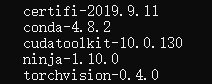
Conda Install Pytorch Torchvision Cudatoolkit =10.0
Install other packages
Pytorch official website: Pytorch official website

Download according to the actual situation:

3. After successful download, double-click the exe file to install.
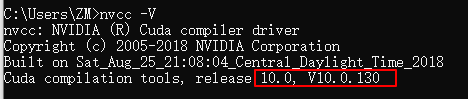
The verification method for successful installation is to enter nvcc-v under CMD

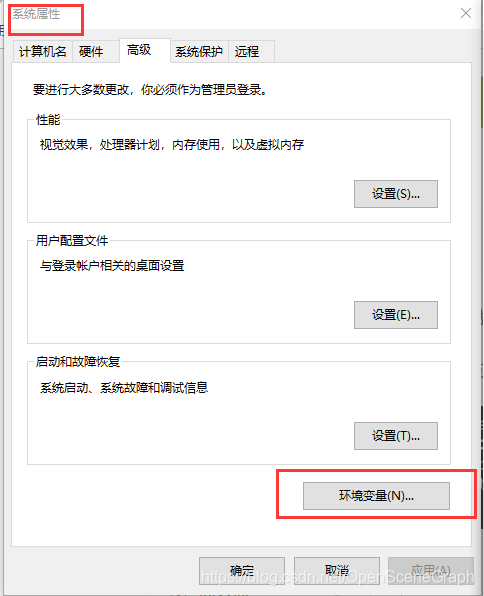
The installation was successful. You can see in system variables:


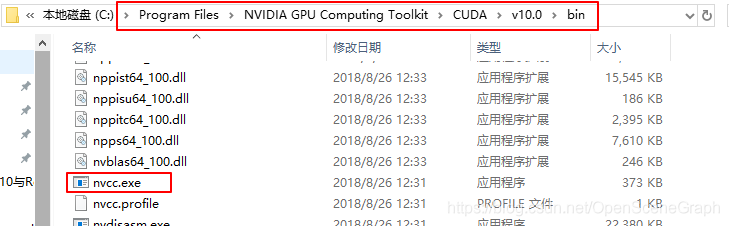
Or you can see nvCC.exe under the installation path

Syntax error, insert “VariableDeclarators” to complete LocalVariableDeclaration

When you use a variable named static today:

package com.day7.demo4;

public class Pengue {
    String name;
    String sex;
    int love=0;
    int health=60;

    static final String SEX_MALE = "Q-boy";
    static  final String SEX_FEMALE = "Q-girl";

    public Pengue() {
        super();
    }

    public Pengue(String name, String sex, int love, int health) {
        super();
        this.name = name;
        this.sex = sex;
        this.love = love;
        this.health = health;
    }

    public void print() {
        System.out.println("name:"+name+",sex:"+sex+",intimacy:"+love+",Health:"+health);
    }

}

For Penguetest.java, go ahead:

System.out.print("Please select the sex of your Penguin:(1.boy 2.girl)");
            int num = sc.nextInt();
            if (num == 1) {
                 Pengue.SEX_MALE;
            }else if (num ==2) {
                 Pengue.SEX_FEMALE;
            }

The error is as follows:

Syntax error, insert "VariableDeclarators" to complete LocalVariableDeclaration

It is correct after modification as follows:

System.out.print("Please select the sex of your Penguin:(1.boy 2.girl)");
            int num = sc.nextInt();
            if (num == 1) {
                pengue.sex = Pengue.SEX_MALE;
            }else if (num ==2) {
                pengue.sex = Pengue.SEX_FEMALE;
            }

Assign it to a variable, because that’s the same thing as 1; Because SEX_MALE is now constant, avoid this error in the future;

ERROR: Unsupported method: AndroidProject.getVariantNames().

The problemERROR: Unsupported method: AndroidProject. GetVariantNames ().
The version of Gradle you connect to does not support that method.
to resolve The problem you can change/upgrade The target version of Gradle you connect to.
Alternatively, you can ignore this exception and read other information from the model.

Translation:
Error: doesn’t support method: AndroidProject GetVariantNames ().
The Gradle version connected to does not support this method.
To resolve this problem, you can change/upgrade the target version of the Gradle you connect to.
Alternatively, you can ignore the exception and read additional information from the model.

methods

    1. modify the build.gradle file in the project directory,
classpath "com.android.tools.build:gradle:3.3.2"

In engineering./ Gradle/Wrapper/Gradle-wrapper. Properties, take a look at the address link

distributionUrl=https\://services.gradle.org/distributions/gradle-4.10.1-all.zip

Gradle sync once;

reference
Relationship between Android Studio and Gradle

    https://developer.android.google.cn/studio/releases/gradle-plugin#updating-gradle

ERROR 1524 (HY000): Plugin ‘auth_socket’ is not loaded How to Fix

Mysql was installed in Ubuntu and this error occurred when I opened it:

mysql -uroot -p
enter password:
ERROR 1524 (HY000): Plugin ‘auth_socket’ is not loaded

A face overwhelmed
baidu to only on stackoverflow. It’s a little weird to find something that says’ unix_socket ‘
https://stackoverflow.com/questions/37879448/mysql-fails-on-mysql-error-1524-hy000-plugin-auth-socket-is-not-loaded
And twice, every time I want to use the database, this problem always comes up.
solution:

sudo /etc/init.d/mysql stop
sudo /etc/init.d/mysql start

Just restart it and you can use it

nginx: [error] invalid PID number in /var/run/nginx.pid

[root@centos7 conf.d]# nginx -s reopen
nginx: [warn] conflicting server name "localhost" on 0.0.0.0:80, ignored
nginx: [error] invalid PID number "" in "/var/run/nginx.pid"

Set the loaded configuration file to:

[root@centos7 conf.d]# nginx -c /etc/nginx/nginx.conf
[root@centos7 conf.d]# nginx -s reload
[root@centos7 conf.d]# nginx -v
nginx version: nginx/1.18.0
[root@centos7 conf.d]# nginx -s reopen
[root@centos7 conf.d]#

Solve the problem: Something’s wrong–perhaps a missing \item. \end{thebibliography}

Sometimes when we compile papers with latex, we encounter problems related to BIB, as follows:
Something’s wrong–perhaps a missing \item. \end{thebibliography}
The same latex documents are fine to compile in Windows but not on MAC.
The underlying problem is the *.bbL file in the directory where *.tex resides. This file is handled differently on Windows and MAC. When there are no references in the article, Windows compiles, but MAC does not.
So here’s the solution:
(1) First close *.tex file, and then delete *.bbL file;
(2) Open *.tex file and add the statement \ {*} anywhere in the article;
(3) Compile again, there is no problem.

Intel MKL FATAL ERROR: Cannot load mkl_intel_thread.dll. error appears after installing pytorch

Intel MKL FATAL ERROR: Cannot load mkl_intel_thread.dll. ERROR
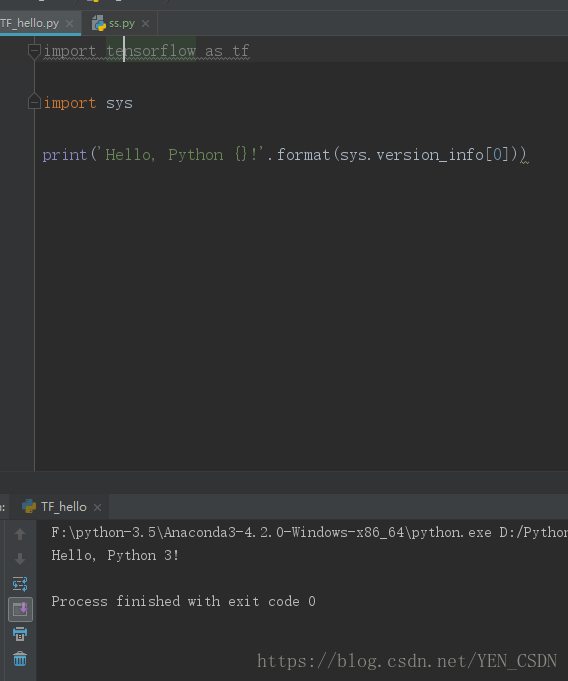
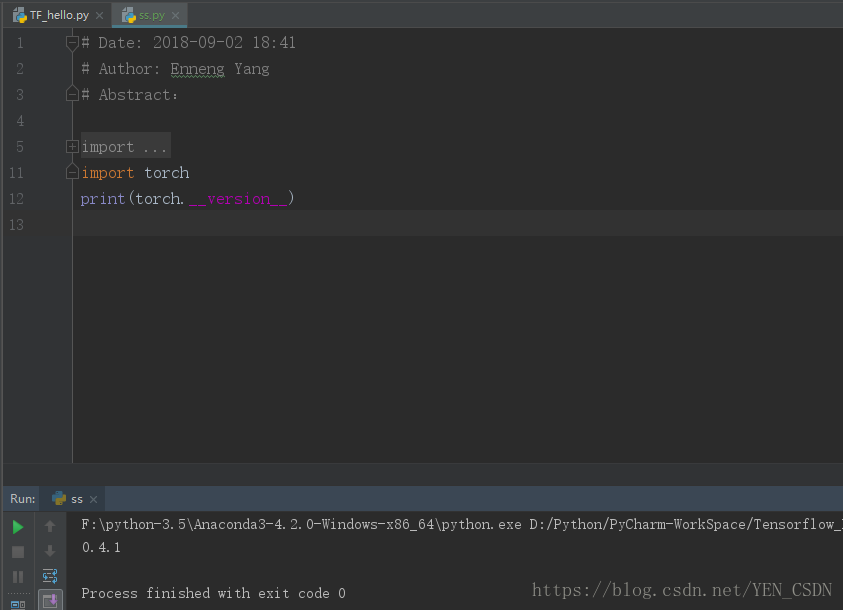
caused tensorflow to be unavailable after installing pytorch and running tensorflow or pytorch, we checked out some solutions and finally it was successfully run.
handling
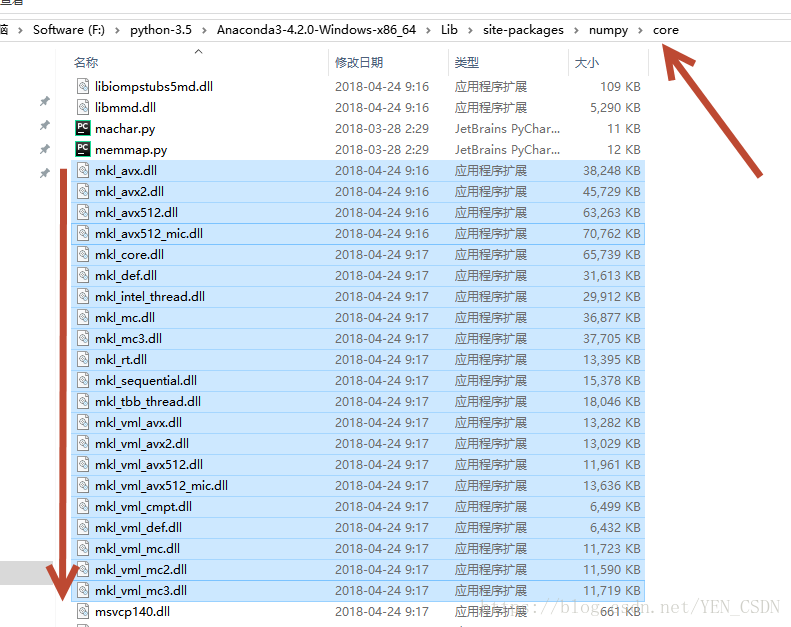
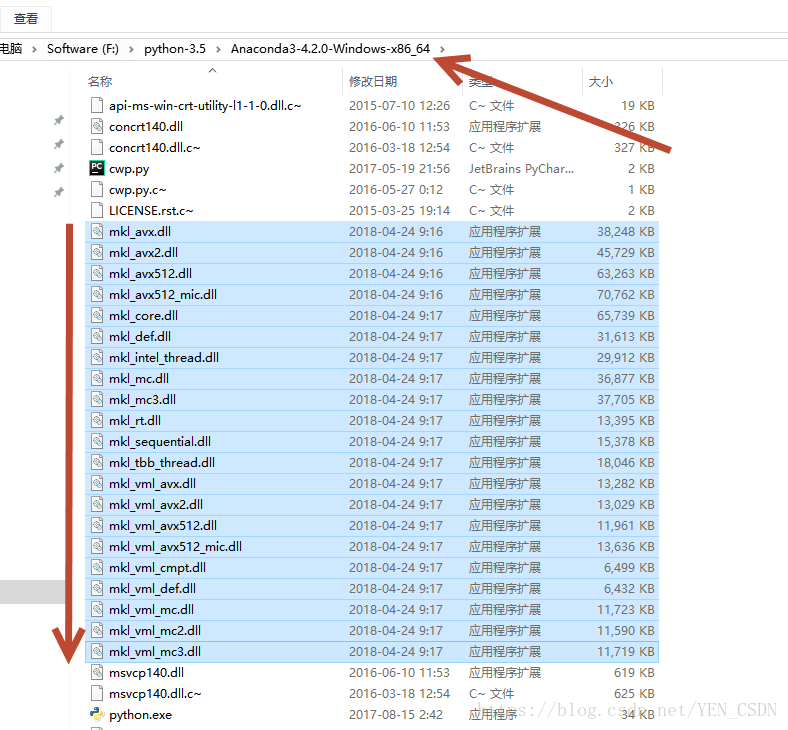
Copy all the files in the following directory to the python root
copy:

copy:


ok~~

Install koa error Cannot find module’internal/fs’

Scenario: Node and NPM are installed locally, but the node version is lower than 8.0.0, so the node version management tool N is used to upgrade the version. After the upgrade, koA is installed and an error is reported

Cause: Changes to the node version on which NPM depends
Solution: 1. Remove NPM NPM Uninstall NPM-g 2. Reinstall Node, because NPM will be installed at the same time that Node is installed

Reproduced in: https://juejin.im/post/5c9c915a6fb9a070d90f753e

【R】【unimplemented type ‘list’ in ‘orderVector1’】

I. Problem description
When using the R language, you want to use the order function for a matrix to sort by a column, and the result is an error

> print(rep_motion)
       [,1]        [,2]         [,3]     
  [1,] NaN         NaN          NaN      
  [2,] 0.0434575   0.01098376   0.9512894
  [3,] 0.001588562 0.001588562  0.99722  
  [4,] 0.004219409 0            0.9978903
  [5,] 0.004721435 0.0006295247 0.9952786
  [6,] 0.008078995 0.000598444  0.9931179
  [7,] 0.01246883  0.009975062  0.9806733
  [8,] 0           0            1        
  [9,] 0.03324361  0.02113055   0.9510094
  [10,] 0.02582149  0.01563      0.9611535
  [11,] 0.006769826 0.005802708  0.9883946
  [12,] 0.001959248 0.0003918495 0.9980408
  [13,] 0.002842524 0.0005685048 0.9971575
  [14,] 0.00748183  0.001710133  0.9910218
  [15,] 0.02713675  0.01901709   0.9626068
  [16,] 0.03195067  0.009529148  0.9646861
  [17,] 0.01386159  0.01799938   0.9778628
  [18,] 0.02140673  0.1569827    0.9006116
  [19,] 0.06902854  0.01588641   0.9190215
  [20,] 0.006300257 0.003150128  0.9912957
  [21,] 0.01619586  0.006779661  0.9777778
  [22,] 0.006226313 0.00351922   0.9910666
  [23,] 0.01170929  0.005552047  0.9836333
> rep_motion[order(rep_motion[,3])]
   Error in order(rep_motion[, 3]) : unimplemented type 'list' in 'orderVector1'

Ii. Problem Solving
Check out the type of REP_motion:

> typeof(rep_motion)
  [1] "list"
> mode(rep_motion)
  [1] "list"
> class(rep_motion)
  [1] "matrix"

The reason is that when you create this matrix, you group each row together as a list, so that when you order, you are ordering the list, not the number. Numbers are sized so they can be sorted, while list is not, so it will report an error.
when your matrix changes to the following type, it will not report an error.

> typeof(evaluated)
  [1] "double"
> mode(evaluated)
  [1] "numeric"
> class(evaluated)
  [1] "matrix"

It depends on how you define it. If you still have not solved, welcome to exchange in the comments section!

Error: No such keg: /usr/local/Cellar/node&install nvm&brew installation&Oh my zsh.git installation&git set alias&No bundle URL prese

Problems with new computer configuration environment:
I can’t find Node, but when I reinstall it, I’m reminded that Node: or Error: No such keg: /usr/local/Cellar/ Node
The brew the cleanup
brew link node
brew uninstall node
brew uninstall –force node
brew install node
 
Install the NVM command (Node version management tool)
The curl – o – https://raw.githubusercontent.com/creationix/nvm/v0.33.11/install.sh | bash
Press to restart Iterm
 
Install N (Node version management tool)
$sudo NPM install -g n
 
Brew installation command:
/usr/bin/ruby -e “$(curl -fsSL https://raw.githubusercontent.com/Homebrew/install/master/install)”
 
 
Oh my Zsh. git plug-in installation command
sh -c “$(curl -fsSL https://raw.github.com/robbyrussell/oh-my-zsh/master/tools/install.sh)”
 
 
Git Settings alias
All we need to do is type a command, tell Git, and then ST stands for status:
git config –global alias.s status
git config –global alias.c commit
git config –global alias.ck checkout
git config –global alias.a add
 
 
New computer simulator reports No Bundle URL Present
Appdelegate. M modifies the code
JsCodeLocation = [NSURL URLWithString: @ “http://127.0.0.1:8081/index.bundle?platform=ios&dev=false”);
 
Mock () is not allowed to reference any out-of-scope variables

Node release issues dropped to V8.12.0 or V6.11.3
 
If the Node version is not working, use:
NVM Alias Default V6.11.3 to modify the default Node version