Category Archives: How to Fix

Browser console prompt: Error: NetworkError when attempting to fetch resource.

The tips are as follows:
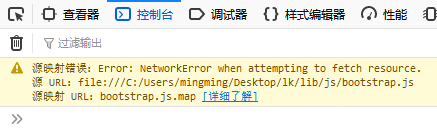
Error: NetworkError occurred while trying to obtain a resource.

The reason:
Missing mapping file (Sourcemap File)
Solution 1:
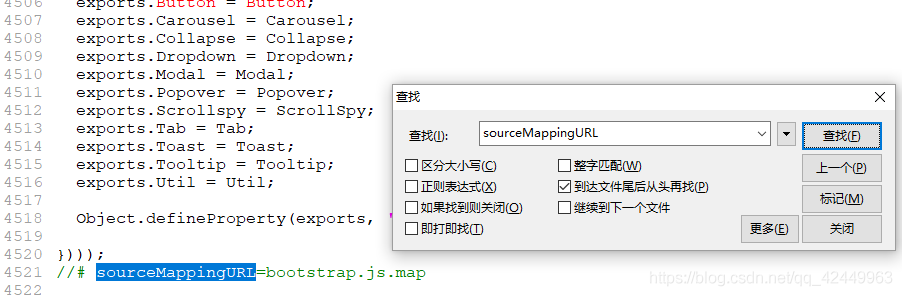
Find and open the file, search sourceMappingURL, delete the code like //# sourceMappingURL=bootstrap.js.map, and then exit with an error
Add the corresponding map file. In the plug-in download, there will be the corresponding map file under the same directory, and add this file to the path referenced by sourceMappingURL
Extension: What is a Sourcemap file?
Source after the map is js file compression, the location of the file name to replace the corresponding variables such as meta information data file, popular understanding is the Source map is a storage location information of files, the transformed code before each position of the corresponding transformation, when wrong, debugging tool can directly display the original code, rather than the code after the transformation, provides great convenience for developers.
Js the original variable is the map, for example, compressed by variable substitution rules may be replaced with a, then the source map file will keep a record of the mapping information, developers if there is a js error, when debugging browser will by parsing the map file to merge compressed js, so developers can use to debug the code before compression.
The sourcemap file is typically placed in the same directory as the min.js main file.
prompt: source map function requires the support of the browser, such as the mainstream browser Firefox, Chrome, etc. are supported. Firefox is enabled by default. Chrome needs to check the Enable JavaScript Source Maps option in Settings. The new version of Chrome seems to be enabled by default.
Synergy 1.4.12 “ipc connection error, connection refused” and other issues

You have encountered the same problems with installing the latest version of Synergy 1.4.12 as I did. If you have encountered the same problems as I did, I hope you can take less detour

Installation steps and tutorials, a search on the Internet without saying a few points need to pay attention to the problem

1. I suggest you download the latest version of Synergy, because the operation of the latest version has been greatly simplified and many bugs have been solved

2. The two versions should be consistent. If they are not consistent, all kinds of weird problems will occur

Example: Your server has 64-bit Synergy installed while your client has 32-bit Synergy installed

3
.”ipc connection error, connection refused”

“Failed to connect to Server: Protocol Error from Server “error prompt

I encountered a situation that worked the first time it was configured, but didn’t work the next day when it was restarted. The client kept reporting this error when connecting

My configuration environment: My server synergys is MAC and my Synergyc is WIN7

The reason was that I used syner1.4.10 version of synergy1.4.10 inexplicably after synergy1.4.10 was installed before and restarted. The server and client versions failed to match, so I kept reporting this error

Solution: Delete synergy from previous releases completely, and don’t be distracted

4. The inconsistency between the protocols of the Server and the Client will also result in the problems described above. For example, the Client chooses the “encryption protocol”, while the Server chooses other protocols, which can be seen in the configuration

If you have any questions, please leave a message to discuss

syntax error near unexpected token `then’ problem solution

#! /bin/bash
#if program test

echo ‘a:’
read a
If [“$a” = “English”]; then
echo “right”
else
echo “wrong”
fi

I wrote the shell script according to the procedure on the video, but “syntax error near token ‘then'” appeared during the execution. After looking at the syntax error near token’ then’ for half a day, I did not find out the reason. After searching the Internet for a long time, I finally understood the reason: There is no space between if and ‘[‘. In addition, when executing, I also found that there must be space on both sides of’ = ‘, otherwise there will be an error, not a syntax error, but no matter what value is assigned to a, the program will get the statement after if is false, thus resulting in wrong.

An error is displayed when virtualbox uses modifyhd command to expand capacity: Resize medium operation for this format is not implemented yet

Virtualbox implemented capacity using the modifyhd command: Resize Medium Operation for this Format is not implemented yet
The 10gb virtual disk you created requires more space and you don’t want to use the additional virtual disk method.
through checking the data, we found that the VBoxManage modifyhd command provided by VirtulBox can be solved. The specific usage of this command:
VBoxManage modifyhd
[– type normal|writethrough| shareable>0
readonly>1 multiattach]
[– autoreset on>2 off]
[– property]
[– compact]
[– resize>3 — resizebyte]

pengdeMacBook-Air:windows pengchen$ cd VirtualBox\ VMs/windows/

Modify fixed size virtual hard disks to dynamically allocate storage to hard disks:

pengdeMacBook-Air:windows pengchen$ VBoxManage modifyhd windows-disk1.vmdk -type normal

Modify the size of the virtual hard disk to 50G:

C:\Program Files\Oracle\VirtualBox>VBoxManage modifyhd e:\vbox\Ubuntu12.04\Ubuntu1204-201302-disk1.vmdk --resize 30000
0%...
Progress state: VBOX_E_NOT_SUPPORTED
VBoxManage.exe: error: Resize hard disk operation for this format is not implemented yet!

The original virtual machine is in VMDK format, and this command only supports VDI format. What to do
find VBoxManager can be used to convert virtual hard disk storage file format

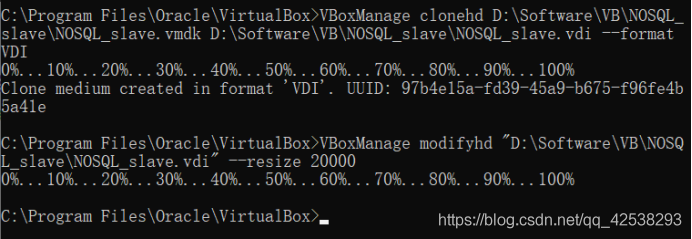
C:\Program Files\Oracle\VirtualBox>VBoxManage clonehd e:\vbox\Ubuntu12.04\Ubuntu1204-201302-disk1.vmdk  e:\vbox\Ubuntu12.04\Ubuntu1204-201310-disk1.vdi --format VDI
0%...10%...20%...30%...40%...50%...60%...70%...80%...90%...100%
Clone hard disk created in format 'VDI'. UUID: 455b7aa4-d776-4254-8353-d9b5b3fa109b

Finally, VBoxManager is used to set the expansion capacity of the transferred VDI file

C:\Program Files\Oracle\VirtualBox>VBoxManage modifyhd e:\vbox\Ubuntu12.04\Ubunt
u1204-201310-disk1.vdi --resize 30000
0%...10%...20%...30%...40%...50%...60%...70%...80%...90%...100%

I didn’t report that mistake
Note: after opening the virtual machine, the actual disk size has not changed. At this time, you need to use the disk management tool to expand your partition size.
From above: https://blog.csdn.net/weiguang1017/article/details/52252448?utm_medium=distribute.pc_relevant.none-task-blog-BlogCommendFromBaidu-4& Depth_1 -utm_source=distribute. Pc_relevant. None-task-blog-blogcommendfrombaidu -4
my action pictures

OpenSSL SSL_connect: SSL_ERROR_SYSCALL in connection to github.com:443

The github project was suddenly unavailable with Git today, error reporting:
Fatal: unable to access “https://github.com/dmlc/xgboost.git/” : OpenSSL SSL_connect: SSL_ERROR_SYSCALL in connection to github.com: 443
It doesn’t work in all kinds of ways. I found many ways on the Internet:
https://blog.csdn.net/daerzei/article/details/79528153
 
https://stackoverflow.com/questions/49345357/fatal-unable-to-access-https-github-com-xxx-openssl-ssl-connect-ssl-error
 
If that doesn’t work, try switching to a network, such as a hotspot or your own broadband connection, because you may be using a company Intranet and have a proxy set up.
If not, I don’t know what to do

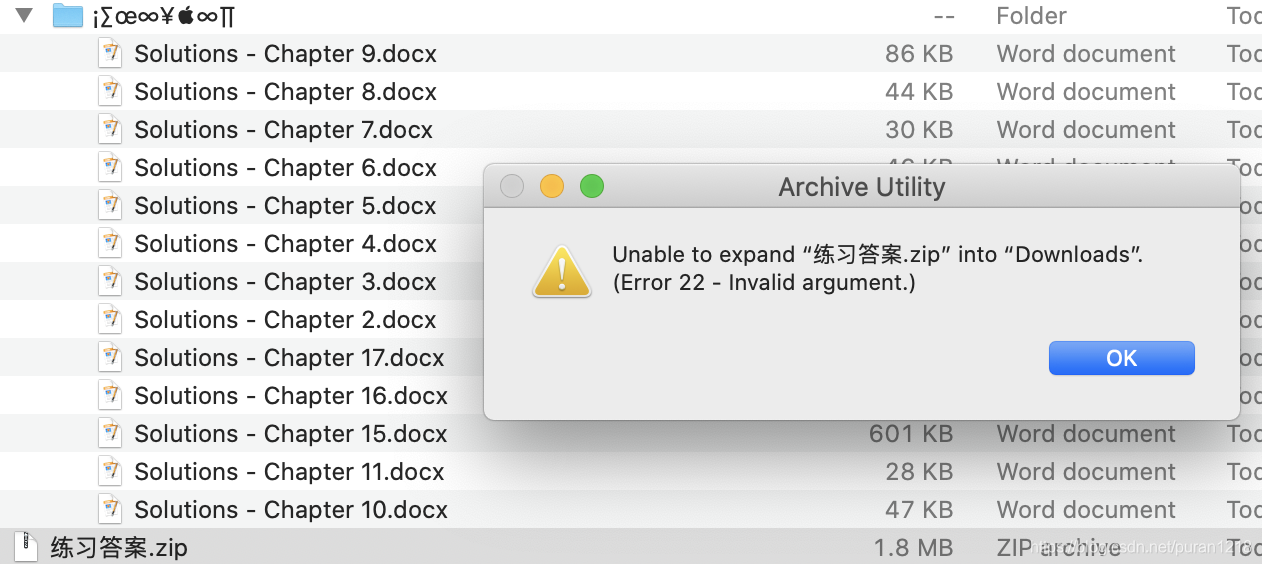
unzip error 22 – Invalid argument

The problem
When the zip file is created by Windows and there is a problem with the encoding, the unzip in macOS X cannot be uncompressed. We will prompt: is unable to expand "*.zip" into "Download". (Error 22-invalid argument.)

Solutions:
Ditto:
ditto-x-k zip_file_path unzip_destinatio_path
Ditto to create and extract Archives at MarcK
Scheme 2
You can also choose The Unarchiver

Error 1033 received logging on to the standby

Fri Jan 01 15:57:00 2016

Error 1033 received logging on to the standby

PING[ARC1]: Heartbeat failed to connect to standby ‘PRODS’. Error is 1033.

Fri Jan 01 15:57:07 2016
This first goes to check the connection condition of the backup library, not only refers to the network, login aspect also wants to check
Oracle, for example, refuses to log in when the space is full

ESP8266 Chip sync error esp_sync_blocking.

ESP8266 firmware continues to fail and displays chip Sync Error
View pin definition
|Function| URXD>0 UART_RXD, receive
>1 UTXD b>2 UART_TXD, send
>3 RST>4 external Reset signal, low level Reset, high level work (default high)
>5 GND>6 GND
>7 VCC>8 3.3v, module power supply
>9 GPIO 0>0 working mode Drop down: UARTDownload, download mode
|CH_PD | high level operation;
|GPIO 2 | (1) power on must be high level, do not pull down the hardware; (2) Internal default has been elevated
Solution
RST pin ground reset after re-burning, successful
Timed out waiting for Packet Header
Solution: RST pin needs to be connected until it turns up a connecting connecting wire, unplug RST ground wire and upload successfully

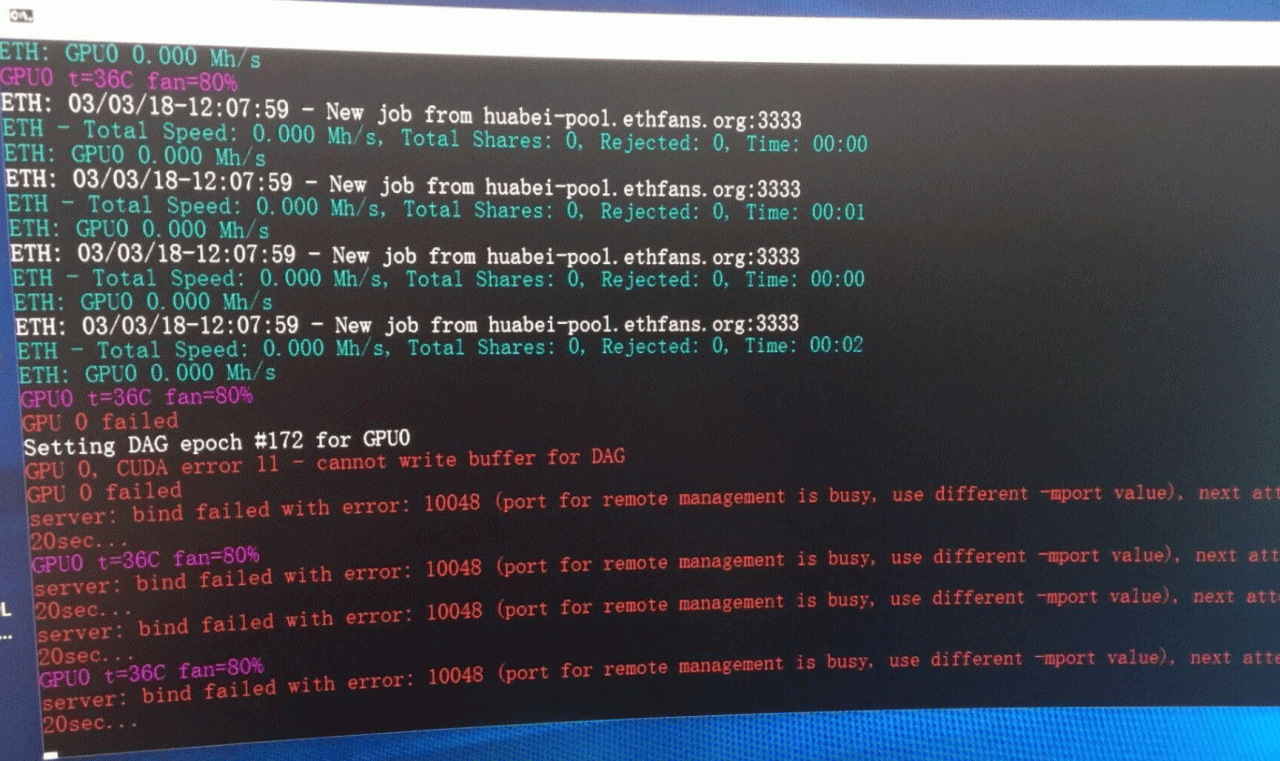
CUDA error 11-cannot write buffer for DAG error solution

Recently, someone asked Dali miners why my machine inexplicably reported “CUDA Error 11-cannot write Buffer for DAG”. After careful analysis by Dali miners, it was found that kernel 11 had such problems for NviDIA CARDS, such as 106X and 107X;

Compatibility problems occur, it is recommended to replace 10 kernel to try, if you cannot change the version, try to add the parameter -lidag 1 parameter, hope to give you help.

g++ c++ error: ‘malloc’ was not declared in this scope

Error: ‘malloc’ was not declared in this scope when using malloc() in c++
1. Handwriting errors.
2. No reference to the appropriate library.
Solution: Introduce stdlib.h

#include<stdlib.h>
guess is that there is a solution, not try: https://blog.csdn.net/u012197749/article/details/79687899

[!] Invalid `Podfile` file: syntax error, unexpected end-of-input, expecting keyword_end.

This article is to document some of the problems with pods
[!] Invalid `Podfile` file: syntax error, unexpected end-of-input, expecting keyword_end.
The solution, when editing here, is to add end
Platform: ios, ‘8.0’
target:’JDtest’ do
pod ‘Masonry’
end

[!] The dependency `Masonry` is not used in any concrete target.

Solution, in the edit here, add target, ⚠ ️ ‘JDtest’ after the target, as the project name, ‘project name’
Platform: ios, ‘8.0’
target:’JDtest’ do
pod ‘Masonry’
end