Category Archives: How to Fix

Bindtextureimage: cleaning GL error: 0x502 during Android opengles2.0 hard decoding

When I do hard decoding and display it in opengles2.0 it always comes up with this prompt, why does it come up with no clue, until I write a new project and it doesn’t come up with this prompt, and then I compare the code and find out why it went wrong
The hard decodation should be made into a gles11ext.gl_texture_EXTERNal_OES texture, and the texture should be generated from SurfaceTexture. Update the texture data via updateTexImage() of SurfaceTexture, and then use Gles20. gl_texture_OES, Textures [0] when rendering; Textures [0]). Texture is GLES20.GL_TEXTURE_2D, Textures [0]. We did not use GLes11ext.gl_texture_EXTERNal_oes. Although the exception will not be thrown, bindTextureImage: clearing GL error: 0x502 will be notified. No alarms or errors
How to Use spatial in MAC

1. To https://distfiles.macports.org/MacPorts/ download package management tools

MacPorts-2.3.1-10.9-Mavericks.pkg

2. Install macPort and check whether the installation is successful

lqdeMacBook-Pro:~ lq$ port
MacPorts 2.3.1
Entering interactive mode... ("help" for help, "quit" to quit)
[Users/lq] > port
lqdeMacBook-Pro:~ lq$ port selfupdate
--->  Updating MacPorts base sources using rsync
Error: can't create directory "/opt/local/var/macports/sources/rsync.macports.org/release/tarballs/tmp": permission denied
Please run `port -v selfupdate' for details.
Error: /opt/local/bin/port: port selfupdate failed: can't create directory "/opt/local/var/macports/sources/rsync.macports.org/release/tarballs/tmp": permission denied
lqdeMacBook-Pro:~ lq$ sudo port selfupdate
Password:
Sorry, try again.
Password:
--->  Updating MacPorts base sources using rsync
MacPorts base version 2.3.1 installed,
MacPorts base version 2.3.1 downloaded.
--->  Updating the ports tree
--->  MacPorts base is already the latest version

The ports tree has been updated. To upgrade your installed ports, you should run
  port upgrade outdated

3. Check if the package exists

You can go to the following website to check whether the package exists or not
https://www.macports.org/ports.php

4. Install the spatialite

lqdeMacBook-Pro:~ lq$ port intall spatialite
Error: Unrecognized action "port intall"
lqdeMacBook-Pro:~ lq$ port install spatialite
Error: Insufficient privileges to write to MacPorts install prefix.
lqdeMacBook-Pro:~ lq$ sudo port install spatialite  ———Note: You need to add sudo to get system privileges.
Warning: The Xcode Command Line Tools don't appear to be installed; most ports will likely fail to build.
Warning: Install them by running `xcode-select --install'.
--->  Computing dependencies for spatialite
--->  Dependencies to be installed: geos libxml2 libiconv xz gettext expat ncurses zlib proj sqlite3 libedit
--->  Fetching archive for geos
--->  Attempting to fetch geos-3.4.2_0.darwin_13.x86_64.tbz2 from http://packages.macports.org/geos
--->  Attempting to fetch geos-3.4.2_0.darwin_13.x86_64.tbz2.rmd160 from http://packages.macports.org/geos
--->  Installing geos @3.4.2_0
--->  Activating geos @3.4.2_0
--->  Cleaning geos
--->  Fetching archive for libiconv
--->  Attempting to fetch libiconv-1.14_0.darwin_13.x86_64.tbz2 from http://packages.macports.org/libiconv
--->  Attempting to fetch libiconv-1.14_0.darwin_13.x86_64.tbz2.rmd160 from http://packages.macports.org/libiconv
--->  Installing libiconv @1.14_0
--->  Activating libiconv @1.14_0
--->  Cleaning libiconv
--->  Fetching archive for expat
--->  Attempting to fetch expat-2.1.0_0.darwin_13.x86_64.tbz2 from http://packages.macports.org/expat
--->  Attempting to fetch expat-2.1.0_0.darwin_13.x86_64.tbz2.rmd160 from http://packages.macports.org/expat
--->  Installing expat @2.1.0_0
--->  Activating expat @2.1.0_0
--->  Cleaning expat
--->  Fetching archive for ncurses
--->  Attempting to fetch ncurses-5.9_2.darwin_13.x86_64.tbz2 from http://packages.macports.org/ncurses
--->  Attempting to fetch ncurses-5.9_2.darwin_13.x86_64.tbz2.rmd160 from http://packages.macports.org/ncurses
--->  Installing ncurses @5.9_2
--->  Activating ncurses @5.9_2
--->  Cleaning ncurses
--->  Fetching archive for gettext
--->  Attempting to fetch gettext-0.19.1_1.darwin_13.x86_64.tbz2 from http://packages.macports.org/gettext
--->  Attempting to fetch gettext-0.19.1_1.darwin_13.x86_64.tbz2.rmd160 from http://packages.macports.org/gettext
--->  Installing gettext @0.19.1_1
--->  Activating gettext @0.19.1_1
--->  Cleaning gettext
--->  Fetching archive for xz
--->  Attempting to fetch xz-5.0.5_0.darwin_13.x86_64.tbz2 from http://packages.macports.org/xz
--->  Attempting to fetch xz-5.0.5_0.darwin_13.x86_64.tbz2.rmd160 from http://packages.macports.org/xz
--->  Installing xz @5.0.5_0
--->  Activating xz @5.0.5_0
--->  Cleaning xz
--->  Fetching archive for zlib
--->  Attempting to fetch zlib-1.2.8_0.darwin_13.x86_64.tbz2 from http://packages.macports.org/zlib
--->  Attempting to fetch zlib-1.2.8_0.darwin_13.x86_64.tbz2.rmd160 from http://packages.macports.org/zlib
--->  Installing zlib @1.2.8_0
--->  Activating zlib @1.2.8_0
--->  Cleaning zlib
--->  Fetching archive for libxml2
--->  Attempting to fetch libxml2-2.9.1_0.darwin_13.x86_64.tbz2 from http://packages.macports.org/libxml2
--->  Attempting to fetch libxml2-2.9.1_0.darwin_13.x86_64.tbz2.rmd160 from http://packages.macports.org/libxml2
--->  Installing libxml2 @2.9.1_0
--->  Activating libxml2 @2.9.1_0
--->  Cleaning libxml2
--->  Fetching archive for proj
--->  Attempting to fetch proj-4.8.0_0.darwin_13.x86_64.tbz2 from http://packages.macports.org/proj
--->  Attempting to fetch proj-4.8.0_0.darwin_13.x86_64.tbz2.rmd160 from http://packages.macports.org/proj
--->  Installing proj @4.8.0_0
--->  Activating proj @4.8.0_0
--->  Cleaning proj
--->  Fetching archive for libedit
--->  Attempting to fetch libedit-20121213-3.0_0.darwin_13.x86_64.tbz2 from http://packages.macports.org/libedit
--->  Attempting to fetch libedit-20121213-3.0_0.darwin_13.x86_64.tbz2.rmd160 from http://packages.macports.org/libedit
--->  Installing libedit @20121213-3.0_0
--->  Activating libedit @20121213-3.0_0
--->  Cleaning libedit
--->  Fetching archive for sqlite3
--->  Attempting to fetch sqlite3-3.8.4.3_0.darwin_13.x86_64.tbz2 from http://packages.macports.org/sqlite3
--->  Attempting to fetch sqlite3-3.8.4.3_0.darwin_13.x86_64.tbz2.rmd160 from http://packages.macports.org/sqlite3
--->  Installing sqlite3 @3.8.4.3_0
--->  Activating sqlite3 @3.8.4.3_0
--->  Cleaning sqlite3
--->  Fetching archive for spatialite
--->  Attempting to fetch spatialite-4.1.1_0.darwin_13.x86_64.tbz2 from http://packages.macports.org/spatialite
--->  Attempting to fetch spatialite-4.1.1_0.darwin_13.x86_64.tbz2.rmd160 from http://packages.macports.org/spatialite
--->  Installing spatialite @4.1.1_0
--->  Activating spatialite @4.1.1_0
--->  Cleaning spatialite
--->  Updating database of binaries
--->  Scanning binaries for linking errors               
--->  No broken files found.

5. Test whether the installation is successful

lqdeMacBook-Pro:~ lq$ sqlite3
SQLite version 3.8.4.3 2014-04-03 16:53:12
Enter ".help" for usage hints.
Connected to a transient in-memory database.
Use ".open FILENAME" to reopen on a persistent database.
sqlite> select load_extension('libspatialite')
   ...> ;
Error: dlopen(libspatialite.dylib, 10): image not found
sqlite> select load_extension('libspatialite-5');
Error: dlopen(libspatialite-5.dylib, 10): image not found
sqlite> select load_extension('libspatialite.5');
Error: dlopen(libspatialite.5.dylib, 10): image not found
sqlite> select load_extension('/opt/local/lib/libspatialite.5’); // Note: This is the compile path automatically generated by the system after downloading, it must be full path or it may not be read successfully.

sqlite> select geomfromtext('POINT ( 23 56 )', 4326)
   ...> ;
sqlite>select astext(geomfromtext('POINT ( 23 56 )', 4326));
POINT(23 56)
sqlite> 


Solution of Oracle error 6550

When exporting data using the EXP command, the following appears:
EXP-00056: ORACLE error 6550 encountered
ORA-06550: line 1, column 41:
PLS-00302: component ‘SET_NO_OUTLINES’ must be declared
ORA-06550: line 1, column 15:
PL/SQL: Statement ignored
EXP-00000: Export terminated unsuccessfully
Cause
Use of Higher Version Export utility (10.2.0.1) on Lower Version database(9.2.0.6).
The main reason is that the server and client versions are not correct
You can modify oracle’s in the environment variable (Path)
D:/oracle/product/10.2.0/db_1/bin; D:/oracle/product/10.2.0/client_1/bin; The location of the
 

Compiling TPC-H tools for Mac

Download TPC-H Tools
http://www.tpc.org/tpch/
1 modify the Makefile
Unzip the TPCH file and enter the dbgen directory.
cp makefile.suite makefile
Open the Makefile, find and modify the following lines (103~111)

################
## CHANGE NAME OF ANSI COMPILER HERE
################
CC      = gcc 
# Current values for DATABASE are: INFORMIX, DB2, TDAT (Teradata)
#                                  SQLSERVER, SYBASE, ORACLE, VECTORWISE
# Current values for MACHINE are:  ATT, DOS, HP, IBM, ICL, MVS, 
#                                  SGI, SUN, U2200, VMS, LINUX, WIN32 
# Current values for WORKLOAD are:  TPCH
DATABASE= SQLSERVER
MACHINE = LINUX
WORKLOAD = TPCH

2 compile
make
Because my computer is a Mac, I made an error compiling DBgen:

bm_utils.c:71:10: fatal error: 'malloc.h' file not found
#include <malloc.h>
         ^~~~~~~~~~
1 error generated.
make: *** [bm_utils.o] Error 1  # varsub.o

In the file where the error will be reported:

#include <malloc.h>

Modified to

#include <sys/malloc.h>

Done.
3 Generating data
./dbgen -s 1 -f
Convert.tbl data into CSV:
for I in 'ls *. TBL'; do sed 's/|$//' $i > ${i/tbl/csv}; echo $i; done;
4 Generate query data

Open failed for./1. SQL at qgen. C :170
Environment variable needs to be set: export DSS_QUERY=PATH_TO_QUERIES_FOLDER
generally, type export DSS_QUERY=queries


Mac does not have vmstat. Change vmstat in TpCH.sh to VM_stat

The reasons for the following errors occurred when opening the webgl project of unity

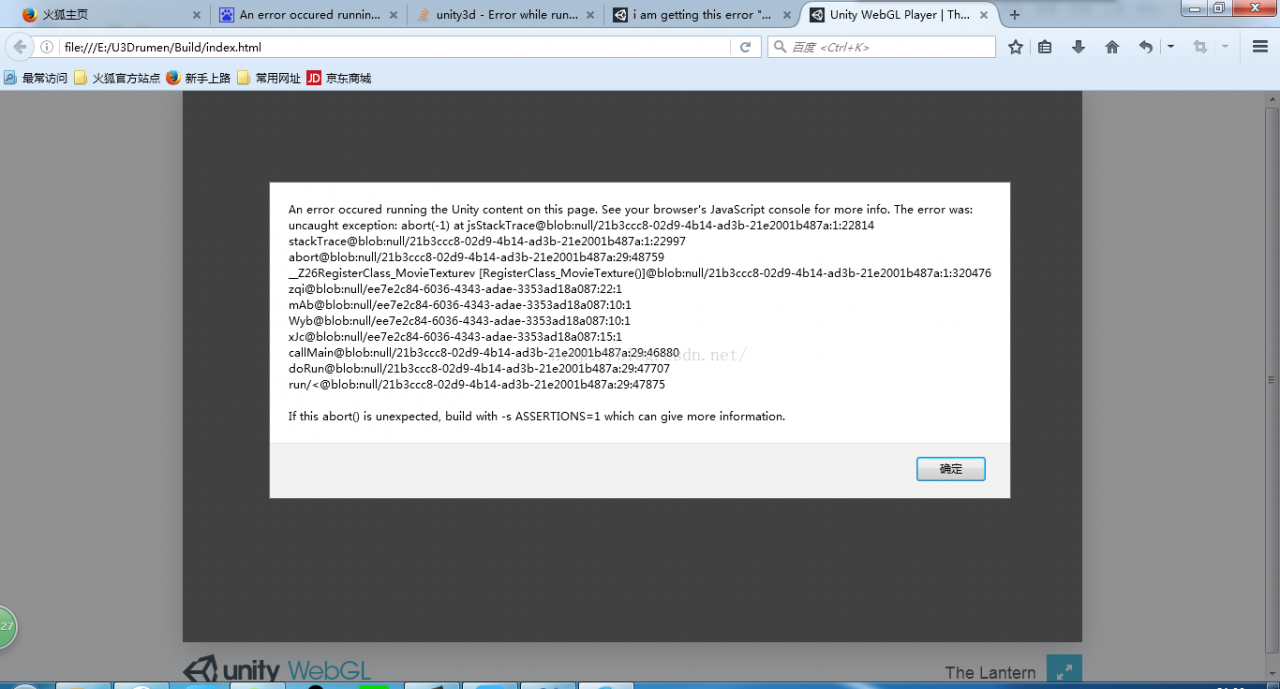
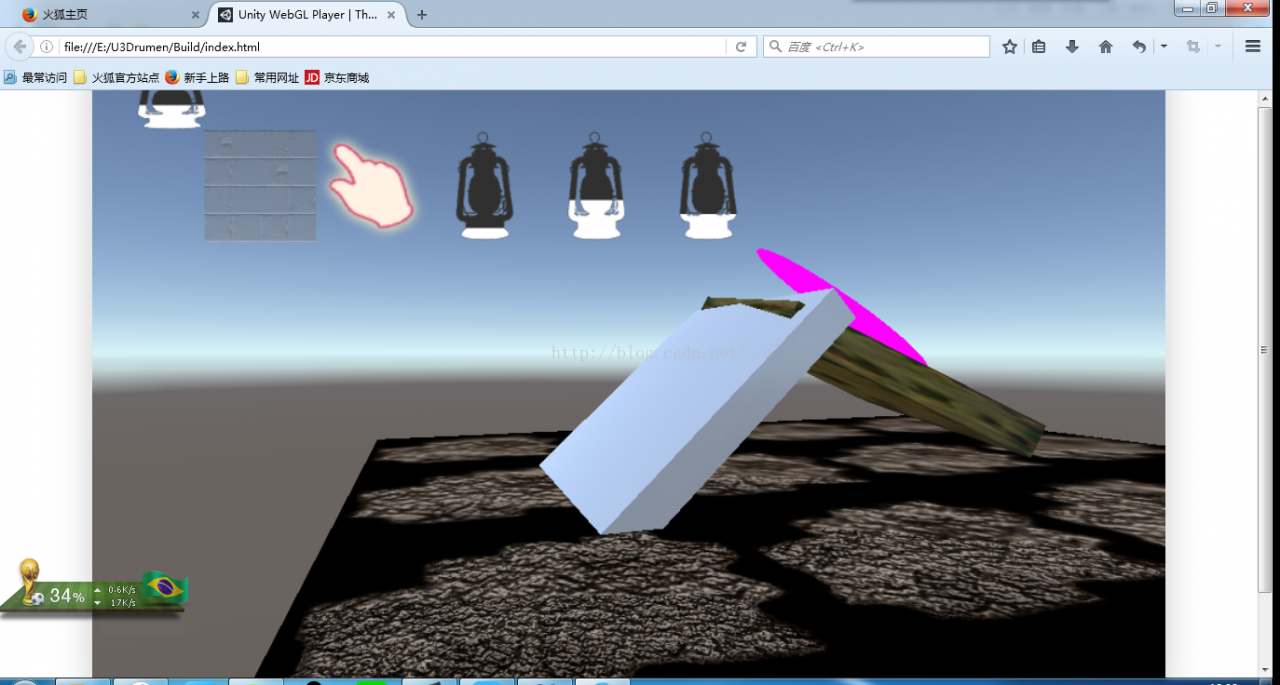
Two days ago, I tried to export the webGL project of U3D. I opened it with Firefox browser, but it could not be opened. The following error occurred:

An error occured running the Unity content on this page. See your browser’s JavaScript console for more info. The error was:

uncaught exception: abort(-1) at jsStackTrace@blob:null/21b3ccc8-02d9-4b14-ad3b-21e2001b487a:1:22814

stackTrace@blob:null/21b3ccc8-02d9-4b14-ad3b-21e2001b487a:1:22997

abort@blob:null/21b3ccc8-02d9-4b14-ad3b-21e2001b487a:29:48759

__Z26RegisterClass_MovieTexturev [RegisterClass_MovieTexture()]@blob:null/21b3ccc8-02d9-4b14-ad3b-21e2001b487a:1:320476

zqi@blob:null/ee7e2c84-6036-4343-adae-3353ad18a087:22:1

mAb@blob:null/ee7e2c84-6036-4343-adae-3353ad18a087:10:1

Wyb@blob:null/ee7e2c84-6036-4343-adae-3353ad18a087:10:1

xJc@blob:null/ee7e2c84-6036-4343-adae-3353ad18a087:15:1

callMain@blob:null/21b3ccc8-02d9-4b14-ad3b-21e2001b487a:29:46880

doRun@blob:null/21b3ccc8-02d9-4b14-ad3b-21e2001b487a:29:47707

run/< @blob:null/21b3ccc8-02d9-4b14-ad3b-21e2001b487a:29:47875

If this abort() is unexpected, build with -s ASSERTIONS=1 which can give more information.

I thought some Settings of webGL or Firefox might have been modified by accident, but they still can’t be reinstalled. There is no same answer on the Internet, and the q&A is all over the UK, which makes me die.

Later looked at the mistake carefully, suddenly found the key sentence! ___registerclass_movietexturev [RegisterClass_MovieTexture()] @BLOB: NULL/21B3CCC8-02D9-4B14-ad3B-21E2001B487A :1:320476. So movieTexture is a little bit familiar. If I go back to my project, I find a folder called MovieTexture that contains a few.mp4 video files. Delete all the videos in it, export it again, open it normally, solve it successfully!

Conclusion:
1. This time, it may be because webGL cannot recognize the video files, so it can be solved by deleting all the video files in the project.
2. The problem is with the error message, so take a look at that and if you find a sentence that’s most relevant to your project, that should be the one that makes the error, like my project movieTexture.

Error cs1010 cs8025 cs1012 cs1525 common document error resolution

error CS1010: Newline in constant
error CS8025: Parsing error
error CS1012: Too many characters in character literal
error CS1525: The Unexpected symbol ‘►►’
code has no errors, but there are errors. This is due to coding problems. Use other text tools to save the document to unicode (some tools show “including unicode signature (Bom)”).

Solve cannot execute binary file: exec format error under Linux

For Linux, cannot execute Binary file: Exec Format error clearly indicates that it is an execution file format error.
1. Use the wrong command, such as GCC-c hello. c-o hello, and you get a.o file instead of an executable./hello will report the above error! Change to GCC hello. C-o Hello is ok!
2. If not the above error, it may be a version problem, such as the original 32 bit operating system, but the use of 64-bit software, at this time the need is to use the correct version of the software!

attached:
A solution to the problem that Cannot execute Binary File is encountered in Linux system,
From http://1381479.blog.51cto.com/1371479/888198

The problem that cannot execute Binary file is encountered in Linux system is generally caused by the following situations:

    1. 1.non-root user or non-execute permission
      1. 2.compilation environment is different (the program is copied from ot

    her operating environment)

For the first case, chmod + X program can be chmod +x program by adding execution permissions
In the second case, it is recommended to copy over the binary package of the program and recompile the program. In the actual operation process, I found that when I packaged the entire operating system environment of VPS in the United States and downloaded it to the local server, after unzipping it, the program running it would appear as shown in the question. I was puzzled. The system was all CENTOS5.2, and finally I found that it was caused by the difference between the two compilation environments:
1.The US VPS is the AMD64-bit processor

2.the local server is the Intel 32-bit processor

The hardware compilation environment of the two is different, which causes this problem. Of course, some programs downloaded from the non-binary package, can be executed directly, but the problem is also because the kernel does not match the CPU, Intel is x86, AMD is AMD64 or 32-bit version, corresponding to clear download. I hope this article will be helpful to you.

configure: error: C compiler cannot create executables See `config.log’ for more details

Install MPI on your MAC, where GCC is already installed.
install the following blog instructions to install MPI.
https://blog.csdn.net/yaochuyi/article/details/86939352
S1 double-click the downloaded file openmpi-4.0.0.tar.gz
S2 open CMD, CD to the unzipped folder.
S3 type CD/Users/ycy/Desktop/openmpi – 4.0.0
S4 installed under/usr/local, execute./configure.
S5 enter./configure –prefix=/usr/local
But it turns out that something went wrong, and it went as follows:

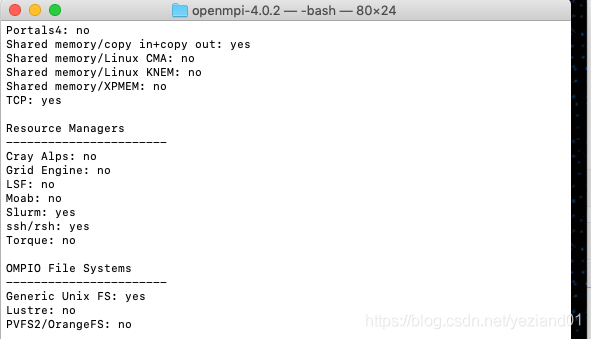
*** Startup tests
checking build system type... x86_64-apple-darwin18.5.0
checking host system type... x86_64-apple-darwin18.5.0
checking target system type... x86_64-apple-darwin18.5.0
checking for gcc... x86_64-apple-darwin13.4.0-clang
checking whether the C compiler works... no
configure: error: in `/Users/xxx/openmpi-4.0.2':
configure: error: C compiler cannot create executables
See `config.log' for more details

What’s wrong with the C compiler?But my GCC is clearly installed correctly.
check, may be a permission problem. Then change the S5 command to
sudo./configure –prefix=/usr/local
. Installation successful.

Authentication token manipulation error appears in ubuntu18.04 password modification

Today I need to change the password of ubuntu18.04, but when I changed the password, the following error occurred:

Authentication token manipulation error

The explanation given online is that there is no authority.
 
The solution

sudo mount -o remount,rw /

Just add a sudo

eric@eric-HP-Z420-Workstation:~$ sudo passwd eric
Enter new UNIX password:
Retype new UNIX password:
passwd: password updated successfully

reference
[1]. The modified Linux password times “the Authentication token manipulation error” wrong solution. https://help.aliyun.com/knowledge_detail/41542.html
[2].Fix “Authentication Token Manipulation Error” When Changing User Password In Ubuntu. https://www.codevoila.com/post/26/fix-authentication-token-manipulation-error-when-changing-user-password-in-ubuntu