Category Archives: How to Fix

RuntimeError: Input type (torch.FloatTensor) and weight type (torch.cuda.FloatTensor) should be the

RuntimeError: Input type (torch.FloatTensor) and weight type (torch.cuda.FloatTensor) should be the same

This problem occurs because the tensor of the input model is loaded in the CPU, while the model is loaded on CUDA.

Solution: load the input tensor into CUDA or load the model into CPU

device = torch.device("cuda" if torch.cuda.is_available() else "cpu")

model = model.to(device)
img = img.to(device)

output = model(img)

Or:

model = model.cuda()
img = img.cuda()

HTTP load failed, 0/0 bytes (error code: -1003 [10:-72000])

Problem Description:
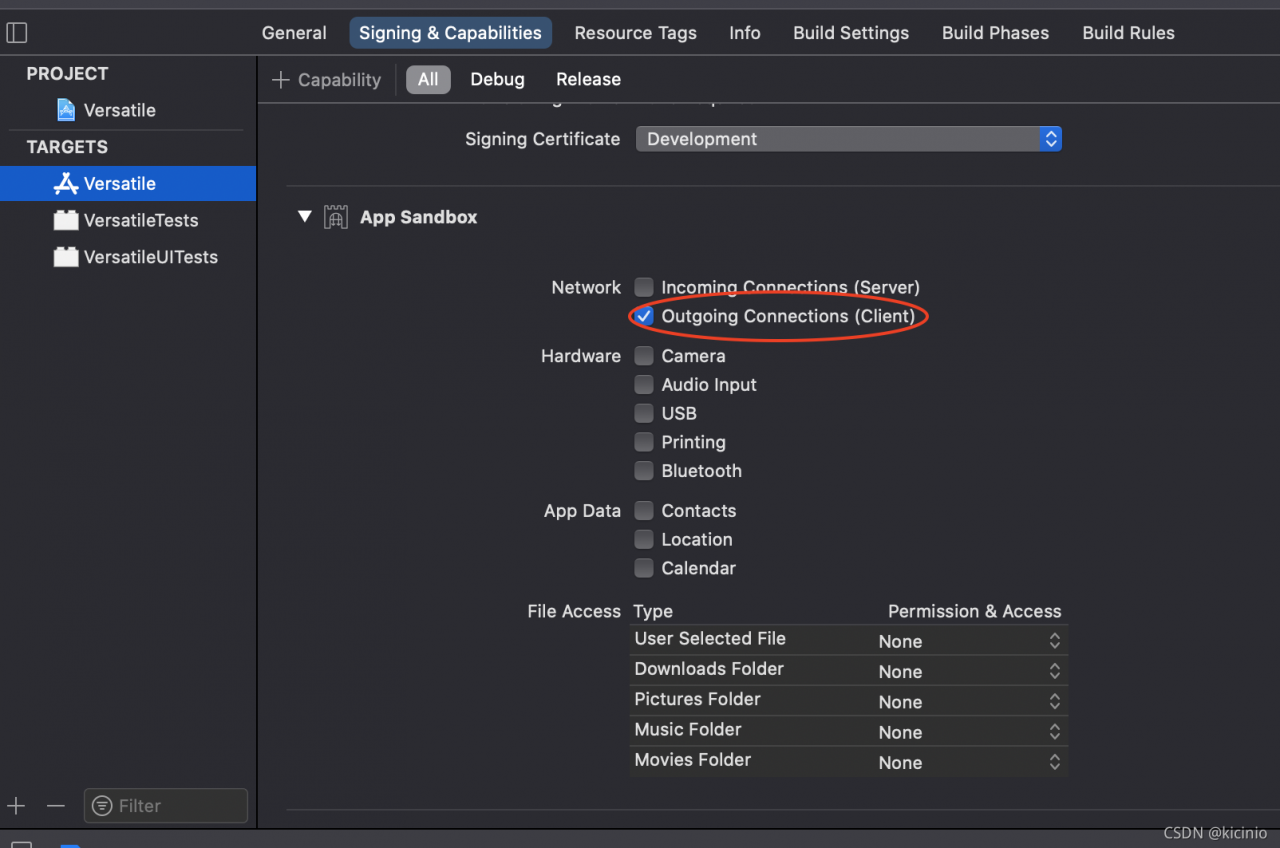
the OS X application cannot access the network request. After timeout, an error is reported: http load failed, 0/0 bytes (error code: – 1003 [10: – 72000])

Reason:
sandbox configuration error

Solution:
first confirm whether the HTTPS access policy is enabled for the project, then find the “. Entitlements” file generated by default, and set the app sandbox value to false. Of course, apple stipulates that the sandbox policy must be enabled for the app store on the shelf, so it can target – & gt; Signing& Find the options in capabilities as shown in the figure below and enable them

CLP: error: getaddrinfo enotfound http://x.x.x.x/

Problem Description:

Use nodejs to connect to the MySQL database of ECs and execute the JS file. The error is as follows:

Error: getaddrinfo ENOTFOUND http://x.x.x.x/
{
  errno: -3008,
  code: 'ENOTFOUND',
  syscall: 'getaddrinfo',
  hostname: 'http://x.x.x.x/',
  fatal: true
}

resolvent:

In the createconnection method, the host can write the domain name or server IP address

Caused by: org.apache.ibatis.builder.BuilderException: Error resolving class. Cause: org.apache.ibat

	Caused by: org.apache.ibatis.builder.BuilderException: Error resolving class. Cause: org.apache.ibatis.type.TypeException: Could not resolve type alias 'userResultMap'.  Cause: java.lang.ClassNotFoundException: Cannot find class: userResultMap
		at org.apache.ibatis.builder.BaseBuilder.resolveClass(BaseBuilder.java:118)
		at org.apache.ibatis.builder.xml.XMLMapperBuilder.resultMapElement(XMLMapperBuilder.java:265)
		at org.apache.ibatis.builder.xml.XMLMapperBuilder.resultMapElement(XMLMapperBuilder.java:252)
		at org.apache.ibatis.builder.xml.XMLMapperBuilder.resultMapElements(XMLMapperBuilder.java:244)
		at org.apache.ibatis.builder.xml.XMLMapperBuilder.configurationElement(XMLMapperBuilder.java:116)
		... 104 more
	Caused by: org.apache.ibatis.type.TypeException: Could not resolve type alias 'userResultMap'.  Cause: java.lang.ClassNotFoundException: Cannot find class: userResultMap
		at org.apache.ibatis.type.TypeAliasRegistry.resolveAlias(TypeAliasRegistry.java:120)
		at org.apache.ibatis.builder.BaseBuilder.resolveAlias(BaseBuilder.java:149)
		at org.apache.ibatis.builder.BaseBuilder.resolveClass(BaseBuilder.java:116)
		... 108 more

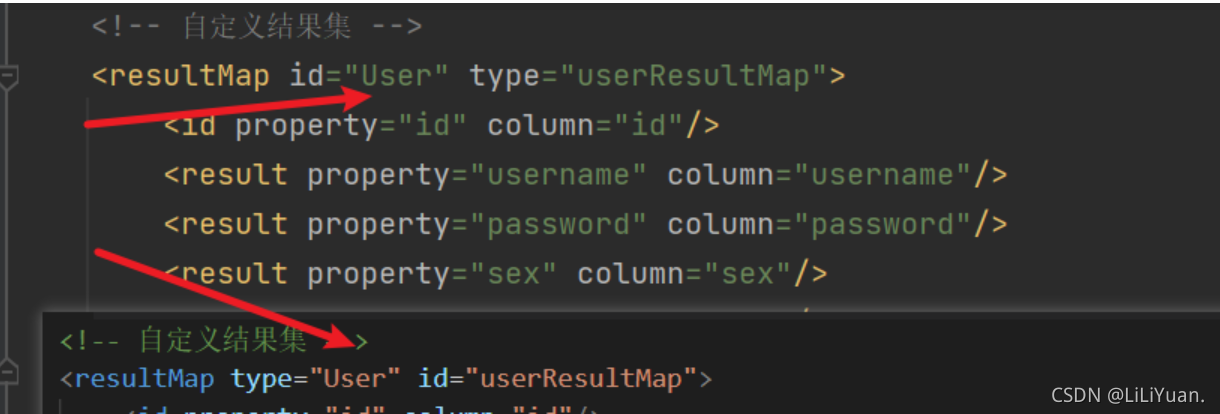
Recently, during SSM integration, I encountered a bug of classnotfoundexception, which means that the result type corresponding to the return value cannot be found. Finally, I found that I wrote the type and ID inversely.

In addition, if the returned value is a basic data type, use resulttype. If it matches resultmap
, such as collection, map, etc., use resultmap. When facing Baidu debug, you will report similar errors when you see this situation

org.springframework.beans.factory.UnsatisfiedDependencyException: Error creating bean with name ‘use

org.springframework.beans.factory.UnsatisfiedDependencyException: Error creating bean with name 'userController': Unsatisfied dependency expressed through field 'userMapper'; nested exception is org.springframework.beans.factory.UnsatisfiedDependencyException: Error creating bean with name 'userMapper' defined in file [E:\ProjectTest\IdeaProject\DVillages\target\classes\com\xh\mapper\UserMapper.class]: Unsatisfied dependency expressed through bean property 'sqlSessionFactory'; nested exception is org.springframework.beans.factory.BeanCreationException: Error creating bean with name 'sqlSessionFactory' defined in class path resource [org/mybatis/spring/boot/autoconfigure/MybatisAutoConfiguration.class]: Bean instantiation via factory method failed; nested exception is org.springframework.beans.BeanInstantiationException: Failed to instantiate [org.apache.ibatis.session.SqlSessionFactory]: Factory method 'sqlSessionFactory' threw exception; nested exception is org.springframework.core.NestedIOException: Failed to parse mapping resource: 'file [E:\ProjectTest\IdeaProject\DVillages\target\classes\mybatis\mapper\supervise\ComplaintMailbox.xml]'; nested exception is org.apache.ibatis.builder.BuilderException: Error parsing Mapper XML. The XML location is 'file [

Before XML modification of SQL statement:

after modification

the reason is the wrong parametertype

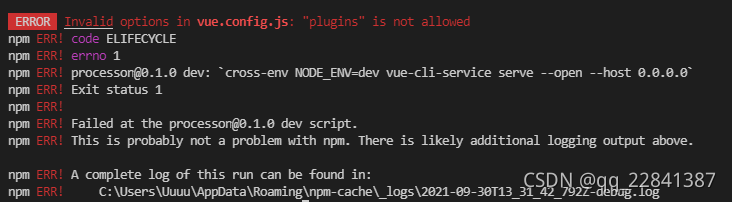
ERROR Invalid options in vue.config.js: “plugins“ is not allowed

Problem Description:

When importing jQuery, if index. JS is not found, it is directly added to Vue. Config. JS , and the following error occurs

Reason: unknown

resolvent:

Add configurewebpack to the outer layer

const path = require('path')

var webpack = require('webpack')


function resolve(dir) {
    return path.join(__dirname, dir)
}
module.exports = {
    configureWebpack: {
        plugins: [
            new webpack.ProvidePlugin({
                $: "jquery",
                jQuery: "jquery",
                "windows.jQuery": "jquery"
            })
        ]
    }
}

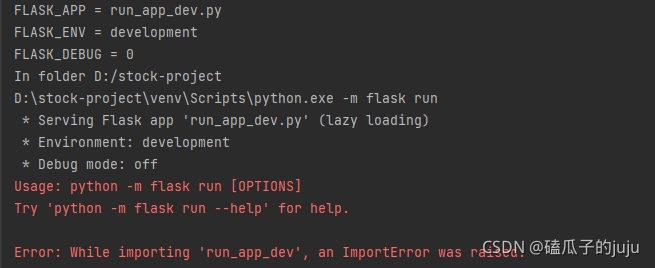
Error: While importing ‘run_app_dev‘, an ImportError was raised.

Problem description

Running a python flash project on a new machine causes the following problems:
error: while importing 'run_ app_ dev', an ImportError was raised.

resolvent

It is said on the Internet that it is a circular call problem, but this project can run on my laptop. I doubt whether it is the version of flash, because I directly installed the latest Flash. After uninstalling the latest flash, I installed 1.1.2 flash. This problem is solved

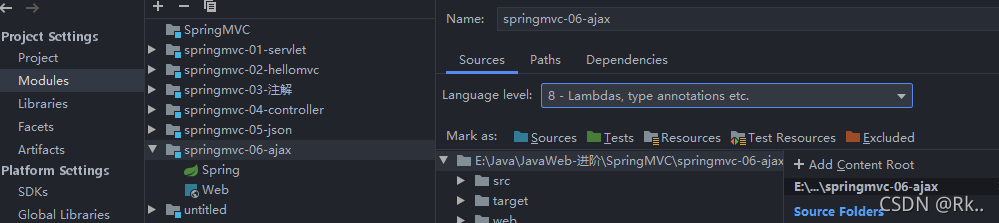
Java: compilation failed: internal java compiler error and invalid source distribution resolution

Reason: it is mainly because the JDK version is inconsistent        

1. The compiled version does not match. 2. The current project JDK version does not support        

1. First, view the JDK of the project

File -> Project Structure-> Project Settings -> Project
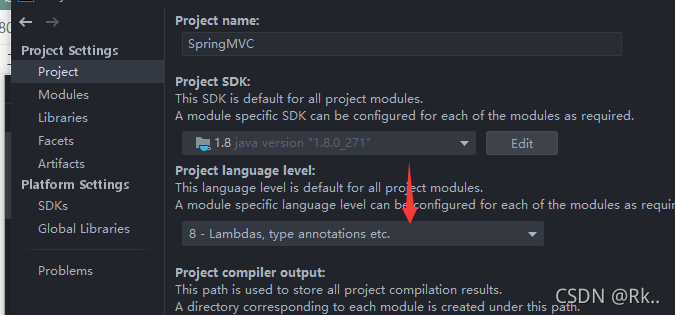
                  1.8 must correspond to 8

Check whether the JDK of the current project (module) is the same as that of the project
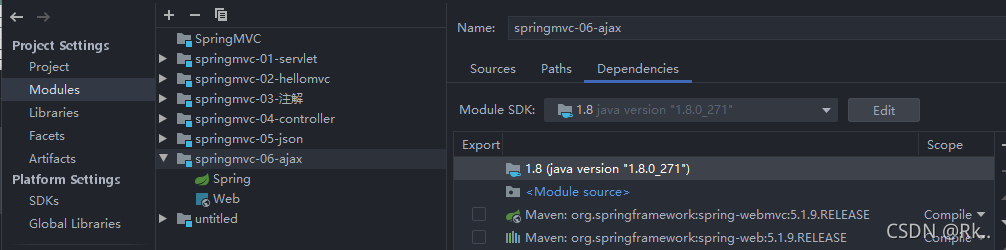
2. Maven is used in the idea to build the project. The target bytecode version is automatically changed to 1.5     Because no JDK is specified in maven, it will be scanned as the default JDK version   View and set the java compiler version (target bytecode version)

File–> Setting–> Build,Execution,Deployment–>Compiler–> Java compiler sets the corresponding module
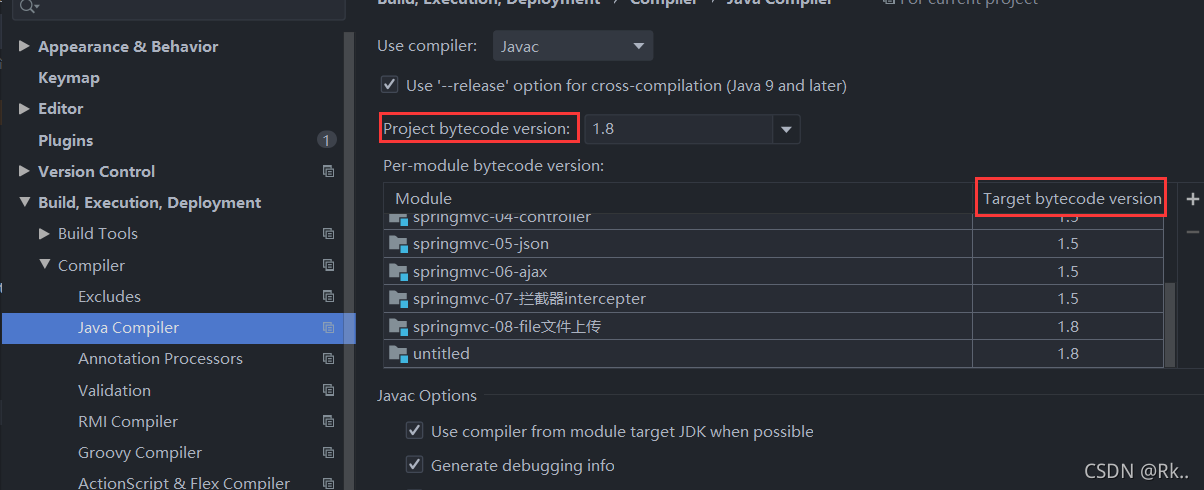
         The appropriate version of target bytecode version, such as JDK1.8     Change 1.5 above to 1.8

Solution:

Add Maven compiler plugin to pom.xml so that it will not automatically become 1.5

     <plugin>
                <artifactId>maven-compiler-plugin</artifactId>
                <version>3.5.1</version>
                <configuration>
                    <source>${java.version}</source>
                    <target>${java.version}</target>
                    <encoding>UTF-8</encoding>
                </configuration>
      </plugin>
After the crack is installed correctly, open matlab r2018a and report the error license manager error-8

Error: when you open matlab on the desktop, the following error will appear
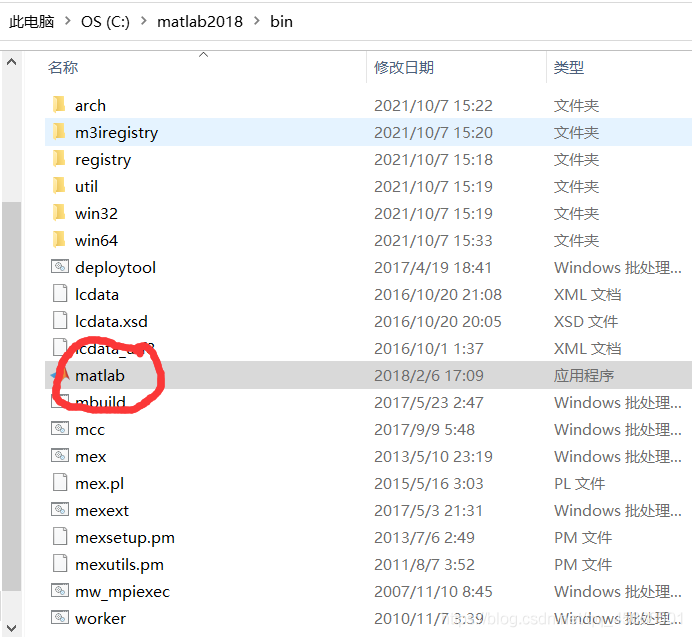
solution: delete matlab on the desktop and open the application in MATLAB 2018/bin/Matlab under the software installation path


my computer is windows 64 bit. Matlab was correctly installed and cracked according to the online tutorial. At first, it was thought that the security key or something had expired, The solution was discovered later