eg.
./configure: line 14956: syntax error near unexpected token `PROTOCOL,'
./configure: line 14956: `PKG_CHECK_MODULES(PROTOCOL, spice-protocol >= 0.6.0)'
answer:
to install pkg-config
Category Archives: How to Fix
NSIS “Win32 Error, Code:740 , the requested operation needs to promote the error resolution
After using the NSIS installation wizard to generate the script and pressing F9, it was prompted: Win32 Error,Code:740. The requested operation needs to be promoted
Solutions:
Open NSIS Edit with administrator privileges, open the file for editing and run.
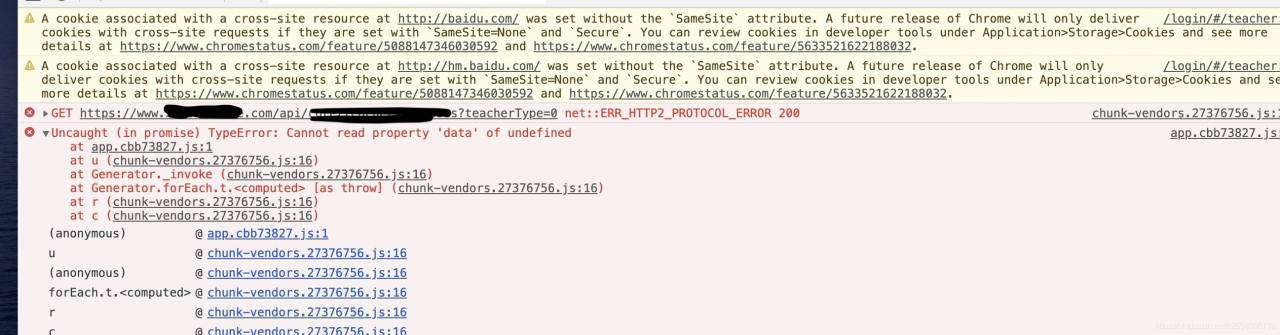
Ngixn exception net:: err_ HTTP2_ PROTOCOL_ ERROR 200

Net ::ERR_HTTP2_PROTOCOL_ERROR 200 shows up after multiple calls from multiple interfaces
Therefore, it is basically concluded that it is not a single interface or database problem, because we used four Nginx for load balancing and forwarding, so it is basically concluded that nginx is the problem, but which machine in Nginx and what causes it?
The positioning strategy in 2 is given below:
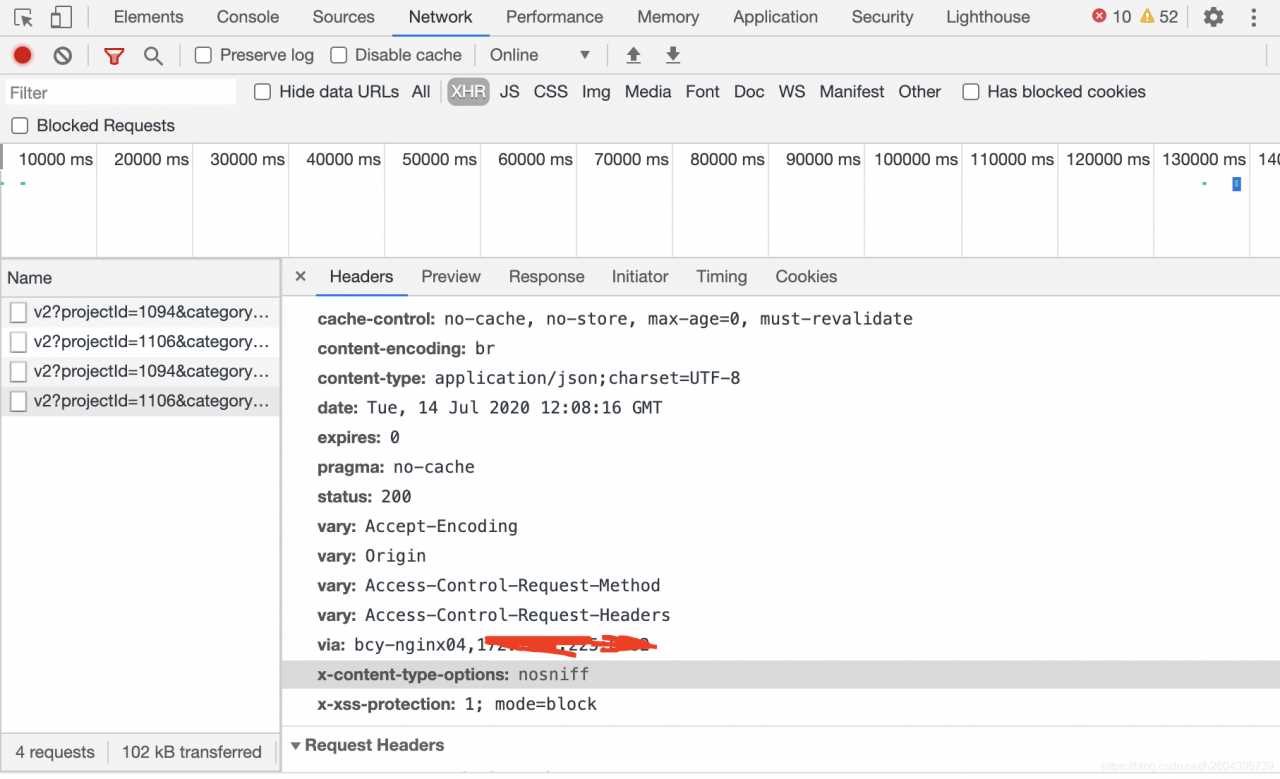
1) Observe the HEADER information in HTTP every time there is an error, and count the nginx information corresponding to via label in the header every time. This method can be derived from the problem of Nginx.
Below:
2) In the dead of night, no one else called the service, so I called it by myself. I checked the log files of each Nginx service separately to see which machine would have error information when there was a problem. Here is my machine error log:
2020/07/13 11:45:52 [Error] 20217#0: *85294045 Open () “/usr/local/nginx-1.18/ HTML /50x.html” failed (2: No such File or Directory), Client: 100.97.200.204, Server: www.test.com, Request: “POST/API/core/scratch/exercise/HTTP/1.1”, the host: “www.test.com”, referrer, “https://www.test.com/scratch/v3/?token=aee00163e0b79bf004a0001& projectType=1& practiceType=2& lesson=0172cd54dad800163e0b79bf004a0001& class=7712bc6db96f48febccafe008d9869a1& templateId=65032& category=2& role=1& fr=ts& canSave=1& isOnline=0”
This method gives the specific reason for the error, which I have seen here is that the file does not exist and cannot be opened.
Then I communicated with operation and maintenance and found out that Nginx upgraded today, but only reload was not restarted, so the solution to the problem caused by some cached information was to restart Nginx after operation and maintenance.
Here’s an article on the difference between nginx restart and Reload:
https://www.cnblogs.com/fanggege/p/12145956.html
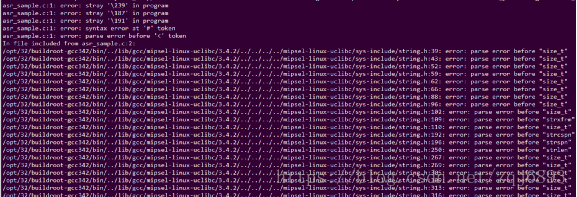
Error: stray ‘- 239’in program solution
However, when using miPSEL -Linux-GCC cross-compilation, the error is reported from the first line of the code, as shown in the figure below:
Error: stray ‘239 \’ in the program
Error: stray ‘387 \’ in the program

The reason:
Placing boms in UTF-8 files is largely Microsoft’s custom (by the way, it’s also Microsoft’s custom to call a SMALL sequence UTF-16 with A BOM “Unicode” without specifying it). BOM (Byte Order Mark) is prepared for UTF-16 and UTF-32 and is used to mark byte order. Microsoft USES BOM in UTF-8 because it makes a clear distinction between encoding like UTF-8 and ASCII, but such files can cause problems in operating systems other than Windows.
No BOM is required in UTF-8, although the Unicode standard allows the use of Boms in UTF-8. So UTF-8 without BOM is the standard form.
Solutions:
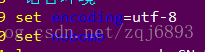
Use VI to open the code and set the NoBomb item.
: set nobomb
Save and exit.
Or, add Settings to the system’s VIM configuration file and reopen ViM:
vim ~/.vimrc
Error: failed to format “E:”; Diskpart errorlevel – 2147212243
In the afternoon, I made the following mistake when installing Windows PE to usb flash disk:
D:\Windows Kits\10\Assessment and Deployment Kit\Deployment Tools>MakeWinPEMedia /UFD C:\WinPE_amd64 E:
WARNING, ALL DATA ON DISK DRIVE E: WILL BE LOST!
Proceed with Format [Y,N]?Y
Formatting E:...
ERROR: Failed to format "E:"; DiskPart errorlevel -2147212243.
This error is because the size of the USB drive exceeds the maximum size of FAT32 by 32G.
solution is to format the usb disk into FAT32 format.
Error c2143: syntax error: missing ‘;’ before ‘type’
Reason: Generally in ANSI C or C++, it is allowed to define variables at any time in executable code, but in K& It’s not allowed in R and C, and that’s why we have this error. VC6.0, VS2008 are used K& R C to implement the C language, so the compilation process will report errors.
In pure C, variable declarations for a block of code are usually at the front end.
Solution: 1. Put all variable declarations at the beginning.
2. Save the file as. CPP file.
Fatal IO error 11
fatal io error 11 on x server:1
Method one:
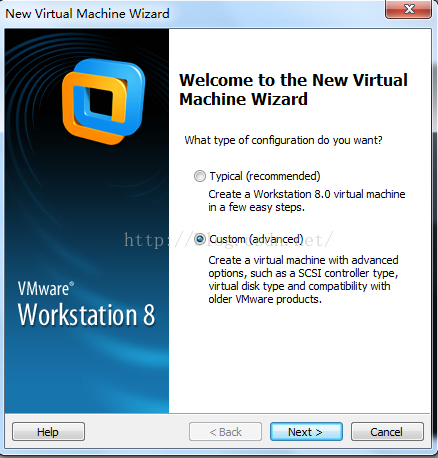
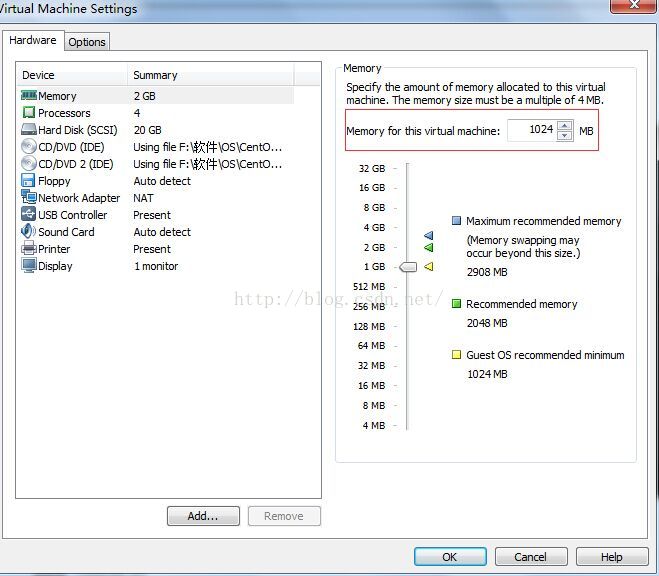
In VMware Workstation8.0, set as follows:
1. Create the virtual machine as shown in the figure below

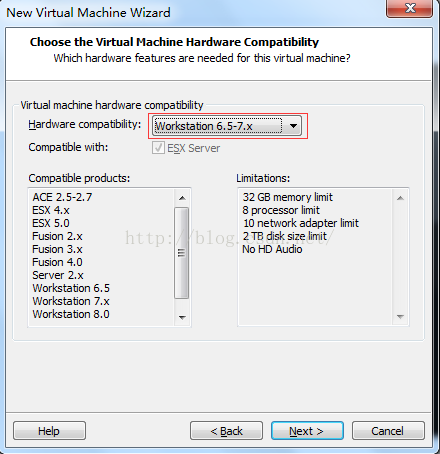
2. Modify the virtual machine hardware compatibility 6.5-7.x,

3. At least 1G of virtual machine memory

4. The resolution of the virtual machine is at least 800*600, and I set it to 1024*768
After the above four steps, fatal IO Error 11 on X Server :1 of Cenos-6.6 installed on the virtual machine can be resolved
Method 2:
Set the memory on the virtual machine to be less than 1024M, and I generally set the memory to be 512M, so as to skip the installation of X Server related services and solve the fault.
SQL server error 15404 solution
The job runs with “domain\ User” and the following error is encountered:
JOB RUN: 'Product_JobTest' was run on 2016/10/27 at 4:30:00
DURATION: 0 hours, 0 minutes, 0 seconds
STATUS: Failed
MESSAGES: The job failed. Unable to determine if the owner (domain\user) of job Product_JobTest has server access (reason: Could not obtain information about Windows NT group/user 'domain\user', error code 0x5. [SQLSTATE 42000] (Error 15404)).
Read the following reference articles:
http://www.cnblogs.com/kerrycode/p/3339558.html
http://www.cnblogs.com/kerrycode/p/5551994.html
http://consulting.risualblogs.com/blog/2013/03/01/could-not-obtain-information-about-windows-nt-groupuser-domainuser-error-code-0x5-sqlstate-42000-error-15404-connisloginsysadmin/
We started to try to modify the owner of the job as SA, and encountered two problems:
1. For the report subscription job generated by the report service, the subscription scheduling time of 2008R2 failed to be modified, and this problem was not encountered in 2014.
2. For the cross-server access job deployed by the business, it will be verified with the startup account of SQL Server Agent service, and the access permission of LINKEDSERVER needs to be configured.
Solutions:
On the domain controlled Server, add the startup account of SQL Server service to “BUILTIN\Windows Authorization Access Group”, and then let the job run with “Domain \ User” as the owner, and no error will be reported.
Error c2065: ‘new’: undeclared identifier, mainly because it is a. C file
in.c, new is not declared,
If it is in a.cpP file, there is no problem
Error: option — single version externally managed not recognized
error: option –single-version-externally-managed not recognized

The reason may be that your installation package is in wheel format. If you do not have wheels installed on your computer, you will report this error.
Here’s how I solved it:
First install the wheel: PIP Install wheel
Then PIP install the package I want: PIP install mysql-connector-Python-RF ==2.1.3
Solved my problem:
Vs2013 package deployment error: isdev: error – 6003: an error occurred streaming
I used InstallShield 2015 and all the way to the end of “rebuild the solution,” the following error kept appearing:
ISDEV : error -6003: An error occurred streaming 'C:\Program Files\InstallShield\2009\Support\0x0804.ini' into setup.exe
ISDEV : error -6003: An error occurred streaming 'C:\Program Files\InstallShield\2009\Redist\Language Independent\i386\instmsiw.exe' into setup.exe
ISDEV : error -6003: An error occurred streaming 'C:\Program Files\InstallShield\2009\Redist\Language Independent\i386\instmsia.exe' into setup.ex
Back and forth redeployed several times are like this, the last word on the net:
shut down the computer anti-virus software, solved!
drunk drunk
VB error run time error ’91’
Reference:
run-time error ’91’ object variable or with block variable not set
I looked it up for a long time, but I didn’t go to new when I used the variable,