Category Archives: How to Fix

Ubuntu18.04 installing Tomcat 8.5

Refer to the link
1. Download
and go to Apache Tomcat® official website to download
. Select the tar.gz version under Core
2. Move, unzip

mv apache-tomcat-8.5.60.tar.gz /opt/software
tar -zxvf /opt/software/apache-tomcat-6.0.41.tar.gz -C /opt/module/tomcat8.5.60 

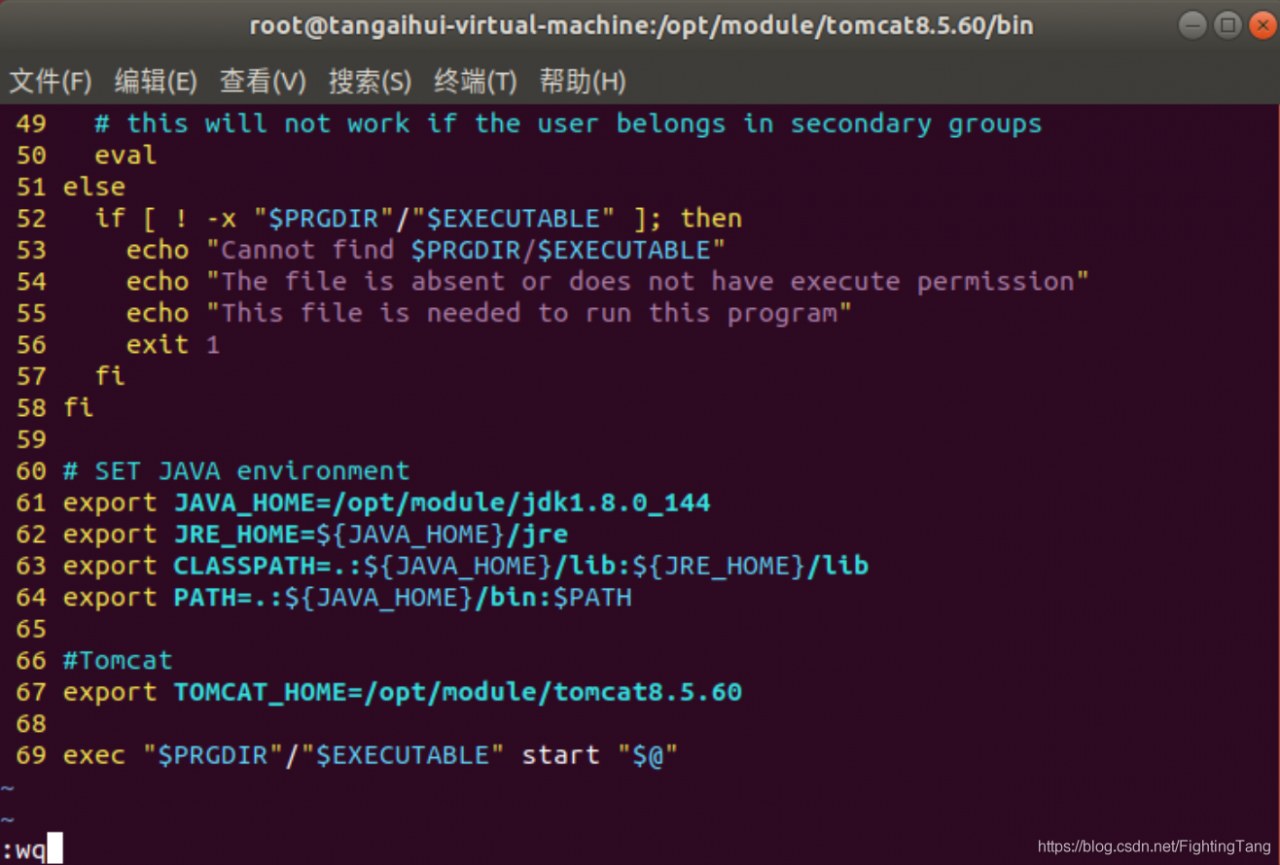
3. Modify the configuration (1) to modify the startup script, add lines 67-66
/opt/module/tomcat8.5.60/bin/startup. Sh

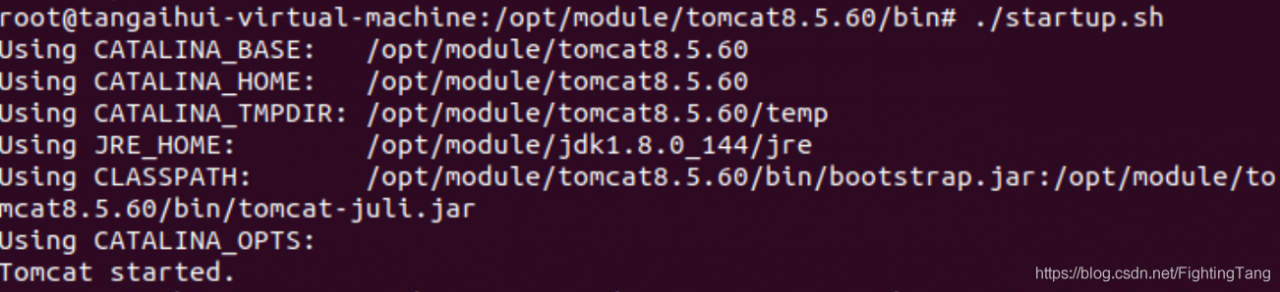
(2) start in tomcat bin directory, run./startup. Sh, Start tomcat
./startup. Sh

(3) verify
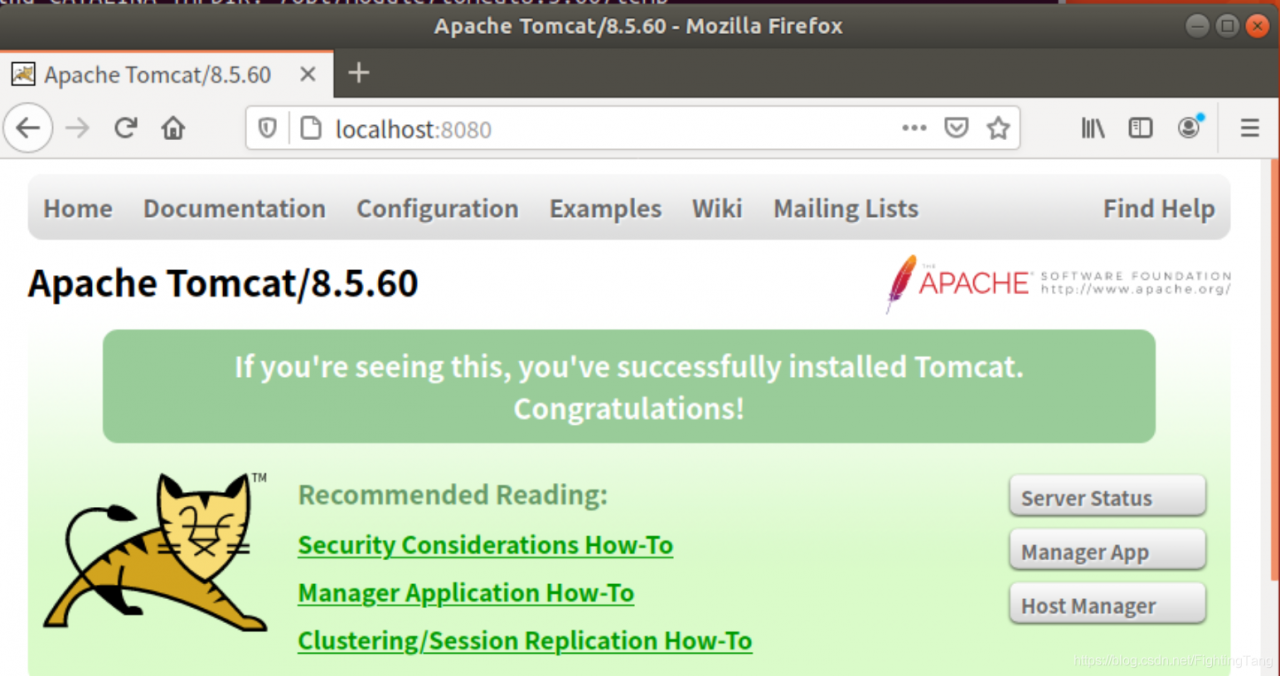
browser enter localhost:8080, access successful

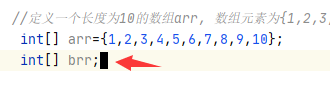
When IntelliJ idea is programmed, 1. Black thick line or black cursor appears; 2. The solution of carriage return unable to wrap. (practical recommendation method 2)

Intellij idea programming 1. Black thick lines or black cursor 2. A solution that cannot wrap a line by carriage return. (Practical Recommendation Method 2)

reason: it is usually caused by accidentally pressing insert. Some computers abbreviate insert, putting Del and Ins together, and Ins is the insert key.
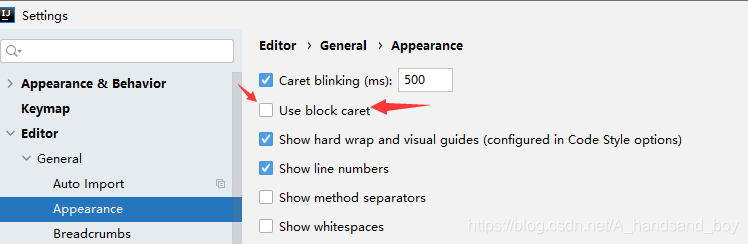
Method 1. Click Intellij Idea on the upper left corner of the main interface, File> Settings> The diagram below * * * *
Put him on the Use block caret, and you can get back to your old self. ***

Method 2 (recommended) : Press and hold the Fn+ INSERT key to restore directly.
note: do not press Fn+insert if Use block caret is checked, otherwise the enter key will fail to wrap.
PS: restore the enter enter key newline function solution:
cancel Use block caret in the check box (default is no check, no change can be ignored), and then hold down Fn+insert key, so that the cursor and return will return to the original.

Invalidation of margin top property of nested box in CSS style box

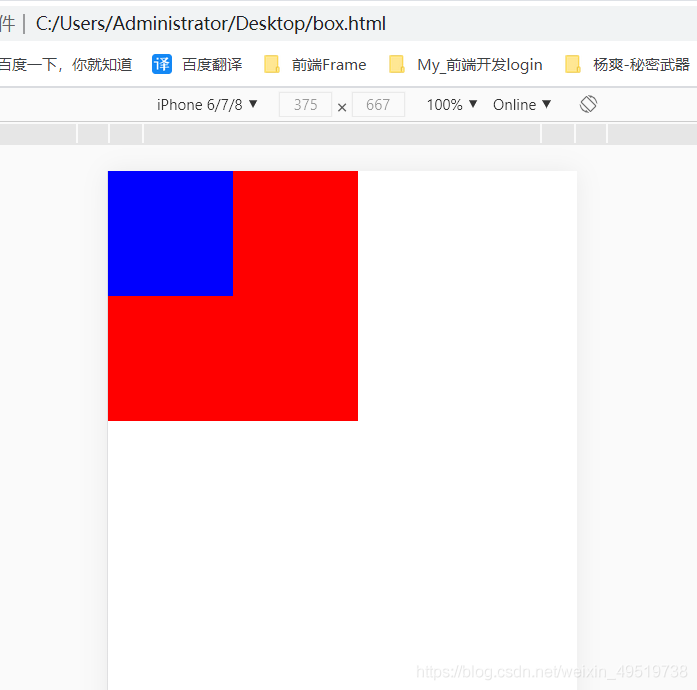
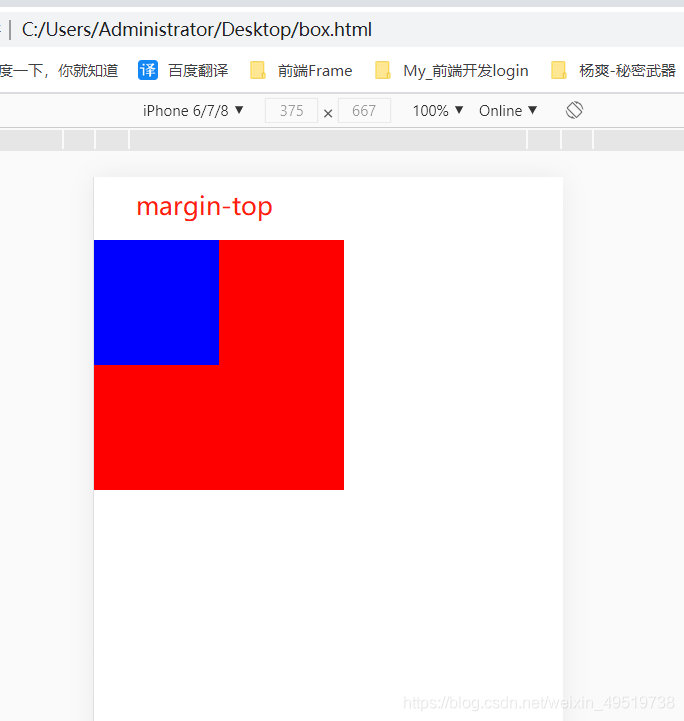
When we write CSS styles, when two boxes are nested together, the top of the inside box is placed on the top of the outside box, as shown in the figure below:

At this time, if the properties like margin-top are set for the inner box, there will be no space between the top of the inner box and the outer box, but the outer box is pushed down, as if margin-top property is set for the outer box.
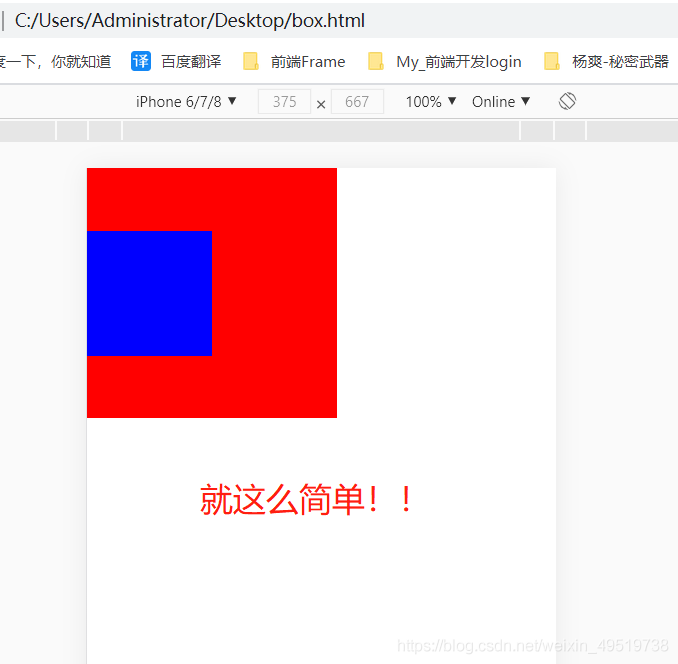
set margin-top property for the inner box, as shown in the figure below:

<style>
* {
    margin: 0;
    padding: 0;
}
.wrap {
    width: 200px;
    height: 200px;
    background-color: red;
}
.wrap .box {
    width: 100px;
    height: 100px;
    background-color: blue;
    margin-top: 50px;
}
</style>
<body>
    <div class="wrap">
        <div class="box"></div>
    </div>
</body>


so the simplest way is to add a property to the outer box :

overflow: hidden;

The results are as follows:

Node connects to MySQL error “Er”_ NOT_ SUPPORTED_ AUTH_ Mode “solution

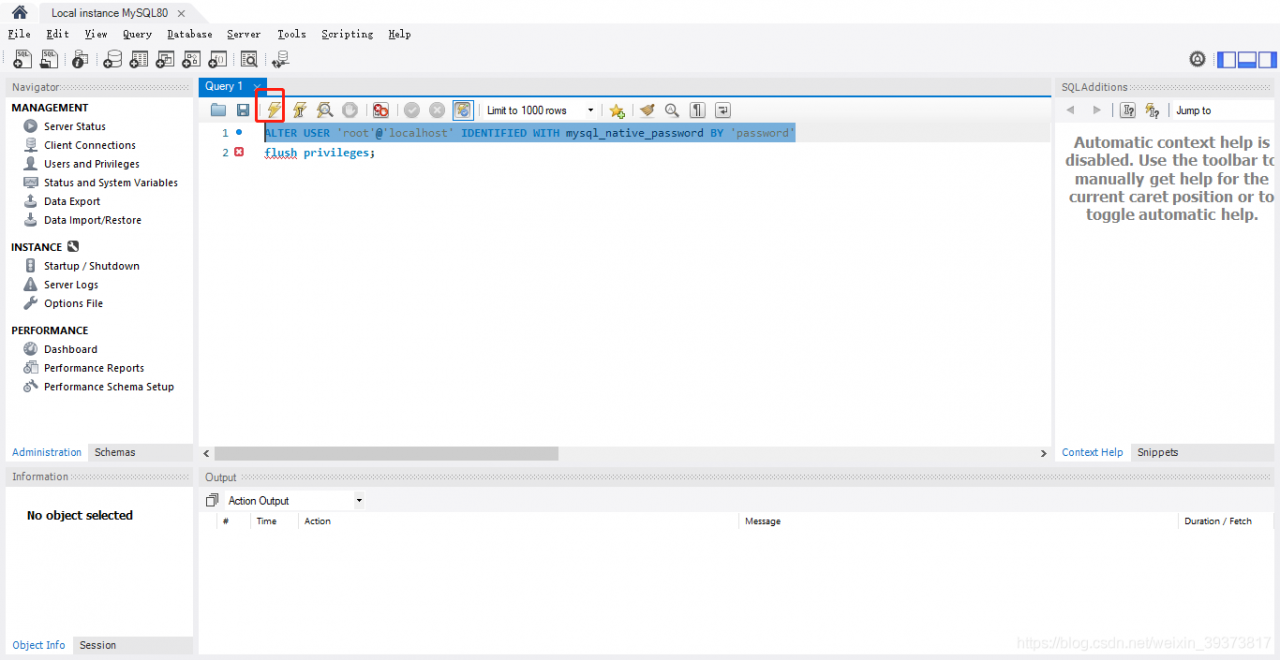
Perform the following query in MYSQL Workbench
ALTER USER ‘root’ @’ localhost ‘IDENTIFIED WITH mysql_native_password BY’ password ‘
when root is USER localhost of your url, and password is your password
, then run the following query to flush privileges:
flush privileges;
try using node connections after completion.
if that doesn’t work, try @’ localhost ‘

Use of HQL query.list () is a null pointer exception, but the database can find out the result

HQL uses query.List () as a null pointer exception, but the database can detect the result
Solutions:
Check that the database dialect is configured correctly in hibernate configuration
org.hibernate.dialect.OracleDialect

<property name="hibernateProperties">
	<props>
		<prop key="hibernate.dialect">org.hibernate.dialect.OracleDialect</prop>
		<prop key="hibernate.show_sql">true</prop>
		<prop key="dynamic-update">true</prop>
		<prop key="hibernate.jdbc.batch_size">0</prop>
	</props>
</property>

Give common database dialects

RDBMS

dialect

DB2

org. Hibernate. The dialect. DB2Dialect

DB2 AS/400 org.hibernate.dialect.DB2400Dialect
DB2 OS390 org.hibernate.dialect.DB2390Dialect
PostgreSQL org.hibernate.dialect.PostgreSQLDialect
MySQL org.hibernate.dialect.MySQLDialect
MySQL with InnoDB org.hibernate.dialect.MySQLInnoDBDialect
MySQL with MyISAM org.hibernate.dialect.MySQLMyISAMDialect
Oracle (any version) org.hibernate.dialect.OracleDialect
Oracle 9i/10g org.hibernate.dialect.Oracle9Dialect
Sybase org.hibernate.dialect.SybaseDialect
Sybase Anywhere org.hibernate.dialect.SybaseAnywhereDialect
Microsoft SQL Server org.hibernate.dialect.SQLServerDialect
SAP DB org.hibernate.dialect.SAPDBDialect
Informix org.hibernate.dialect.InformixDialect
HypersonicSQL org.hibernate.dialect.HSQLDialect
Ingres org.hibernate.dialect.IngresDialect
Progress org.hibernate.dialect.ProgressDialect
Mckoi SQL org.hibernate.dialect.MckoiDialect
Interbase org.hibernate.dialect.InterbaseDialect
Pointbase org.hibernate.dialect.PointbaseDialect
FrontBase org.hibernate.dialect.FrontbaseDialect
Firebird org.hibernate.dialect.FirebirdDialect

Solving the problem of Chinese garbled code in qtring

Qt solves the problem of Chinese gibberish

qt generally set in the designer interface Chinese title what can be displayed normally.

but in QString, for example, when QPainter is painting Text, if the char* passed in contains Chinese, it will usually show a garbled code. At this time, two places need to be set:

    in main. CPP set QTextCodecQString using static method fromLocal8Bit(char*)
    for the first place, set in main. CPP as follows:
#include "MainWindow.h"

#include <QApplication>
#include <QTextCodec>

int main(int argc, char *argv[])
{
    QApplication a(argc, argv);
    QTextCodec* codec = QTextCodec::codecForName("GB2312");
    QTextCodec::setCodecForLocale(codec);
    MainWindow w;
    w.show();
    return a.exec();
}

For the second place, use the following method in a char* containing Chinese characters:

QString::fromLocal8Bit(char*)

Where you want to pass in a QString, if Chinese is included, you need to do the above two Settings.

If the iframe in IE refers to the cross domain site page, the session fails

Problem scenario:

Personal confidence page through the IFrame nested third party page, domain name is different, call the third party interface, in Chrome test normal, in Internet Explorer is embedded in the page Session invalidation. (Session is based on cookie implementation, reference page is not allowed to use cookie)

Problem analysis:

The IE-supported P3P(Platform for Privacy Preferences Project (P3P) Specification) protocol by default prevents third party cookies without Privacy security claims, and Firefox does not currently support P3P security features, nor does it naturally exist in Firefox.

Solutions:

1. Modify the setting of the Client
so that the Client can accept cookies from any website (specifically set in the privacy page of IE option to add B site to the trusted site)
or set both domains to the trusted site

2. The domain of the application modifies the
simple scheme: two applications use the same domain
Complex solution: you can force changes to

through setdomain in pages loaded by the iframe. 3. P3P
first: output the host header declaration of P3P in the content to be embedded (the site the iframe points to) as follows:
Open IIS Manager InetMgr to be embedded in the iFrame source site or directory, right-click to open the Properties box and toggle to HTTP headers Add custom HTTP headers P3P Custom HTTP headers CP=”CAO PSA OUR” Close the properties box and exit, effective immediately
Response.addheader (“P3P”,”CP=CAO PSA OUR”);

Transfer: https://www.cnblogs.com/weibozeng/archive/2013/11/06/3410904.html

Running error of dbeaver installed by deepin

After installing DBeaver, double-click the DBeaver icon to launch an error:
A Java Runtime Environment or Java Development Kit(dkmust be available in order to run eclipse. no java virtual machinewas found after searching the following locations:……
To the/usr/share/dbeaver/dbeaver ini
add JDK path
 
in
-vmargs
-Xms64m
-Xmx1024m
Before the increase

/home/vm gusen huanjin/jdk1.8.0 _111/bin
 

Python failed to read TIF file exported by envi.

Python failed to read files saved directly as TIF or TIF in ENVI.
error is reported as follows:

Traceback (most recent call last):
  File "/data/wdh/.conda/envs/AI_studywdh/lib/python3.6/site-packages/tifffile/tifffile.py", line 2296, in __init__
    byteorder = {b'II': '<', b'MM': '>', b'EP': '<'}[header[:2]]
KeyError: b'\x00\x00'

During handling of the above exception, another exception occurred:

Traceback (most recent call last):
  File "beijing_landsat.py", line 19, in <module>
    band1 = imageio.imread(path+img_path[:-1]+'1.tif')
  File "/data/wdh/.conda/envs/AI_studywdh/lib/python3.6/site-packages/imageio/core/functions.py", line 265, in imread
    reader = read(uri, format, "i", **kwargs)
  File "/data/wdh/.conda/envs/AI_studywdh/lib/python3.6/site-packages/imageio/core/functions.py", line 186, in get_reader
    return format.get_reader(request)
  File "/data/wdh/.conda/envs/AI_studywdh/lib/python3.6/site-packages/imageio/core/format.py", line 170, in get_reader
    return self.Reader(self, request)
  File "/data/wdh/.conda/envs/AI_studywdh/lib/python3.6/site-packages/imageio/core/format.py", line 221, in __init__
    self._open(**self.request.kwargs.copy())
  File "/data/wdh/.conda/envs/AI_studywdh/lib/python3.6/site-packages/imageio/plugins/tifffile.py", line 226, in _open
    self._tf = _tifffile.TiffFile(f, **kwargs)
  File "/data/wdh/.conda/envs/AI_studywdh/lib/python3.6/site-packages/tifffile/tifffile.py", line 2298, in __init__
    raise TiffFileError('not a TIFF file')
tifffile.tifffile.TiffFileError: not a TIFF file

Solution:
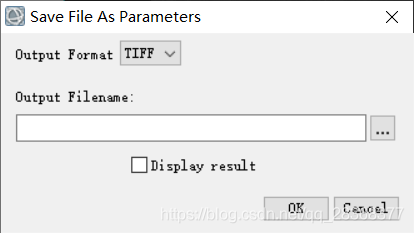
please use save as option
file — > save as

Cannot find module ‘webpack cli / bin / config yargs‘

Webpack dev – server issue official link:
https://github.com/webpack/webpack-dev-server/issues/2759

webpack-dev-server update version, the command line changed from
webpack dev serve to webpack serve
, so the package.json needs to be changed to:

"scripts": {
    "dev": "webpack serve --mode development"
  }

See the dead simple Readme:
https://github.com/webpack/webpack-dev-server

Perl application – delete “. SVN” folder in current directory and subdirectory

Use the File::Find module
The File::Find module in Perl is used for searching and finding files. Can be used to search for filenames across the file system, using regex to match filenames and looping through any directory structure.
Two methods of the File::Find module
The find method traverses from top to bottom.
The findDepth method iterates from the bottom up.

Function Prototypes
 use File::Find;
 find(\&wanted, @directories_to_search);
 sub wanted { ... }

where the first argument wanted is a subfunction, a callback function, which you define yourself.
This parameter must be there, even if its content is empty. The second argument is a list of directories, which can also be
is a common string scalar for directory names. Note that the &wanted subroutine needs to be preceded by a backslash escape. 

both call in the same format, such as finddepth(\& Del_svn, “.”) , the first argument is the called subfunction, the second argument is the directory, “.”) , the first argument is the called subfunction, the second argument is the directory, “.” represents the current directory. represents the current directory.

#!/usr/bin/perl /usr/bin/perl -w
#Function: The script deletes all .svn files from the current directory and its subdirectories.
# Use: command line type: perl delete_svn.pl
# Save the following code in the file named delete_svn.pl
use strict;
use File::Find;

sub del_svn {
    if ($_ eq ".svn") {
       system("rm -rf $_");
    }
}

finddepth(\&del_svn, ".");
print "finished.\n";

The system function is used to invoke the system command, and RM-RF is used to delete the command under Linux
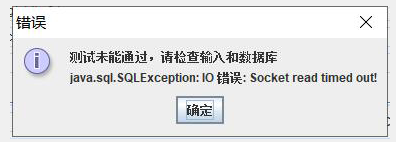
java.sql.SQLException : IO error: socket read timed out!

When run the enterprise software mode configuration database to produce the error,
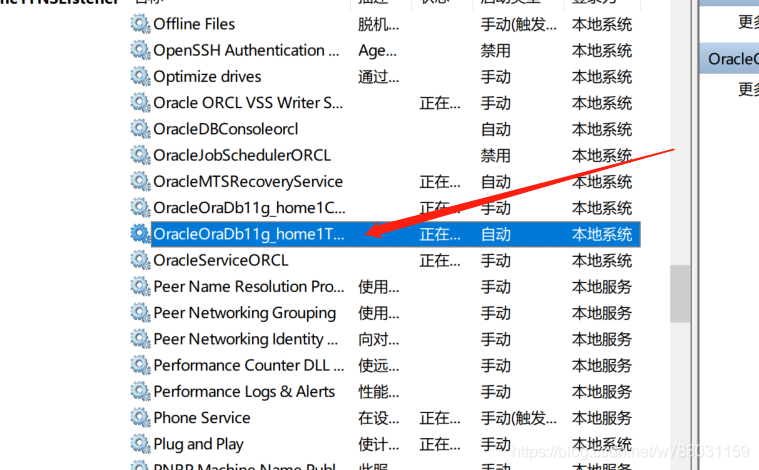
in one by one to eliminate error finally find out the reason stems from oracle listener service (OracleOraDb11g_home1TNSListener) has not started, the role of the service is the database need to remote access to start, I’m in the local PC CeShiPao project so no to this side.
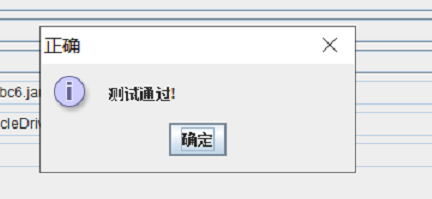
successfully started.