Category Archives: How to Fix

[problem record] objc_ Too many arguments to function call

Objc_msgSend can be used with arguments before Xcode 6. Too many arguments to function call after Xcode 6. ;
The solution

Build Settings -> Enable Strict Checking of objc_msgSend Calls to NO.
br>
<>nt>

this method fails in Xcode 12.
2, Through type casting

((void (*)(id, SEL, id))objc_msgSend)(target, sel, value);

The number of parameters to be passed is self-defined

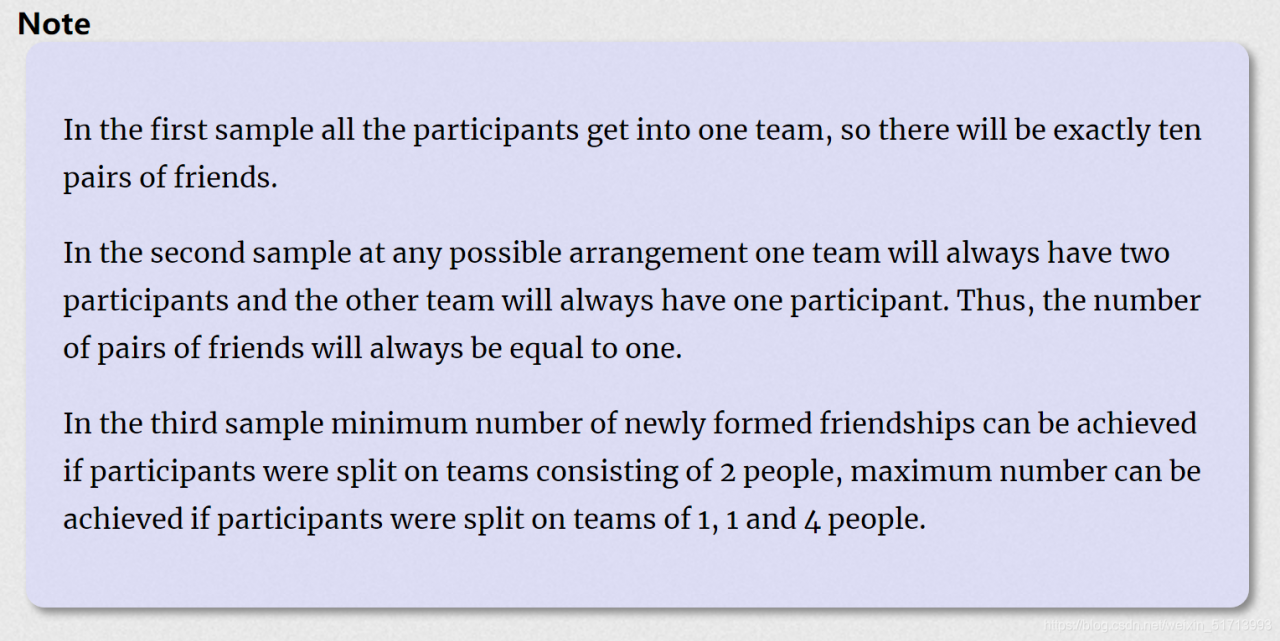
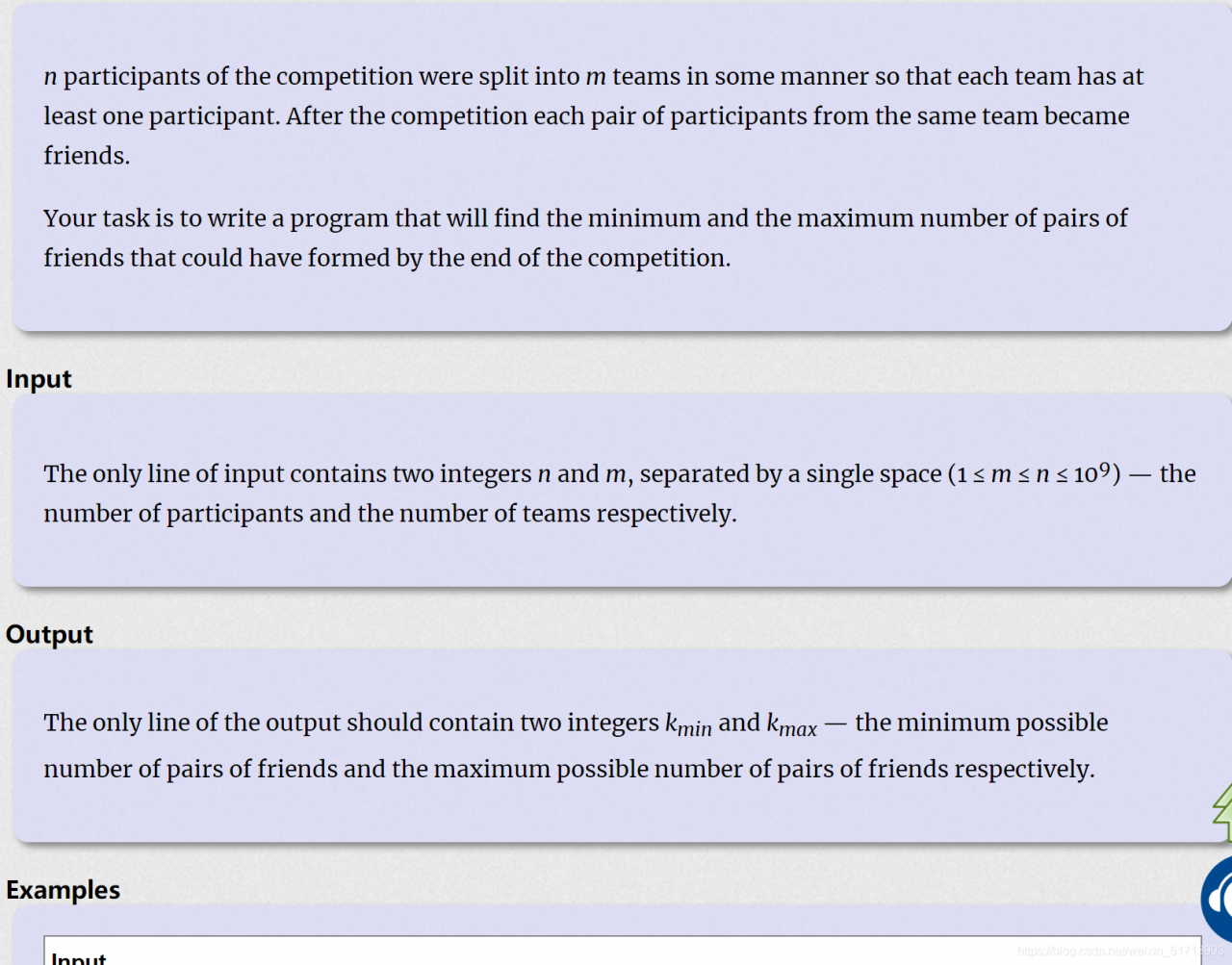
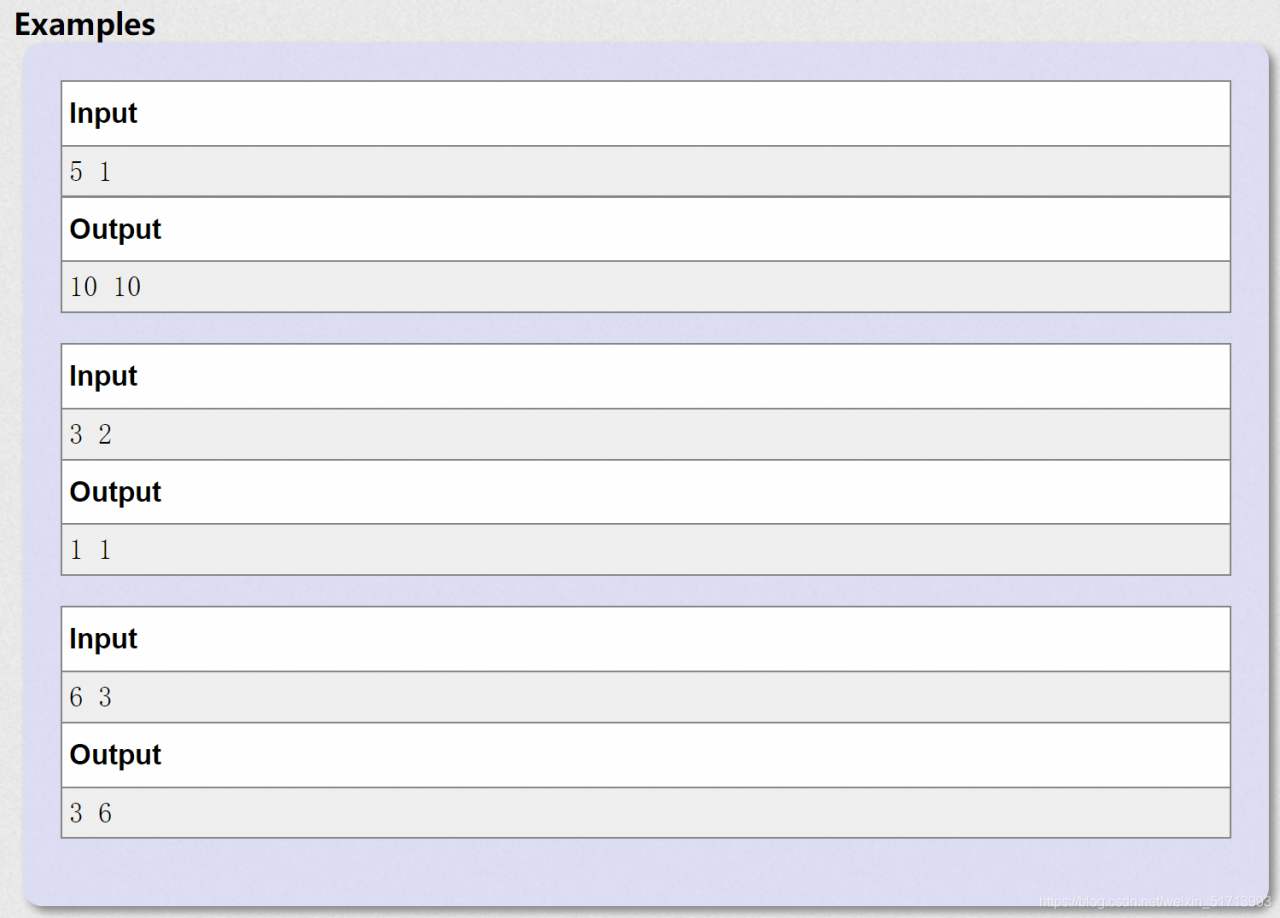
P – Random Teams


mathematical knowledge

#include <iostream>
#include <string.h>
#include <algorithm>

using namespace std;
int main()
{
	int t;
	long long m,n;
    cin>>n>>m;
    
    	cout<<(m-n%m)*(n/m)*(n/m-1)/2+(n%m)*(n/m+1)*(n/m)/2<<" "<<(n-m+1)*(n-m)/2<<endl;
    
  
	return 0;
}

Nginx modifies the front end request size limit (413 request entity too large)

During use of NGINX, if the request message is too large in the front-end POST request, it is usually necessary to increase the value of the client_max_body_size property, which defaults to 1M. Avoid 413 Request Entity Too Large.
You can optionally set it in HTTP {} : client_max_body_size 20m; Controls all requests received by NGINX
You can also optionally set it in Server {} : client_max_body_size 20m; Controls the requests received within the server
You can also optionally set client_max_body_size 20m in Location {}; Controls the request that matches the routing rules of Location

How to solve the problem of “blocked loading mixed active content” in Firefox

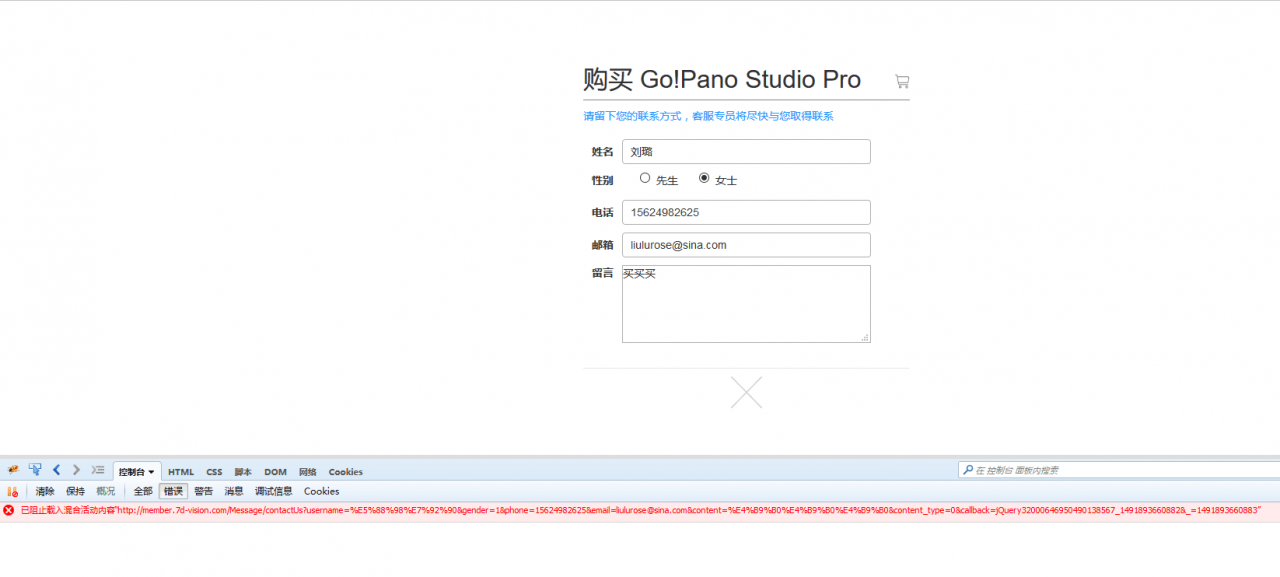
Today, I put the project on the server. When debugging, there was a message “Preventing loading of mixed activity content…” Error:

The solution is as follows:
Method 1: Let Firefox leave it unblocked for a while
Open a new TAB and enter about:config in the address bar to go to the configuration page.
Search for security.mixed_content.block_active_content and change true to false.

Approach 2: Avoid including HTTP content in HTTPS pages.
The first approach is impractical because we cannot require all users to change this configuration.
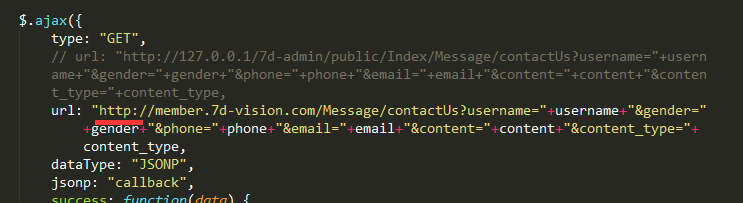
we can see if the HTTPS submissions to the HTTP reason, if so, the request URL to HTTPS.
After checking the URL, it is found that the URL is indeed HTTP, change it to HTTPS, no longer report error.

Reproduced in: https://www.cnblogs.com/sunshineliulu/p/6694839.html

VMware virtual machine installation of vmware tools, VMware shared folder location

VMware Virtual Machine installs VMware Tools, VMware shared folder location
The default shared path for VMware ToolsvMware is at/MNT/HGFS

VMware Virtual Machine installs VMware Tools

yum -y Update
m -y Install Net-Tools perl GCC GCC C ++ kernel-headers kernel-devel
When the update is complete, restart the server
reboot
Click
virtual machine (M)-> on the virtual machine screen; Install the VMware Tools
mkdir -p /home
mkdir /mnt/cdrom
mount /dev/cdrom /mnt/cdrom
Cp/MNT/cdrom/VMwareTools – 10.3.2-9925305. The tar. Gz/home
CD /home
tar ZXVF vmwaretools-10.3.2-9925305.tar.gz
vmware-tools-distrib
CD vmware-tools-distrib
./vmware-install.pl
Just keep hitting enter,
Restart CentOS when done
Once installed, the HGFS directory is automatically created under/MNT
The default shared path for VMware is at/MNT/HGFS
If the shared/MNT/HGFS file is still not found, reinstall the VMware Tools

Unable to read Scheme Document ‘ http://www.springframework.org/schema/beans/spring-beans-4.1.xsd ‘ [How to Fix]

Cause:
one minute in the cheerful debugging the program, the next second start projects under suddenly thrown exception, start-up failure, look at the error message:

The solution document 'http://www.springframework.org/schema/beans/spring-beans-4.1.xsd' cannot be read, 
The reason is 1) the document cannot be found; 2) the document cannot be read; 3) the root element of the document is not <xsd:schema>

Problems to Google, of course, it is concluded that the reason is that the spring website sometimes convulsions or you don’t have access to the network is very poor can’t even http://www.springframework.org/schema/beans/spring-beans-4.1.xsd this address, anyway you can’t open the link address, your project belch fart.
What! How can you be so controlled by others?I began to search for a solution, and finally found a reasonable way to get the project to load local Spring-Beans-x.xsd files to get rid of the restrictions on network requests. First look at the local configuration file details:

<beans xmlns="http://www.springframework.org/schema/beans" xmlns:xsi="http://www.w3.org/2001/XMLSchema-instance" xmlns:jee="http://www.springframework.org/schema/jee" xmlns:context="http://www.springframework.org/schema/context" xmlns:jms="http://www.springframework.org/schema/jms" 
xsi:schemaLocation="http://www.springframework.org/schema/beans 
http://www.springframework.org/schema/beans/spring-beans-4.1.xsd

My local solution is to replace http://www.springframework.org/schema/beans/spring-beans-4.1.xsd for the classpath:/org/springframework/beans/factory/XML/spring beans – 2.0 XSD, of course, you will doubt why replacement for spring beans – 2.0 XSD version rather than the other version?(I am using the idea in the development tools) CTRL + click http://www.springframework.org/schema/beans/spring-beans-4.1.xsd to selected files is the classpath:/org/springframework/beans/factory/XML/spring beans – 2.0 XSD other versions of the XSD I haven’t tried, anyone interested in can try; Once the replacement is complete, the annoying error message will no longer appear when you launch directly, and you can happily debug your project.
The end of 0927 project: Looking back at the above, I think I was really stupid. The problem with the above was that batch changes were not necessary, and the CLASSPATH syntax was also reported.

Trying to resolve XML entity with public id [null] and system id [http://www.springframework.org/schema/beans/spring-beans-3.2.xsd]
Found XML schema [http://www.springframework.org/schema/beans/spring-beans-3.2.xsd] in classpath: org/springframework/beans/factory/xml/spring-beans-3.2.xsd
Trying to resolve XML entity with public id [null] and system id [http://www.springframework.org/schema/context/spring-context-3.2.xsd]
Found XML schema [http://www.springframework.org/schema/context/spring-context-3.2.xsd] in classpath: org/springframework/context/config/spring-context-3.2.xsd
Trying to resolve XML entity with public id [null] and system id [http://www.springframework.org/schema/tool/spring-tool-3.2.xsd]
Found XML schema [http://www.springframework.org/schema/tool/spring-tool-3.2.xsd] in classpath: org/springframework/beans/factory/xml/spring-tool-3.2.xsd

The above is the project startup loading information, which indicates that the project will automatically load the local XSD file when the project starts. The reason why the above problem occurs is that the 4.1.xsd version of the file I configured can only support the local version of 3.2.xsd file at most. When the network speed is good, the XSD file can be reached through HTTP request. However, when the network speed is not good enough to support the higher version of the XSD file locally, it will only report an error message, the project startup failed.
two solutions is obtained by the above analysis, one kind is to upgrade the high version of the jar package contains high version of the XSD file, the other is to reduce the XSD file version of the configuration makes the local jar can meet. The last sentence makes the local JAR meet the configured version of the XSD so that no exception messages will appear.
mysqldump: Got error: 1016: Can’t open file: ‘./xxx.frm’ (errno: 24) when using LOCK TABLES

mysqldump: Got error: 1016: Can’t open file: ‘./bdm0140379_db/lady_forumrecommend.frm’ (errno: 24) when using LOCK TABLES
Add an open_files_limit = 100000 to my.conf (etc/my.conf in my environment)
Service mysqld Restart.
Warning: Skipping the data of table mysql.event.specify the –events option explicitly.
Add –events –ignore-table=mysql.event
mysqldump -u root -pxxxxxxx –all-databases –events –ignore-table=mysql.event > /alidata/26.sql

Can’t open file: (errno: 24)

New structures, the database, the application after connecting up, with the following process:
120528 10:07:32 [ERROR]/usr/local/mysql/bin/mysqld: Can ‘t open file:./ag4_1/raa4_1 FRM’ (24) errno:
I didn’t look at the error code carefully at first! Thought the file was corrupted, reimport! Throw the above error again!
Use the perl error tool to see specific errors!
Linux:/usr/local/mysql/bin #./perror 24
OS error code 24: Too many open files
beyond the maximum number of open file limit! The maximum number of open files on the system is 65535. It cannot be exceeded! The maximum number of open files in the database must be out of limit!
Show variables like ‘open_files_limit’; show variables like ‘open_files_limit’;
>

Reproduced in: https://blog.51cto.com/imysqldba/883374

Vue: How to prompt this .$message

Because the writing is very ordinary, so write together, this passed this

//Pop-up message
function alertMessage(th,action,a){
    var msg,type;
    switch(a){
        case '1':
            type='success';
            msg = action+'success';
            break;
        case '2':
            type='warning';
            msg = action;
            break;
        case '3':
            type='info';
            msg = 'cancel'+action;
            break;
        case '4':
            type='error';
            msg = action+'fail';
            break;
        default:
            break;
    }
    th.$message({
        message: msg,
        type: type,
    });
}

Simplified, the message content is more free, but it will be more written when used

//Pop-up message
            alertMessage(th,action,msg){
                this.$message({
                    message: msg,
                    type: action,
                });
            },

When Python Django creates a database, can’t open file ‘ manage.py ‘: [Errno 2] No such file or directory

1. When creating a database after learning Diango new project, use the following command:

python manage.py migrate

‘can’t open file ‘manage.py’: [Errno 2] No such file or directory’ can’t open file ‘manage.py’: [Errno 2] No such file or directory ‘can’t open file ‘manage.py’: [Errno 2] No such file or directory’
Django-admin.py: django-admin.py: django-admin.py: django-admin.py: django-admin.py: django-admin.py: django-admin.py: django-admin.py: django-admin.py: django-admin.py: django-admin.py: django-admin.py: django-admin.py: django-admin.py: django-admin.py: django-admin.py:

 django-admin.py startproject student_project .

4, then report the above described error, the reason: in fact, the path is wrong, did not set the soft connection. F:\python_stu\student_project\stu_env\Lib\site-packages\ Django \bin. Django-admin.py: F:\python_stu\student_project\stu_env\Lib\site-packages\ Django \bin.

python F:\python_stu\student_project\stu_env\Lib\site-packages\django\bin\django-admin.py startproject student_project

The above content is only for your reference, thank you!

JS error – typeerror: XXX is not a function

In today’s work, there is a check box for the onchage event binding function that clearly has been implemented. Typeerror: XXX is not a function Typeerror: XXX is not a function Uncaught ReferenceError: AA is not defined, but the error message is different. Carefully contrasting the two errors, “is not defined” means the type is not defined. Is not a function means that the type is not of function type. After searching Baidu, it is found that some browsers can directly find the changed element through the element ID in the JS code, and then rewrite the defined function by the element in the DOM, which will lead to the error is not a function.


solution:
modify the element ID value, or modify the name of the function.
Of course, not all errors of this type are caused by this reason, and it should be analyzed on a case-by-case basis.