import { Message } from 'element-ui'
Vue.use(Message)
Vue.prototype.$message = Message
Category Archives: How to Fix
Git prompt this. $message is not a function?
Find the main.js component in the vue file and re-run it with the following code:
import ElementUI from 'element-ui'
Vue.use(ElementUI)
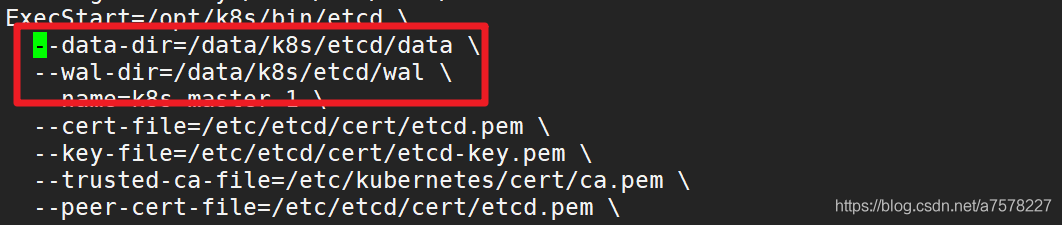
When setting up etcd cluster, an error is reported. Etcd: request cluster ID mismatch error resolution is only applicable to new etcd cluster or no data cluster
 :
:
 :
:
 :
:
Cause: java.sql.SQLException: invalid column type: 1111 Error [How to Fix]
Warming: Servlet.service() for servlet [spring] in context with path [/*****] threw exception [Request processing failed; nested exception is org.mybatis.spring.MyBatisSystemException: nested exception is org.apache.ibatis.type.TypeException: Could not set parameters for mapping: ParameterMapping{property='ENTERPRISE_NAME', mode=IN, javaType=class java.lang.Object, jdbcType=null, numericScale=null, resultMapId='null', jdbcTypeName='null', expression='null'}. Cause: org.apache.ibatis.type.TypeException: Error setting null for parameter #13 with JdbcType OTHER . Try setting a different JdbcType for this parameter or a different jdbcTypeForNull configuration property. Cause: java.sql.SQLException: Invalid column type: 1111] with root cause
java.sql.SQLException: Invalid column type: 1111
	at oracle.jdbc.driver.OracleStatement.getInternalType(OracleStatement.java:3978)
Screen:
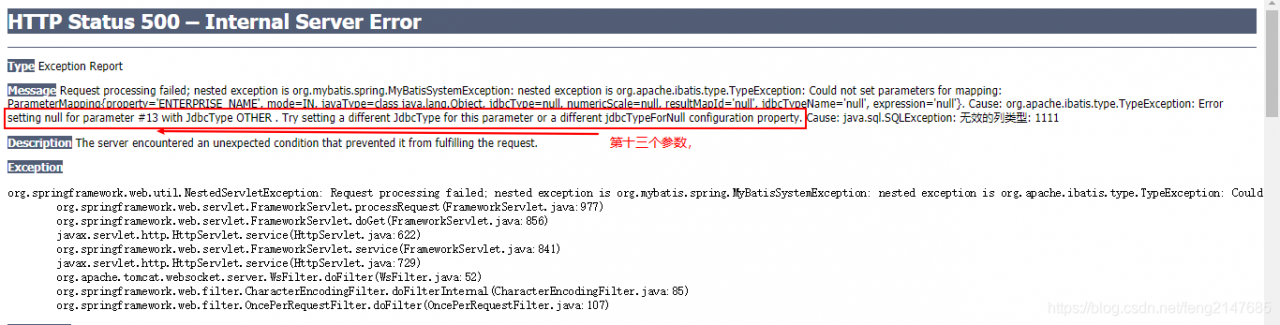
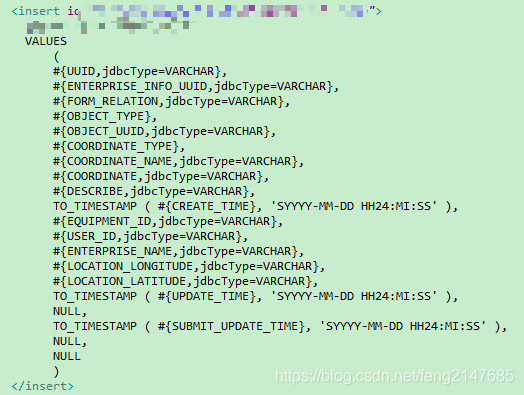
When inserting the name,ENTERPRISE_NAME passes null and mybatis returns an error.
The solution is:
Summary of Python deep learning packages
Python deep learning often uses package summaries
Update history
2021/2/28
1.pytorch
Website: https://pytorch.org/
Current installed version: 1.7.1
pip install torch===1.7.1+cu110 torchvision===0.8.2+cu110 torchaudio===0.7.2 -f https://download.pytorch.org/whl/torch_stable.html
2. scikit-learn(sklearn)
pip install scikit-learn
Current version: 0.24.1
3.pandas
pip install pandas
Current version: 1.2.2
Installing Pandas will install Numpy
4.numpy
pip install numpy
Current version: 1.20.1
Previous installers of PyTorch did not use the latest Numpy. 1.16.6 does.
But now the latest version does.
5.matplotlib
pip install matplotlib
Current version: 3.3.4
6 tensorflow 1.15
pip install tensorflow==1.15 -i http://pypi.douban.com/simple/
Less use of
1.networkx
NetworkX is a Python package for building and manipulating complex graph structures and providing algorithms for analyzing graphs.
pip install networkx
Current version: 2.5
Assign the intersection combination of two linked lists to linked list a
typedef struct node
{
    int data;
    struct node *next;
} LNode, *LinkList;

LinkList Unions(LinkList la, LinkList lb)
{
    LNode *p, *q, *w, *u;
    p = la->next;
    q = lb->next;
    w = la;
    while (p && q)
    {
        if (p->data == q->data)
        {
            w->next = p;
            w = w->next;
            p = p->next;
            u = q;
            q = q->next;
            free(u);
        }
        else if (p->data < q->data)
        {
            u = p;
            p = p->next;
            free(u);
        }
        else
        {
            u = q;
            q = q->next;
            free(q);
        }
    }
    if (q)
    {
        p = q;
    }
    while (q)
    {
        u = q;
        q = q->next;
        free(u);
    }
    w->next = NULL;
    free(lb);
    return la;
}
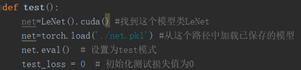
AttributeError: Can‘t get attribute ‘LeNet‘ on <module ‘__ main__ “From (error in torch loading model)
AttributeError: Can’t get attribute ‘LeNet’ on <module ‘main’ from
The reason why HashMap multithreads send out life and death loops
This article is a learning record of Vaccine: Java HashMap’s endless loop, welcome to discuss ~
Suppose the state of a cylinder to be expanded is as follows:
1->; 2-> Null
1 for the current thread to insert a new element of an array of e: 1 and the next element next:
when thread 2 completed the expansion, the pointer to the current status to 2 – & gt; 1-> NULL
Thread 1 continues:
rst (e:1,next:2)
n>arrel :1 ->; null
e=next=2;
next=e1.next=1;
> (e:2,next:1)
> 1-> null
e=next=1;
next=e1.next=null;
(e:1,next:null)
new barrel :1 ->; 2-> 1 is just 1 lt; -> 2
e=next=null;
cpu100%
7 using head insert, 1.8 using tail insert for capacity expansion.
1.7 using head insert, 1.8 using tail insert for capacity expansion.
Error in Maven packaging web project: webxml attribute is required (or pre existing WEB-INF)/ web.xml if executing in update)
Analysis
Web project missing WEB-INF/ WEB.xml
Updates the version of maven-war-plugin
<plugin>
  <artifactId>maven-war-plugin</artifactId>
  <version>3.0.0</version>
</plugin>
Reference: https://blog.csdn.net/weixin_41699562/article/details/99302298
Eclipse cannot import org.apache.log4j .Logger
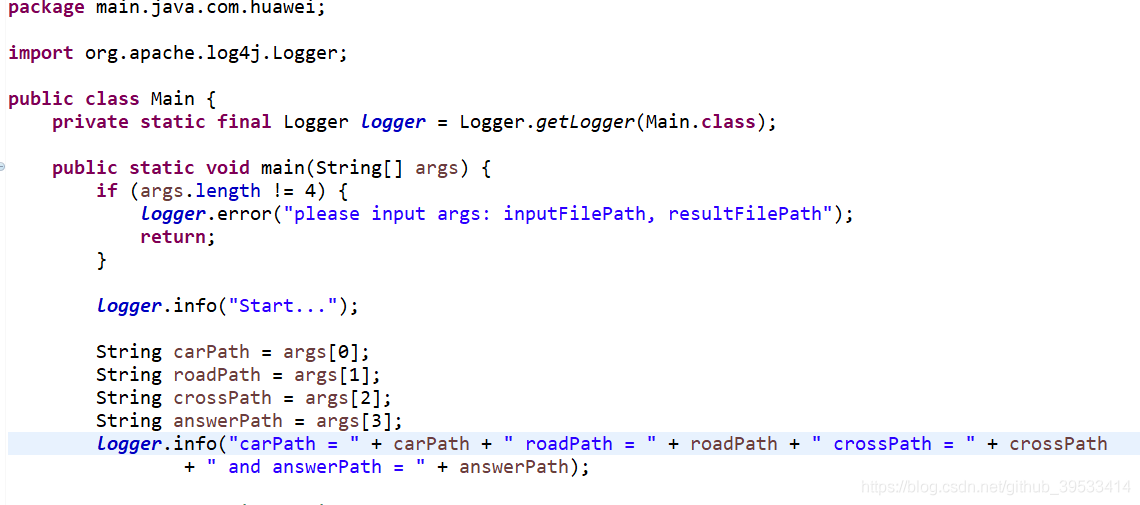
Recently, I’ve been practicing using log4j, but I keep getting errors when importing from Eclipse
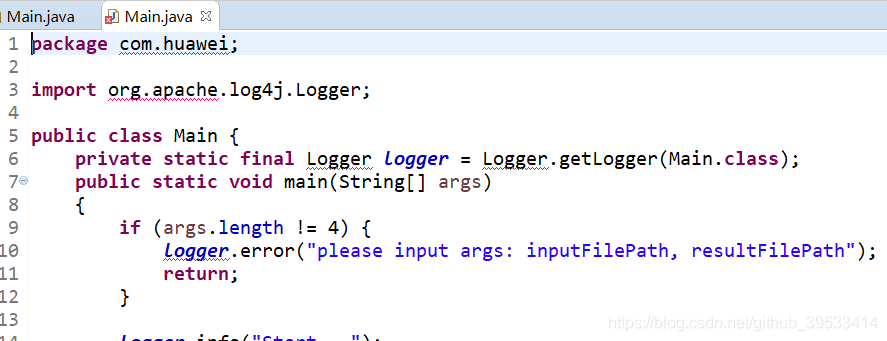
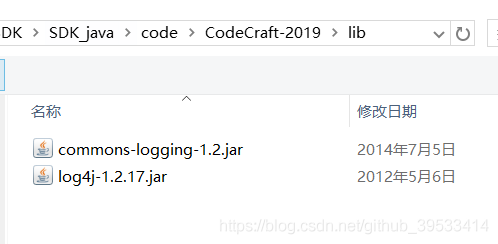
But I have already imported it in the lib below
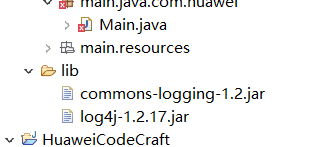
I guess the JAR package was not imported
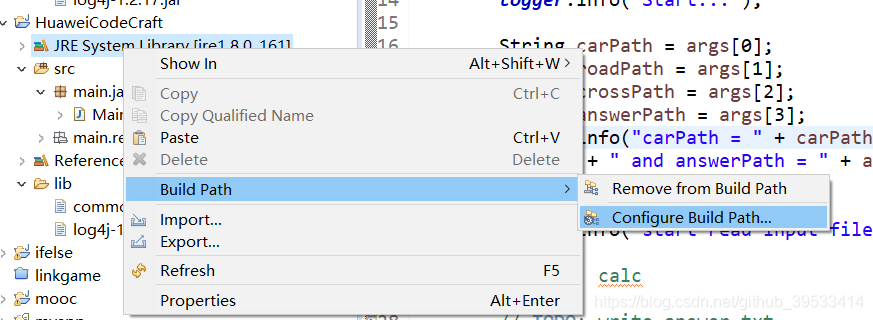
If you want to place the JAR under the JDK, right-click and select Build Path –>; Configure Build Path
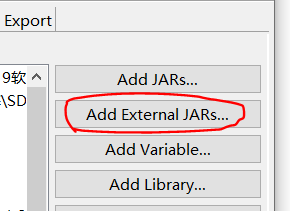
Then select Add Externsl Jars
Select the package we want to import
Then click Apply and it’s OK.
But I have already imported it in the lib below
I guess the JAR package was not imported
If you want to place the JAR under the JDK, right-click and select Build Path –>; Configure Build Path
Then select Add Externsl Jars
Select the package we want to import
Then click Apply and it’s OK.
Using CONDA virtual environment in pychar
(1) View the directory of the new virtual environment:>; conda env list
(2) Select File->; setting-> Project:****-> Project Interperter-> Existing Environment imports the environment address
(3) Select the virtual environment created above
D:\installed\Anaconda3
:\installed\Anaconda3\envs\tensorflow\python.exe :\installed\Anaconda3\envs\tensorflow\python.exe :\installed\Anaconda3\envs\tensorflow\python.exe
(2) Select File->; setting-> Project:****-> Project Interperter-> Existing Environment imports the environment address
(3) Select the virtual environment created above
D:\installed\Anaconda3
:\installed\Anaconda3\envs\tensorflow\python.exe :\installed\Anaconda3\envs\tensorflow\python.exe :\installed\Anaconda3\envs\tensorflow\python.exe
MySQL will delete the data minutes before the current time
SET GLOBAL event_scheduler = ON;
delimiter $$
drop event if exists e_wom_stat;
create event e_wom_stat
on schedule
EVERY 1 day
 STARTS '2013-01-01 03:00:00'
ON COMPLETION  PRESERVE ENABLE
do
begin
  delete from t_wom_random_num where time<(CURRENT_TIMESTAMP()+INTERVAL -25 MINUTE);
end $$
delimiter ;