Category Archives: How to Fix

Arthas selects PID error and port occupancy error

After Arthas starts, select PID to report an error

The error is as follows:

[ERROR] Can not read maven-metadata.xml from: https://maven.aliyun.com/repository/public/com/taobao/arthas/arthas-packaging/maven-metadata.xml
[ERROR] Can not find Arthas under local: /root/.arthas/lib and remote: aliyun

Network access, direct download full package, decompression use
GitHub answers: https://github.com/alibaba/arthas/issues/1058

Arthas 3658 port occupancy error

The error is as follows:

[ERROR] Target process 19045 is not the process using port 3658, you will connect to an unexpected process.
[ERROR] 1. Try to restart arthas-boot, select process 2452, shutdown it first with running the 'shutdown' command.
[ERROR] 2. Or try to use different telnet port, for example: java -jar arthas-boot.jar --telnet-port 9998 --http-port -1

Netstat – ANP | grep 3658 can see the process ID that occupies the port. Just specify the port according to the method prompted at the end of the log

java -jar arthas-boot.jar –telnet-port 9998 –http-port -1
Resolve nginx startup failure

Nginx startup error: startup failed

nginx: [error] CreateFile() "C:\web\nginx-1.17.9/logs/nginx.pid" failed (2: The system cannot find the file specified)

Execute the command nginx – t to query the configuration of nginx

C:\web\nginx-1.17.9>nginx.exe -t
nginx: the configuration file C:\web\nginx-1.17.9/conf/nginx.conf syntax is ok
nginx: [emerg] bind() to 0.0.0.0:8090 failed (10013: An attempt was made to access a socket in a way forbidden by its access permissions)
nginx: configuration file C:\web\nginx-1.17.9/conf/nginx.conf test failed

The question is about the same

 
The problems are as follows   Port 80 is occupied

10013: An attempt was made to access a socket in a way forbidden by its access permissions

terms of settlement:

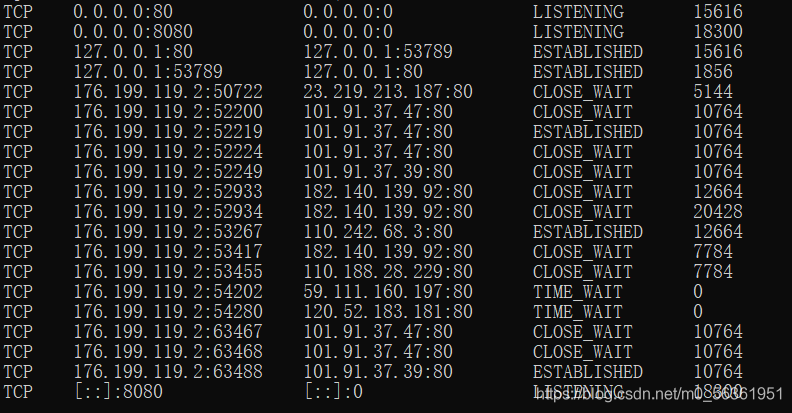
cmd   input    netstat -aon | findstr :80

input   tasklist|findstr “15616”

Find Task Manager – details

Manual closing

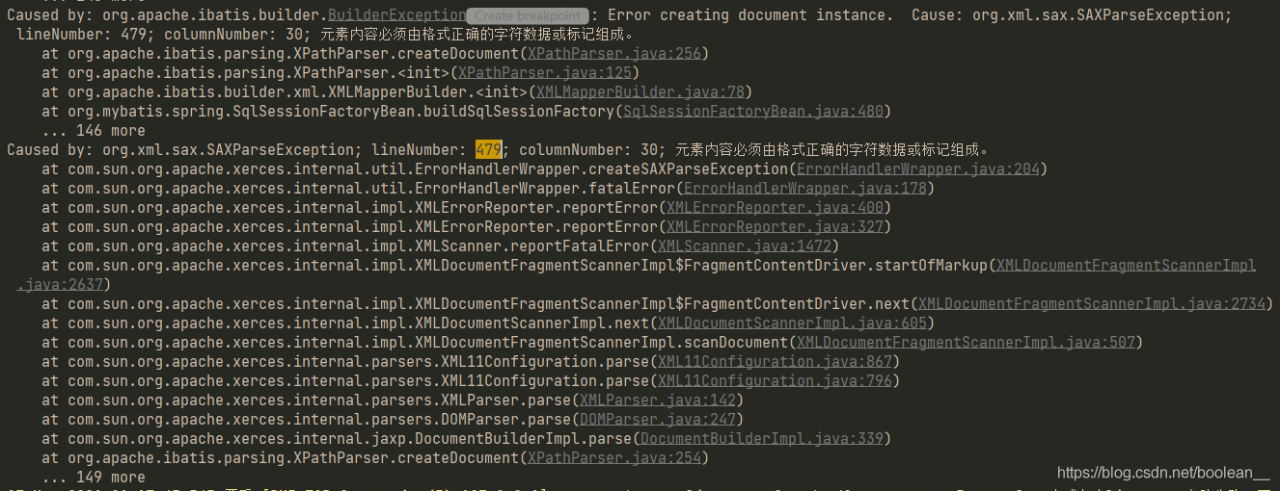
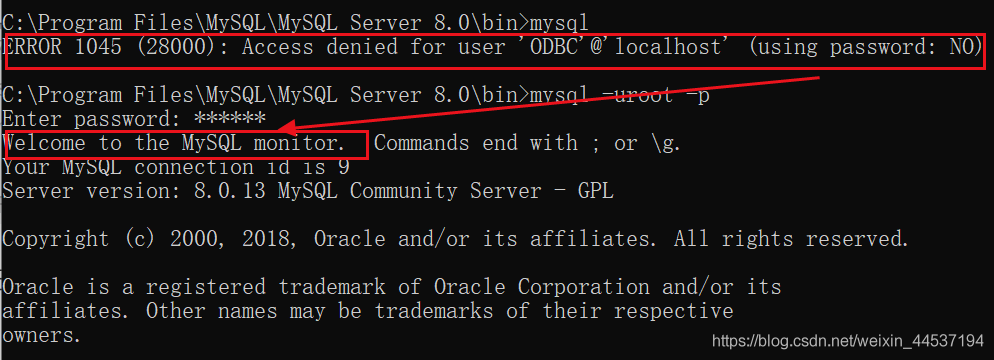
ERROR 1045 (28000): Access denied for user’ODBC’@localhost (using password: NO)209150;’211503;’

Sometimes, due to carelessly forgetting the password or installation errors, the following errors will be reported when running MySQL:

ERROR 1045 (28000): Access denied for user ‘ODBC’@‘localhost’ (using
password: NO)

According to the solution on the Internet:
or modify the configuration file my.ini

skip-grant-tables

To skip password verification
or: edit my.cnf,

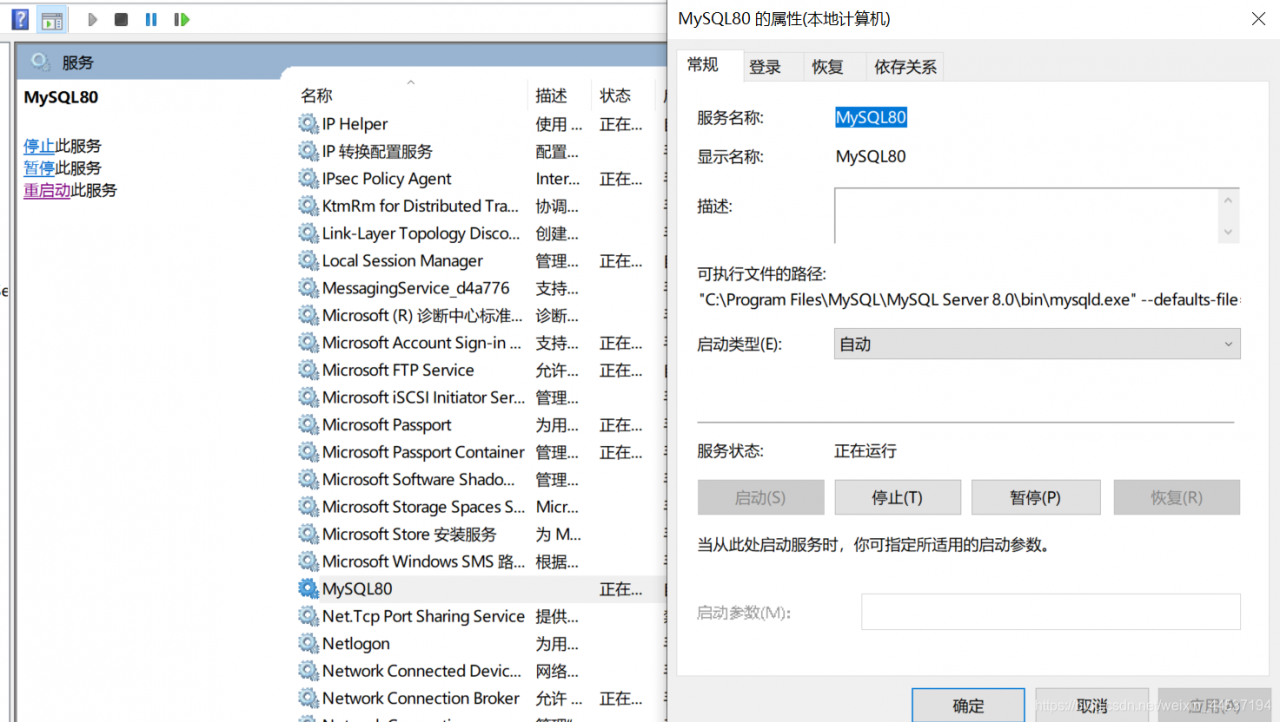
But the above is useless. After trying to spit blood, I found that I could not even start MySQL service by modifying the configuration file, but so on….. Isn’t there a landing<
after clicking , I found that I can change the password directly here
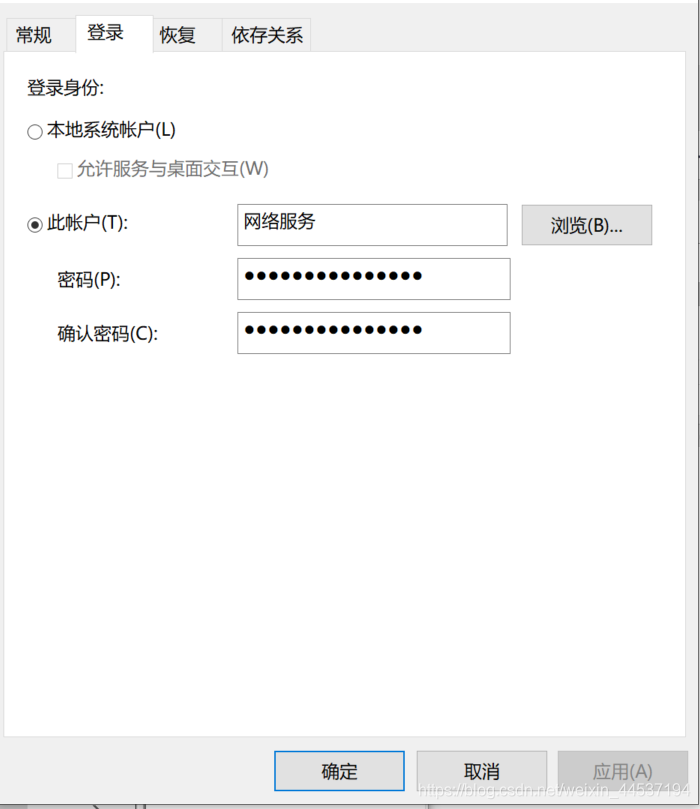
change the password to my own setting, I set it to 123456, log in again, success

Latex macro package and latex error: file ‘xxx. Sty’ not found

Get missing macro package

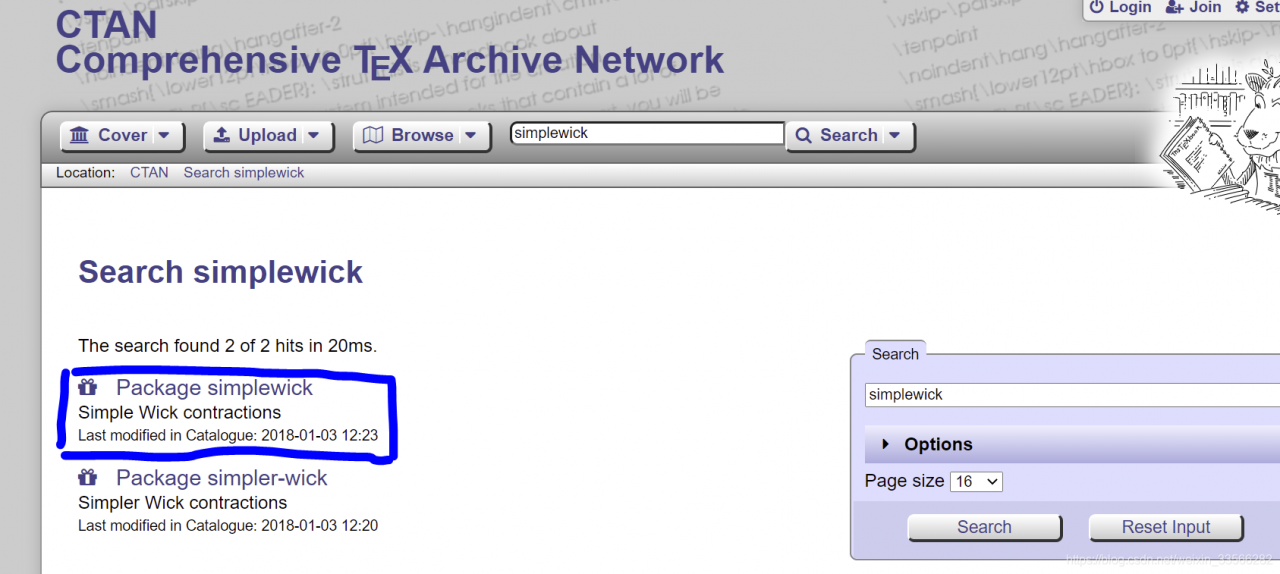
Macro package address: https://ctan.org/pkg/
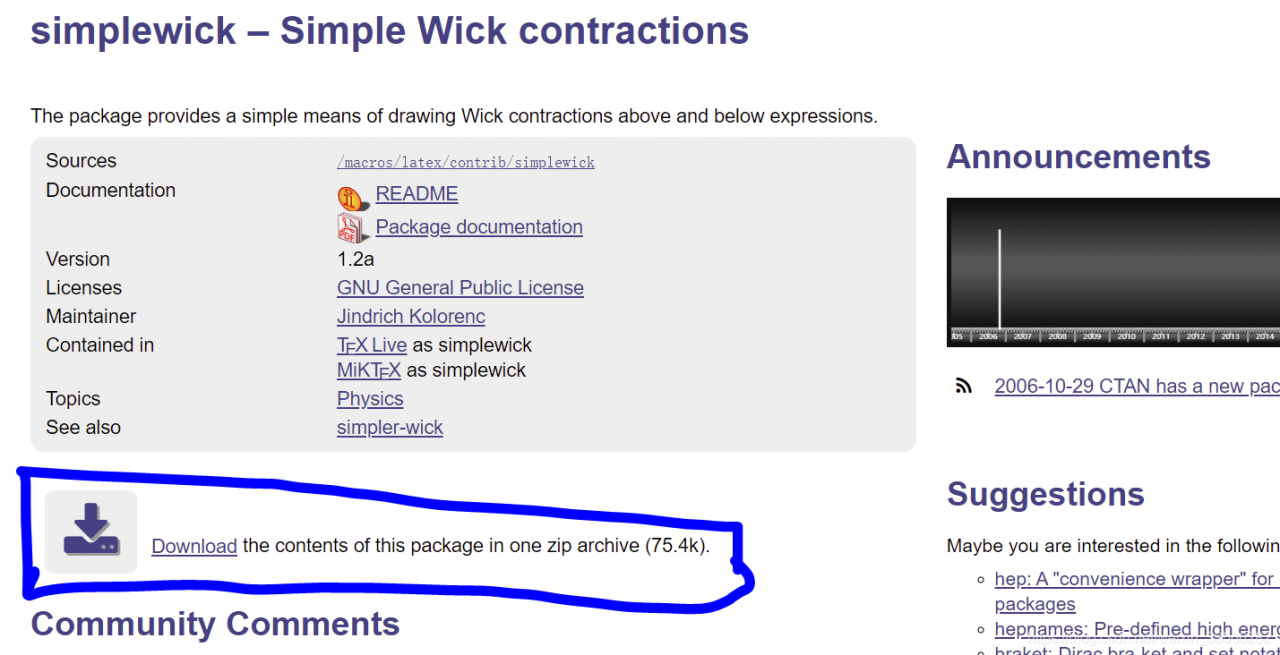
After searching

Click to download

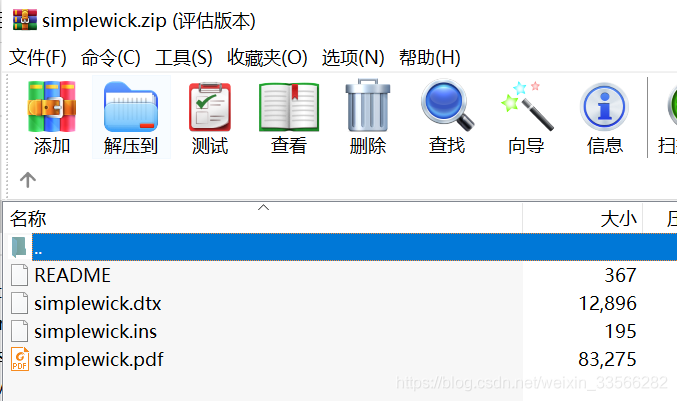
after downloading, it is found that there are no. Style and other files, which can’t be updated if you add them directly<

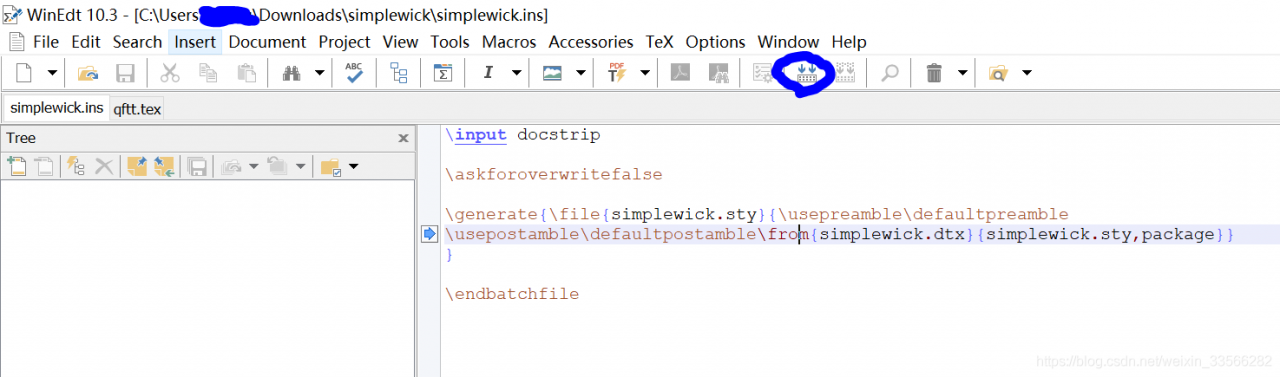
you need to use winedit to open the. Ins file and compile it

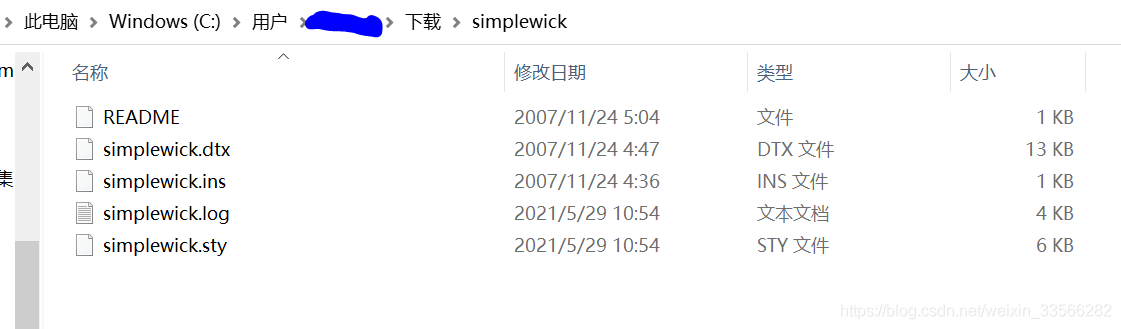
generate. Style and other files after passing

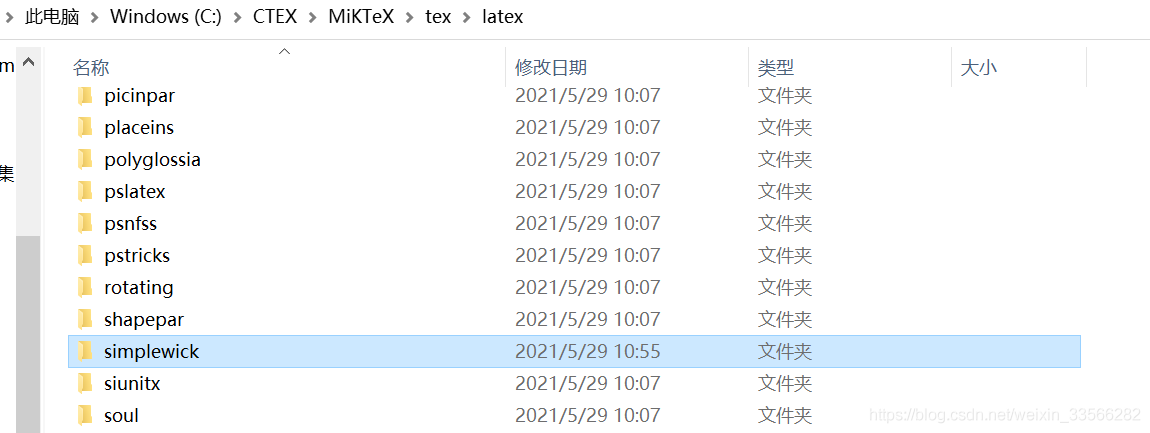
copy the secondary file to the following directory

use the texhash command on the terminal, or refer to https://blog.csdn.net/sinat_ 14896267/article/details/102736807, complete the package!

Error:Kotlin: Module was compiled with an incompatible version of Kotlin. The binary version of its

Once a project encountered an error before starting compilation: E rror:Kotlin : Module was compiled with an incompatible version of Kotlin. The binary version of its metadata is 1.5.1, expected version is 1.1.13.

Module is compiled with an incompatible version of kotlin.

But I have never encountered any problems, and no similar solution has been found on the Internet.

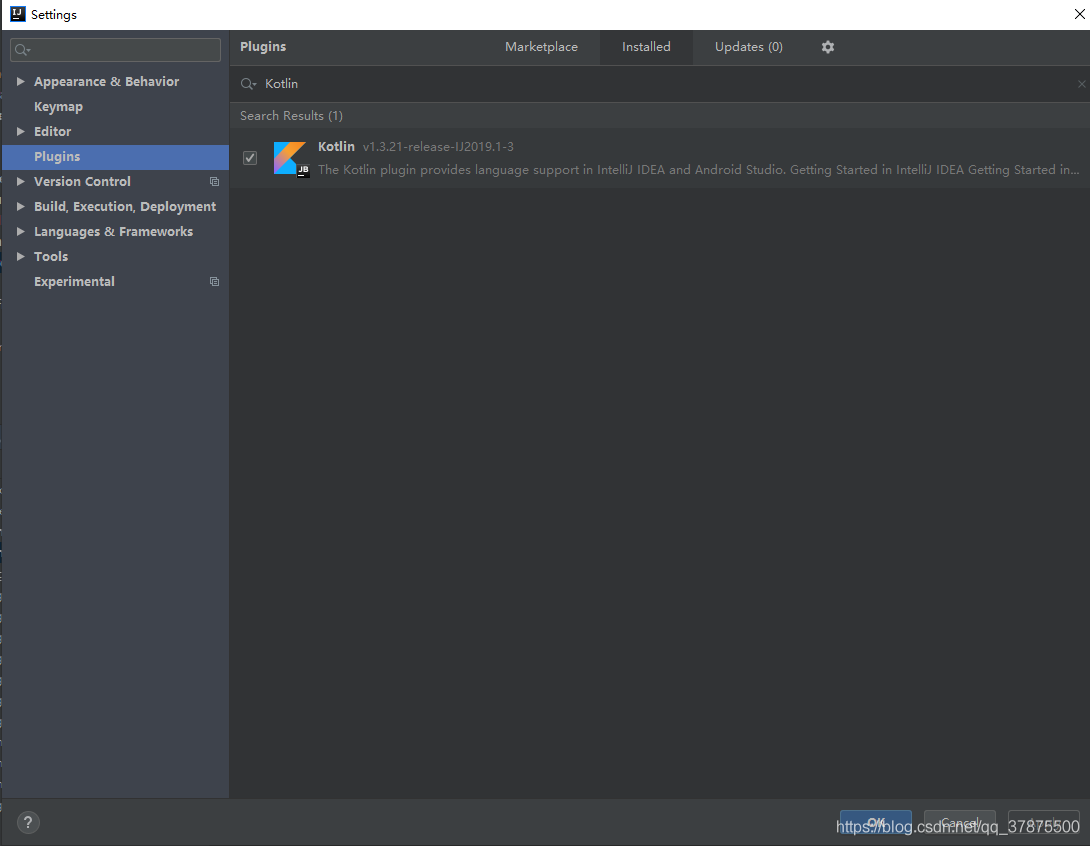
Later, I tried many ways, but I restarted the plug-in

You can cancel it and check it again, and then restart the project.

nginx: [error] invalid PID number ““ in “/data/nginx/logs/nginx.pid“

After modifying the configuration file, nginx: [error] invalid PID number “” in/data/nginx/logs/nginx. PID “appears during restart. This means that a valid PID (process number) cannot be found in the file/data/nginx/logs/nginx. PID

Solution 1: find the PID of nginx’s main process number, write it into nginx.pid file, and restart nginx

[root@yzil ~]# nginx -s reload
nginx: [error] invalid PID number "" in "/data/nginx/logs/nginx.pid"
[root@yzil ~]# ps aux | grep "nginx: master" | grep -v pts | awk '{print $2;}'
2847
[root@yzil ~]# ps aux | grep "nginx: master" | grep -v pts | awk '{print $2;}' > /data/nginx/logs/nginx.pid
[root@yzil ~]# nginx -s reload
[root@yzil ~]# 

Solution 2: kill the nginx main process and restart nginx

[root@yzil ~]# killall nginx
[root@yzil ~]# nginx


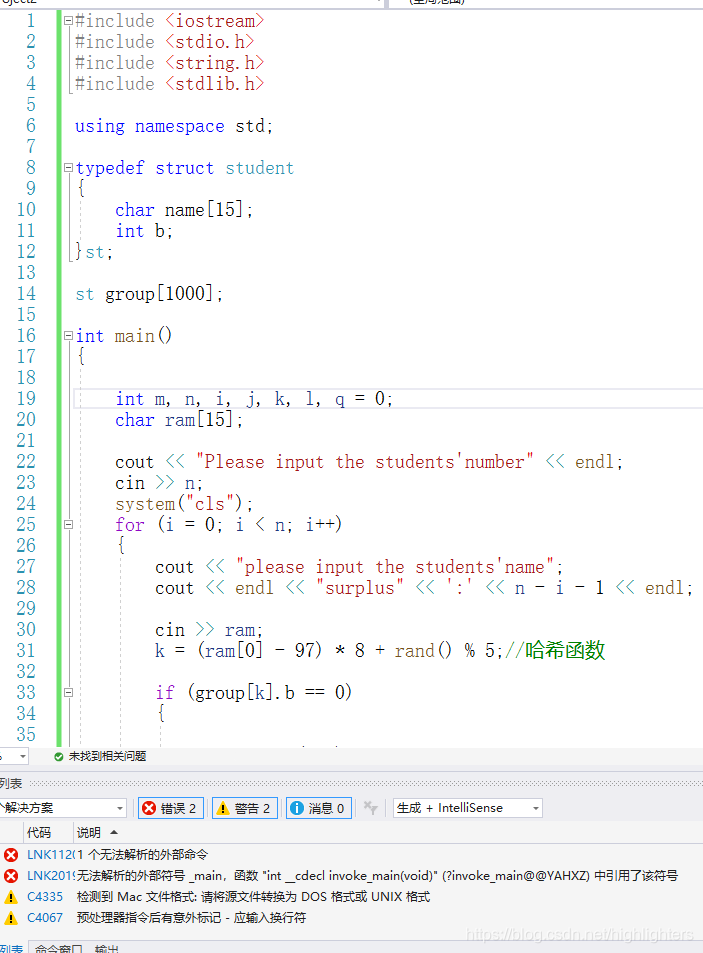
Vs error unresolved external symbol_ Main, the symbol in the function “int”__ cdecl invoke_ main

Cause analysis

There are many reasons for this problem. The first and most common one is that there are multiple CPP files in your project, which contain multiple main functions
the second is that your code is copied from QQ or other ways (such as Notepad). In this case, the newline character may change. According to the explanation of the online boss, the newline character has many codes. If the format is wrong, there will be problems. At this time, you will be prompted to convert the source file to DOS or UNIX format, If there is a warning, it means that you are in this situation. You need to find the advanced save option in the file menu of vs (the advanced version needs to be called out in the settings, but not Baidu search), and then select window (CR LF), which means that the new line character supported by the window system indicates that the problem is solved ~
the third is that your project is created incorrectly, If your compiler’s preprocessor is not right, you can copy the code directly to the new correct project, or open the project settings and modify your preprocessor. You can search for it.

Opencv (4.5.1) error: assertion failed (((npoints > = 4) | (npoints = = 3 & & flags = = s)

Solve the problem of solvepnp (outdim, indim, cameramatrix, distcoeff, RVEC, tvec); There is an unhandled exception at 0x00007ffbc3844b89 (in biaoding.exe): Microsoft C + + exception: CV:: exception, in the memory location of 0x000000571351b2d0
 
Mapping 3D point cloud to 2D image, using OpenCV solvepnp, running error

OpenCV(4.5.1) Error: Assertion failed (( (npoints >= 4) || (npoints == 3 && amp; flags == SOLVEPNP_ ITERATIVE && amp; useExtrinsicGuess) || (npoints >= 3 && amp; flags == SOLVEPNP_ SQPNP) ) && amp; npoints == std::max(ipoints.checkVector(2, CV_ 32F), ipoints.checkVector(2, CV_ 64F))) in cv::solvePnPGeneric, file C:\build\master_ winpack-build-win64-vc15\opencv\modules\calib3d\src\solvepnp.cpp, line 802

The error is as follows:

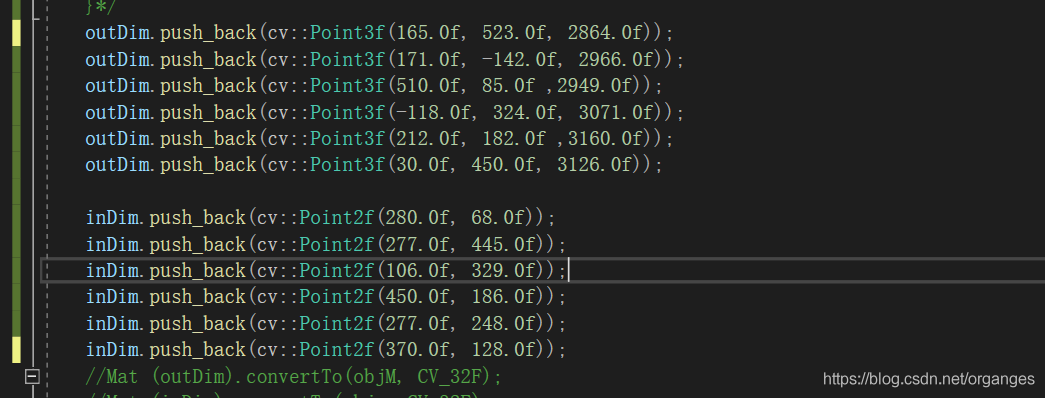
The input coordinates of 3D point cloud and 2D pixel are:

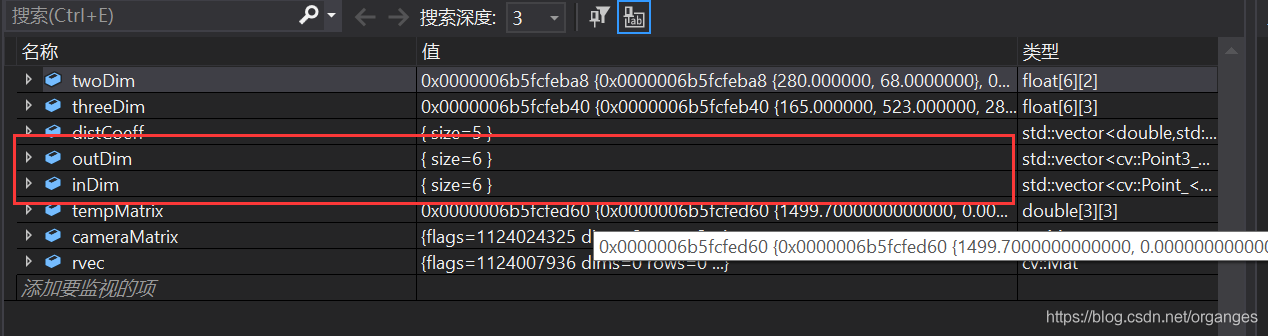
Conversion type:

After the conversion, the output of outdim and indim is changed, and it is no longer a 6 * 3 matrix, so an error will be reported

So the error is because the matrix dimensions in solvepnp are inconsistent. The solution is to use push again in the most stupid way_ Back redefines outdim and indim, instead of using for loop to define outdim and indim, just in case cameramatrix is also redefined

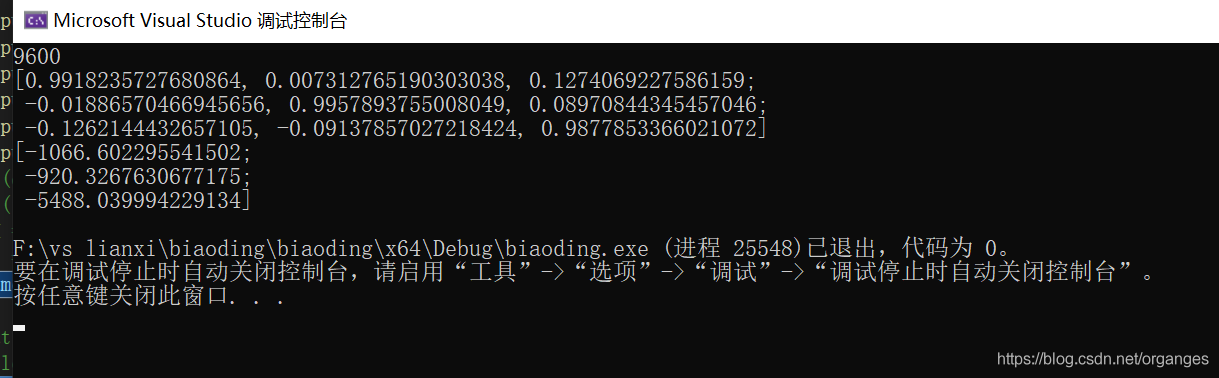
Finally, the rotation translation matrix from radar to camera and the result map of point cloud mapping to image are obtained