Category Archives: How to Fix

{“errcode“:40125,“errmsg“:“invalid appsecret, view more at http:\/\/t.cn\/RAEkdVq rid: 60d999f2-3ad5

1 question

{“errcode”:40125,“errmsg”:“invalid appsecret, view more at http://t.cn/RAEkdVq rid: 60d999f2-3ad58b98-4b237e0d”}

2 reasons

    the wechat appsecret set in the code is inconsistent with the wechat open platform. You need to check and correct it by comparing the wechat open platform with the appsecret in the code. Because the secret key is invalid, if the secret key does not log in for a long time, it will be reset automatically

    3 solutions

    Reset the secret key and replace it with the reset one

    4 Communication

    If you have other communication ideas, you can add the technology group I created: 820080257

The python version output from the command line is inconsistent with the python version in the current CONDA environment

Record a strange little problem.

         In order to complete the emotional dialogue project arranged by my tutor, I found a model from GitHub, and then configured the environment python2.7 + tensorflow1.13.1 on the server according to readme. At the beginning of training, I found that the training speed was very slow. After checking, I found that I didn’t use the GPU version of tensorflow, so I changed it to tensorflow-gpu1.13.1.

         Import error: libcublas. So. 10.0: cannot open shared object file: no such file or directory
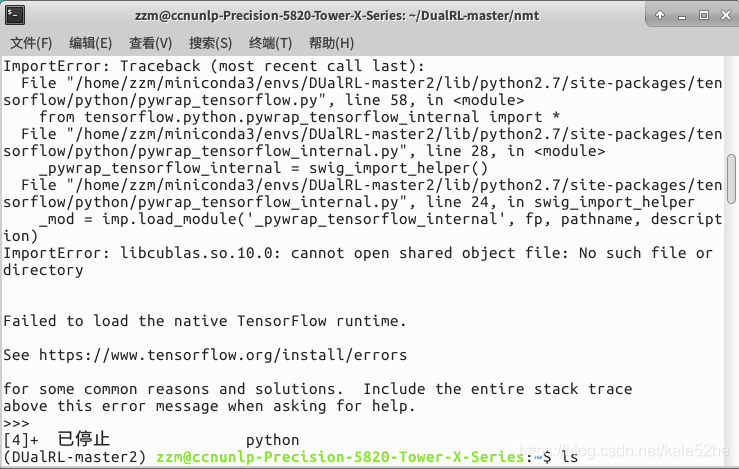
         Very common old problem, CUDA is not installed or environment variables are not configured. I didn’t add CUDA to the environment variable here, because it’s a server in the school laboratory. It doesn’t have sudo permission and can’t modify the environment variable of the system, so I can only add the environment variable I need with the export command every time I start the terminal. For convenience, all the environment variables that need to be exported are recorded in a file. You only need the file source each time.
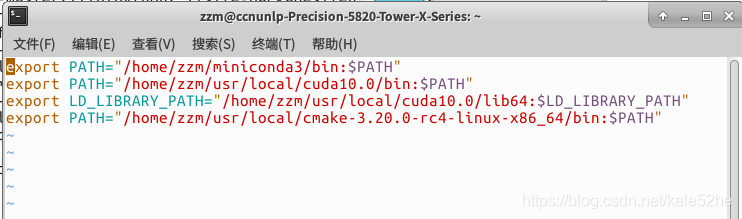
        After the source is completed, a strange problem appears. I output Python 3.8.5 with Python command in CONDA environment, and the python version of the environment shown in CONDA list is 2.7, as shown in the figure below. Clearly is the environment of Python 2.7, why use the python command to prompt that the current version is Python 3.8.5?I try to import tensorflow. It also prompts no module named tensorflow, which means that although it shows that I am in the dual RL master environment, I am in another environment?
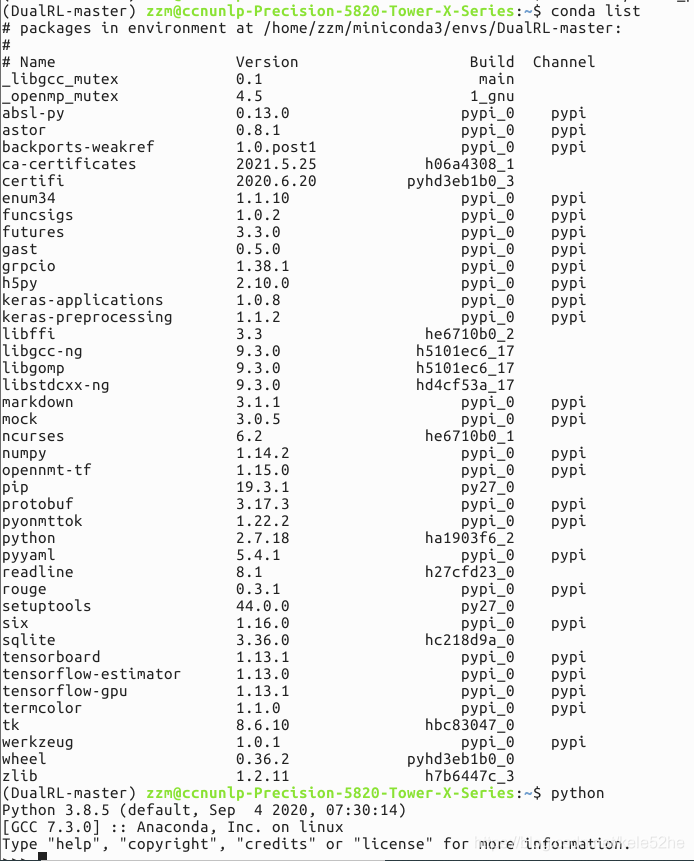
         I repeatedly tried to delete the environment, create a new environment, and re install various packages. After many tests, I finally found the problem. When CONDA activate is executed, the target environment will be added to the environment variable of the current system, so when the python command is executed on the command line, the python version in the target environment will be executed. When the export command is executed, the specified environment variable will be added to the system environment variable. When the variable name is repeated, the existing environment variable will be overridden. When I use source to execute files containing many export commands, one of the export commands adds the default Python version of CONDA to the environment variables of the system, which covers the python version I activated with CONDA before. Therefore, although my CONDA shows that the python version I used is 2.7, the environment variables of the system have been covered by the export command I used later, The default version of Python is 3.8.5.

        I tested again. First add a python version to the environment variable by using export, and then use CONDA activate to activate another version of Python. Using Python on the command line, you will find that the output is the later version of Python. Therefore, you can conclude that the one added after the same variable name in the environment variable will override the existing one.

         Although it’s not a big problem, sometimes it’s this kind of energy-saving twig that keeps you from finding mistakes.
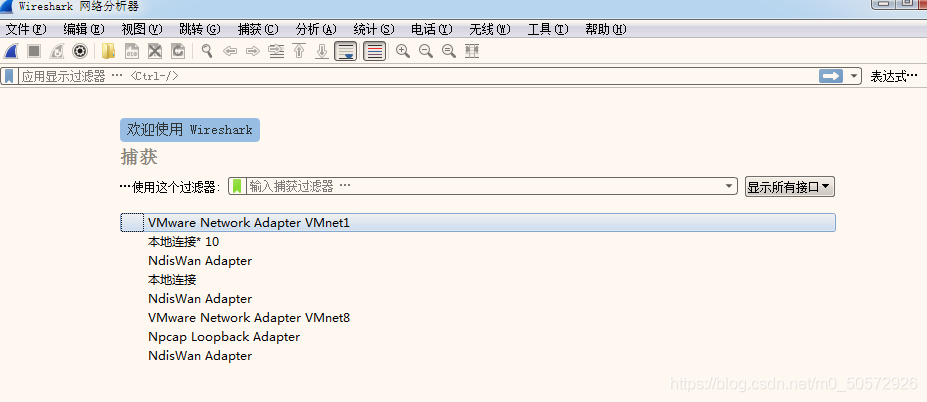
The local network card cannot be obtained by opening Wireshark

After installing and opening wireahrk, the local network card cannot be found and the packet cannot be captured

terms of settlement:

1. Run Wireshark as an administrator

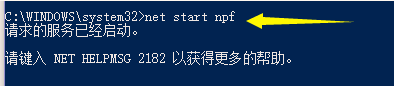
2. Method 1 cannot solve the problem. Try to run the command →

Type: Net start NPF  

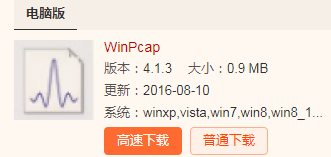
3. Method 2 cannot solve the problem. Try to download WinPcap and run Wireshark directly after installation

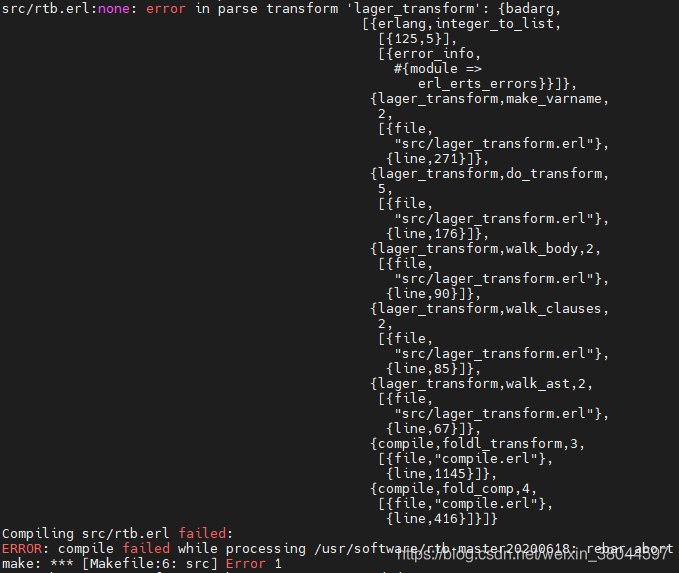
compile error: error in parse transform ‘lager_transform‘

The lager package is used in Erlang project. Version 20 was used before OTP, but now it is upgraded to version 24. There is an error in compiling make,

compile error: error in parse transform ‘lager_ transform’

Analysis shows that the lager version is low. Enter the rebar.config file and change the tag of lager to the latest version.

{lager, ".*", {git, "https://github.com/erlang-lager/lager", {tag, "3.9.1"}

Problem solving.

Reference article: https://github.com/erlio/vmq_ diversity/issues/12  

[Linux] solution: SCP different server copy file prompt permission denied, please try again

Problem Description: when using the SCP command to copy the file to another server, an error prompt appears

Permission denied, please try again.

terms of settlement

1. Check whether the SSH tool is installed, and change the corresponding configuration 1

Configuration file path: /etc/SSH/sshd_ config

Permitrootlogin no/without password
?Change to:
permitrootlogin yes

2. Check whether the permission to copy into the folder is sufficient

Check whether the folder has write permission, who is the user of the created folder and who the folder belongs to.

chmod 766 /usr/local/backup/

3. Check whether the SCP copy syntax is correct (whether the user name is correct/valid)

scp -r log [email protected] :/usr/local/backup

Please check the user name carefully

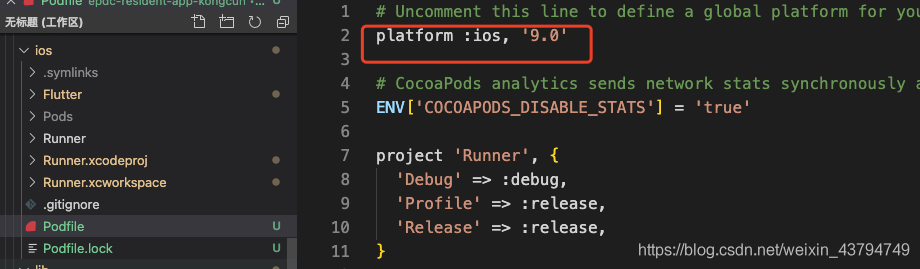
Automatically assigning platform `iOS` with version `8.0` on target `Runner`

Environment: MAC, when running the flutter run in vscode, the following error is reported:

before , the code was logged off, now release it. Podfile is a folder brought by the MAC running itself, and then running the flutter run will report an error
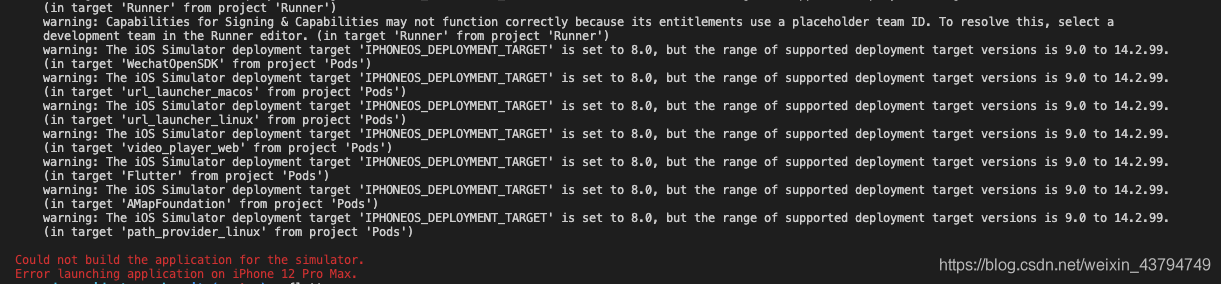
. Go to the configuration file and configure the code
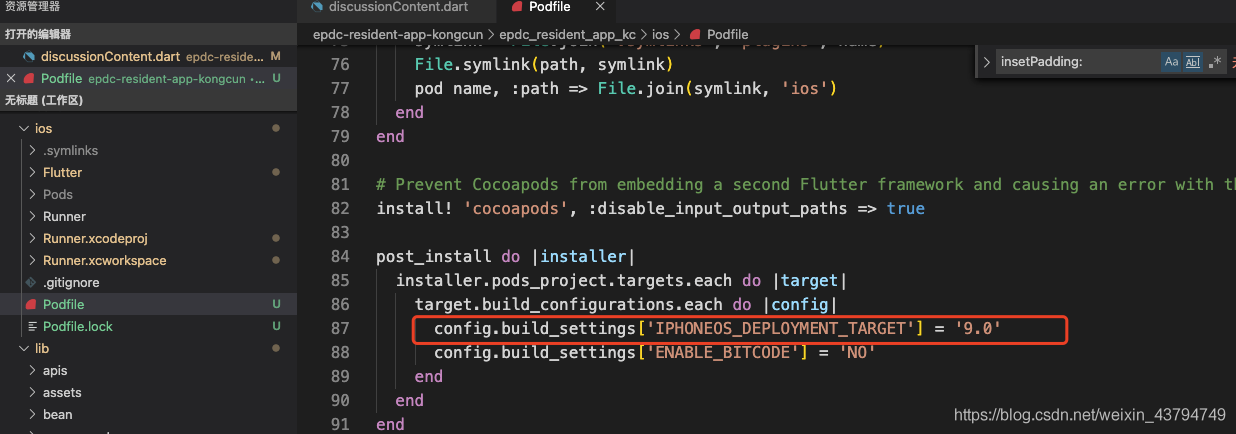
post_install do |installer|
  installer.pods_project.targets.each do |target|
    target.build_configurations.each do |config|
      config.build_settings['IPHONEOS_DEPLOYMENT_TARGET'] = '9.0'
      config.build_settings['ENABLE_BITCODE'] = 'NO'
    end
  end
end

Then run the flutter run to start the project successfully

java.text.ParseException: Unparseable date: “2021-06-24“

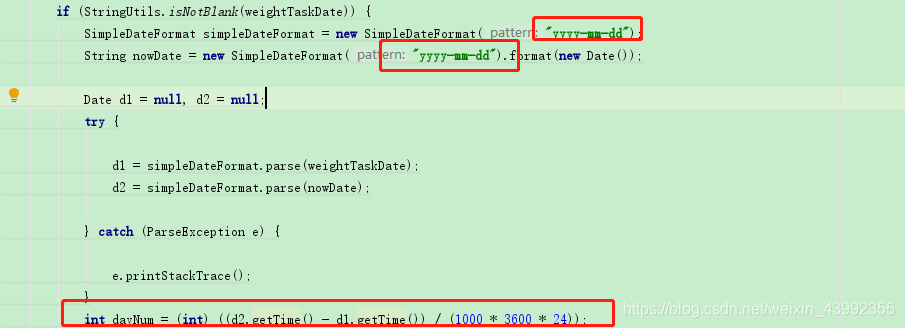
String to date:

SimpleDateFormat simpleDateFormat = new SimpleDateFormat("yyyy-mm-dd");
String nowDate = new SimpleDateFormat("yyyy-mm-dd").format(new Date());

Format must be written, otherwise an error will be reported. Conversion exception: Java. Text. Parseexception: unparseable date

Date subtraction calculation days reference:

int dayNum = (int) ((d2.getTime() - d1.getTime())/(1000 * 3600 * 24));

Tomcat startup project warning: org.apache.jasper.servlet.tldscanner.scanjars at least one jar has been scanned for TLD but does not contain TLD

Problem:
start springmvc project, start error:
org.apache.jasper.servlet.tldscanner.scanjars at least one jar is scanned for TLD, but it does not contain TLD. Enable debug logging for this logger to get a complete list of jars that have been scanned but in which TLDs were not found. Skipping unnecessary jars during scanning can reduce startup time and JSP compilation time.

Solution:
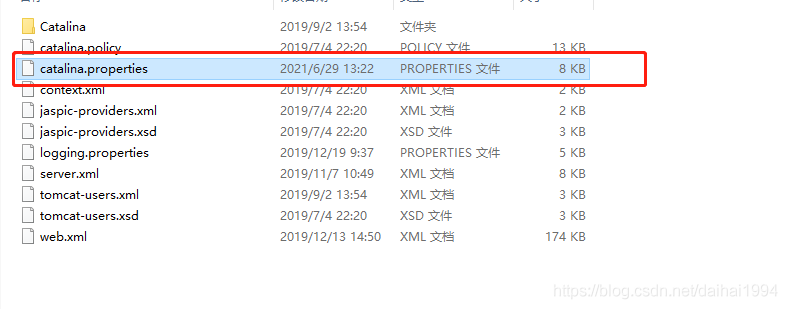
1. Find the catalina.properties file in the conf directory under your Tomcat installation path:

2. Change the content after the equal sign in the figure below to *. Jar

3. Then reconfigure your own server and restart it.