Category Archives: How to Fix

PHP read ini configuration error syntax error, unexpected ‘=’In

Error information

Warning: syntax error, unexpected '=' in src/web/../conf/config.ini on line 12

reason

[start_url]
site1=https://baidu.net/home.php?mod=space&uid=0000&do=thread&view=333333
site2=https://google.com/forum.php?mo=111

Because start_ The URL contains the URL, which must be quoted before PHP will report an error. However, it is not a problem to read it in Python.

terms of settlement

Add the parameter ini when reading_ SCANNER_ RAW

$file = __DIR__ . "/../conf/config.ini";
$config = parse_ini_file($file, true, INI_SCANNER_RAW);

The transaction log for database ‘xxxx’ is full due to AVAILABILITY_REPLICA error message in SQL Ser…

reason:

The log has reached the maximum space on the primary copy or the disk is full.

analysis

The log block of the primary replica can only be reused after it is fixed and redo on other replicas.

So if

1. Transmission delay, due to network delay or bandwidth delay.

2. Copy redo is slow due to delay, blocking or insufficient resources.

Causes the log to grow and cannot be backed up.

log_ send_ queue_ Size: a log block that has not been received by the replica. More than one log block means delivery delay.

redo_ queue_ Size: there is no redo log block on the replica. If there is more, it means redo delay.

SELECT ag.name AS [availability_group_name]
, d.name AS [database_name]
, ar.replica_server_name AS [replica_instance_name]
, drs.truncation_lsn , drs.log_send_queue_size
, drs.redo_queue_size
FROM sys.availability_groups ag
INNER JOIN sys.availability_replicas ar
    ON ar.group_id = ag.group_id
INNER JOIN sys.dm_hadr_database_replica_states drs
    ON drs.replica_id = ar.replica_id
INNER JOIN sys.databases d
    ON d.database_id = drs.database_id
WHERE drs.is_local=0
ORDER BY ag.name ASC, d.name ASC, drs.truncation_lsn ASC, ar.replica_server_name ASC

resolvent:

1. Remove the DB from the most delayed replica and join it later.

2. If the redo thread on the replica is blocked by frequent read operations, set the replica as unreadable and change it back later.

3. If there is still space on the disk, the log file will grow automatically.

4. If the maximum space limit is reached and the disk still has space, increase the maximum space limit.

5. If the log file reaches the maximum value of 2T system and there are idle disks, add the log file.

reference material

https://docs.microsoft.com/en-US/troubleshoot/sql/availability-groups/error-9002-transaction-log-large
react Error: Unable to resolve module mobx-react

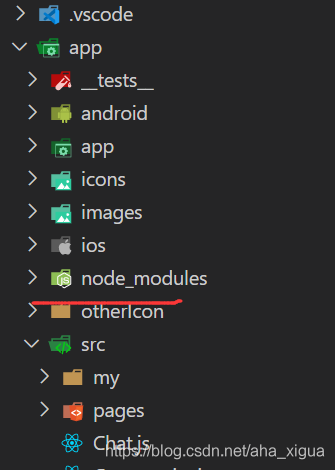
Mobx needs to be used in the development process. After installing and running according to the instructions on the official website, an error is always reported: error: unable to resolve module mobx react from E: (uploadcode, update, test, app, app. JS: mobx react could not be found within the project or in these directions:
node_ modules
…\ node_ Modules
at the beginning, I thought that the network was not good when I downloaded it. I didn’t download it completely, so I uninstalled what I just installed and installed it again, but there was still this error finally, I can only look at the error information to see if there is a solution. Finally, this sentence attracted my attention: mobx react could not be found within the project or in these directions:
node_ modules
…\ node_ modules

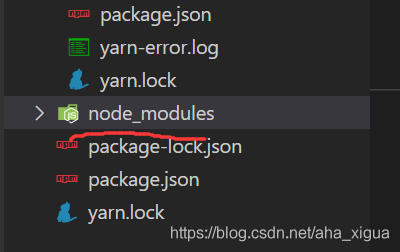
On node_ Modules and_ I can’t find mobx react in the modules folder, so I went into these two folders and found that… – node_ Modules folder contains the content I just downloaded, but node_ There is no module, so I enter the node from the terminal_ In the modules folder, download and install the dependency again
after downloading, rerun the project and no error will be reported
summary: if there is no dependency for you to download in any folder, go to the corresponding folder and download it again, so that all the folders mentioned in the error message have the dependency for you to download

Flutter SocketException: OS Error: No route to host, errno = 113, address = XXX

Or flutter   WebSocketChannelException: SocketException: OS Error: No route to host, errno = 113, address = XX

This type of access problem,

1. First of all, whether the port on the server side is open or not, MacOS or windows, please do it yourself

2. The problems encountered here, I will explain my situation. First of all, the test I did belongs to the type of LAN, and I know that my server IP and real mobile phone, including web page test, are all in the same network segment. For example, 192.168.1.xx to 192.168.1.250. There is no problem with the access of the extension computer, but the mobile phone has this problem, The IP of the mobile phone is also in the same segment with the server we tested, but why is the problem of not finding the host mentioned above?

Finally, we found that the mobile phone is linked in the 5g band of the router, which may be due to the IP isolation between 5g band and other IP when the router is set up, resulting in mutual inaccessibility

It’s OK to enter 2.4G

Error c2059: syntax error: constant solution

Scene

      Add the header file and library file of Haikang and Yushi SDKs. Error c2059: syntax error: “constant”. The macro definition in netdevsdk. H header file of UTV SDK is abnormal
displayed   typedef enum tagNETDEV_ PASSIVEDECODE_ CMD
 {
   PASSIVE_ DEC_ PAUSE = 1,    /* Passive decoding pause (file stream only valid) */
0    PASSIVE_ DEC_ RESUME = 2,    /* Recover passive decoding (only valid for file stream) */
0    PASSIVE_ DEC_ FAST = 3,    /* Fast passive decoding (only valid for file stream) */
1    PASSIVE_ DEC_ SLOW = 4,    /* Slow passive decoding (file stream only valid) */
1    PASSIVE_ DEC_ NORMAL = 5,    /* Normal passive decoding (file stream only valid) */
0    PASSIVE_ DEC_ ONEBYONE = 6,    /* Passive decoding single frame playback (reserved) */
1    PASSIVE_ DEC_ AUDIO_ ON = 7,    /* Audio on */
1    PASSIVE_ DEC_ AUDIO_ OFF = 8,    /* Audio off */
1    PASSIVE_ DEC_ RESETBUFFER = 9     /* Clear buffer */
0  } NETDEV_ PASSIVEDECODE_ CMD_ E;

Netdevsdk. H (5082): error c2059: syntax error: “constant”
netdevsdk. H (5091): error c2143: syntax error: missing “;”( Before “}”

Mouse on passive_ DEC_ Pause, see the error prompt: # define         PASSIVE_ DEC_ PAUSE             one

Investigation process               Macro definition search for the whole project directory in Notepad + +_ DEC_ Pause, found that hcnetsdk. H
?Define has been defined in the header file of Haikang         PASSIVE_ DEC_ PAUSE             one     /* Passive decoding pause (file stream only valid) */
?Define         PASSIVE_ DEC_ RESUME             two     /* Recover passive decoding (only valid for file stream) */
?Define      PASSIVE_ DEC_ FAST               three    /* Fast passive decoding (file stream only) */
?Define      PASSIVE_ DEC_ SLOW             four    /* Slow passive decoding (file stream only valid) */
?Define      PASSIVE_ DEC_ NORMAL           five    /* Normal passive decoding (file stream only valid) */
?Define      PASSIVE_ DEC_ ONEBYONE           six   /* Passive decoding single frame playback (reserved) */
?Define      PASSIVE_ DEC_ AUDIO_ ON          seven    /* Audio on */
?Define      PASSIVE_ DEC_ AUDIO_ OFF         eight        /* Audio off */
?Define         PASSIVE_ DEC_ RESETBUFFER         nine     /* Clear the buffer */
so the above prompt error appears

Solution

             Netdev is not found in the header file of UTV SDK_ PASSIVEDECODE_ CMD_ E macro definition, therefore, the entire macro definition is annotated directly to solve the problem

self._handle = _dlopen(self._name, mode) OSError: [WinError126] The specified module could not found

When doing the project, due to the need to do DLL to speed up, but often burst out error

File "C:\Users\32373\AppData\Local\Programs\Python\Python37\lib\ctypes\__init__.py", line 434, in LoadLibrary
    return self._dlltype(name)
  File "C:\Users\32373\AppData\Local\Programs\Python\Python37\lib\ctypes\__init__.py", line 356, in __init__
    self._handle = _dlopen(self._name, mode)
OSError: [WinError 126] The specified module could not be found

The example code is as follows

from ctypes import cdll
class Demo():
	def __init__(self):
		self.__path = "ZeissControl2.dll"
		self.__Library = cdll.LoadLibrary(self.__path)

It’s also a bug that has been bothering me for a long time.
for this problem, I summarize two reasons:

    the first thing is to check whether the path of the DLL file is correct. If it is correct, that is the second reason. When we generate a custom DLL, we usually rely on a variety of other DLL files, so we need to add other DLL files that the DLL calls depends on to the program running directory. In this case, the program can run perfectly in general

    However, in general, in addition to the specified DLL files, user-defined DLL files may also rely on the DLL files of the system environment
    in the latter case, we generally do not know which DLL files we rely on

    Fortunately, Visual Studio provides dumpbin/dependencies tool to get the list of DLL files that the specified DLL depends on
    specific operation
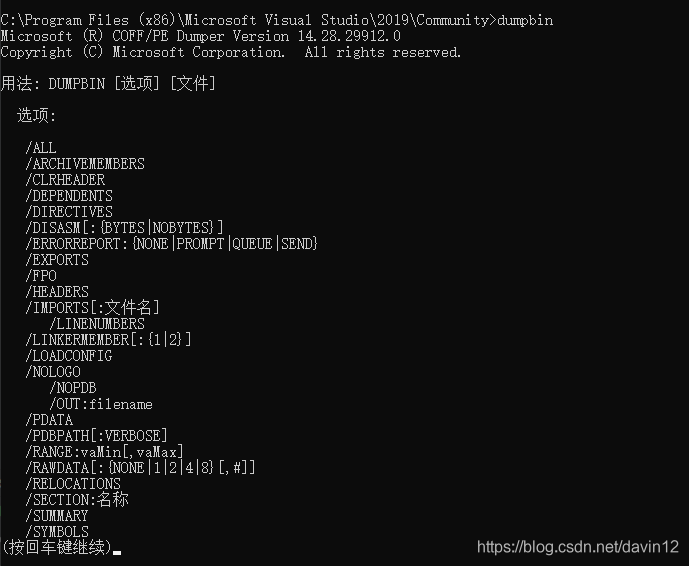
    Start Menu = & gt& gt; visual studio 2017 or 2019 ===>& gt; Developer Command Prompt for VS 2017 or 2019

    After opening the terminal and entering the dumpbin command, you can see that

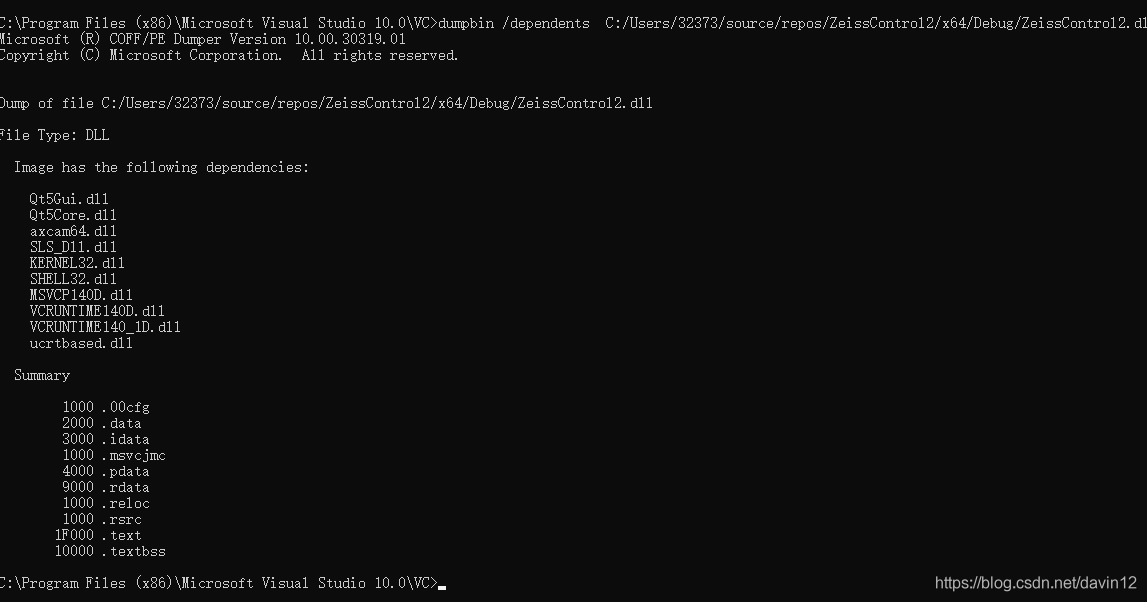
    we want to view the list of other DLL files that the specified DLL file depends on. The command is as follows

    dumpbin /dependents your_ dll_ path

    For example,

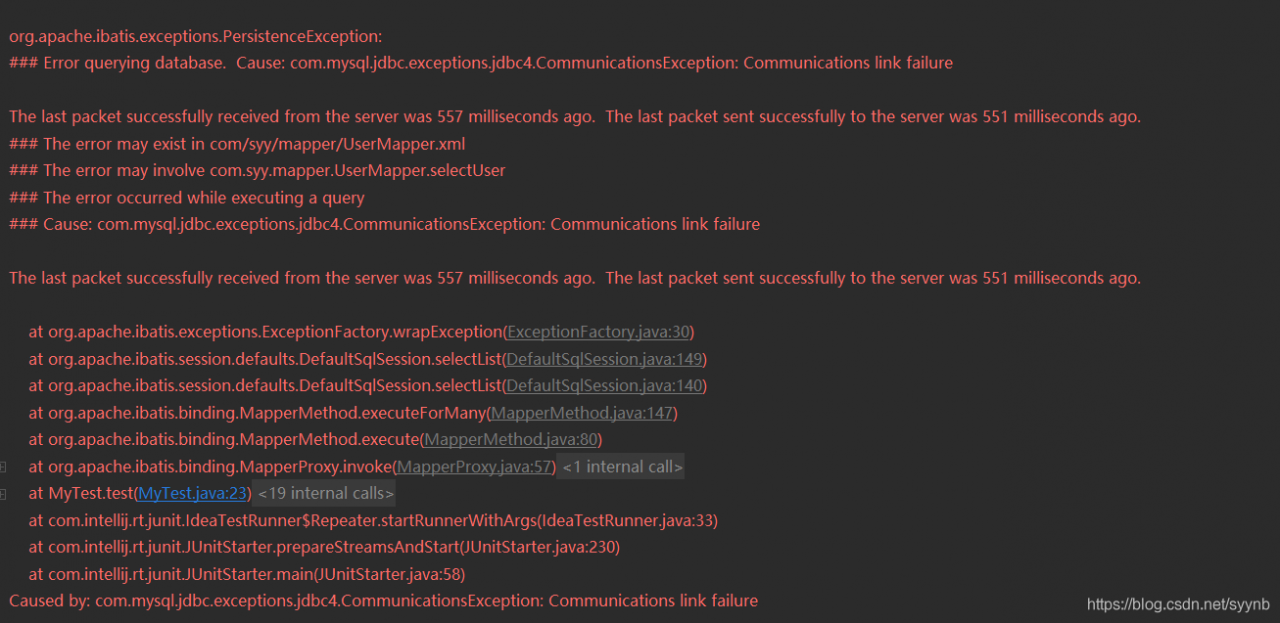
Error querying database. Cause: com.mysql.jdbc.exceptions.jdbc4.CommunicationsException: Communicat

Solution: when connecting to the database, change usessl = true to usessl = false. Of course, if usessl = true is not written, it is true by default.

Note: however, I don’t know why I did it. What’s more, the tutorial I read only uses true, and why I report an error. If a boss sees it, he hopes to answer it.

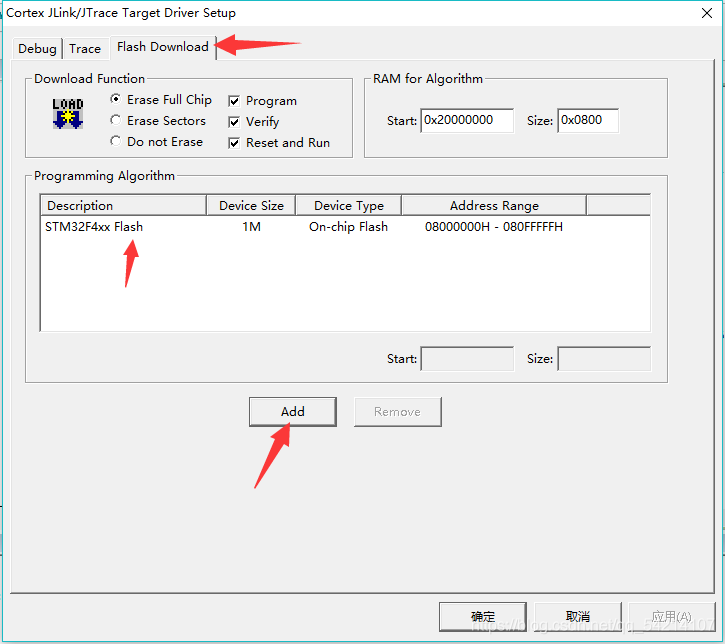
Error: Flash download failed – “cortex-m4″“

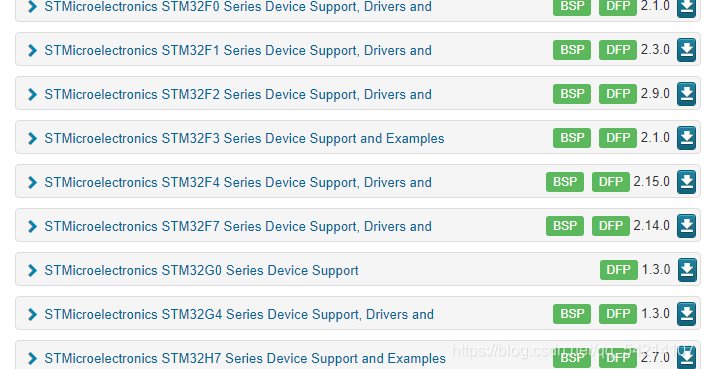
Picture address: https://www.keil.com/dd2/pack/# # eula-container

Jflash download address: https://www.segger.com/products/production/flasher/tools/j-flash-spi/

Solution to bug:

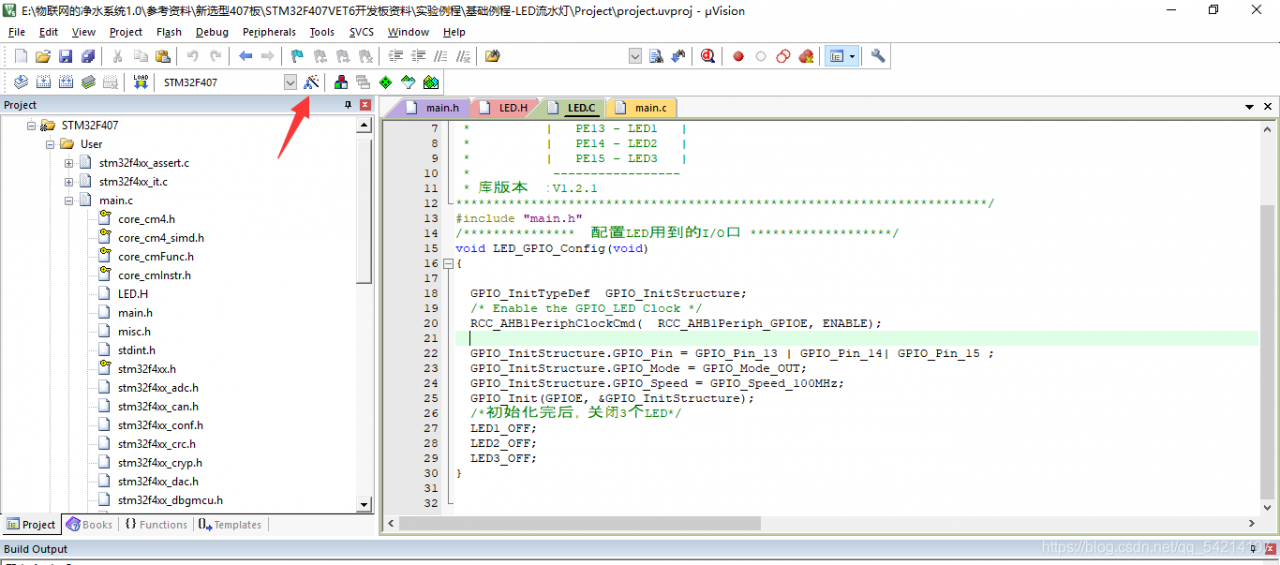
1. Click the magic wand

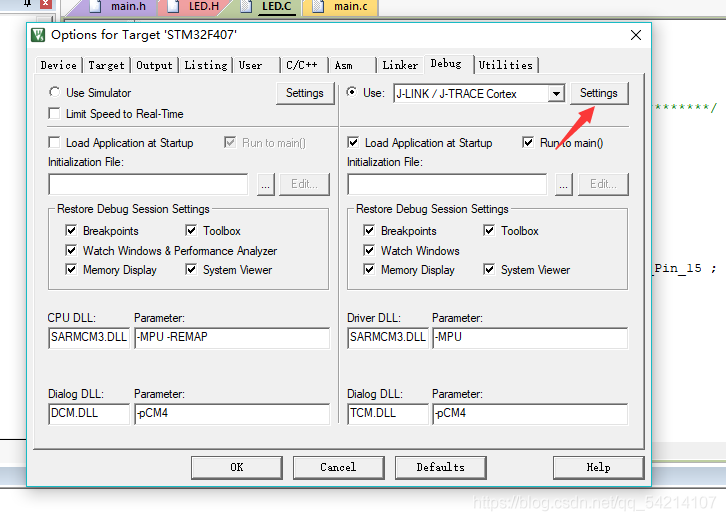
2. Click settings in debug

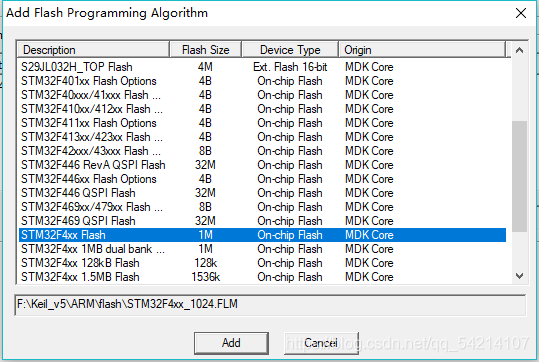
3. Click flash download to add stmf4xxflash

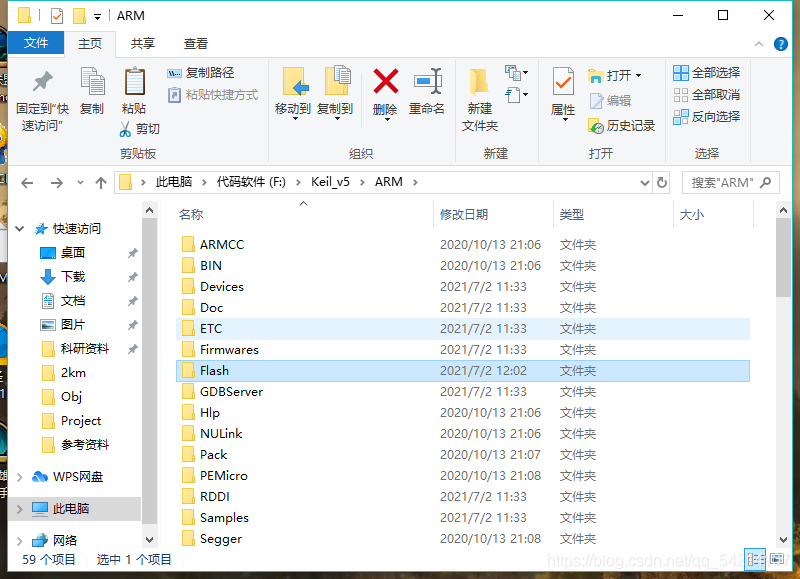
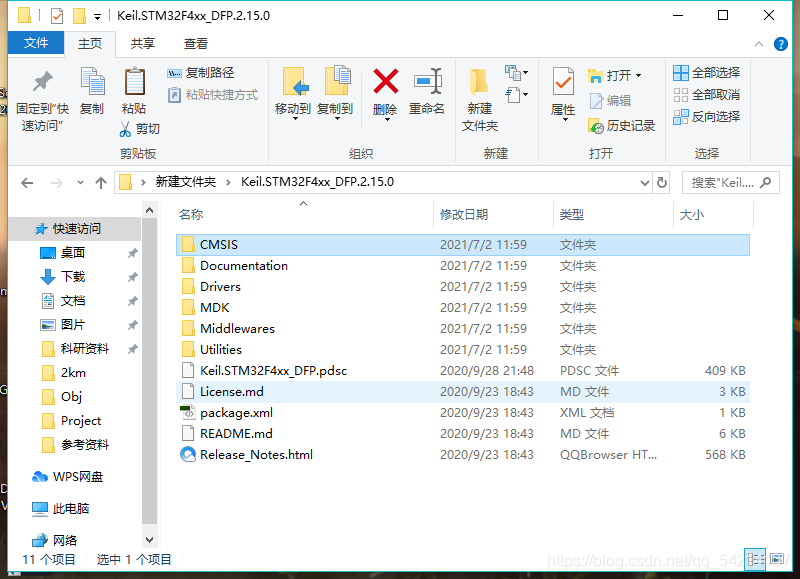
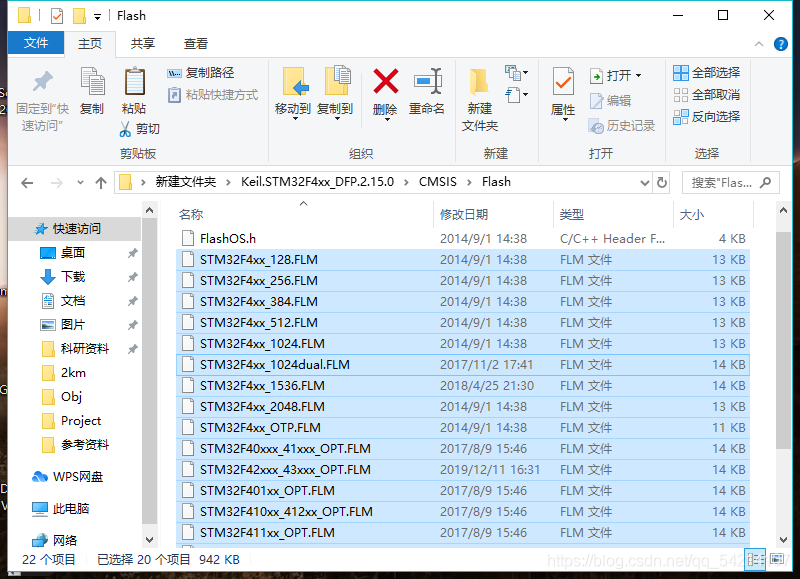
Flash download has been explained at the beginning. After downloading the firmware library, find the flash folder in your keil5 folder and put the corresponding flash file in it

Put the file below in the folder corresponding to the picture above