Category Archives: How to Fix

Error report of windows system running UMI project

Error code:


events.js:291
      throw er; // Unhandled 'error' event
      ^

TypeError: Cannot mix BigInt and other types, use explicit conversions
    at FSWatcher._hasReadPermissions (C:\Users\3123\node_modules\chokidar\index.js:775:36)
    at WatchHelper.filterPath (C:\Users\3123\node_modules\chokidar\index.js:191:16)
    at ReaddirpStream.fileFilter [as _fileFilter] (C:\Users\3123\node_modules\chokidar\lib\nodefs-handler.js:405:29)
    at ReaddirpStream._read (C:\Users\3123\node_modules\readdirp\index.js:141:85)
Emitted 'error' event on FSWatcher instance at:
    at FSWatcher._handleError (C:\Users\3123\node_modules\chokidar\index.js:592:10)
    at ReaddirpStream.NodeFsHandler._boundHandleError (C:\Users\3123\node_modules\chokidar\lib\nodefs-handler.js:252:43)
    at ReaddirpStream.emit (events.js:314:20)
    at emitErrorAndCloseNT (internal/streams/destroy.js:60:3)
    at processTicksAndRejections (internal/process/task_queues.js:84:21)
npm ERR! code ELIFECYCLE
npm ERR! errno 1

npm ERR! Exit status 1
npm ERR!
npm ERR! Failed at the [email protected] qa script.
npm ERR! This is probably not a problem with npm. There is likely additional logging output above.    

npm ERR! A complete log of this run can be found in: 

Solution:
Enter node_ Modify the 775 line of the modules/chokidar/index.js file as follows

Stats.mode is bigint, when using & amp; This error will be reported when adding parseInt (stats. Mode)

_hasReadPermissions(stats) {
if (this.options.ignorePermissionErrors) return true;

const st = (stats && parseInt(stats.mode)) & 0o777;
const it = parseInt(st.toString(8)[0], 10);
return Boolean(4 & it);
}

“26696;” 332581; https://github.com/umijs/umi/issues/2769
RuntimeError:cuda runtime error (11) : invalid argument at /pytorch/aten/src/THC/generic

RuntimeError:cuda runtime error (11) : invalid argument at /pytorch/aten/src/THC/generic/THCTensorMathPointwise.cu:324

In other people’s Python code, add their own module, CUDA run-time error. I’ve looked at the explanations of many bloggers. It’s been a long time without success
the main reason for this error is that the function in the added module can not be executed in GPU, and the incoming data is converted to CPU mode, and then converted to CUDA mode when it is called again after execution

Network agent problem: task: preparekotlinbuildscriptmodel up-to-date

The error code is as follows

> Task :prepareKotlinBuildScriptModel UP-TO-DATE
IOException: https://dl.google.com/android/repository/addons_list-3.xml
java.net.ConnectException: Connection refused: connect
IOException: https://dl.google.com/android/repository/addons_list-2.xml
java.net.ConnectException: Connection refused: connect
IOException: https://dl.google.com/android/repository/addons_list-1.xml
java.net.ConnectException: Connection refused: connect
Failed to download any source lists!

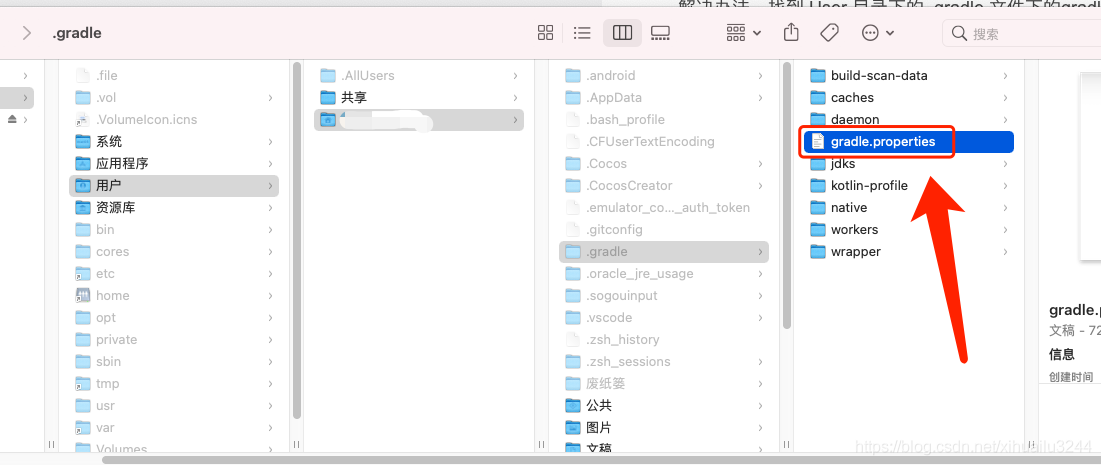
The solution is to find the gradle.properties file under the. Gradle file in the user directory, open and delete the proxy configuration, IP and port with proxy (not just IP)!!!! And ports!!)

Android dependency conflict resolution

Conflict resolution
1.exclude

implementation('com.zhy:autolayout:1.4.5') { 

        exclude group: 'com.android.support' 

}

2.buildtoolversion,complie_ sdk_ version,target_ sdk_ Version should exceed the version of V4, V7 and other packages
3. Use the following code block to adjust the version of all support packages

configurations.all { 

        resolutionStrategy.eachDependency { DependencyResolveDetails details -> 

            def requested = details.requested 

            if (requested.group == 'com.android.support') { 

                if (!requested.name.startsWith("multidex")) { 

                    details.useVersion '25.0.0' 

                } 

            } 

}

4. Provided is added when compiling and not when packaging

————————————————
Copyright notice: This is CSDN blogger random_ 7474 “in accordance with the CC 4.0 by-sa copyright agreement. Please attach the link to the original source and this notice
original link: https://blog.csdn.net/random_ 7474/article/details/80703182

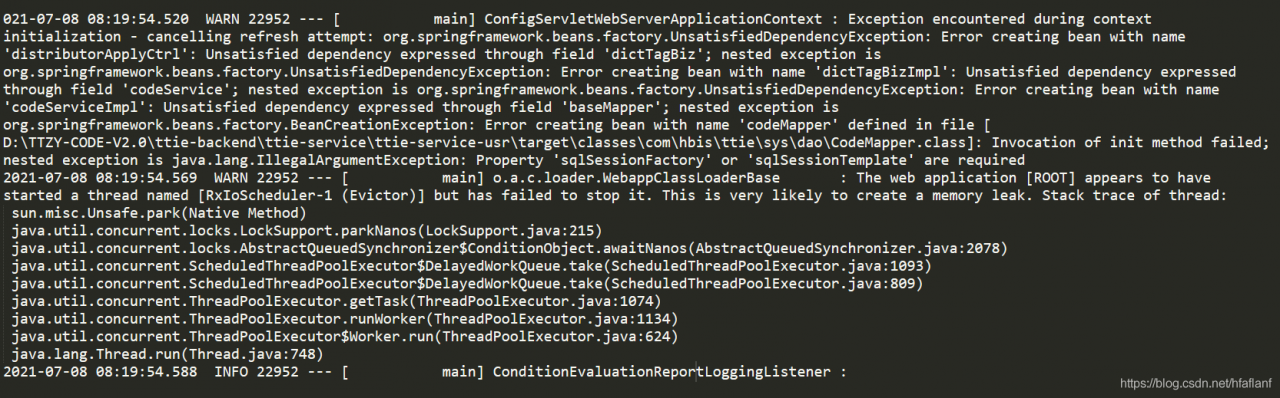
The web application [ROOT] appears to have started a thread named [RxIoScheduler-1 (Evictor)] but ha

Start the project and report an error;

1. First, check the code and check the GIT submission record. It is found that the code with error prompt is old code. If there is no change in the near future, the error report caused by colleague code error will be ruled out. The focus is on the local system and system configuration;

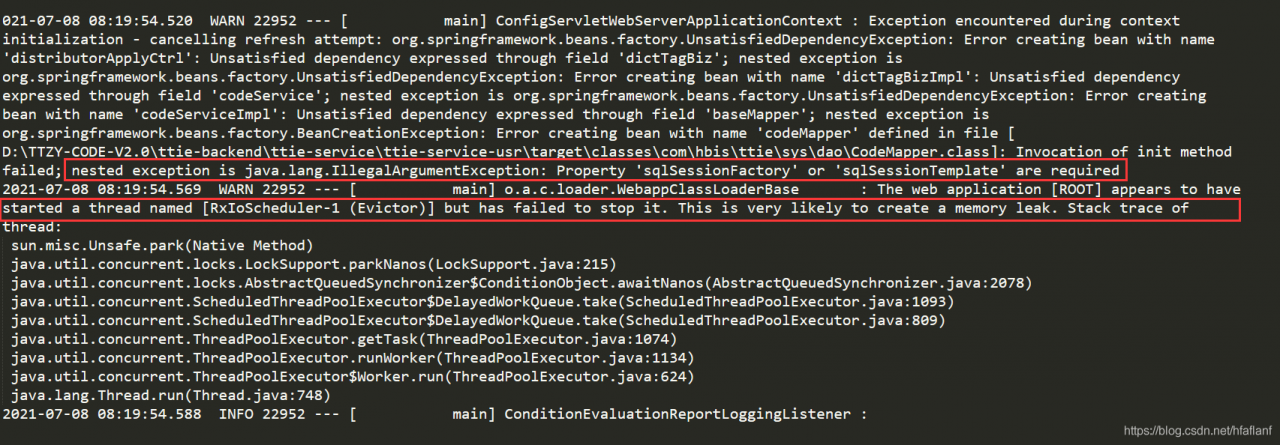
2. Check the error information

The key is these two sentences,

nested exception is java.lang.IllegalArgumentException: Property ‘sqlSessionFactory’ or ‘sqlSessionTemplate’ are required

The web application [ROOT] appears to have started a thread named [RxIoScheduler-1 (Evictor)] but has failed to stop it. This is very likely to create a memory leak. Stack trace of thread:

3. Throw it to Baidu, check the solutions, and find that there are many solutions. Some solutions try, but they are invalid, while others are inconsistent with the system, and finally give up looking for solutions online;

4. Restart idea and clear the cache; Restart the computer is invalid; It is invalid to modify the JDK configuration;

5. When checking the Maven configuration, it is found that two update packages are not downloaded successfully. Add the jar package to the local, re import, restart the project, and start successfully;

The mountains and rivers are heavy, and there is no way out