Q:
Terminal running .sh error: ***.sh: 2: set: Illegal option-
A:
solution: Remove trailing \r character that causes this error!
command:
sed -i 's/\r$//' filenameQ:
Terminal running .sh error: ***.sh: 2: set: Illegal option-
A:
solution: Remove trailing \r character that causes this error!
command:
sed -i 's/\r$//' filename1. The problem is reported: Operation not permitted.

Solution:
Add a parameter in the configuration file,
fake super = yes
#Or change the running user to root
uid = root
gid = root
2. The problem is reported:
[root@nfs01 ~]# rsync -av -P /data/ rsync_password@ 10.0 . 0.41 ::data
Password:
@ERROR: auth failed on module data
rsync error: error starting client -server protocol (code 5 ) at main.c( 1648 ) [sender= 3.1 . 2 ]
Solution: change the password file permissions
[root@backup ~]# chmod 600 /etc/rsync.password
An error occurred when using Gitlab’s clone project:
schannel: next InitializeSecurityContext failed: SEC_E_UNTRUSTED_ROOTFor this error, open the cmd window in administrator mode and execute the following command:
git config --system http.sslbackend opensslThen you can clone.
Farewell:
Error: Cannot find module’webpack/lib/RequestShortener’
This is really clueless. Later, there was an article to solve other similar error reporting methods, and I borrowed it, and it really worked!
After that, it’s okay~
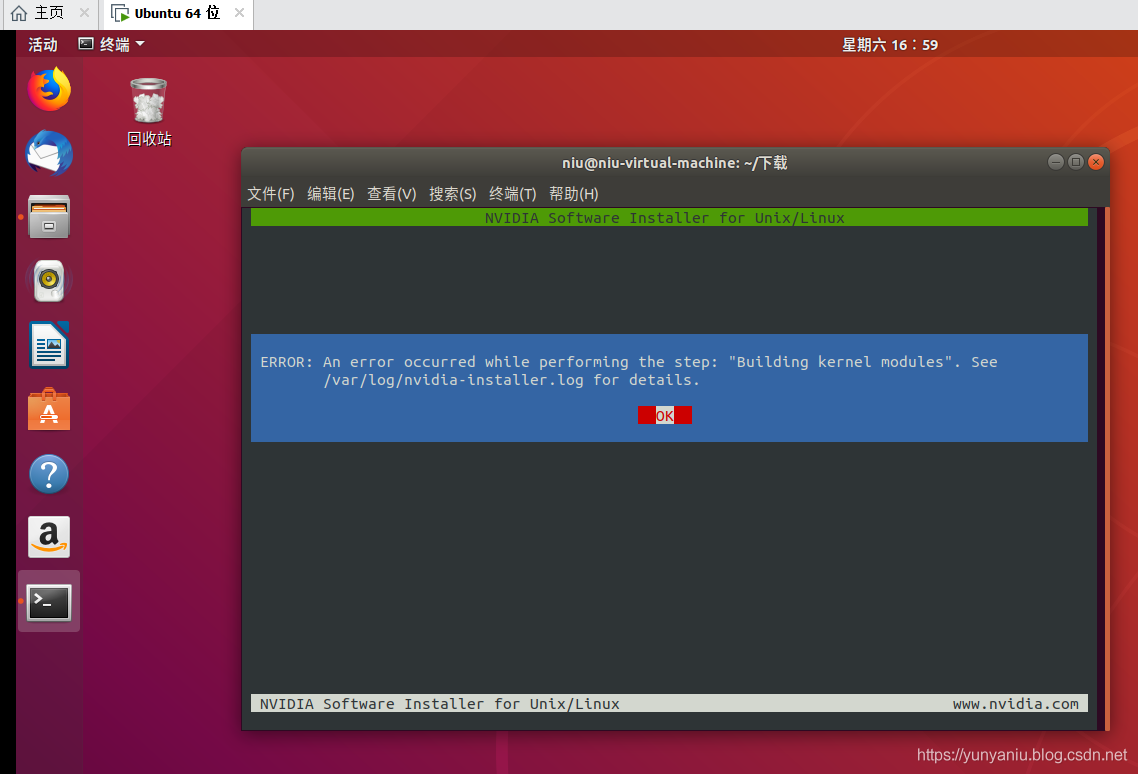
An ERROR occurred while performing the step: “Building kernel modules”. See /var/log/nv
To solve the problem
NVIDIA Software Installer for Unix/Linux
ERROR: An ERROR occurred while performing the step: “Building kernel modules”. See
/var/log/ nvidia-log for details.
solution
Error: An error occurred while performing the step “build a kernel module”. For more information, see /var/log/nvidia-installer.log.
The solution
First check the error log, the solution is really forgotten, really sorry……
PS: friends, really sorry, in the past for a long time, the specific solution to forget, I hope that friends, brainstorm, together to solve this problem, there is a better more detailed way, leave a message we discuss together! Thank you very much!
update
First of all, thank you for your recommendation!
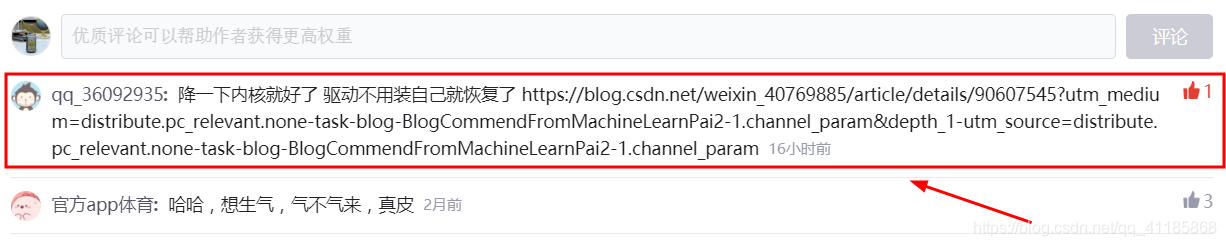
Understand bugs: Nvidia drivers are “fragile.” Because of the execution of the apt-get Upgrade command, the kernel from 4.10 to 4.13, install the Nvidia driver will report an error, so put the kernel version back to 4.10 version, install again!
uname -r                       #Check the current kernel version
sudo apt-get remove linux-image-(version-number)-generic
For example
sudo apt-get remove linux-image-4.4.0-140-generic-generic # to remove the current kernel version


nvidia-smi # Use the command to view the GPU information after installing the graphics driver
Kernel version in the upgrade, will not delete the old version, just replace the old with the new version, only need to delete the new version of the kernel, the system will automatically descend to the old version, delete the new version of the kernel.
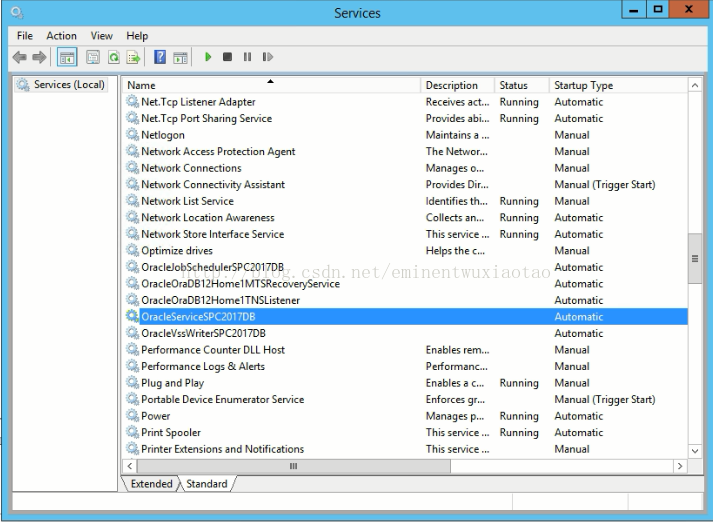
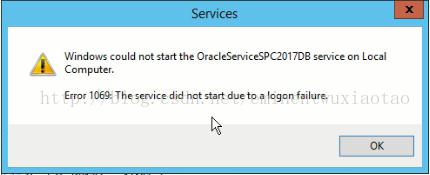
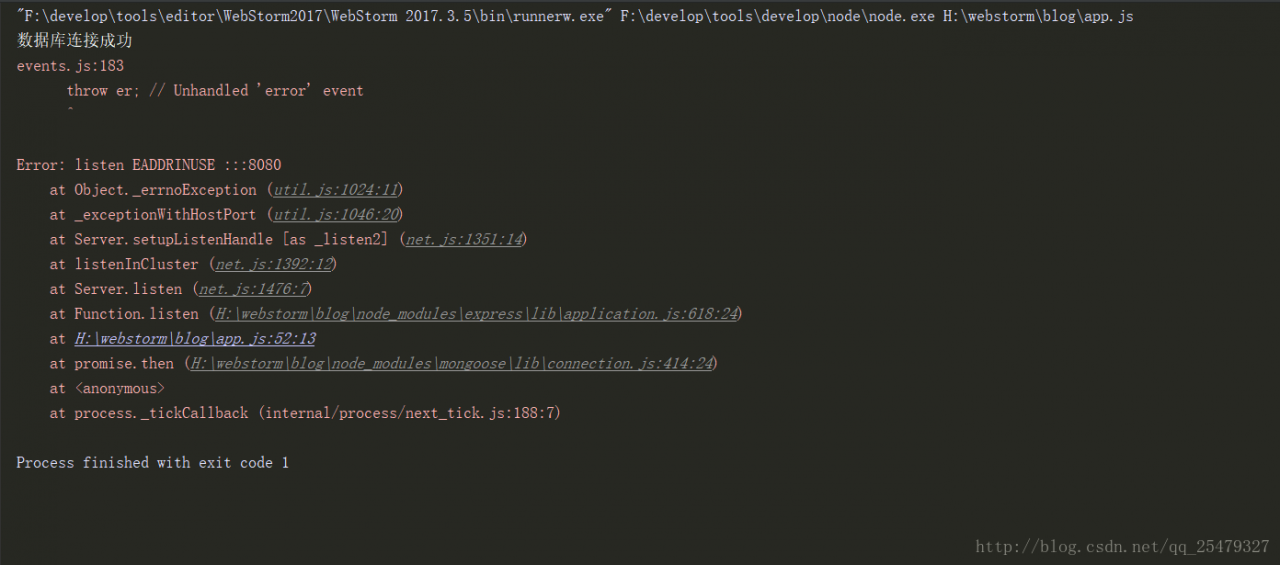
"F:\develop\tools\editor\WebStorm2017\WebStorm 2017.3.5\bin\runnerw.exe" F:\develop\tools\develop\node\node.exe H:\webstorm\blog\app.js
Database connection successful
events.js:183
      throw er; // Unhandled 'error' event
      ^

Error: listen EADDRINUSE :::8080
    at Object._errnoException (util.js:1024:11)
    at _exceptionWithHostPort (util.js:1046:20)
    at Server.setupListenHandle [as _listen2] (net.js:1351:14)
    at listenInCluster (net.js:1392:12)
    at Server.listen (net.js:1476:7)
    at Function.listen (H:\webstorm\blog\node_modules\express\lib\application.js:618:24)
    at H:\webstorm\blog\app.js:52:13
    at promise.then (H:\webstorm\blog\node_modules\mongoose\lib\connection.js:414:24)
    at <anonymous>
    at process._tickCallback (internal/process/next_tick.js:188:7)

Process finished with exit code 1
Reason for error:
Port number is occupiedSolution:
looks up the occupied port number and closes it
1.Win+R,cmdTo find out if the port number used is occupied.
netstat -ano|findstr "8080"
Press Enter to display the PID number of the corresponding program occupying port 8080.
2. find the corresponding program according to the PID number: continue to enter the command.
tasklist|findstr "15008"
The program occupying the port is displayed after pressing enter.
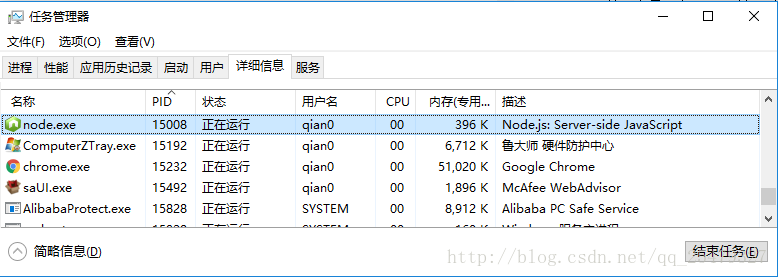
3. Press the shortcut key "Ctrl+Shift+Esc" to bring up Windows Task Manager, according to the PID/
It is enough to end the program process with the corresponding name of the program.

Translated with www.DeepL.com/Translator (free version)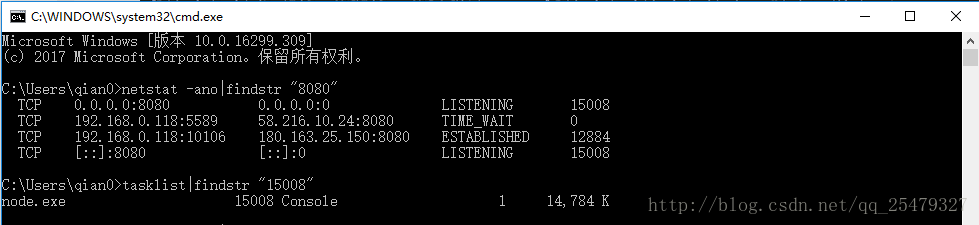
– https://mirrors.tuna.tsinghua.edu.cn/anaconda/cloud/bioconda/ – https://mirrors.tuna.tsinghua.edu.cn/anaconda/cloud/menpo/ – https://mirrors.tuna.tsinghua.edu.cn/anaconda/cloud/msys2/
– https://mirrors.tuna.tsinghua.edu.cn/anaconda/pkgs/main/ – https://mirrors.tuna.tsinghua.edu.cn/anaconda/cloud/conda-forge/ – https://mirrors.tuna.tsinghua.edu.cn/anaconda/pkgs/free/
– defaults
show_channel_urls: true
Replace this with your current one and you can open it
After the current drop-down menu is selected, the value is assigned normally. When refreshing, there is no problem. When the data is selected, the interface of the search is requested and an error is reported directly.
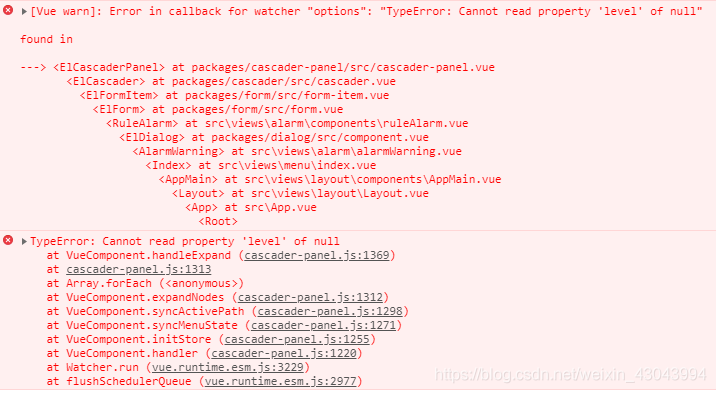
According to the error message, I clicked in and took a look, and found that cascader has the checkedValue of the selected item and the clicked parent node (highlighted) activePath. Even if it is set this.cascaderValue= [] ,
The activePath in cascader still has a value, that is, the clicked parent node will be recorded, and an error will be reported if cascader is not found when loaded again.
solve:
In the recommended blog, I saw that a key is set for cascader. When the type is changed, the key value is also changed. If the key value is changed, cascader will re-render.
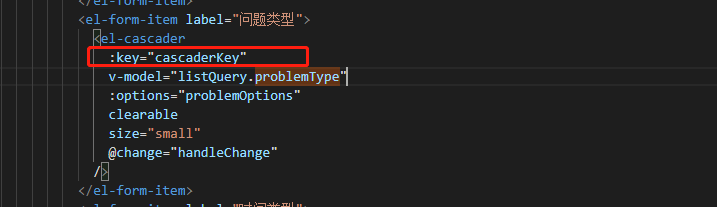
Set cascaderKey in data to 1 by default,
Then set ++this.cascaderKey in the requested interface
When the options change Change key Value, then the component is re-rendered
Problem Description:
Use pytest.main([‘TestcasePairValue.py’]) to execute OK in the case code, but use pytest TestcasePairValue.py under cmd to execute the error as follows
Importing the while Test Module1 ImportError ‘D: \ code \ APITEST \ TestCase \ TestcasePairValue.py’.
Hint: the make your Test modules Sure / Packages have have Valid

I checked the online information and said that there was a circular reference, but I checked the two files and did not see where there is mutual reference. Finally, I found a solution to the big problem. Record it:
Create a new conftest.py file in the executed case file directory, and write the content:
import os
import sys
sys.path.insert(0, os.path.abspath(os.path.join(os.path.dirname(__file__), '..')))
Get it done! It can be executed on the console normally!
In the morning, I turned on the computer for research and development, and the information came, and the local git push code reported an error. Okay, take a screenshot of the error report
fatal: unable to access”: The requested URL returned error: 500
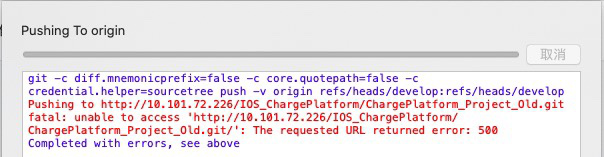
To be honest, if you look at this content, it is a feedback permission problem, then directly take the account password and log in to the gitlab page to try it. I took the R&D account and password to log in and it didn’t respond. And my own account login is no problem.
solve:
Log in to gitlab as an administrator user, and then reset the password of the R&D user account.
Solution:
When springboot is simply tested, the results cannot be displayed correctly. The reason is that the hierarchical structure of the directory is incorrect. The startup class should be placed in the outermost layer of all sub-packages.