Category Archives: Error

[Solved] Qt Vtk wglMakeCurrent failed in MakeCurrent(), error: The handle is invalid.

Problem description

The qvtkwidget control is used in QT’s interface. When clicking the close button in the upper right corner of the window, an error is reported: wglmakecurrent failed in makecurrent(), error: the handle is invalid .

Solution:

By overriding the void closeevent (qcloseevent * event) function, manually delete all qvtkwidget type controls, and then close the window.

Example

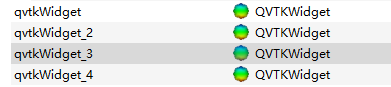
The qvtkwidget type controls in the QT design interface are as follows:
mymainwindow. H

class MyMainWindow : public QMainWindow
{
    Q_OBJECT
public:
    MyMainWindow(QWidget *parent = Q_NULLPTR);
protected:
	void closeEvent(QCloseEvent *event); 
private:
    Ui::MainWindow ui;
};

mymainwindow.cpp

MyMainWindow::MyMainWindow(QWidget *parent): QMainWindow(parent)
{
    ui.setupUi(this);
}

void MyMainWindow::closeEvent(QCloseEvent *event) {
	delete ui.qvtkWidget;
	delete ui.qvtkWidget_2;
	delete ui.qvtkWidget_3;
	delete ui.qvtkWidget_4;
	event->accept();
}

Postscript

I don’t know whether such hasty delete processing will cause other problems. I hope you can make more corrections.
[Solved] MIT cheetah make error: ‘ioctl’ was not declared in this scope

Question:

error: ‘ioctl’ was not declared in this scope
   35 |   ioctl(fd, TCGETS2, &tty);

Solution:
Open Cheetah-Software-master/robot/src/rt/rt_serial.cpp
Change

#define termios asmtermios

#include <asm/termios.h>

#undef termios

#include <termios.h>
#include <math.h>
#include <pthread.h>
#include <stropts.h>
#include <endian.h>
#include <stdint.h>

to

#define termios asmtermios

//#include <asm/termios.h>
#include<asm/ioctls.h>
#include<asm/termbits.h>

#undef termios

#include<sys/ioctl.h>
#include <termios.h>
#include <math.h>
#include <pthread.h>
#include <stropts.h>
#include <endian.h>
#include <stdint.h>

NestedServletException, Handler dispatch failed; nested exception is java.lang.StackOverflowError [Solved]

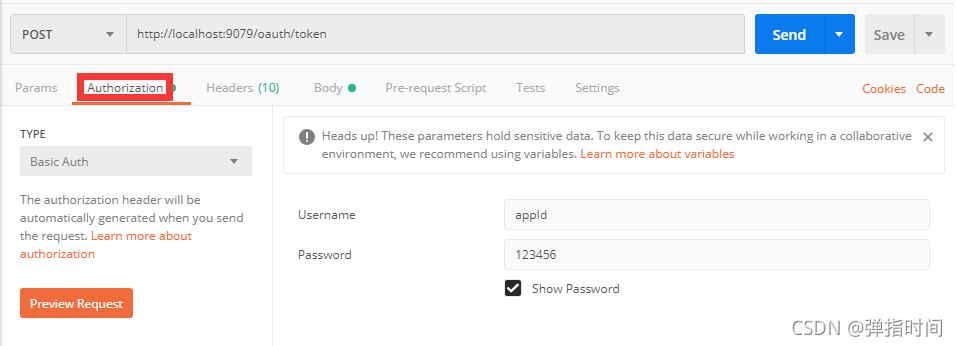
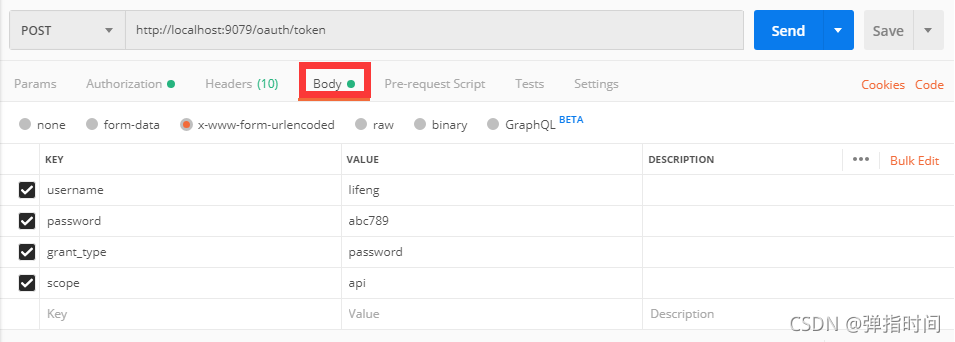
After setting up the spring security oauth2 environment, conduct interface test with postman:

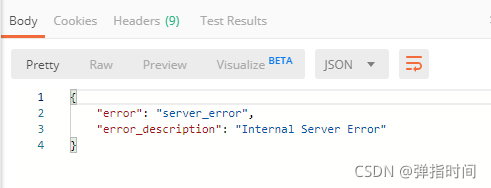
Postman returned an error message:

The idea console outputs the following warnings:

WARN 4344 — [nio-8082-exec-1] o.s.s.o.provider.endpoint.TokenEndpoint  : Handling error: NestedServletException, Handler dispatch failed; nested exception is java.lang.StackOverflowError

After investigation, it is found that a method in the spring security configuration class securityconfiguration written by myself is wrong and written as: AuthenticationManager. The correct method name should be authenticationmanagerbean.

The complete and correct method is:

@Bean
@Override
public AuthenticationManager authenticationManagerBean() throws Exception {
      return super.authenticationManagerBean();
}

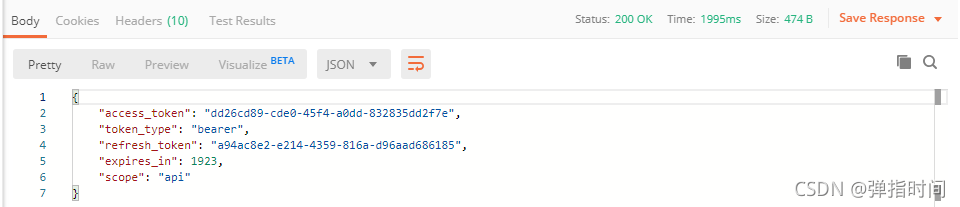
Retest after modification and return the correct result:

If you encounter any problems during browsing, please leave me a message in the comment area below.

[GNS3 router and cloud times error] error while sending commadn ‘bridge add_nio_ethernet

1. Error Messages:
error while sending commadn ‘bridge add_nio_ethernet 992cbac3-3290-4aa4-9124-495da89e147e-1 “\Device\NPF_{DD33F9C0-A7CD-4E68-8A8C-04238D7F0D78}”‘: unable to create NIO Ethernet for bridge ’60eb5d09-3290-4aa4-9124-495da89e147e-1’: uBridge version 0.9.16 running with WinPcap version 4.1.3 (packet.dll version 4.1.0.2980), based on libpcap version 1.0 branch 1_0_rel0b (20091008)Hypervisor TCP control server started (IP localhost port 49961).UDP tunnel connecting from local port 10001 to IPv4 addresss 127.0.0.1 on port 10000nio_ethernet_open: unable to open device ‘\Device\NPF_{DD33F9C0-A7CD-4E68-8A8C-04238D7F0D78}’: Error opening adapter:  (20)

2. Operation before appearing
Added a new network card to the PC
3. Solution
Uninstall winpcap and then reinstall winpcap


[Solved] Error running query: MetaException(message:Got exception: java.net.ConnectException Call From XXXX

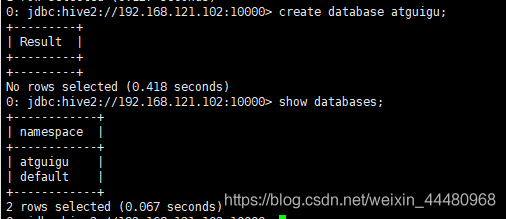
Problem screenshot

Problem description

Error: Error running query: MetaException(message:Got exception: 
java.net.ConnectException Call From hadoop102/192.168.121.102 to hadoop102:9000 
failed on connection exception: 
java.net.ConnectException: Connection denied;
For more details see:  http://wiki.apache.org/hadoop/ConnectionRefused) (state=,code=0)

Cause:

Hadoop cluster is not started

Solution:

Start Hadoop cluster: detailed steps

Result screenshot

[Solved] Click the play button to display: e/mediaplayer: error (1, – 2147483648)

Problem Description:

Click the play button to display:
e/mediaplayer: error (1, – 2147483648)


Cause analysis:

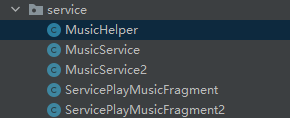
Although the package service is created and the package name is displayed as follows:


an error will occur if the code is written as follows:

mediaPlayer.setDataSource(context,Uri.parse("android.resource://com.example.homework07.service/" + musics[musicIndex]));

Solution:

Delete the. Service in the code as follows

mediaPlayer.setDataSource(context,Uri.parse("android.resource://com.example.homework07/" + musics[musicIndex]));

The requested URL returned error: 403 [How to Solve]

Administrator@ecs -9970 MINGW64 /c/harmonyohos/exoplayer
$ git clone https://gitee.com/xxxxx/xxxxx.git
Cloning into ‘exo-player_ ohos’…
remote: Access denied
fatal: unable to access ‘ https://gitee.com/xxxxx/xxxxx.git/ ‘: The requested URL returned error: 403

First, through Git   Config — global — list check whether the current git global information is the logged in gitee account. If the information is incorrect, reset it

git config –global user.name “xxxxx”

git config –global user.email “xxxxx”

git config –global user.password “xxxxx”

Then check whether the windows credential information is consistent with the logged in gitee account information

Control panel\all control panel items\credential manager\windows credentials, modify account

Maskrcnn-benchmark Error: KeyError “Non-existent config key: MODEL.BACKBONE.OUT_CHANNELS“

When trying to extract visual features using VQA maskrcnn benchmark: files · master · vedanuj Goswami/VQA maskrcnn benchmark · gitlab,

After compiling maskrcnn benchmark according to the instructions of install, run

python script/extract_features.py ... 

An error occurred:

KeyError "Non-existent config key: MODEL.BACKBONE.OUT_CHANNELS"

The problem is: instead of compiling maskrcnn benchmark, you can compile setup.py under VQA maskrcnn benchmark

PS: the author has made corresponding fine adjustments to the network structure and code. The structure in the original maskrcnn library does not correspond to config

QT Error: ‘C:\\Program Files (x86)\\Microsoft Visual Studio 14.0\\VC\\BIN\\x86_amd64\\link.exe‘ failed

Error running QT
Environment:
win10 + QT5.12+ vs2019
Error reporting.
NMAKE👎 error: U1077: ‘C:\Program Files (x86)\Microsoft Visual Studio 14.0\VC\BIN\x86_amd64\link.exe’ failed with exit status 1158


Solution:
Copy the rc.exe and rcdll.dll files from C:\Program Files (x86)\Windows Kits\10\bin\10.0.19041.0\x86
to
G:\Program Files (x86)\Microsoft Visual Studio 14.0\VC\bin. The second address is the installation path of vs.
That will solve the above reported error.