Category Archives: Error

[Solved] Jekyll Install Error: cannot load such file — webrick (LoadError)

Jekyll install cannot load such file – webrick (LoadError)

catalogue

Jekyll installation cannot load such file — webrick (LoadError) fast track problem background, problem analysis and solution summary

Express Lane

bundle add webrick


Problem background

I use archlinux. Recently, on a whim, I wanted to build a blog on GitHub pages. I looked for it and found two mainstream ones, one is Jekyll and the other is hexo. I heard that the previous one has richer functions, but the syntax is not friendly to programmers, and someone around me uses hexo, but I chose the former, which has rich functions and attracts me more.
but I followed the quick start on the home page

  ~ $ gem install bundler jekyll

  ~ $ jekyll new my-awesome-site

  ~ $ cd my-awesome-site

  ~/my-awesome-site $ bundle exec jekyll serve

# => Now browse to http://localhost:4000

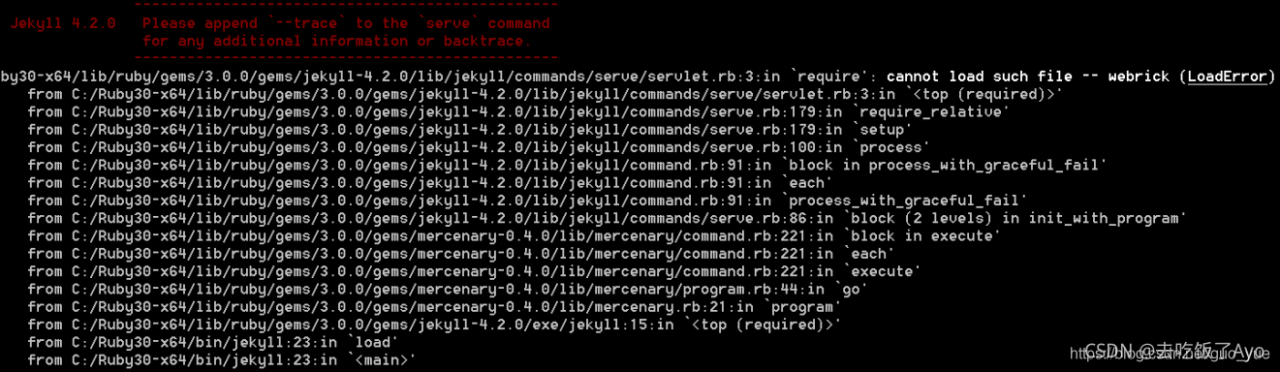
When starting the service in the last step, it reports an error

cannot load such file -- webrick (LoadError)
Problem analysis

After checking a bunch of things on the Internet, we finally found the answer from the official website. The problem is solved by the official documents and is
UE (which tells us that the official documents and GitHub issue are preferred for problems). Through the official website, we can know that we can solve the problem by running bundle add webrick : QuickStart https://jekyllrb.com/docs/,
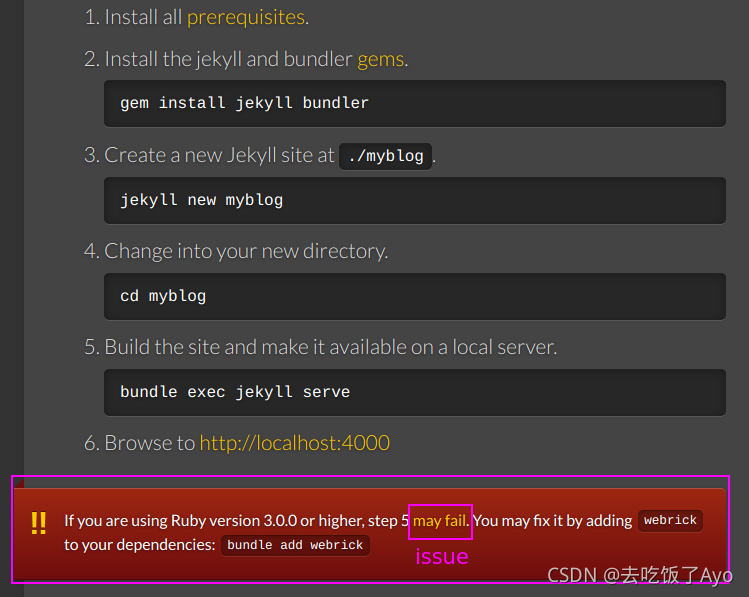
From the answer given in the issue link on the official website, we can know that ruby3.0.0 and above will no longer bring their own webrick and need to be manually added to the environment
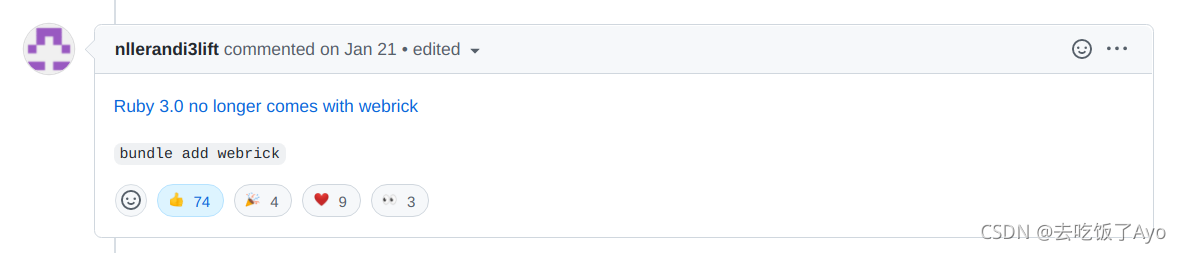
Solution:

Add webrick to dependency: bundle add webrick
this should be implemented in the project

In addition, I tossed around some things, which should not have much to do with the solution of the problem
if webrick does not exist, I can use gem installation: gem install webrick
in addition, I also installed GitHub pages: gem install GitHub pages

Summary

Read more official documents and turn to issue

[Solved] CentOS 6 yum update Error: Cannot find a valid baseurl for repo: base

Error Message:
Loaded plugins: fastestmirror, ovl
Setting up Update Process
Loading mirror speeds from cached hostfile
YumRepo Error: All mirror URLs are not using ftp, http[s] or file.
Eg. Invalid release/repo/arch combination/
removing mirrorlist with no valid mirrors: /var/cache/yum/x86_64/6/base/mirrorlist.txt
Error: Cannot find a valid baseurl for repo: base

Solution:

mv /etc/yum.repos.d/CentOS-Base.repo /etc/yum.repos.d/CentOS-Base.repo.old  #Backup
vi /etc/yum.repos.d/CentOS-Base.repo   #New

/etc/yum.repos.d/centos-base.repo

[base]
name=CentOS-$releasever - Base
baseurl=https://vault.centos.org/6.10/os/$basearch/
gpgcheck=1
gpgkey=file:///etc/pki/rpm-gpg/RPM-GPG-KEY-CentOS-6

[updates]
name=CentOS-$releasever - Updates
baseurl=https://vault.centos.org/6.10/updates/$basearch/
gpgcheck=1
gpgkey=file:///etc/pki/rpm-gpg/RPM-GPG-KEY-CentOS-6

[extras]
name=CentOS-$releasever - Extras
baseurl=https://vault.centos.org/6.10/extras/$basearch/
gpgcheck=1
gpgkey=file:///etc/pki/rpm-gpg/RPM-GPG-KEY-CentOS-6

[Solved] Docker Error: Error response from daemon: driver failed programming external connectivity on endpoint

Error Message:

docker: Error response from daemon: driver failed programming external connectivity on endpoint kibana (16b783b436c6fc895f51866efea8a25c5748f7b3a78db1ec2cb0364e28e7feef): (iptables failed: iptables –wait -t nat -A DOCKER -p tcp -d 0/0 –dport 5601 -j DNAT –to-destination 172.17.0.4:5601 ! -i docker0: iptables: No chain/target/match by that name.
(exit status 1)).

Solution:
Docker reboot
You can register the iptables chain
Restart the Docker container

systemctl restart docker

Hbuilder x cannot display the built-in browser: load plugin < “builtincef3browser” > error

After win11 is modified, the built-in browser cannot be displayed when hbuilder x is opened. The log error is as follows:

2021-10-05 16:11:42.186 [WARNING:] load plugin < "builtincef3browser" > error :  "Unable to load libraryD:\\HBuilderX\\HBuilderX.3.1.18.20210609.full\\HBuilderX\\plugins\\builtincef3browser\\builtincef3browser.dll: The specified module could not be found."

Reinstalling the built-in browser plug-in of builtincef3browser still cannot solve the problem. Run hbuilder x as an administrator to solve the problem.

[Error] invalid operands to binary ^ (have ‘double‘ and ‘float‘)

C. It cannot be used directly in C + +^

In C and C + +, you can’t use ^ to represent the index, only * can be used. If you want to use the index, you can only establish a cycle to multiply multiple times or write multiple directly by multiplication. The following is my code. The comment part is the original index form, and the above error will be reported.

Or reference mathematical functions and add #include & lt; math.h>;

Pow (x, y) is used to solve the Y power of X;

#include <stdio.h>
#include <stdlib.h>
#include <math.h>

/* run this program using the console pauser or add your own getch, system("pause") or input loop */

int main(int argc, char *argv[]) {
	double p0=1000,r1=0.0036,r2=0.0225,r3=0.0198,p1,p2,p3;
	p1=p0*(1+r1)*(1+r1)*(1+r1)*(1+r1)*(1+r1)*(1+r1);
	//p1=p0*(1+r1)^6;
	p2=p0*(1+r2)*(1+r2)*(1+r2);
	//p2=p0*(1+r2)^3;
	p3=p0*(1+r3)*(1+r3);
	//p3=p0*(1+r3)^2;
	double x=1,y=2,p;
	p = pow(x+1,y);  //Find the yth power of x+1, which is the exponent 
	printf("The square of 1+1 is %lf",p);
	printf("deposit 1 year %lf, deposit 2 years %lf, deposit 3 years %lf",p1,p2,p3);
	return 0;
}

Spring-boot Use dubbo Error: ERROR 8404 o.s.boot.SpringApplication:Application run failed

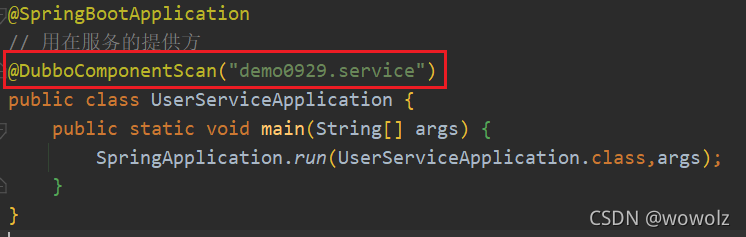
Error reporting is shown in the figure above

Results after carefully checking the error information, it is found that:

at demo0929.UserServiceApplication.main(UserServiceApplication.java:12) ~[classes/:na]

The format of package scanning configuration is incorrect, as shown in the following figure:

import org.apache.dubbo.config.spring.context.annotation.DubboComponentScan;
import org.springframework.boot.SpringApplication;
import org.springframework.boot.autoconfigure.SpringBootApplication;

@SpringBootApplication
@DubboComponentScan(basePackages = {"demo0929.service"})
public class UserServiceApplication {
    public static void main(String[] args) {
        SpringApplication.run(UserServiceApplication.class,args);
    }
}

Then delete the cache in the target

[Solved] springmvc:Error creating bean with name ‘org.springframework.cache.interceptor.CacheInterceptor

Error creating bean with name 'org.springframework.cache.interceptor.CacheInterceptor#0’
Speaking of this is a bit of a pitfall, spring configuration file add annotation scan **

<mvc (as long as this is checked again):annotation-driven

** /> After that, idea will automatically add a reference to you, but it adds a reference to xmlns:mvc="http://www.springframework.org/schema/cache", which causes problems. It should be changed to xmlns:mvc=”http://www.springframework.org/schema/mvc”

[Solved] Keil5 Error: error 65: access violation at 0x08040000 : no ‘execute/read‘ permission

1. Situation

When using keil5, build is no problem, but it is stuck in the systeminit() function during simulation debugging. It is not stuck in the loop, but can’t get in.

2. Solution

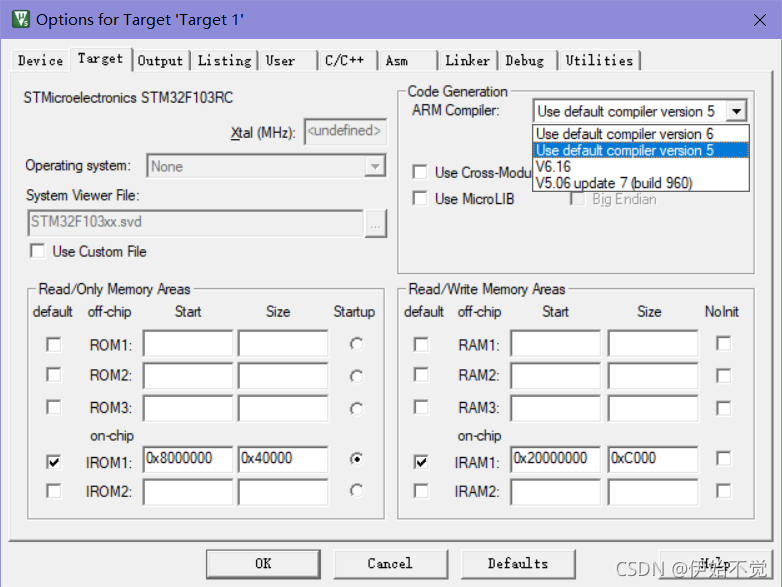
It may be the problem of version mismatch. Click the magic wand to enter the target interface, and select version 5 in the arm complier. Maybe the problem may be solved

How to Solve Docker Run Error: standard_init_linux.go:219: exec user process caused: exec format error

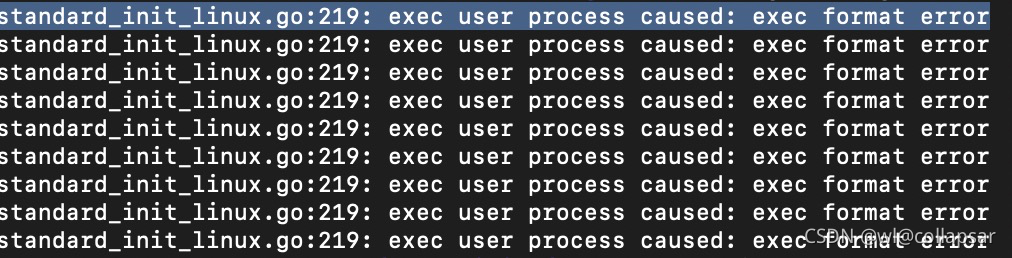
Use MAC M1 build image to run on Linux and report standard_ init_ linux.go:219: exec user process caused: exec format error

The main reason for this problem is that golang compilation cannot cross platform, that is, different systems or different CPU cores will cause this error. The golang code compiled under Linux arm cannot be run under Linux x86; Similarly, the image of a project with golang code cannot cross platform. The solution is very simple. When building, add the — platform Linux/AMD64 parameter

docker build --platform linux/amd64 -t tag .