Category Archives: Error

[Solved] LibreSSL SSL_connect: SSL_ERROR_SYSCALL in connection to github.com:443

Error:
[!] Error installing DoubleConversion
[!] /usr/bin/git clone https://github.com/google/double-conversion.git /var/folders/_h/xtz7k0td2vv6r1hq9jswkyx40000gn/T/d20211021-51746-zrhmvm –template= –single-branch –depth 1 –branch v1.1.6
Cloning into ‘/var/folders/_h/xtz7k0td2vv6r1hq9jswkyx40000gn/T/d20211021-51746-zrhmvm’…
fatal: unable to access ‘https://github.com/google/double-conversion.git/’: LibreSSL SSL_connect: SSL_ERROR_SYSCALL in connection to github.com:443
Solution:

git config --global --add remote.origin.proxy ""

If the above method doesn’t work

Find ways to improve the network and use mobile phone hotspots
take a look at pod install several times

[Cadence Allegro PCB Design] error: Possible pin type conflict GND/VCC Power Connected to Output

An error is reported in the schematic diagram of cadence when running DRC, and the error information is as follows.

[cadence-DRC]error: Possible pin type conflict GND/VCC  Power Connected to Output

Solution:

Step 1: run DRC to find and analyze the error source

Run DRC. After the above error is output, the green circle is error. Click it to display the error message. We can see the green error reporting circle page. Clicking on the pin attribute is connected to the pin attribute output (the output attribute will generate the VCC on the previous page, resulting in the device sharing a VCC network), but normally, the pin attribute is passive/power. Therefore, we manually change the properties of the device pin to normal.

Step 2: Change [edit part] to power attribute

Select the power component, right-click and select [edit part] to enter pin modification in schematic library mode (it is impossible to change pin attribute in this mode), and change output to power attribute (or passive)

Step 3: run DRC again to solve the problem~

[Solved] error:#20: identifier “HAL_StatusTypeDef“ is undefined.

There are 30 errors during editing. The errors are: error: #20: identifier “hal_statustypedef” is undefined. After checking, all required Hal_Statustypedef files contain #include “stm32f4xx_hal_def.H”, which is contained in the options for target C/C + + inclusion path.

Rivers/CMSIS/device/St/stm32f4xx/include, and find stm32f4xx in the folder_hal_Def.H, which can also be seen in the compiled project.

Solution:

This problem is quite common. Basically, such an alarm occurs only when you add your own C file. Just add #include “stm32f0xx_hal.H” at the beginning of your own C file. Note that it is the beginning.

How to Solve Git Error: error: unable to unlink old ‘***.jar‘

1 problem description

When a new branch code (GIT fetch + git checkout – b) is pulled to operate a new local branch, there is a problem (GIT rebase, GIT stash, GIT checkout old branches will not prompt this error, and the same error will be reported on rollback on idea)

2 problem solving

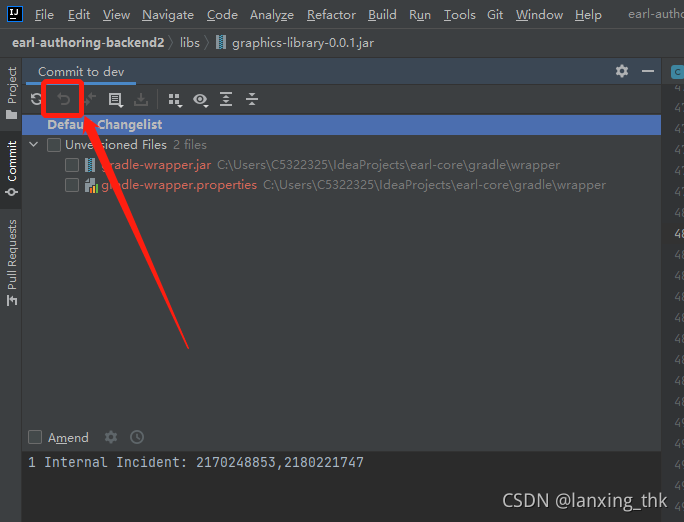
Stop the application (the project is running, and the jar package is referenced, which makes git unable to access). Rollback the jar package in the idea, select the jar package, and click the button

3 problem analysis

The project is running, the jar package is referenced, and git cannot be updated

[Webpack Update] vue-loader Error: Compiled with problems : ERRORModule notfound: Error:Can‘ t resolve vue in

In the package.json package

 "scripts": {
        "test": "echo \"Error: no test specified\" && exit 1",
        "dev": "webpack-dev-server --open",
        "bulid": "webpack -p"
    },

“bulid”: “webpack -p” – The P instruction can no longer be recognized and has been eliminated. Change to:

"scripts": {
        "test": "echo \"Error: no test specified\" && exit 1",
        "dev": "webpack-dev-server --open",
        "bulid": "webpack"
    },

CSS loader update

In the old version, CSS loader cannot recognize the URL address. In addition, URL loader is cumbersome, but it can automatically generate Base64 images to reduce the pressure on the server. The new version directly supports URL parsing, but obviously this function can also be configured:

module.exports = {
  module: {
    rules: [
      {
        test: /\.css$/i,
        loader: "css-loader",
        options: {
          url: true,
        },
      },
    ],
  },
};

Disable the URL, but it seems that the CSS attribute and ID selector will not work after configuration;

Vue loader configuration encountered great obstacles

When using Vue loader, you must download Vue template compiler to parse Vue files

Configuration options:

const VueLoaderPlugin = require('vue-loader/lib/plugin');//Must Import
module.exports = {

     module: {
        rules: [
            { test: /\.vue/, use: ['vue-loader'] }
        ]
    },
    plugins: [new VueLoaderPlugin()]//Must configurate
}

But there was a problem after I configured it
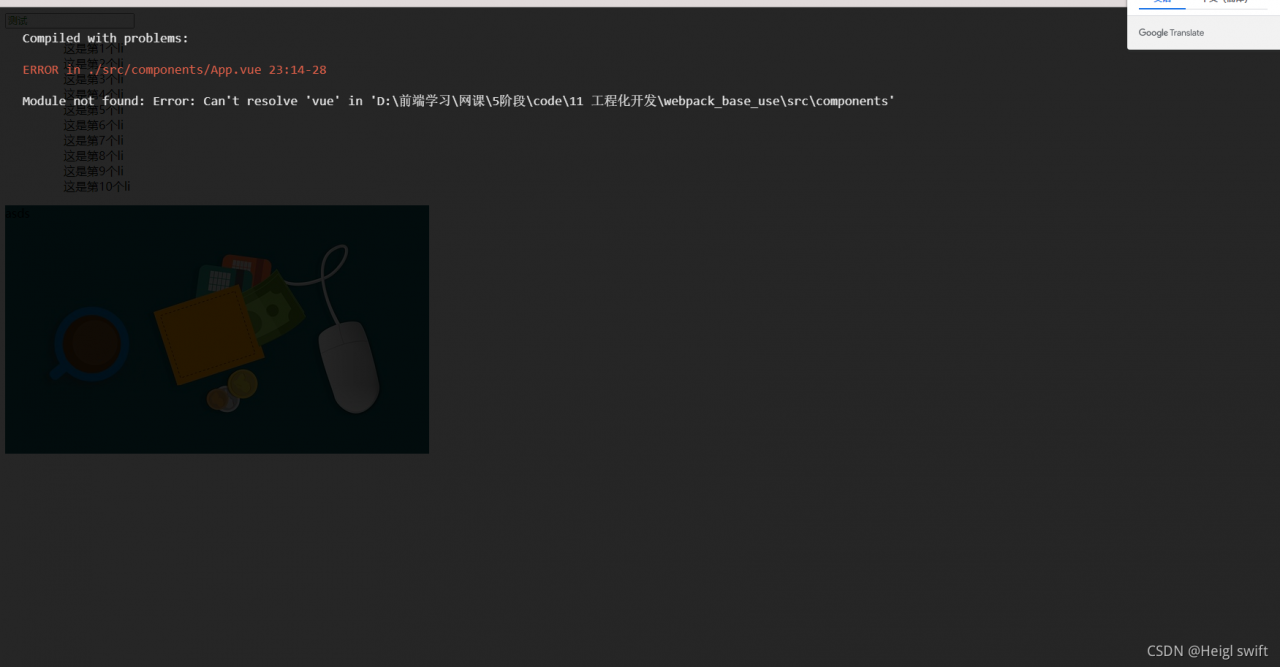
All the methods on the Internet are invalid. Finally, it is found that Vue is not installed

npm i vue

There are also problems after installation, and the error is still reported

Finally, you can see that the version numbers of Vue template compiler and Vue are different, so they are updated   The problem was finally solved after Vue template compiler
[Solved] Mac VS Code fatal error: ‘bits/stdc++.h‘ file not found

Baidu’s answer is too lame. Find a correct answer from stackeexchange and link to solve MAC fatal error: ‘bits/STDC + +.H’ file not found
follow the steps below

    1. brew install GCC — versioncd/library/Developer/commandlinetools/usr/bincd…/includesudo MKDIR bitscd bits create a new STDC + +.H file under downloads, paste the contents of the link STDC + +.H into the newly created STDC + +.H file under downloads sudo CP ~/Downloads/STDC + +. H STDC + +.H

be accomplished

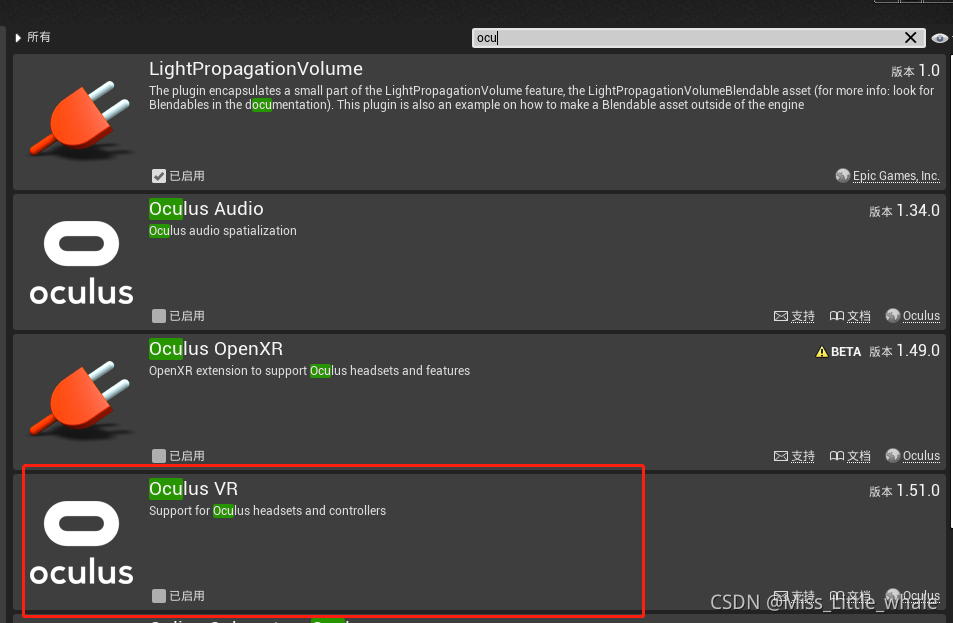
UE4 Package Pico Project Error: error: ‘Resource‘ is a private member of ‘FOpenGLTextureBase‘

UE4 reports an error when packaging Pico items: error: ‘resource’ is a private member of ‘fopengltexturebase’

At present, the pico SDK only supports the version of UE up to 4.26, and the new version 4.27.1 does not support it temporarily. You can package successfully by reducing the version to 4.26.2;

In addition, if it is opened after packaging, an error is reported: plugin “picomobiliecontroller” failed to load because module “picomobiliecontroller” could not be found, please ensure that the plugin is a properly installer, otherwise consider disabling the plugin for this project, Please uncheck

There was an unexpected error (type=Method Not Allowed, status=405). Request

When using Ajax to submit a page, the above exception is thrown, and the final result is found

<form id="newsForm" method="post" enctype="multipart/form-data">
        News title:<input name="ntittle"><br>
        News summary:<input name="nsummary"><br>
        News content:<input name="ncontent"><br>
        News by:<input name="nauthor"><br>
        Post Time:<input name="ndate" ><br>
        Image:<input type="file" name="newpic"><br>
        News topics:<select name="newsType.ntypeId">
            <option value="-1">Please select news topic</option>
        </select><br>
       <input type="hidden" name="nid"><br>
        <input type="hidden" name="npic"><br>
        <input type="submit" value="ADD">
    </form>

AJAX is used, so the submission is not a direct submission, so you should use button and serialize the form.

<input type="button" value="ADD">

Running the test front-end project, Google browser accesses localhost with err_SSL_PROTOCOL_ERROR

Err appears in Google browser_SSL_PROTOCOL_ERROR

under test http://localhost:8080/ The following error occurred during

This web site cannot provide a secure connection. Localhost sent an invalid response err_SSL_PROTOCOL_ERROR

At this time, you need to open a blank page for input chrome://net-internals/#hsts
Find the delete domain policy
at the bottom of the left navigation bar. It has a delete domain security policies
example picture

then enter localhost in the domain input box and press Delete
and you’re done!

PS: this method is only for learning and use, and the user shall bear any legal disputes and consequences