Author Archives: Robins

Some mistakes and solutions in Django

Some of Django’s common mistakes and fixes
The CSS and JS files fail to model the existing tables the data table field names don’t match the model field URL match problem view function passes the data problem

CSS and JS files are invalid
When you load a view with CSS and JS files, the easiest way to do this is to say href= “absolute path to file”, but a lot of times you write relative paths because it’s easier. If relative paths are used, static files cannot be found when a page submits a form or redirects to a view function with arguments. So load static file {% load static %} and use reverse parsing to make the page look for static files.
Model existing tables
To create ORM on tables that have already been in the database, run Python manager.py InspectDB & GT; Model.py to generate the model for the existing table, make sure to comment db_manage =False or delete it directly, otherwise Django has no permission to operate on the table.
The data table field name does not match the model field
The corresponding column is not a field name. You can implement the ORM by setting db_column = “corresponding field name” in the model
Url matching problem
When your two url matching rules are written very closely, if load is written on the top without any initial restriction (^), the following url will match the first one, even if it resolves
, such as the following two urls:

  url(r'load/(?P<index>.*)/', views.load, name='load'),
  url(r'manage_load/(?P<index>.*)/', views.manage_load, name='manage_load'),

Since the LOAD URL is written above, when you parse the URL backwards, {% URL “load” %}, by default Django matches urls from top to bottom, matching the first one because there is no restriction on the beginning and end.

  url(r'^load/(?P<index>.*)/', views.load, name='load'),
  url(r'manage_load/(?P<index>.*)/', views.manage_load, name='manage_load'),

You can use ^,$as a starting and ending character limit and it won’t match any other URL.
View functions pass data problems

request.session["index"] = index
request.session.flush()

In many cases, passing values from view function to view function is the simplest way to record data except passing parameters to view function. The following sentence can be used to clear session in the login interface or some fixed page, otherwise the data will exist until it is destroyed automatically by Django.
Group by query only_ FULL_ GROUP_ By error

The ONLY_FULL_GROUP_BY error in the Group by query

The initial version of mysql for Windows (5.7.28) was used in the project, but later when migrating to Linux, some SQL queries experienced the error ONLY_FULL_GROUP_BY, because MySQL5.7 default set mysql SQL_mode = ONLY_FULL_GROUP_BY attribute, which caused an error (Windows version has no default).
MySQL also provides an any_value() function to suppress ONLY_FULL_GROUP_BY if the business must use a non-grouped field

Vscode configuration connection server docker write code

The configuration steps
2. Local Docker service 3. Vscode configuration 4. use

1. Generate SSH key pairs
Ssh-keygen
all the way enter, default sound generated two files:
id_rsa
id_rsa.pub
transfer to the server, copy into a file: ~/.ssh/authorized_keys
if there is, add to the following
cat id_rsa.pud > > ~/.ssh/authorized_keys
2. Local Docker service
Docker “host= SSH ://@”
docker context create –docker “host= SSH :// @”
switch to this context:
docker context use
test :
docker info
3. Vscode configuration
Install plug-in
remote developement
docker
Use 4.
Attach Remote Host Container
server run docker
open vscode, hold shift+ CTRL +p, run docker contexts use
press shift+ CTRL +p, run remot-containers :Attach to Running Containers… , select the docker container running
and successfully press shift+k to open the docker container directory

Error creating project by Vue yorkie: command failed

After long unused VUE, I needed to create a VUE project: VUE Create MyAPP, then prompted whether to change the image to taobao image, and finally reported yorkie: Command failed.
After many attempts, it failed, and finally
cancel taobao mirror
NPM config delete registry
Vue Create + MyProject succeeded!
There are so many mistakes, different reasons, different solutions.

Wireshark filtering HTTP packets

Wireshark Filter: Protocol = “HTTP” displays filtered HTTP packets

    List item

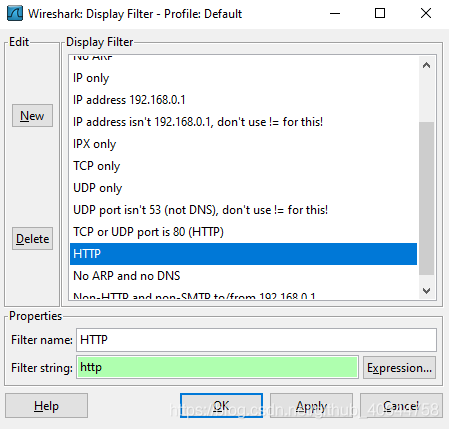
Using the filter
built into the wireshark tool, directly click “filter “, open the “display filter” dialog box, select “HTTP”, and then click “Expression” to use the filter condition expressions identified by the tool.

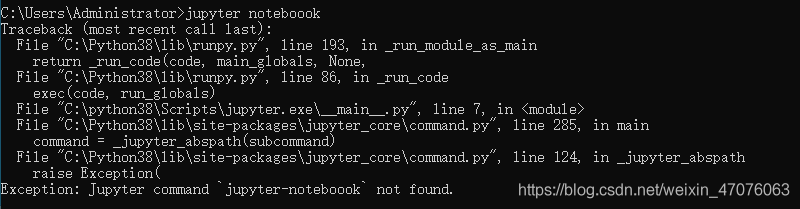
Exception: jupyter command Jupiter notebook not found

Open jupyter notebook times error Exception: jupyter command jupyter-noteboook not found.


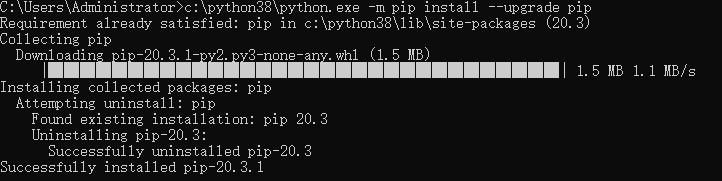
at this time you can choose to enter pip3 install jupyter notebook to reinstall the notebook, it appears as follows:

namely the notebook has been installed, the current available version version 20.3.1, and we are using version 20.3
The solution
WARNING: enter the command line as c:\python38\ python.exe-m PIP install –upgrade PIP

version after the update can reopen jupyter notebook

Webpack encountered a variety of problems to solve

The overview of WebPack is not much longer.
Let me go straight to some of the problems I encountered in learning WebPack.
Problem 1: An error has been reported during the installation of the partial WebPack and the installation failed.
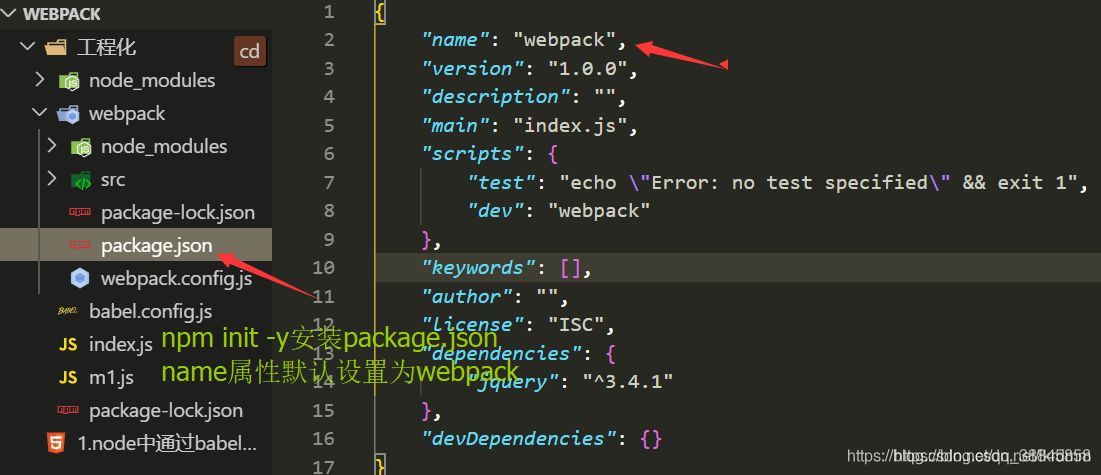
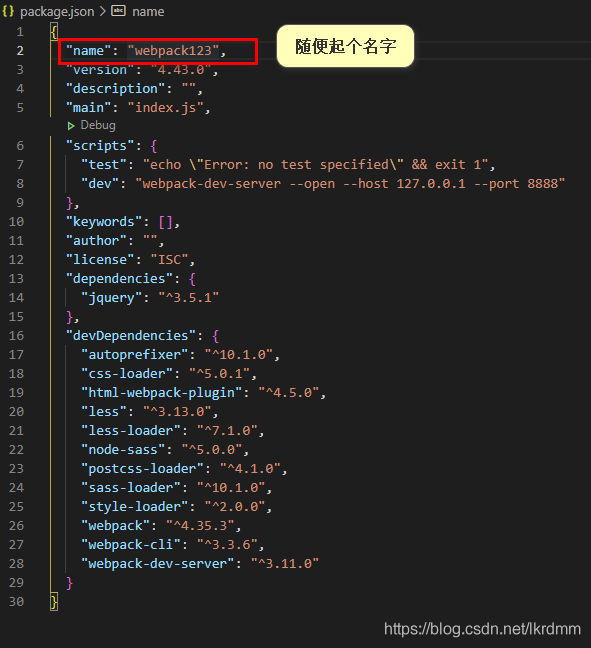
The common reason for this is that when you execute NPM init-y, the “name” attribute in the package.json file is called “Webpack” by default, which will result in repeated name errors.


Question 2: When you install WebPack Webpack-CLI (I think it was in 4. After a few versions you must install webpack-cli) webpack-dev-server, execute
NPM run dev. Report an error finding that a file in the webpack directory cannot be found. This is usually due to version incompatibility.
I recommend you check out an answer from the nuggets, linked below
About the version of the three plug-ins
These are the problems that newcomers generally encounter. In fact, when they encounter these problems, there are no more than the following situations:

    version is not compatible without permissions local and global problems network speed has a problem, the package did not download good

So you find the error message first, and then you get a sense of what it means. If you still can’t figure it out, ask the search engines. Slowly narrow down the bug, and that’s it

Encapsulation of adding, deleting and modifying database by JDBC

private static final String CLASS_FORNAME = "com.mysql.jdbc.Driver";
private static final String URL = "jdbc:mysql://127.0.0.1:3306/test";
private static final String USER = "ROOT";
private static final String PASSWORD = "123456";

static{
    try {
        Class.forName(CLASS_FORNAME);
    } catch (ClassNotFoundException e) {
        e.printStackTrace();
    }
}

public static Connection getConn(){
    try {
        return DriverManager.getConnection(URL,USER,PASSWORD);
    } catch (SQLException e) {
        e.printStackTrace();
    }
    return null;
}

public static void close(Connection conn, Statement ps, ResultSet rs){
    try {
        conn.close();
        ps.close();
        rs.close();
    } catch (SQLException e) {
        e.printStackTrace();
    }
}
public static boolean update(String sql,Object...obj){
    Connection conn = getConn();
    PreparedStatement ps = null;
    try{
        ps =conn.prepareStatement(sql);
        if (Objects.nonNull(obj)) {
            for (int i = 0; i < obj.length; i++) {
                ps.setObject(i+1,obj[i]);
            }
        }
        int b = ps.executeUpdate();
        return b >0;
    } catch (SQLException e) {
        e.printStackTrace();
    }finally {
        close(conn,ps,null);
    }
    return false;
}

Thinking: the JDBC database operation step cannot modify data set as a constant, then the access to database objects and close the resources as method, will be updated as method, namely the deletion operation, the operation of SQL to update for us, then the array as the incoming conditions, first of all determine whether array is empty, if the data is not empty

File under WGet download directory

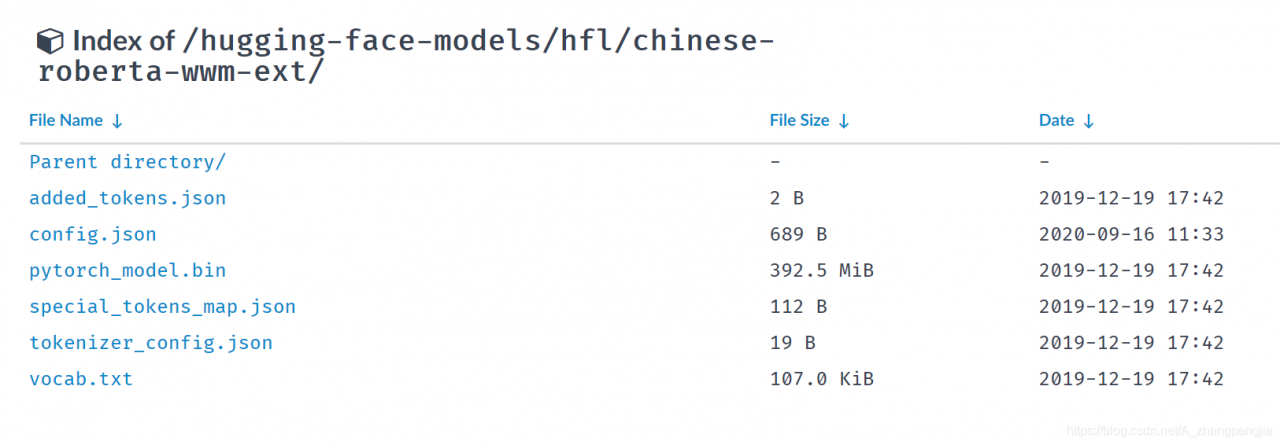
Wget downloads all the contents under a certain folder in Tsinghua Source
Website: https://mirrors.tuna.tsinghua.edu.cn/hugging-face-models/hfl/chinese-roberta-wwm-ext/

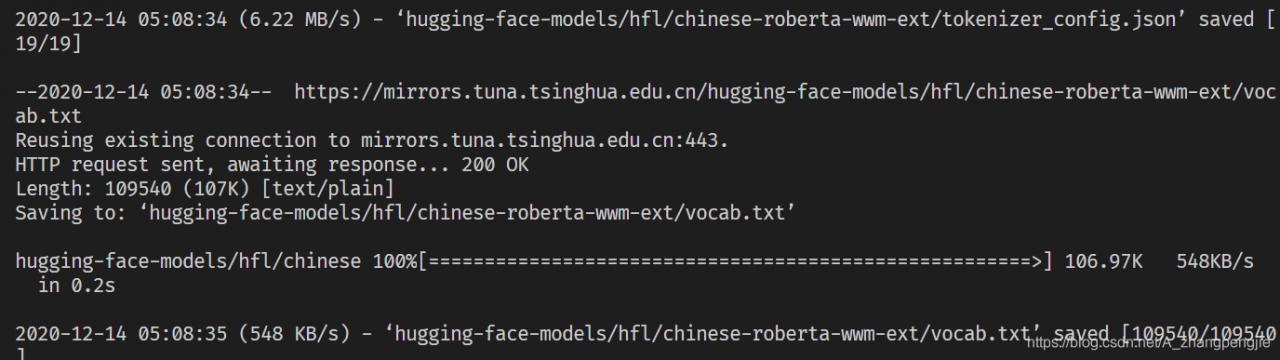
wget -r -np -nH -R index.html --limit-rate=2M https://mirrors.tuna.tsinghua.edu.cn/hugging-face-models/hfl/chinese-roberta-wwm-ext/

-r: Traverse all subdirectories -NP: less than the previous level of subdirectories to -nh: Do not save files to the hostname folder -r index.html: do not download index.html files –limit-rate: is the speed limit
Results:

Click the button to use in the react project window.open Methods open a new page and click the data again

Problem description
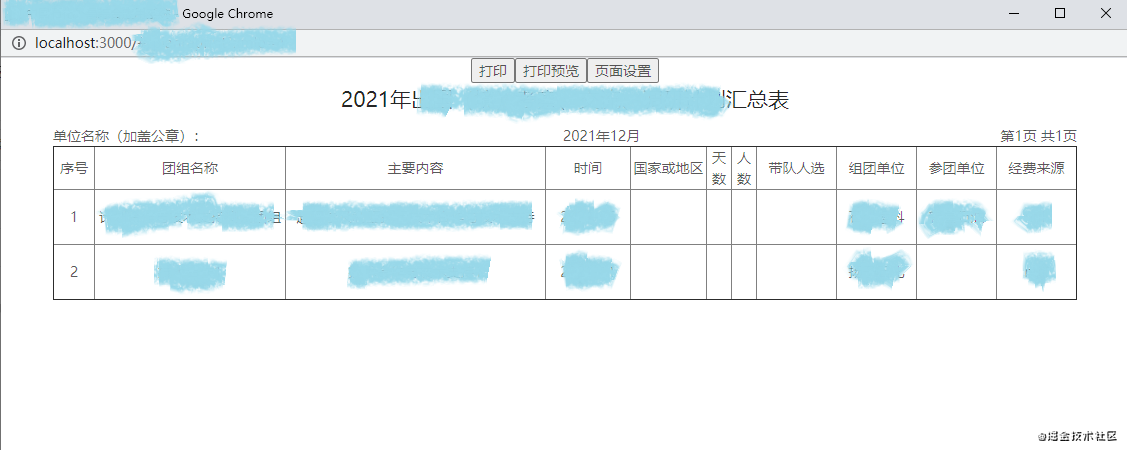
When use the react to do background management program, there is a demand, a list can be according to the conditions of the query, there is a printing function, print is the data of the current query conditions, click on the print button, use the window. The open () method to open the new page, and set the position of open the window, to print the data in a new window display, the real printing function is realized in a new window.

at this time there is a problem, to print the data I am existing in localstorage, when the first open new window, click on the print button to print the data is correct, but if I open the window, not closing new from the previous page to change the terms of the query, click print again, open the last failed to shut down the page, the page does not automatically refresh, also won’t get the latest localstorage inside the value of the printed data is not new.

When I wrote window.location.href directly in componentDidMount, since componentDidMount is the life cycle that executes after the page has been loaded, and the page refresh cycle will be infinite, so this method does not work. I want to try to add a judgment condition, such as whether a value exists in localStorage is equal, but after the value in localStorage changes, both pages will change, so it will always be equal.
Finally, I changed an idea and found a way to listen for changes in the value of localStorage. In a new window, I can listen for changes in the value of localStorage stored in the previous page. If there is any change, I will perform the operation of refreshing the page.

window.addEventListener("storage", function(e) {
    console.log(e)
    window.location.reload()
});

Different files in the same domain will detect changes in stored values. Same file, store value changes, cannot be monitored.
the operation to store the data can be placed at the click of the print button to open the new page, so that the data in the new window does not change until after the click
For this problem, there should be other solutions, thank you added.

In J2EE Tomcat webapps, there are only folder directories and no files

Problem description:
j2ee web debugging process I found that no matter how I modified it did not change, and then I clean it, but after this program can not run, 404 can not find resources.


Reason analysis:
checked the path of the release project
controller in classes these folders are all directories, no files, after searching baidu, it should be a reference project lack of jar package, leading to the project build failure, but the empty directory was built, leading to this problem.


Solutions:
once I know what the problem is, I remove the jar from the path and add it again, and the project runs.