Author Archives: Robins

assert self.binded

 
assert self.binded
Error code:

mod_new.bind(for_training=False,data_shapes=[('data',(1,3,data_shape_w,data_shape_w))],label_shapes=mod_new.label_shapes)
  File "D:\Anaconda3\lib\site-packages\mxnet\module\module.py", line 231, in label_shapes
    assert self.binded


resolvent:

Remove parameter: Label_ shapes

mod_new.bind(for_training=False,data_shapes=[('data',(1,3,data_shape_w,data_shape_w))])


Common command of docker

1. CentOS version
docker requires that the kernel version of CentOS system is higher than 3.10, and view the version through uname – R

2. Upgrade package kernel (optional)
Yum update

3. Install docker
Yum install docker

4. Start docker
sudo service docker start

5. Set the docker service to boot
systemctl enable docker

6. Remove the docker from the boot entry
systemctl stop docker

7. Search docker image (docker search keyword)
docker search redis

8. Pull the image file
docker pull image name: tag (tag is optional, the default is latest)

9. View the downloaded image
docker images

10. Delete the image
docker RMI image ID (container ID)

11. Run the docker container (- D: running in the background)
docker – run – name custom container name – D specifies the image template( imageName:tag , if tag is latest, it can be omitted.)

12. View running containers (add – A to view all containers)
docker PS

13. Stop the running container
docker stop image ID

14. Delete container (different from deleting image, here is RM)
docker RM image ID

15. When starting the container, map the port of the JVM and the port of the Tomcat container
docker – run name custom container name – D – P 8888:8080 specify the image template
note: to start mysql, you need to specify the password, and you need to specify the password through the – e command

16. View the firewall status
service firewalld status

17. View the container log
docker log image ID

Make update-api Error: ckati failed with: signal: killed

This situation is generally caused by the insufficient size of swap partition. Add swap partition and recompile it.
The following is the configuration method

cd /
sudo dd if=/dev/zero of=/swp bs=10M count=400
sudo mkswap /swp
sudo swapon /swp

Method 1:

Use free - m to view the swap space
refer to blog post
Add swap partition
to view the swap space

Method 2:

export LC_ALL=C

After Oracle 11g is installed, SQL_ Plus.exe The problem of Chinese garbled in command window

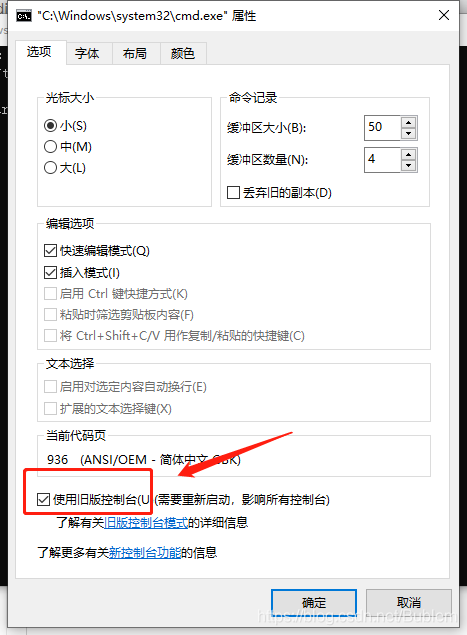
Today, after installing Oracle 11g, we encountered sqlplus.exe Command window user login Chinese garbled problem, hope to give yourself a note, also hope to let more people know how to solve. After entering the CMD, right-click the mouse, click properties, find the box as shown in the figure below, and use the old version of the console!

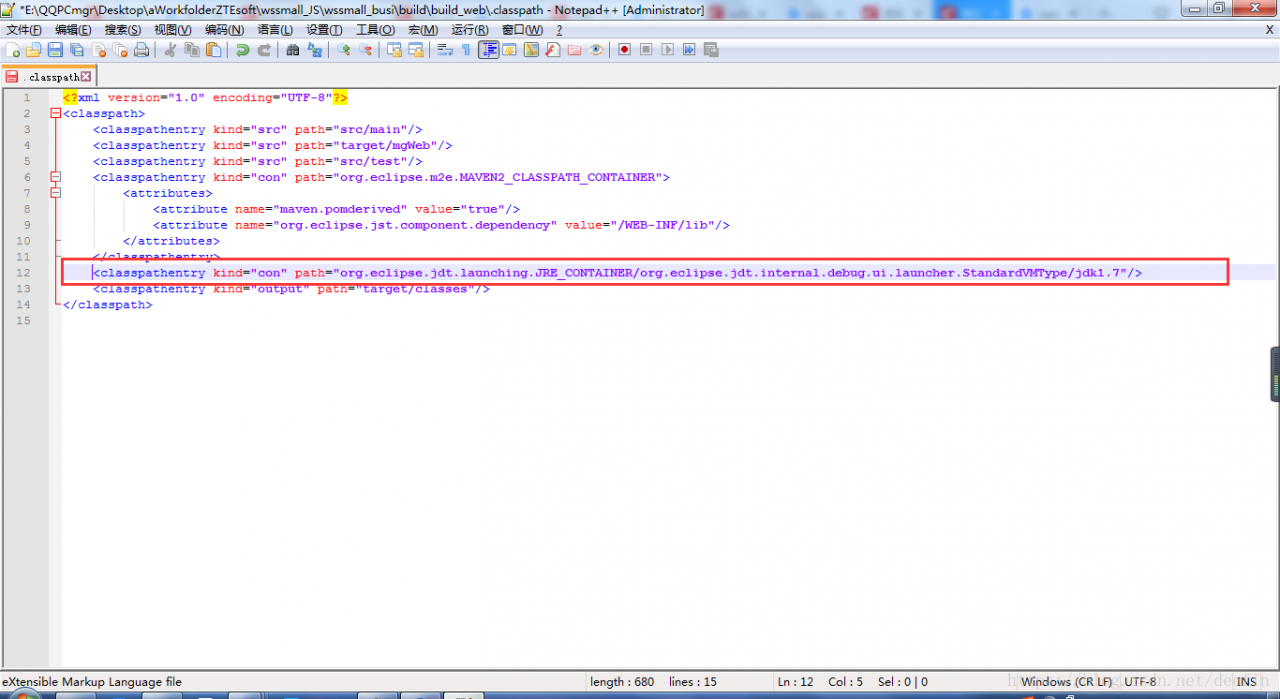
Unbound classpath container: ‘JRE System Library [JavaSE-1.7]’

maven ——> When updating a project, an error appears as shown in the title. After checking the cause, it is found that the. Classpath file in the project directory has more lines as shown in the figure below. Just comment them out. If necessary, configure build path to add JRE library again. (when this error occurs, another error may come out: the project cannot be built until build path errors are resolved)

Solutions for failure to start Axure RP (including failure to uninstall or install. Net framework)

Axure rp8 was well used in the last company last month. This week, when I joined another company, I will use Axure rp8 I can’t open it when I enter the interface. It’s completely on the black screen. It’s not like many people. When I enter the interface, I click any button and don’t respond (Note: This is the sign that the registration code has expired. I just need to get the registration code again. The specific scheme depends on other information. I won’t repeat it here). I can’t enter the interface at all. The small window is on the black screen, and then I stop working (because the problem has been solved) Absolutely, there is no way to post the picture of the problem here).
In general, there are several ways on the Internet:

Delete C: (users [user name] \ appdata/local/temp/axure-6 (or Axure 7.0) delete C: (users [user name] \ appdata/local/Axure add 3D support for graphics card

These are still of no help.
Here’s the point. The ultimate solution is to reload the. Net framework:
specific steps:

    Win + R run control, enter the change or delete program, find the. Net framework, click uninstall and download again. After the installation is completed, restart Axure, the problem is solved, and the mood is suddenly bright.

. net framework cannot be uninstalled or installed, https://pan.baidu.com/s/1N09AGC4LSjdaz_ 9l3ipdcq extraction code: oi97. Put the CAB file in C/windows, open powshell (administrator), and run dism/online/enable feature/all/Fe atureName:NetFx3 /Source :% windir% “/ limitaccess can install. Net framework

Note: here is only the last solution, other solutions can be found online.

It’s over.

A series of problems caused by the option allow output folders for source folders

To run a maven project of the company, colleagues can run on their own computer, but not on my computer. It lasted for 9 days, and they have been solving this problem all the time. During this period, they made many mistakes, but they can’t remember them clearly. So they can write down what they probably remember, so that they can quickly solve the problems when they are in trouble and save valuable working time. But the most important point is that these mistakes are all caused by the same mistake (it may also be that I made a lot of changes during the period, and it comes naturally. Don’t spray if there are mistakes).

    Maven dependency cannot be added.
    1.1. The Maven configuration is missing in the classpath configuration file. In the. Classpath of a project, sometimes there is an error that Maven is not configured;
    1.2 pom.xml Configuration existing in the file
    1.3. Right click on the project – & gt; Maven – & gt; Enable Maven management
    1.4. Execute MVN clean install on the parent project
    1.5. Delete the related jar packages in Maven repository, such as D:// program files/Maven server/Maven repository/Maven_ Then run as – & gt; maven installcannot find class for bean with name (this was not solved at that time, but it was solved with the third solution of the third problem) class cannot be compiled (actually, there is, but the path is wrong, all the errors start here)
    3.1. Find the source under Java build path, Under the default output folder, the default setting format is: [project name]/build/classes, now it is changed to [project name]/webcontent/WEB-INF/classes (or [project name]/target/classes)
    3.2. Project — & gt; automatically build check (or cancel check, manually build)?&Amp; manual build?
    3.3. Solutions: build path -> configure build path -> uncheck allow output folders for source folders –
    solve all problems Conclusion: if it’s not such a wonderful problem, many problems can be solved by carefully reading the error information of console. Even if it can’t be solved for the time being, you can know where the problem is, and it will be more targeted and efficient when consulting others or Du Niang.

Unsatisfied dependencyexception exception

Make a brief note:

Unsatisfied dependencyexception exception

*Why*

mapper.xml In the folder, I accidentally transposed several letters of a long word (because I use a laptop, sometimes I accidentally click on the touchpad)

*Solutions*

Because it was a mistake discovered in time, I went directly mapper.xml Folder Ctrl + Z recovered…

*Other solutions*

You may have changed a lot of content, many times Ctrl + Z is also very boring, and it is also a waste of energy and time. At this time: right click the project local history to select the version before the error

Error attempting to get column ‘STAFF_NAME’ from result set

Error attempting to get column ‘xxx’ from result set.
1. Check whether the database does not have this column, but generally consider that the field name is misspelled.
2. If the database has this field and there is no spelling error, check whether the wrong type is written in dto. The last time I reported an error, I wrote a varchar type field in dto as private long XXX. Change long to string to solve the problem.

Solution summary of VMware network card without IP and failure to start network card (continuous update)

-Virtual machine

    enter the IP a command, check the MAC address of link/ether, check whether this value is consistent with the hwaddr of/etc/sysconfig/network scripts/[corresponding network card], set the onboot of virtual machine/etc/sysconfig/network scripts/[corresponding network card] to yes, such as VI/etc/sysconfig/network scripts/ifcfg-ens33 , and then restart network systemctl Restart network systemctl stop NetworkManager systemctl disable NetworkManager systemctl restart network close NetworkManager and restart network

    -Host

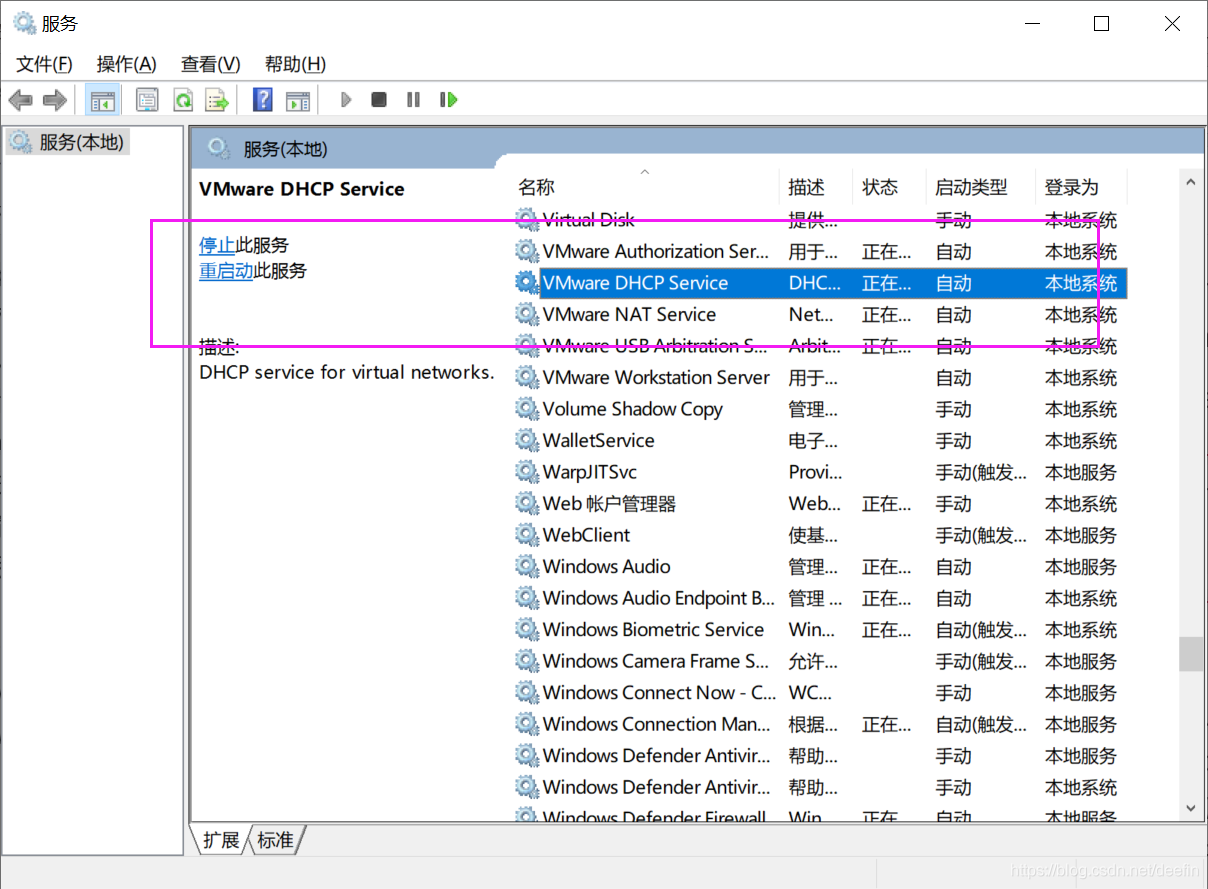
      if the host can not Ping the virtual machine, check whether the VMware network adapter 1 (corresponding to bridge mode) or VMware network adapter 8 (corresponding to NAT mode) network card is enabled in windows, if it is enabled, check whether the IP of the network card is in the same network segment as the virtual machine. For example, the IP of virtual machine is 192.168.184.137, while the IP of VMware network adapter 8 is 10.0.1.1, which means that Ping is not available. Just change the IP of VMware network adapter 8 to 192.168.184.1, and windows related VMware services are not started. Win + R running services.msc Open [service], and open the related services

Off line data storage and upload scheme

For reprint, please indicate the source: http://blog.csdn.net/itas109  


QQ technology exchange group: 129518033


Solution download address:

http://download.csdn.net/detail/itas109/9859688

GitHub related projects:

https://github.com/itas109/OfflineDataStorge


introduction


Nowadays, with the wide spread of network, the development of all walks of life have a great dependence on the network. Instantaneous network disconnection may cause huge losses to some industries, such as banking, finance and other industries with large amount of data. Network disconnection or network transmission failure may cause some immediate key data loss, In order to ensure the reliability of real-time data generation, sending and storage in some industries, especially the security of real-time data uploaded by clients, it is very important to use a secure offline data storage and automatic retransmission mechanism

Off line data storage technology

SQLite is a lightweight database, is to comply with the acid relational database management system, it is contained in a relatively small C library. It’s a public domain project founded by D. Richard HIPP. Its design goal is embedded, and it has been used in many embedded products. It occupies very low resources. In embedded devices, it may only need a few hundred K of memory. It can support Windows/Linux/Unix and other mainstream operating systems, and can be combined with many programming languages, such as TCL, C #, PHP, Java, etc., as well as ODBC interface. It is also faster than MySQL and PostgreSQL, two open source world-famous database management systems.

Unlike the common client server paradigm, the SQLite engine is not an independent process with which a program communicates, but a major part of it by connecting to the program. So the main communication protocol is the direct API call in the programming language. This has a positive effect on total consumption, delay time and overall simplicity. The entire database (definition, table, index and data itself) is stored in a single file on the host.

Cppsqlite encapsulates the API of SQLite once, which makes it more convenient for developers to use SQLite.

Automatic retransmission

The timer is used to check SQLite database on time during programming. If there is any data, it will be sent back and uploaded automatically to avoid the loss of data after transmission failure

Data upload solution

The existing problems: the data type is not unified when uploading, the data is scattered, the corresponding processing information is given for different data, and the data specification is stored when using the database

Solution: the design of the database only needs to give the key fields. The data submitted at one time is packaged into a type and stored as a data field (i.e. JSON data). The data and corresponding methods are stored by JSON. After sending successfully, the data is parsed according to JSON, so that different data can be stored in the other end of the database according to the corresponding type

The design of the database is as follows

Field:

id: INT
Data: TEXT
UpdateTime:DATETIME


JSON format:


{
    "businesses": [
        {
            "logicFunction":"firstFunction",
            "parms": [
                {
                    "parm":"1"
                }
            ]
        },
        {
            "logicFunction":"secondFunction ",
            "parms": [
                             {
                    "parm": "2"
                },
                {
                    "parm": "3"
                }
            ]
        }
    ]
}


Businesses: business array. The default business order is the storage order of the array

Parms: parameter array

ParM: the specific parameter value must be consistent with the parameter of the function corresponding to logicfunction

Logicfunction: logical function, used to determine which function to execute after data analysis, and its parameter is the value of parms array

For example, in this example, the first function is executed first, and then the second function is executed. If both functions succeed at the same time, it means success. In this way, the problem of business-related data retransmission is solved.


Think the article is helpful to you, you can scan the QR code to donate to the blogger, thank you!

 

For reprint, please indicate the source: http://blog.csdn.net/itas109  

QQ technology exchange group: 129518033


MySQL data backup scheme (compatible with local and remote)

For reprint, please indicate the source: http://blog.csdn.NET/itas109  

QQ technology exchange group: 129518033
 

This program will be updated continuously, and the software will be open source in the future…


At present, the solution:

1、 Execute CMD command, mysqldump and FTP by C + +

1. First of all, learn the syntax of mysqldump, which is not detailed here. For reference http://www.cnblogs.com/qq78292959/p/3637135.html

Export data (including remote) to local command

mysqldump -uroot -p123456 -h 192.168.1.101 databasetest > C:/data.sql

Pay attention to [seat according to the number]:

User name root

User name root

User name root

User name root

User name root

User name root

User name root

User name root Password 123456

Password 123456

User name root

User name root

User name root

User name root Password 123456

Password 123456 Local/remote IP 192.168.1.101 Database test
database test 2. C + + execute CMD command The above command is executed by anonymous pipeline, and the code will be open source later

2. C + + execute CMD command