Author Archives: Robins

python cx_Oracle.DatabaseError: Error while trying to retrieve text for error ORA-01804

Problem Description:

Using Python package CX_ When setting scheduled tasks on the Oracle server, errors are always reported, such as the title, but running alone is no problem

resolvent:

Under the guidance of the boss, add a few lines of code in front of the script to solve the problem perfectly. The environment variable path is configured according to its own path.

import os

os.environ["ORACLE_HOME"] = '/home/oracle/app/oracle/product/11.2.0/dbhome_1'
os.environ["ORACLE_BASE"] = '/home/oracle/app/oracle'
os.environ["ORACLE_SID"] = 'orcl'
os.environ["LD_LIBRARY_PATH"] = '/home/oracle/app/oracle/product/11.2.0/dbhome_1/lib:/lib:/usr/lib'

Loadlibrary failed with error 126 workaround

The environment is windows10, the computer has dual network cards, and the independent graphics card is AMD radeon RX 640. The phenomenon is that opening some software will prompt “loaded library failed with error 126”

Solution:

    install the latest AMD radeon graphics card driver on the official website, search the “atio6axx. DLL” file with everything software, and copy the file to the “C: \ windows \ system32” directory. Right click the start icon in the lower left corner of the window desktop and select “windows PowerShell (administrator)”. Enter the command line and enter the command “copy atio6axx. DLL. DLL”
    it is said on the Internet to disable the independent graphics card, which is not recommended. This is not equivalent to buying an independent graphics card for nothing

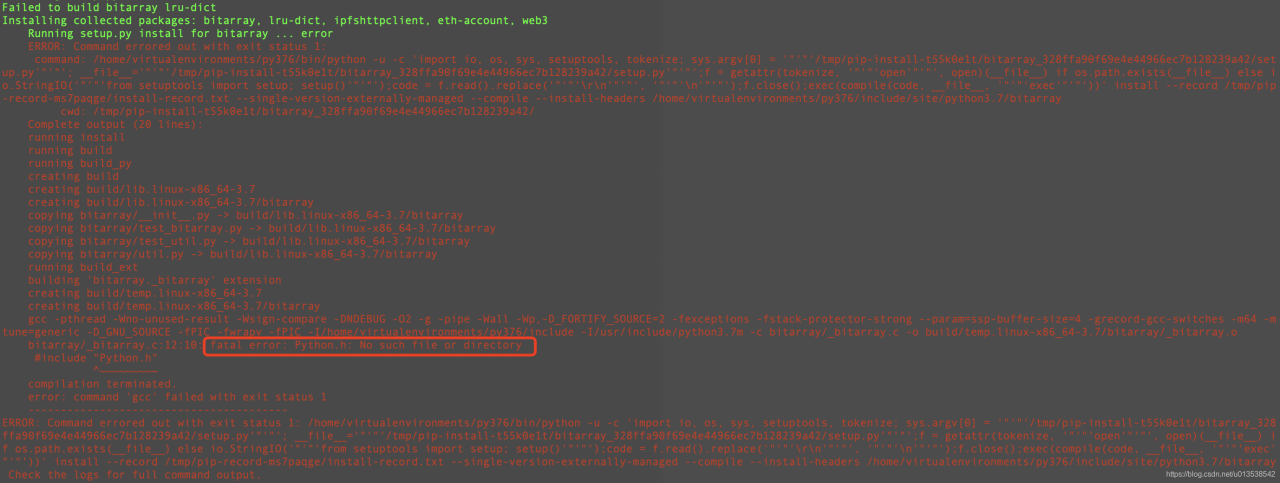
fatal error: Python.h: No such file or directory

fatal error: Python.h: No such file or directory

Process: through PIP install a library, an error occurred and the python. H header file could not be found

Solution

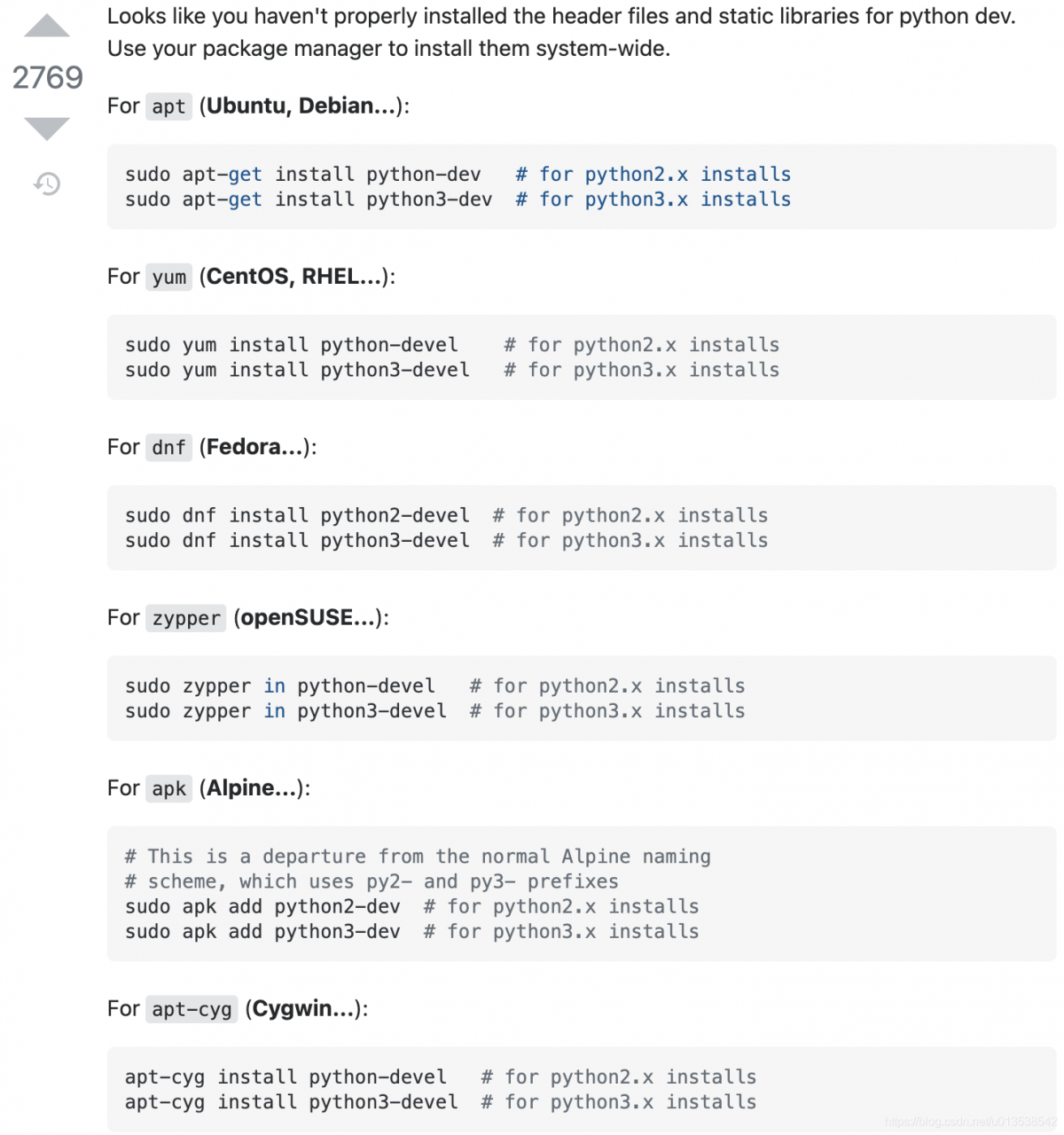
Search stackoverflow. My environment is CentOS, so execute sudo Yum install python3 devel and then go to the PIP install library. It’s all OK

For apt (Ubuntu, Debian…):

sudo apt-get install python-dev   # for python2.x installs
sudo apt-get install python3-dev  # for python3.x installs

For yum (CentOS, RHEL…):

sudo yum install python-devel    # for python2.x installs
sudo yum install python3-devel   # for python3.x installs

For dnf (Fedora…):

sudo dnf install python2-devel  # for python2.x installs
sudo dnf install python3-devel  # for python3.x installs

For zippers (openSUSE):

sudo zypper in python-devel   # for python2.x installs
sudo zypper in python3-devel  # for python3.x installs

For apk (Alpine…):
This is a departure from the normal Alpine naming
scheme, which uses py2- and py3- prefixes

sudo apk add python2-dev  # for python2.x installs
sudo apk add python3-dev  # for python3.x installs

For apt-cyg (Cygwin…):

apt-cyg install python-devel   # for python2.x installs
apt-cyg install python3-devel  # for python3.x installs

RuntimeError: Address already in use [How to Solve]

(cp3) zhangrui@test:~/project/cp3/CenterPoint$ python -m torch.distributed.launch --nproc_per_node=4 ./tools/train.py ~/project/cp3/CenterPoint/work_dirs/voxsc_centerpoint_voxelnet_0075voxel_fix_bn_z.py
*****************************************
Setting OMP_NUM_THREADS environment variable for each process to be 1 in default, to avoid your system being overloaded, please further tune the variable forformance in your application as needed.
*****************************************
No Tensorflow
No Tensorflow
Traceback (most recent call last):
  File "./tools/train.py", line 137, in <module>
    main()
  File "./tools/train.py", line 86, in main
    torch.distributed.init_process_group(backend="nccl", init_method="env://")
  File "/home/zhangrui/anaconda3/envs/cp3/lib/python3.7/site-packages/torch/distributed/distributed_c10d.py", line 436, in init_process_group
    store, rank, world_size = next(rendezvous_iterator)
  File "/home/zhangrui/anaconda3/envs/cp3/lib/python3.7/site-packages/torch/distributed/rendezvous.py", line 179, in _env_rendezvous_handler
    store = TCPStore(master_addr, master_port, world_size, start_daemon, timeout)
RuntimeError: Address already in use

The TCP port is occupied. Start multiple jobs on one computer. You need to specify a different port for each job (29500 by default) to avoid communication conflict
the solution is to specify the port while running the program, and give the port number arbitrarily before the PY file to be executed:

python -m torch.distributed.launch --nproc_per_node=1 --master_port 66660  ./tools/train.py ~/project/cp3/CenterPoint/work_dirs/voxel_config/nusc_centerpoint_voxelnet_0075voxel_fix_bn_z.py

Another way is to find the occupied port number (insert print output in the program), then find the PID value corresponding to the port number: netstat – nltp, and then cancel the occupation of the port through kill – 9 PID.

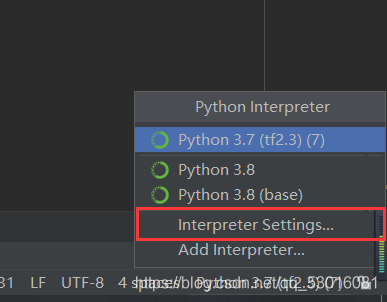
Error reporting: attributeerror: module ‘******* has no attribute’ ******* and other problems are solved

Error reported:

resolvent:

1、 Install the third-party library directly on the command page

pip install xxxxxx

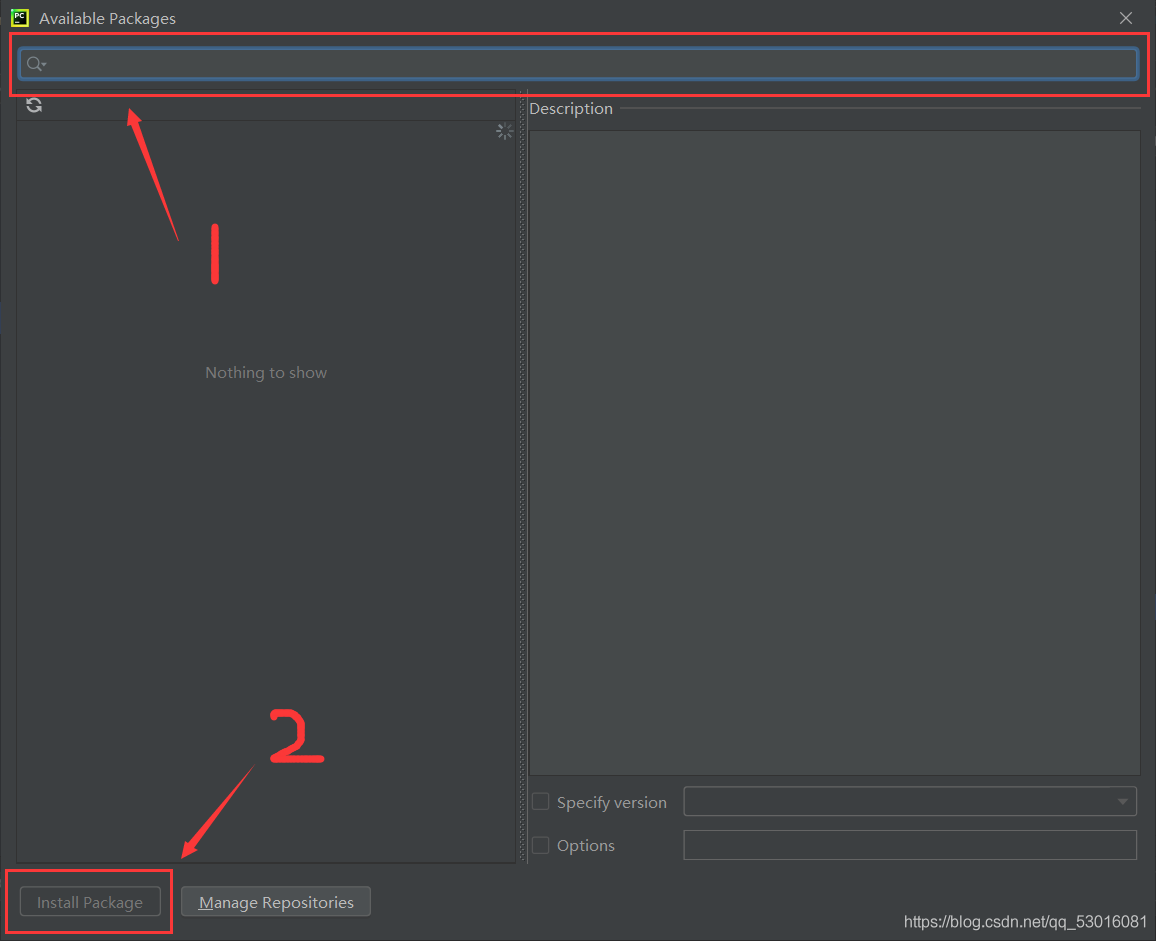
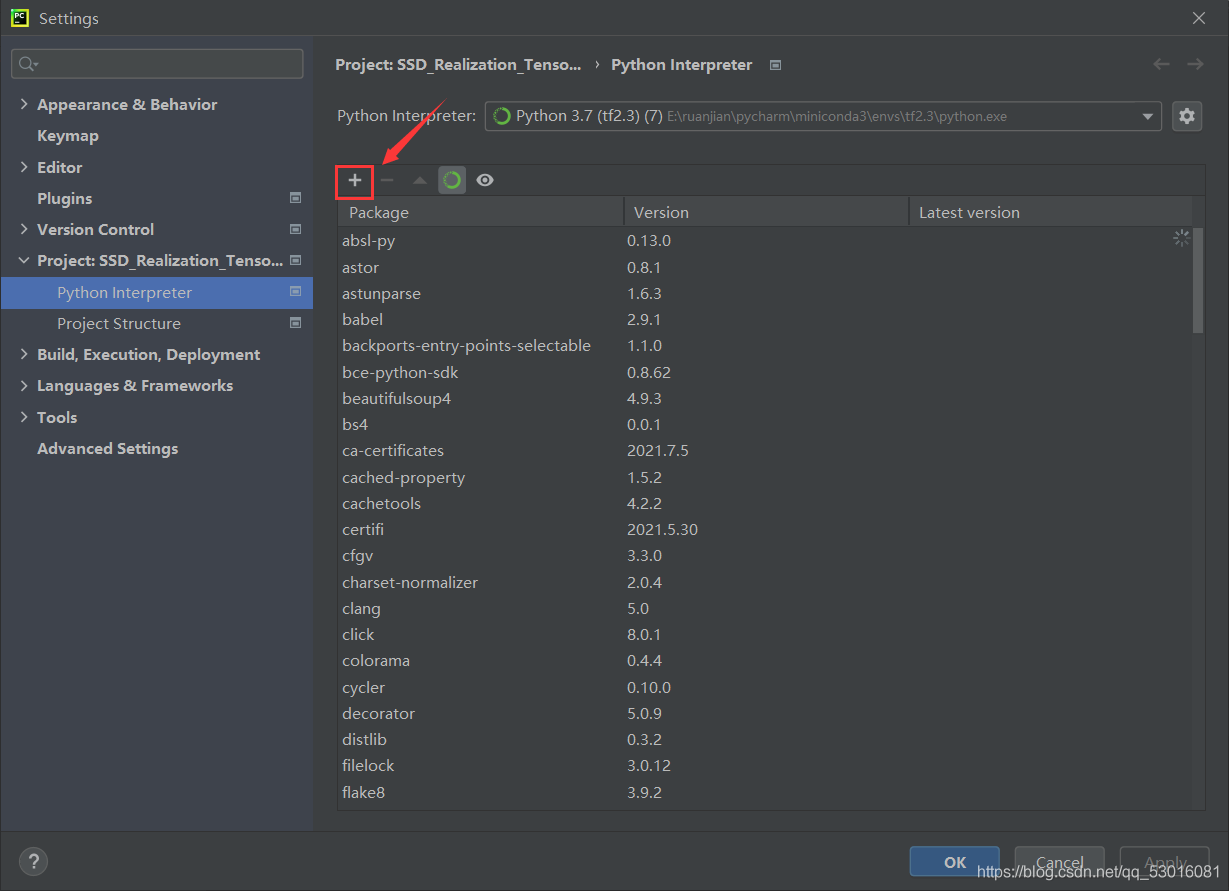
  2、 Select interpreter setting in the lower left corner of pychart, click the plus sign, enter the name of the third-party library, and then click Install pakage in the lower left corner to install.
  3、 The 2. X version of tensorflow does not support many third-party libraries. I have tried many methods, but I still think it is the most direct and effective (simple and crude) to install the 1. X version directly. Correspondingly, you may need to downgrade numpy because the installed tensorflow version and numpy version do not match.

Uninstall tensorflow first:

pip uninstall tensorflow

  To install a new version:

pip install tensorflow1.xx

  Check the applicable version of pycharm, and then install:  

pip install tensorflow==1.14 -i https://pypi.douban.com/simple
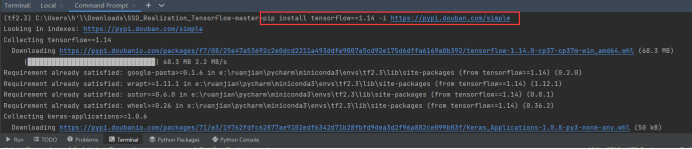
  After running the code, an error is reported indicating that the numpy version does not match:

For example, I report an error: futurewarning: passing (type, 1) or ‘1type’ as a synonym of type is deprecated; in a future version of numpy, it will be understood as (type, (1,))/'(1,)type’.  _ np_ qint32 = np.dtype([(“qint32”, np.int32, 1)])

Recommended installation: or other version

pip install numpy==1.16.0

  Normal operation after.
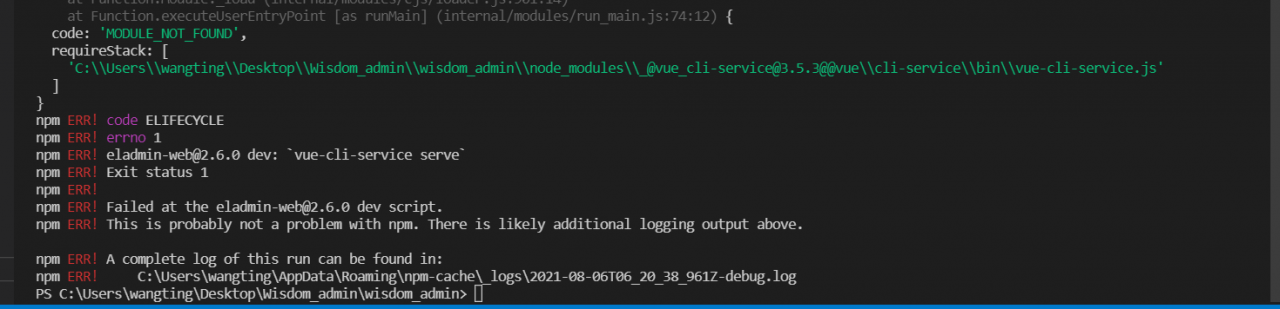
npm run devstart error: Error: Unable to find module ‘semver’

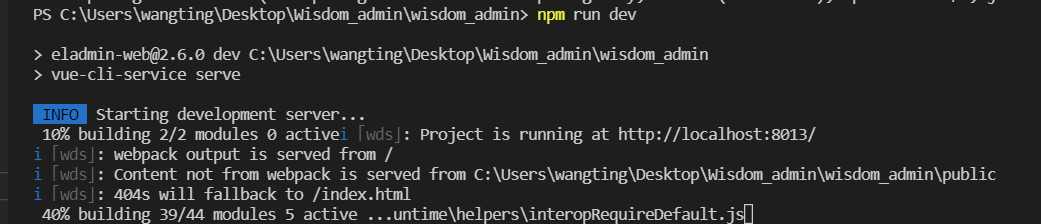
PS C:\Users\wangting\Desktop\Wisdom_admin\wisdom_admin> npm run dev

> [email protected] dev C:\Users\wangting\Desktop\Wisdom_admin\wisdom_admin
> vue-cli-service serve

internal/modules/cjs/loader.js:985
  throw err;
  ^

Error: Cannot find module 'semver'
Require stack:
- C:\Users\wangting\Desktop\Wisdom_admin\wisdom_admin\node_modules\_@[email protected]@@vue\cli-service\bin\vue-cli-service.js
    at Function.Module._resolveFilename (internal/modules/cjs/loader.js:982:15)
    at Function.Module._load (internal/modules/cjs/loader.js:864:27)
    at Module.require (internal/modules/cjs/loader.js:1044:19)
    at require (internal/modules/cjs/helpers.js:77:18)
    at Object.<anonymous> (C:\Users\wangting\Desktop\Wisdom_admin\wisdom_admin\node_modules\_@[email protected]@@vue\cli-service\bin\vue-cli-service.js:3:16)
    at Module._compile (internal/modules/cjs/loader.js:1158:30)
    at Object.Module._extensions..js (internal/modules/cjs/loader.js:1178:10)
    at Module.load (internal/modules/cjs/loader.js:1002:32)
    at Function.Module._load (internal/modules/cjs/loader.js:901:14)
    at Function.executeUserEntryPoint [as runMain] (internal/modules/run_main.js:74:12) {
  code: 'MODULE_NOT_FOUND',
  requireStack: [
    'C:\\Users\\wangting\\Desktop\\Wisdom_admin\\wisdom_admin\\node_modules\\_@[email protected]@@vue\\cli-service\\bin\\vue-cli-service.js'
  ]
}
npm ERR! code ELIFECYCLE
npm ERR! errno 1        
npm ERR! [email protected] dev: `vue-cli-service serve`
npm ERR! Exit status 1
npm ERR! 
npm ERR! Failed at the [email protected] dev script.
npm ERR! This is probably not a problem with npm. There is likely additional logging output above.

npm ERR! A complete log of this run can be found in:
npm ERR!     C:\Users\wangting\AppData\Roaming\npm-cache\_logs\2021-08-06T06_20_38_961Z-debug.log
PS C:\Users\wangting\Desktop\Wisdom_admin\wisdom_admin> 

In case of such an error
you need to

Delete node_ modules

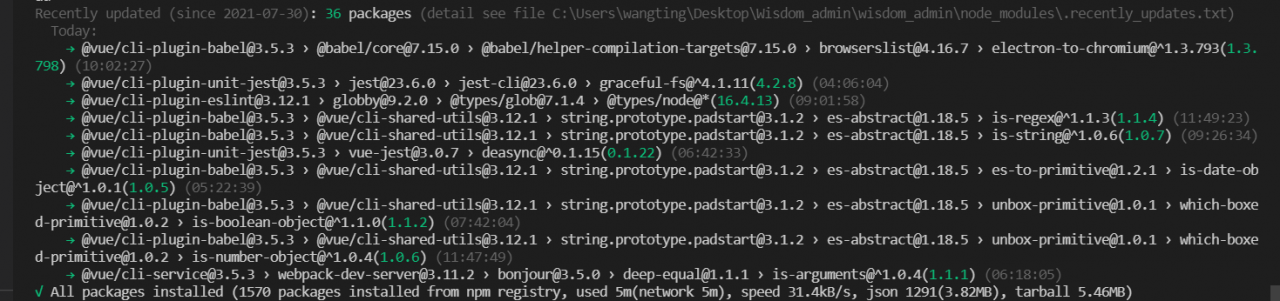
Then open the vscode editor, open the terminal, enter the project directory, and install the dependencies

cnpm install

After dependency installation is complete

Just start it again

Restart

npm run dev

You’ll find it working normally


Error: unreachable statement [How to Solve]

Error: unreachable statement

The cause of this error is just like its name. The compiler will never execute it
the following situations will occur: unreachable statement:
(1) write a statement after the return statement
(2) write a statement after the throw statement
(3) define statements after the break and continue statements
(4) “\ u10100″// legal, equivalent to ‘\ u1010’ and string “0”
(5) the shift operator can be used for long int char short byte
(6) the access control character of a class can be public or nothing
(7) goto is a reserved word but not a keyword. Then is nothing
(8) when a superclass type is cast and assigned to an object of a subclass, there is no exception in compilation, but an exception will occur at run time
for example:

while(i<length&&len>0){
            if(strs[i].contains(com.substring(0,len))){
                continue;
                i++;
            }else{
                len--;
            }
        }

You can see that the position of I++ in this code is after its continue. After the compiler executes here, it will directly carry out the next cycle, and I++ will never execute.

Error:java: Compilation failed: internal java compiler error

Compilation error

Error:java: Compilation failed: internal java compiler error

Solution (two cases):

    setting–> Build,Execution,Deployment–> The build process heap size (Mbytes): 700 is changed to 2000, or 5000 (it is possible that the company’s project needs a lot, so try to make it larger). The JDK version does not correspond. It needs to be in file — & gt; Project structure–> Project check whether the JDK version corresponds to

RuntimeError: module compiled against API version 0xe but this version of numpy is 0xd

After completing the compilation and installation of Caffe, execute import Caffe under Python and report an error:

SystemError: initialization of _caffe raised unreported exception
RuntimeError: module compiled against API version 0xe but this version of numpy is 0xd

My solution is to modify Python in makefile.config_ The include path and numpy (1.16.6) path should be consistent with the virtual environment they use:

PYTHON_INCLUDE := /home/robot/anaconda3/include \
				  /home/robot/anaconda3/envs/zed/include/python3.5m \
				  /home/robot/anaconda3/envs/zed/lib/python3.5/site-packages/numpy/core/include

Django. DB. Utils. Programmingerror: (1146, “table * doesn’t exist”) causes and Solutions

Reason 1:

In the record file generated by each change in the migrations folder in the app, there are operations to delete a table or delete a field, but these modifications are generated in someone else’s environment. When running in your own environment for the first time, you will run the deletion operation first when Python manage. Py migrate , At this time, an error will be reported Django. DB. Utils. Programmingerror: (1146, "table 'doesn't exist")

Reason 2:

The table was called first in the urls.py file.

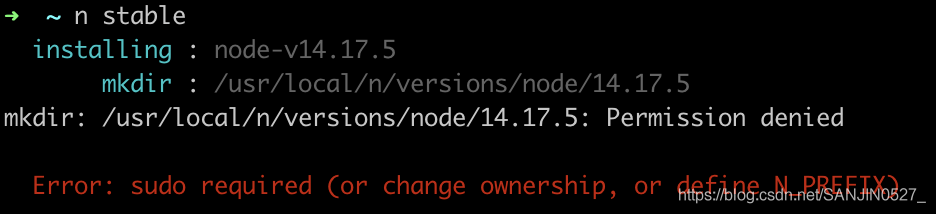
Error: sudo required (or change ownership, or define N_PREFIX)

Install the specified version of nodejs

node has a module n, which is specially used to manage the version of node.js

    Global installation n module:

    npm install -g n
    
      upgrade node.js to the latest stable version

      n stable
      

      Solution:
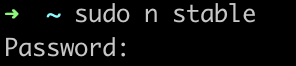
      do you log in as root on the Ubuntu computer?If not, try running the command using sudo

      Column: sudo N stable to fill in the login password

      4. Install the specified version

      n v10.17.0