Author Archives: Robins

[Solved] Upload Files Error: Request processing failed;nested exception is org.springframework.web.multipart.MultipartExcepti

During a project development, the front-end uploaded a file and reported a bug without permission

Problem description

Request processing failed; nested exception is org.springframework.web.multipart.MultipartException: Failed to parse multipart servlet request; Needed exception is org.apache.commons.fileupload.fileuploadbase $iofileuploadexception: processing of multipart/form data request failed

Error reporting reason

It should be because HTTP remote access does not have permission to access the temporary directory of Tomcat on the server

So we might as well directly set a temporary file upload path instead of using the default path of Tomcat

Solution:

Modify the uploaded temporary file path instead of the default temporary file path of Tomcat

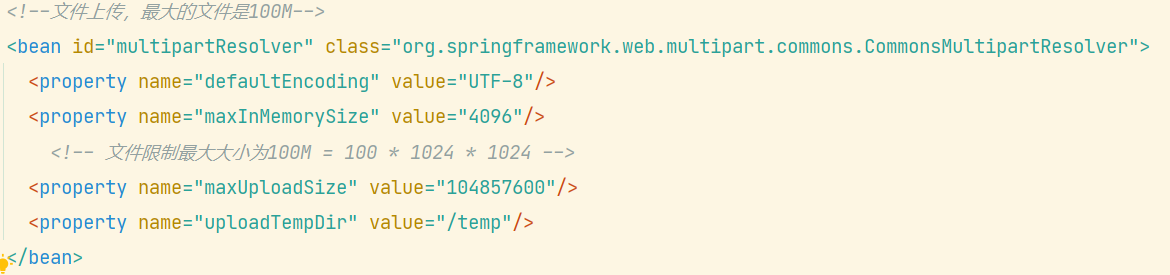
When uploading the configuration file in applicationcontext.xml of spring, add

<property name="uploadTempDir" value="/temp"/>

The content in value is the temporary file directory you want to set
[Solved] PySide2 Error: This application failed to start because no Qt platform plugin could be initialized

PySide2 Error: This application failed to start because no Qt platform plugin could be initialized
Add at the first:

import sys,os
import PySide2
 
dirname = os.path.dirname(PySide2.__file__)
plugin_path = os.path.join(dirname, 'plugins', 'platforms')
os.environ['QT_QPA_PLATFORM_PLUGIN_PATH'] = plugin_path

Manifest merger failed: android:exported needs to be explicitly specified for . Apps targ

Manifest merger failed : android: exported needs to be explicitly specified for. Apps targeting Android 12 and higher are required to specify an explicit value for android:exported when the corresponding component has an intent filter defined. See https://developer.android.com/guide/topics/manifest/activity-element#exported for details.

Solution: In the Activity with the intent, add android:exported="true"

<activity android:name=".MainActivity"
            android:exported="true">
      <intent-filter>
          <action android:name="android.intent.action.MAIN" />

          <category android:name="android.intent.category.LAUNCHER" />
      </intent-filter>
</activity>

[Solved] ERROR: The kernel module failed to load, because it was not signed by a key that is trusted by the

ubuntu encountered the following problem installing the graphics card driver
ERROR: The kernel module failed to load, because it was not signed by a key that is trusted by the kernel. Please try installing the driver again.
and sign the kernel when prompted to do so.
ERROR:  Unable to load the kernel module ‘nvidia.ko’. This happens most
frequently when this kernel module was built against the wrong or
improperly configured kernel sources, with a version of gcc that
differs from the one used to build the target kernel(1), or if a driver
such as rivafb, nvidiafb. or nouveau is present and prevents the
NVIDIA kernel module from obtaining ownership of the NVIDIA
graphics device(s), or no NVIDIA GPU installed in this system is
supported by this NVIDIA Linux graphics driver release.


Solution:
Enter BIOS to turn off Secure Boot

Fuel9.0 deployment openstack error: Deployment has failed,All nodes are finishedFailed task:Task[netconfig/1]

Fuel9.0 deployment openstack error:

When deploying a node in fuel9.0, click “deploy changes” and the following error occurs when deploying the node halfway:

Deployment has failed,All nodes are finishedFailed task:Task[netconfig/4] Stopping the deployment process!

solution: turn off 360 and firewall before deployment to avoid this error.

[Solved] SpringBoot Pack Project: Failed to execute goal org.apache.maven.plugins:maven-resources-plugin:3.2.0:resources

Error prompt

Failed to execute goal org.apache.maven.plugins:maven-resources-plugin:3.2.0:resources (default-resources) on project store: Input length = 1 -> [Help 1]

Analysis: there are few corresponding dependencies Maven resources plugin

solution:
add a corresponding dependency:

<build>
    <plugins>
        <plugin>
            <groupId>org.apache.maven.plugins</groupId>
            <artifactId>maven-resources-plugin</artifactId>
            <version>3.1.0</version>
        </plugin>
        <plugin>
            <groupId>org.springframework.boot</groupId>
            <artifactId>spring-boot-maven-plugin</artifactId>
        </plugin>
    </plugins>
</build>

If the problem still exists, pay attention to the Maven resources plugin version. If there is a problem with version 3.2.0, change to version 3.1.0

Git push error: RPC failed; curl 7 OpenSSL SSL_read: SSL_ERROR_SYSCALL, errno 10054

Today, I encountered an error when submitting code with gitbash
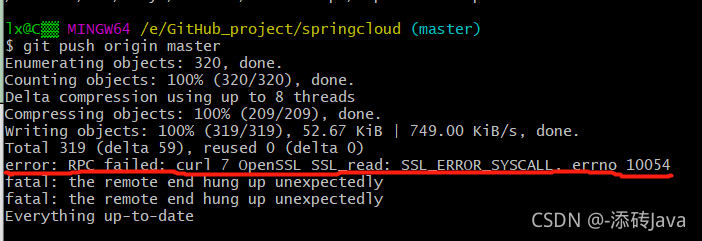
error: RPC failed; curl 7 OpenSSL SSL_read: SSL_ERROR_SYSCALL, errno 10054

The common solution on the Internet is:
git config — global http.sslverify “false”
but I still report the same error after trying

Later, it was found that the uploaded file was too large. You can modify the configuration to

execute the statement: git config http.postbuffer 524288000
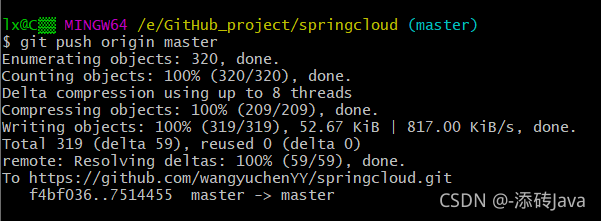
and then push again. It’s done

[Solved] opencv-python: recipe for target ‘modules/python3/CMakeFiles/opencv_python3.dir/all‘ failed

1. Question.
Python3.8 environment
When using pip3 to install opencv-python, there is a
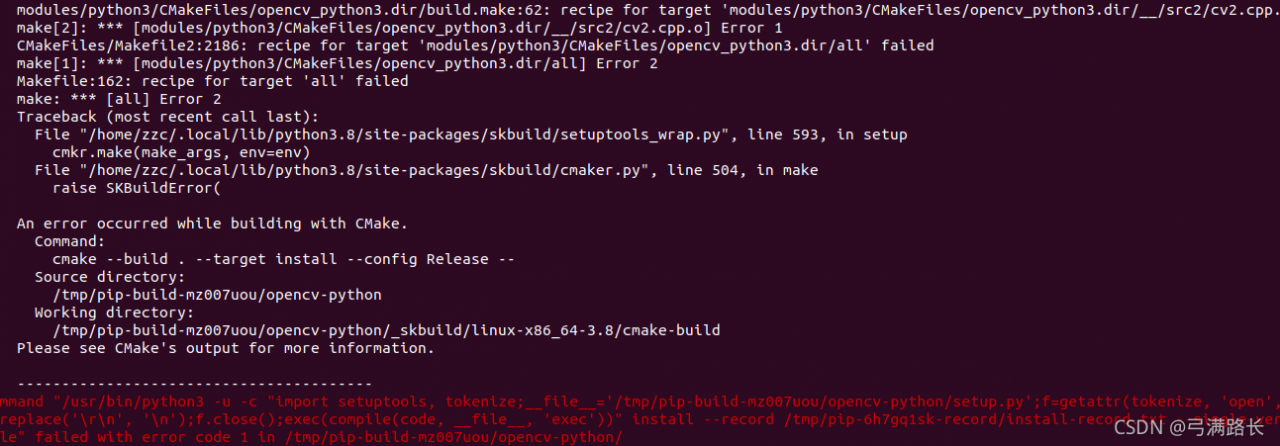
[modules/python3/CMakeFiles/opencv_python3.dir/__/src2/cv2.cpp.o] Error 1
recipe for target ‘modules/python3/CMakeFiles/opencv_python3.dir/all’ failed

2. Cause.
When compiling in opencv-python, it cannot call python3.8 properly
3. Solution:
sudo apt-get install python3.8-dev
4. Successful installation

org.springframework.core.NestedIOException: Failed to parse mapping resource: ‘file [XXX.xml]‘;

Following the crud-ssm tutorial in Silicon Valley, insert the following bean tags when configuring the spring environment configuration file applicationcontext.xml,

<bean id="sqlSessionFactory" class="org.mybatis.spring.SqlSessionFactoryBean">
                <property name="configLocation" value="classpath:mybatis-config"></property>
                <property name="dataSource" ref="dataSource"></property>
                <property name="mapperLocations" value="classpath:mappers/*.xml"></property>
</bean>   

among

 <property name="mapperLocations" value="classpath:mappers/*.xml"></property>

It will be red. You only need to create any. XML file under Resources/maps, but this will lead to Title errors
just enter the project name\target\xxx-1.0-snapshot\WEB-INF\classes\mappers and delete the.XML file created at that time

[Solved] OpenCv5 error: (-215:Assertion failed) !_descriptors.empty() in function ‘add‘

OpenCv5——error: (-215:Assertion failed) !_ Descriptors. Empty() in function ‘Add’ problem solved

    1. the path of Chinese pictures cannot be included in the path of pictures. Format: D:/qqfiles/Web/Xiaomi/images/1.JPG


    1. the path of Windows cannot be copied directly. On the contrary, there is no qualified dataset in the path