Author Archives: Robins

Chrome browser settings cause err when accessing the website_ FAILED

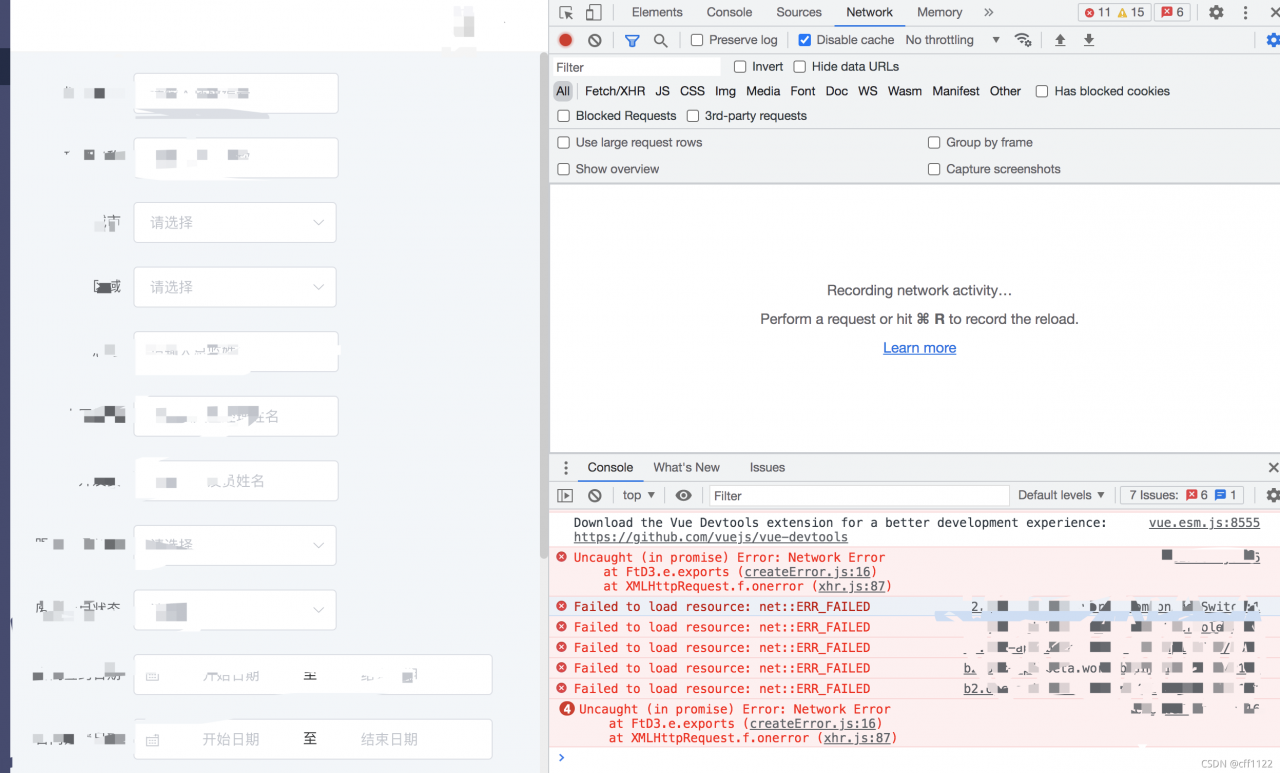
When testing in the test environment, the Chrome browser in one environment cannot be accessed, and the following error is reported: failed to load resource: Net:: err_ FAILED 。 It’s OK to use other browsers, and it’s OK for other colleagues to use chrome browsers.

terms of settlement:

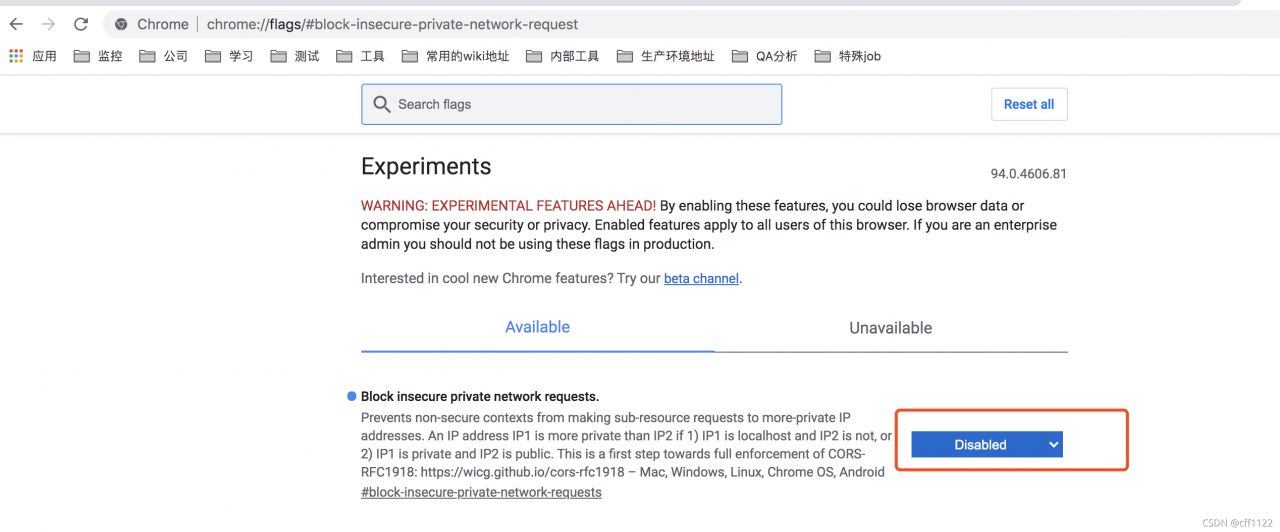
1. Open chrome://flags/#block -insecure-private-network-request

2. Disable block secure private network requests  


Failed to find Build Tools revision 30.0.3 [How to Solve]

After we solved the problem of could not resolve com.android.tools.build: gradle: 7.0.2, we reported this error in build output

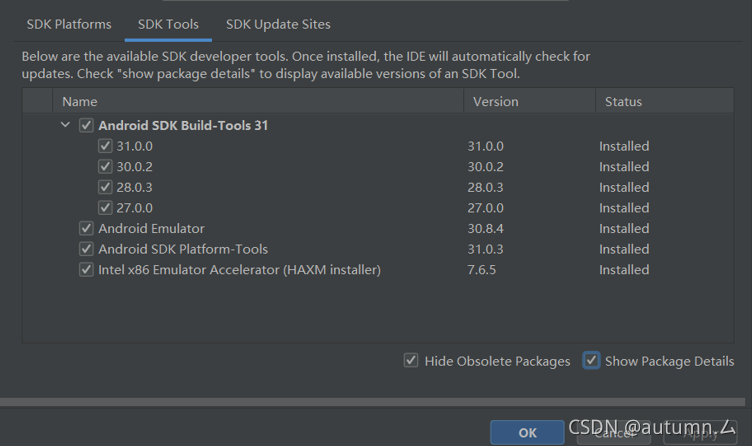
The most direct solution is to download the version of Android SDK build tools in SDK tools. The path is file >settings> Appearance& Behavior> System Settings> Android SDK> SDK Tools. Unfortunately, I couldn’t download it, so I changed the buildtoolsversion in APP/build.gradle to “31.0.2” of all my current 31.0.2 versions

In the project structure, we have also changed everything, but after running, we still report such an error

After I changed the version to 30.0.2, I still have this problem. Obviously, I have this version, but why not? When I checked my SDK tools, I found that 31.0.0 and 30.0.2/28.0.3/27.0.0 are under Android SDK build tools 31

So I guessed whether it could not be found under the file, so I deleted all except the 30.0.2 version I currently use

Close Android studio and open it again. Success

ERROR: Failed building wheel for mujoco-py [How to Solve]

This error occurred in the last step of installing mujoco.

All the previous steps have been obtained, including downloading mjkey, installing VC + + buildtools, downloading mjpro150 and the corresponding version of mujoco py. In many tutorials, it is mentioned that PIP install mujoco py = = 1.50.1.68 should be run at last, so an error appears in the title.

function

pip install -e <path>

< path> Is the local mujoco py file directory. The installation was successful.

Attached:

During the first import, the compilation will be performed first, and errors may be reported, such as mujoco and mujoco_Py installed pit code farm home

[Solved] Tensorflow Win10: ImportError: DLL load failed

Vs 2019 is installed, Microsoft Visual C + + 2015 is available, and GPU is not supported, so CUDA installation is skipped, and pip install tensorflow = = 2.1.0 is directly used. The result shows importerror: DLL load failed.

Solution: PIP uninstall tensorflow uninstall tensorflow

pip install tensorflow = = 2.0.0

[PHP]stream_socket_client(): Failed to enable crypto

Problem recurrence:

<?php
function getCertInfo($domain)
{
    $context = stream_context_create([
        'ssl' => [
            'capture_peer_cert'       => true,
            'capture_peer_cert_chain' => true,
        ],
    ]);

    $client = stream_socket_client("ssl://{$domain}:443", $errorCode, $errorMessage, 30, STREAM_CLIENT_CONNECT, $context);
    if ($client === false) {
        var_dump("!!!open {$domain} socket connection fail. {$errorMessage}($errorCode) !!!";
        return false;
    }

    $params = stream_context_get_params($client);
    if (empty($params['options']['ssl']['peer_certificate'])) {
        var_dump("!!!{$domain} stream_context_get_params options ssl peer_certificate is empty!!!");
        return false;
    }

    return openssl_x509_parse($params['options']['ssl']['peer_certificate']);
}

Solution: $context add verify_ Peer configuration

<?php 
$context = stream_context_create([
    'ssl' => [
        'capture_peer_cert'       => true,
        'capture_peer_cert_chain' => true,
        'verify_peer'             => false,
    ],
]);

Command PhaseScriptExecution failed with a nonzero exit code

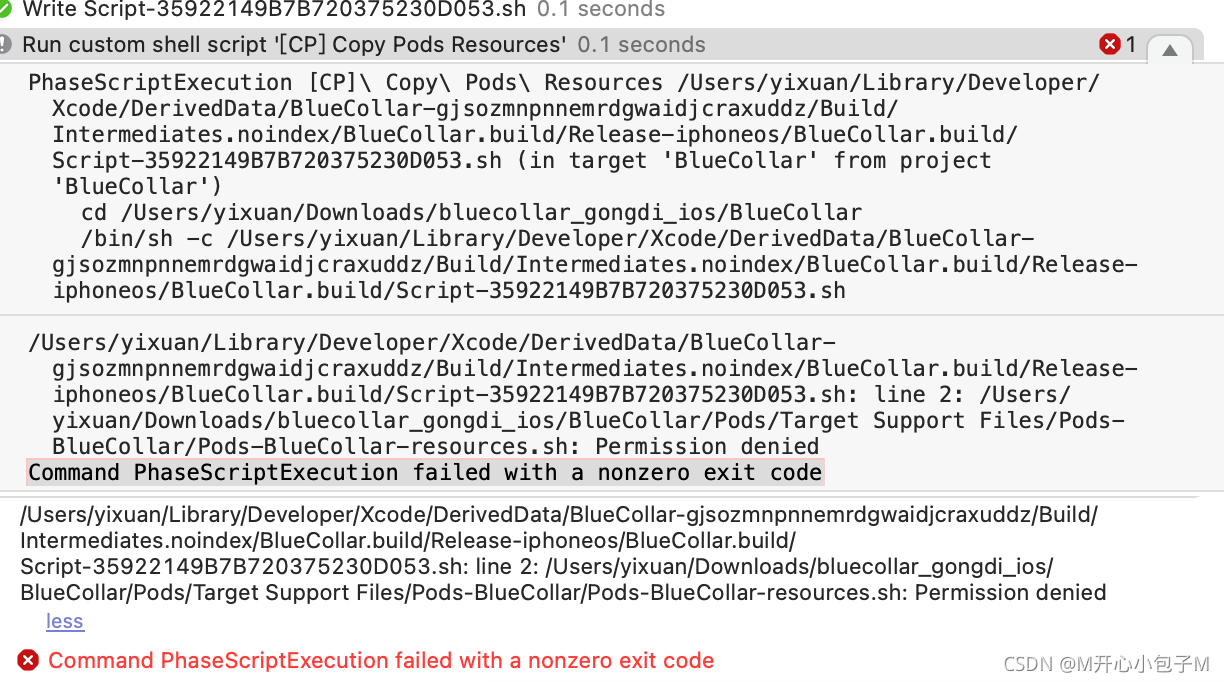
1. Your project should report this problem when compiling after pod install, as shown in the figure below

2. Let’s start with the solution option CD  /Users/yixuan/Downloads/bluecollar_ gongdi_ IOS/bluecollar/pods/target support files/pods bluecollar/pods bluecollar resources.sh this file is located in the folder

3. CD to the pods directory where the error is reported, and then execute the command Chmod a + X pods-bluecollar-resources.sh to solve the problem

4. Cocoapods provides a bash script named pods-resources.sh, which will be executed every time the project is compiled to copy various resource files of the third-party library to the target directory.

5. Cocoapods sets all dependencies and parameters at compile time through a file named pods.xcconfig.

SparkException: Python worker failed to connect back

Error reporting: org.apache.spark.sparkexception: Python worker failed to connect back

Org.apache.spark.sparkexception: Python worker failed to connect back
tried various online methods, and then
solution:
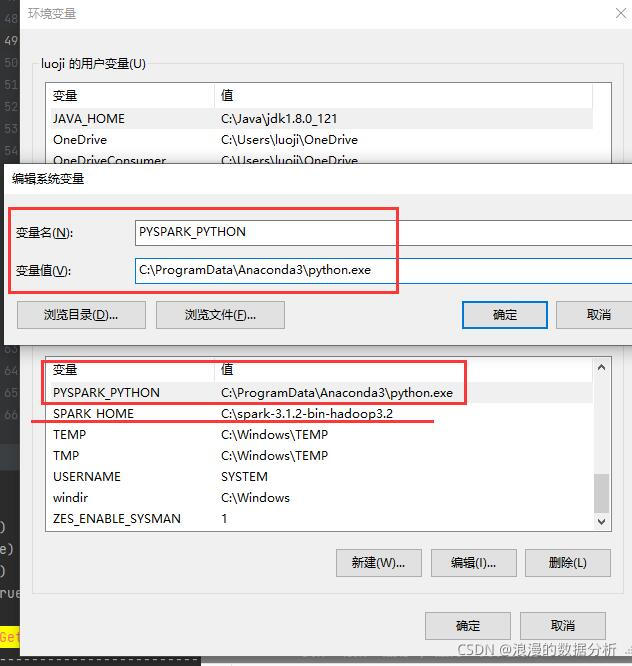
put my computer – Management – advanced system settings – environment variables – system variables,
put spark_ Set home to the EXE file of python, as shown in the following figure:

it’s done
WIN10 Spark 3.1.2

[SSL: CERTIFICATE_VERIFY_FAILED] certificate verify failed [Solved]

1. Problem phenomenon

Error reported by Ubuntu machine or docker container

Traceback (most recent call last):
  File "main.py", line 200, in <module>
  File "attribute_extract/extract_attribute.py", line 37, in __init__
  File "attribute_extract/models.py", line 25, in __init__
  File "torchvision/models/resnet.py", line 199, in resnet50
  File "torch/hub.py", line 433, in load_state_dict_from_url
  File "torch/hub.py", line 349, in _download_url_to_file
  File "urllib/request.py", line 162, in urlopen
  File "urllib/request.py", line 465, in open
  File "urllib/request.py", line 483, in _open
  File "urllib/request.py", line 443, in _call_chain
  File "urllib/request.py", line 1286, in https_open
  File "urllib/request.py", line 1245, in do_open
urllib.error.URLError: <urlopen error [SSL: CERTIFICATE_VERIFY_FAILED] certificate verify failed (_ssl.c:645)>

2. Solutions

sudo apt-get update 
sudo apt-get install ca-certificates
sudo update-ca-certificates --fresh
export SSL_CERT_DIR=/etc/ssl/certs
How to Solve Docker failed to initialize Error

In this case, there is no need to reinstall the docker
rename the docker directory under C:\users\administrator\appdata\roaming (this directory depends on where docker is installed on everyone’s computer. My directory is: C:\users\ZK\appdata\roaming) to docker_Backup (actually delete and backup)
reason: start docker for windows.exe , which prompts that docker is not started. Click to start docker, and everything is restored as before. The original container reason is that my previous docker image installation directory is on disk e, and the application is automatically installed on the default Disk C after upgrading


Solution: docker generates a file dockerdesktop.vhdx , move this file to the newly installed directory or set {setting ---- > resources ---- > advanced ---- > disk image location} in the dockerdesktop.vhdx application (Note: a new directory will be generated. I change the permission, delete and replace it) remember to back up

Result: both the original vhdx file and the image are.

How to Solve NPM update check failed Error

npm update check failed

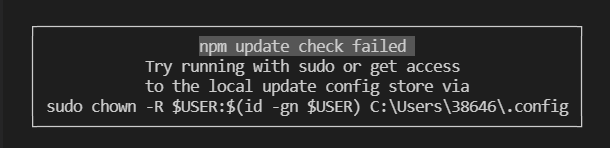
When using NPM, the following suddenly appears: although it doesn’t seem to affect the use, it’s annoying to come out every time

Solution:
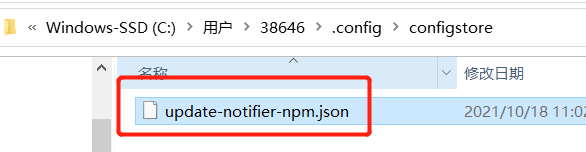
first, enter the corresponding folder. According to the above figure, my folder is C:\users\38646.config

you can find another folder. After entering a JSON

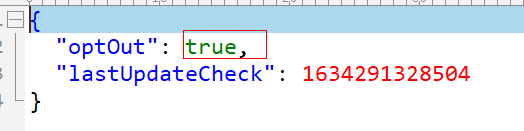
use the editing tool to open the JSON file and change the value of optoute to true

How to Solve Error: Failed to load ApplicationContext

Solution: failed to load ApplicationContext

Generally, it can be solved according to the following steps
Step 1: check the annotation
check whether there are the following annotations

@RunWith(SpringRunner.class)
@SpringBootTest

If not, add dependencies and add comments

<dependency>
    <groupId>junit</groupId>
    <artifactId>junit</artifactId>
    <version>4.13</version>
    <scope>test</scope>
</dependency>

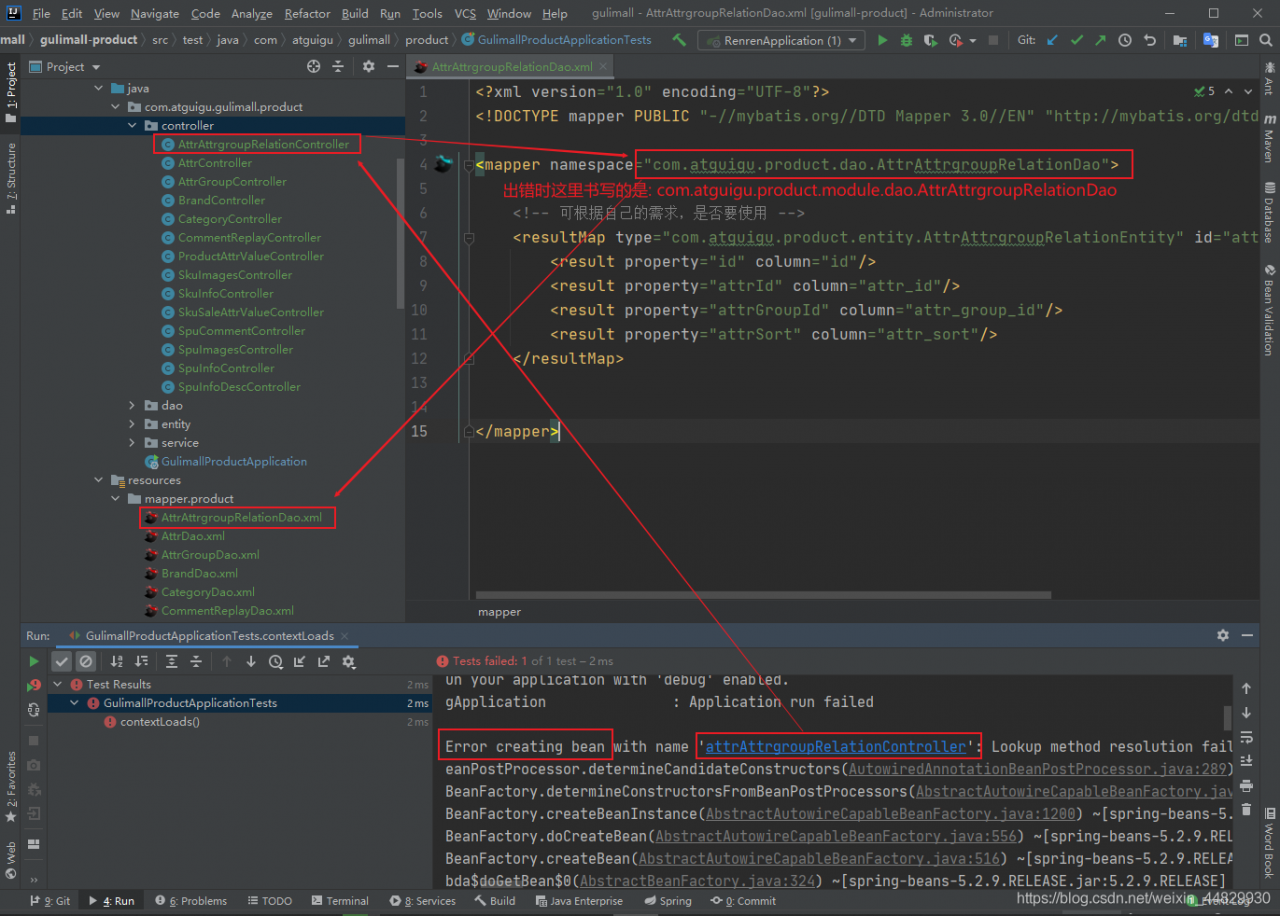
Step 2: check the package name
check whether the package name or package path in the XML file is correct, because beans are configured through XML. If they cannot be loaded, they are usually injected into the XML file in the container.

Example:

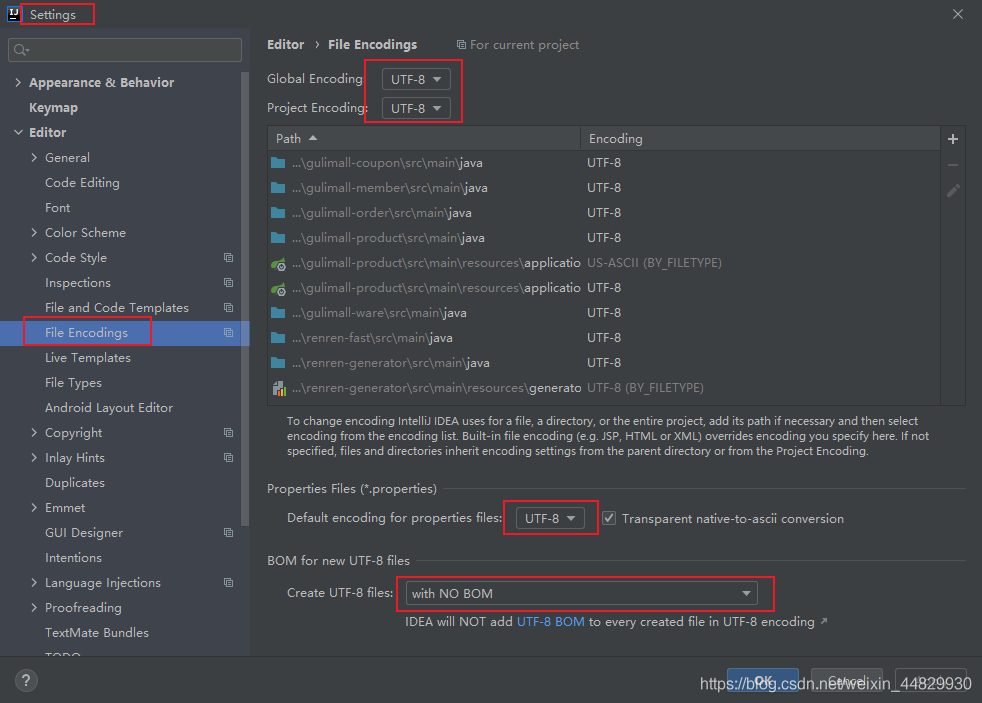
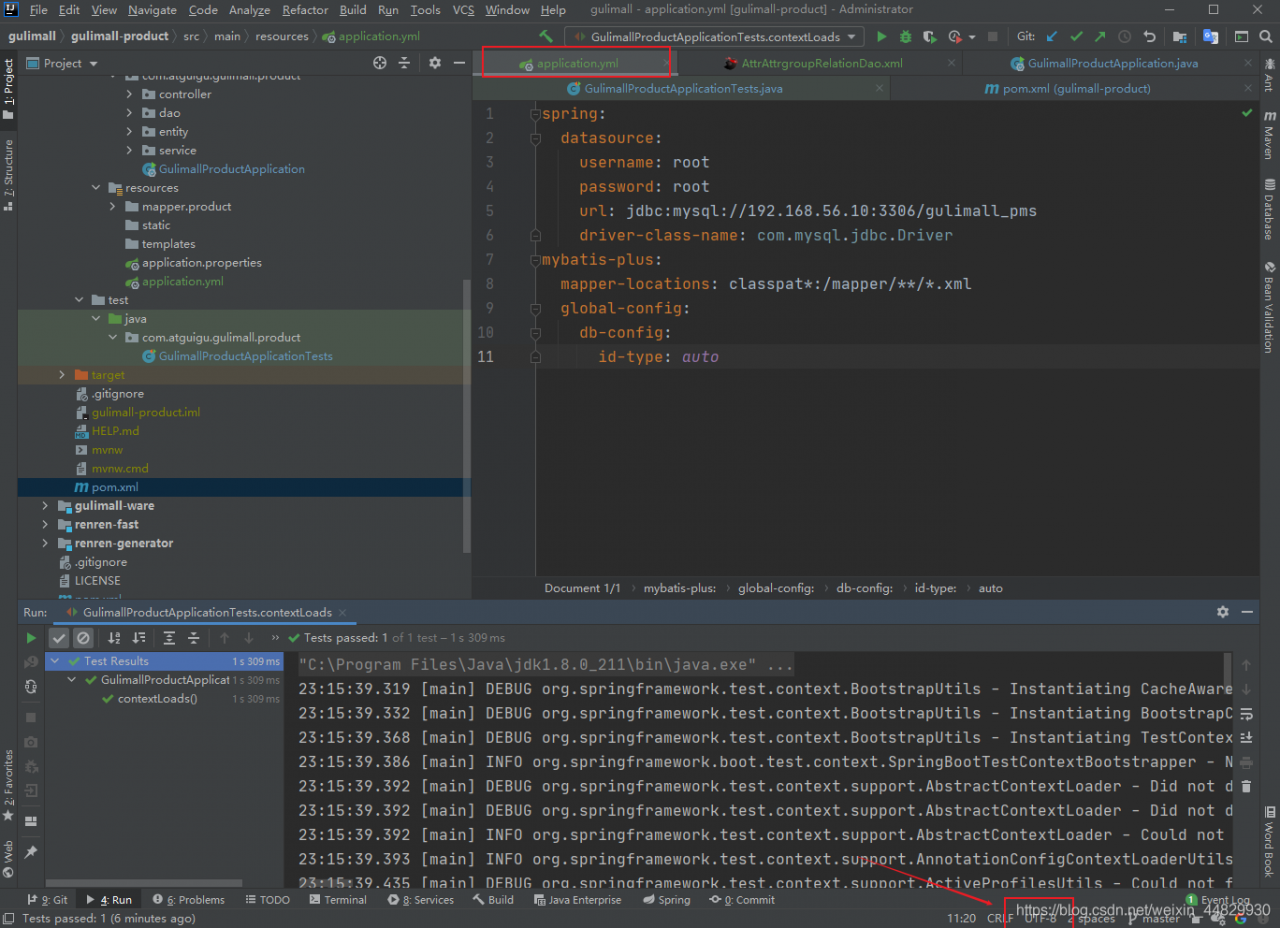
Step 3: check the encoding format
setting

application.yml

application.yml

Failed to import module __PyInstaller_hooks_0_IPython required by hook for module

Failed to import module __ PyInstaller_ hooks_ 0_ IPython required by hook for module problem solving

Method 1 and method 2

Method 1

It may be a problem with pyinstaller. Try reinstalling pyinstaller
enter in the command line:

>>> pip uninstall pyinstaller
>>> pip install pyinstaller

Method 2

The error can be caused by the installation of outdated IPython in the environment. We can try to update it to a newer version
enter in the command line:

>>> pip install --upgrade IPython

I hope I can help you!