When developing games using python, we will inevitably use the pyGame module, which has a sound function. Using this function, we can add sound effects to our games.
Problem Description:
To use the sound module, we must initialize our game at the beginning of the main function, so we add the following statement at the beginning of the main function to initialize the game.
# Game initialization
    pygame.init()
However, when I run the program, I find that the game window flashes back and an error message appears, as follows:
D:\Game\TankWar\venv\Scripts\python.exe D:/Game/TankWar/main.py
pygame 2.0.2 (SDL 2.0.16, Python 3.8.5)
Hello from the pygame community. https://www.pygame.org/contribute.html
Traceback (most recent call last):
  File "D:/Game/TankWar/main.py", line 41, in <module>
    is_quit_game = run_Game(config)
  File "D:/Game/TankWar/main.py", line 22, in run_Game
    sounds[key] = pygame.mixer.Sound(value)
pygame.error: mixer not initialized

Process finished with exit code 1
it says I didn’t initialize the mixer!!! We can’t help it. Let’s go according to his error report and initialize the mixer separately.
pygame.init()
pygame.mixer.init()
The following error message still appears, and the game window still flashes back.
D:\Game\TankWar\venv\Scripts\python.exe D:/Game/TankWar/main.py
pygame 2.0.2 (SDL 2.0.16, Python 3.8.5)
Hello from the pygame community. https://www.pygame.org/contribute.html
Traceback (most recent call last):
  File "D:/Game/TankWar/main.py", line 42, in <module>
    is_quit_game = run_Game(config)
  File "D:/Game/TankWar/main.py", line 17, in run_Game
    pygame.mixer.init()
pygame.error: WASAPI can't find requested audio endpoint: Could not find the element.

Process finished with exit code 1
Solution:
After repeated tests, I found that it can run normally sometimes, and the above error reports will appear sometimes. Finally, I found a big man’s article and solved this problem.
earphone problem
Because I use a desktop computer and have no audio connected, there has been no audio output device, which causes pyGame to not know where to output the sound (in this case, the audio device cannot be found), resulting in an error. After inserting the audio device (i.e. my headset), it’s solved…
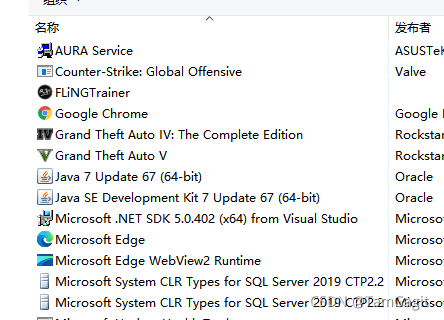
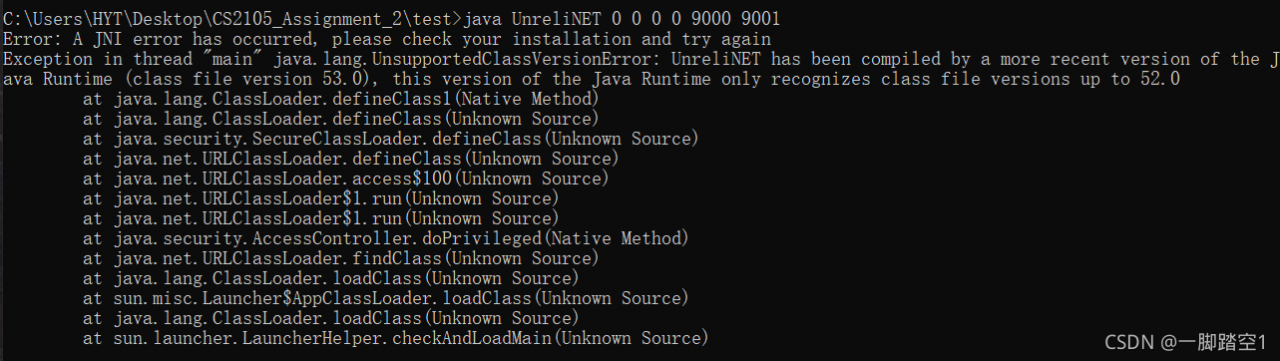
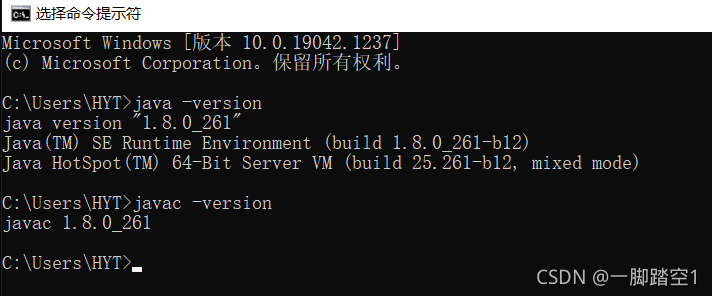 java – version views the version of JRE (running environment). Javac – version looks at the version of JDK (compilation environment). Note: if you cannot successfully view the version by entering the above command, it indicates that there is a problem with the environment configuration. Please refer to here. Back to the point, if you find inconsistencies after checking the version, reconfigure the environment to ensure that the version is consistent and then recompile and run. It should be noted that I didn’t write the code here, and only got the compiled class file, so I can only solve this problem by changing the running java version. From the error message, we can know that after compilation, this code only supports the JRE environment of java version 52.0 or above. Even if we don’t know which java version 52.0 corresponds to, it must be higher than 1.8.0. In order to avoid problems in the future, I plan to directly update the entire java version, that is, replace JDK and JRE with a new version. Also, considering that 1.8.0 may be needed in the future, I will not delete the 1.8.0 version.
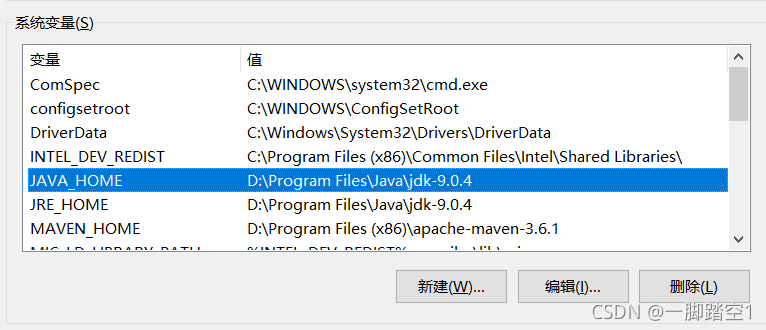
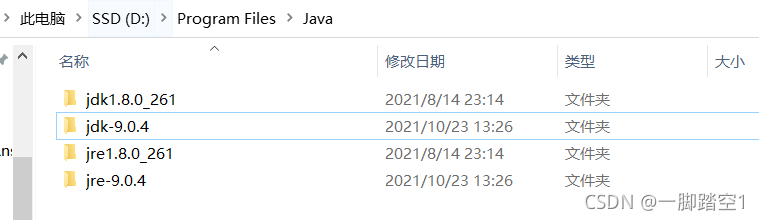 modify the original Java in the system variable_ Home and JRE_ Home path to point to the newly installed java version of 1.9 (if the way to configure the environment is different from mine, it doesn’t matter. In essence, it’s just that the path to point has changed. I suggest this way to configure it for management convenience. Please refer to the configuration link provided above). As shown below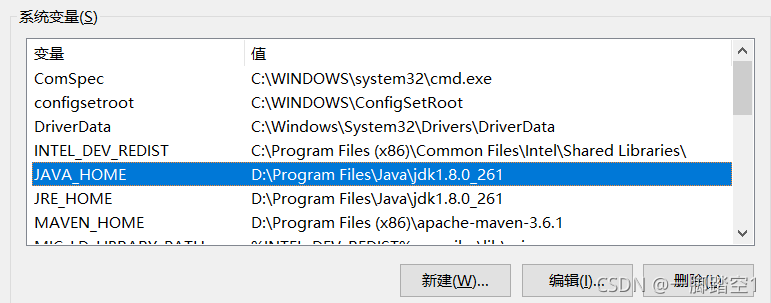
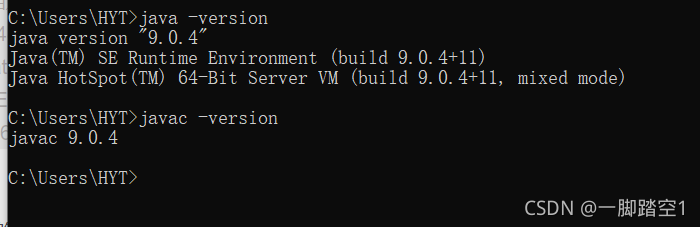 run the code again and run successfully