Author Archives: Robins

Error building SqlSession. ### Cause: org.apache.ibatis.builder.BuilderException: Error creating d

Debug:
I reported this error when I was a beginner of mybatis

Error building SqlSession.

Cause: org.apache.ibatis.builder.BuilderException: Error creating do

Caused by: org.xml.sax.SAXParseException; lineNumber: 2; columnNumber: 6; Processing instruction targets matching ‘[XX] [mm] [ll]’ are not allowed.

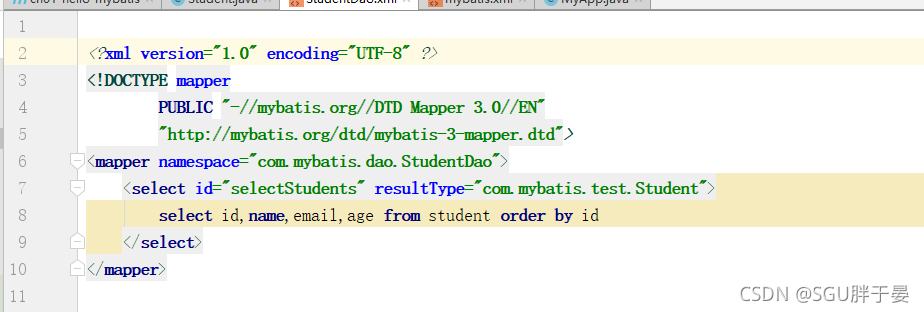
Finally, it is found that one line is left blank at the beginning of the SQL mapping file, but it is required that one line cannot be left blank. Just remove the blank line

[Solved] workbench ssl connection error ssl is required but the server

Background

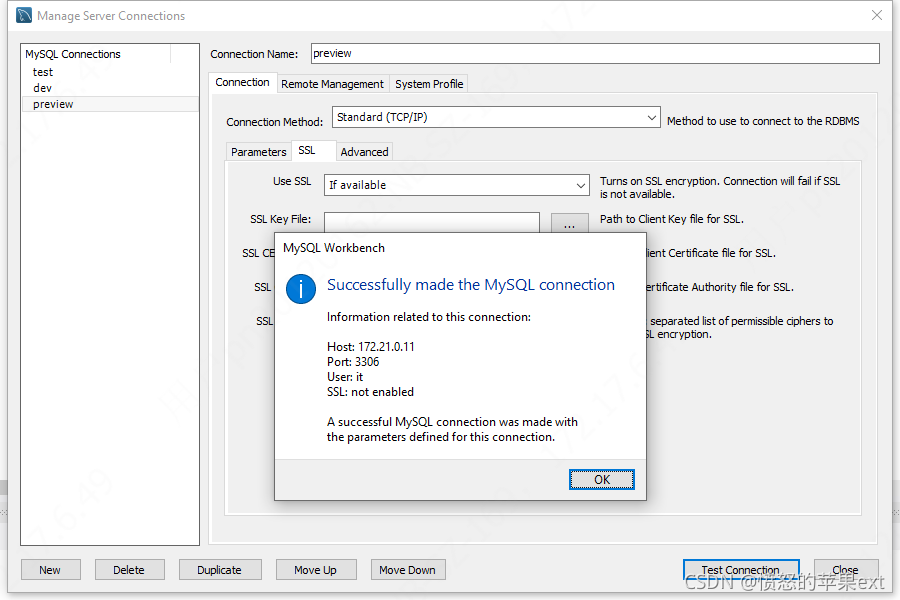
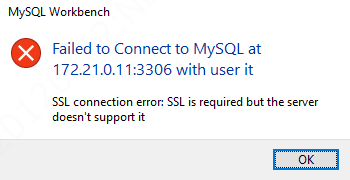
Workbench connection error SSL connection error SSL is required but the server, as shown in the figure below

Solution:

stay https://stackoverflow.com/questions/69824631/mysql-workbench-ssl-connection-error-ssl-is-required-but-the-server-doesnt-sup/69828778 To find a solution, select if availablefor use SSL. However, it is found that the latest version of MySQL workbench 8.0.27 does not have this option. So I downloaded the old version MySQL workbench 8.0.16 , modified the SSL option, and the test results are shown in the figure below
in consideration of downloading workbench to log in, I have prepared the download address for your convenience.

https://sourceforge.net/projects/generic-software/files/workbench/

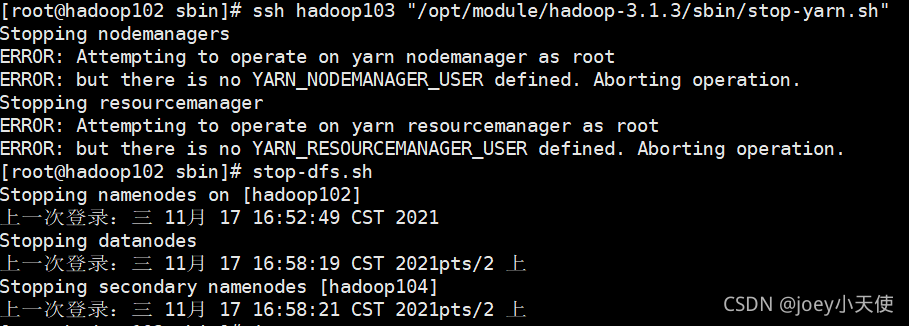
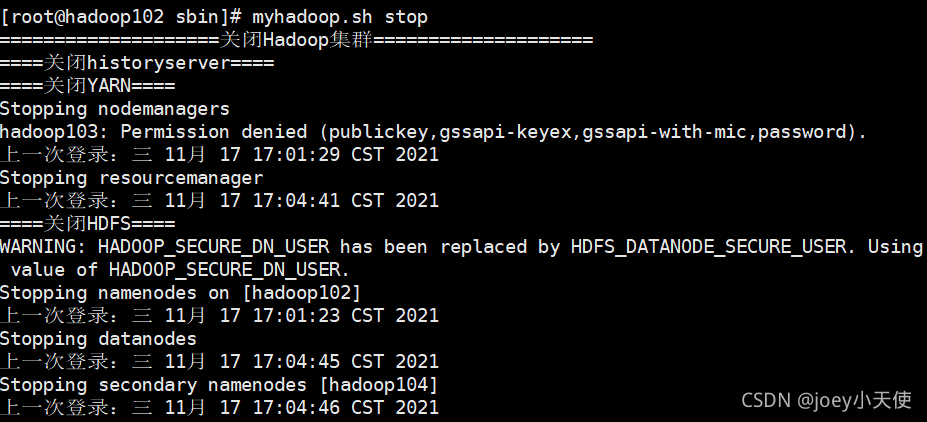
Error in configuring Hadoop 3.1.3: attempting to operate on yarn nodemanager as root error

This may occur when HDFS and yarn services are turned on, and when HDFS and yarn services are turned off using scripts, the

solution may also occur

Add the following parameters to the top of start-dfs.sh and stop-dfs.sh (in SBIN of Hadoop installation directory)

HDFS_DATANODE_USER=root
HADOOP_SECURE_DN_USER=hdfs
HDFS_NAMENODE_USER=root
HDFS_SECONDARYNAMENODE_USER=root

Add the following parameters to the top of start-yarn.sh and stop-yarn.sh (in SBIN of Hadoop installation directory)

YARN_RESOURCEMANAGER_USER=root
HADOOP_SECURE_DN_USER=yarn
YARN_NODEMANAGER_USER=root

Successfully solved the problem

Redis Error: HandleServiceCommands: system error caught. error code=1056, message = StartService failed:

An error occurred when starting redis: # handleservicecommands: system error thought. Error code = 1056, message = startservice failed: unknown error
in fact, the current redis server has been started, and then an error is reported when you start it again. Just turn off and restart.

redis-server --service-stop

redis-server --service-start

redis-cli.exe -h 127.0.0.1 -p 6379

[Solved] ERROR com.alibaba.druid.pool.DruidDataSource – init datasource error, url jdbcmysql

Error reporting when deploying an open source project

ERROR com.alibaba.druid.pool.DruidDataSource - init datasource error, url jdbcmysql://

Obviously, there is a database connection error

But after eliminating the error, I can find the real cause of the error

Database connection address error

Network problems

Wrong user name and password

Finally, it was found that there was a problem with the MySQL driver version of the open source project, which was inconsistent with the MySQL I installed

Solution:

Go to POM.XML and delete the version information of MySQL, which can be used by default, as shown below

<dependency>
    <groupId>mysql</groupId>
    <artifactId>mysql-connector-java</artifactId>
</dependency>

Error generic_INTERNAL_Error (65536) processing [How to Solve]

Presto queries the data of Apache druid and inserts it into kudu. Occasionally, an error is reported: generic_INTERNAL_Error (65536)
java.lang.illegalargumentexception: unknown field druid.druid. Data source name. Field name: varchar
com.google.common.base.preconditions.checkargument (preconditions. Java: 216)

Check the Druid log and find the corresponding error:
unknown exception (org. Apache. Cite. Tools. Validationexception): org. Apache. Cite. Runtime. Calculecontextexception: from line 2, column 8 to line 2, column 12: column ‘field name’ not found in any table
in addition, errors are occasionally reported when using superset to obtain the data preview of the corresponding Druid data source

Problem analysis:
1. First, judge that it should be a druid problem. The same operation only occasionally reports an error. It is suspected that it is a druid broker problem
2. It is found that the results of querying the number of columns of the same data source through different brokers are inconsistent (SQL: select count (*) columncount from information_schema. Columns where table_neme = ‘data source name’). This may be because historical has not provided services to all segments when the broker is restarted by rolling (after restarting historical, the segment load is not completed, and the segment is still being loaded gradually), resulting in different schema information such as dimension indicators obtained through the segment at different times.

Solution: restart the broker after historically loading segments to ensure that the dimension indicators and other schema information obtained by the broker through segments are consistent. Subsequent restart of the broker should ensure that all segments in the cluster provide services normally.

Summary: the reason for error reporting is that the schema information obtained twice is inconsistent. The inconsistency may be caused by adding or deleting columns, or modifying column names and column data types. To solve the problem of inconsistent schema information, you can solve the current error reporting.

[Solved] Whitelabel Error Page This application has no explicit mapping for /error, so you are seeing this as

Whitelabel Error Page

This application has no explicit mapping for /error, so you are seeing this as a fallback.Mon Nov 15 20:44:52 CST 2021
There was an unexpected error (type=lnternal Server Error, status=500).
Could not open JPA Entity/Manager for transacton, nested exception is org.hibernate.exceptionGenericDBCException:
Unable to acquireJDBCConnection

During the debugging of idea, I encountered a problem on the browser side. I found it for many days and finally solved it. That is, the JDBC version of the connection between idea and MySQL does not match. Let’s share the method below

if you see an error, it is probably a JDBC connection problem. First, check the configured MySQL user name, password and URL
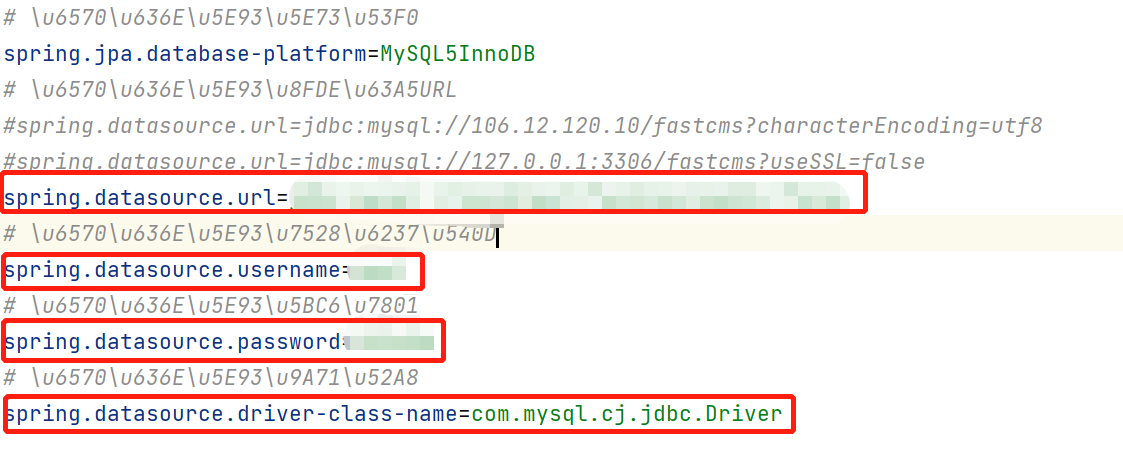
After making sure that everything is correct, check whether my MySQL version corresponds to the idea version. Before I made an error, the MySQL jar package in the idea is 5.0, but my idea version is higher than mysql, so I can’t connect. Then I go to the MySQL 8.0 jar package under the official website, import it into the idea, and then change the JDBC version in pom.xml
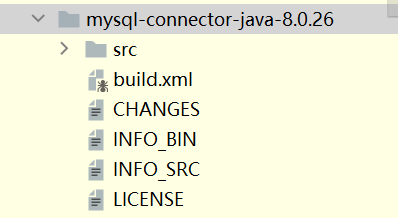
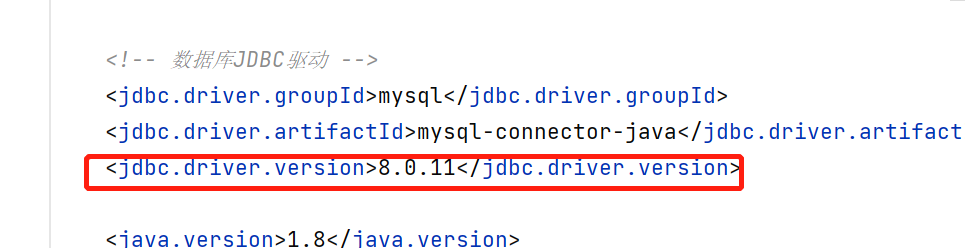
  • In the higher version of JDBC, spring.datasource.driver-class-name=com.mysql.cj.jdbc.Driver is generally added with a cj.

This is the previous

this is the current

later, there will be no JDBC connection problem when running on the server side! This is my problem solved, others may have more situations. Here only represents my own solution!
java.sql.SQLRecoverableException: IO Error: Connection reset

I wrote an executable jar package to execute on Linux, connected to Oracle 11g database and obtained database data. It was always the card owner. When it timed out, it ran out with an error message. The server could be restarted several times, and it was stuck later.

Execute jar package statement

/root/jdk1.8.0_ 181/bin/java -jar GetJdbc-1.0-SNAPSHOT.jar

java.sql.SQLRecoverableException: IO Error: Connection reset
        at oracle.jdbc.driver.T4CConnection.logon(T4CConnection.java:421)
        at oracle.jdbc.driver.PhysicalConnection.<init>(PhysicalConnection.java:531)
        at oracle.jdbc.driver.T4CConnection.<init>(T4CConnection.java:221)
        at oracle.jdbc.driver.T4CDriverExtension.getConnection(T4CDriverExtension.java:32)
        at oracle.jdbc.driver.OracleDriver.connect(OracleDriver.java:503)
        at java.sql.DriverManager.getConnection(DriverManager.java:664)
        at java.sql.DriverManager.getConnection(DriverManager.java:247)
        at com.iwhalecloud.jdbc.utils.GetDataSource.getConnection(GetDataSource.java:27)
        at com.iwhalecloud.jdbc.execute.DistinguishDataSource.oracleQuery(DistinguishDataSource.java:78)
        at com.iwhalecloud.jdbc.execute.DistinguishDataSource.dataHandle(DistinguishDataSource.java:34)
        at com.iwhalecloud.jdbc.main.MainProgram.main(MainProgram.java:26)
Caused by: java.net.SocketException: Connection reset
        at java.net.SocketOutputStream.socketWrite(SocketOutputStream.java:115)
        at java.net.SocketOutputStream.write(SocketOutputStream.java:155)
        at oracle.net.ns.DataPacket.send(DataPacket.java:199)
        at oracle.net.ns.NetOutputStream.flush(NetOutputStream.java:211)
        at oracle.net.ns.NetInputStream.getNextPacket(NetInputStream.java:227)
        at oracle.net.ns.NetInputStream.read(NetInputStream.java:175)
        at oracle.net.ns.NetInputStream.read(NetInputStream.java:100)
        at oracle.net.ns.NetInputStream.read(NetInputStream.java:85)
        at oracle.jdbc.driver.T4CSocketInputStreamWrapper.readNextPacket(T4CSocketInputStreamWrapper.java:122)
        at oracle.jdbc.driver.T4CSocketInputStreamWrapper.read(T4CSocketInputStreamWrapper.java:78)
        at oracle.jdbc.driver.T4CMAREngine.unmarshalUB1(T4CMAREngine.java:1179)
        at oracle.jdbc.driver.T4CMAREngine.unmarshalSB1(T4CMAREngine.java:1155)
        at oracle.jdbc.driver.T4CTTIfun.receive(T4CTTIfun.java:279)
        at oracle.jdbc.driver.T4CTTIfun.doRPC(T4CTTIfun.java:186)
        at oracle.jdbc.driver.T4CTTIoauthenticate.doOAUTH(T4CTTIoauthenticate.java:366)
        at oracle.jdbc.driver.T4CTTIoauthenticate.doOAUTH(T4CTTIoauthenticate.java:752)
        at oracle.jdbc.driver.T4CConnection.logon(T4CConnection.java:359)
        ... 10 more
close
Exception in thread "main" java.lang.NullPointerException
        at com.iwhalecloud.jdbc.execute.DistinguishDataSource.oracleQuery(DistinguishDataSource.java:80)
        at com.iwhalecloud.jdbc.execute.DistinguishDataSource.dataHandle(DistinguishDataSource.java:34)
        at com.iwhalecloud.jdbc.main.MainProgram.main(MainProgram.java:26)

Find an effective solution on the Internet and add a parameter – DJava. Security. EGD = file:/dev /../dev/urandom

The execution statement is as follows

/root/jdk1.8.0_ 181/bin/java -jar -Djava.security.egd=file:/dev/../dev/urandom GetJdbc-1.0-SNAPSHOT.jar