Sysptom:
Sun Nov 14 19:08:17 2021 ID ffff P1 ECC CE /SYS/MB/P1/D3, 1 errors on MC1-CH1, dimm 0, rank 0.
Sun Nov 14 19:08:17 2021 ID ffff ******** Home Agent(HA1) Shadow Errors ********
Sun Nov 14 19:15:08 2021 ID ffff P1 ECC CE /SYS/MB/P1/D3, 1 errors on MC1-CH1, dimm 0, rank 0.
Sun Nov 14 19:15:08 2021 ID ffff ******** Home Agent(HA1) Shadow Errors ********
Sun Nov 14 19:29:45 2021 ID ffff P1 ECC CE /SYS/MB/P1/D3, 1 errors on MC1-CH1, dimm 0, rank 0.
Sun Nov 14 19:29:45 2021 ID ffff ******** Home Agent(HA1) Shadow Errors ********
Sun Nov 14 19:49:17 2021 ID ffff P1 ECC CE /SYS/MB/P1/D3, 1 errors on MC1-CH1, dimm 0, rank 0.
Sun Nov 14 19:49:17 2021 ID ffff ******** Home Agent(HA1) Shadow Errors ********
Sun Nov 14 20:02:59 2021 ID ffff P1 ECC CE /SYS/MB/P1/D3, 1 errors on MC1-CH1, dimm 0, rank 0.
Sun Nov 14 20:02:59 2021 ID ffff ******** Home Agent(HA1) Shadow Errors ********
Sun Nov 14 20:05:35 2021 ID ffff P1 ECC CE /SYS/MB/P1/D3, 1 errors on MC1-CH1, dimm 0, rank 0.
Sun Nov 14 20:05:35 2021 ID ffff ******** Home Agent(HA1) Shadow Errors ********
Sun Nov 14 20:09:00 2021 ID ffff P1 ECC CE /SYS/MB/P1/D3, 1 errors on MC1-CH1, dimm 0, rank 0.
Sun Nov 14 20:09:01 2021 ID ffff ******** Home Agent(HA1) Shadow Errors ********
Sun Nov 14 20:17:57 2021 ID ffff P1 ECC CE /SYS/MB/P1/D3, 1 errors on MC1-CH1, dimm 0, rank 0.
Sun Nov 14 20:17:58 2021 ID ffff ******** Home Agent(HA1) Shadow Errors ********
There are a lot of mce log we can check from the mcelog file. Indeed, this is a HW issue and some part is defective one, almost is memory. But a lot of vender don’t want to replace it for this is a correctable error. And we can also check this error at ilom (different vendor have different name but almost of them is built by polit 3,4 arch) as bellow.
2021-11-14/20:09:00 ereport.cpu.intel.quickpath.mem_ce@/SYS/MB/P1/D3
count = 0x1
system_component_firmware_versions = (ILOM)5.0.1.28 r140973,(BIOS)38340900
2021-11-14/20:17:57 ereport.cpu.intel.quickpath.mem_ce@/SYS/MB/P1/D3
count = 0x1
system_component_firmware_versions = (ILOM)5.0.1.28 r140973,(BIOS)38340900
—
If you want to disable them for some monitor policy pls check as bellow
Solution:
Machine Check Exception
mce=off
Disable machine check
mce=no_cmci
Disable CMCI(Corrected Machine Check Interrupt) that
Intel processor supports. Usually this disablement is
not recommended, but it might be handy if your hardware
is misbehaving.
Note that you’ll get more problems without CMCI than with
due to the shared banks, i.e. you might get duplicated
error logs.
mce=dont_log_ce
Don’t make logs for corrected errors. All events reported
as corrected are silently cleared by OS.
This option will be useful if you have no interest in any
of corrected errors.
mce=ignore_ce
Disable features for corrected errors, e.g. polling timer
and CMCI. All events reported as corrected are not cleared
by OS and remained in its error banks.
Usually this disablement is not recommended, however if
there is an agent checking/clearing corrected errors
(e.g. BIOS or hardware monitoring applications), conflicting
with OS’s error handling, and you cannot deactivate the agent,
then this option will be a help.
mce=bootlog
Enable logging of machine checks left over from booting.
Disabled by default on AMD because some BIOS leave bogus ones.
If your BIOS doesn’t do that it’s a good idea to enable though
to make sure you log even machine check events that result
in a reboot. On Intel systems it is enabled by default.
mce=nobootlog
Disable boot machine check logging.
mce=tolerancelevel[,monarchtimeout] (number,number)
tolerance levels:
0: always panic on uncorrected errors, log corrected errors
1: panic or SIGBUS on uncorrected errors, log corrected errors
2: SIGBUS or log uncorrected errors, log corrected errors
3: never panic or SIGBUS, log all errors (for testing only)
Default is 1
Can be also set using sysfs which is preferable.
monarchtimeout:
Sets the time in us to wait for other CPUs on machine checks. 0
to disable.
The mcelog is loging to message by default but you want to check this HW issue separately, audit the /etc/mcelog/mcelog.conf as bellow.
Before:
/usr/sbin/mcelog –ignorenodev –syslog –foreground
After:
/usr/sbin/mcelog –ignorenodev –syslog –foreground –logfile=/var/log/mcelog
Now restart the service
#service mcelog restart
You can find the /var/log/mcelog as expected.



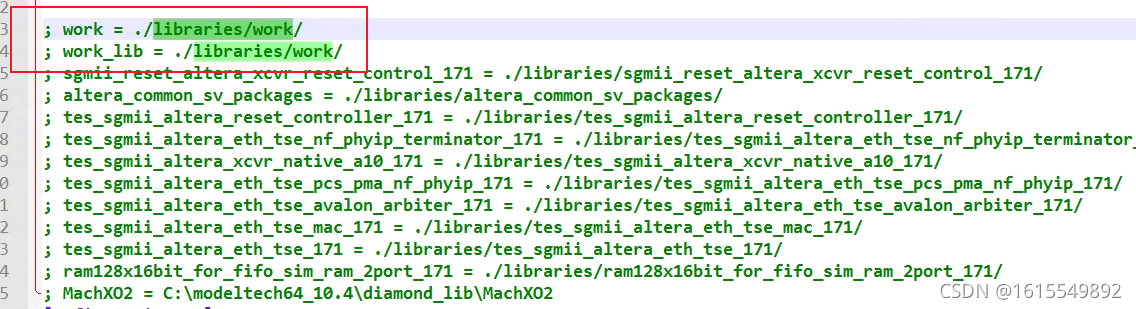 is added to the modelsim.ini file


 Restart the project.