Author Archives: Robins

[Solved] A needed class was not found. This could be due to an error in your runpath. Missing class: scala/co

A needed class was not found. This could be due to an error in your runpath. Missing class: scala/collection/GenTraversableOnce$class
java.lang.NoClassDefFoundError: scala/collection/GenTraversableOnce$class
	at com.twitter.util.JMapWrapper.<init>(LruMap.scala:33)
	at com.twitter.util.LruMap.<init>(LruMap.scala:41)
	at com.twitter.util.LruMap.<init>(LruMap.scala:44)
	at

pay attention to your POM file, confirm the version and some third-party dependent versions. Please use the newer version. Delete Idea, there may be some caches,

[Solved] Error creating bean with name ‘fileVisitController‘ defined in file

When importing the jar package from nexus into the local project, an error occurred during startup:

org.springframework.beans.factory.BeanCreationException: Error creating bean with name 
'fileVisitController' defined in file [D:\dengkun\dengkun_server\dengkun-
api\target\classes\com\dengkun\api\controller\auxiliary\FileVisitController.class]: 
Instantiation of bean failed; nested exception is 
org.springframework.beans.BeanInstantiationException: Failed to instantiate 
[com.dengkun.api.controller.auxiliary.FileVisitController]: Constructor threw exception; 
nested exception is org.apache.ibatis.binding.BindingException: Type interface 
com.dengkun.dao.FileVisitMapper is not known to the MapperRegistry.

After troubleshooting, it is found that the mybatis-conf.xml file in the jar package has the same name as the XML file in other jar packages;

So, change mybatis-conf.xml to mybatis-conf-lct.xml The XML program can start normally

[Solved] net core HTTP Error 500.31 – Failed to load ASP.NET Core runtime HTTP Error 500.30 – ASP.NET Core

Question 1:

HTTP Error 500.31 – Failed to load ASP. NET Core runtime
Common solutions to this issue:
The specified version of Microsoft. NetCore. App or Microsoft. AspNetCore. App was not found.
Troubleshooting steps:
Check the system event log for error messages
Enable logging the application process’ stdout messages
Attach a debugger to the application process and inspect

reason

Cause of failure:
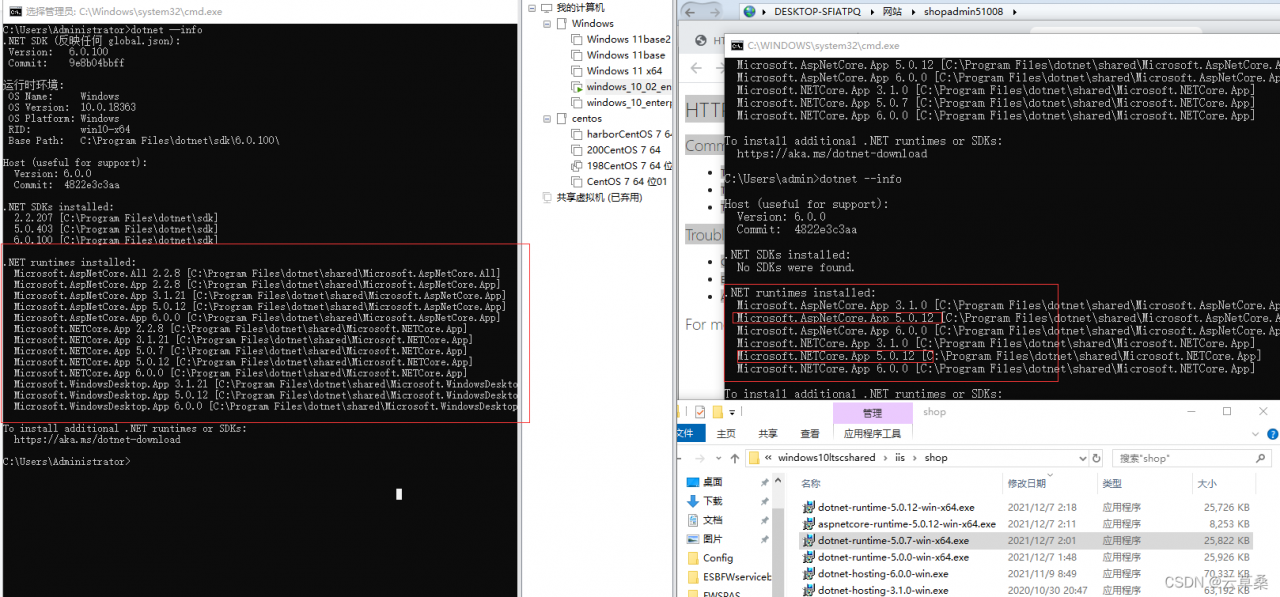
when the machine is published NETCORE version and server NETCORE version is inconsistent

Solution:
modify the published NETCORE version

Or synchronize the server’s environment download NET 5.0 (Linux, macOS, and Windows)

Question 2:

HTTP Error 500.30 – ASP. NET Core app failed to start
Common solutions to this issue:
The app failed to start
The app started but then stopped
The app started but threw an exception during startup
Troubleshooting steps:
Check the system event log for error messages
Enable logging the application process’ stdout messages
Attach a debugger to the application process and inspect

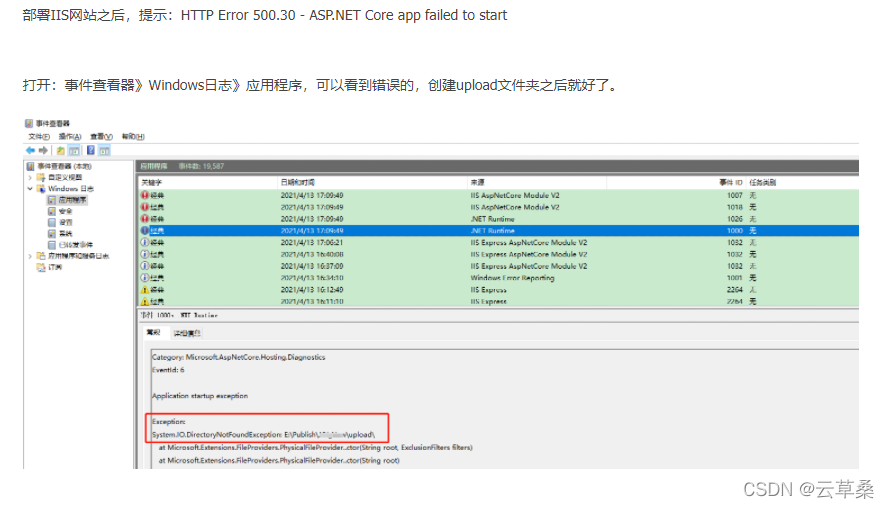
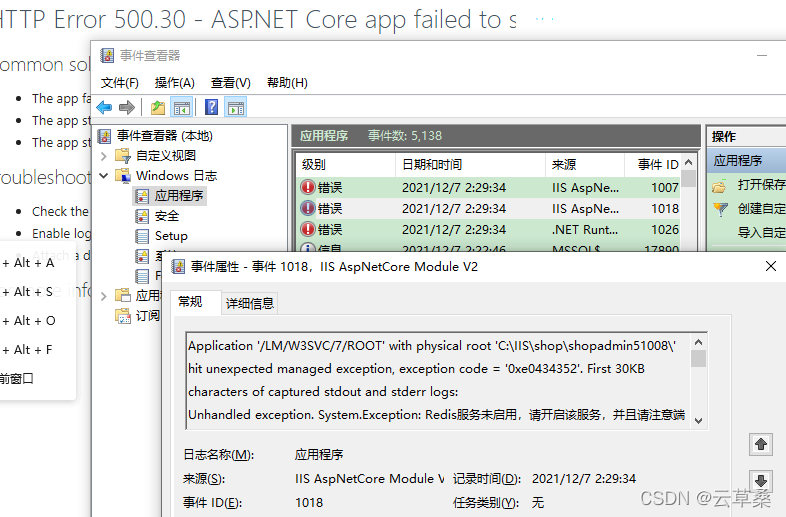
So I checked the event viewer & gt; Windows Log & gt; Appliction> The first time I checked the error log, I checked the following logs. I thought it was a CLR problem. After tossing around, I found that the problem was not solved.

Redis did not start and lost…

Then the most important thing is that all browsers are closed. It’s a little pit. It seems to occupy the port

Application specific permission settings do not grant the user NT service\SQLServerAgent in the address localhost (using LRPC) running in the application container unavailable Sid (unavailable) local activation permission for the COM server application with CLSID. This security permission can be modified using the component service management tool- Blue street lamp blog Garden

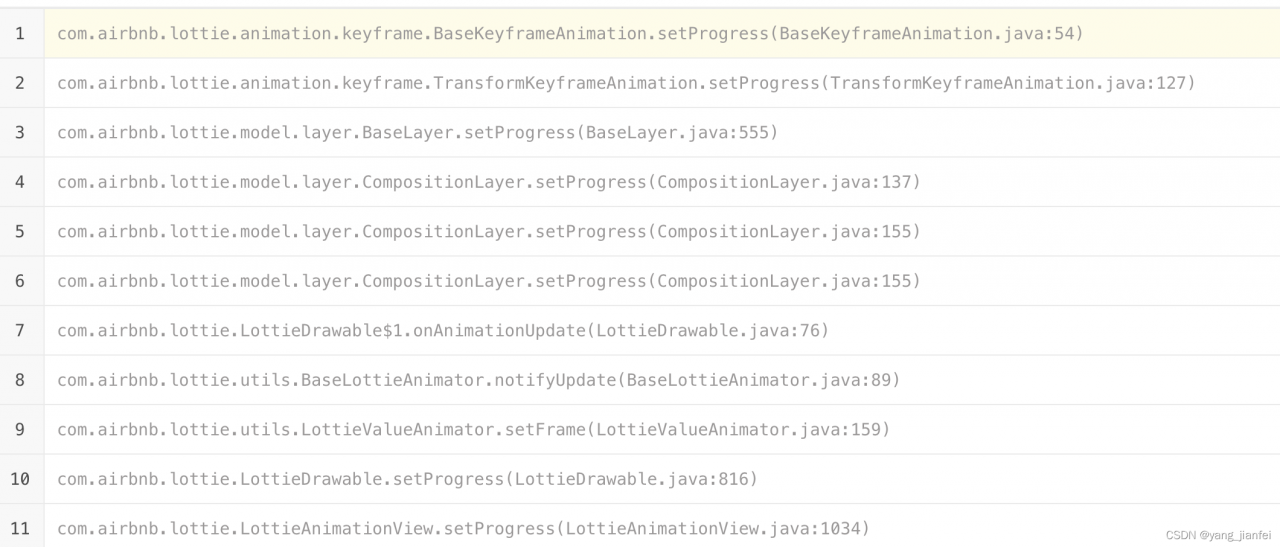
Lotti triggered Java lang.StackOverflowError [How to Solve]

Change Lottie from 2.8.0 in the project Upgrade to version 4.2.0 After the 0 version, the stack memory error suddenly occurred. The last reason was to call the resumeAnimation() method in the onAnimationEnd callback method, and in the resumeAnimation() method, the onAnimationEnd callback method was finally activated into a dead loop.

[Solved] error adding symbols: File in wrong format collect2: error: ld returned 1 exit status

Mqtt is required in a project CPP, compile mqtt on the Cambrian box cpp。 mqtt. CPP is dependent on mqtt C library and header files, I first compiled mqtt c. Then compile mqtt During CPP, use the following cmake command to specify mqtt C library and header file location

cmake -DPAHO_WITH_SSL=OFF -DPAHO_MQTT_C_LIBRARIES=/home/chw/mqtt/paho.mqtt.c-master/install/lib64/libpaho-mqtt3a.so  -DPAHO_MQTT_C_INCLUDE_DIRS=/home/chw/mqtt/paho.mqtt.c-master/install/include/ DCMAKE_INSTALL_PREFIX=../install ..

Then the following errors are reported during compilation

/home/chw/mqtt/paho.mqtt.c-master/install/lib64/libpaho-mqtt3a.so: error adding symbols: File in wrong format
collect2: error: ld returned 1 exit status
src/CMakeFiles/paho-mqttpp3.dir/build.make:99: recipe for target 'src/libpaho-mqttpp3.so.1.2.0' failed
make[2]: *** [src/libpaho-mqttpp3.so.1.2.0] Error 1
CMakeFiles/Makefile2:89: recipe for target 'src/CMakeFiles/paho-mqttpp3.dir/all' failed
make[1]: *** [src/CMakeFiles/paho-mqttpp3.dir/all] Error 2
Makefile:151: recipe for target 'all' failed
make: *** [all] Error 2

The first reaction to this error is that the format of the library linked by the LD command of arm is x86, so the prompt file in wrong format

Then I went to mqtt Under the install folder of C, use the file command to see the format of the library,

root@localhost:/home/chw/mqtt/paho.mqtt.c-master/install/lib64# file libpaho-mqtt3a.so.1.3.9
libpaho-mqtt3a.so.1.3.9: ELF 64-bit LSB shared object, x86-64, version 1 (SYSV), dynamically linked, not stripped

You can see that the format of this library is x86-64, and our Cambrian box is ARM architecture, so the format is not recognized. At this time, I suddenly found out how to mqtt There are lib and lib64 folders in the install folder of C, so I go to the Lib folder and use the file command to see the format.

root@localhost:/home/chw/mqtt/paho.mqtt.c-master/install/lib# file libpaho-mqtt3a.so.1.3.9
libpaho-mqtt3a.so.1.3.9: ELF 64-bit LSB shared object, ARM aarch64, version 1 (SYSV), dynamically linked, BuildID[sha1]=1875ae7550029980d276187e883c154aa43c7356, not stripped

I was pleasantly surprised to find that the Library under the Lib folder was in arm aarch64 format, so the cause of the problem was found. I used the Library under the lib64 folder when configuring cmake, so I used mqtt when configuring cmake The library path of C can be changed to Lib folder.

cmake -DPAHO_WITH_SSL=OFF -DPAHO_MQTT_C_LIBRARIES=/home/chw/mqtt/paho.mqtt.c-master/install/lib/libpaho-mqtt3a.so  -DPAHO_MQTT_C_INCLUDE_DIRS=/home/chw/mqtt/paho.mqtt.c-master/install/include/ DCMAKE_INSTALL_PREFIX=../install ..

Also: compile mqtt.com below During the CPP library, it was found that the compiled library was also x86. Later, it was found that the reason was that I directly compiled mqtt on X86 The CPP # project was copied and then re cmake. I didn’t download the source code from GitHub again. After cmake, the compiled CPP library is in aarch64 format.

Problem solved!
[Solved] python tqdm raise RuntimeError(“cannot join current thread“) RuntimeError: cannot join current thr

The following error occurred when using tqdm today:

Exception ignored in: <function tqdm.__del__ at 0x7f78f8445320>
Traceback (most recent call last):
  File "/root/anaconda3/lib/python3.7/site-packages/tqdm/_tqdm.py", line 931, in __del__
    self.close()
  File "/root/anaconda3/lib/python3.7/site-packages/tqdm/_tqdm.py", line 1133, in close
    self._decr_instances(self)
  File "/root/anaconda3/lib/python3.7/site-packages/tqdm/_tqdm.py", line 496, in _decr_instances
    cls.monitor.exit()
  File "/root/anaconda3/lib/python3.7/site-packages/tqdm/_monitor.py", line 52, in exit
    self.join()
  File "/root/anaconda3/lib/python3.7/threading.py", line 1041, in join
    raise RuntimeError("cannot join current thread")
RuntimeError: cannot join current thread

I didn’t expect tqdm to have a bug

Solution:

pip install tqdm --upgrade