When pushing the code to the code cloud, an error is reported.
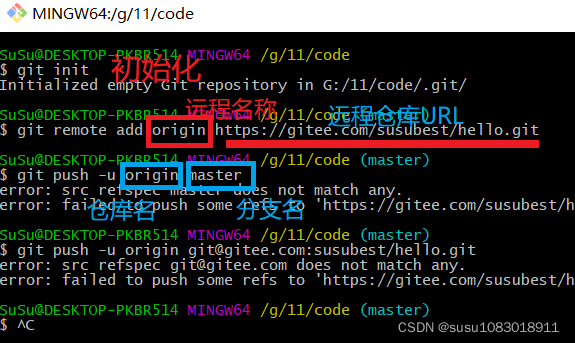
The reason for the error is that there are no files in the directory, and an empty directory cannot be submitted
You can add a file
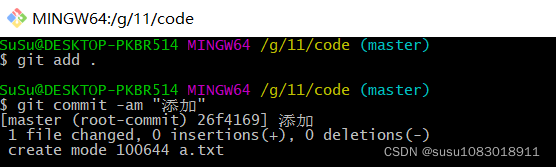
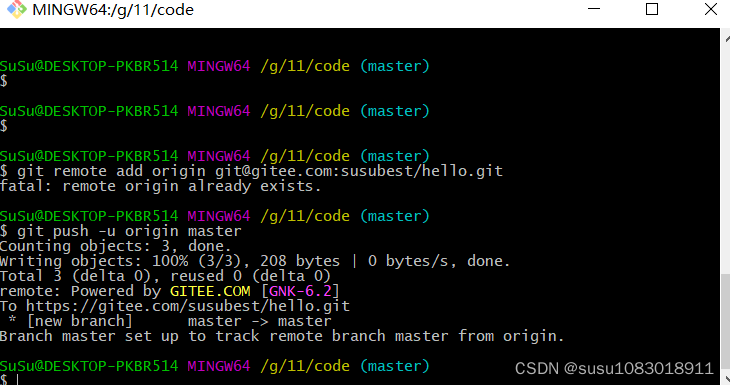
When pushing the code to the code cloud, an error is reported.
The reason for the error is that there are no files in the directory, and an empty directory cannot be submitted
You can add a file
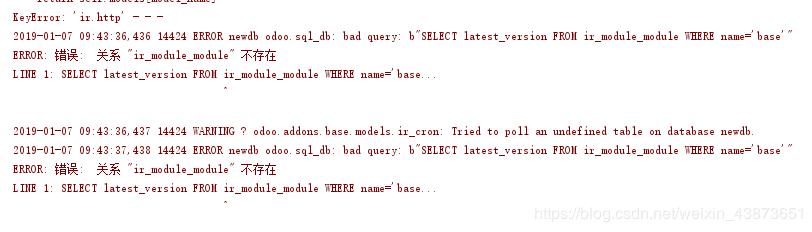
#####1 an error occurred while loading odoo
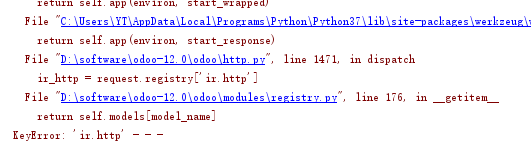
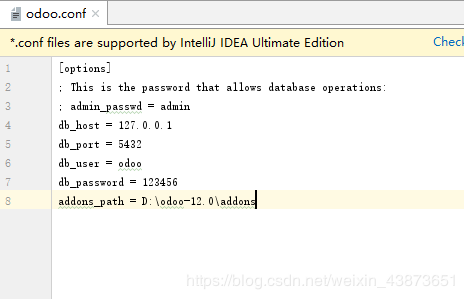
######2 first check the configuration file, especially the path
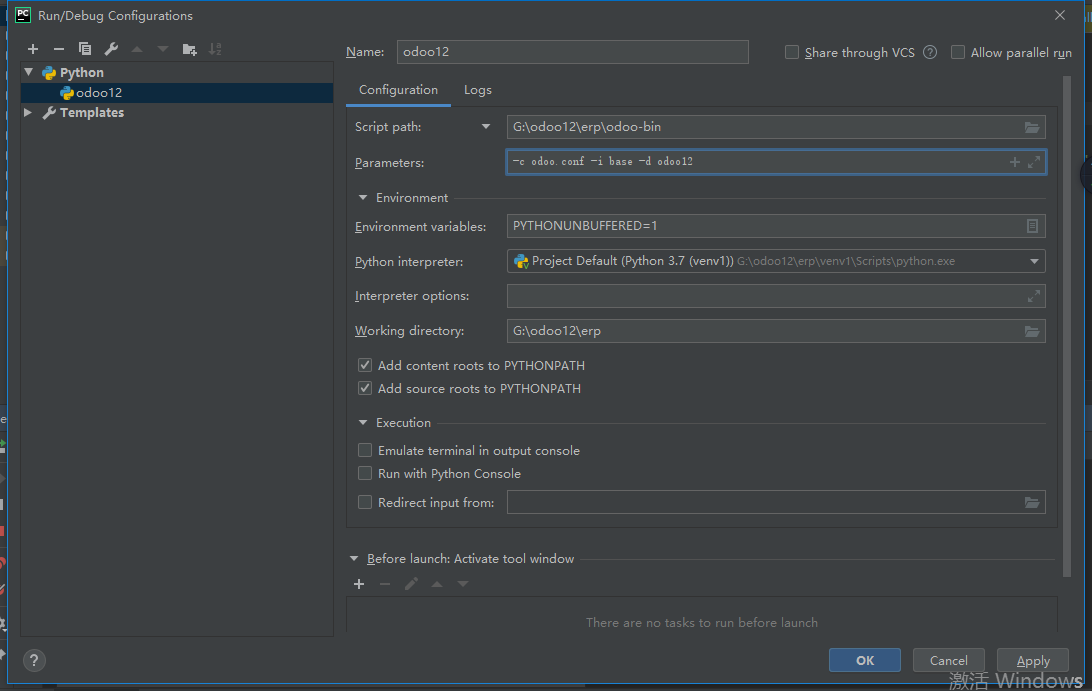
######3, and then enter – I base – D new database name in run/debug configurations
#####4 restart the server to see if it is OK. If not, reinstall the database and change the version of the database. If not, reload the source code. The source code may have been accidentally changed
After reading, remember to like it, refill
Error: [52904] 08 Dec 15:09:41.278 # creating server TCP listening socket 127.0 0.1:6379: bind: No error
Solution:
You can connect successfully by entering the following commands in sequence
D:\zip\redis\Redis-x64-3.2.100>redis-server.exe redis.windows.conf
[52904] 08 Dec 15:09:41.278 # Creating Server TCP listening socket 127.0.0.1:6379: bind: No error

D:\zip\redis\Redis-x64-3.2.100>redis-cli.exe
127.0.0.1:6379> shutdown
not connected> exit

D:\zip\redis\Redis-x64-3.2.100>redis-server.exe  redis.windows.conf
                _._
           _.-``__ ''-._
      _.-``    `.  `_.  ''-._           Redis 3.2.100 (00000000/0) 64 bit
  .-`` .-```.  ```\/    _.,_ ''-._
 (    '      ,       .-`  | `,    )     Running in standalone mode
 |`-._`-...-` __...-.``-._|'` _.-'|     Port: 6379
 |    `-._   `._   /    _.-'    |     PID: 47344
  `-._    `-._  `-./  _.-'    _.-'
 |`-._`-._    `-.__.-'    _.-'_.-'|
 |    `-._`-._        _.-'_.-'    |           http://redis.io
  `-._    `-._`-.__.-'_.-'    _.-'
 |`-._`-._    `-.__.-'    _.-'_.-'|
 |    `-._`-._        _.-'_.-'    |
  `-._    `-._`-.__.-'_.-'    _.-'
      `-._    `-.__.-'    _.-'
          `-._        _.-'
              `-.__.-'

[47344] 08 Dec 15:10:36.580 # Server started, Redis version 3.2.100
[47344] 08 Dec 15:10:36.583 * DB loaded from disk: 0.000 seconds
[47344] 08 Dec 15:10:36.584 * The server is now ready to accept connections on port 6379
Project scenario:
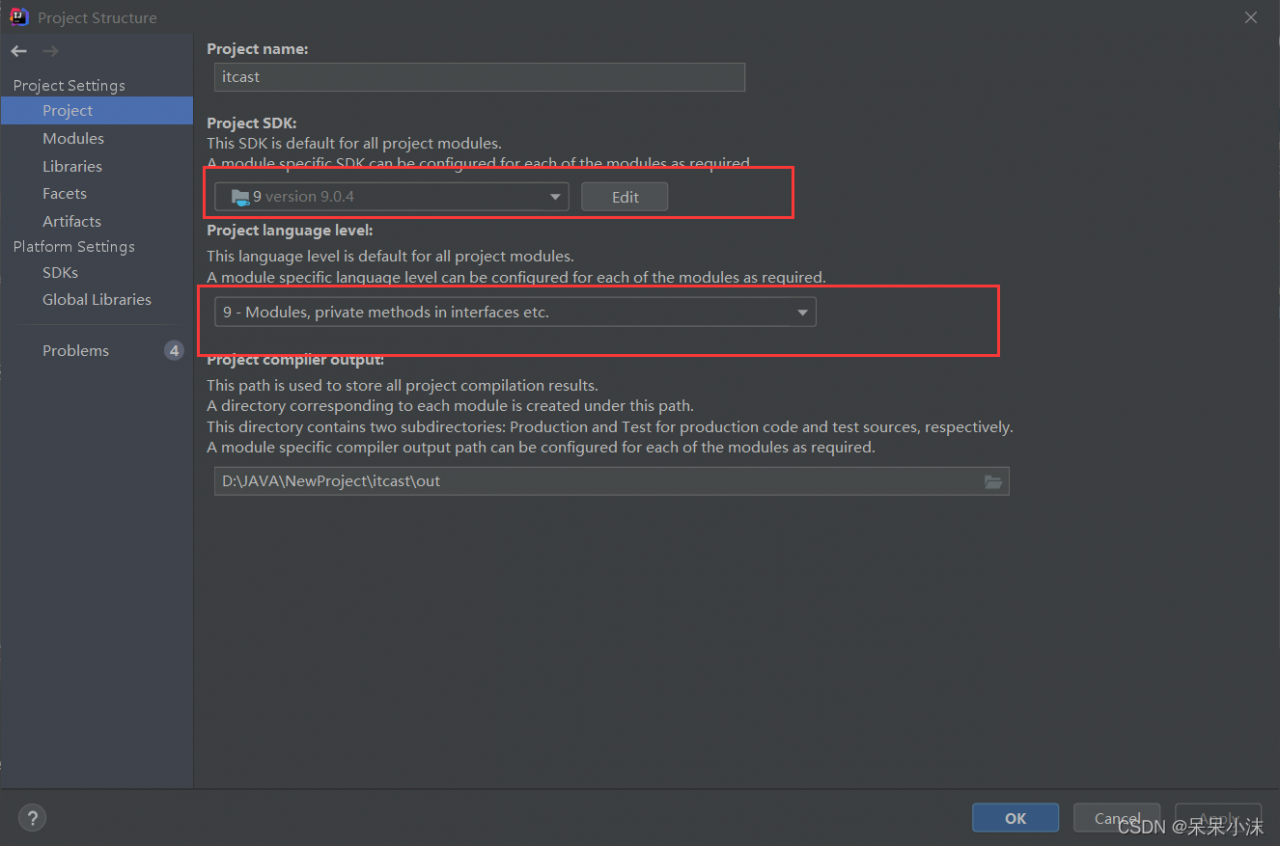
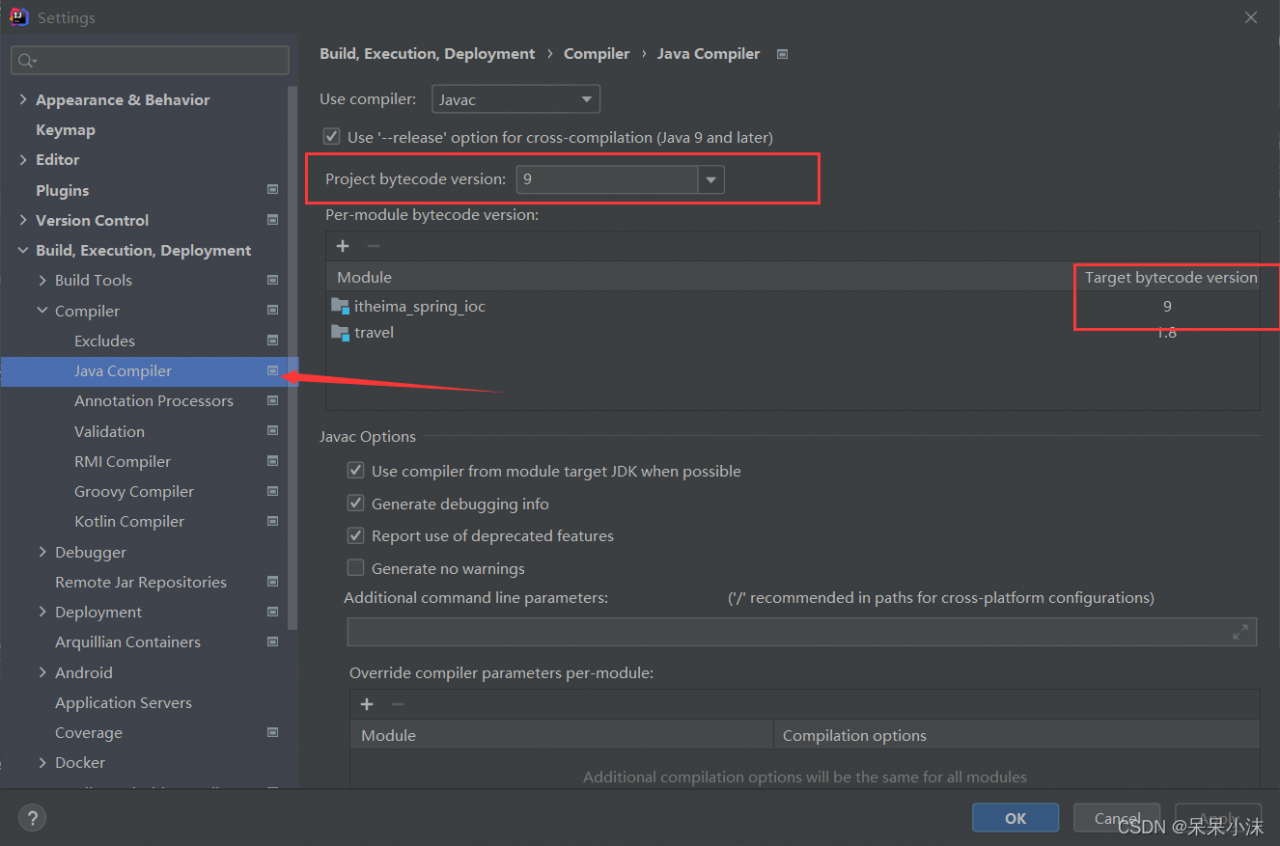
As soon as the Maven project changes the POM file, the language level automatically becomes 5
Problem Description:
question 1: the Tomcat plug-in under move starts with an error
[error] the source option 1.5 is no longer supported. Please use version 1.6 or later
[error] target option 1.5 is no longer supported. Please use version 1.6 or later
idea error: error: Java does not support release version 5. This error

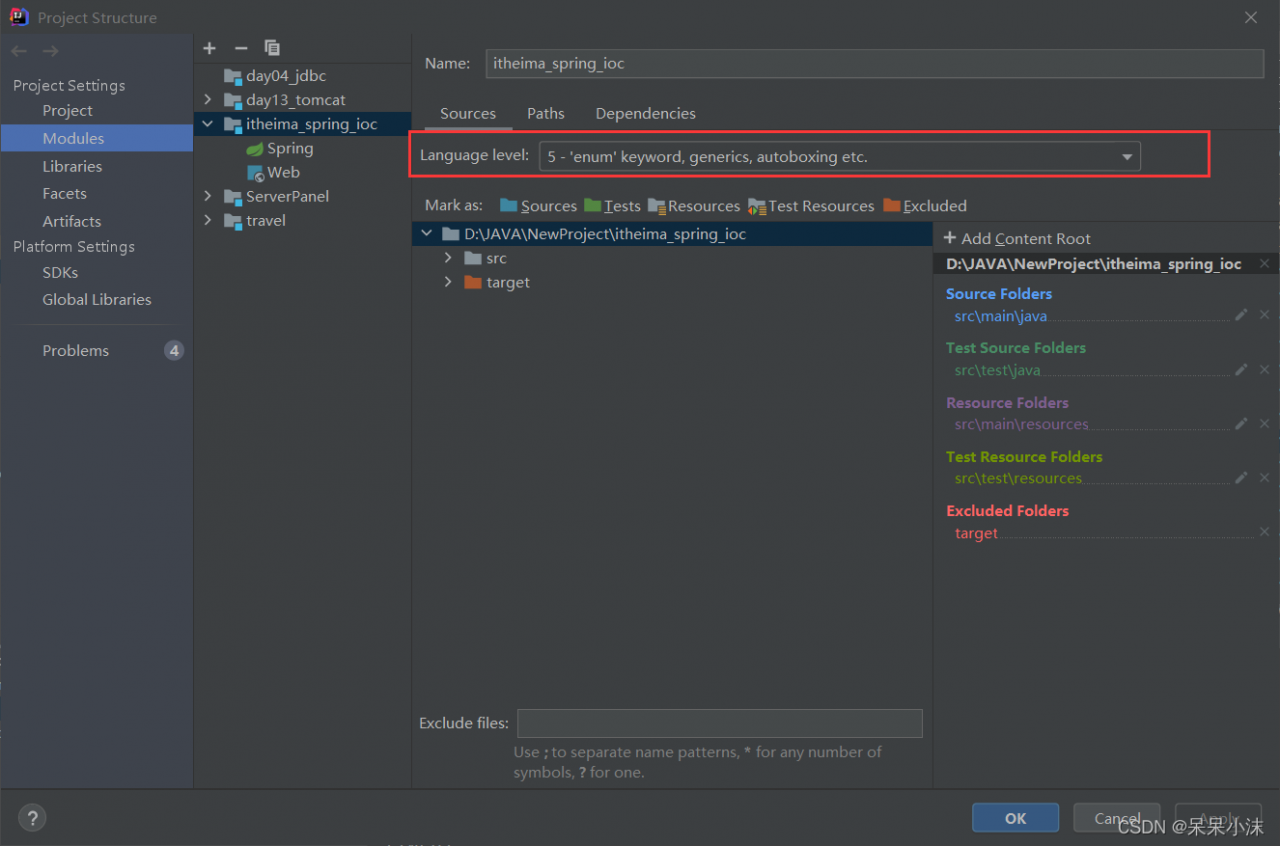
Cause analysis:
Maven is a project management tool. If you don’t tell it what JDK version to use for code compilation, it will be handled with the default JDK version of the compilation plug-in Maven compi ler plugin, which is prone to version mismatch, which may lead to failure of compilation
Solution:
to avoid this situation, the first step when building a maven project is to configure the Maven compiler plugin in the project POM XML file specifies the JDK version of the project source code, the compiled JDK version, and the encoding method
      <plugin>
        <groupId>org.apache.maven.plugins</groupId>
        <artifactId>maven-compiler-plugin</artifactId>
        <version>3.5.1</version>
        <configuration>
          <source>9</source>
          <target>9</target>
          <encoding>utf-8</encoding>
        </configuration>
      </plugin>
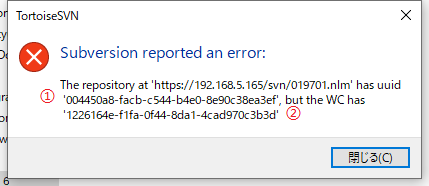
Svn ⇒ relocate… Error reported
Solution:
open file ‘Show hidden file’ ⇒ enter Svn ⇒ Notepad opens WC DB, where ① is the UUID of the new address, ② is the UUID of the current (old) address,
replace the old UUID with a new one
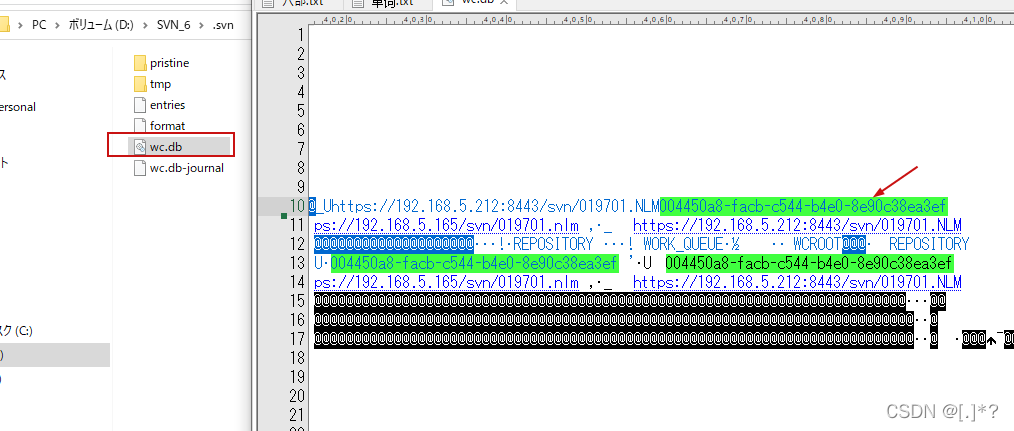
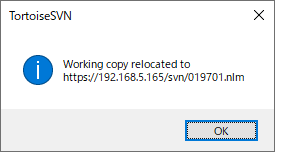
The completion prompt is shown in the figure

Unable to run the main program, the command line is too long.
How to solve it?First find the workspace in the project XML file, 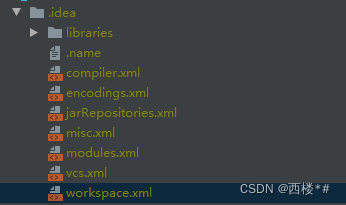
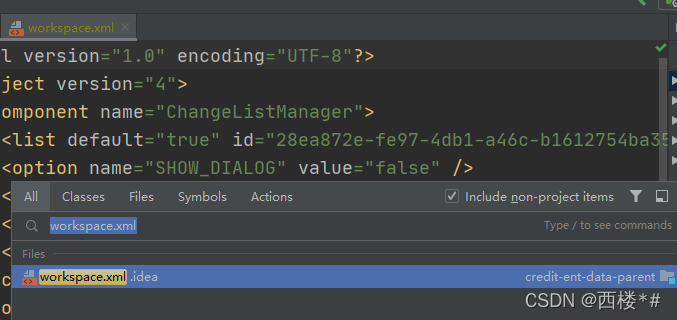
Then find <component name=”PropertiesComponent”></component > Label, as shown below
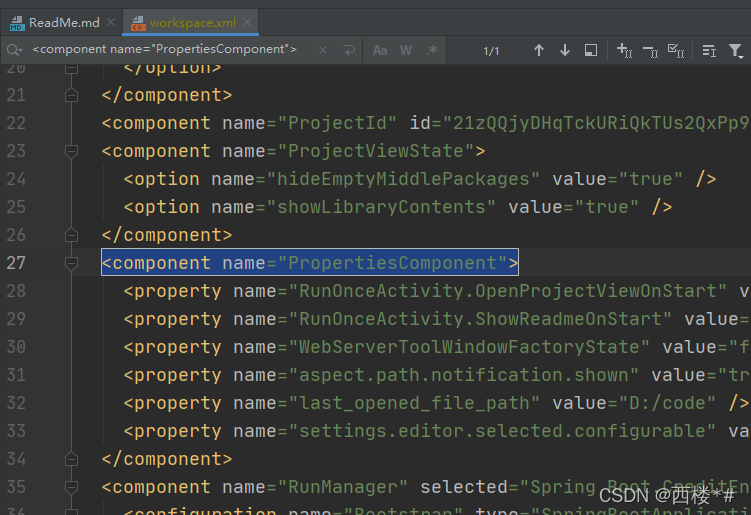
Then add a line of <property name=”dynamic.classpath” value=”true” /> to the component tag, it becomes the following
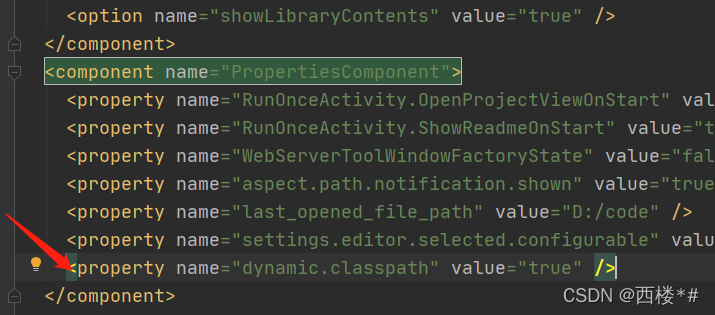
Start the project again and no error will be reported
Method 1
1. Confirm to configure Maven
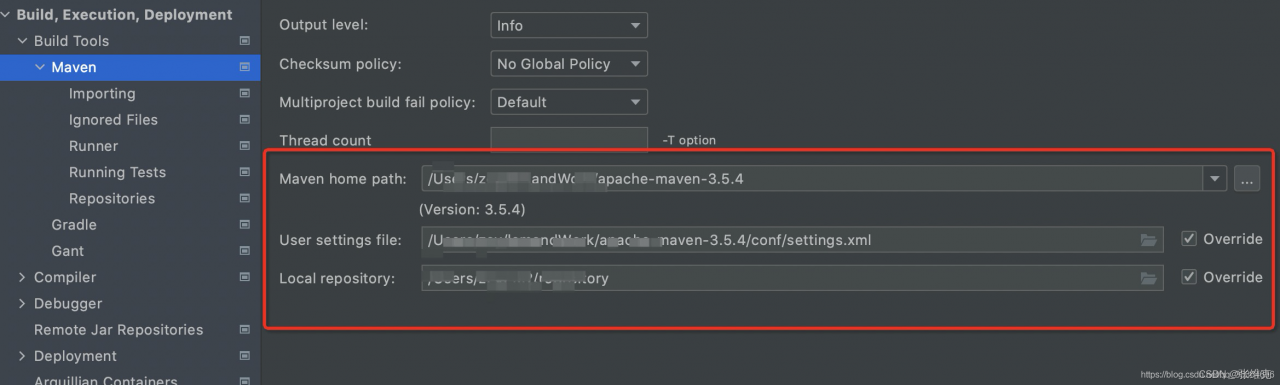
Find the path in Maven home path and find the Maven address \ conf \ setting xml
Select your own JDK version
<profile>
      <id>development</id>
      <activation>
        <jdk>1.8</jdk>
        <activeByDefault>true</activeByDefault>
      </activation>
      <properties>
        <maven.compiler.source>1.8</maven.compiler.source>
        <maven.compiler.target>1.8</maven.compiler.target>
        <maven.compiler.compilerVersion>1.8</maven.compiler.compilerVersion>
      </properties>
    </profile>
Restart idea
Method 2
In project POM Specify the JDK version in the XML file
<properties>
    <project.build.sourceEncoding>UTF-8</project.build.sourceEncoding>
    <maven.compiler.source>11</maven.compiler.source>
    <maven.compiler.target>11</maven.compiler.target>
</properties>
During CI/CD process of angular project, the following errors occur:
Warning: initial exceeded maximum budget. Budget 2.00 MB was not met by 3.01 MB with a total of 5.01 MB.
Error: initial exceeded maximum budget. Budget 5.00 MB was not met by 6.83 kB with a total of 5.01 MB.
The packed file is too large for the specified file size
Solution: modify the angular in the project JSON configuration file (memory parameters)
 "budgets": [{
                  "type": "initial",
                  "maximumWarning": "2mb",
                  "maximumError": "6mb"
                },
              ]
I originally set the maximum error to 5MB, but now I can set it to 6MB. The specific problem depends on the situation
This error is sometimes reported when writing C/C + + experiments:
[Error] ld returned 1 exit statusThis error is sometimes reported, that is, when running, it will jump to the warning place to report an error, but the warning will not report an error originally.
There are several reasons:
1. Other functions are defined in the main function
2. When there are many codes, the function name of a library function is wrong, such as scanf, printf and main
3. A custom function has only a function name and no function body, but is called
4. The function name of the custom function is inconsistent with the parameters in the function body below, resulting in the non existence of the called function
5. The last running program has not been closed
Error message:
# docker-compose -h
/usr/lib/python2.7/site-packages/paramiko/transport.py:33: CryptographyDeprecationWarning: Python 2 is no longer supported by the Python core team. Support for it is now deprecated in cryptography, and will be removed in the next release.
  from cryptography.hazmat.backends import default_backend
Traceback (most recent call last):
  File "/usr/bin/docker-compose", line 6, in <module>
    from compose.cli.main import main
  File "/usr/lib/python2.7/site-packages/compose/cli/main.py", line 24, in <module>
    from ..config import ConfigurationError
  File "/usr/lib/python2.7/site-packages/compose/config/__init__.py", line 6, in <module>
    from .config import ConfigurationError
  File "/usr/lib/python2.7/site-packages/compose/config/config.py", line 51, in <module>
    from .validation import match_named_volumes
  File "/usr/lib/python2.7/site-packages/compose/config/validation.py", line 12, in <module>
    from jsonschema import Draft4Validator
  File "/usr/lib/python2.7/site-packages/jsonschema/__init__.py", line 21, in <module>
    from jsonschema._types import TypeChecker
  File "/usr/lib/python2.7/site-packages/jsonschema/_types.py", line 3, in <module>
    from pyrsistent import pmap
  File "/usr/lib64/python2.7/site-packages/pyrsistent/__init__.py", line 3, in <module>
    from pyrsistent._pmap import pmap, m, PMap
  File "/usr/lib64/python2.7/site-packages/pyrsistent/_pmap.py", line 98
    ) from e
         ^
SyntaxError: invalid syntax
This is a problem caused by the version of pyristent (0.17.0). Install the old version
# pip install pyrsistent==0.16.0Problem analysis
Search on ESRI community
submit to ArcGIS ideas
error: the number of points is less than required for feature
the amount of data is not small. According to the solution on the official website: https://support.esri.com/en/technical-article/000009633
Failed to resolve.
This error led to the unsuccessful release of the map service. Finally, an article was searched, which is suspected of accuracy.
Solution
Here, my data type is line data, so I check the accuracy problem by calculating the length of line segments. Finally, I finally found this data:
select resid, St_length(st_transform(geom,4326)) from m_pip_le_1 where st_length(st_transform(geom,4326))< 0.0001
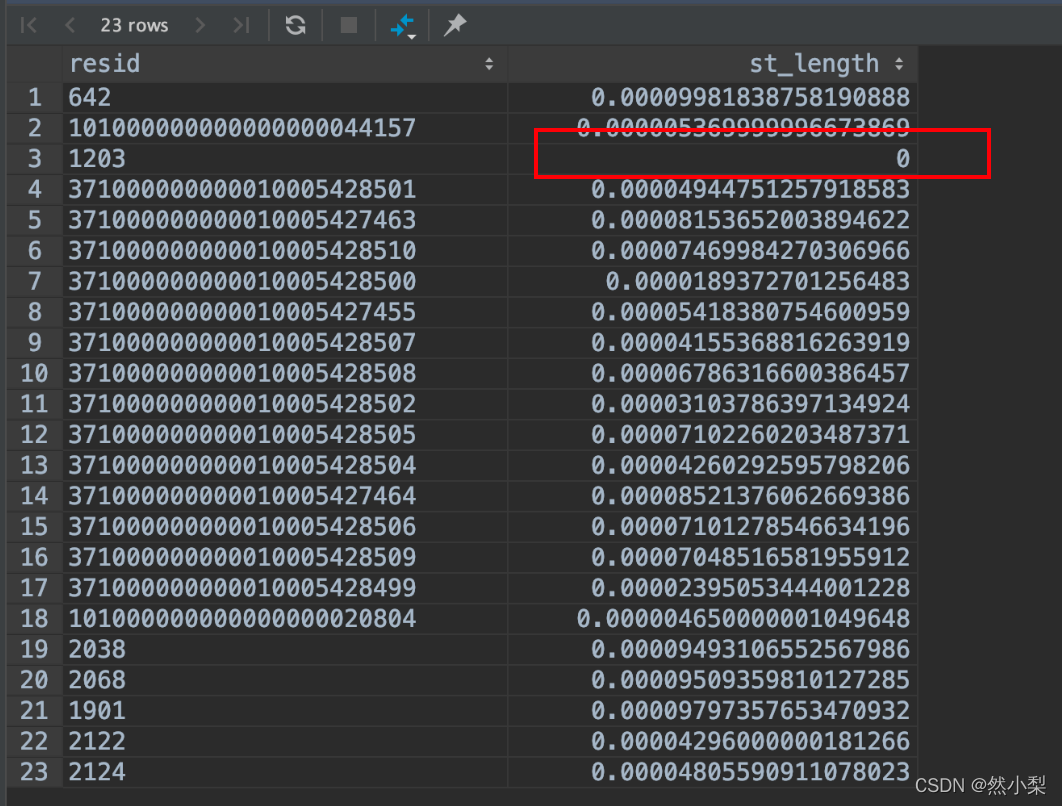
this data led to the following problem
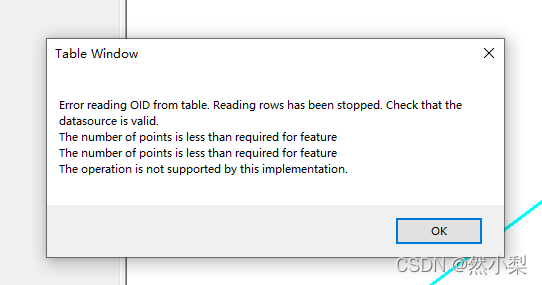
finally, thank you for this article
link address: http://www.timmons.com/news/blog/identify-shapes-which-are-considered-valid-by-sql-server-but-invalid-by-arc#: ~:text=Some%20of%20the%20shapes%20are%20considered%20valid%20in,required%20for%20feature%E2%80%9D%20when%20it%20renders%20such%20shapes.
Incidentally, record some common GIS functions
select resid, resname, (st_xmax (st_transform (geom, 4326)) – st_xmin (st_transform (geom, 4326))) as DX, (st_ymax (st_transform (geom, 4326)) – st_ymin (st_transform (geom, 4326))) as dy from_pip_le_one
After the server is powered on, the default system service SSH network card will not start automatically
when using systemctl start sshd command, the following error will be reported. After the error is reported, the server will restart automatically
error getting authority: error initializing authority: could not connect: no such file or directory (g-io-error-wuark, 1)
view the system log, The following error is reported
#journalctl – XB
dependency failed for migrate local SELinux policy changes from the old store structure to the new structure
It may be that the attached system file does not exist.
#mount – a check whether the system attachment is normal, and the following error is reported.
mount special device XXX does not exist
#cat/etc/fstab check whether there is redundant attachment configuration for boot attachment, and delete the attachment configuration