Author Archives: Robins

Using for in loop complex data types (object and array) in ES6

For in loop objects
For in looping objects, actually looping properties

   obj = {
            name: "No name",
            sex: "man",
            age: "24"
        }
   for(var i in obj) {
          console.log(i) // name sex age
      }
   for(var i in obj) {
          console.log(obj[i]) // No name man 24
      }

For in loop arrays
For in loops through an array, but it loops through the index

   arr = ["zhangsan","wangwu","lisi"]
   for(var i in arr) {
          console.log(i) //0 1 2
      }
   for(var i in arr) {
          console.log(arr[i]) //zahngsan wangwu lisi
      }

Difference between contenttype and datatype in Ajax request of jquery

The difference between contentType and dataType in jQuery AJAX requests

DataType: The type of data that you want the back end server to send to the front end. If this property is not set, what data type the server returns is a string in the appropriate type format.

//Use jQuery to write an AJAX request
function getMsg(data) {
    $.ajax({
        url:'/mobian/test1.action',
        type:'POST',
        contentType: 'application/json; charset=UTF-8', //The data sent from the front end to the backend server is in JSON format.
        async:false,
        dataType:'json', //The front end expects to receive data in JSON format.
        data:JSON.stringify(data),  //We have specified JSON format, so we need to make the data data into JSON format.
        success: function (response) {
            console.log(response);
        }
    })
}

Pychar configures Anaconda environment

Reprinted from: https://blog.csdn.net/baoxiao7872/article/details/80328224
the author: low m
PyCharm is a very useful and popular Python editor. Anaconda is a Python distribution focused on data analysis and contains more than 190 science packages and dependencies, including Conda, Python, and others. Anaconda makes your work flow a lot easier with the management toolkit, development environment, and Python versions. Not only can you easily install, update, and uninstall toolkits, but you can automatically install the corresponding dependent packages when you install them, and you can use different virtual environments to isolate projects with different requirements. Anaconda comes with its own integrated development environment Spyder. Some people don’t like the Spyder style. Personally, I feel that its prompt function is also inferior to PyCharm. Wouldn’t it be nice to configure the Anaconda environment with PyCharm?Here’s a personal lesson:
I won’t go through the process of installing Anaconda and Pycharm, which is relatively simple. There are also great tutorials online. The version of PyCharm That I installed was 2017.3.2 (community version).
After completing the installation of both:
The first step is to configure the Anaconda environment variable and add the installation Path of the Anacond and its subfolders script and library/bin to the system environment variable Path. I am installed on the G disk and my configuration is “G:\Anaconda3; G:\Anaconda3\Scripts; G: \ Anaconda3/Library/bin “.
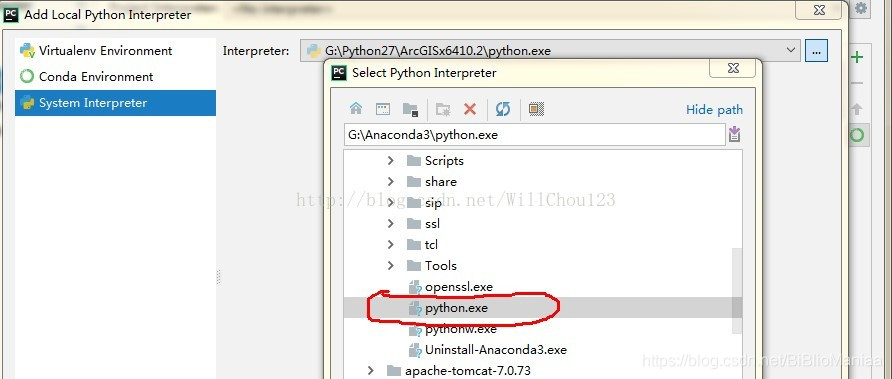
The second step is to configure the Anaconda environment for PyCharm. Enter PyCharm and click File-&gt in turn. Default Setting-> Project Interpreter

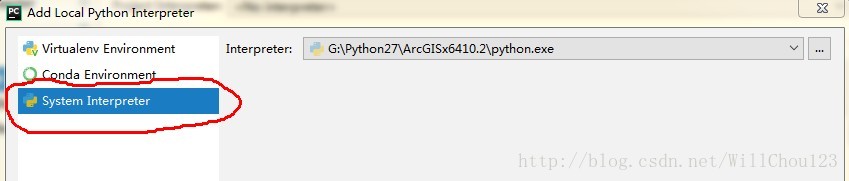
Click gear to select Add Local

I chose the third one. I took it for granted that it was the second one, but I didn’t know what to do for a long time. Click on the third TAB, select python. Exe under the Anaconda installation path, and then successfully configure the Anaconda environment.

The project created in this environment can then use the existing library in Anaconda.

Composer install ThinkPHP

1. There is no download of Composer. We only need to download Composer- setup. exe (for the Window platform) and install it step by step.
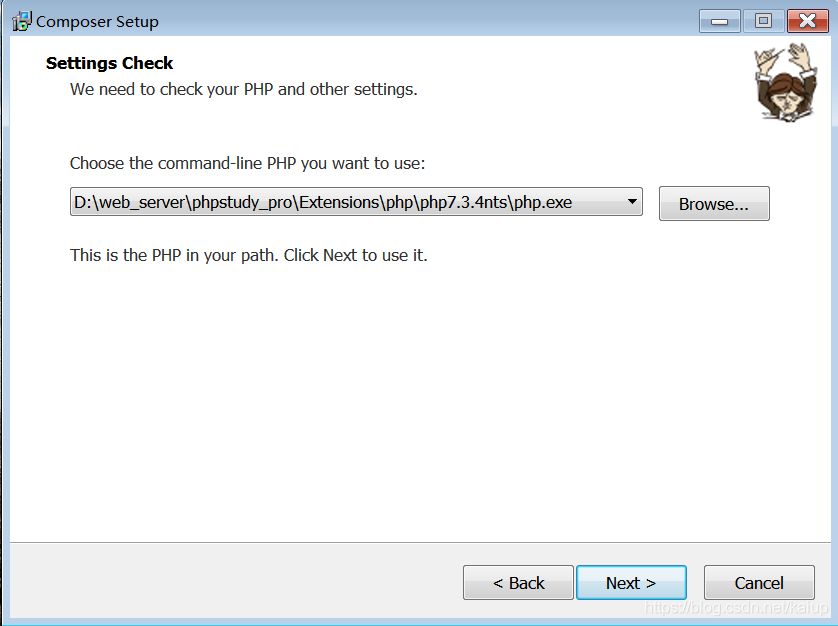
Note the following step, using my phpstydy integrated environment as an example, to select the path to install:

2. After the installation is successful, we can check whether the installation is successful by typing the Composer – Version command through the command window (CMD)
3. Open a command line window, enter the following command:
composer config - g repo. Packagist composer https://mirrors.aliyun.com/composer/
4. If this is your first installation, under the command line, switch to your WEB root and execute the following command:
composer create-project topthink/think=5.1.* tp5.1
5. Wait for installation to complete

JS exception capture: the usage and example analysis of onerror() in window

From: https://www.jb51.net/article/78765.htm
Note: OnError will only be triggered if the error is run. Syntax error will not be triggered.
There are three ways to cause an onerror:
• runtime errors, such as invalid object references or security restrictions
• download errors, such as images
• in IE9, failure to obtain multimedia data is also thrown
Please refer to the link above for details

Python – SSL certificate error

One, SSL certificates


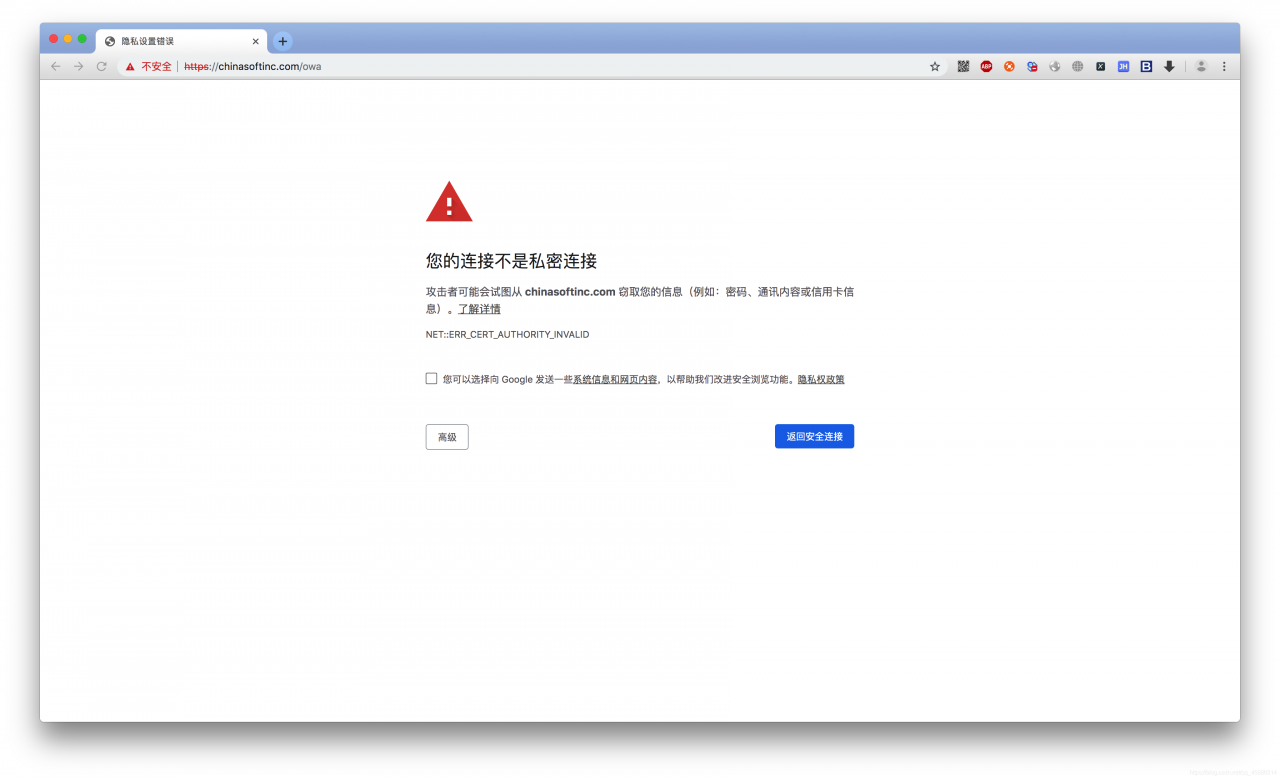
the reason for this problem is that SSL certificates are not secure
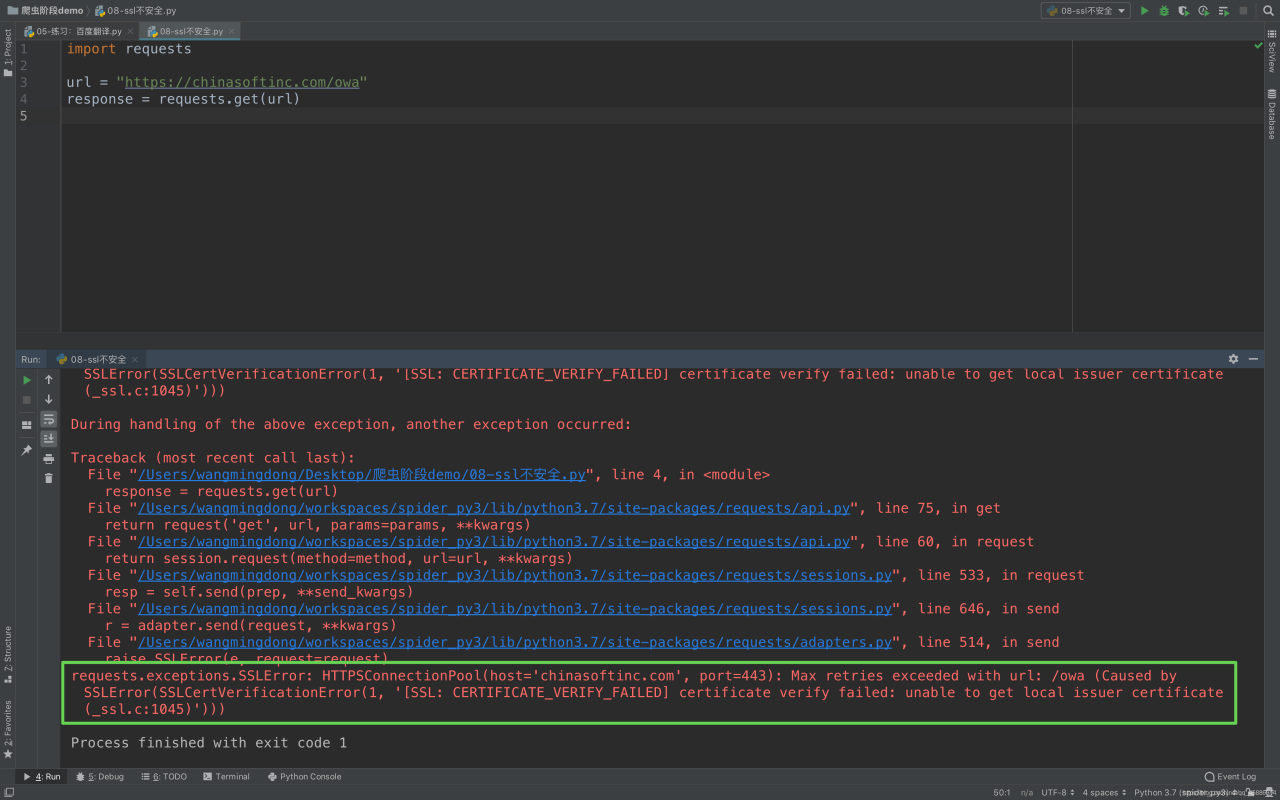
1. What about making a request in your code
Ex. :

import requests

url = "https://chinasoftinc.com/owa"
response = requests.get(url)

Return certificate error as below

Second, solutions
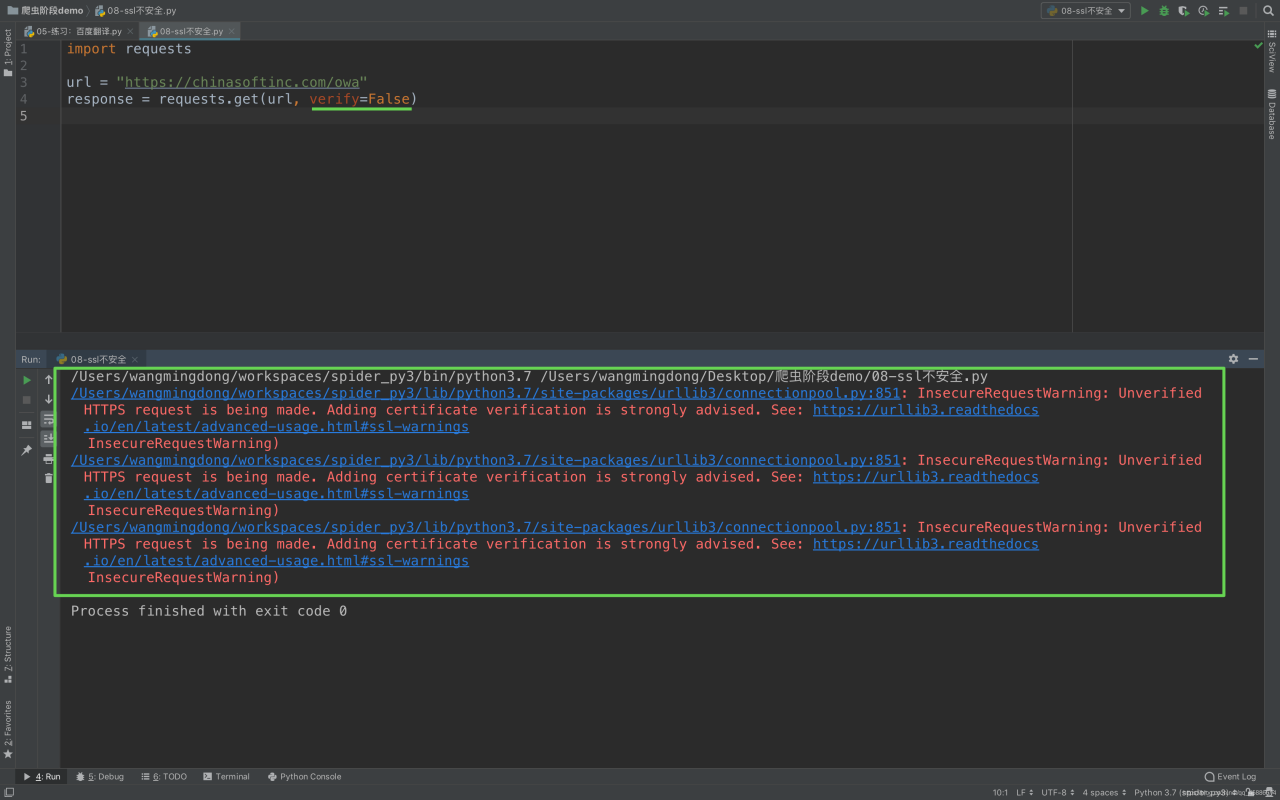
In order to make a normal request in the code, we modify to add a parameter

import requests

url = "https://12306.cn/mormhweb/"
response = requests.get(url, verify=False)

Mybatis batch insert data

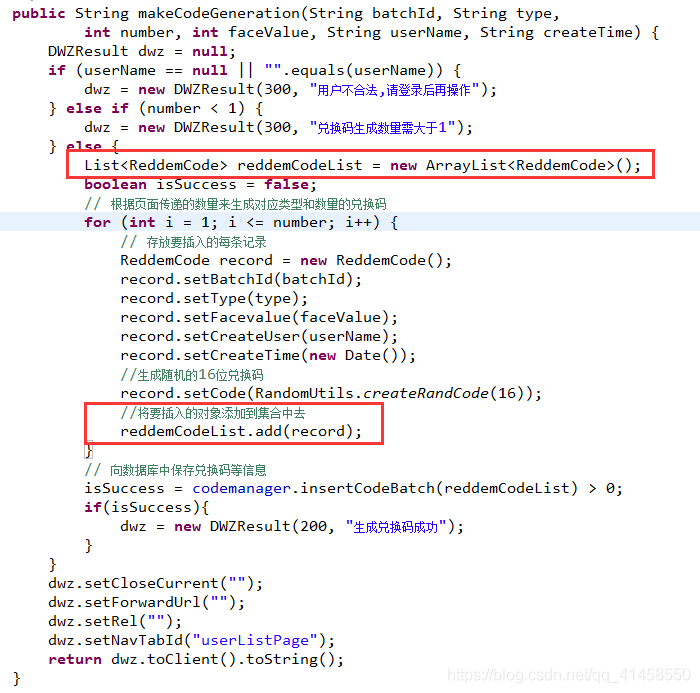
Due to the project need to generate more data, and saved to the database, in the program encapsulates a List collection objects, then need to put the collection of entities in the inserted into the database, the project USES the Spring + MyBatis, therefore intends to use the MyBatis bulk insert, should be better than that of circular insert, because before used bulk insert, finally achieved after got some information on the Internet, stick process in detail. For future reference and study.
Java code:

Java code:

Four ways to get Django parameters in request

1. Query string data (String)
Like:?key1=value1& Key2 = value2
use

requisition.get ("key", "value") GET
2. request-getlist ("key", []) GET the last value

Ii. Request Body Data (BODY) :
For example: form data, JSON,…
2.1 form data :(only post requests are supported)

request.POST.get("name", "")

2.1 json data :(post and put requests are supported)

Loads (json_str) json_str = request. Body # attribute to get the original request data
json_dict = json.json (json_str)# convert the original data into dictionary format
json_dict. Get ("key", "default value ") # get the data

3. Specific part of data in the URL path

Regular, or routing converter

4. Request Header Data (HEADER) :

request.MEAT.get("key")