Tag Archives: java

ApplicationContextException: Unable to start ServletWebServerApplicationContext due to missing…..

ApplicationContextException: Unable to start ServletWebServerApplicationContext due to missing ServletWebServerFactory bean.

When I started the web project of springboot, I suddenly reported an error. At first, I suspected that I had forgotten to add the web dependency, but I found that it was not;

		<dependency>
            <groupId>org.springframework.boot</groupId>
            <artifactId>spring-boot-starter-web</artifactId>
            <version>2.3.8.RELEASE</version>
        </dependency>
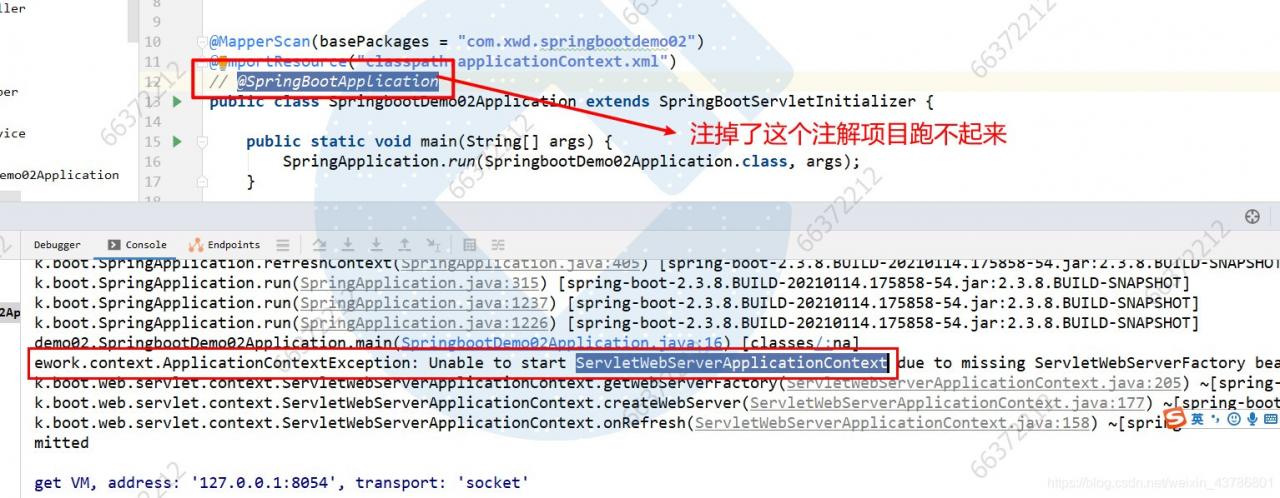
Later, after checking for a long time, I found that I made a small mistake. It turned out that I accidentally dropped the @ springbootapplication annotation. I hope you don’t make the same mistake. When starting a web project without the @ springbootapplication annotation, the spring container can’t create the class servletwebservercapplicationcontext, And springboot project also can’t get up, bug solved, thanks for watching.
Springboot project start swagger prompt error err_ CONNECTION_ Refused solution

Project scenario:

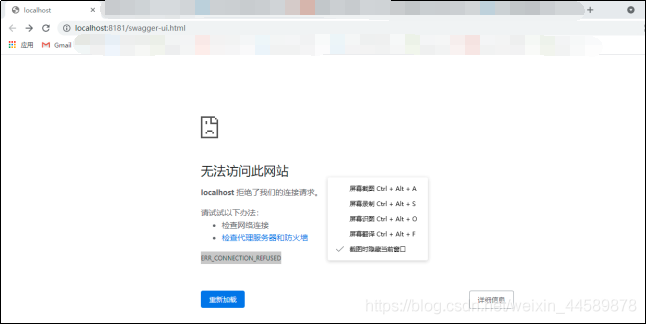
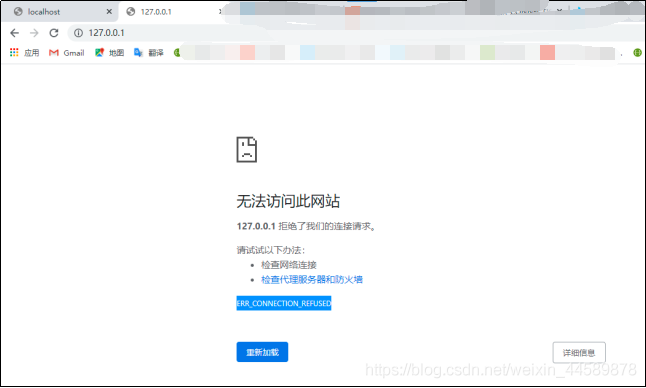
(this is a common problem for novices!) Springboot project starts debugging in idea. When swagger is used to test the API on browser, the server stops after starting the project, and prompts localhost on browser to reject our connection request. At the same time, it prompts err_ CONNECTION_ REFUSED


Problem Description:

prompt: the problems encountered in project debugging are caused by the wrong startup and operation of your own choice:

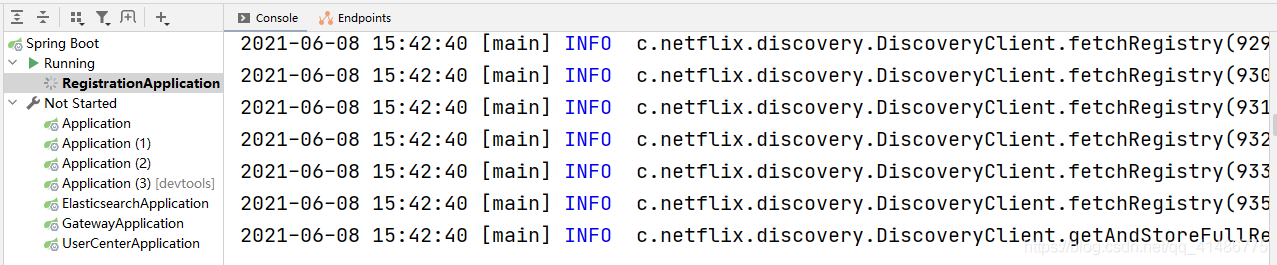
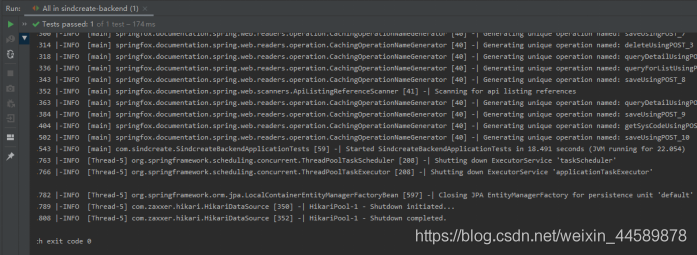
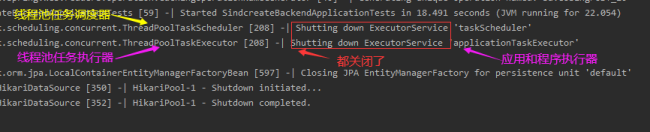
1. Running results after starting the project in idea:

Automatically shut down the thread and shut down JPA. The key is that after I run it directly, I automatically shut down all the threads, and no error was reported. The browser was not opened. I did some debugging in the early stage, and I don’t know how to do it. I used eclipse and idea to do a lot of things before school,!!! Here is my power debugging option.

2. Browser display results
this is the end of my search for [thread – 5]. I can’t successfully start to access the browser’s address http://localhost : 8181/swagger-ui.html, the browser error is as follows:


Cause analysis:

I read this blog: https://blog.csdn.net/zj15527620802/article/details/84889346
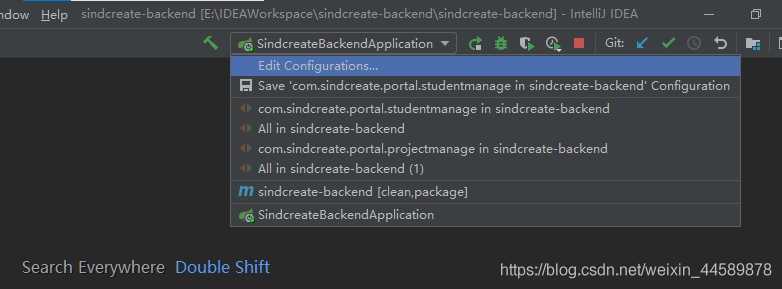
The problem is very simple, that is, the selection of debugging options is wrong. I’m too careless to run


Solution:

To run the project, just choose the one at the end of application

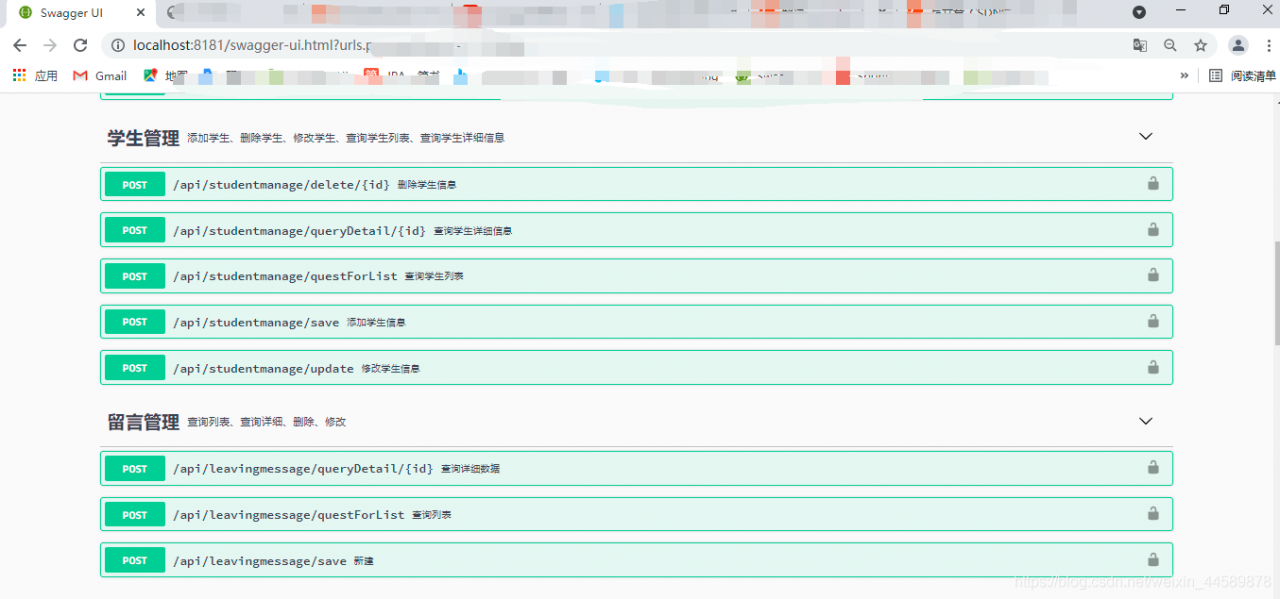
after successful execution

Redis cannot load windows.conf

Contents of articles

Redis can’t load windows.conf solution

Redis cannot load windows.conf

Redis modifies AOF persistence operation
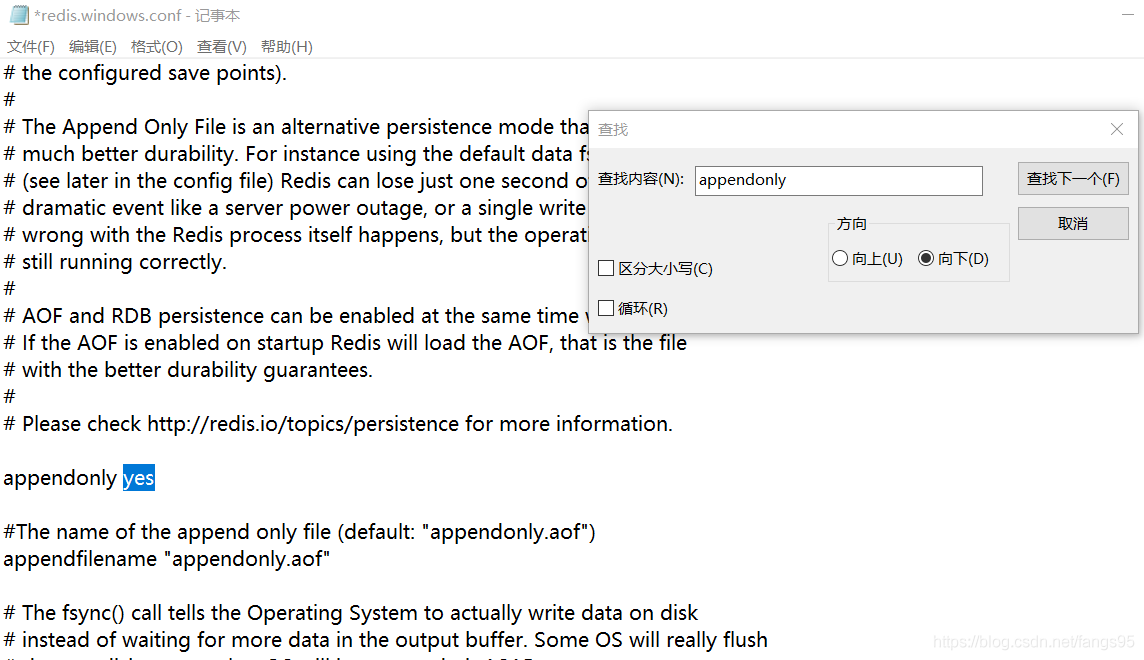
modifies configuration file
appendonly no — & gt; Appendonly Yes (open AOF)

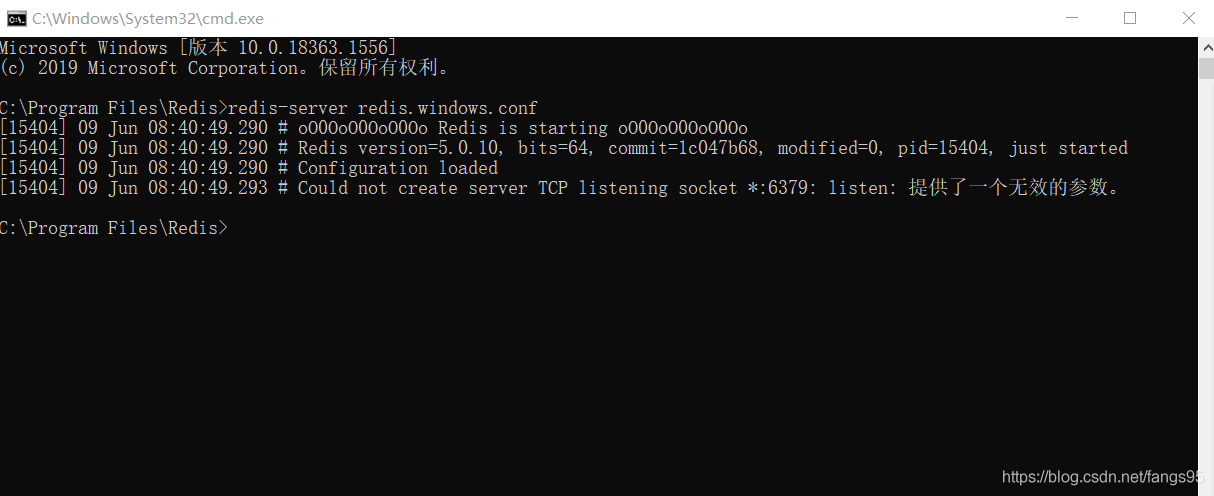
then there was an error when starting the service to load the configuration file
[8056] 09 Jun 08:32:29.054 ᦇ could not create server TCP listening socket *: 6379: Listening: an invalid parameter was provided

resolvent

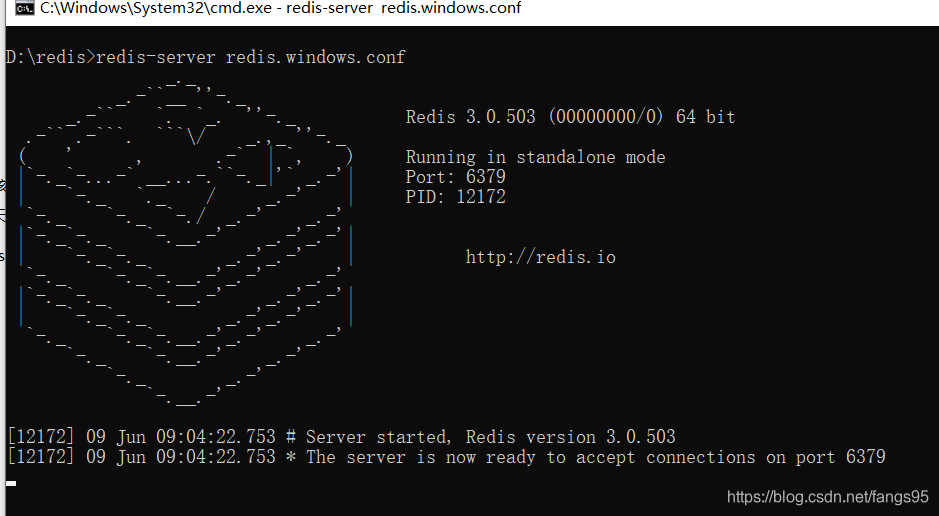
Moving redis to a directory other than disk C solves the problem

SpringCloud GateWay Failed to instantiate [org.springframework.cloud.gateway.discovery.DiscoveryL…

Recently, the company needs to rebuild the system permission framework. I use gateway as the gateway.

I have to admit that gateway configuration is really good. In the past, when using nginx, I had to configure a lot of messy things, now I don’t need to configure certificates

There was no problem when the project was running, but when the jar package was run alone after packaging, it encountered this problem. After looking for it all afternoon, a netizen told me that as long as you use the gateway gateway, you will encounter this problem.

resolvent:

Add configuration in the POM file of gateway

<dependency>
      <groupId>org.springframework.boot</groupId>
      <artifactId>spring-boot-starter-validation</artifactId>
</dependency>

Perfect solution

An error was reported when Maven package was running the packaged jar package: there is no main list attribute in xxx.jar, which can be solved by configuring Maven plugin

The command line runs the packaged jar package:

leung@wuyujin simple-webservice-server % java -jar target/sample-1.0-SNAPSHOT.jar 7896
target/sample-1.0-SNAPSHOT.jar There is no master list property in the

Error reason: there is no manifest file in the packaged jar package, which has two lines of configuration, about the full path of the startup class of jar package 0

Add Maven plugin

<plugin>
	<groupId>org.apache.maven.plugins</groupId>
	<artifactId>maven-jar-plugin</artifactId>
	<version>3.0.2</version>
	<configuration>
		 <archive>
		  <manifest>
			   <addClasspath>true</addClasspath>
			   <classpathPrefix>lib/</classpathPrefix>
			   <mainClass>com.coffee.bee.Main</mainClass>
		  </manifest>
		 </archive>
	</configuration>
</plugin>

Plugins
pluginManagement > plugins

[Solved] com.mysql.jdbc.exceptions.jdbc4.CommunicationsException: Communications link failure error

This error was encountered during the test of integrating mybatis with springboot

com.mysql.jdbc.exceptions.jdbc4.CommunicationsException: Communications link failure

The last packet successfully received from the server was 317 milliseconds ago.  The last packet sent successfully to the server was 314 milliseconds ago.
	at sun.reflect.NativeConstructorAccessorImpl.newInstance0(Native Method) ~[na:1.8.0_181]
	。。。。
	followed by a long list of

The solution is to add usessl = false to the connection string
or change usessl = true to use = false
for example

 url: jdbc:mysql://localhost:3306/sqmb?useUnicode=true&characterEncoding=utf-8&useSSL=false&serverTimezone=UTC


end!!

Continuous Error 404 in servlet operation [How to Solve]

When writing the project, the servlet has been unable to work normally. After consulting the data for many times, we found the following possibilities.

First, automatic editing is not turned on

In the top project option, check build automatically from the drop-down list

Second: the version of the top header in web.xml is too low

The author uses @ webservlet (urlpatterns =/xxservlet) mode, which does not need to configure servlet file in web.xml, but only version 3.0 or above supports this mode. Therefore, in web.xml, there must be version = 3.1.

You can directly copy the following code to use.

<?xml version="1.0" encoding="UTF-8"?>
<web-app xmlns:xsi="http://www.w3.org/2001/XMLSchema-instance" xmlns="http://xmlns.jcp.org/xml/ns/javaee" xsi:schemaLocation="http://xmlns.jcp.org/xml/ns/javaee http://xmlns.jcp.org/xml/ns/javaee/web-app_3_1.xsd" version="3.1">
  <display-name>Project Name</display-name>
  <welcome-file-list>
    <welcome-file>index.jsp</welcome-file>
  </welcome-file-list>
</web-app>

Third: Tomcat configuration problems

Remove Tomcat from the server and install Tomcat again according to the process.

1. Delete Tomcat

2. Select preference in the top window option. In the pop-up box, select server — runtime environment — and select the original Tomcat — remove

3. Then click Add to configure the Tomcat you downloaded.

I hope eclipse will work properly.

[Solved] Java XXX: unable to find topic engine in module path

# title1
(java:xxx):gtk -WARNING-:16:33:41.114:Unable to find the theme engine in the module path:“pixmap"
# method
sudo apt-get install gtk2-engines-pixbuf

# title2
(java:xxx):gtk -WARNING-:16:33:41.114:Unable to find the theme engine in the module path:“murrine"
# method
sudo apt-get install gtk2-engines-murrine

# title3
(java:xxx):gtk -WARNING-:16:3:41.115:Unable to find the theme engine in the module path:“adwaita”
# method
sudo apt-get install gnome-themes-standard

SqlSession was not registered for synchronization because synchronization is not active

Main problem stack: sqlsession [org. Apache. Ibatis. Session. Defaults DefaultSqlSession@7e35f105 ]Was not registered for synchronization because synchronization is not active
scenario: spring boot + mybatis
reason: some mybatis do not output detailed stack information, such as the use of @ param parameter and the mapping of corresponding SQL variables, If you don’t manually try catch, you won’t see the problem or error.
solution: just try catch yourself and solve it according to the stack information

Idea project prompt: symbol not found or package does not have a solution

Problem Description:

When the code of the pull company is running locally, the following error is found. Idea prompts java: no symbol is found

Cause analysis:

Baidu found a lot of solutions, but did not see the positive solution…

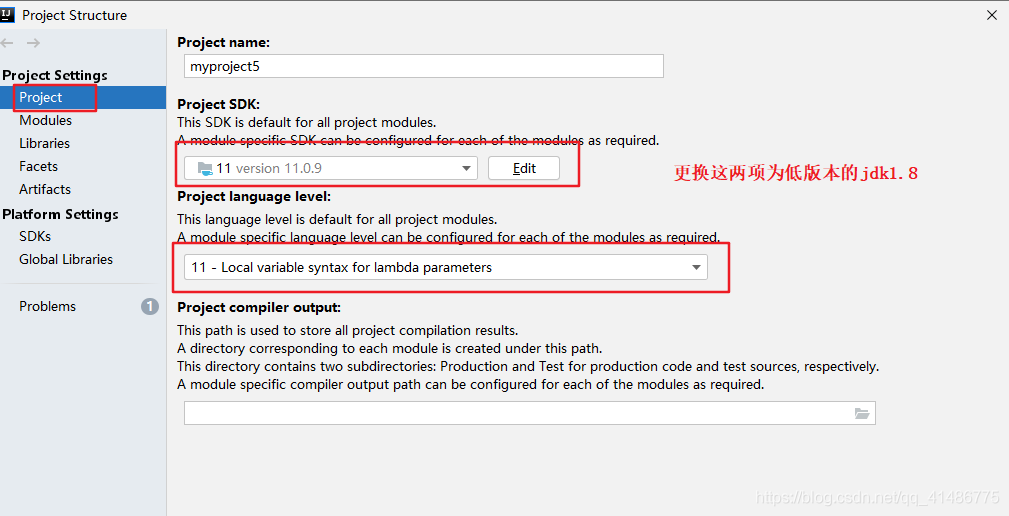
If the symbol is not found, it means that the current JDK version does not recognize some symbols in the project. Just replace the JDK version that adapts to the current project.

Solution:

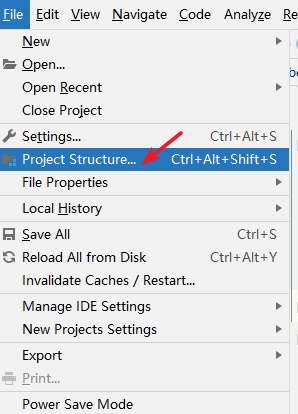
Click file --- & gt; Project structure


the project is ready to run:

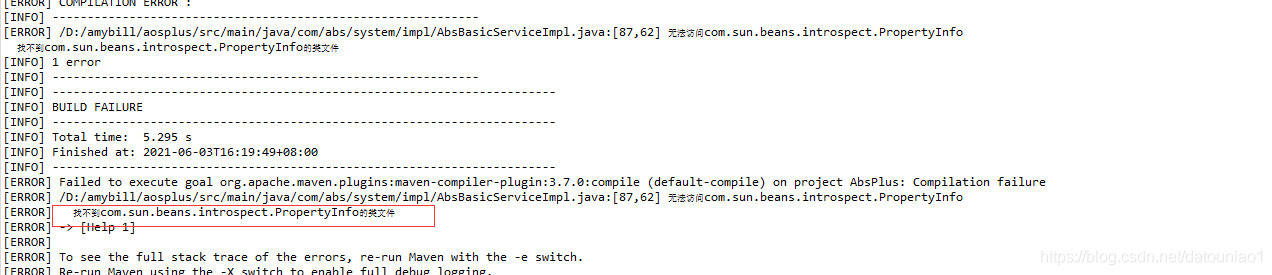
Class file for com.sun.beans.introspect.propertyinfo not found

  The following error occurred when executing Maven install:

  Find the error in the code:

	
	PropertyDescriptor pd = null;
	try { 
             pd = new PropertyDescriptor(fields[j].getName(),entity.getClass()); 
         }catch (IntrospectionException e1) {
               e1.printStackTrace(); 
     }
     Method getMethod = pd.getReadMethod();

It turns out that we are creating a propertydescriptor   This is to get the get method of the entity class to read the value in the object. We find the construction method of this class

Previously, we encountered that the com.sun jar could not be loaded. For example, the previous Base64 was also under com.sun, and it could not be loaded every time it was started

How to solve: introduce this class:

import org.springframework.beans.BeanUtils;

	PropertyDescriptor pd = null;
	/*
	 * try {
     *      pd = new  PropertyDescriptor(fields[j].getName(),entity.getClass()); 
     *     }catch (IntrospectionException e1) {
     *       e1.printStackTrace();
     *      }
	 */
					 
     pd=BeanUtils.getPropertyDescriptor(entity.getClass(),fields[j].getName()); 
	 Method getMethod = pd.getReadMethod();

Hope to help you