Error information display

solve
Step 1: refresh
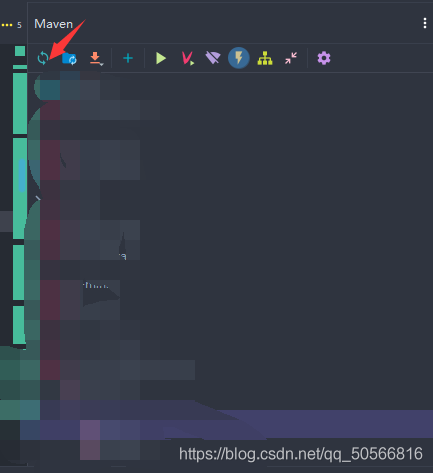
Step 2: 
That’s it.
Error information display
solve
Step 1: refresh
Step 2:
That’s it.
The log level is configured as follows
logging:
  level:
    root: warn
Code directly
1. To create a serviceutils tool class, annotate it with @ Autowired
package com.deao.app.socket.netty.server.service.impl;

import com.deao.app.socket.netty.server.service.MessageService;
import com.deao.app.socket.netty.server.service.SocketGasExamArrangeManageService;
import org.springframework.beans.factory.annotation.Autowired;
import org.springframework.stereotype.Component;

import javax.annotation.PostConstruct;

@Component
public class ServiceUtils {
    @Autowired
    public SocketGasExamArrangeManageService socketGasExamArrangeManageService;
    @Autowired
    public MessageService messageService;
    public static ServiceUtils serviceUtils;

    @PostConstruct
    public void init() {
        serviceUtils = this;
    }

}
Used elsewhere
    public static void main(String[] args) {
        serviceUtils.socketGasExamArrangeManageService.selectGasExamArrangeManageByStudentId(studentId);
        serviceUtils.messageService.message(null, request, account, null, true);
    }
error message
Exception in thread "main" org.apache.ibatis.exceptions.PersistenceException:
### Error opening session.  Cause: org.apache.ibatis.plugin.PluginException: Could not find method on interface org.apache.ibatis.executor.statement.StatementHandler named prepare. Cause: java.lang.NoSuchMethodException: org.apache.ibatis.executor.statement.StatementHandler.prepare(java.sql.Connection)
### Cause: org.apache.ibatis.plugin.PluginException: Could not find method on interface org.apache.ibatis.executor.statement.StatementHandler named prepare. Cause: java.lang.NoSuchMethodException: org.apache.ibatis.executor.statement.StatementHandler.prepare(java.sql.Connection)
at org.apache.ibatis.exceptions.ExceptionFactory.wrapException(ExceptionFactory.java:30)
at org.apache.ibatis.session.defaults.DefaultSqlSessionFactory.openSessionFromDataSource(DefaultSqlSessionFactory.java:100)
In fact, carefully read the error prompts, trace to the source code to see the reason, because the use of a relatively new or the latest mybatis Jar package, and my interceptor code is written in an old way. In the new mybatis jar package, the prepare method in statementhandler has two parameters, as follows: statement prepare(Connection connection, Integer Transaction timeout), but there is only one parameter in my interceptor code, so I can’t get it. The solution is to add an integer. Class parameter to the rules of pagination interceptor. As follows:
@Intercepts({@Signature(type=StatementHandler.class,method="prepare",args={Connection.class, Integer.class })})
Sometimes when the eclipse project of Java is compiled on a different computer, the @ override always reports an error. Just remove the @ override, but it can’t fundamentally solve the problem, because sometimes there are too many @ override places.
This is a problem with JDK. We already have @ override for jdk5, but we don’t support the implementation of the interface. We think it’s not override and report an error. JDK6 fixed this bug. You can add @ override to both the method coverage of the parent class and the implementation of the interface.
To solve this problem, first make sure that JDK 1.6 is installed on the machine,
Then, select the eclipse menu windows – & gt; Preferences–> java-> Compiler–> Select 1.6 for compiler compliance level, refresh the project and recompile.
If the problem is not solved, right-click the project that reported the error and select properties — & gt; Java Compiler–> Select 1.6 from compiler compliance level to refresh the project and recompile.
Setting in feign client
@RequestMapping(value = "/v1/save", method = RequestMethod.POST,consumes = MediaType.MULTIPART_FORM_DATA_VALUE)
Result save(@RequestPart("file") MultipartFile file);Questions
Phenomenon
Tomcat service startup: JSP page returns 404 phenomenon
Log analysis
02-jun-2021 16:17:30.174 warning [http-nio-8080-exec-14] org.apache.jasper.compiler.compiler.removegeneratedfiles failed to delete the generated java file [E:// cloudvos/apache-tomcat-9.0.39-windows-x64/apache-tomcat-9.0.39/work/Catalina/localhost/CS/org/Apache/JSP/Web]_ 002dINF\views\modules\ri\communityList_ jsp.java]
solve
File permissions caused by the problem, delete all cache files
Delete the contents of apache-tomcat-9.0.7
Delete the contents of apache-tomcat-9.0.7
After the system was reinstalled, a lot of software was installed, including eclipse. However, an error occurred when opening eclipse after installation
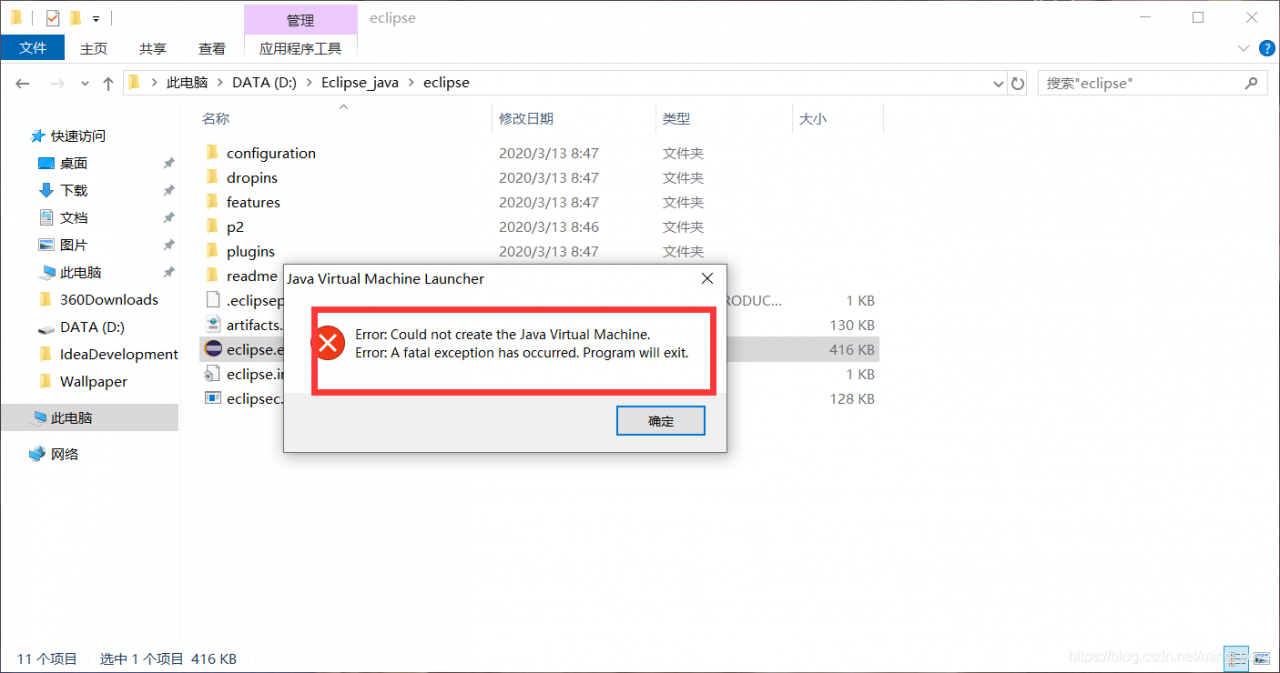
Click OK to show the following:
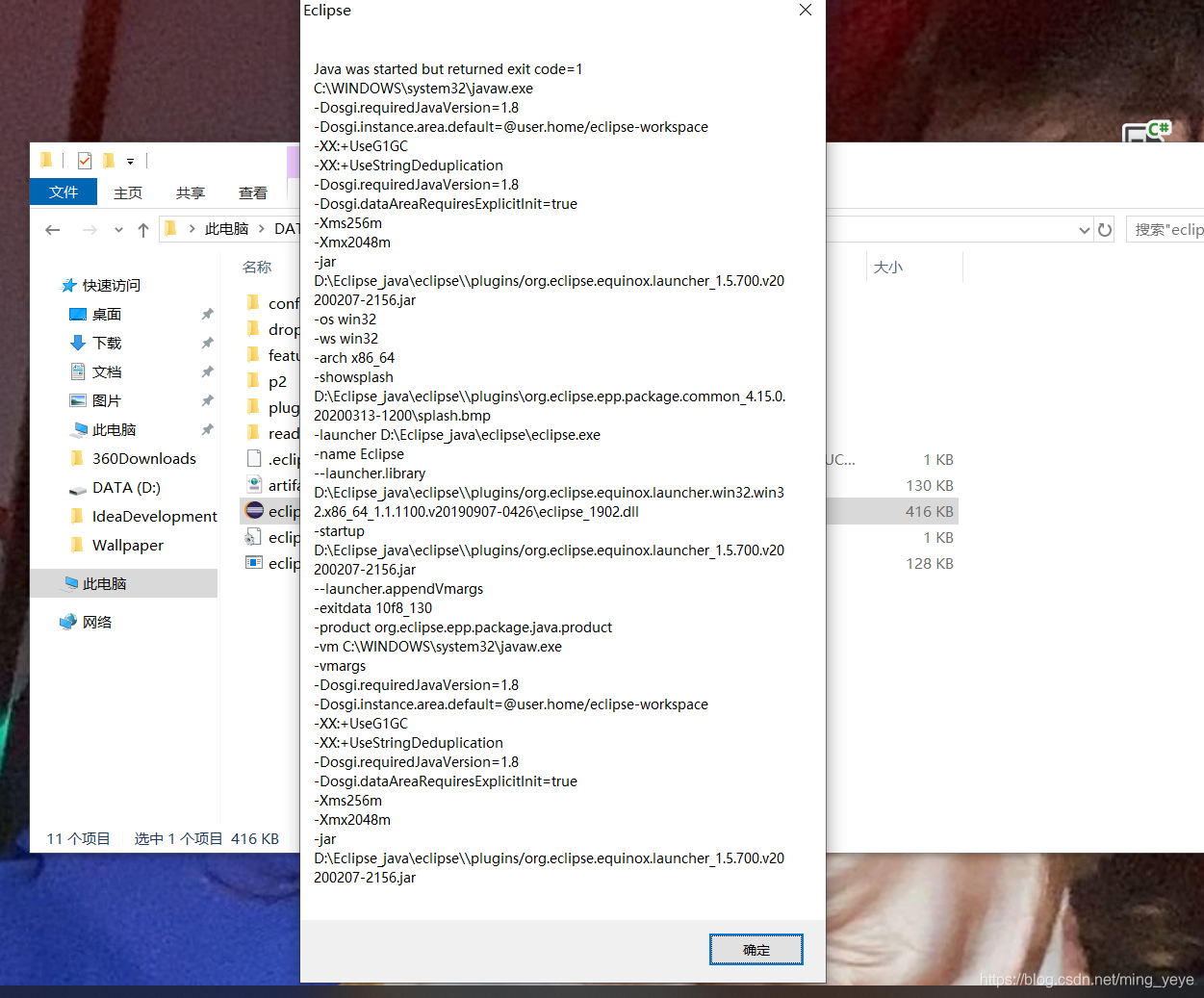
I found the reason on the Internet, because I generated three files java.exe, javaw.exe and javaws.exe in the file C: [windows] system32 when I installed JDK; As shown in the figure:
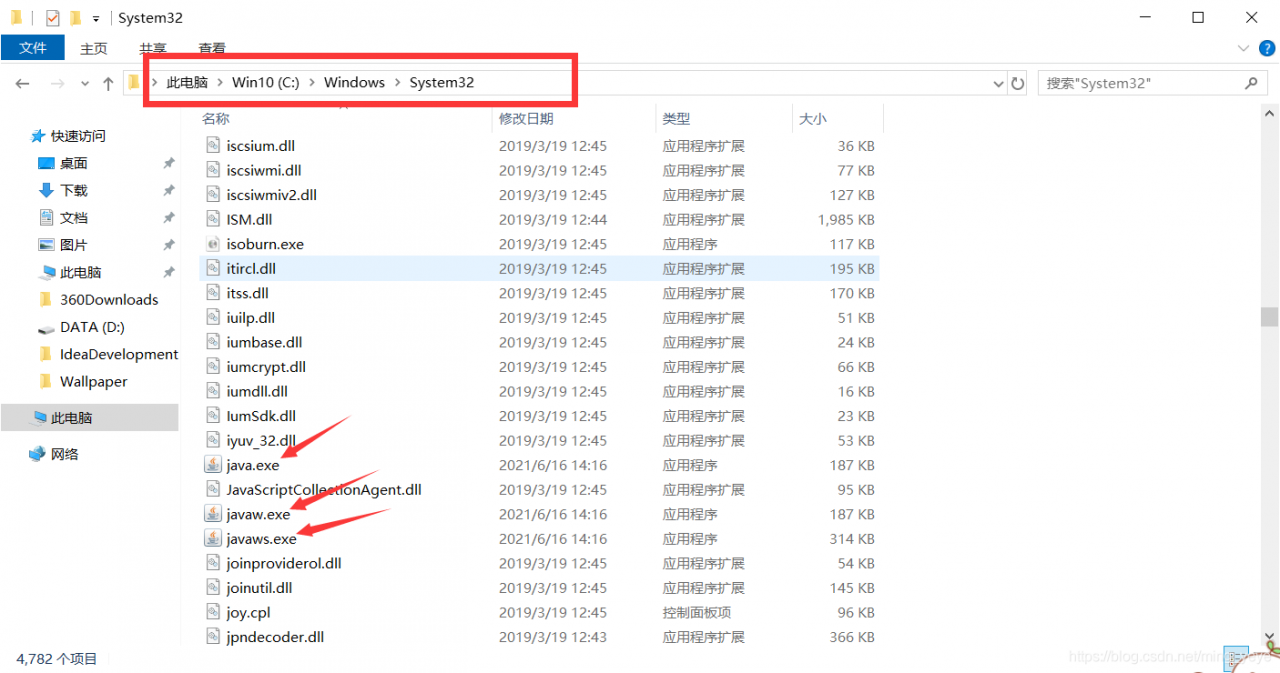
Delete the three marked exe files. Be careful not to delete them wrong. Restart eclipse again, and you can run it successfully!
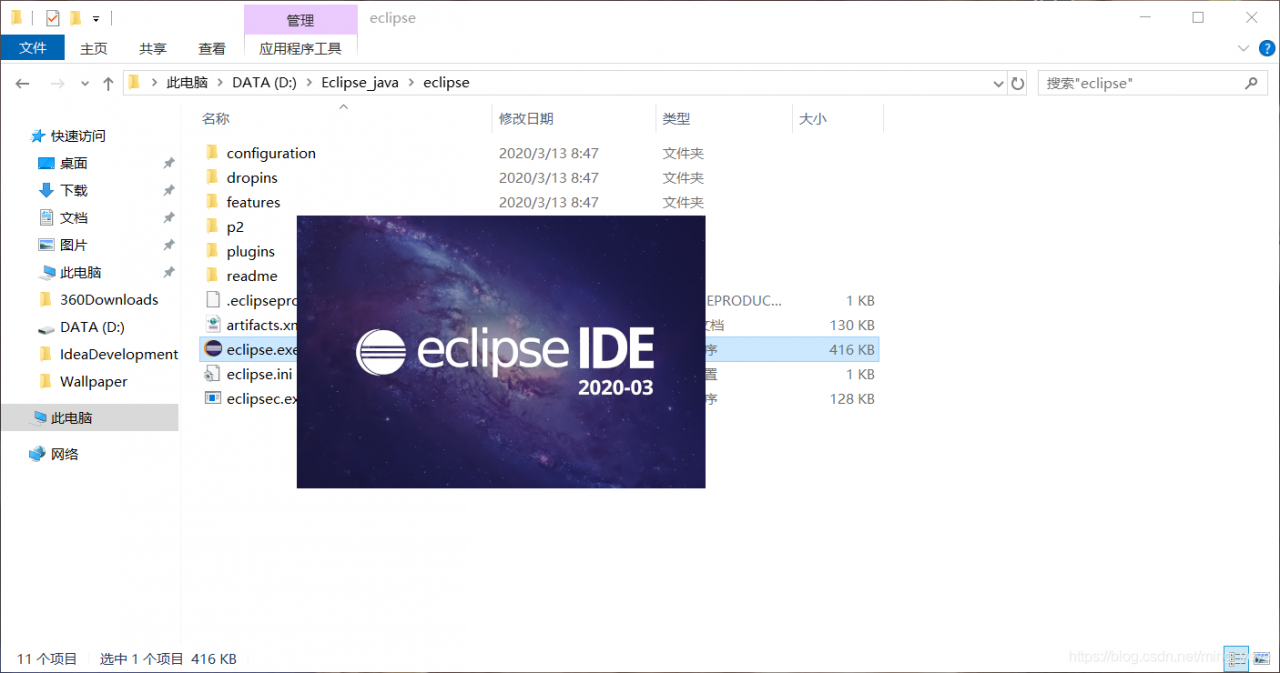
Hope to help you!!!
Could not find method testCompile() for arguments [{group=junit, name=junit, version=4.12}] on object of type org.gradle.api.internal.artifacts.dsl.dependencies.DefaultDependencyHandler.
I’m using gradle 7.1 and I’m importing an older version of the project
The new version changes the testCompile to testImplementation
Idea suddenly reported an error:

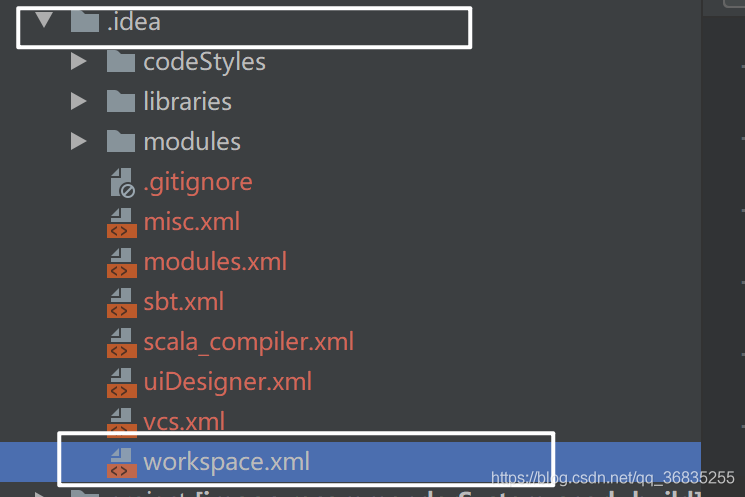
solution, this solution is for the scene with. Idea folder:
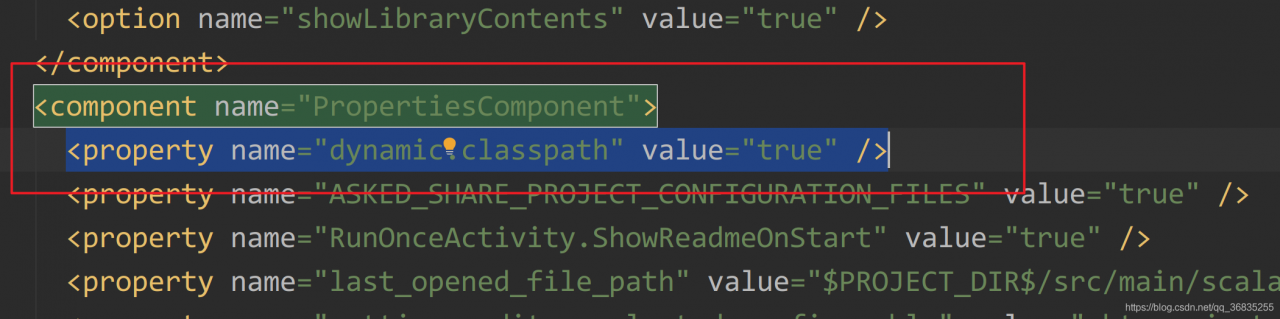
click on. Idea folder, open workspace.xml, and find
 < component name="PropertiesComponent"></Code>

Add

 < property name="dynamic.classpath" value="true" />
If the same key exists in this method, an error will be reported
Map<String,JKStackRedEx> result = v.stream().collect(Collectors.toMap(a->a.getManuId(),a->a));The following method can be used to avoid error reporting. The parameter returned by return can specify which value to use to override value1 or Value2
Map<String,JKStackRedEx> result = v.stream().collect(Collectors.toMap(a->a.getManuId(),a->a, (value1, value2) -> {
    return value2;
}));
You can also use multiple attributes to splice keys
Map<String,JKStackRedEx> result = v.stream().collect(Collectors.toMap(a->a.getManuId().concat(a.getStackingNum()),a->a, (value1, value2) -> {
                    return value2;
                }));
Possible problems:
1. If the rocketmq storage folder is not created, the broker log will also report an error
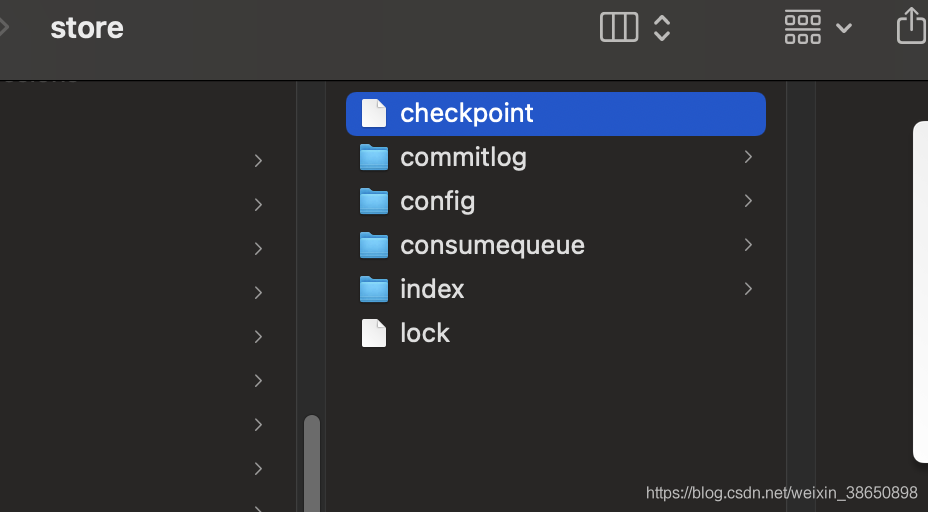
2. If the topic is not automatically created, the IP accessed at startup is different from the IP in broker.config configuration, and an error will be reported.
nohup sh mqbroker -n localhost:9876 autoCreateTopicEnable=true &
3. If the client version is inconsistent with the MQ version, an error may be reported