Tag Archives: java

Springboot Project Error: Failed to execute goal org.apache.maven.plugins

Failed to execute goal org.apache.maven.plugins:maven-resources-plugin:3.1.0:resources (default-resources) on project heima-leadnews-user: Error loading property file ‘D:\Develop\springboot_ project\heima-leadnews\heima-leadnews-user\maven_ test.properties’

When installing the springboot project, the above errors were compiled. Baidu’s reason is that the Maven version, JDK version and packaging program are occupied. My reason is that the parent project of the project has the following profiles:

<!--<profiles>
        <profile>
            <id>dev</id>
            <build>
                <filters>
                    <filter>maven_dev.properties</filter>
                </filters>
            </build>
        </profile>
        <profile>
            <id>test</id>
            <activation>
                <activeByDefault>true</activeByDefault>
            </activation>
            <build>
                <filters>
                    <filter>maven_test.properties</filter>
                </filters>
            </build>
        </profile>
        <profile>
            <id>prod</id>
            <build>
                <filters>
                    <filter>maven_prod.properties</filter>
                </filters>
            </build>
        </profile>
    </profiles>-->

Because my child project inherits the parent project, but there is no corresponding directory under the child project, the above code in the parent project is cancelled (the specific reason is unknown, learning from the teacher), recompiled and packaged successfully

Gitee Idea Push Error: Invocation failed Server returned invalid Response. java.lang.RuntimeException

Invocation failed Server returned invalid Response. java.lang.RuntimeException: Invocation failed Server returned invalid Response. at org.jetbrains.git4idea.GitAppUtil.sendXmlRequest(GitAppUtil.java:22) at org.jetbrains.git4idea.http.GitAskPassApp.main(GitAskPassApp.java:56) Caused by: java.io.IOException: Server returned invalid Response. at org.apache.xmlrpc.LiteXmlRpcTransport.sendRequest(LiteXmlRpcTransport.java:242) at org.apache.xmlrpc.LiteXmlRpcTransport.sendXmlRpc(LiteXmlRpcTransport.java:90) at org.apache.xmlrpc.XmlRpcClientWorker.execute(XmlRpcClientWorker.java:72) at org.apache.xmlrpc.XmlRpcClient.execute(XmlRpcClient.java:194) at org.apache.xmlrpc.XmlRpcClient.execute(XmlRpcClient.java:185) at org.apache.xmlrpc.XmlRpcClient.execute(XmlRpcClient.java:178) at org.jetbrains.git4idea.GitAppUtil.sendXmlRequest(GitAppUtil.java:19) … 1 more unable to read askpass response from ‘C:\Users\WD\AppData\Local\JetBrains\IntelliJIdea2021.1\tmp\intellij-git-askpass-local.sh’ bash: /dev/tty: No such device or address failed to execute prompt script (exit code 1) could not read Username for ‘https://gitee.com’: No such file or directory


Solution:
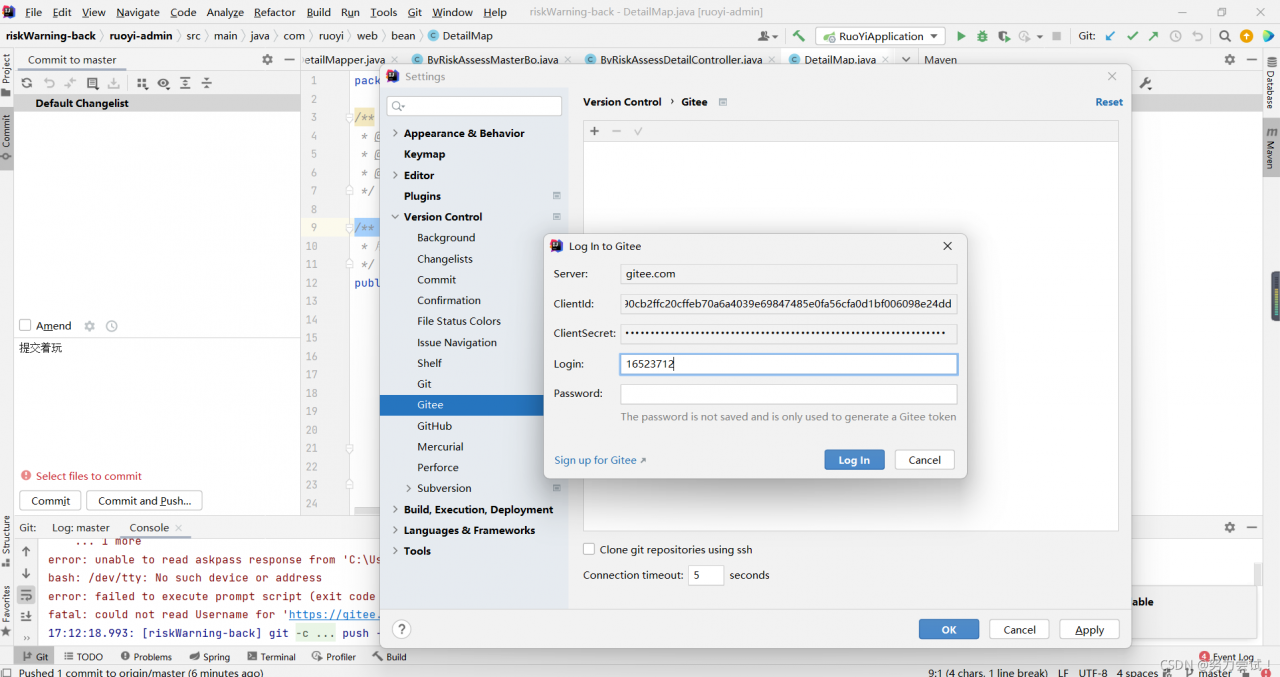
Click File -> Settings -> Version Control -> Gitee,
and refresh your Gitee account.

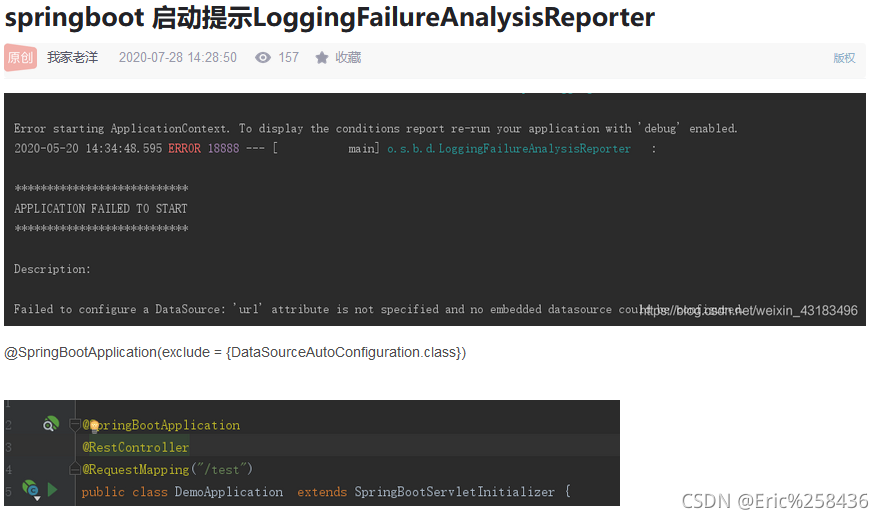
[Solved] Failed to configure a DataSource: ‘url‘ attribute is not specified…bug

Question page

Error message in log
no mybatis mapper was found in ‘[com. Ego]’ package. Please check your
configuration. Will not attempt to authenticate using SASL (unknown error)

Console output

Solution 1

Solution 1. I read many blogs, most of which are this solution. But it didn’t solve my problem

Solution 2

1. Because the versions of spring web and spring webmvc in POM are inconsistent, unify the dependent versions
2. If there are no database related things configured, comment out the POM dependencies of mybatis and MySQL first

I cited the problem caused by mapper’s Maven dependency in the consumermodel. Just delete it.

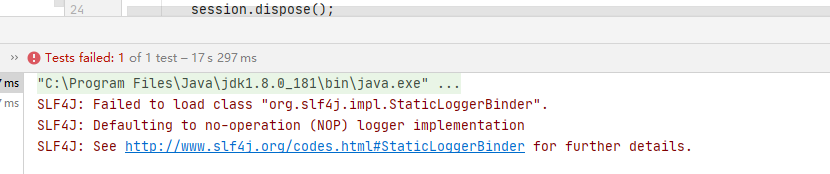
SLF4J: Failed to load class “org.slf4j.impl.StaticLoggerBinder“.

Problem: slf4j: failed to load class “org. Slf4j. Impl. Staticloggerbinder” error occurs when creating Maven project with idea for unit test

solution: add dependency in pom.xml. Because it is in the test environment, the scope tag is test. If it is running in main, you can change test.

<dependency>
            <groupId>org.slf4j</groupId>
            <artifactId>slf4j-simple</artifactId>
            <version>1.7.25</version>
            <scope>test</scope>
        </dependency>

java.net.SocketException: socket failed: EPERM (Operation not permitted)

java.net.SocketException: socket failed: EPERM (Operation not permitted)

This problem always occurs when using asynchttpclient to make network requests. If you add network permissions

, you still can’t

Finally, I saw the solution of @ no forest in Norway. Uninstall the program in the virtual machine and reinstall it.
although I don’t know the principle, I still record it

Failed to upload report – An error has occurred. Please contact your administrator

ERROR: Error during SonarScanner execution
ERROR: Failed to upload report - An error has occurred. Please contact your administrator
ERROR: 
ERROR: Re-run SonarScanner using the -X switch to enable full debug logging.
[Pipeline] }

View service details

Enter the corresponding sonar installation directory and look at the log below log

web.log   The following error is reported, MySQL

Setting and modifying the maximum MySQL receive

vim /etc/my.cnf

Add a row

max_ allowed_ packet = 2102410240

Restart service

systemctl restart mysqld

If an error is still reported during the execution of sonar, restart sonar,

[Solved] MultipartException: Failed to parse multipart servlet request; nested exception is java.lang.Runtime

1. Error log

org.springframework.web.multipart.MultipartException: Failed to parse multipart servlet request; nested exception is java.lang.RuntimeException: java.nio.file.NoSuchFileException: /tmp/undertow.8081.6091954911906268442/undertow2435234810596519507upload
        at org.springframework.web.multipart.support.StandardMultipartHttpServletRequest.handleParseFailure(StandardMultipartHttpServletRequest.java:124)
        at org.springframework.web.multipart.support.StandardMultipartHttpServletRequest.parseRequest(StandardMultipartHttpServletRequest.java:115)
        at org.springframework.web.multipart.support.StandardMultipartHttpServletRequest.<init>(StandardMultipartHttpServletRequest.java:88)
        at org.springframework.web.multipart.support.StandardServletMultipartResolver.resolveMultipart(StandardServletMultipartResolver.java:87)
        at org.springframework.web.servlet.DispatcherServlet.checkMultipart(DispatcherServlet.java:1178)
        at org.springframework.web.servlet.DispatcherServlet.doDispatch(DispatcherServlet.java:1012)
        at org.springframework.web.servlet.DispatcherServlet.doService(DispatcherServlet.java:943)
        at org.springframework.web.servlet.FrameworkServlet.processRequest(FrameworkServlet.java:1006)
        at org.springframework.web.servlet.FrameworkServlet.doPost(FrameworkServlet.java:909)

2. Cause of problem

After consulting the blog, I know the cause of the problem:
in Linux system, when the spring boot application is started with Java jar command, a Tomcat (or undertow) temporary directory will be generated in the/tmp directory of the operating system. The uploaded files must be converted into temporary files and saved under this folder. Because the files in the temporary/tmp directory are not used for a long time (10 days), the system executes the TMP directory cleaning service (systemd-tmpfiles-clean. Service), resulting in the cleaning of/TMP/undertow… 8090 files. However, when uploading, the undertow server needs to create/TMP/undertow… 8090/undertow… Upload temporary files, However, when calling files. CreateFile (…), you will find that the parent directory cannot be found, which leads to the above error.

3. Solution

1) Restart
cannot be done once and for all
2) the directory specified by the configuration file
needs to be manually created on the server
MKDIR – P/data/tmp

spring:
  servlet:
      multipart:
          location: /data/tmp

3) Add startup parameter – Java.TMP.Dir =/path/to/application/temp/

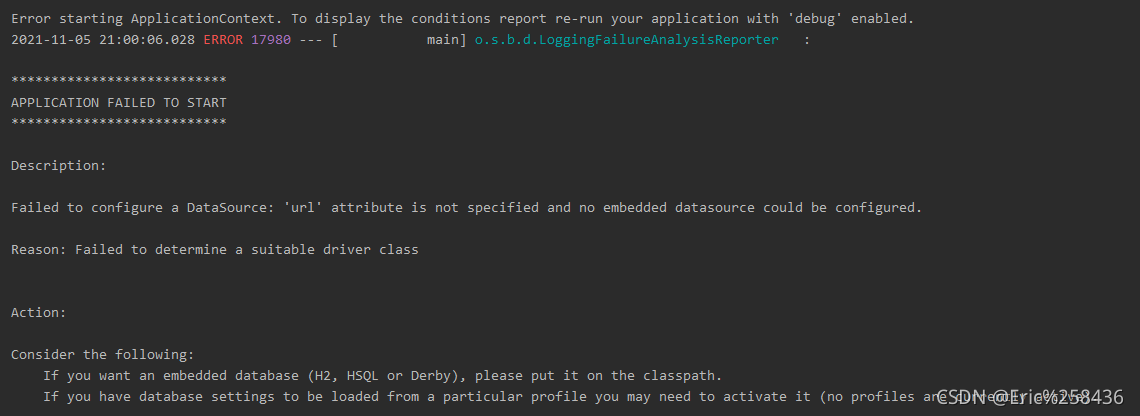
Springboot startup error failed to configure a datasource

***************************
APPLICATION FAILED TO START
***************************

Description:

Failed to configure a DataSource: 'url' attribute is not specified and no embedded datasource could be configured.

Reason: Failed to determine a suitable driver class


Action:

Consider the following:
	If you want an embedded database (H2, HSQL or Derby), please put it on the classpath.
	If you have database settings to be loaded from a particular profile you may need to activate it (no profiles are currently active).


Process finished with exit code 1

This error is always reported when springboot starts
my solution:
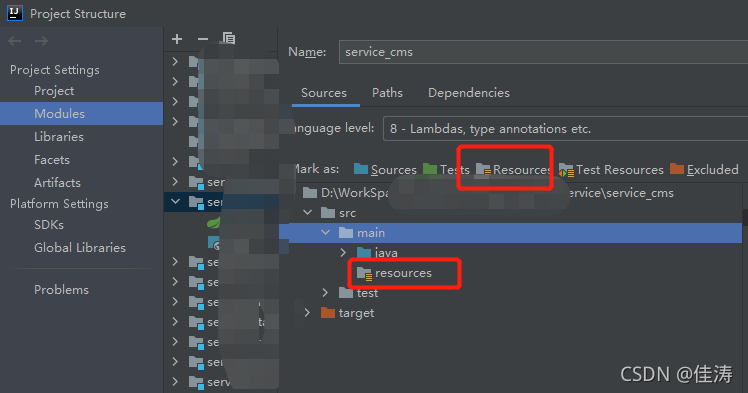
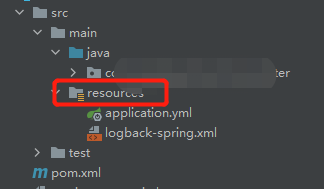
1. Check whether the Resources folder is configured. Mine was gray before, and it is equipped with


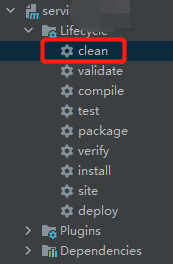
2. Use Maven clean

and start successfully.

[Solved] Redis Error: Unexpected exception while processing command

1. Background

Redis has been running for a long time, and an error is reported one day as follows:

2. Phenomenon

org.redisson.client.RedisException: Unexpected exception while processing command
at org.redisson.command.CommandAsyncService.convertException(CommandAsyncService.java:338)
at org.redisson.command.CommandAsyncService.get(CommandAsyncService.java:140)
at org.redisson.RedissonObject.get(RedissonObject.java:90)
at org.redisson.RedissonBucket.set(RedissonBucket.java:131)

3. Solution

Restart the Java application!

What exactly caused it,

You can only guess the link pool of the redis client. Due to network and other reasons, the redis client has not responded for a long time and collapsed!

perfect