Error: (44,73) lambda expression and XML are not supported in Java: – source 1.7 Error:java : Compilation failed

1 error: error: (44,73) lambda expression is not supported in Java: – source 1.7
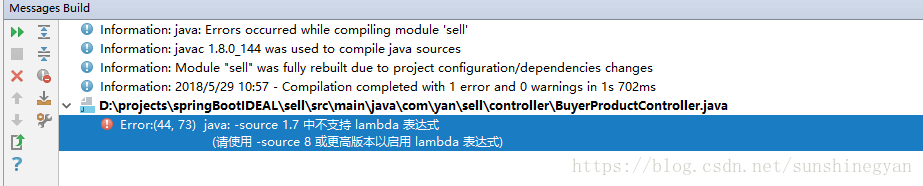
Error analysis: the source part of the project reports an error

At this time, the Java class also reports an error: usage of API documented as @ since 1.8 + more
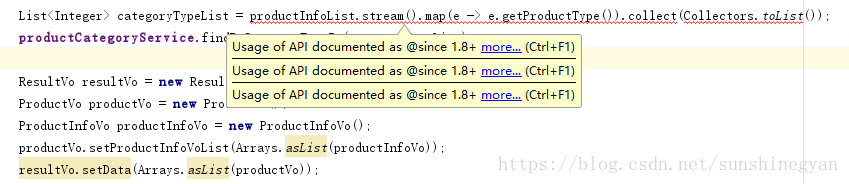
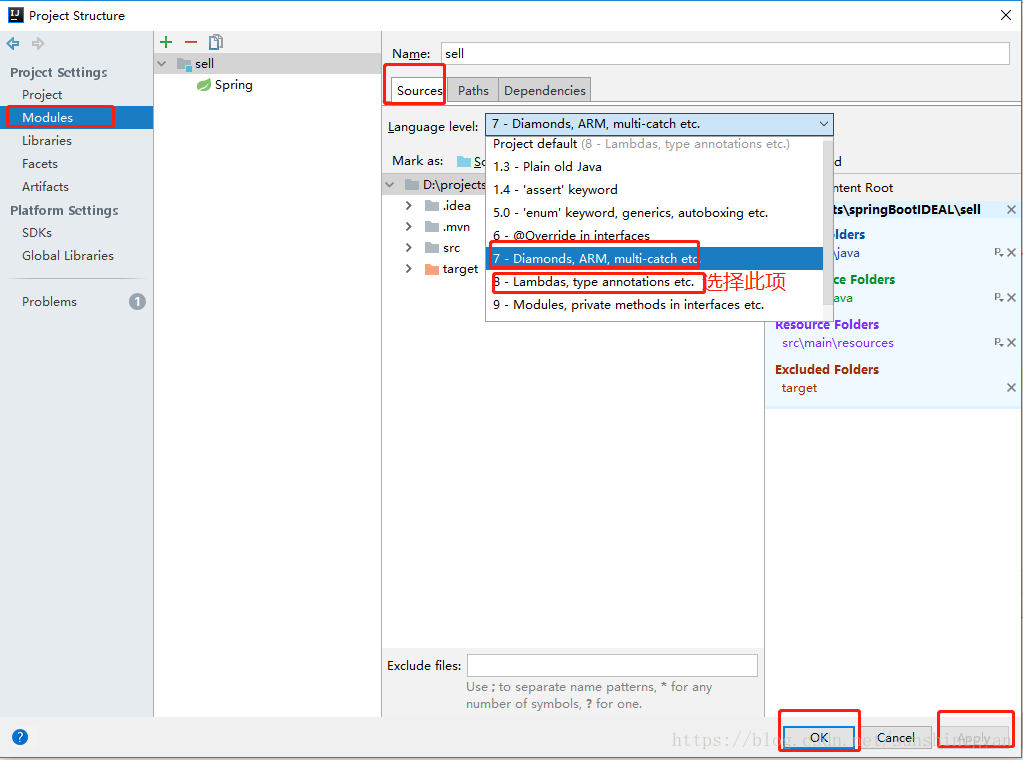
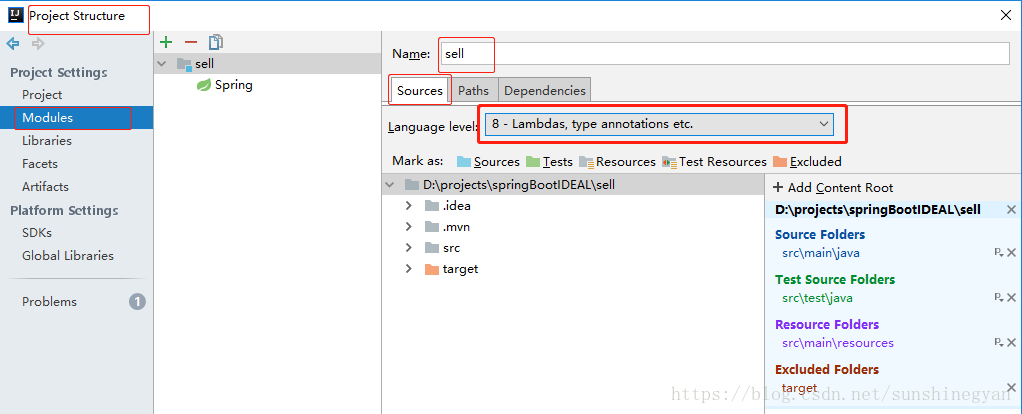
Solution: file = & gt; project structure = & gt; the language level in sources in the right column of modules is changed from ‘7 – diamond, arm…’ to ‘8 – Lambdas, type annotations, etc’ = & gt; apply = & gt; OK

At this time, the Java class error disappears
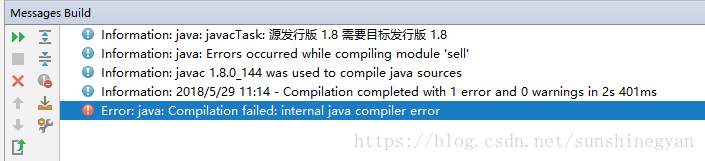
2 restart, error report: Error:java : Compilation failed: internal java compiler error
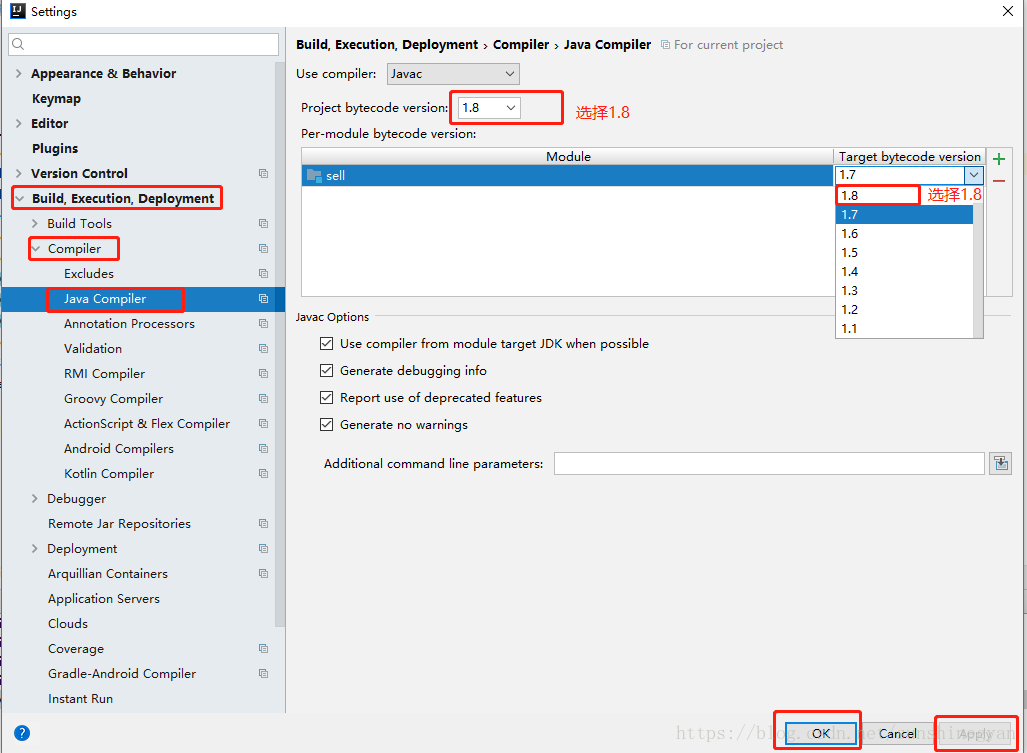
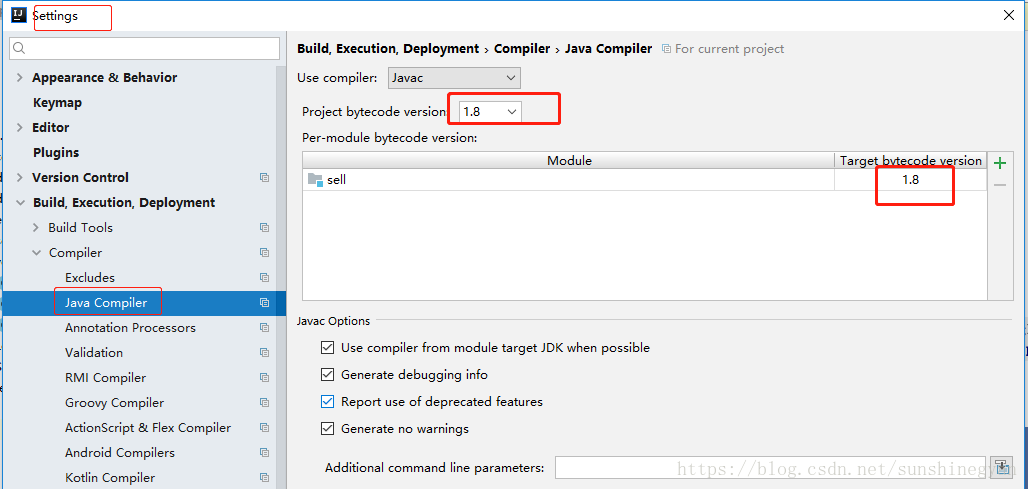
Solution: file = & gt; settings = & gt; search for java compiler and change the corresponding JDK version to 1.8
Restart my project, normal startup
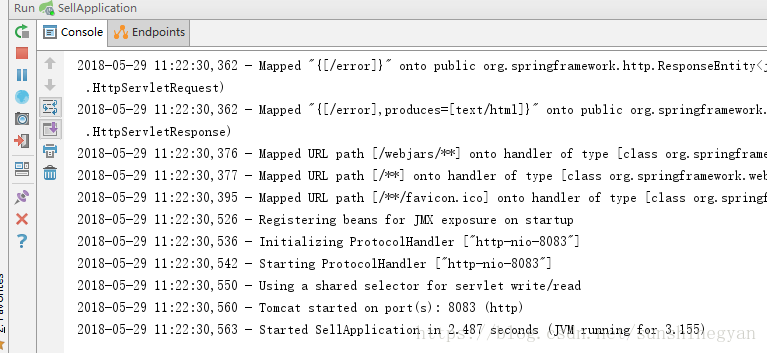
3. In developing springboot project, idea should ensure the consistency of JDK, otherwise, it may cause a series of project startup problems due to different JDK versions

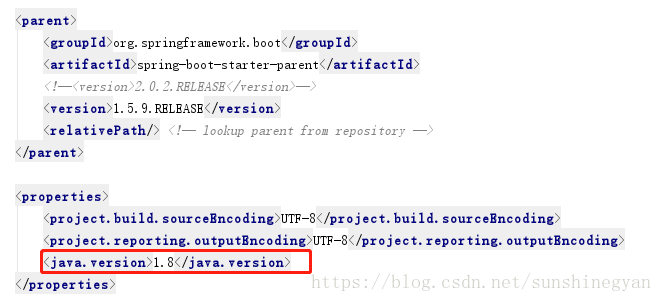
3.1 assurance pom.xml JDK version consistency in file
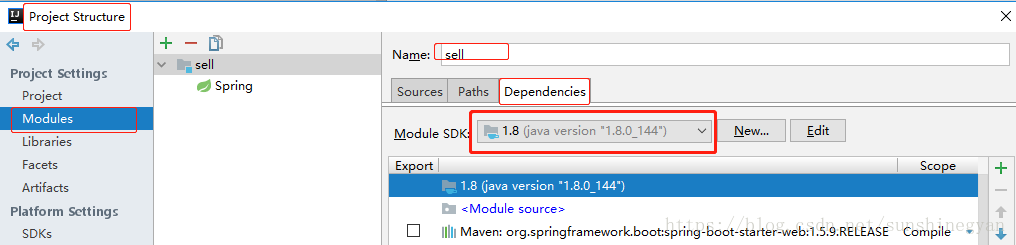
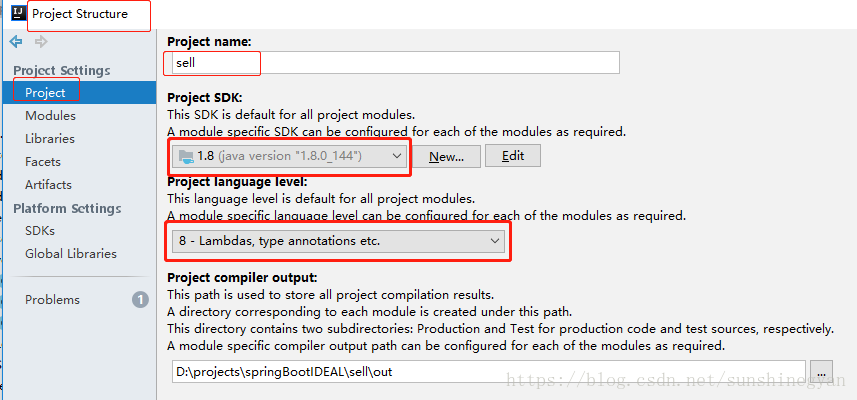
3.2 ensure the consistency of project and modules (sources and dependencies) progress payment Version (file = & gt; project structure)
3.3 ensure JDK version consistency of java compiler (file = & gt; settings = & gt; search for java compiler)
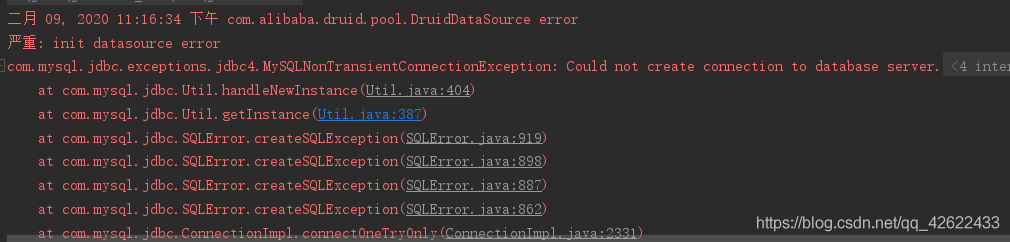
[error handling] idea error reporting com.alibaba.druid . pool.DruidDataSource error

Screenshot of error reporting part:

version at the time of error reporting:

jdk1.8   
mysql 8.0.17  
idea2018.3.6 
mysql-connector-java-5.1.37-bin.jar
1.0.9Druid

Error reason:
when an error is reported, the MySQL driver is 5, but the MySQL version is 8, which does not match

Solution:
after changing the MySQL driver to 8.0.16,
then com.mysql.jdbc . driver to com.mysql.cj . jdbc.Driver ,
add after Druid configuration

filters=stat
timeBetweenEvictionRunsMillis=60000
minEvictableIdleTimeMillis=300000
validationQuery=SELECT 1
testWhileIdle=true
testOnBorrow=false
testOnReturn=false
poolPreparedStatements=false
maxPoolPreparedStatementPerConnectionSize=200

Problem solving.

PS: if you have a similar problem, you can communicate with qq2287015934.

[building the flutter environment] error: the flutter directory is not a clone of the GitHub project

During the installation process, enter flutter doctor to report an error:

Error: The Flutter directory is not a clone of the GitHub project.
       The flutter tool requires Git in order to operate properly;
       to set up Flutter, run the following command:
       git clone -b beta https://github.com/flutter/flutter.git

resolvent

Manually create a . Git folder in the root directory of flutter
and execute flutter doctor again to start the installation

During the installation process, you may encounter errors error: unable to 'pub upgrade' shutter tool
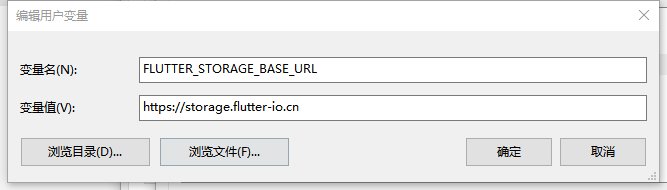
at this time, you only need to add the following two variables to the environment variable - & gt; user variable

export PUB_HOSTED_URL=https://pub.flutter-io.cn
export FLUTTER_STORAGE_BASE_URL=https://storage.flutter-io.cn


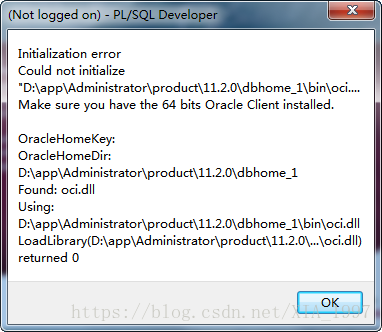
Initialization error of PLSQL connection to Oracle

Download as many as 64 = 32-bit database

Oracle is 32-bit and your PLSQL must be 32-bit; Oracle is 64 bit and your PLSQL must be 64 bit;

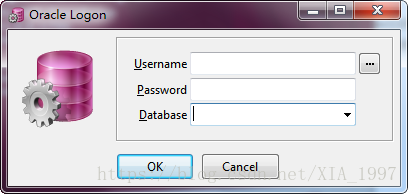
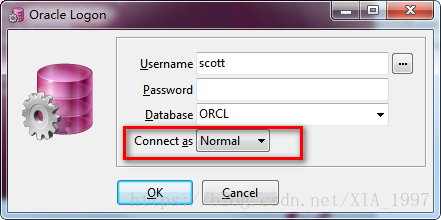
After entering the account password, this box will pop up

Solution: see how many bits your Oracle is, and then you can download how many bits of your PLSQL

This interface is usually installed correctly

[solution] original error: Chrome not realizable

background

Use appium to do something.

Error report after running:

An unknown server-side error occurred while processing the command. Original error: chrome not reachable

problem analysis

My control script should be no problem, running well on my own computer, so it must be a problem of environment.

From the following aspects:

1、Chrome Driver
2、ADB
3、Appium Desired Capabilities

First, analyze chrome driver to see if it matches the target chrome version on your phone.

Let’s see if the ADB version is the latest or matches your mobile system version.

The problem I have here is that the version of ADB is too low to work properly.

Next, let’s see if several key attributes in desired capabilities match the mobile phone you want to operate. Focus on the following:

platformNameplatformVersionautomationName

resolvent

After the above analysis, the solution is natural.

For my problems, update ADB.

Run again to solve the problem.

Here is just to provide you with an idea, you can choose flexibly according to your own situation.

Attached: reference materials

Appium official document: http://appium.io/docs/en/writing-running-appium/caps/Github Issue: https://github.com/appium/appium/issues/10129

Error: attempting to operate on HDFS namenode as root

Hadoop 3.1 starts the cluster after formatting and reports an error

Error message:
;./SBIN/start- dfs.sh
Starting namenodes on [note01]
ERROR: Attempting to operate on hdfs namenode as root
ERROR: but there is no HDFS_ NAMENODE_ USER defined. Aborting operation.
Starting datanodes
ERROR: Attempting to operate on hdfs datanode as root
ERROR: but there is no HDFS_ DATANODE_ USER defined. Aborting operation.
Starting secondary namenodes [note01]
ERROR: Attempting to operate on hdfs secondarynamenode as root
ERROR: but there is no HDFS_ SECONDARYNAMENODE_ USER defined. Aborting operation.
2019-02-06 18:36:04,824 WARN util.NativeCodeLoader : Unable to load native-hadoop library for your platform… using builtin-java classes where applicable

Reason:
after decompressing the installation package, the user and group of the folder are modified, that is, the following command is executed
chown root:root hadoop3.1.1 After that, start the cluster to report an error.

Solution:
you can only delete the current software folder, decompress the installation package, modify the relevant configuration files, and then format the file system, which is equivalent to operating from the beginning.


Error: enoent: no such file or directory, stat

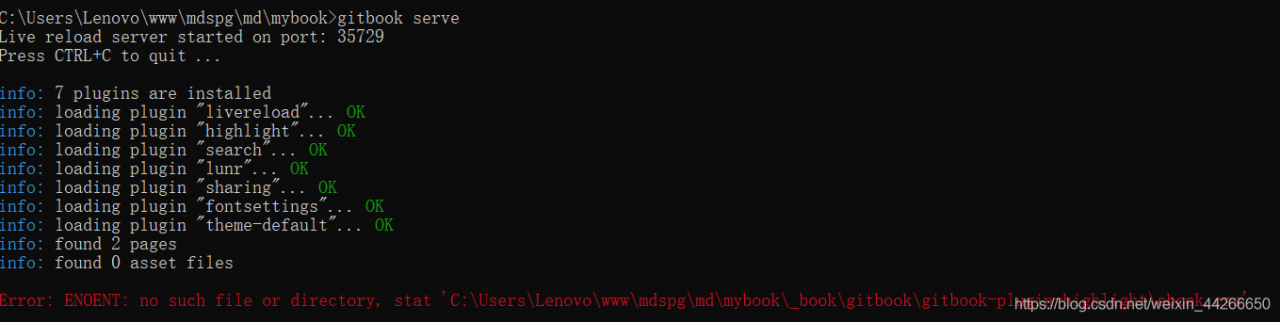
The gitbook project can’t run when you open it on another computer. Both gitbook serve and gitbook build report errors.

Error: ENOENT: no such file or directory, stat ‘C:\Users\Lenovo\www\mdspg\md\mybook_ book\gitbook\gitbook-plugin-fontsettings\ fontsettings.js ’

it turned out to be a bug (vision: 3.2.3).

The solution is as follows.

The following file was found in the user directory.
.gitbook\versions\3.2.3\lib\output\website\ copyPluginAssets.js

Replace all

confirm: true

with

confirm: false

Solutions to yarn install error reporting

../vue-hackernews-2.0> yarn
yarn install v1.12.3
[1/5] Validating package.json...
[2/5] Resolving packages...
[3/5] Fetching packages...
info [email protected]: The platform "win32" is incompatible with this module.
info "[email protected]" is an optional dependency and failed compatibility check. Excluding it from installation.
error [email protected]: The engine "node" is incompatible with this module. Expected version ">=4 <=9". Got "10.14.2"
error Found incompatible module
info Visit https://yarnpkg.com/en/docs/cli/install for documentation about this command.

Solution:

yarn config set ignore-engines true

Error processing condition on org.springframework.boot . autoconfigure.context.Property Error report solution

java.lang.IllegalStateException : Error processing condition on org.springframework.boot . autoconfigure.context.PropertyPlaceholderAutoConfiguration . propertysourcesplaceholderconfigurer error resolution

    <dependency>
		<groupId>org.springframework.boot</groupId>
		<artifactId>spring-boot-starter-tomcat</artifactId>
<!--	<scope>provided</scope>-->
	</dependency>

In the POM file, add the scope annotation
and

	<dependency>
		<groupId>javax.servlet</groupId>
		<artifactId>javax.servlet-api</artifactId>
		<version>3.1.0</version>
	</dependency>

Error: EBUSY: resource busy or locked, rmdir ‘

NPM error: EBUSY resource busy or locked

This error occurs because our files are occupied, which is caused by the fact that the folder or file may be used in other places and cannot be deleted,

1. Try NPM cache clean to clear the cache

2. Try to close the project folder and the command line and restart

Python error memoryerror

Python error memoryerror

Python 32bit can only use 2G of memory at most. If the memory is larger than 2G, memoryerror will be reported.

However, 64bit Python has no such limitation, so it is recommended to use 64bit python.
Possible problems: in the past, official libraries of numpy and SciPy only supported 32bit python, but now we should release the corresponding 64bit version.