Error: expected class name before ‘{‘ token

The error of C + + compiler is as follows:

error: expected class-name before ‘{’ token

When deriving a class, you need to confirm whether it contains the header file of the base class.

If the header file of the base class is included, an error is still reported. As mentioned above, check the header file contained in the base class header file.
For example, all the information about an error is as follows:

aarch64-himix100-linux-g++ -c ./src/base.cpp ./src/host.cpp ./src/main_test.cpp ./src/mcu.cpp ./src/uart1.cpp 
In file included from ./src/../include/main_test.h:6:0,
                 from ./src/../include/base.h:6,
                 from ./src/base.cpp:1:
./src/../include/uart1.h:10:1: error: expected class-name before ‘{’ token
 {
 ^
make: *** [main_test.o] Error 1

There are base classes in the base. H file. Uart1. H is the class to be derived. But look at all the above error information, it appears from the sixth line of base. H. Find line 6, which is the header file of the main function (test program).
Put the header file in line 6 base.cpp It’s OK.

In fact, the above situation should not appear in base. H and base.cpp The header file of the test file should not appear in.

Put the header files (such as # include & lt; pthread. H & gt;) in the corresponding header files (such as base. H).

When testing, you only need to include the base. H file to test the functions in the base.
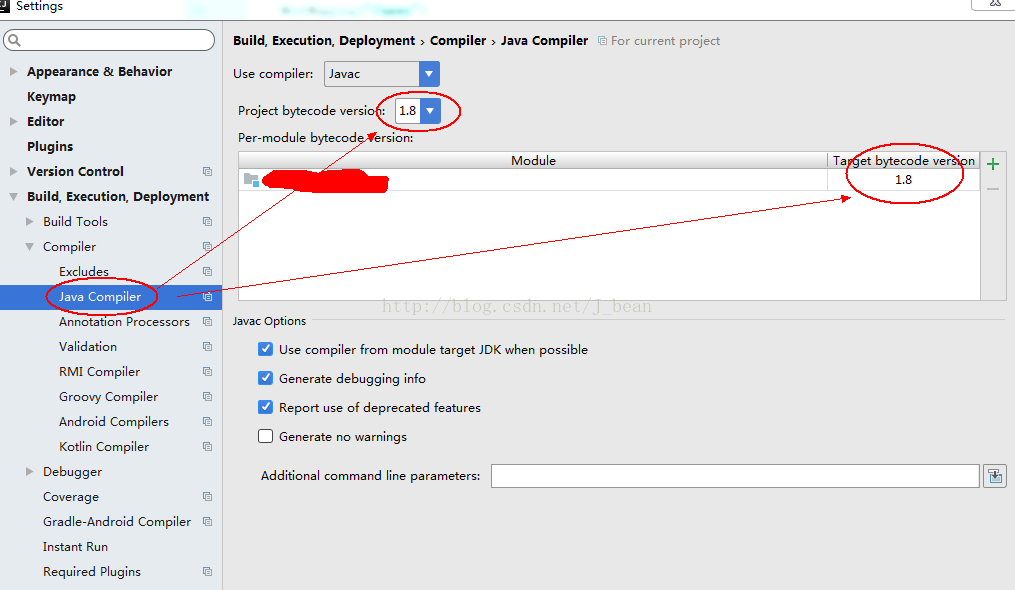
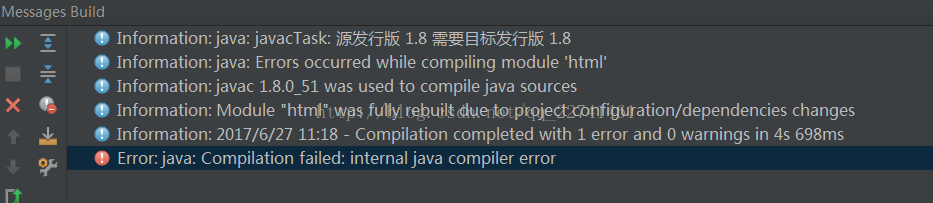
When using idea to start a project, an error is reported: Error:java : Compilation failed: internal java compiler error

When using idea to start a project, an error is reported: Error:java : Compilation failed: internal java compiler error

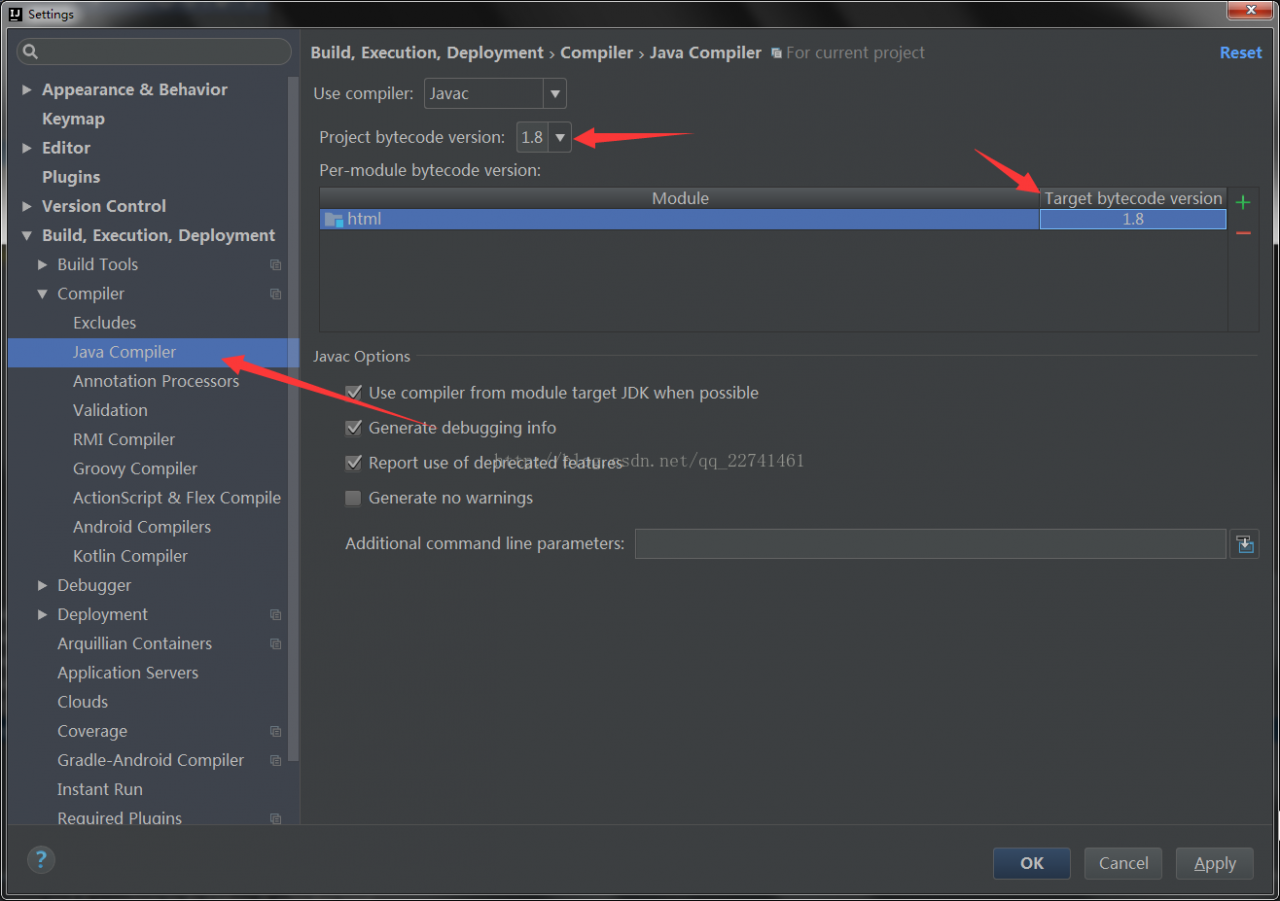
(1) Error reason: the setting in Java compiler is inconsistent with the Java version used in the current project.

(2) Solution: if Java 1.8 is used in the project, it should be set to 1.8 in Java compiler.

The settings are as follows:

References: Click to open the link

Error report on startup of rabbitmq in MAC installation error:epmd error for host xiongmindeMacBook-Pro: timeout

Error in starting rabbitmq: error:epmd error for host xiongmindeMacBook-Pro: timeout

Error in starting management console plug-in:

Applying plugin configuration to rabbit@xiongmindeMacBook-Pro… failed.
* Could not contact node rabbit@xiongmindeMacBook-Pro.
Changes will take effect at broker restart.
* Options: –online – fail if broker cannot be contacted.
–offline – do not try to contact broker

terms of settlement:

On the last line of sudo VIM/etc/hosts, add “127.0.0.1” xiaominde MacBook Pro

Node.js Error: cannot find module ‘xxx’

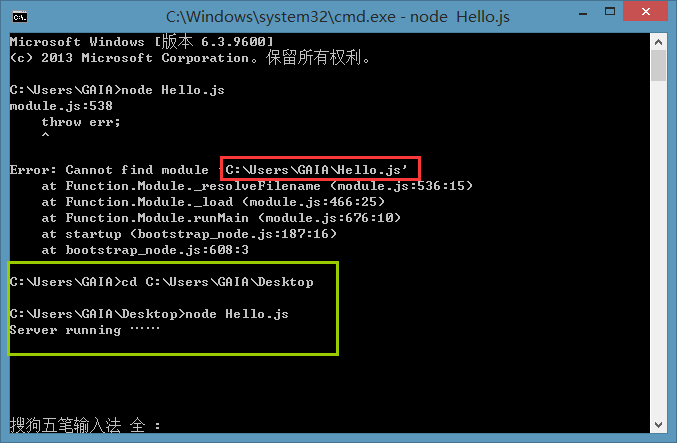
Create a new notepad on the desktop, write the familiar Hello word, and save it with the suffix JS

What I wrote is just a helloword, which doesn’t involve any package management tools, so don’t bother with NPM. This error is simply that I can’t find the file.

Simple solution: press the shift key in the blank space of the desktop without putting the right mouse button, select here to open the command window, and then edit it properly, or type the path in the DOS interface.

Conclusion: in fact, it is a problem of path~

About error statuslogger no log4j2 configuration file found

Error statuslogger no log4j2 configuration file found. Using default configuration: logging only errors to the console

Create a new resources folder in the project and add the log4j2. XML file as follows

<?xml version="1.0" encoding="UTF-8"?>
<Configuration>
    <Appenders>
        <Console name="STDOUT" target="SYSTEM_OUT">
            <PatternLayout pattern="%d %-5p [%t] %C{2} (%F:%L) - %m%n"/>
        </Console>
        <RollingFile name="RollingFile" fileName="logs/strutslog1.log"
                     filePattern="logs/$${date:yyyy-MM}/app-%d{MM-dd-yyyy}-%i.log.gz">
            <PatternLayout>
                <Pattern>%d{MM-dd-yyyy} %p %c{1.} [%t] -%M-%L- %m%n</Pattern>
            </PatternLayout>
            <Policies>
                <TimeBasedTriggeringPolicy />
                <SizeBasedTriggeringPolicy size="1 KB"/>
            </Policies>
            <DefaultRolloverStrategy fileIndex="max" max="2"/>
        </RollingFile>
    </Appenders>
    <Loggers>
        <Logger name="com.opensymphony.xwork2" level="WAN"/>
        <Logger name="org.apache.struts2" level="WAN"/>
        <Root level="warn">
            <AppenderRef ref="STDOUT"/>
        </Root>
    </Loggers>

</Configuration>

Select user entries in the classpath of the project corresponding to run – run configurations, click Advanced, and select add folder to add the Resources folder.

Installing qt5.8.0 error reporting during installation process

Error during installation process( qt.tools.perl );Execution failed:Couled not start:”{0,3010,1603,5100} misexec….

The reason for this error is that when installing QT, you select all the installation files (the hard disk is big enough ) and check the strawberry Perl under tools. If you do not check this one, you will have no problem,
In addition, when compiling vs2013 version, it is also possible that the job error 2 may be directly ignored due to the warning dialog box (this is what I did,,).

Strawberry Perl is a Perl programming tool on Windows platform. If you are not a programmer developing/testing Perl programming, and the program you use does not need Perl support, you do not need to install it.

Q & A: http://bbs.csdn.net/topics/392094375

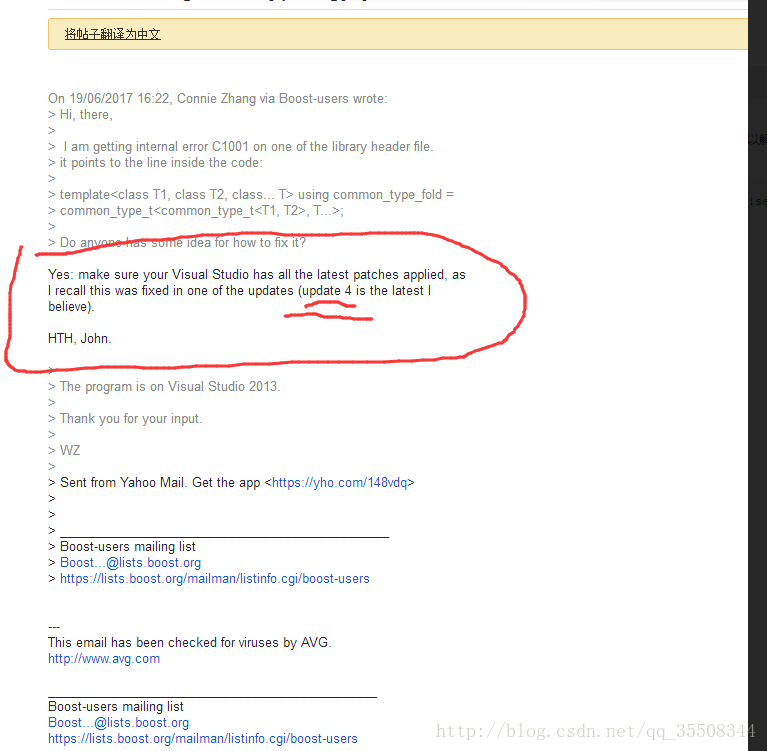
Error C1001 vs2013, a solution

Compiler error. This problem is encountered in the process of compiling the boost source file.
Maybe it’s a vs problem. Vs update 4 and update 5 can solve this problem.
Google link:

https://groups.google.com/forum/#!search/error$20c1001$20vs2013/boost-list/rwhPIW5BxB8/LwnLaJo6AQAJ

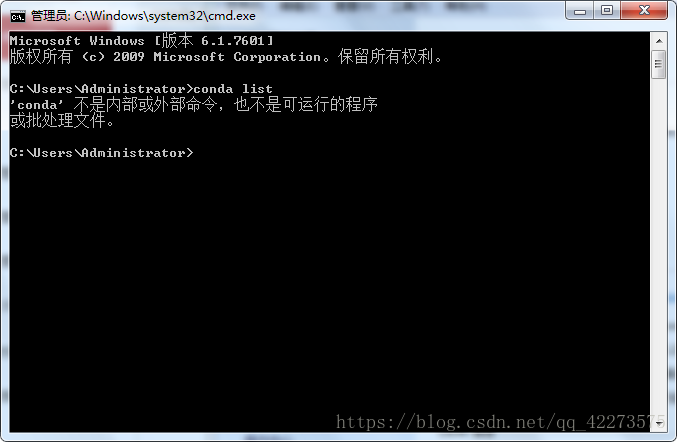
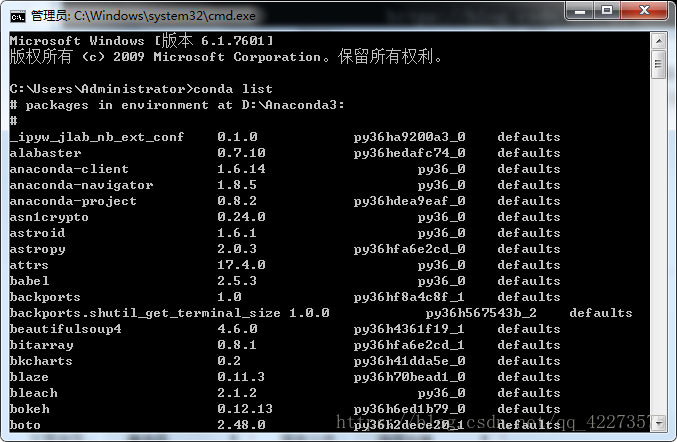
CONDA list error

Solution: computer properties – advanced system settings – environment variables – system variables – find path, edit – add D: (anaconda3) scripts (according to your own installation path) to the variable value, and separate it from the previous “;” (input method switch to English state) – OK

MySQL error 1054 (42s22) unknown column ‘password’ in ‘field list’

This intention is to change a user’s password. The command found on the Internet is as follows

1

MySQL & gt; update user set password = password ("new password") where user = "user name";

Error 1054 (42s22) unknown column 'password' in 'field list'

The reason for the error is that there is no password field in MySQL database of version 5.7, and the password field is changed to authentication_ string