Error content:
failed to req API:127.0.0.1:8848/nacos/v1/ns/service/list. code:503 msg: server is DOWN now, please try again later!
Solution:
Delete everything under the data folder in the Nacos folder, and delete all three folders. 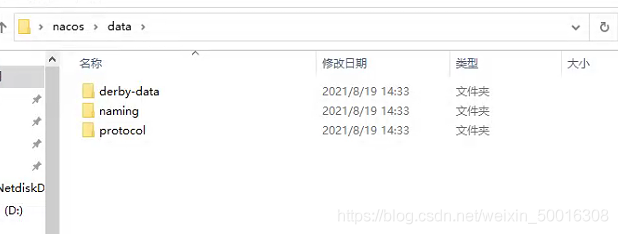
Error content:
failed to req API:127.0.0.1:8848/nacos/v1/ns/service/list. code:503 msg: server is DOWN now, please try again later!
Solution:
Delete everything under the data folder in the Nacos folder, and delete all three folders.
Q: the Vue console reports an error duplicate keys detected: ‘XXXX’. This may cause an update error. Solution
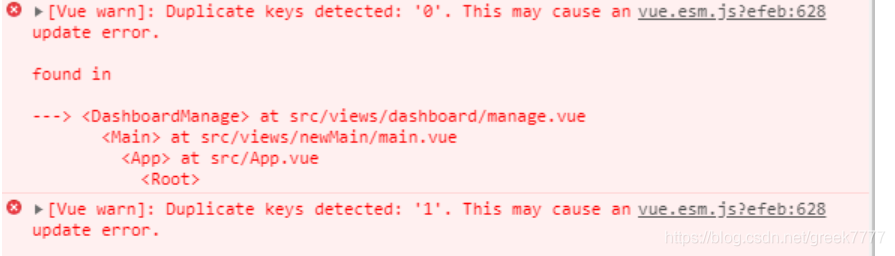
Analysis: duplicate key: ‘0’. 0 ‘may cause an update error; This problem usually occurs because there are multiple V-for loops on the same page, and the key of the loop is index. You can define the key as a unique value, such as code or ID. this can be solved
A: the value of the drop-down box must be unique. Check the value of the drop-down box
Java packaging error:
caused by: org.springframework.beans.factory.beancreationexception: error creating bean with name ‘org.springframework.transaction.annotation.proxytransactionmanagementconfiguration’: initialization of bean failed; Needed exception is org.springframework.beans.factory.nosuchbeandefinitionexception: no bean named ‘org.springframework.context.annotation.configurationclasspostprocessor.importregistry’ available
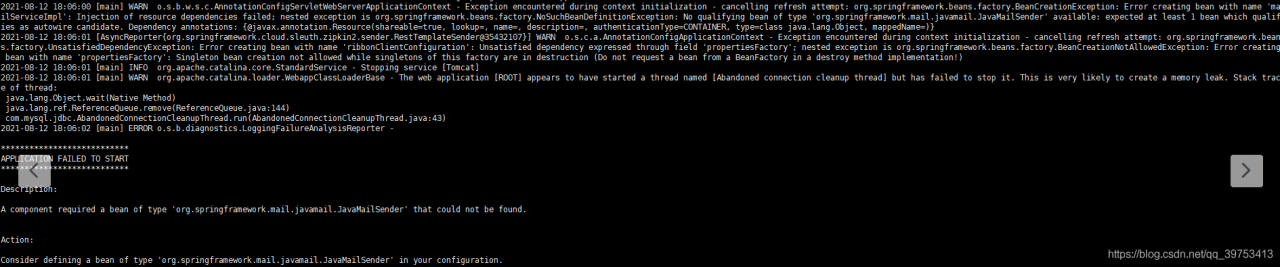
click the picture to see that it is actually an error message from javamailsender. First, check whether the configuration file is configured to send mail
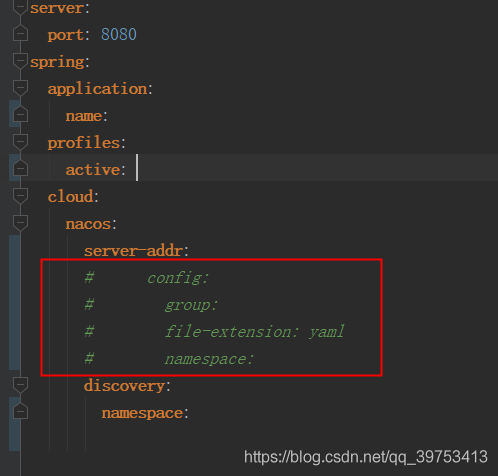
If the project is used with Nacos, check the local configuration file xxx.yml to see if the Nacos configuration is annotated. As shown in the following figure, if the annotation is, you can uncomment it.
The solution modifies webpackage installation documents, less installed in module chapters
There’s no use: getStyleStyleLoaders((
,,,
,,
>
>>
> bbbbbbbbasedon on Let’s go. GetStyleLoaders amp; Cannot use SouSouSouSouSouSourceMap,
,,,
,,,’less-loader on loader’,
>>
When installing docker and pull MySQL in the MAC environment of M1 chip
no matching manifest for linux/arm64/v8 in the manifest list entriesSolution:
docker pull --platform linux/x86_64 mysql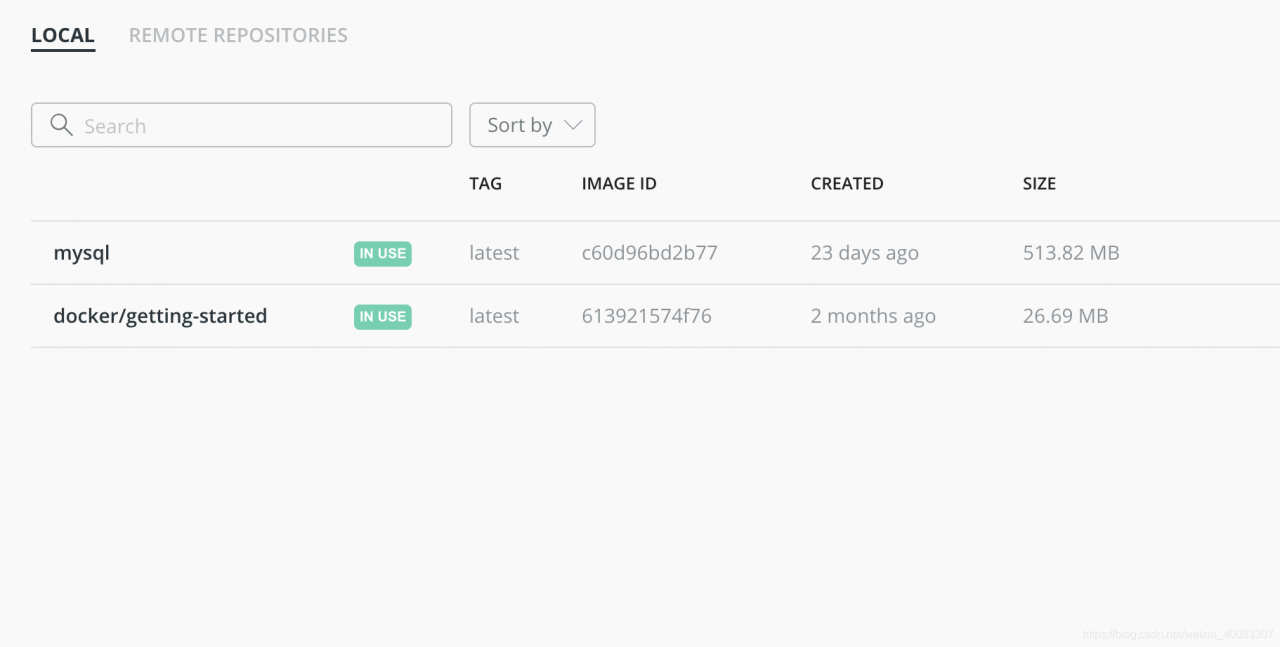
TS node can help us run the TS code without manually converting it into a JS file
But we passed
npm install -g typescript
npm install -g ts-node
After installing the two packages, running the file with the TS node command may report an error and cannot be executed
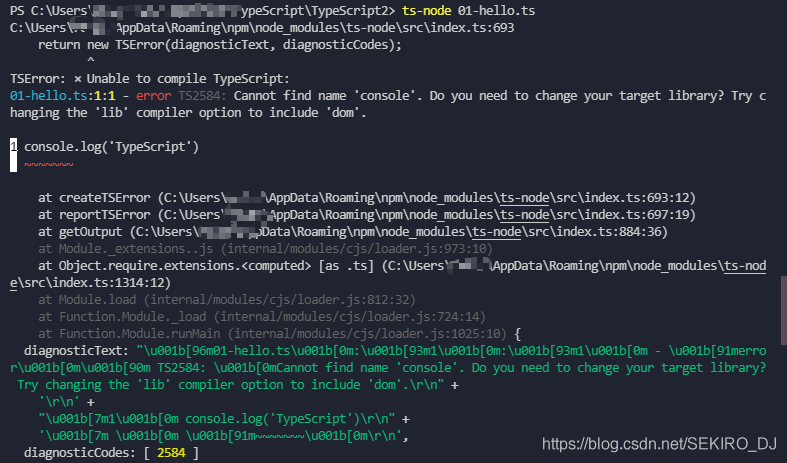
At this time, we need to install one more dependency package
npm install -D tslib @types/nodeJust run it with TS node

from scipy.misc import imread& imresize
Problem description solution 1 solution 2
Problem description
from scipy.misc import imread # error
After query, the reason is that the from scipy.misc import imread, imwrite and other methods have been abandoned, and python has encapsulated the imread method in the imageio module
Solution 1
To install the imageio Library:
pip install imageio
Normal use!
import imageio
imageio.imread("xxxx.png")
Solution 2
If the higher version is discarded, we can reduce the SciPy version!
Reduce the SciPy version to 1.2.1
pip install scipy==1.2.1Error description
At the weekend, I did something with my computer, installed GitHub again, and reported an error “error: RPC failed” when I made some changes to the cloning project and prepared to push it; curl 56 OpenSSL SSL_ read: SSL_ ERROR_ Syscall, errno 10054 “, searched various solutions on the Internet. It is found that the GIT upload file has a limited file size. Just set the cache size.
Solution
Use Git Bash enter the code under the current project:
git config --global http.postBuffer 1048576000Globally set the cache size to 1g, and the problem is solved. I guess this may be because I use HTTPS. I don’t encounter this problem with SSH transmission and pull code in my office.
How to re-install VMware and import the previously installed virtual machine with an error
The set physical address width exceeds the maximum value of 43 bits.

The module "PhysMem" failed to start.
Let me talk about the status of my virtual machine first. The virtual machines I installed before are not shut down directly and are in a suspended state.
After searching the Internet for many results, I chose to turn off the virtual power supply (power – & gt; Shutdown). After shutdown, restart the virtual machine to run normally
Error:
Mount: unknown filesystem type ‘defaults’

Solution:
echo ‘/dev/sdb /home/cmp xfs defaults 0 0’ >> /etc/fstab1. If it is just a react project and the DVA framework is introduced, an onerror attribute will be passed in when calling the DVA method
const app = dva({
	onError(err) {
		// error
		console.log(err);
	},
});
2. If you are using the UMI framework, you cannot find the place where the DVA is called. Create a new app.js file in the SRC directory and write the following contents
export const dva = {
  config: {
    onError(e) {
      e.preventDefault();
      console.error(e.message);
    },
  },
};
[ERROR]
/xxx/components/xxx import should occur after import of /xxx/utils/xxx import/order
[Solution]
// .eslintrc.js
rules: {
    'import/order': 'off',
},