When the MAC M1 uiautomatorviewer is opened, it displays blank or reports an error

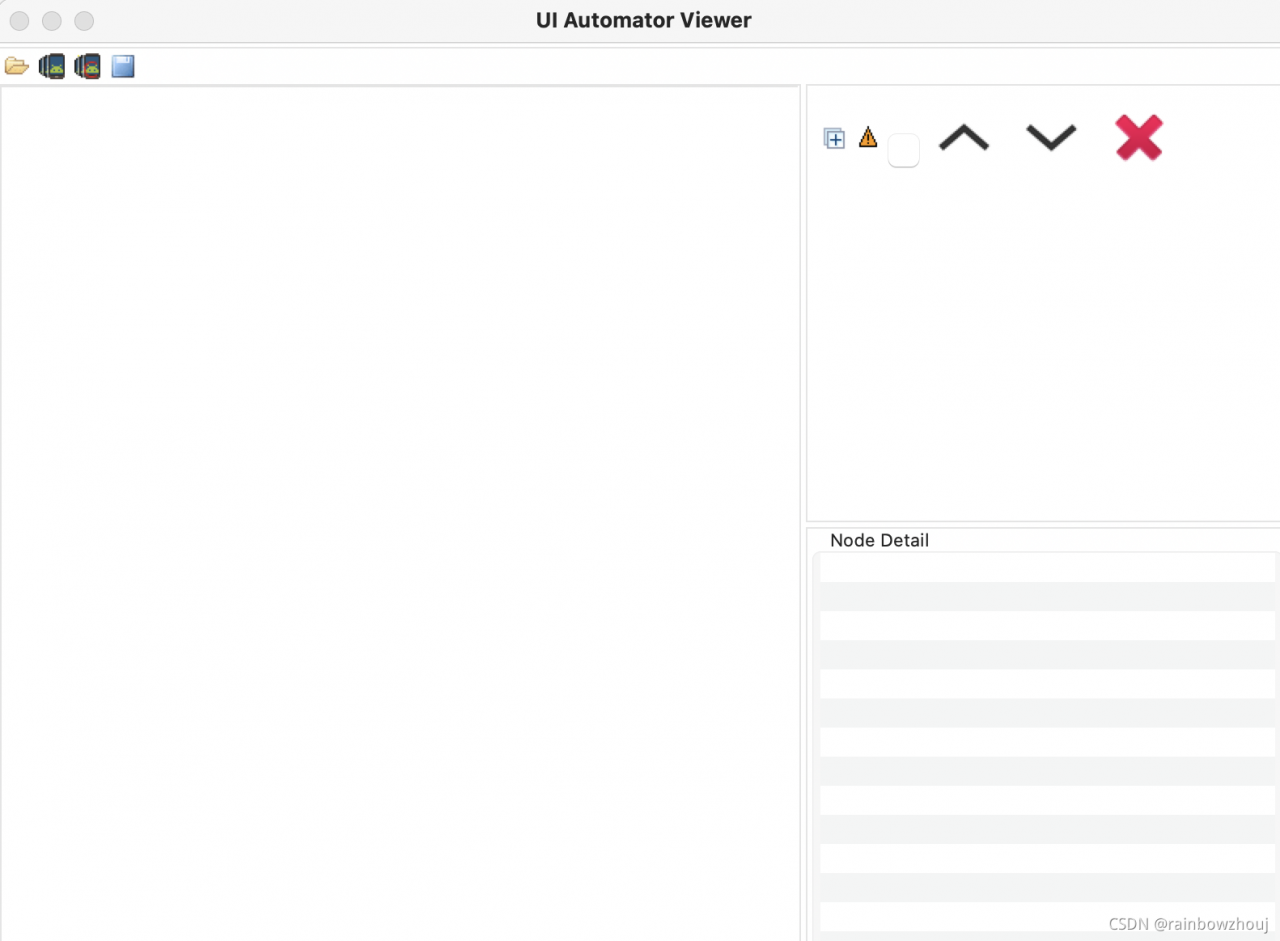
As shown in the following figure: uiautomatorviewer displays blank
Cause: the problem of java version is too new

➜  sdk  ls /Library/Java/JavaVirtualMachines/
jdk1.8.0_161.jdk zulu-17.jdk

Solution: downgrade

The Java version can be downgraded to before 201 or before 51. (the blogger’s 161 failed, which may also be the reason for the M1 chip)
uiautomatorviewer is actually a Java startup script. For example, you can use this command on the Mac to see the real startup command.

bash -x /Users/zhoujing/Library/Android/sdk/tools/bin/uiautomatorviewer

In order to ensure that the uiautomatorviewer can run correctly locally, several jdks can be standby

Link to download old java version: SDK

References:
1. Error reporting after uiautomatorviewer is opened under MAC
2. Learning experience of MAC Android automatic test
Error no module named ‘in newly installed Python_ sqlite3‘

Tencent cloud server Ubuntu 20 already has Python 3.8. Download the installation package from Huawei cloud. After installing Python 3.9, an error is reported

solve:

Copy the dependent files from the existing 3.8 to 3.9, and then rename them. The command is as follows

ubuntu@esoaru-net ~/github/aiopathlib
☺  python3.8 -c 'import _sqlite3;print(_sqlite3.__file__)'                                                                                                          master ✗
/usr/lib/python3.8/lib-dynload/_sqlite3.cpython-38-x86_64-linux-gnu.so
ubuntu@esoaru-net ~/github/aiopathlib
☺  which python3.9                                                                                                                                                  master ✗
/usr/local/bin/python3.9
ubuntu@esoaru-net ~/github/aiopathlib
☺  cp /usr/lib/python3.8/lib-dynload/_sqlite3.cpython-38-x86_64-linux-gnu.so /usr/lib/python3.9/lib-dynload/                                                        master ✗
cp: cannot create regular file '/usr/lib/python3.9/lib-dynload/_sqlite3.cpython-38-x86_64-linux-gnu.so': Permission denied
ubuntu@esoaru-net ~/github/aiopathlib
☹  sudo cp /usr/lib/python3.8/lib-dynload/_sqlite3.cpython-38-x86_64-linux-gnu.so /usr/lib/python3.9/lib-dynload/                                                   master ✗
ubuntu@esoaru-net ~/github/aiopathlib
☺  python3.9 -c 'import _sqlite3;print(_sqlite3.__file__)'                                                                                                          master ✗
Traceback (most recent call last):
  File "<string>", line 1, in <module>
ModuleNotFoundError: No module named '_sqlite3'
ubuntu@esoaru-net ~/github/aiopathlib
☹  cd /usr/lib/python3.9/lib-dynload                                                                                                                                master ✗
ubuntu@esoaru-net /usr/lib/python3.9/lib-dynload
☺  sudo mv _sqlite3.cpython-38-x86_64-linux-gnu.so _sqlite3.cpython-39-x86_64-linux-gnu.so
ubuntu@esoaru-net /usr/lib/python3.9/lib-dynload
☺  python3.9 -c 'import _sqlite3;print(_sqlite3.__file__)'
/usr/lib/python3.9/lib-dynload/_sqlite3.cpython-39-x86_64-linux-gnu.so
☹  sudo cp /usr/lib/python3.9/lib-dynload/* /usr/local/lib/python3.9/lib-dynload/  

Summary:

It’s actually a line of command

sudo cp /usr/lib/python3.8/lib-dynload/_sqlite3.cpython-38-x86_64-linux-gnu.so /usr/lib/python3.9/lib-dynload/_sqlite3.cpython-39-x86_64-linux-gnu.so

SAP Migo 101 receives the work order and reports an error – check table tfbefu_ CR entry 10 does not exist – Countermeasures

SAP Migo 101 receives the work order and reports an error – check table tfbefu_ CR entry 10 does not exist – Countermeasures

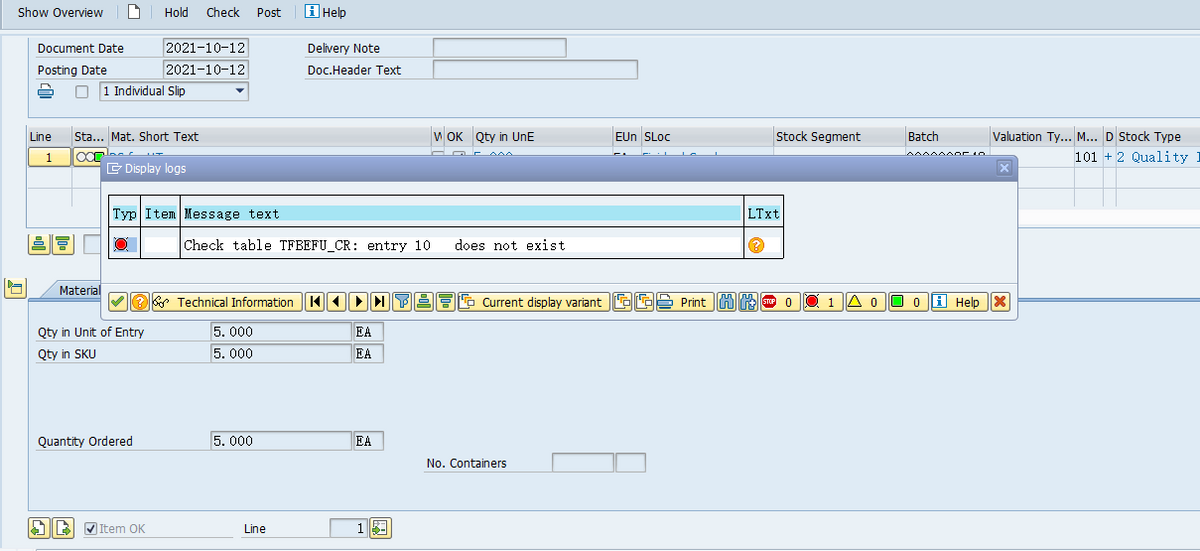
Execute transaction code Migo, move type 101, perform receipt posting for a work order, and the system reports an error: check table tfbefu_ Cr: entry 10 does not exist

F1help documentation:

Check table TFBEFU_ CR: entry 10 does not exist

Message no. M7001

Diagnosis

In table TFBEFU_ CR the entry 10 is missing.

Procedure

Make sure your entries are correct.

If table has not been maintained correctly, please inform your systems administrator.

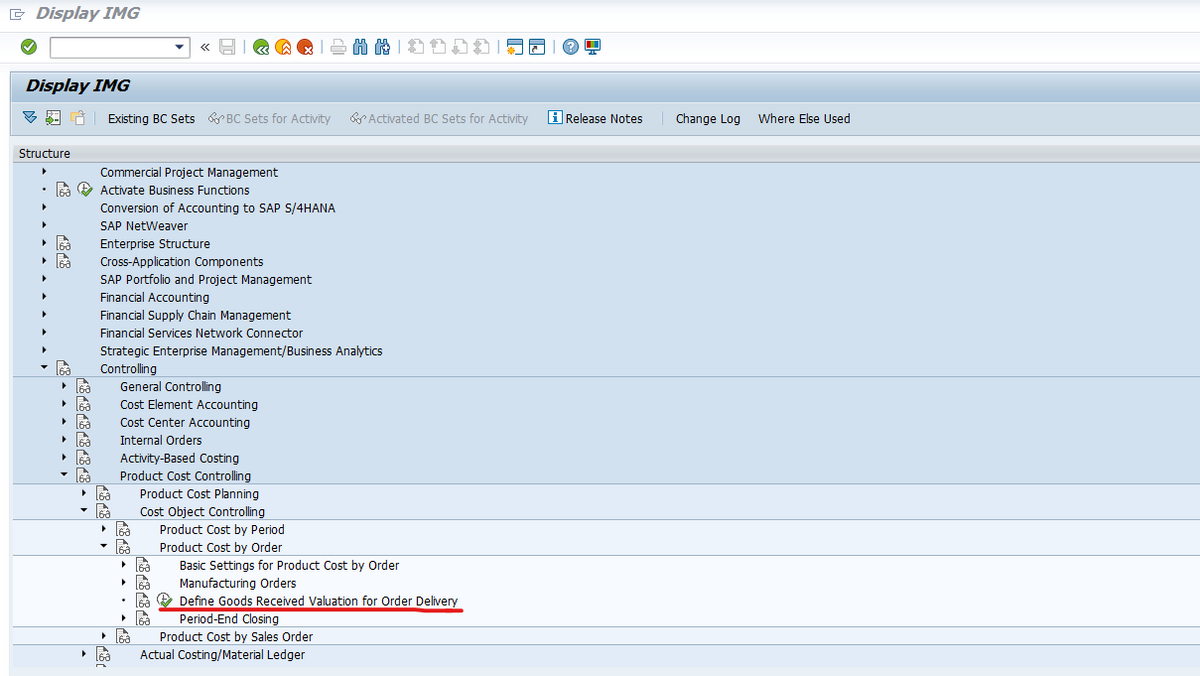
This error report is the first time I have encountered it, so I am very curious and hope to find out the reason. It is found that the background configuration of a co module is missing, and the transaction code is opk9. The configuration path is as follows:

You need to add an entry to this configuration for the factory code corresponding to the work order. After configuration, you can post the work order receipt normally.

-Finish-

Written on October 12, 2021

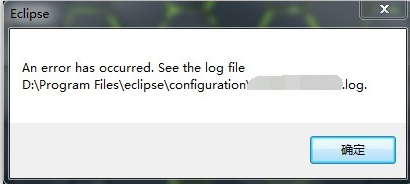
Exception record. When eclipse starts, an error is reported when workspace is opened

When eclipse starts, an error occurs when you open workspace

Problem Description:

Jump out: Eclipse an error has occurred. See the log file

resolvent

Check the log file and find the following error message:
! Message frameworkevent error
solution: CMD command and CD command jump to the eclipse.exe file. After running the command eclipse.exe - clean , the software will be opened automatically. Select workspace again to start normally

The SuperMap webgl browser reported an error. The unzip.wasm file 404

The browser reports an error unzip.wasm file 404, which is a decompressed file for two reasons: 1. The file is lost during packaging and needs to be replaced again; 2. The gateway filters out files with the suffix of. Wasm format. You need to add this type to mime, fill in. * in the column of file extension, and in the following MIME type application/octet stream, (most of the problems belong to the latter)

How to Solve The classpathresource reads the resource file Error

If the file to be read is in jar, an error will be reported: java.lang.illegalargumentexception: URI is not hierarchical

Reason: the files in the jar package cannot be read in this way because the directory is opaque
original code

final ClassPathResource classPathResource = new ClassPathResource("logo.png");
final File file = classPathResource.getFile();
Image srcImg = ImageIO.read(file);

Solution:

final ClassPathResource classPathResource = new ClassPathResource("img/logo.png");
InputStream stream = classPathResource.getStream();
Image srcImg = ImageIO.read(stream);

Error reporting: java.lang.nullpointerexception solution

The null pointer exception problem is mostly an error in integer automatic unpacking

Error code:

	 Integer a=null;
 	 if(a==1||a==null){    
        System.out.println("111");
     }

error reporting: java.lang.nullpointerexception

Error reporting reason:

Integer object is null. In the process of automatic unpacking, obj.xxxvalue will throw NullPointerException

Problem solving:

If you want to continue the multi conditional judgment, you should put the judgment empty in the first place

Modification code:

	 Integer a=null;
 	 if(a==null||a==1){    
        System.out.println("111");
     }

To avoid another null pointer like exception error, you need to master the knowledge of null in Java. You can refer to another article     What you should know about null in Java

Problems and solutions of error reporting in using swiper in Vue

In recent development, we encountered the problem of always reporting errors when using swiper components. Later, it was found that the problem was caused by the version

1. Download these two versions of plug-ins:
“wiper”: “^ 4.5.1”,
“Vue awesome wiper”: “^ 4.0.4”,

npm install [email protected] --save -dev
npm install swiper@4 --save -dev

2. Introduce in the component of xxxx.vue

<script>
import { swiper, swiperSlide } from "vue-awesome-swiper";
import "swiper/dist/css/swiper.css";
export default {
  name: "index",
  components: {
    swiper,
    swiperSlide
  }, 
};
</script>

3. Use in div

<swiper ref="mySwiper" v-bind:options="swiperOptions">
          <swiper-slide v-for="(item, index) in slideList" :key="index">
            <a v-bind:href="'/#/product'%20+%20'item.id'">
              <img v-bind:src="item.img" alt />
            </a>
</swiper-slide>

GCC compilation error unknown type name ‘bool’‘

Error description

unknown type name ‘bool’

Recently, using C to implement data structure encountered the following error

➜  LinkedList gcc list.c 
list.c:14:1: error: unknown type name ‘bool’; did you mean ‘_Bool’?
 bool is_empty(PNODE pHead);
 ^~~~
 _Bool
list.c:77:1: error: unknown type name ‘bool’; did you mean ‘_Bool’?
 bool is_empty(PNODE pHead)
 ^~~~
 _Bool
list.c: In function ‘is_empty’:
list.c:80:9: error: ‘true’ undeclared (first use in this function); did you mean ‘free’?
  return true;
         ^~~~
         free
list.c:80:9: note: each undeclared identifier is reported only once for each function it appears in
list.c:82:9: error: ‘false’ undeclared (first use in this function); did you mean ‘fclose’?
  return false;
         ^~~~~

Error reason

Unknown type name: ‘bool’, because there is no boolean type defined in the C language standard (C89), an error will be reported. C99 provides a header file & lt; stdbool.h> defines bool , true represents 1 and false represents 0. As long as you import stdpool. H , you can easily operate Boolean types.

resolvent

#include <stdbool.h>

"21442;" 32771;"38142;" 25509

https://www.jianshu.com/p/aa951e784e96

Oracle reports an error and lsnrctl listening cannot be started

Connecting to (description = (address = (protocol = IPC) (key = extproc))
tns-12557: TNS: protocol adapter is not loadable
  Tns-12560: protocol adapter error
  Tns-00527: the protocol adapter cannot be loaded
2. Check whether/TMP /. Oracle and/var/TMP /. Oracle directories exist
3. Check the permissions of the current user trying to start the listener on these directories
MKDIR/var/TMP /. Oracle
MKDIR/TMP /. Oracle
chown – R Oracle: oiinstall/var/TMP /. Oracle/TMP /. Oracle
Chmod – R 01777/var/TMP /. Oracle/TMP /. Oracle
4. Run the listener to solve the problem:
lsnrctl start
5. If the listener still cannot be started, grant Oracle 777 permission on/tmp directory
chmod -R 777/tmp/var/tmp