1. In the/etc/vsftpd/vsftpd.conf configuration file, add
allow_writeable_chroot=YES
2. Restart vsftpd service
service vsftpd restart
1. In the/etc/vsftpd/vsftpd.conf configuration file, add
allow_writeable_chroot=YES
2. Restart vsftpd service
service vsftpd restart
Question:
Software:
ADS1.2
CodeWarrior for arm Developer Suite
error:
unkonw opcode
solution:
the arm assembly instruction does not support top grid writing. Just leave the first line of code a few spaces blank.
It’s normal to jump and pass parameters using JSON, but today I don’t know why I reported an error, unexpected end of JSON input,
reason
I found the answer on the Internet because there are unrecognized contents in the passed parameters, and the parameters I passed contain rich text, Therefore, there is no resolution
solution
start with JSON character parameters (parent page) on the page to jump to
issueanswer(item){
				let arrar = JSON.stringify(item)
				uni.navigateTo({
					url:"issueanswer?arr="+encodeURIComponent(arrar)
				})
			},
Then accept and parse the parameters in onload of the sub page
onLoad(option) {
			this.arr =JSON.parse(decodeURIComponent(option.arr))
		},
Problems computing Cholesky in quantum espresso reports an error
When running a small system, such as graphene of 11 or elemental iron of 11 * 1, QE calculation reports an error:
%%%%%%%%%%%%%%%%%%%%%%%%%%%%%%%%%%%%%%%%%%%%%%%%%%%%%%%%%%%%%%%%%%%%%%%%%%%%%%%%%%%%%%%%%%%%%%%%%%%%%%%%%%%%%%%%%%%%%%%%%%%%%%%%%%%%%%%%%%%%%%%%%%%%%%%%%%%%%%%%%%%%%%%
stopping ...
After testing, it is found that this error is due to the use of too many kernel computing and small tasks. For example, if you use 32 small tasks such as accounting, such errors will appear
the solution is to use fewer cores for calculation. For example, on Cheng Chao’s machine, the corresponding statement is modified as follows:
#sbatch -- ntasks per node = 32
to
#sbatch -- ntasks per node = 8
The following error occurs when calling a function using the layui template

reason: Layu needs to be pre loaded and defined$
<script type="text/javascript" rel="script">
    layui.use(['table', 'layer', 'form','element'], function(){
        var table = layui.table;
        var layer = layui.layer;
        var form = layui.form;
        var element = layui.element;
        var $ = layui.$;

</script>
Solution:
1. Permission problem
you can run CMD as an administrator or open CMD by pressing Win + x .
2. Dependency package error
generally, in this case, we need to focus on the directory after operation not allowed . Through the error prompt, the problem can be solved by correctly installing the required dependent packages globally.
3. NPM version problem
this is also similar to the previous one, because different versions sometimes have problems with dependent packages. For example, the version is too high and there is no corresponding dependent package, so it is OK to change the NPM version.
Today, I stepped on a pit when I implemented a login page in springboot and mybatis
It always shows that the parameter cannot be found, and many blogs on the Internet have not found the reason
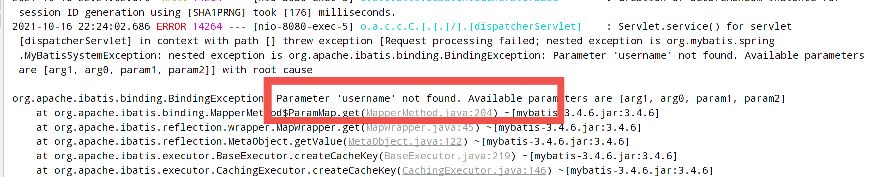
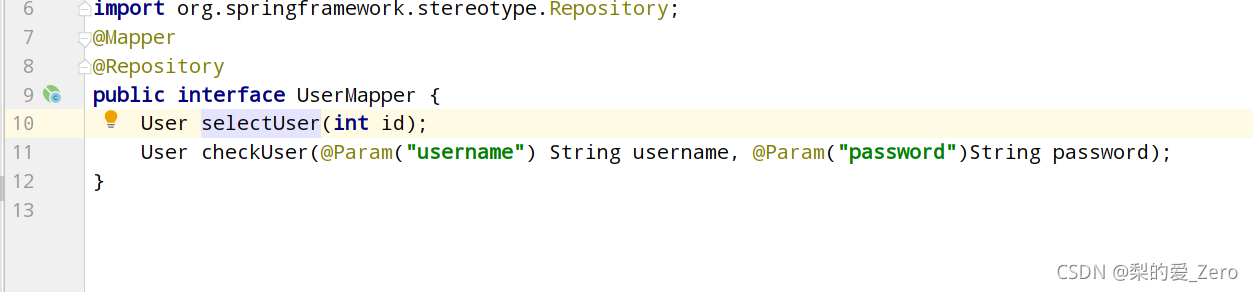
Finally, it was pointed out by the leaders in the group that the @ param annotation was missing in the usermapper parameter
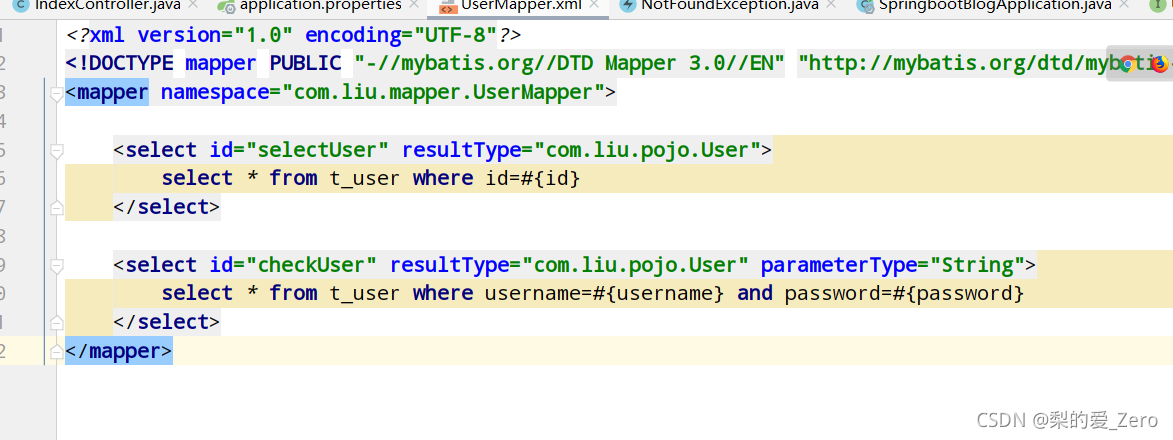
This SQL statement is used in usermapper, resulting in an error
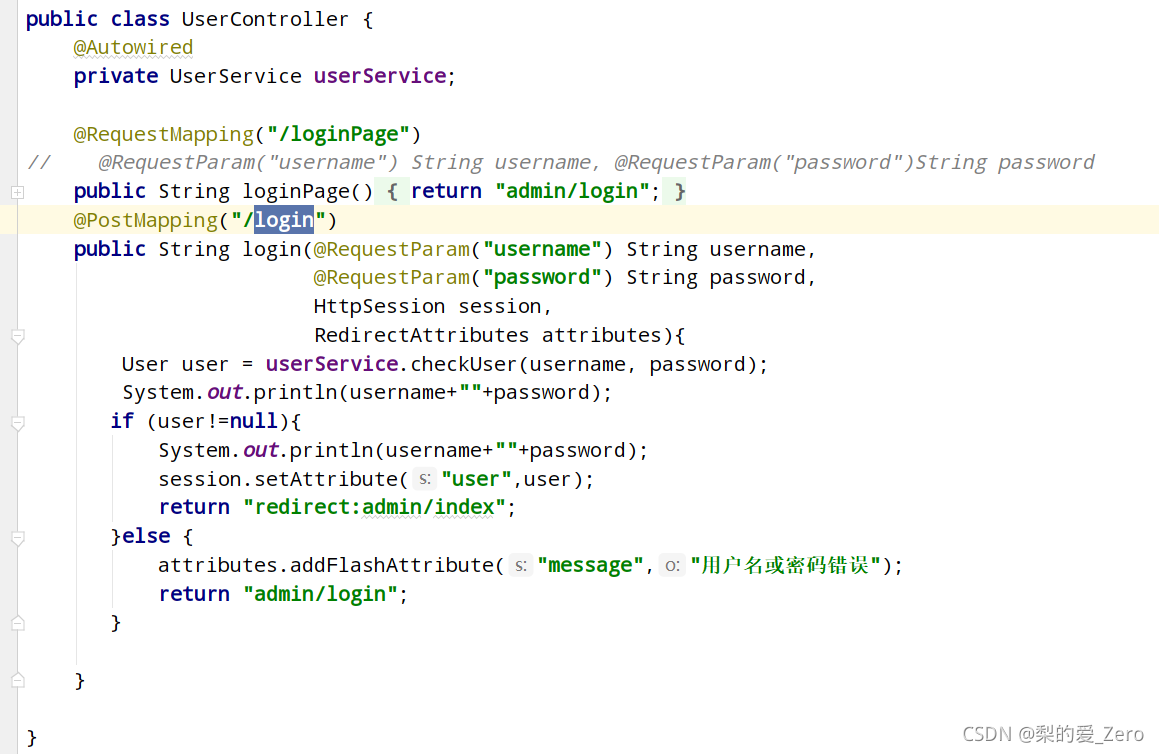
So I sorted out the usage of a wave of @ param annotations from the Internet
1. Use @ param annotation
When writing SQL statements in the following way:
@ Select(“select column from table where userid = #{userid} “)
public int selectColumn(int userid);
When you use the @ param annotation to declare parameters, you can use either #{} or ${}.
@ Select(“select column from table where userid = ${userid} “)
public int selectColumn(@Param(“userid”) int userid);
When you do not use the @ param annotation to declare parameters, you must use the use #{} method. If you use ${}, an error will be reported.
@ Select(“select column from table where userid = ${userid} “)
public int selectColumn(@Param(“userid”) int userid);
2. Do not use @ param annotation
··When the @ param annotation is not used, there can only be one parameter and it is a java bean. JavaBean properties can be referenced in SQL statements, and only JavaBean properties can be referenced.
// Here ID is the attribute of user
@ Select(“SELECT * from Table where id = ${id}”)
Enchashment selectUserById(User user);
1
Reference: MacOS installation pyfasttext error reporting solution_ Kungreye CSDN blog
Mac usage clang Compile and change the compilation path again to successfully install (both methods are OK).
Solution:
CXX=/usr/bin/clang CC=/usr/bin/clang pip3 install --no-cache pyfasttext
Original: void addrolesbyuserid (string [] roleids, string userid);
After modification: void addrolesbyuserid (@ param (“roleids”) string [] roleids, @ param (“userid”) string userid);
Error reason: roleides is not found, and the roleides parameter is not detected by SQL statement
Solution: add the @ param annotation to specify the parameters of the incoming SQL statement
Error when installing 1.7 GPU version of pytorch: torch has an invalid wheel,. Dist info directory not found

the reason is that CUDA versions are inconsistent,
Solution 1:
Install torch for CPU version
pip install torch==1.7.0+cpu torchvision==0.8.1+cpu torchaudio===0.7.0 -f https://download.pytorch.org/whl/torch_stable.html
Solution 2:
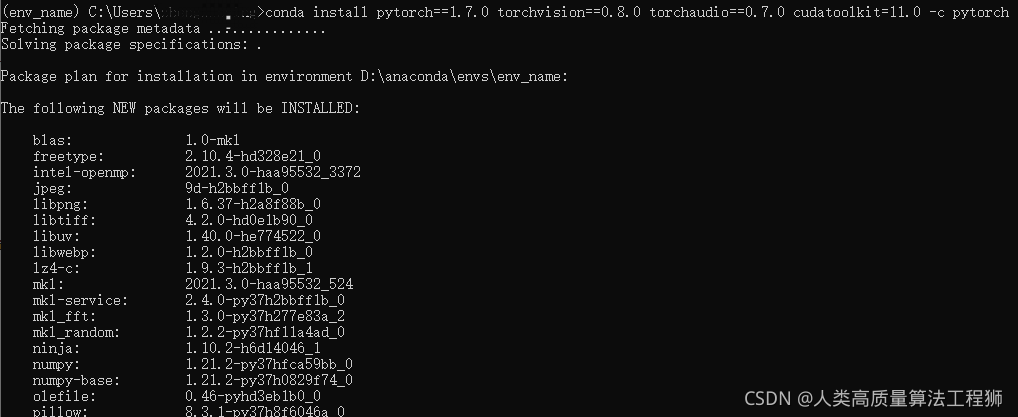
conda install pytorch==1.7.0 torchvision==0.8.0 torchaudio==0.7.0 cudatoolkit=11.0 -c pytorch
When using pandas to filter excel,
df.loc[df['threat_type'].str.contains("DGA")]
The following error messages appear:
ValueError: Cannot mask with non-boolean array containing NA/NaN values
It is reported that the grouping column contains non-string contents. Because the use of .Str.contains requires that the field must be a string and cannot have numbers,
so it is added to the code
df.loc[df['threat_type'].str.contains("DGA", na=False)]
This enables the function to directly ignore non-string situations.
Cause analysis: there is an error in the jar package. You need to re import the jar package
first click the jeesite project, and then open properties → Java build path → libraries
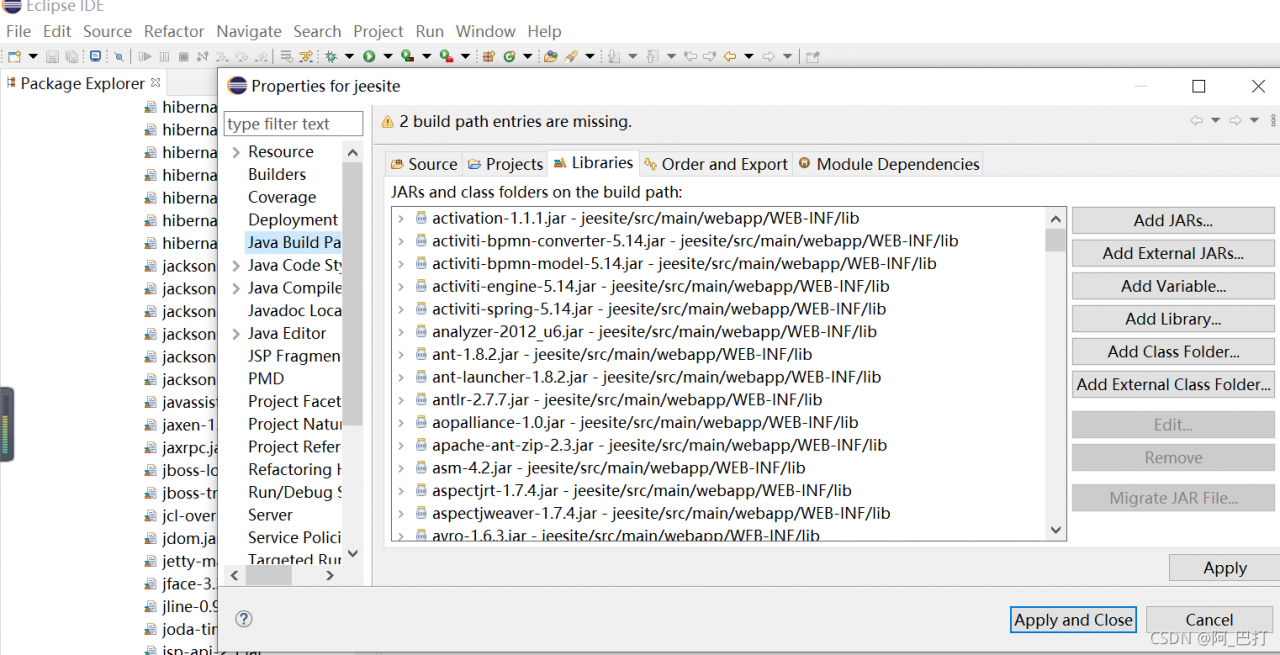
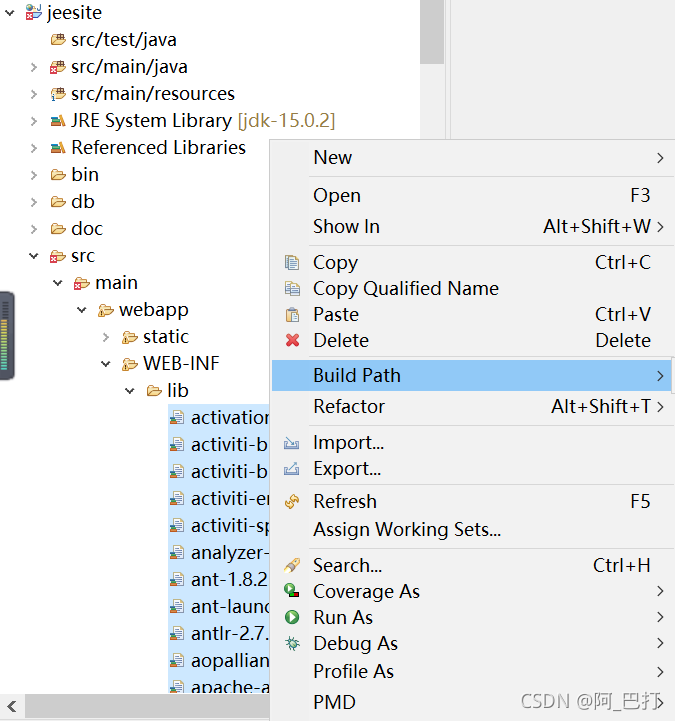
Then remove all jar packages that report errors, click apply and close, select all jar packages in the Lib directory, and right-click build path to re import jar packages
errors are still reported for individual files after re introduction, as follows
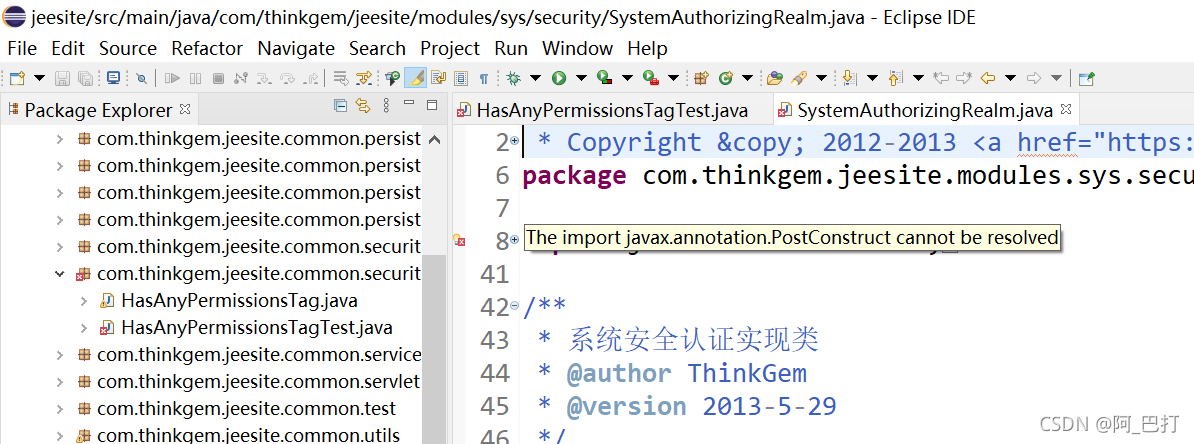
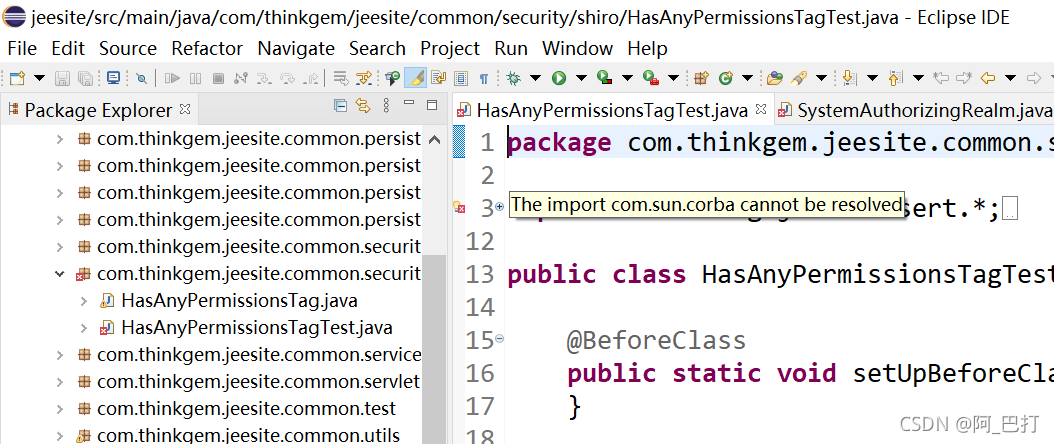
The reason is that some packages are not included after Java se 9.0. If they are used, they need to be imported manually
a link is given below. You can go to this website to download the required packages by yourself
http://www.java2s.com/Code/Jar/CatalogJar.htm