Category Archives: JavaScript

[Solved] npm Error: Class extends value undefined is not a constructor or null

NPM – V error reporting at the terminal:

TypeError: Class extends value undefined is not a constructor or null
    at Object.<anonymous> (D:\Program Files\nodejs\node_modules\npm\node_modules\socks-proxy-agent\dist\agent.js:114:44)
    at Module._compile (node:internal/modules/cjs/loader:1103:14)
    at Object.Module._extensions..js (node:internal/modules/cjs/loader:1157:10)
    at Module.load (node:internal/modules/cjs/loader:981:32)
    at Function.Module._load (node:internal/modules/cjs/loader:822:12)
    at Module.require (node:internal/modules/cjs/loader:1005:19)
    at require (node:internal/modules/cjs/helpers:102:18)
    at Object.<anonymous> (D:\Program Files\nodejs\node_modules\npm\node_modules\socks-proxy-agent\dist\index.js:5:33)
    at Module._compile (node:internal/modules/cjs/loader:1103:14)
    at Object.Module._extensions..js (node:internal/modules/cjs/loader:1157:10)
    at Module.load (node:internal/modules/cjs/loader:981:32)
    at Function.Module._load (node:internal/modules/cjs/loader:822:12)
    at Module.require (node:internal/modules/cjs/loader:1005:19)
    at require (node:internal/modules/cjs/helpers:102:18)
    at Object.<anonymous> (D:\Program Files\nodejs\node_modules\npm\node_modules\make-fetch-happen\lib\agent.js:169:25)
    at Module._compile (node:internal/modules/cjs/loader:1103:14)
TypeError: Class extends value undefined is not a constructor or null
    at Object.<anonymous> (D:\Program Files\nodejs\node_modules\npm\node_modules\socks-proxy-agent\dist\agent.js:114:44)
    at Module._compile (node:internal/modules/cjs/loader:1103:14)
    at Object.Module._extensions..js (node:internal/modules/cjs/loader:1157:10)
    at Module.load (node:internal/modules/cjs/loader:981:32)
    at Function.Module._load (node:internal/modules/cjs/loader:822:12)
    at Module.require (node:internal/modules/cjs/loader:1005:19)
    at require (node:internal/modules/cjs/helpers:102:18)
    at Object.<anonymous> (D:\Program Files\nodejs\node_modules\npm\node_modules\socks-proxy-agent\dist\index.js:5:33)
    at Module._compile (node:internal/modules/cjs/loader:1103:14)
    at Object.Module._extensions..js (node:internal/modules/cjs/loader:1157:10)
    at Module.load (node:internal/modules/cjs/loader:981:32)
    at Function.Module._load (node:internal/modules/cjs/loader:822:12)
    at Module.require (node:internal/modules/cjs/loader:1005:19)
    at require (node:internal/modules/cjs/helpers:102:18)
    at Object.<anonymous> (D:\Program Files\nodejs\node_modules\npm\node_modules\make-fetch-happen\lib\agent.js:169:25)
    at Module._compile (node:internal/modules/cjs/loader:1103:14)

Solution:

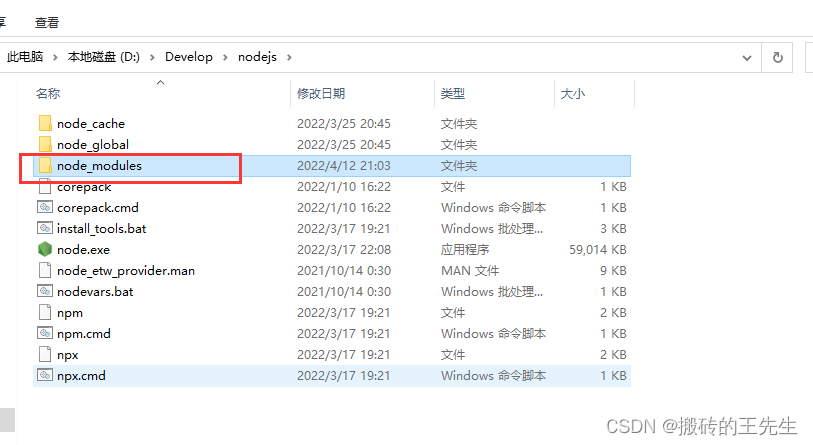
Uninstall node, find the node installation path, and delete the node_modules under the path folder
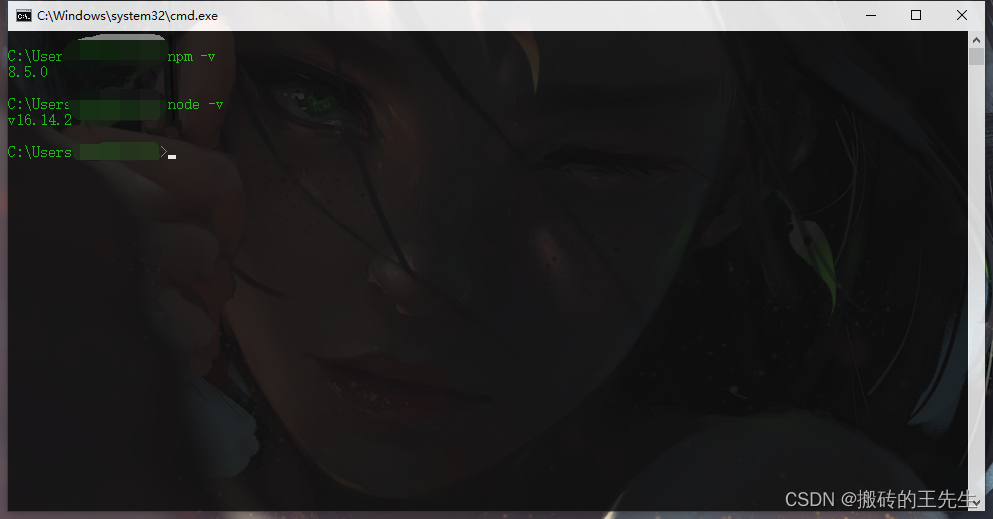
Reinstall node

Node.js Error: Cannot find module express [How to Solve]

1. Install the express framework globally, CMD open the command line, and enter the following command:

    npm install -g express

In the express 4.x version, the command tool is separated, a command tool is installed, and the command is executed:

    npm install -g express-generator

type express --version

2. If execute js file report error: Error: Cannot find module express

Solution:
execute it again under your own project directory:
npm install express

[Solved] error Component name “xxx“ should always be multi-word vue/multi-word-comp

Project issues

An error was encountered in the Vue project today. The console reported error Component name “xxx“ should always be multi-word vue/multi-word-comp, which is mainly the error reported by eslint standardization


Solution:

Turn off naming rule verification
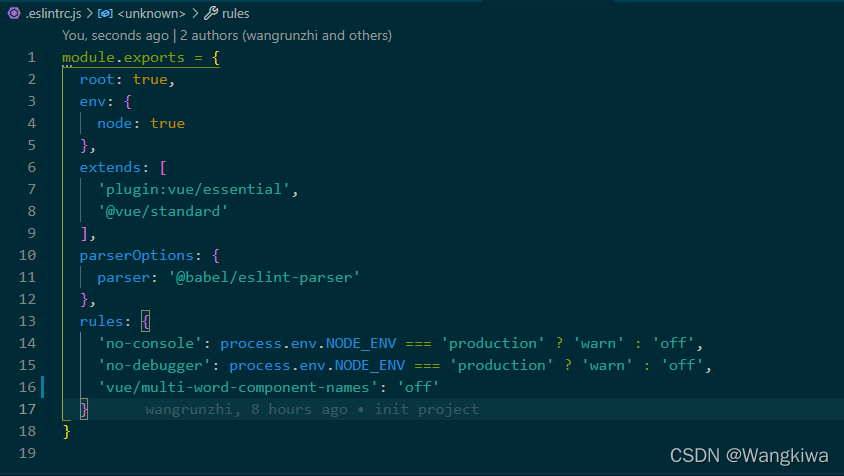
find it in the root directory eslintrc.js file, add the following code:

   "vue/multi-word-component-names":"off",

.eslintrc.js file content:

uniapp Use render Function Error: [Vue warn]: Error in beforeCreate hook: “TypeError: Cannot read property ‘_i‘ of

Demand

It is expected to dynamically render page components through array objects

method

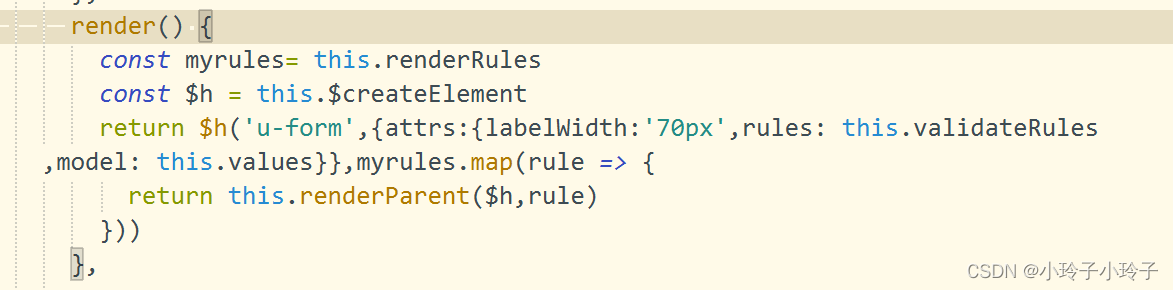
Use the render method to create a component based on the type field of the object through $createElement and pass other parameters into the component

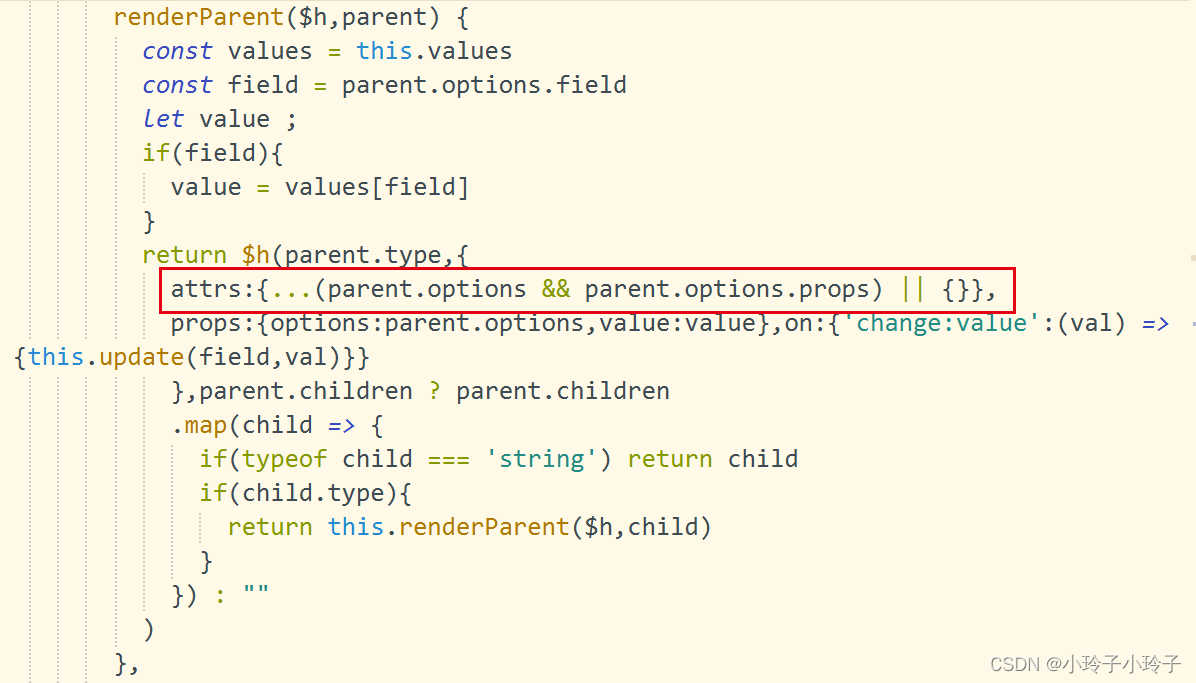
renderParent($h,parent) {
	const values = this.values
	const field = parent.options.field
	let value ;
	if(field){
		value = values[field]
	}
	return $h(parent.type,{
		props:{options:parent.options,value:value},on:{'change:value':(val) => {this.update(field,val)}}
		},parent.children ?parent.children
		.map(child => {
			if(typeof child === 'string') return child
			if(child.type){
				return this.renderParent($h,child)
			}
		}) : ""
	)
},

result

The following error is reported:

solve

When creating a component through ceateelement, add attrs attribute in the second parameter

[Solved] Vue Startup Error: Emitted value instead of an instance of Error

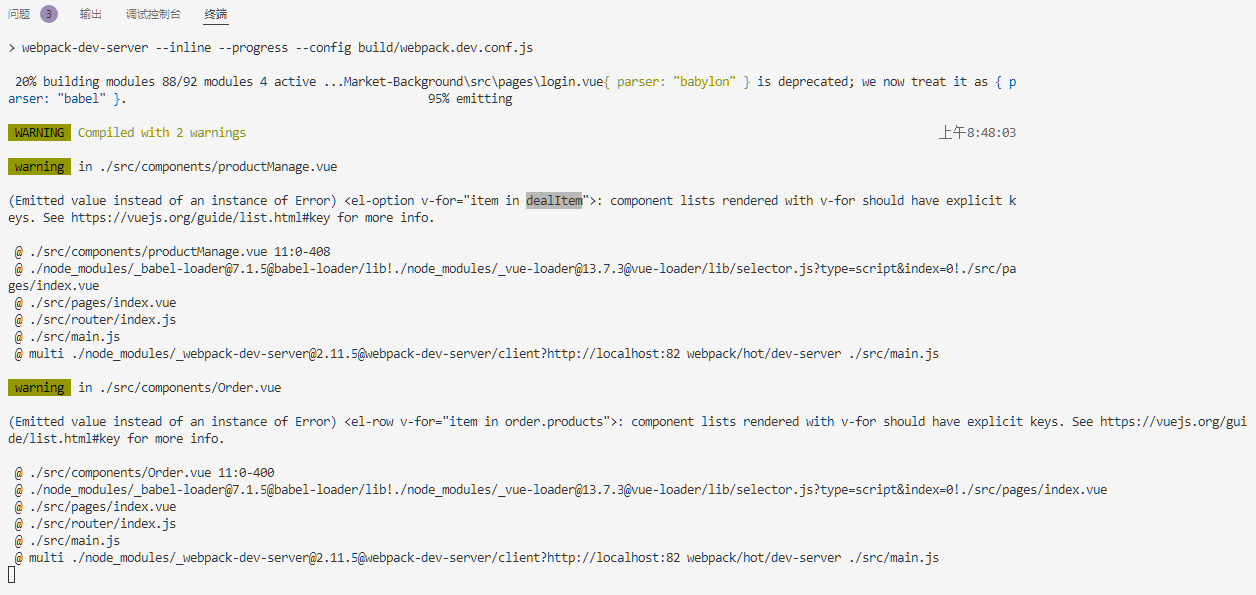
Vue project install is normal. When NPM run dev is started, the project cannot be started due to warnings.

Exception prompt:

(Emitted value instead of an instance of Error)
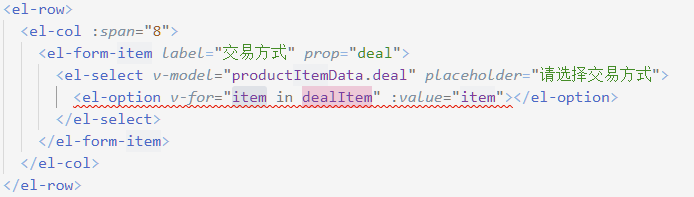
 <el-row v-for="item in order.products">: component lists rendered with v-for should have explicit keys. 
 See https://vuejs.org/guide/list.html#key for more info.

Anomaly analysis:

On the child elements of the transition-group tag, do not use the v-for index as the key, otherwise it is the same as not using the key

Solution:
V-for specifies subscript, :key="index"

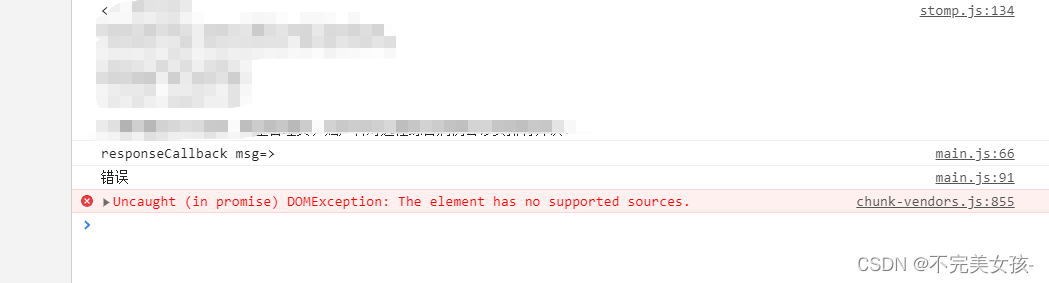
[Solved] Uncaught (in promise) DOMException: Failed to load because no supported source was found.

The audio error of uniapp,
my situation is that sometimes it is good and sometimes it is not good
the error report is shown in the figure below:

the reason for the error report is that the audio cannot find resources
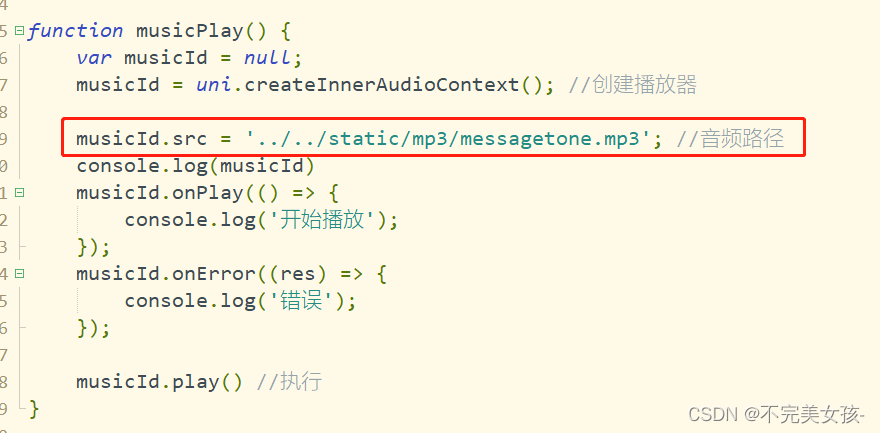
check the code and find that the path is written like this

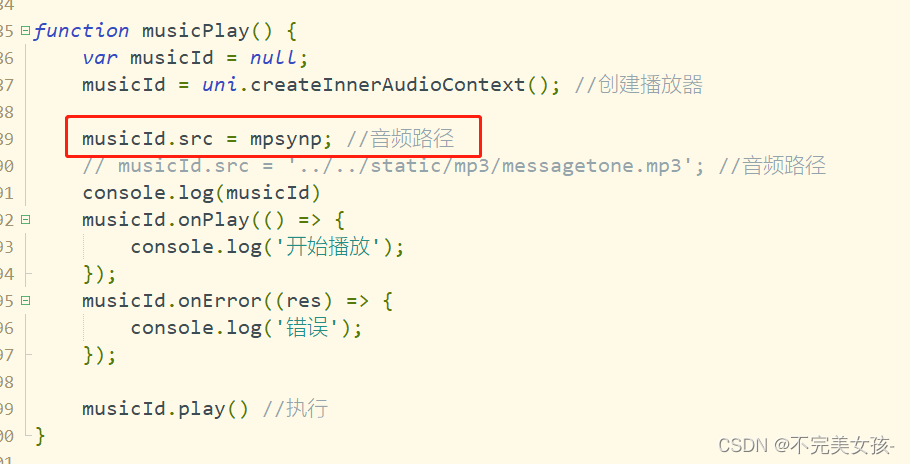
so the following modifications are made:
just import it directly above


solved~

[Solved] Failed to load plugin ‘vue‘ declared in ‘.eslintrc.js‘: createRequire is not a function

In vscode, NPM run a vue2.X’s project directly threw an inexplicable error:

TypeError: Failed to load plugin 'vue' declared in '.eslintrc.js': createRequire is not a function


The general error description is as follows:

 ERROR  Failed to compile with 1 error
                               16:42:37
Syntax Error: TypeError: Failed to load plugin 'vue' declared in '.eslintrc.js': createRequire is not a function
Referenced from: D:\codeSource\myProject\ldsz-cloud\ui-ldsz-adm\.eslintrc.js
    at _normalizeObjectConfigDataBody.next (<anonymous>)
    at _normalizeObjectConfigData.next (<anonymous>)


You may use special comments to disable some warnings.
Use // eslint-disable-next-line to ignore the next line.
Use /* eslint-disable */ to ignore all warnings in a file.

How to Solve:

    1. 1. For VSCode, you can delete the eslint extension directly
    1. 2. Upgrade the node version to the latest or keep it consistent with the node version of your colleagues

Failed to execute ‘setRequestHeader’ on ‘XMLHttpRequest’: String contains non ISO-8859-1 code point.

When the front-end page sends a request to the background, non-english is put into the request header, so there will be coding format problems

Error message:

Failed to execute ‘setRequestHeader’ on ‘XMLHttpRequest’: String contains non ISO-8859-1 code point.


Solution:

Encoding: encodeURIComponent(str)
decoding: decodeURIComponent(str)

[Solved] Invalid prop: type check failed for prop “modelValue“. Expected Number…

Warning prompt

After running the project, chrome console will prompt the following error message:

[Vue warn]: Invalid prop: type check failed for prop "modelValue". Expected Number with value 5, got String with value "5".

  at <VanRate modelValue="5" onUpdate:modelValue=fn<onUpdate:modelValue> size=11  ... >

  at <DetailItem detailData= (2) [{…}, {…}] onTrustBuyClick=fn<bound trustClick> >

  at <Detail onVnodeUnmounted=fn<onVnodeUnmounted> ref=Ref< Proxy {getSpecialData: ƒ, trustClick: ƒ, moreClick: ƒ, …} > key=0 >

  at <RouterView>

  at <App>

analysis

According to the above warning prompt, you can clearly see the problem, Invalid prop: type check failed for prop “modelValue”. Expected Number with value 5, got String with value “5” This sentence has actually explained that the reason for the error is prop The attribute value of the value failed to be verified. The value required by the component is 5 of the number type, but the currently obtained value is “5” of the string type. This is caused by inconsistent data types. The prop is used as a property in the Vue component, so you only need to determine which component is reporting the error. Check the value format of the prop and change it to the Expected type, such as number here. To sum it up: warning errors due to inconsistent data types.

Solution:

The warning log has indicated that the specific error occurred in that component. Find the location of that component, and then check where the data types are inconsistent when transmitting values, and then modify the attributes. Generally, the value format type in the props of the component can be directly modified to the type required by the corresponding component.


[Solved] Ineffective mark-compacts near heap limit Allocation failed – JavaScript heap out of memory

Problem description

After the project is run and compiled, the problem of running interruption occurs frequently. You need to re execute the command yarn serve


Error content

<--- JS stacktrace --->

FATAL ERROR: Ineffective mark-compacts near heap limit Allocation failed - JavaScript heap out of memory

The JS heap is out of memory

Cause analysis:

If the project is large, memory overflow will be thrown when starting or packaging, and the node server memory needs to be expanded


Solution:

Try method 1: Expand memory
Shortcut key Win+R to open the run window, run npm install -g increase-memory-limit 2. Run increase-memory-limit
in the project folder , the memory expansion is completed, and then start the project.

The situation is slightly better after the expansion, but the operation will be interrupted when throwing

CALL_AND_RETRY_LAST Allocation failed – JavaScript heap out of memory

Try method 2: Shortcut key Win+R to open the run window, run setx NODE_OPTIONS –max_old_space_size=4096

Subsequent operation is normal, no error is reported