Category Archives: JavaScript

[Solved] SyntaxError: Cannot use import statement outside a module
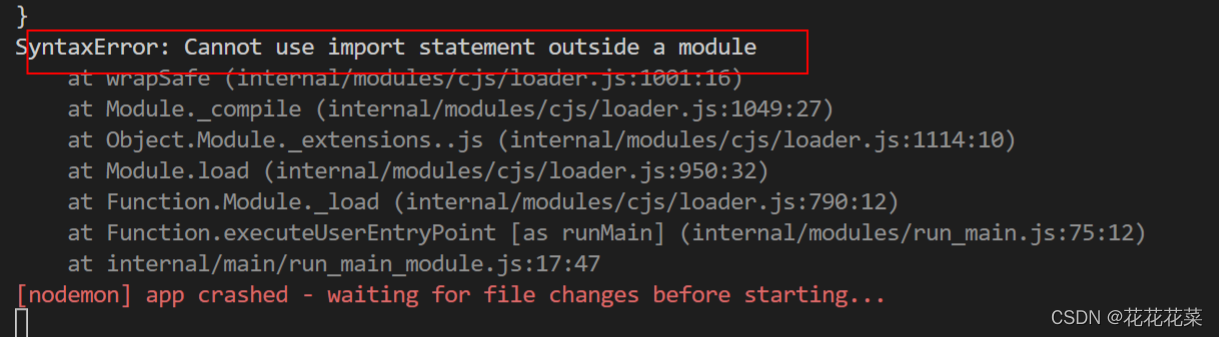
SyntaxError: Cannot use import statement outside a module

Problem: When debugging js code with vs code, I get “SyntaxError: Cannot use import statement outside a module”

import express from "express";

const app=express();
app.listen(9527,function(){
    console.log(9527);
})

Solution:

npm init -y
Add type(“type”:”module”,) in package. json

{
  "name": "serve",
  "version": "1.0.0",
  "description": "Server-side interface building for js phase projects",
  "main": "index.js",
   "type":"module",
  "scripts": {
    "node":"node app.js",
    "dev":"nodemon ./app.js"
  },
  "keywords": [
    "shop"
  ],
  "author": "wff",
  "license": "ISC",
  "devDependencies": {
    "express": "^4.17.3",
    "nodemon": "^2.0.15"
  }
}

The terminal runs node index.js or vs Code F5 can be run.

[Solved] NUXT.JS. npm run dev Error: Error: error:0308010C:digital envelope routines::unsupported

Problem analysis

Error: 0308010c: digital envelope routines:: Unsupported

This error is due to the recent release of OpenSSL 3.0 in node.js V17, which adds strict restrictions on allowed algorithms and key sizes, which may have some impact on the ecosystem.

Some applications that worked fine before node.js V17 may throw the following exceptions in V17:

At present, this problem can be temporarily solved by running the following command line

export NODE_OPTIONS=–openssl-legacy-provider

[Solved] Package Install Error: npm ERR code ERR_SOCKET_TIMEOUT npm ERR

Error reporting solution


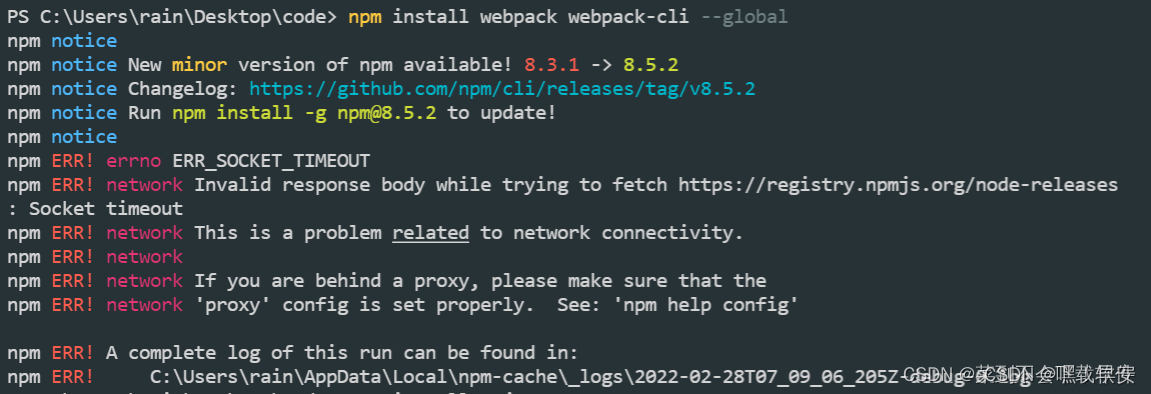
npm ERR! code ERR_SOCKET_TIMEOUT 
npm ERR! errno ERR_SOCKET_TIMEOUT
npm ERR! network Invalid response body while trying to fetch https://registry.npmjs.org/node-releases: Socket timeout
npm ERR! network This is a problem related to network connectivity.
npm ERR! network In most cases you are behind a proxy or have bad network settings.
npm ERR! network
npm ERR! network If you are behind a proxy, please make sure that the
npm ERR! network 'proxy' config is set properly.  See: 'npm help config'

npm ERR! A complete log of this run can be found in:
npm ERR!     C:\Users\rain\AppData\Local\npm-cache\_logs\2022-02-28T07_09_06_205Z-debug-0.log 

Today, when installing the webpack package, I found the following problems:

First step operation

npm install webpack webpack-cli --global

Perform step 2 after reporting an error

npm install rxjs

Perform the third step

npm install webpack webpack-cli --global

npm run dev successfully: %s

[Solved] Font End Image Display Error: net::ERR_CONNECTION_RESET 431 (Request Header Fields Too Large)

(1) The pictures are stored in the database

Use the el-upload component to convert the picture into a string in Base64 format and store it in the MySQL database. The field type is longtext.

(2) Error in front-end display picture

Get the picture data from the back end through the post request and assign it to Src. As a result, the picture cannot be displayed and an error: net::ERR_CONNECTION_RESET 431 (Request Header Fields Too Large)

(3) Problem-solving

Add “data:image/jpeg;base64,” before the base64 format string.

this. form. userPhoto=”data:image/jpeg;base64,”+this. form. userPhoto;

Here, image/JPEG is the name of the data type, Base64 is the encoding method, and the data after the comma is the data taken from the database. You can also check the data URL on the Internet.

So the problem is solved.

[Solved] vuecli2+axios Error: NotSameOriginAfterDefaultedToSameOriginByCoep

Problem reporting error

Notsameoriginafterdefaultedtosameoriginbycoep
cross domain isolation

Personal environment: vuecli2 + Axios

Solution:
add the following codes in the headers of Axios

        "Cross-Origin-Opener-Policy": "same-origin",
        "Cross-Origin-Embedder-Policy": "require-corp"

And in the devServer of vue.config.js

headers: {"Cross-Origin-Opener-Policy": "cross-origin","Cross-Origin-Embedder-Policy": "require-corp",},

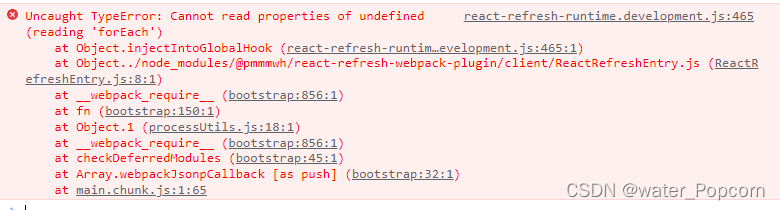
[Solved] react Chrome Browser Error: Uncaught TypeError: Cannot read properties of undefined (reading ‘forEach‘)

Error: Uncaught TypeError: Cannot read properties of undefined (reading ‘forEach’)

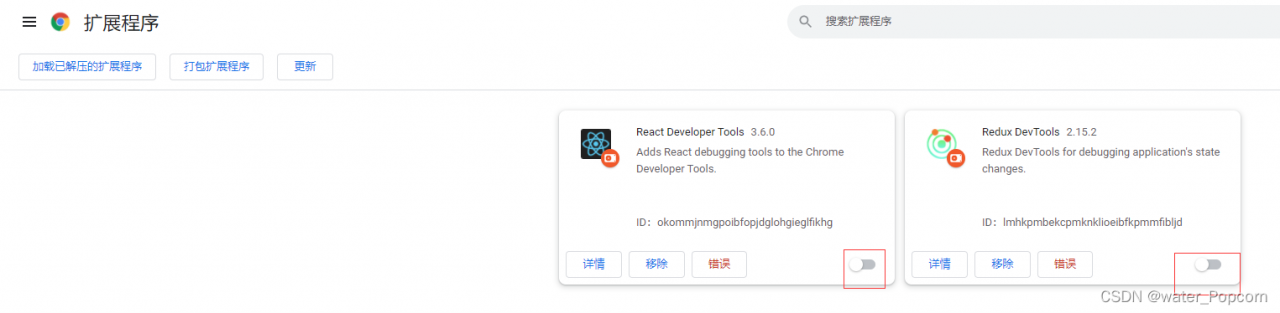
Cause: caused by the extension of Google browser

Solution 1: close the extension program of Google browser

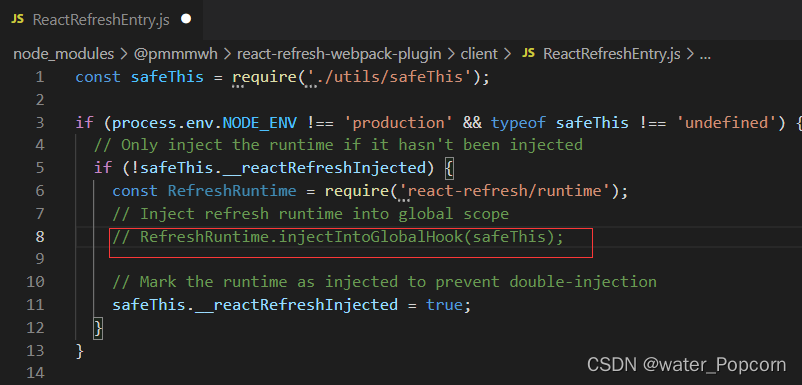
Solution 2: find the wrong line and comment it out

Comment out the eighth line

Just restart

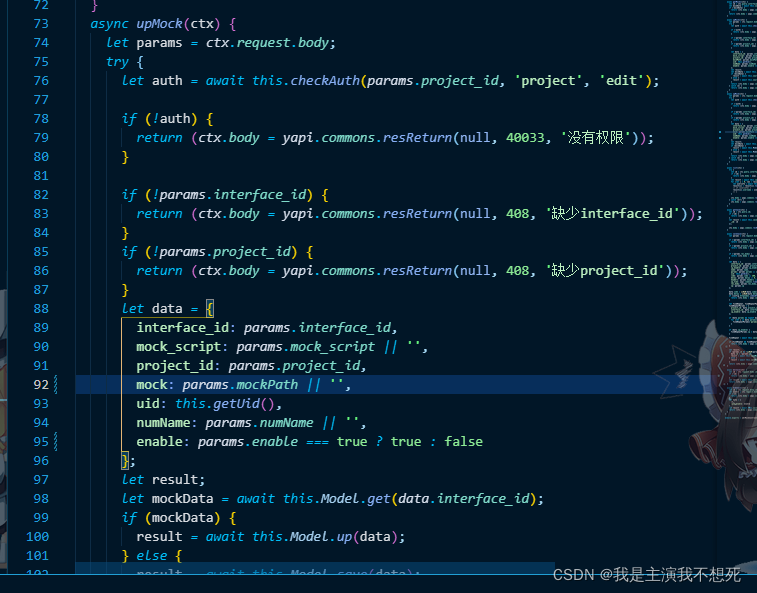
[Solved] Yapi Secondary deploy error: xxx validation failed: mock: Path `xxx` is required

Previously on

Although the mongodb server declares that this field can be stored
and the front-end page also carries the parameter
when sending a request like the node service, it cannot be stored in the database and an error is reported

Error prompt

When the server reports an error

adv_source_mock validation failed: mock: Path `mock` is required.
数据表名称                                                 字段

Cause of error

I personally understand that the “mock” field is not declared in the node service
so the node service will not store the path without this field in the database and report an error
or he doesn’t know where it exists

Solution:

You can solve this problem by declaring line 92 of this field in data

How to Solve Vite package error

Solution:

Add skipLibCheck: true in tsconfig.json

Please refer to the configuration:

{
  "compilerOptions": {
    "target": "esnext",
    "useDefineForClassFields": true,
    "module": "esnext",
    "moduleResolution": "node",
    "strict": true,
    "jsx": "preserve",
    "sourceMap": true,
    "resolveJsonModule": true,
    "esModuleInterop": true,
    "lib": ["esnext", "dom"],
    "baseUrl": ".",
    "paths": {
      "@/*": ["src/*"]
    },
    "skipLibCheck": true
  },
  "include": ["src/**/*.ts", "src/**/*.d.ts", "src/**/*.tsx", "src/**/*.vue"]
}


[Solved] Vuex Error: unknown action type: changeUserInfo

Analyze the reason: this means that the method in actions cannot be read;

Troubleshooting:

Check whether there is a problem with the introduction:

1. In store/mutations.js If the exposure mode is export, you need to add {} when importing, as shown in the following code:

//export:

export {
    state,mutations,getters 
}

//import in store/index.js:
import {state,mutations,getters} from './mutations'

2. In store/actions.js If the exposure method is export default, you do not need to add {} when importing, as shown in the following code:

//export default:
export default {
    // modify userInfo
    changeUserInfo(context,obj){
        context.commit('changeUserInfo',obj);
        localStorage.setItem("userInfo",JSON.stringify(obj))
    }
}

//import in store/index.js:
import actions from './actions'

[Solved] nodejs Error: request entity too large

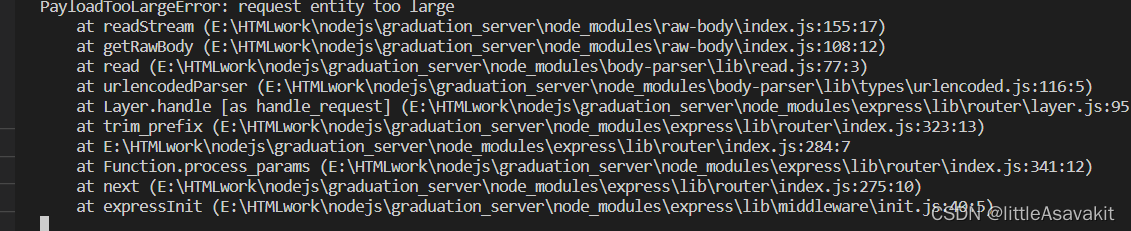
A project written in Vue and nodejs requires image upload, but report error:

PayloadTooLargeError: request entity too large
at readStream

Solution: add Middleware

const bodyParser = require('body-parser');
router.use(bodyParser.urlencoded({extended: false, limit: '10mb'}));

The default is 100kb, which can be replaced by a large number. The unit can be MB, etc