Category Archives: JavaScript

[Solved] Errors: 1 http://eslint.org/docs/rules/quotes…elementUI Import Error

Introduction of elementui

Add the following in main.js of src:

import Element from 'element-ui'
import "element-ui/lib/theme-chalk/index.css"
Vue.use(Element)

Introduce error reporting

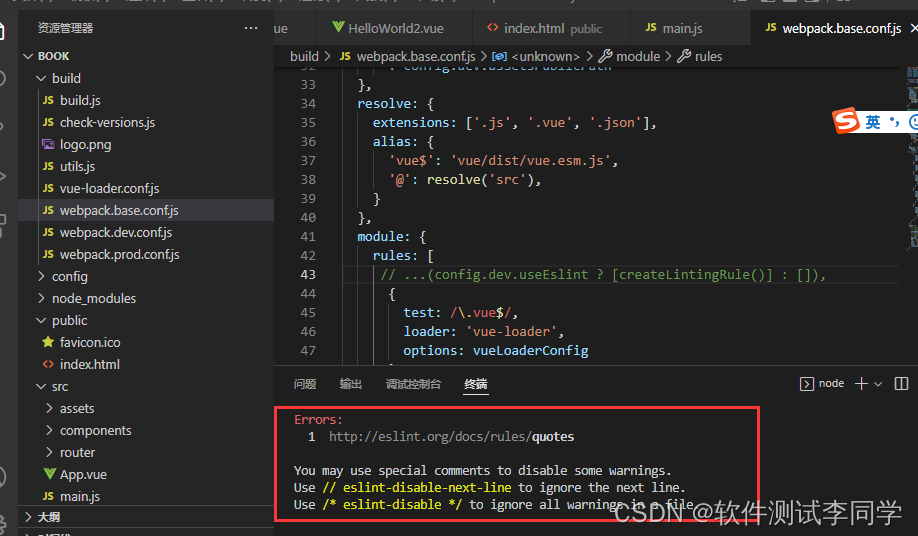
Errors:
  1  http://eslint.org/docs/rules/quotes

You may use special comments to disable some warnings.
Use // eslint-disable-next-line to ignore the next line.
Use /* eslint-disable */ to ignore all warnings in a file.

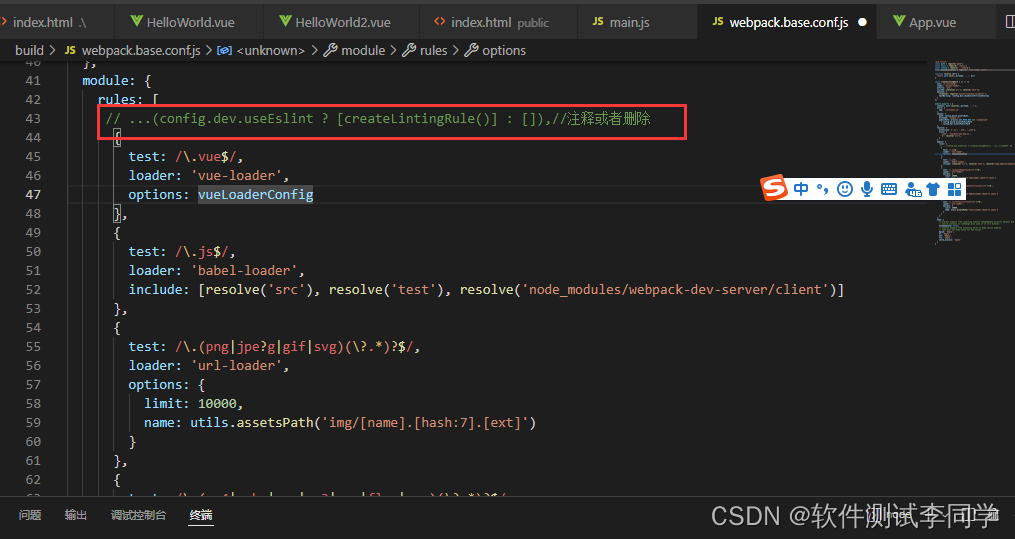
Solution:

In the build/webpack.base.conf.js file, comment out or remove the rule about eslint in: module->rules

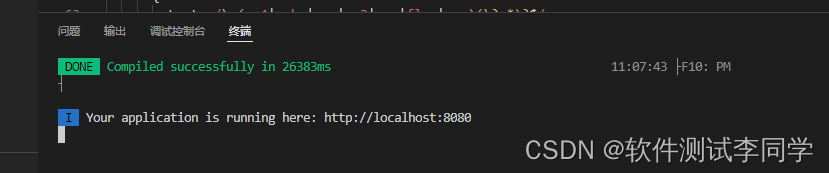
Then re-execute the command: npm run dev

It’s normal

[Solved] start value has mixed support, consider using flex-start instead

postcss-loader Error => start value has mixed support, consider using flex-start instead”

Details of error reporting:

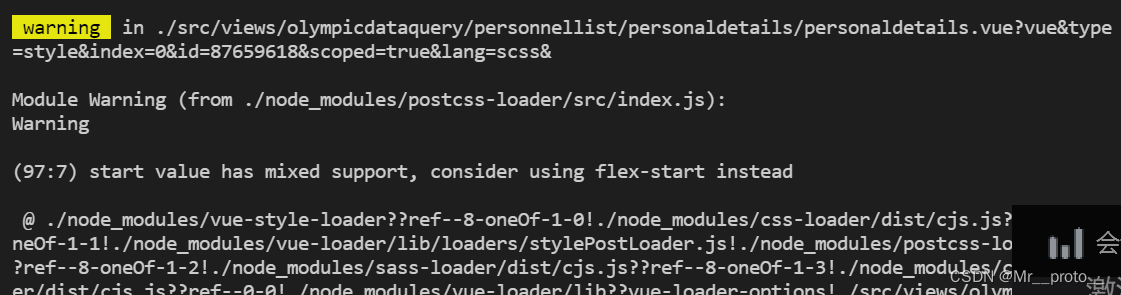
 warning  in ./src/views/olympicdataquery/personnellist/personaldetails/personaldetails.vue?vue&type=style&index=0&id=87659618&scoped=true&lang=scss&

Module Warning (from ./node_modules/postcss-loader/src/index.js):
Warning

(97:7) start value has mixed support, consider using flex-start instead

 @ ./node_modules/vue-style-loader??ref--8-oneOf-1-0!./node_modules/css-loader/dist/cjs.js??ref--8-oneOf-1-1!./node_modules/vue-loader/lib/loaders/stylePostLoader.js!./node_modules/postcss-loader/src??ref--8-oneOf-1-2!./node_modules/sass-loader/dist/cjs.js??ref--8-oneOf-1-3!./node_modules/cache-loader/dist/cjs.js??ref--0-0!./node_modules/vue-loader/lib??vue-loader-options!./src/views/olympicdataquery/personnellist/personaldetails/personaldetails.vue?vue&type=style&index=0&id=87659618&scoped=true&lang=scss& 4:14-524 15:3-20:5 16:22-532
 @ ./src/views/olympicdataquery/personnellist/personaldetails/personaldetails.vue?vue&type=style&index=0&id=87659618&scoped=true&lang=scss&
 @ ./src/views/olympicdataquery/personnellist/personaldetails/personaldetails.vue
 @ ./src/views sync ^\.\/.*$
 @ ./src/store/modules/permission.js
 @ ./src/store/index.js
 @ ./src/main.js
 @ multi (webpack)-dev-server/client?http://192.168.1.78:6206&sockPath=/sockjs-node (webpack)/hot/dev-server.js ./src/main.js

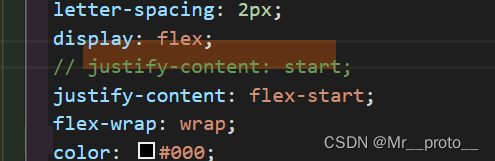
Although just a warning, but certainly what is not standardized, chrome, found to be someone else’s css is not written standard: flex layout of justify-content: start; change to justify-content: flex-start; on it, no more problems

Modify as below:

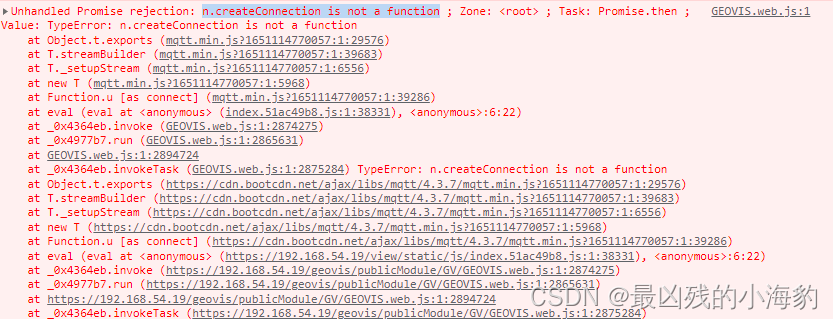
[Solved] mqtt.js Error: n.createConnection is not a function

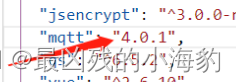
Reason: This is a version problem, 4.2.X+ (this is also the problem when I use the latest version, which may be improved in the future)

Solution: use the lower version, I use 4.1.X is OK.

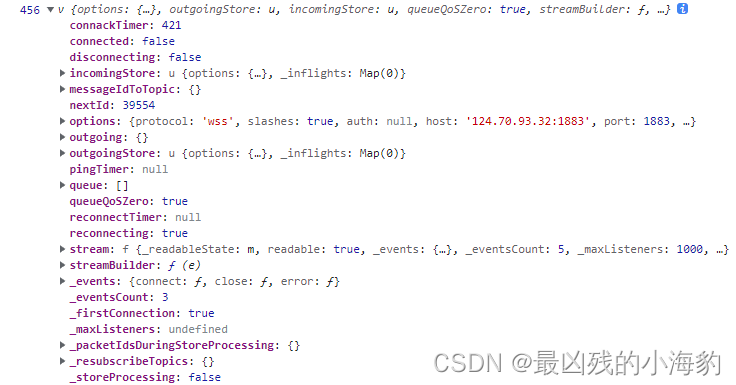
Here is the output of the client after the connection is successful

Vue solution:
Vue installation. Not only the version needs to be modified, but also the ^  in front of the version needs to be removed (in packpage.json), but there is no Vue test. You can try it (a picture of other blogs is cut here)

[Solved] JSON.parse() Error: Unexpected end of JSON input

Error returned during JSON.parse() conversion due to conversion characters or other special characters in the data of the converted JSON.stringify().

Solution:

encoding before the JSON.stringify() transformation and decoding the operation when JSON.parse() is solved.

Example:

Jump pass parameter

 toEdit() {
    this.data.userInfo.faceData = this.data.faceData
    let info = encodeURIComponent(JSON.stringify(this.data.userInfo))
    wx.navigateTo({
      url: '../userEdit/userEdit?info=' + info 
    })
  },

receive data

onLoad(options) {
	//decodeURIComponent decoding
   let info = JSON.parse(decodeURIComponent(options.info))
   this.setData({info:info})
}

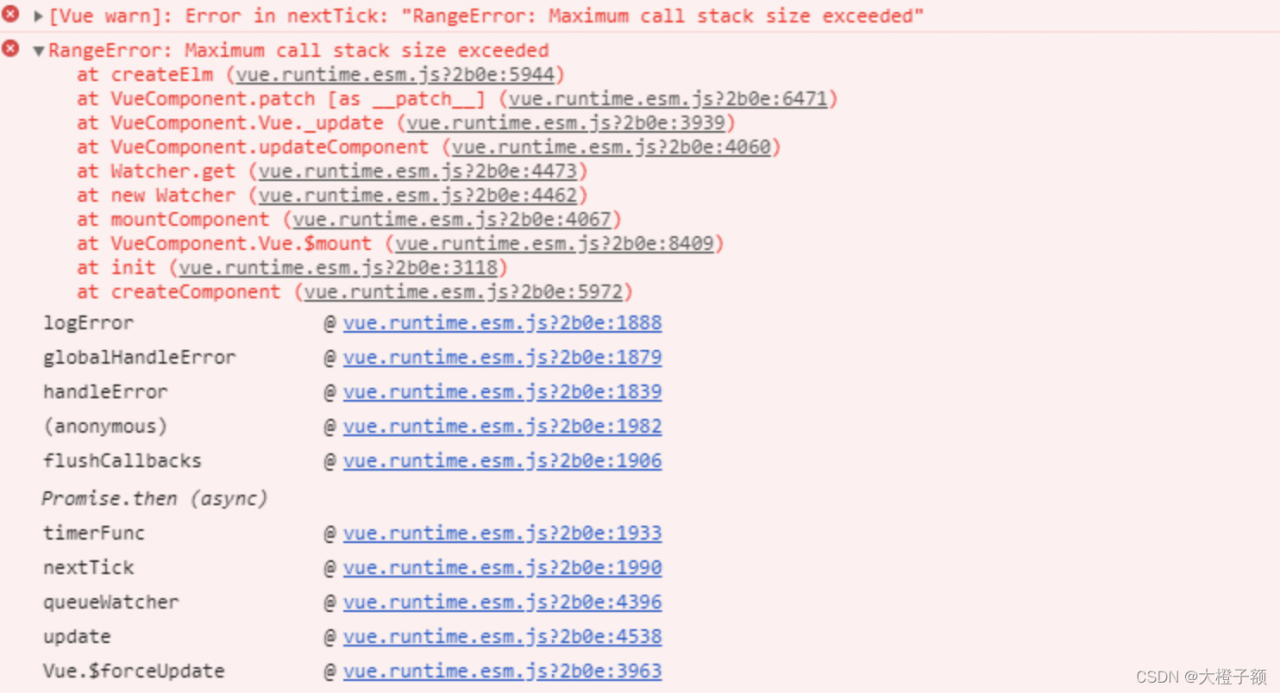
[Solved] Vue Error: Error in nextTick: “RangeError: Maximum call stack size exceeded“

maximum call stack size exceeded

Vue item error report: error in nexttick: maximum call stack size exceeded because the names of two components are the same, correct them and solve them

Initially, this error was reported as a stack overflow, and I thought there was a circular reference inside the code, and after checking all the methods, there was no circular call.
Later found that the error was reported after the introduction of a component, checked all the code in the component is fine, the use of the component alone in the route will not report an error, the introduction of the error will be reported. After checking, I found that the name of the two components was duplicated and the page was displayed normally after correcting it

export default {
  name: 'Chart'
}

[Solved] vue.esm.js?efeb:591 [Vue warn]: Error in event handler for “click“: “TypeError: Cannot read property

vue.esm.js?efeb:591 [Vue warn]: Error in event handler for “click”: “TypeError: Cannot read property ‘setCheckedKeys’ of undefined”

This is because this.dialogVisible = true does not update the dom immediately, but waits for the entire logic to be executed and then renders it again, so the popup box is not rendered at this time and does not exist in the dom tree.
This.$refs.tree is undefined so setCheckedKeys must also be undefined.

Solution: Use this.$nextTick(), this.$nextTick() will execute callback after DOM update:

opetation (auth) {
  this.dialogVisible = true
  this.$nextTick(function() {
    this.$refs.tree.setCheckedKeys(auth)
  })
}

OTS parsing error: invalid version tag [How to Solve]

Target: package font file png|woff|woff2|svg|ttf|eot

Tools: use the webpack tool

Foundation: suitable for developers with node foundation

Plug in package to download

css-loader loader for parsing css files
file-loader loader for processing files
html-webpack-plugin plugin for creating an html page in virtual memory”

style-loader A loader that inserts the parsed css style file into the style and places the head tag
url-loader A loader that parses the url path
webpack A tool for compiling code
webpack-cli provides developers with a flexible set of commands to Improve speed when defining webpack projects
webpack-dev-server dev virtual server server

Static compilation: webpack

Dynamic compilation [enable dev to access through HTTP protocol]: NPM run dev


1. Download the iconfont font package from the website

2. Build CSS files according to the prompts in the font file package

3. Import HTML file test

[this step is omitted, and there are cases in the font package]


Configure man.js

//import the example
import './css/index.css';

index.htm

<!DOCTYPE html>
<html lang="zh">
<head>
	<meta charset="UTF-8">
	<meta name="viewport" content="width=device-width, initial-scale=1.0">
	<meta http-equiv="X-UA-Compatible" content="ie=edge">
	<title></title>
	<!-- <link rel="stylesheet" href="./css/index.css" /> -->
</head>
<body>
	<span class="iconfont afont">&#xe60d;</span>
	<span class="iconfont afont">&#xe60c;</span>
	<span class="iconfont afont">&#xe637;</span>
	<span class="iconfont afont">&#xe63b;</span>
	<span class="iconfont afont">&#xe620;</span>
</body>
</html>

index.css

@font-face {
  font-family: 'iconfont';
  src: url('./icon/iconfont.ttf?t=1650505701581') format('truetype');
}
.iconfont {
  font-family: "iconfont" !important;
  font-size: 16px;
  font-style: normal;
  -webkit-font-smoothing: antialiased;
  -moz-osx-font-smoothing: grayscale;
}

span{
	height: 100px;
	width: 100px;
	/* display: block; */

}
.afont{
	font-size: 150px;	
}

Project initialization

Module download is not cumbersome here

Key: Type: ‘JavaScript/auto’// you must specify the type. Although you don’t know what, it seems that you must specify the type before which version to display that the loading is normal. If you know, please tell us the specific reasons in the comment area below.

No type specified: ‘JavaScript/auto’

Failed to decode downloaded font: http://localhost:3000/36bdff0eed0ef8904943.ttf?t=1650505701581
localhost/:1 OTS parsing error: invalid version tag

webpack.config..js file configuration [complete solution]


const {resolve} = require('path');
const HtmlWebpackPlugin = require('html-webpack-plugin');

module.exports = {
	entry:'./src/main.js',
	output:{
		filename:'bundle.js',
		path:resolve(__dirname,'dist')
	},
	module:{
		rules:[
			{test:/\.css$/, use:['style-loader','css-loader']},//css
			// {exclude: /\.(css|js|html)$/, //Exclude the packaging of other resources (in addition to html js css resources unexpected resources) this static packaging font file
			// loader:'file-loader'
			// },
 //{test:/\.(png|woff|woff2|svg|ttf|eot)$/, use:'url-loader?esModule=false&limit=10*1024&name=[hash:8]-[name].[ext]' ,type: 'javascript/auto'},
			{test:/\.(png|woff|woff2|svg|ttf|eot)$/,
			loader:'url-loader',
			options: {
				limit: 10*1024,  //This should be large enough so that all the font icons are packed into the css
				esModule:false,
				name:"[hash:8]-[name]. [ext]"
				},
			// type: 'javascript/auto' // must specify type
			}
			]
			},
	plugins:[
		new HtmlWebpackPlugin({
			template:'./src/index.html',
			filename:'index.html'
		})
	],
	mode:'development'
}

Start the virtual server with NPM run dev

Enter http://localhost:3000 in the browser address and the iconfont font file of the page is displayed normally
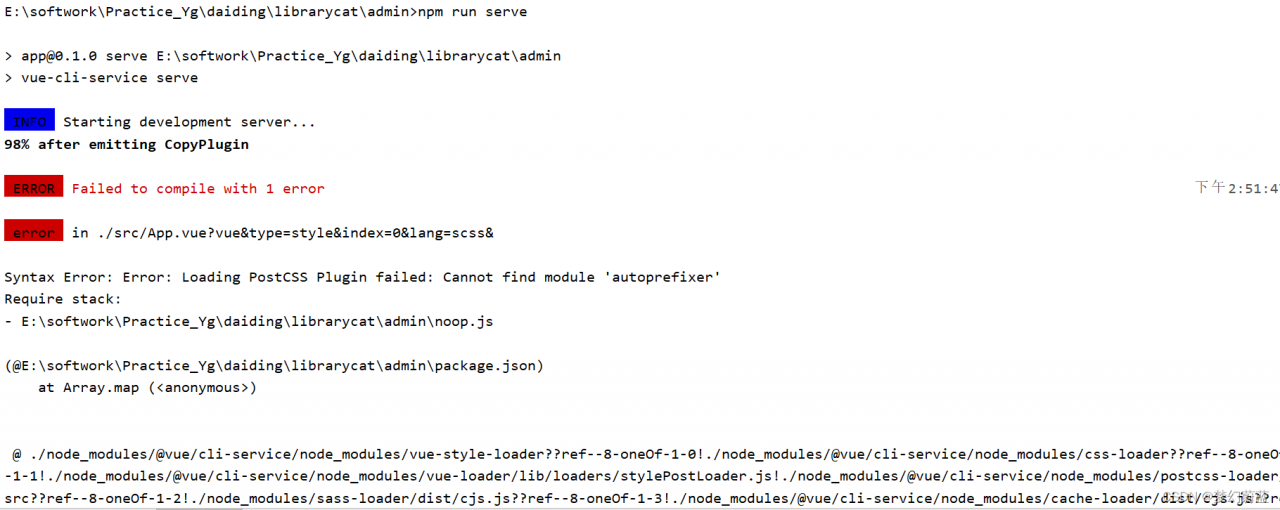
[Solved] Syntax Error: Error: Loading PostCSS Plugin failed: Cannot find module ‘autoprefixer‘

1. Errors occurred:

1. Code display

E:\librarycat\admin>npm run serve

> [email protected] serve E:\softwork\Practice_Yg\daiding\librarycat\admin
> vue-cli-service serve

 INFO  Starting development server...
98% after emitting CopyPlugin

 ERROR  Failed to compile with 1 error                                                                                                       下午2:51:47

 error  in ./src/App.vue?vue&type=style&index=0&lang=scss&

Syntax Error: Error: Loading PostCSS Plugin failed: Cannot find module 'autoprefixer'
Require stack:
- E:\softwork\Practice_Yg\daiding\librarycat\admin\noop.js

(@E:\softwork\Practice_Yg\daiding\librarycat\admin\package.json)
    at Array.map (<anonymous>)


 @ ./node_modules/@vue/cli-service/node_modules/vue-style-loader??ref--8-oneOf-1-0!./node_modules/@vue/cli-service/node_modules/css-loader??ref--8-oneOf
-1-1!./node_modules/@vue/cli-service/node_modules/vue-loader/lib/loaders/stylePostLoader.js!./node_modules/@vue/cli-service/node_modules/postcss-loader/
src??ref--8-oneOf-1-2!./node_modules/sass-loader/dist/cjs.js??ref--8-oneOf-1-3!./node_modules/@vue/cli-service/node_modules/cache-loader/dist/cjs.js??re
f--0-0!./node_modules/@vue/cli-service/node_modules/vue-loader/lib??vue-loader-options!./src/App.vue?vue&type=style&index=0&lang=scss& 4:14-563 15:3-20:
5 16:22-571
 @ ./src/App.vue?vue&type=style&index=0&lang=scss&
 @ ./src/App.vue
 @ ./src/main.js
 @ multi (webpack)-dev-server/client?http://192.168.0.145:8081/sockjs-node (webpack)/hot/dev-server.js ./src/main.js


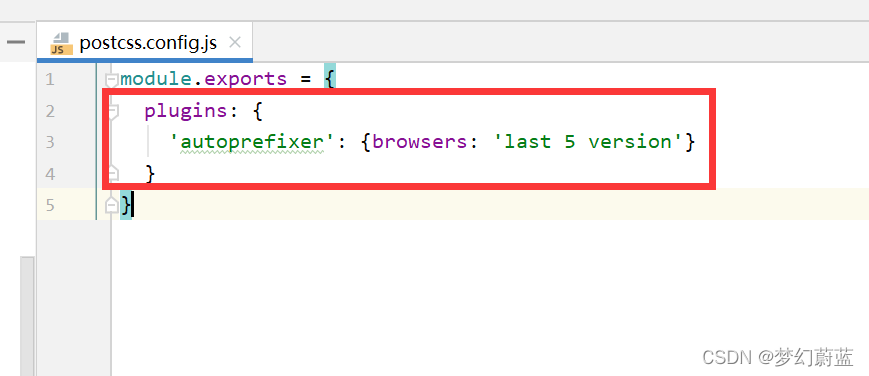
2. Picture presentation questions:


2. Problem-solving process

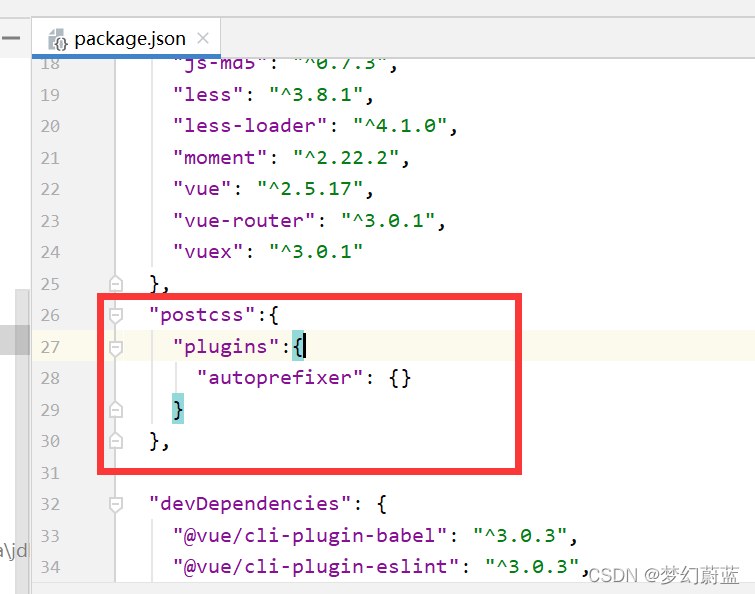
1. In package.json file

Delete the following

  "postcss":{
    "plugins":{
      "autoprefixer": {}
    }
  },

2. Add a sentence to main.js

import 'amfe-flexible'

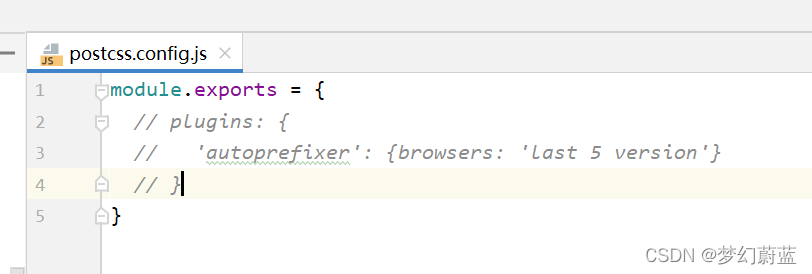
3. comment out the codes below:

[Solved] VUE npm install Error: Module build failed: Error: ENOENT: no such file or directory, scandir

The error information is as follows:

Module build failed: Error: ENOENT: no such file or directory, scandir 'D:\renren-fast-vue\node_modules\node-sass\vendor'
    at Object.fs.readdirSync (fs.js:904:18)
    at Object.getInstalledBinaries (D:\renren-fast-vue\node_modules\node-sass\lib\extensions.js:132:13)
    at foundBinariesList (D:\renren-fast-vue\node_modules\node-sass\lib\errors.js:20:15)
    at foundBinaries (D:\renren-fast-vue\node_modules\node-sass\lib\errors.js:15:5)
    at Object.<anonymous> (D:\renren-fast-vue\node_modules\node-sass\lib\index.js:14:35)
    at Module._compile (module.js:653:30)
    at Object.Module._extensions..js (module.js:664:10)
    at Module.load (module.js:566:32)
    at tryModuleLoad (module.js:506:12)
    at Function.Module._load (module.js:498:3)
    at Module.require (module.js:597:17)
    at require (internal/module.js:11:18)
    at Object.<anonymous> (D:\renren-fast-vue\node_modules\sass-loader\lib\loader.js:3:14)
    at Module._compile (module.js:653:30)

The solution is as follows:

Re execute NPM rebuild node-sass

Finally, the solution is started successfully:

[Solved] Error: Incorrect arguments to mysqld_stmt_execute

When mysql2 is used to operate the database in express, the paging query will report an error error incorrect arguments to mysqld_stmt_execute

Question

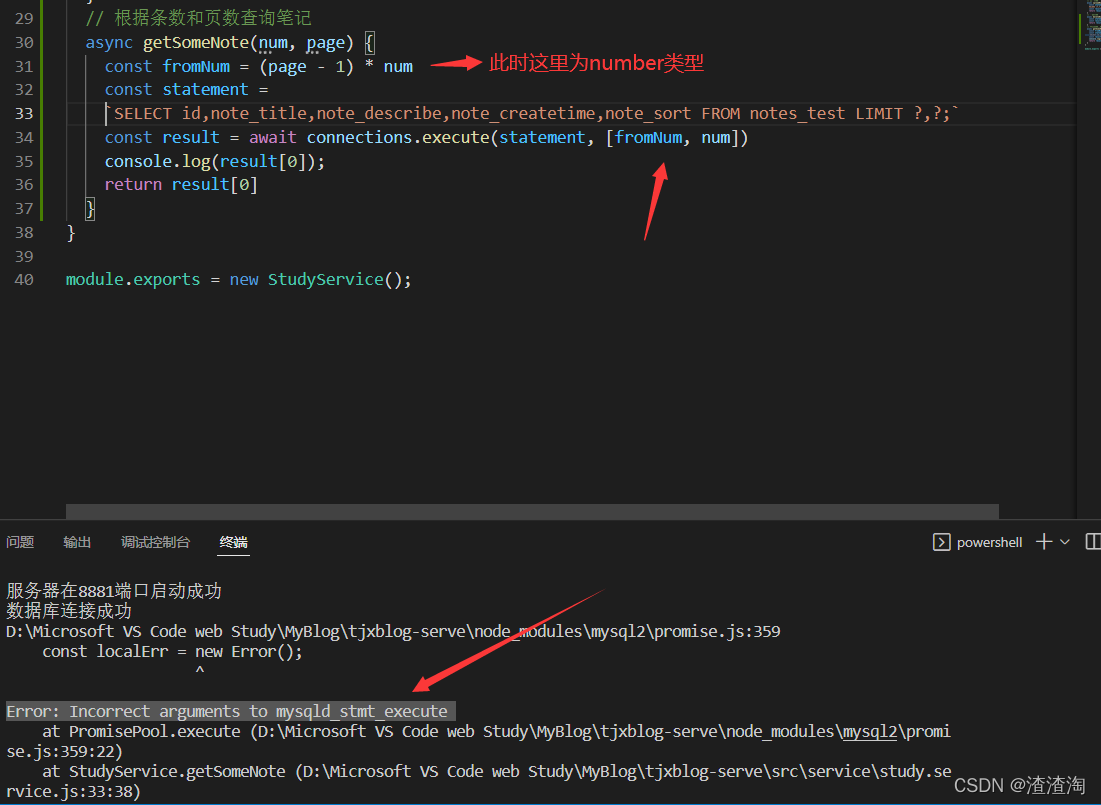
Error reporting: error: incorrect arguments to mysqld_stmt_execute

// Query notes based on number of notes and number of pages
  async getSomeNote(num, page) {
    const fromNum = (page - 1) * num
    const statement = `SELECT id,note_title,note_describe,note_createtime,note_sort FROM notes_test LIMIT ? ,? ;`
    // There is a problem with the parameters fromNum, num passed in here, they are numeric at this point
    const result = await connections.execute(statement, [fromNum, num])
    console.log(result[0]);
    return result[0]
  }

reason

Statement is a query statement for operating the database and is of string type. The contents of the second parameter of execute will be inserted into the statement. At this time, the number type inserted should be of string type, so an error “wrong parameter” is reported.

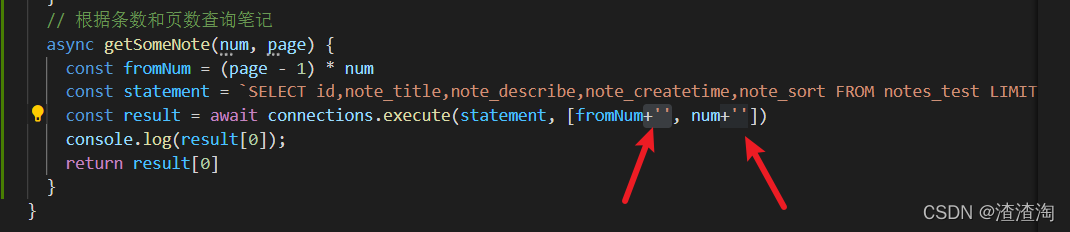
Solution:

Change the passed in parameter to string type.

// Query notes based on number of notes and number of pages
  async getSomeNote(num, page) {
    const fromNum = (page - 1) * num
    const statement = `SELECT id,note_title,note_describe,note_createtime,note_sort FROM notes_test LIMIT ? ,? ;`
    // Direct string concatenation, converting number types to character types
    const result = await connections.execute(statement, [fromNum+'', num+''])
    console.log(result[0]);
    return result[0]
  }